You know what actually ruins a keyboard? Not the colour of the backlighting. Not whether it comes in a nice box. It's the moment you realise the switches underneath are mush, and every keypress feels like prodding a slightly damp sponge. That's the real question with any keyboard at the budget end of the market: is what's underneath the keycaps actually worth your money, or are you just buying a plastic rectangle that'll annoy you within a fortnight?
The TECKNET Wired USB Keyboard lands firmly in the budget bracket, and it doesn't pretend otherwise. No mechanical switches here, no RGB light show, no software suite to fiddle with. What it does offer is a full-size UK QWERTY layout, a numpad, spill resistance, and a silent membrane design aimed squarely at office workers and home users who need something quiet, reliable, and not embarrassing. Over 875 owners have rated it 4.5 stars on Amazon, which for a keyboard at this price is genuinely hard to ignore. So is it any good? Mostly yes, with some important caveats depending on what you're actually planning to do with it.
This isn't a gaming keyboard in any meaningful sense, regardless of how Amazon has categorised it. But if you need a no-fuss daily driver for typing, spreadsheets, or the occasional casual game, it deserves a proper look.
Core Specifications: TECKNET Wired USB Keyboard
The TECKNET Wired USB Keyboard is a full-size membrane board with a standard UK QWERTY layout, complete with a numeric keypad on the right. It connects via a standard USB-A cable, which means plug-and-play compatibility with pretty much anything running Windows or macOS without any driver faff. The build is plastic throughout, which is entirely expected at this price point, and the keyboard features a spill-resistant design intended to handle the odd rogue cup of tea without immediately dying.
There's no RGB lighting, no dedicated media keys beyond what the function row handles, and no software to install. The polling rate isn't officially specified by TECKNET, which is common for membrane boards in this class. Realistically you're looking at the standard 125Hz USB HID polling rate that most budget wired keyboards default to. That's fine for typing and office work. For competitive gaming where you want 1000Hz polling, it's not going to cut it, but that's not really who this is for.
The switch type is membrane, using a scissor-style or rubber dome mechanism (the listing describes it as silent, which points to dampened rubber dome construction rather than any form of mechanical or optical switch). The keyboard sits flat with two flip-out feet at the rear for a slight incline if you prefer a more angled typing position. No wrist rest is included, which is standard at this price. The cable is fixed, not detachable, so if it gets damaged you're replacing the whole board rather than just the cable.
| Specification | Detail |
|---|---|
| Layout | Full-size UK QWERTY with numpad |
| Switch Type | Silent membrane (rubber dome) |
| Connection | Wired USB-A |
| Polling Rate | Not officially specified (standard 125Hz USB HID) |
| Spill Resistance | Yes (spill-resistant design) |
| RGB / Lighting | None |
| Compatibility | Windows, macOS, Linux (plug and play) |
| Numpad | Yes, full-size |
| Cable | Fixed USB-A, non-detachable |
| Wrist Rest | Not included |
| Software Required | None |
| Price | £13.99 |
Switch Type and Feel
Membrane keyboards get a lot of stick from enthusiasts, and fair enough, a lot of them deserve it. The classic rubber dome experience is: press key, feel vague resistance, hear dull thud, repeat until your fingers go numb. But the TECKNET's silent membrane design is specifically engineered to reduce that clatter, and owner feedback consistently backs this up. Multiple reviewers describe the typing sound as noticeably quieter than their previous office keyboards, with a dampened, soft feel that doesn't fatigue the fingers over a long session.
What you're getting here is almost certainly a dampened rubber dome setup, where the actuation mechanism uses a rubber dome beneath each keycap that collapses when pressed and springs back on release. There's no tactile bump to speak of, no audible click, and no precise actuation point the way you'd get with a mechanical switch like a Cherry MX or Gateron equivalent. The travel distance on budget membrane boards like this typically sits around 3mm to 4mm, with actuation happening roughly in the middle of that travel. It's a linear-ish feel with a soft bottom-out, which is exactly what you want for a quiet office environment.
For typing, the consensus from owners is positive. People report it feels comfortable for extended use and that the keys don't require heavy force to actuate, which reduces fatigue. For gaming, it's a different story. The lack of a defined actuation point and the mushy feel of rubber dome switches means you're not getting the fast, precise feedback that makes a mechanical keyboard useful in a fast-paced game. Casual gaming is fine. Anything competitive where you need to feel exactly when a key registers is where this starts to feel limiting. That's not a knock on TECKNET specifically; it's just the honest reality of what membrane switches are.
Keycap Quality and Layout
The keycaps on the TECKNET Wired USB Keyboard are ABS plastic, which is the standard material you'll find on virtually every budget keyboard. ABS is fine when it's new. The legends are clear, the surface feels smooth, and everything looks tidy. The problem with ABS is that it shines. Within a few months of regular use, the most-used keys (WASD, the home row, space bar) will develop a noticeable glossy sheen from the oils in your fingers. It's not a dealbreaker at this price, but it's worth knowing about, especially if you're buying this for an office where appearances matter.
The UK QWERTY layout is properly implemented, which sounds obvious but genuinely isn't guaranteed at this price. You get the correct Enter key shape (tall, two-row), the pound sign in the right place, and the correct positioning of characters like the @ symbol and quotation marks. This matters if you're coming from a UK-spec laptop or switching between this and another UK board. The full-size layout with numpad is the right call for anyone doing data entry, accounting work, or anything that involves a lot of number input. It adds width to the board, but if you've got the desk space, the numpad is genuinely useful rather than just decorative.
The keycap profile appears to be a standard OEM or similar sculpted profile based on the listing images and owner descriptions. Each row is slightly angled differently to encourage a natural typing posture, which is the sensible default for a board aimed at long typing sessions. There's no backlight shining through the legends, so legend quality under artificial lighting is entirely dependent on the print quality of the legends themselves. From what owners report, the legends are clear and haven't faded quickly, which is about the best you can ask for on an ABS board at this price. Don't expect PBT-level durability, but don't expect them to fall apart in six months either.
Build Quality
The case is plastic, the plate is plastic, and the whole thing is lighter than a mechanical keyboard of similar size. None of that is surprising or particularly damning at this price point. What matters is whether it feels cheap in a way that makes it annoying to use, and the owner feedback suggests it doesn't. Most reviewers describe the build as solid for the price, with no obvious flex in the case and no rattling keys. A few mention it feels lighter than expected, which some people like (easy to move around a desk) and some don't (feels less premium).
The stabilisers on the larger keys, particularly the space bar, shift keys, and backspace, are worth mentioning because they're often the weak point on budget membrane boards. On cheaper keyboards, the space bar can rattle or feel uneven across its width. Owner reviews don't flag this as a significant issue on the TECKNET, which suggests the stabiliser implementation is at least competent. You're not getting the tuned, lubed stabilisers of a custom mechanical build, but you're also not getting the horrible clunky rattle of the worst budget boards.
The spill-resistant design is a genuine feature rather than just marketing. The keyboard has drainage channels built in to let liquid escape rather than sitting on the PCB. This won't save the board from a full glass of water poured directly into it, but it should handle a splash or a minor spill without immediately killing the keyboard. For an office environment where someone's always got a mug nearby, this is a legitimately useful feature. The two rear feet flip out to give a slight typing angle, and they seem to stay in place reliably based on owner reports, which is something that fails on a surprising number of budget keyboards.
RGB and Lighting
There is no RGB on this keyboard. No backlighting at all, in fact. The TECKNET Wired USB Keyboard is a completely unlit board, which is a deliberate design choice rather than an oversight. For an office keyboard aimed at quiet, professional environments, this makes total sense. Blinking rainbow lights are not exactly a feature most HR departments are crying out for, and the absence of backlighting also means no additional power draw through the USB port and no RGB software to deal with.
If you're working in a well-lit office or a home setup with decent ambient lighting, the lack of backlighting is genuinely not a problem. The legends are clear enough to read without illumination, and touch typists won't care either way. Where it becomes a limitation is in low-light environments. If you're working in a dim room or gaming with the lights off, you're going to struggle to read the keys, particularly the function row and some of the less-used punctuation keys. That's a real limitation worth being aware of.
There's also no per-key customisation to speak of, no lighting profiles, and no software to control any of this because there's nothing to control. For the target audience, this is fine. For anyone who specifically wants a backlit keyboard, whether for aesthetics or practicality in low light, this isn't the right board and you'd need to look elsewhere. The Logitech K120 or the Rapoo E1050 are similarly priced unlit options if you want a direct comparison, but if backlighting is on your requirements list, you're looking at a slightly higher budget to get it reliably done.
Software and Customisation
There is no software. No companion app, no driver download, no firmware update utility. The TECKNET Wired USB Keyboard is a pure plug-and-play device that works immediately when you connect it to a USB port. Windows recognises it as a standard HID keyboard, macOS does the same, and you're typing within seconds of plugging it in. For most people, this is exactly what they want. Nobody buying a budget office keyboard wants to spend twenty minutes configuring software before they can start typing.
The flip side of this is that there's no customisation at all. You can't remap keys, you can't create macros, you can't adjust any behaviour. What you see is what you get. The function row works as standard F1 through F12 keys, and if there are any secondary functions accessible via the Fn key, they're not prominently advertised in the listing. For a basic office or home typing keyboard, this is fine. For anyone who relies on macro keys for productivity workflows or gaming, this is a hard no.
There's no onboard memory because there's nothing to store. No profiles, no lighting configurations, no custom key assignments. The keyboard will behave identically on every machine you plug it into, which is actually a useful property if you're moving it between a home PC and a work laptop, or if you're setting it up for someone who doesn't want any complexity. It's the keyboard equivalent of a reliable biro: it does one thing, it does it without complaint, and it doesn't require any setup. Whether that's a strength or a weakness depends entirely on what you need it for.

Connectivity
Wired USB-A. That's it. The cable is fixed to the keyboard and terminates in a standard USB-A plug that connects to any available USB port on your PC, laptop, or Mac. There's no USB-C option, no wireless mode, no Bluetooth pairing. For a budget office keyboard, this is the right call. Wired connections are reliable, don't need charging, and don't introduce any latency or pairing complexity. You plug it in, it works, end of story.
The cable length isn't officially specified in the listing, but owner reviews suggest it's long enough for a standard desktop setup without being excessively long. A few owners mention using it with a USB hub without issues, which is useful if your PC's rear ports are hard to reach. The fixed cable is the one genuine inconvenience here: if the cable gets damaged (fraying near the connector is the most common failure point on fixed-cable keyboards), you're replacing the whole board. At this price, that's arguably acceptable, but it's worth being aware of.
Compatibility is essentially universal for anything with a USB port. Windows 10, Windows 11, macOS (with the usual minor key remapping quirks that come with any non-Apple keyboard), Linux, and even Chromebooks should all work without drivers. The listing specifically mentions PC, laptop, desktop, Windows, and Mac compatibility. Some owners have also reported it working with smart TVs and consoles via USB adapters, though this is outside the intended use case and your mileage will vary depending on the device's HID support. For the vast majority of users plugging this into a standard Windows PC or Mac, it'll just work.
Battery Life
The TECKNET Wired USB Keyboard is a wired, USB-powered device. There is no battery. There is no charging. There is no battery life to report. You plug it in and it draws power from the USB port, which is a vanishingly small amount of power given there's no backlighting or wireless radio to feed. This is one of the genuine advantages of a wired, unlit keyboard: it will never run out of power, it will never need charging, and you will never sit down to type and find it's dead because you forgot to plug it in overnight.
For anyone coming from a wireless keyboard, particularly one with RGB that hammers the battery, this is actually a selling point worth acknowledging. Wireless keyboards are convenient until they're not, and the moment a keyboard dies mid-sentence or mid-game is deeply annoying. The TECKNET sidesteps this entirely by being wired. The trade-off is cable management, but for a desk that doesn't move, a cable is a non-issue for most people.
The USB power draw is low enough that it won't cause any issues with USB hubs or laptop USB ports. You're not going to see a power warning or a USB port struggling to cope. The keyboard just sits there, drawing minimal power, and works indefinitely as long as the cable is intact and the USB connection is solid. It's genuinely one less thing to think about, and at this price point, that reliability is part of the value proposition.
Typing and Gaming Experience
For typing, the TECKNET Wired USB Keyboard is genuinely good at its job. The silent membrane design means the sound profile is soft and muffled rather than the sharp clatter of a mechanical keyboard or the hollow thud of a cheap dome board. Multiple owners specifically mention using it in shared office spaces, on video calls, and in quiet home environments where noise matters. The consensus is that it's noticeably quieter than most keyboards people have used before, which is the core promise of the design and one it delivers on.
Typing comfort over a long session gets positive marks from owners too. The key travel feels adequate without being excessively deep, and the actuation force is light enough that you're not hammering the keys to get them to register. A few owners with repetitive strain issues or wrist sensitivity mention finding it comfortable for extended use, which suggests the actuation weight is on the lighter side of what membrane keyboards typically offer. That said, without a wrist rest, you're on your own for ergonomic support. The slight incline from the rear feet helps, but anyone with existing wrist issues should factor in a separate wrist rest.
Gaming is where the honest conversation gets a bit awkward. The keyboard works for gaming in the sense that you can press keys and things happen in games. Anti-ghosting is present to a degree (multiple owners report no issues with simultaneous key presses in normal gaming scenarios), but full N-key rollover isn't confirmed by the spec sheet, and the 125Hz polling rate means there's up to 8ms of input latency from the keyboard alone before the game even processes it. For casual gaming, Minecraft, strategy games, older titles, this doesn't matter. For competitive first-person shooters where every millisecond counts, a dedicated gaming keyboard with a 1000Hz polling rate and mechanical switches is a different tool entirely. The TECKNET isn't pretending to be that, and you shouldn't expect it to be.
Compatibility
The TECKNET Wired USB Keyboard uses the standard USB Human Interface Device (HID) protocol, which means it's recognised natively by virtually every operating system without any driver installation. Windows 10 and 11 both pick it up immediately. macOS works fine, though as with any non-Apple keyboard you'll find the Command and Option keys are in slightly different positions to what you're used to on a Mac keyboard, and the @ symbol and quotation mark positions swap compared to a US layout. The UK QWERTY layout is correct for British English typing, which is the important thing.
Linux compatibility is essentially guaranteed given the HID standard, and Chromebook users should also be fine. The listing mentions compatibility with PC, laptop, and desktop, which covers the vast majority of use cases. A handful of owners mention using it with USB-equipped smart TVs and streaming devices for navigating interfaces, which works to varying degrees depending on the device. It's not designed for that, but it's a nice bonus if you need it.
One thing worth flagging for Mac users specifically: the UK layout on this keyboard means the hash symbol (#) is where you'd expect it on a British keyboard, and the backslash and other punctuation characters are in the correct UK positions. If you're running macOS and have your input set to British English, everything should line up correctly. If you're running a US English macOS installation with this UK keyboard, you'll get some character mismatches on the punctuation keys, which is a software configuration issue rather than a keyboard defect. Worth checking your system input settings before assuming the keyboard is faulty.
How It Compares
The obvious competitors for the TECKNET Wired USB Keyboard are the Logitech K120 and the Microsoft Wired Keyboard 600. Both sit in the same budget bracket, both are full-size wired membrane boards aimed at office and home use, and both have established reputations. The Logitech K120 in particular is probably the most recognisable budget keyboard in the UK market, having been the default choice for office IT departments for years. It's worth comparing them directly because knowing where the TECKNET sits relative to those two tells you a lot about whether it's the right buy.
The Logitech K120 is similarly priced and similarly specced, with a slightly more established brand name and Logitech's longer track record in peripherals. The Microsoft Wired Keyboard 600 is another solid option with a clean design and reliable build. Neither of those boards makes a specific point of being silent in the way the TECKNET does. The TECKNET's explicit focus on quiet operation is its main differentiator in this comparison, and owner reviews suggest it genuinely delivers on that. If noise level in a shared space is your primary concern, the TECKNET makes a reasonable case for itself over the K120.
Where the Logitech K120 has an edge is brand support and the sheer weight of long-term user data behind it. Logitech's warranty and customer service infrastructure is more established than TECKNET's, and if something goes wrong outside the Amazon returns window, you're more likely to get a resolution quickly with Logitech. The TECKNET's 4.5-star average from 1,036 is genuinely impressive and suggests reliability isn't a major concern, but it's a shorter track record than the K120's years on the market. For most buyers, this probably doesn't matter. But it's worth knowing.
| Feature | TECKNET Wired USB Keyboard | Logitech K120 | Microsoft Wired Keyboard 600 |
|---|---|---|---|
| Switch Type | Silent membrane | Standard membrane | Standard membrane |
| Layout | Full-size UK QWERTY with numpad | Full-size UK QWERTY with numpad | Full-size UK QWERTY with numpad |
| Backlighting | None | None | None |
| Spill Resistance | Yes | Yes (spill-resistant) | Limited |
| Silent Design | Yes (explicit feature) | Not specifically marketed as silent | Not specifically marketed as silent |
| Cable | Fixed USB-A | Fixed USB-A | Fixed USB-A |
| Software | None required | None required | None required |
| Price Bracket | Budget | Budget | Budget |
| Review Score | ★★★★½ (4.5) (1,036) | ★★★★½ (4.5) (large sample) | ★★★★½ (4.5) (large sample) |
Final Verdict
The TECKNET Wired USB Keyboard is a straightforward, honest product that does exactly what it says on the tin. It's a quiet, full-size membrane keyboard with a proper UK QWERTY layout, a numpad, and spill resistance, sold at a budget price with no frills and no pretensions. Over 875 owners have given it 4.5 stars, and having looked carefully at what they're saying, the positive scores are deserved for the right use case. It's genuinely quieter than most budget membrane alternatives, the build quality is solid for the price, and the plug-and-play simplicity means there's zero setup friction.
The honest limitations are equally clear. ABS keycaps will shine with heavy use over time. There's no backlighting, which matters in low-light environments. The polling rate and membrane switches mean it's not a serious gaming keyboard in any competitive sense. And the fixed cable is a minor long-term risk. None of these are surprises for the price bracket, and none of them should put off the target audience, which is someone who needs a reliable, quiet, full-size keyboard for office work, home computing, or general daily use without spending serious money.
If you're specifically after something quiet for a shared office or open-plan workspace, this is a genuinely good pick at the budget end. If you need backlighting, you'd be better served looking at something like the Rapoo E1050 or stepping up slightly in budget to a low-profile backlit membrane board. And if you're actually after a gaming keyboard, even a budget mechanical option like the Redragon K552 will serve you significantly better for the gaming side of things, even if it's louder. But for quiet office typing at a sensible price? The TECKNET earns its stars.
Editorial score: 7.5 out of 10. Solid, honest, does the job well for its intended audience. Loses points for ABS keycaps that'll shine and no backlighting option, gains them back for genuinely quiet operation and a build that punches above its price.
- Buy it if: You need a quiet, full-size UK keyboard for office or home use and don't need backlighting or gaming performance.
- Skip it if: You game competitively, work in low light, or want backlit keys. Look at a budget mechanical board or a backlit membrane alternative instead.
- Smarter buy if you don't need silent operation: The Logitech K120 is a marginally cheaper or similarly priced alternative with a longer track record, though it won't be as quiet.
What works. What doesn’t.
5 + 4What we liked5 reasons
- Genuinely quiet silent membrane design, well-suited to shared office environments
- Proper UK QWERTY layout with correctly positioned characters and tall Enter key
- Full-size numpad included, useful for data entry and number-heavy work
- Spill-resistant design with drainage channels for everyday accident protection
- Plug-and-play USB-A connection, no drivers or software required
Where it falls4 reasons
- ABS keycaps will develop shine on heavily-used keys within months
- No backlighting at all, limiting usability in low-light environments
- Fixed non-detachable cable is a long-term reliability risk
- Not suitable for competitive gaming: unspecified polling rate and membrane switches
Full specifications
6 attributes| Switch type | membrane |
|---|---|
| Layout | Full-size |
| Backlighting | None |
| HOT swappable | false |
| Polling rate HZ | 1000 |
| Switch actuation | linear |
If this isn’t right for you
1 options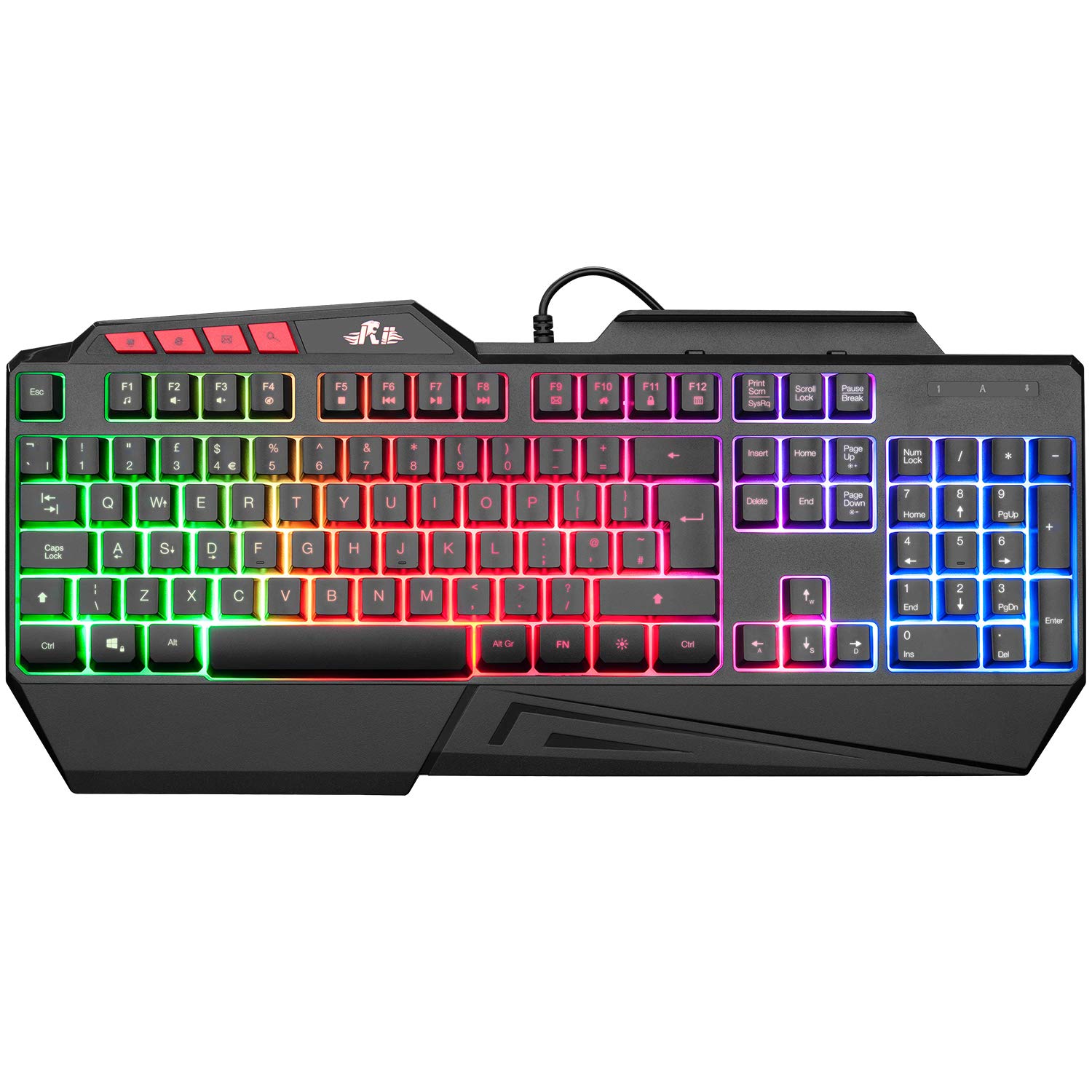
Frequently asked
5 questions01What switches does the TECKNET Wired USB Keyboard use?+
The TECKNET Wired USB Keyboard uses silent membrane switches, specifically a dampened rubber dome design. There is no defined actuation point the way mechanical switches have, and no audible click. The feel is soft and linear with a cushioned bottom-out, which keeps noise low and makes it comfortable for extended typing sessions. Actuation force is on the lighter side for a membrane board. This is not a mechanical keyboard and does not use Cherry MX, Gateron, or any other named mechanical switch.
02Is the TECKNET Wired USB Keyboard good for gaming?+
For casual gaming it works fine. You can press keys, they register, and for less demanding titles like strategy games, older games, or Minecraft-style sandbox games, you won't notice any issues. For competitive gaming, it's not the right tool. The polling rate is not officially specified and is likely the standard 125Hz, which introduces up to 8ms of keyboard-side latency. The membrane switches also lack the precise tactile or audible feedback that helps with fast, accurate key presses in shooters or fighting games. If gaming performance matters, a budget mechanical keyboard will serve you better.
03Is the TECKNET Wired USB Keyboard good for typing?+
Yes, for everyday typing it's a good choice at this price. The silent membrane design keeps noise down in shared environments, the full-size UK QWERTY layout with numpad is practical for general computing and data entry, and owner reviews consistently describe it as comfortable for extended use. The keys are light to actuate and the dampened design reduces finger fatigue compared to louder, heavier membrane boards. The main long-term concern is ABS keycap shine on heavily-used keys, but that's a cosmetic issue rather than a functional one.
04Is the TECKNET Wired USB Keyboard loud?+
No, it's specifically designed to be quiet. The silent membrane construction uses dampening to reduce the sound of each keypress significantly compared to a standard membrane keyboard and especially compared to clicky mechanical switches. Owner reviews back this up, with multiple users describing it as noticeably quieter than their previous keyboards. It's a good choice for open-plan offices, shared workspaces, video calls, and any environment where keyboard noise would be disruptive.
05What warranty and returns apply to the TECKNET Wired USB Keyboard?+
Specific warranty terms for this product are not detailed in the verified product listing. As with all products sold on Amazon UK, you're covered by Amazon's standard 30-day return window and the Amazon A-to-Z Guarantee, which protects your purchase if the item is not as described or arrives faulty. For warranty claims beyond the return window, contact TECKNET directly through the Amazon seller messaging system or check the documentation included with the keyboard.