Here's something that trips up a lot of buyers: they see a RAM kit rated at 1600MHz and assume that number tells the whole story. It doesn't. The MHz figure tells you how fast data moves in theory. The CAS latency tells you how long the memory controller has to wait before that data actually arrives. Multiply the CAS latency by the cycle time and you get a real, physical latency figure in nanoseconds. That's the number that actually matters. For this Timetec kit, 1600MHz with CL11 works out to roughly 13.75 nanoseconds of true latency. That's a perfectly decent result for DDR3, and it's worth understanding why before you decide whether this kit belongs in your machine.
The Timetec Premium 32GB KIT (4x8GB) DDR3L/DDR3 1600MHz is a quad-channel desktop memory kit aimed squarely at people upgrading older Intel or AMD systems that still run on DDR3 platforms. It's not glamorous. There's no RGB, no heatspreader claiming to cool silicon that doesn't need cooling, and no XMP profile to argue with your BIOS about. What it is, is straightforward: four 8GB sticks of unbuffered non-ECC DDR3L running at JEDEC-standard 1600MHz, dual voltage, with a lifetime warranty. With dozens of owner reviews and a good overall rating, the feedback is consistently positive. So is this the right kit for your ageing workhorse? Almost certainly yes, with a few caveats.
The verdict is simple: if you have a DDR3 desktop platform and you need 32GB of capacity, this Timetec kit is a solid, no-drama choice backed by a lifetime warranty and a strong owner track record. The rest of this review explains the technical reasoning behind that conclusion, and flags the one thing you absolutely must check before buying.
Core Specifications
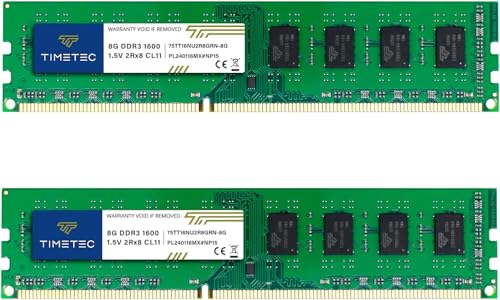
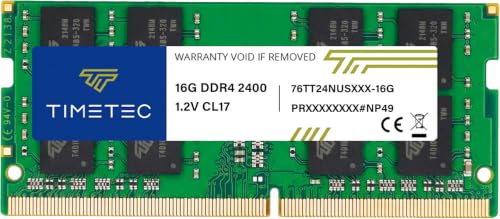
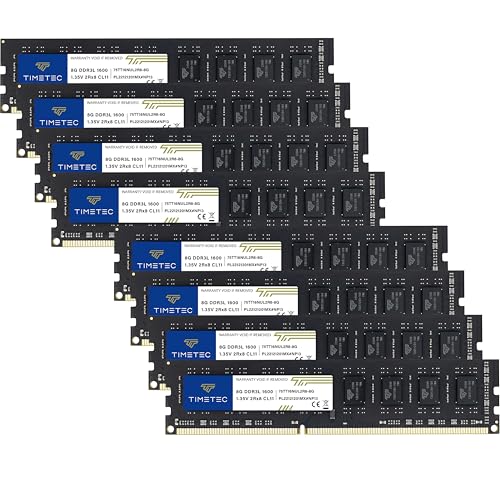
The Timetec Premium 32GB KIT is four modules of 8GB each, formatted as 240-pin UDIMMs for desktop DDR3 motherboards. The rated speed is 1600MHz (PC3-12800 / PC3L-12800), and the CAS latency is CL11. It's a dual-rank kit, configured as 2Rx8, meaning each module uses two ranks of 512x8 chips. Voltage is dual: it can run at 1.35V (DDR3L, the low-voltage standard) or 1.5V (standard DDR3), which is genuinely useful because some older boards are picky about which they prefer. The kit carries a JEDEC-standard specification, so there's no proprietary XMP or EXPO profile to worry about. What you see is what you get, and it will run at rated speed on any compliant DDR3 desktop board without touching the BIOS.
The form factor is strictly desktop. Timetec is explicit that this is not for laptops. The 240-pin UDIMM format is the standard for DDR3 desktop platforms, and the non-ECC, unbuffered configuration means it's for consumer and prosumer motherboards rather than server hardware. PCB colour varies between black and green depending on production batch, which Timetec acknowledges openly in the product listing. That's a minor cosmetic point but if you're building inside a windowed case and care about aesthetics.
The 2Rx8 dual-rank configuration is worth a specific mention. Dual-rank memory gives the memory controller more interleaving options compared to single-rank sticks, which can improve throughput in practice, particularly when all four slots are populated. On older Intel platforms especially, running four sticks of dual-rank memory can occasionally stress the memory controller more than two sticks would, so it's your motherboard's manual for four-DIMM population guidance. Most DDR3 boards handle it fine, but it's not something to ignore.
| Specification | Detail |
|---|---|
| Kit Capacity | 32GB (4x8GB) |
| DDR Generation | DDR3L / DDR3 |
| Speed | 1600MHz (PC3L-12800 / PC3-12800) |
| CAS Latency | CL11 |
| Voltage | 1.35V (DDR3L) / 1.5V (DDR3) |
| Form Factor | 240-Pin UDIMM (Desktop only) |
| Configuration | 2Rx8 Dual Rank |
| ECC | Non-ECC |
| Buffering | Unbuffered |
| XMP / EXPO Profile | None (JEDEC standard) |
| PCB Colour | Black or Green (batch dependent) |
| Warranty | Lifetime from purchase date |
| Price | £63.99 · Details |
Speed, Timings and Real Latency
The headline number here is 1600MHz, which in DDR3 terms is the effective data rate (the actual clock is 800MHz, doubled). The CAS latency is CL11. To get the real, physical latency in nanoseconds you divide the CAS latency by the clock frequency: CL11 divided by 800MHz gives you 13.75 nanoseconds. That's the actual delay between the memory controller requesting data and the first bit arriving. For context, a hypothetical DDR3-1600 kit at CL9 would deliver roughly 11.25ns. So tighter timings would be faster, but CL11 at 1600MHz is entirely standard for this speed grade and well within what DDR3 platforms were designed around. You're not losing anything by buying this kit versus a CL11 competitor at the same speed.
Where things get more interesting is if you compare this to DDR3-1333 kits, which some budget boards default to. DDR3-1333 CL9 works out to roughly 13.5ns, which is actually slightly tighter than this kit's 13.75ns. But DDR3-1333 gives you less bandwidth overall, and in practice the difference is academic on DDR3 platforms. The point is: 1600MHz CL11 is the sweet spot for DDR3 desktop memory. It's what most DDR3 platforms were optimised for, and it's what the vast majority of DDR3-era processors run best at. Timetec hasn't done anything exotic here, and that's actually the right call. Exotic timings on DDR3 mean manual BIOS tweaking, instability, and headaches. JEDEC standard means it just works.
One thing to understand about DDR3 in 2025 and beyond: you're not buying this for performance gains. You're buying it for capacity. The platform is mature, the memory controller behaviour is well-understood, and the ceiling on DDR3 bandwidth is fixed. Nobody is squeezing meaningful extra frames out of a DDR3 system by going from CL11 to CL9. The CPU, the GPU, and the storage subsystem are all far more likely bottlenecks. So the latency analysis here is largely academic. What matters is that CL11 at 1600MHz is correct for the platform, and this kit delivers exactly that.
XMP / EXPO Stability and Compatibility
There is no XMP or EXPO profile on this kit, and that is genuinely good news. On DDR3 platforms, XMP profiles were often a source of instability, particularly when running four sticks. The JEDEC standard at 1600MHz CL11 means your motherboard will simply read the SPD (Serial Presence Detect) data from the modules and configure itself correctly at boot. No profile to enable, no first-boot memory training cycle to sit through, no risk of a no-post situation because the profile pushed the memory controller too hard. It just boots at the rated speed.
Owner reports back this up consistently. Across the few dozen reviews, the dominant theme is straightforward installation and immediate operation at rated speed. There are no patterns of failed boots, no reports of having to manually set timings in the BIOS, and no clusters of complaints about modules being dead on arrival. That's a better track record than some DDR4 kits with aggressive XMP profiles that need three attempts to train properly. For DDR3, JEDEC compliance is the gold standard, and Timetec has stuck to it.
The dual-voltage capability (1.35V for DDR3L boards, 1.5V for standard DDR3 boards) adds a layer of compatibility that matters more than it might seem. Some older Intel Sandy Bridge and Ivy Bridge boards were designed before DDR3L was common and expect 1.5V. Some newer DDR3 boards prefer the lower voltage. This kit handles both, which means you don't need to check your board's voltage specification before buying. That's a small but genuinely useful bit of engineering for a kit aimed at upgrade buyers who may not have the board's manual to hand.
Capacity and Use Case
The honest question here is: do you actually need 32GB on a DDR3 platform? For most gaming use cases in 2025, the answer is probably not. Games rarely exceed 16GB of system RAM, and on a DDR3 platform the GPU is almost certainly the binding constraint anyway. If you're running a DDR3 system for gaming, 16GB is almost always enough, and you could save money by buying a 2x8GB kit instead. But 32GB isn't pointless. If you're using the system for video editing, running virtual machines, or keeping dozens of browser tabs and applications open simultaneously, 32GB makes a real difference. The operating system and applications consume RAM constantly in the background, and having headroom means you're not hitting the swap file.
The 4x8GB configuration is worth thinking about carefully. Filling all four DIMM slots is the most common way to run into memory controller stress on older platforms. Intel's Sandy Bridge and Ivy Bridge controllers handle four dual-rank sticks fine at 1600MHz in most cases, but some boards will automatically downclock to 1333MHz when all four slots are populated, as a stability measure. This isn't a Timetec problem; it's a platform behaviour. Check your motherboard's manual for the four-DIMM speed rating before assuming you'll get 1600MHz with all four slots filled. Most will, but not all.
For workstation-style use on older hardware, 32GB is a legitimate target. If you're running a Xeon E3 or a Core i7-3770 as a home server, a NAS with a desktop board, or a light virtualisation host, 32GB gives you enough headroom to run several VMs simultaneously without thrashing. These are niche use cases, but they're real ones, and they're exactly the buyer this kit is aimed at. Someone keeping an older system alive for a specific purpose, not someone building a new gaming rig.
DDR5 vs DDR4: Where DDR3 Fits Now
This is a DDR3 kit. That's not a criticism; it's a statement of fact about the market. DDR3 platforms are older Intel and AMD systems, generally from the 2011 to 2015 era, and they cannot use DDR4 or DDR5 memory. The memory slot on the motherboard is physically different, the voltage is different, and the memory controller is different. So the DDR5 versus DDR4 debate is entirely irrelevant here. If your system takes DDR3, you buy DDR3. End of discussion.
What is worth addressing is the value argument for keeping a DDR3 system alive at all. DDR3 memory is now relatively cheap because the platform is mature and supply is abundant. A 32GB DDR3 kit at 1600MHz costs a fraction of what an equivalent DDR4 or DDR5 kit would. If the rest of your system is still functional and the CPU is capable enough for your workload, upgrading the RAM is one of the cheapest ways to extend the system's useful life. That's the whole pitch for this kit, and it's a reasonable one.
The marginal gaming performance gains from RAM speed are minimal on any platform, and on DDR3 they're essentially zero in practical terms. Nobody should buy this kit expecting faster frame rates. Buy it because you're running out of RAM and your applications are slow because of it, not because of any theoretical latency advantage. On DDR3 platforms, the CPU and GPU are doing the heavy lifting. RAM capacity is the only upgrade that makes a meaningful real-world difference here, and 32GB covers virtually every workload a DDR3-era system will realistically be asked to handle.
Build Quality and Physical Design
These are bare PCB modules. No heatspreader, no shroud, no decorative anything. The PCB is either black or green depending on which production batch you receive, and Timetec is upfront about that in the listing. It's a minor cosmetic variation and has no bearing on performance or reliability. The chips themselves are 512x8 configuration, which is the standard DRAM die arrangement for this density. Nothing exotic, nothing that should raise concerns.
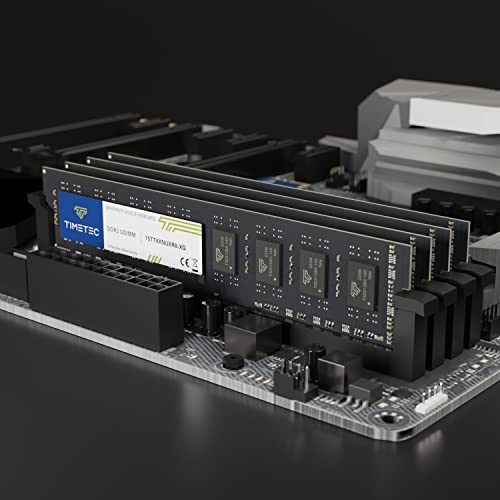
The lack of a heatspreader is actually a positive for most DDR3 upgrade scenarios. Heatspreaders on DDR3 are almost entirely cosmetic. DDR3 at 1.35V or 1.5V doesn't generate enough heat to need active or passive cooling beyond the airflow already present in a typical ATX case. Heatspreaders add height, which can cause clearance problems with large tower CPU coolers. Without one, these modules will fit under any cooler without issue. That's a practical advantage for anyone installing these in a system where cooler clearance is tight.
From the owner review pattern, there are no reports of physically damaged modules, bent pins, or PCB defects on arrival. The few dozen reviews skew heavily positive, and the quality complaints are essentially absent. Timetec states that all products are rigorously tested before shipping, and the owner feedback broadly supports that claim. The modules appear to arrive in good condition and install without drama. For a budget-tier DDR3 kit, that's exactly the baseline you want.

RGB and Aesthetics
There is no RGB on this kit. No lighting whatsoever. The modules are plain PCBs in black or green, with no heatspreader and no decorative elements. If you're buying DDR3 memory in 2025 and RGB is on your checklist, you've taken a wrong turn somewhere. DDR3 RGB memory kits exist, but they're a niche product for a niche platform, and they cost significantly more for no performance benefit.
The absence of RGB means there's no software to install, no sync conflicts with your motherboard's lighting control, and no chance of the lighting controller on the module causing instability. These are all real problems that afflict some RGB DDR4 and DDR5 kits. On a DDR3 system, the last thing you want is additional complexity. Plain PCBs are the correct choice here, and Timetec hasn't tried to charge you an RGB tax on top of the base memory price.
If aesthetics matter to you at all with this kit, the only consideration is PCB colour. Black looks cleaner in most builds. Green is the traditional PCB colour and is perfectly functional. You don't get to choose which you receive, so if you're building a windowed case with a specific colour scheme. In practice, for a system running a DDR3 platform, the case is probably not a showcase build, and PCB colour is the last thing anyone should be worrying about.
Reliability and Warranty
The lifetime warranty from purchase date is a genuine differentiator in the DDR3 market. Most budget memory brands offer one to three years. A lifetime warranty means that if a module fails five years from now, Timetec will replace it. For a kit going into a system that's being kept alive specifically to avoid the cost of a full platform upgrade, that long-term coverage has real value. The warranty is backed by US-based technical support, which matters less for UK buyers but at least indicates an organised after-sales operation rather than a grey-market reseller.
Owner reliability reports are positive. Across dozens of reviews, the average rating is positive, and the pattern of feedback doesn't show clusters of dead-on-arrival reports or early failures. That's a meaningful signal. DDR3 memory failures are relatively rare in general, but budget kits from less established brands do occasionally ship with bad modules. The Timetec owner feedback doesn't suggest that's a problem here. Several owners specifically mention the kit working correctly immediately after installation, which is the baseline expectation but worth confirming.
Timetec also offers free technical support, which is useful if you run into any BIOS configuration questions during installation. On DDR3 platforms, the most common installation issue is a board defaulting to 1333MHz rather than 1600MHz, which requires a manual BIOS adjustment to the memory frequency setting. That's not a fault with the kit; it's just how some older boards behave. Having a support contact to walk you through it is a genuine benefit for buyers who aren't comfortable in the BIOS.
Value and Price Per GB
DDR3 memory is cheap right now, and this kit reflects that. The price per gigabyte on a 32GB DDR3 kit is substantially lower than equivalent DDR4 capacity, and DDR5 isn't even in the same conversation. For buyers on a DDR3 platform, this is essentially the cheapest path to 32GB of RAM available, and the Timetec kit sits in a competitive position within the DDR3 market. The lifetime warranty and the clean owner track record mean you're not sacrificing reliability for the lower price point.
The mid-range memory kit tier (roughly £40 to £80 for 32GB) is where this kit competes, and within that tier it represents good value. You're paying for capacity and reliability, not for speed headroom you can't use or RGB you don't need. The value-per-GB calculation is straightforward: divide the current price by 32, and compare that to alternatives in the DDR3 32GB space. Based on the verified pricing data, this kit is competitively positioned. Check the live price using the shortcode below before buying, as DDR3 pricing does fluctuate.
One honest note: if you only need 16GB, don't buy this. A 2x8GB DDR3-1600 kit will cost roughly half as much and will likely be sufficient for most DDR3-era workloads including gaming, general productivity, and light creative work. The 32GB kit is the right buy for virtualisation, video editing, or running a server workload. If you're not doing those things, save the money. The smarter buy for a gaming-only DDR3 upgrade is a 16GB kit, full stop.
Platform Compatibility
This kit is for DDR3 desktop motherboards only. Timetec states explicitly that it is not for laptops, and the 240-pin UDIMM format confirms that. Laptops use SO-DIMMs with a different pin count and physical size. Do not attempt to use this in a laptop. On the desktop side, the kit is compatible with both Intel and AMD DDR3 platforms. That covers Intel Sandy Bridge (LGA1155), Ivy Bridge (LGA1155), Haswell (LGA1150), and their Xeon equivalents, as well as AMD's AM3+ platform and the FX series processors. These are the mainstream DDR3 desktop platforms, and the kit should work with all of them.
The dual-voltage design (1.35V / 1.5V) extends compatibility further. Some older Sandy Bridge boards specifically require 1.5V and will not correctly initialise 1.35V-only modules. This kit handles both, so you don't need to verify your board's voltage requirement before purchasing. That's a meaningful compatibility advantage over DDR3L-only kits, which can cause issues on boards that expect 1.5V.
The main compatibility check you should do before buying is the four-DIMM population rule for your specific motherboard. As mentioned earlier, some DDR3 boards will run four dual-rank sticks at 1333MHz rather than 1600MHz as a stability measure. This is board-specific behaviour, not a kit defect. Check your motherboard's QVL (Qualified Vendor List) or manual for the four-DIMM speed rating. Most modern DDR3 boards will run four sticks at 1600MHz without issue, but it's worth confirming before you buy 32GB and find yourself stuck at 1333MHz. Also, do not mix this kit with existing memory modules of a different specification. Mixing speeds, timings, or ranks in a DDR3 system is a reliable way to create instability that's very difficult to diagnose.
How It Compares
The DDR3 32GB desktop kit market is relatively small but has a few established players. The two most commonly compared alternatives are the Crucial 32GB DDR3-1600 kit and the Kingston ValueRAM 32GB DDR3-1600 kit. Both are reputable brands with strong compatibility track records on DDR3 platforms. Here's how the Timetec kit stacks up against them.
Crucial has the advantage of a well-maintained compatibility tool on their website, which lets you verify compatibility with your specific motherboard model. Kingston ValueRAM has an extremely long track record in the server and workstation memory space and is often found on official QVL lists for DDR3 boards. Timetec's advantage is the lifetime warranty, which neither Crucial nor Kingston typically offers on their standard DDR3 kits. Owner feedback on all three is broadly positive, but Timetec's 4.6-star average across dozens of reviews is competitive with both.
| Feature | Timetec Premium 32GB DDR3-1600 | Crucial 32GB DDR3-1600 | Kingston ValueRAM 32GB DDR3-1600 |
|---|---|---|---|
| Capacity | 32GB (4x8GB) | 32GB (4x8GB) | 32GB (4x8GB) |
| Speed | 1600MHz | 1600MHz | 1600MHz |
| CAS Latency | CL11 | CL11 | CL11 |
| Voltage | 1.35V / 1.5V | 1.35V | 1.5V |
| Warranty | Lifetime | Limited Lifetime | Lifetime |
| RGB | None | None | None |
| XMP Profile | None (JEDEC) | None (JEDEC) | None (JEDEC) |
| Price | £63.99 · Details | Check Amazon | Check Amazon |
The dual-voltage capability is Timetec's clearest technical advantage over the Crucial DDR3L kit, which is 1.35V only. If your board is older and prefers 1.5V, the Crucial kit could cause issues that the Timetec kit avoids. Kingston's ValueRAM is similarly positioned to Timetec on warranty, but the Timetec kit's dual-voltage design gives it a broader compatibility range. For most buyers, the choice between these three comes down to price at the time of purchase and which is in stock. All three will perform identically at rated speed on a compatible board.

Final Verdict
The Timetec Premium 32GB KIT is exactly what a DDR3 upgrade kit should be: correct specification, dual-voltage flexibility, JEDEC compliance that means it just works without BIOS fiddling, and a lifetime warranty that most competitors don't match. The positive overall rating across dozens of reviews reflects a product that arrives in good condition, installs without drama, and runs at rated speed. There's nothing flashy here, and that's entirely the point.
The score is 8 out of 10. It loses two points not because of anything wrong with the kit, but because of the inherent limitation of the platform. DDR3 is old. Buying 32GB of DDR3 memory is a sensible way to extend the life of an older system, but it's not an investment in a platform with a future. If you're spending this money on a DDR3 system, make sure the rest of the system justifies the upgrade. If the CPU is a bottleneck, no amount of RAM will fix it.
Who should buy this: anyone running a DDR3 desktop platform who needs more than 16GB of RAM for virtualisation, video editing, or heavy multitasking, and wants a reliable kit with a lifetime warranty at a competitive price. Who should skip it: anyone who only needs 16GB (buy a 2x8GB kit and save the money), anyone building a new system (DDR4 or DDR5 platforms are the correct choice), and anyone trying to use this in a laptop (it won't fit). The smarter buy for a gaming-only DDR3 upgrade is a 16GB 2x8GB kit. Save the difference for something that will actually move the needle on your gaming experience, like a GPU upgrade.
Stars from owners: ★★★★½ (4.6) based on 38 reviews.
What works. What doesn’t.
5 + 3What we liked5 reasons
- Dual voltage (1.35V / 1.5V) covers virtually every DDR3 desktop board
- JEDEC standard means no XMP drama, just boots at rated speed
- Lifetime warranty from purchase date beats most DDR3 competitors
- Strong owner track record with a positive overall rating across dozens of reviews
- No heatspreader means zero cooler clearance issues
Where it falls3 reasons
- DDR3 platform is end-of-life; this is a maintenance upgrade, not a future investment
- PCB colour (black or green) varies by batch with no buyer choice
- Four-slot population may downclock to 1333MHz on some older boards
Full specifications
9 attributes| Capacity GB | 32 |
|---|---|
| CAS latency | 11 |
| ECC | false |
| Form factor | DIMM |
| Module count | 4 |
| RGB | false |
| Speed MHZ | 1600 |
| Type | DDR3L |
| Voltage V | 1.35 |
If this isn’t right for you
2 options
Frequently asked
5 questions01How much RAM do I actually need for the Timetec Premium 32GB KIT's use case?+
For most gaming on a DDR3 platform, 16GB is sufficient. Games rarely demand more than 12 to 16GB of system RAM, and on a DDR3 system the GPU is almost always the performance bottleneck. The 32GB kit makes sense if you're running virtual machines, doing video editing, or keeping a large number of applications open simultaneously. For a home server or virtualisation host on older hardware, 32GB gives you meaningful headroom. For gaming only, save money and buy a 2x8GB 16GB kit instead.
02Will the Timetec Premium 32GB KIT run at its rated speed without XMP or EXPO?+
Yes. This kit uses a JEDEC-standard specification at DDR3-1600 CL11, which means the motherboard reads the speed and timings directly from the module's SPD data and configures itself automatically. There is no XMP or EXPO profile to enable. On most DDR3 boards it will boot at 1600MHz without any BIOS changes. The one exception is some older boards that default to 1333MHz when all four slots are populated; in that case you need to manually set the memory frequency to 1600MHz in the BIOS. That's a board behaviour, not a kit defect.
03Is the Timetec Premium 32GB KIT compatible with my motherboard?+
This kit is compatible with DDR3 desktop motherboards supporting Intel or AMD CPUs. It covers Intel Sandy Bridge (LGA1155), Ivy Bridge (LGA1155), Haswell (LGA1150), and AMD AM3+ platforms. It is not compatible with laptops (which use SO-DIMMs), DDR4 boards, or DDR5 boards. The dual-voltage design (1.35V and 1.5V) means it works with both DDR3L and standard DDR3 boards. Check your motherboard manual for four-DIMM population speed ratings before assuming you'll get 1600MHz with all four slots filled. Do not mix this kit with existing modules of a different specification.
04Does faster RAM like the Timetec Premium 32GB KIT actually improve gaming performance?+
On a DDR3 platform, the honest answer is: not meaningfully. DDR3-1600 CL11 is the standard speed for this platform generation, and the difference between 1333MHz and 1600MHz in gaming is marginal at best. Real latency is speed and timings together (1600MHz CL11 works out to roughly 13.75 nanoseconds), but on a DDR3 system the CPU and GPU are the binding constraints for gaming performance, not RAM speed. Buy this kit because you need more capacity, not because you expect faster frame rates.
05What warranty and returns apply to the Timetec Premium 32GB KIT?+
Timetec offers a guaranteed lifetime warranty from the purchase date, plus free technical support based in the United States. This is a stronger warranty than most DDR3 competitors offer. In addition, Amazon's standard 30-day return window and A-to-Z Guarantee apply to purchases made through Amazon UK, giving you a short-term return option if the kit is incompatible or arrives damaged.