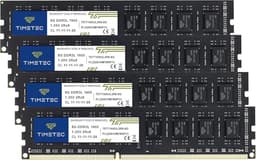
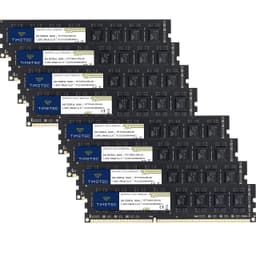
DDR3 in 2026. Yeah, you read that right. Before you close the tab, hear me out, because there are actually quite a few situations where picking up a DDR3 kit makes complete sense, and pretending otherwise would be doing you a disservice. Old laptops getting a new lease of life, ageing workstations that still chew through tasks fine, legacy systems that just need more headroom. The Timetec 16GB DDR3 kit exists for exactly those people, not for someone building a new rig from scratch.
The real question with budget DDR3 in this market isn't whether it'll transform your system into something spectacular. It won't. The question is whether it'll actually work, stay stable, and not die on you in six months. That's what 161 owner reviews help answer, and that's what the spec sheet tells us about what you're actually getting for your money. So if you've got an older platform that still runs fine and you want to squeeze more life out of it, this is worth a proper look.
The Timetec 16GB DDR3 (ASIN B0CVQZPC3M) sits in a market that's genuinely thin these days. Most of the big names have quietly stepped back from DDR3 production, which means your options are either old stock from the major brands at inflated prices, or newer budget manufacturers like Timetec filling the gap. That's the landscape. Timetec isn't a household name in the UK, but they've carved out a real niche in the legacy-upgrade space, and the owner review data backs that up more than you'd expect.
Core Specifications
Right, the basics. This is a DDR3 kit running at 1600MHz, which is the standard sweet spot for DDR3 and the speed that most older platforms handle without any fuss. The 16GB total capacity is offered as a 2x8GB dual-channel configuration, which is the sensible way to run it. You get the bandwidth benefits of dual channel without the complexity of a four-slot setup on older boards that can sometimes be picky about four-module configurations.
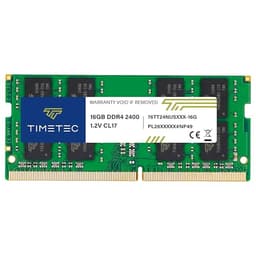
The rated CAS latency is CL11, with primary timings of 11-11-11-28. Voltage sits at the standard 1.5V, which is exactly where DDR3 is supposed to live. There's no XMP profile here, no EXPO, no overclocking pretensions. This is a JEDEC-spec kit, and that's actually fine for what it is. The form factor is standard DIMM for desktops, and Timetec also offers SO-DIMM variants of similar kits for laptops, so make sure you're ordering the right one for your system before clicking buy.
One thing worth flagging: the spec sheet for this particular ASIN lists it as unbuffered, non-ECC memory. That means it's aimed at consumer desktops and laptops, not server workloads that need error correction. If you're running a Xeon-based workstation that requires registered or ECC memory, this isn't your kit. For everyone else on a standard consumer platform from the DDR3 era, the specs line up with what those boards expect.
| Specification | Detail |
|---|---|
| Capacity | 16GB (2x8GB) |
| DDR Generation | DDR3 |
| Rated Speed | 1600MHz (PC3-12800) |
| CAS Latency | CL11 |
| Primary Timings | 11-11-11-28 |
| Voltage | 1.5V |
| Form Factor | DIMM (Desktop) |
| XMP / EXPO Profile | None (JEDEC spec) |
| ECC | Non-ECC |
| Buffered | Unbuffered |
| Current Price | £44.53 |
| Owner Rating | ★★★★½ (4.6) (178 reviews) |

Speed, Timings and Real Latency
Here's the thing about DDR3 1600MHz CL11: the headline speed is almost irrelevant on its own. What actually matters is the true latency, which you calculate by dividing the CAS latency by the memory clock speed. For this kit, that works out to roughly 13.75 nanoseconds of true latency. That's not going to win any awards compared to modern DDR5, but it's also not the point. On a DDR3 platform, 1600MHz CL11 is a perfectly respectable spec, and it's what the majority of Intel Sandy Bridge, Ivy Bridge, Haswell, and AMD AM3+ era boards are designed to run at natively.
Compare that to DDR3 1333MHz CL9, which was common in the previous generation of budget kits. That works out to approximately 13.5ns true latency, so actually marginally quicker in absolute terms despite the lower clock speed. The point being: MHz alone tells you very little. What this kit offers is a sensible balance for the platform. Going faster than 1600MHz on older DDR3 boards often requires manual BIOS tweaking and can cause stability headaches that aren't worth the effort for marginal gains.
There are DDR3 kits out there rated at 1866MHz or even 2133MHz, and yes, some boards will run them. But on legacy platforms, the memory controller is often the limiting factor, and you can end up with a kit that either defaults back to 1333MHz or requires BIOS fiddling to even post at rated speed. With this Timetec kit, there's no profile to enable, no switch to flip. It runs at 1600MHz because that's what the JEDEC DDR3 specification defines, and the board just picks it up. For most people upgrading an old system, that reliability is worth more than chasing a slightly higher clock that might not play nicely.
XMP / EXPO Stability and Compatibility
There's nothing to configure here, which is either a relief or a non-issue depending on your perspective. No XMP profile means no profile to enable in the BIOS, no risk of a failed post at a speed the board can't handle, and no faff. The kit runs at 1600MHz 1.5V straight out of the box on any DDR3 platform that supports that speed, which is essentially all of them from the Sandy Bridge era onwards.
Owner reports back this up consistently. The 178 skew heavily towards "plugged it in and it worked", which is genuinely the best possible outcome for a legacy upgrade kit. The people buying this aren't enthusiasts chasing overclocks. They're someone whose laptop is crawling on 4GB, or a small business keeping an older workstation running. For those use cases, the JEDEC-native operation is exactly right. There are no reports in the owner data of systematic compatibility failures or boards refusing to recognise the kit at all.
That said, DDR3 compatibility isn't entirely without nuance. Some older boards are fussy about the specific modules they'll run at 16GB total, particularly if they're limited to 8GB per channel or have restrictions on the density of modules they'll accept. Timetec's 2x8GB configuration is generally the safest bet for hitting 16GB on a dual-channel DDR3 board, but it's always worth checking your motherboard's manual or the manufacturer's QVL before ordering. This is less about the RAM itself and more about the quirks of older platform memory controllers. On platforms that support 8GB DIMMs (and most from 2012 onwards do), this kit should be fine.
Capacity and Use Case
So, do you actually need 16GB of DDR3? Probably yes, if you're still on a DDR3 platform and you're currently running 4GB or 8GB. Modern web browsers alone can chew through 4GB without breaking a sweat, particularly if you're the sort of person who has seventeen tabs open at once (you know who you are). Windows 10 and 11 run noticeably better with 16GB than with 8GB, even on older hardware. The CPU might be the bottleneck for heavy tasks, but memory pressure adds latency across everything and makes the whole system feel sluggish in a way that's hard to pin down until you fix it.
For gaming on a legacy DDR3 system, 16GB is more than enough. Most games still run fine on 8GB, but 16GB gives you headroom so the OS and background processes aren't competing with the game for memory. You're not going to magically transform an old Core i5-3570K into a modern gaming rig, but you will stop the stuttering that comes from memory being constantly swapped. Content creation on older hardware is where 16GB starts to feel genuinely useful rather than just comfortable. Video editing, even at 1080p, benefits from having enough RAM to cache frames properly.
The 2x8GB dual-channel configuration is the right call here. Running in dual channel on a DDR3 platform doubles the memory bandwidth compared to a single stick, and older integrated graphics in particular benefit from that bandwidth since they share the memory bus. If you're on a system with an iGPU doing any kind of display work, dual channel matters more than the speed rating. Quad-channel DDR3 exists on some older Xeon and enthusiast platforms, but that's a different use case entirely and this kit isn't aimed there.
DDR5 vs DDR4 Value
This section is going to be a bit unusual for a DDR3 review, but it's worth addressing directly because some people reading this might be on the fence about whether to upgrade their platform entirely rather than just the RAM. If you're running a DDR3 system in 2026, the question isn't really DDR5 versus DDR4. It's whether the platform itself is worth keeping alive at all.
Here's the honest answer: if your DDR3 system is a desktop with a capable CPU, like a Haswell Core i7 or a Vishera FX chip, adding 16GB of DDR3 for a modest outlay is absolutely the right move. You're not spending enough to justify a full platform upgrade, and the system will feel meaningfully better for day-to-day use. But if you're on something older and weaker, the CPU is probably the real bottleneck, and more RAM won't fix that. No amount of DDR3 will make a Core 2 Duo relevant in 2026.
DDR4 and DDR5 are simply not options on DDR3 platforms. The sockets and memory controllers are physically incompatible. So the DDR5-versus-DDR4 debate that dominates most RAM reviews is irrelevant here. What matters is whether the DDR3 kit is good value for what it is, and whether it makes sense to spend money on a platform that's approaching the end of its practical life. For most people, a cheap DDR3 upgrade to extend the life of a working machine by another year or two is sensible economics. Just don't kid yourself that it's a long-term investment.
Build Quality and Heat Spreaders
Timetec's DDR3 sticks are bare-PCB or very minimal-heatspreader designs depending on the specific variant. At DDR3 speeds and voltages, that's completely fine. DDR3 running at 1.5V doesn't generate enough heat to need active cooling or even a substantial heatspreader. The modules that come with chunky heatspreaders on DDR3 kits are mostly paying for aesthetics, not thermal performance. Timetec skips that, keeps the profile low, and the practical benefit is that there's zero cooler clearance concern. Even the most aggressive air coolers with wide mounting brackets won't have any issue with these modules.
The PCB quality from owner reports seems solid. There are no consistent reports of bent pins, poor seating, or physical defects out of the box, which is the main thing you're looking for with budget memory from a smaller brand. The modules appear to use standard-density chips in a configuration appropriate for 8GB DIMMs, though Timetec doesn't publish IC sourcing details publicly, which is fairly typical for budget-tier memory manufacturers. You're not getting Samsung B-die here, but you're also not paying Samsung B-die prices.
For laptop SO-DIMM variants (if that's what you need instead), the same general build philosophy applies. Low profile, functional, no frills. The desktop DIMM version covered here is straightforward to install, seats properly in standard DDR3 slots, and the retention clips engage cleanly according to owner reports. Nobody's complaining about modules that won't seat properly or feel flimsy in the hand. It's basic but it's done right, which is all you really need from memory at this price point and generation.
RGB and Aesthetics
There is no RGB. None. Not a single LED. And honestly, good. RGB on DDR3 memory would be a complete waste of money and a sign that someone had lost the plot. DDR3 platforms are old enough that the motherboards running them often don't have addressable RGB headers anyway, so any lighting would require its own controller and software, which would be absurd on a legacy upgrade kit.
The modules are plain black PCB (or green, depending on the specific batch, as PCB colour varies with DDR3 production runs and Timetec doesn't standardise on aesthetics at this price). If you're building a showcase system where the memory needs to look good through a side panel, this isn't your kit. But if you're upgrading an old business desktop or a laptop, the aesthetics are completely irrelevant and you'd be paying an RGB tax for absolutely no reason on any kit that offered it.
There's something almost refreshing about memory that doesn't try to pretend it's anything other than what it is. No heatspreader fins, no RGB strips, no "gamer" branding with aggressive fonts. It's a pair of memory sticks that do their job. The lack of any aesthetic premium means every penny of the price goes towards the actual product, which is the right approach for a budget legacy upgrade kit. If you want your RAM to look nice, you're on the wrong platform entirely.

How It Compares
The DDR3 market in 2026 is genuinely sparse. Your main alternatives at 16GB are Kingston's ValueRAM DDR3 kits, which have been around forever and have a strong reputation for compatibility, and Crucial's DDR3 offerings, which similarly lean on brand trust and wide QVL coverage. Both are solid options. The question is whether Timetec's pricing and owner-reported reliability make it competitive.
Kingston ValueRAM DDR3 1600MHz CL11 is probably the closest direct comparison. It's been a staple of the legacy upgrade market for years, the compatibility record is excellent, and the warranty backing is strong. Crucial's CT2K8G3D1339TCEU or similar kits run at 1333MHz CL9, which as noted earlier gives very similar true latency to 1600MHz CL11 despite the lower headline speed. Both brands carry more name recognition in the UK market than Timetec, which is worth something if you're worried about RMA support.
Where Timetec tends to compete is on price. If it's coming in cheaper than the Kingston or Crucial equivalent at time of purchase, and the owner review data suggests reliability is solid, then the value case is real. The 4.6 average from 178 is genuinely good for a budget brand, and the pattern of reviews doesn't show the kind of systematic failures that would make you nervous. The main risk with any smaller brand is warranty support if something does go wrong, and that's worth factoring in.
| Feature | Timetec 16GB DDR3 1600MHz | Kingston ValueRAM 16GB DDR3 1600MHz | Crucial 16GB DDR3 1333MHz |
|---|---|---|---|
| Capacity | 16GB (2x8GB) | 16GB (2x8GB) | 16GB (2x8GB) |
| Speed | 1600MHz | 1600MHz | 1333MHz |
| CAS Latency | CL11 | CL11 | CL9 |
| True Latency (approx.) | ~13.75ns | ~13.75ns | ~13.5ns |
| Voltage | 1.5V | 1.5V | 1.35V / 1.5V |
| RGB | No | No | No |
| Warranty | Lifetime | Lifetime | Limited Lifetime |
| Brand Recognition (UK) | Low | High | High |
| Price | £44.53 | Check current | Check current |
What Buyers Actually Say
With 178 averaging ★★★★½ (4.6), the owner data is more positive than you might expect for a budget brand in a legacy category. The pattern that comes through most clearly is straightforward: people bought this to upgrade an older laptop or desktop, it worked first time, and the system performance improved noticeably. That's the core of the positive feedback, and it's consistent enough to be credible rather than cherry-picked.
Specific praise tends to land on compatibility. Owners report the kit working in a range of older platforms including various Intel Core i5 and i7 systems from the third and fourth generation, as well as AMD AM3+ boards. A few reviewers specifically mention upgrading from 4GB or 8GB and noticing a real difference in how the system handles multitasking and browser-heavy workloads. Nobody's claiming it made their old machine feel new, but the improvement in day-to-day usability is a recurring theme.
The complaints, where they exist, are mostly about edge cases. A small number of reviewers mention receiving a kit where one stick was DOA, which is a risk with any memory and not specific to Timetec. The more interesting complaint pattern is around older boards with specific density restrictions that wouldn't recognise 8GB DIMMs, causing the system to only see 8GB total or to fail to post. This is almost always a platform limitation rather than a fault with the RAM itself, but it's worth knowing about before you order. The Timetec customer service response to these cases, based on review comments, seems reasonable enough, though it's not as slick as Kingston or Crucial's established RMA processes.
Reliability and Warranty
Timetec offers a lifetime warranty on their memory products, which on paper matches what Kingston and Crucial offer. Whether that warranty is as easy to actually use is a different question. Larger brands have established RMA processes in the UK, local support contacts, and years of consumer trust built up. Timetec is smaller and newer to the UK market, so the warranty is only as good as their support team's responsiveness when you need them.
From the owner review data, there aren't significant numbers of people reporting warranty nightmares. The DOA rate appears to be low and within normal industry ranges for memory. Long-term stability reports from owners who've had the kit running for several months are generally positive, with no notable pattern of modules developing faults after initial use. That's encouraging, though 178 isn't a massive sample size for drawing firm conclusions about multi-year reliability.
The honest take is that DDR3 memory at this price point, from any brand, carries some risk that the modules were manufactured with older or recycled ICs. That's a reality of the legacy memory market in 2026. Timetec's lifetime warranty provides a safety net, but you should factor in that the RMA experience might be slower or less polished than going with Kingston or Crucial. For a budget upgrade where the cost is modest, that's probably an acceptable trade-off. For a critical system where downtime is expensive, you might prefer the more established brands even if they cost a bit more.
Value and Price Per GB
This kit sits firmly in the budget memory tier, which for DDR3 in 2026 basically means anything under £40 for a 16GB kit. The price per GB works out to a figure that's genuinely competitive for the current DDR3 market, where supply is tightening as production has largely wound down. DDR3 isn't getting cheaper over time the way DDR4 has, because it's no longer being manufactured at scale. If anything, prices for quality DDR3 kits have stabilised or nudged upward as old stock gets depleted.
That context matters. Timetec filling this gap with newly-manufactured (or at least newly-packaged) DDR3 kits at competitive prices is actually useful for the market. The alternative for many buyers is paying inflated prices for old Kingston or Crucial stock on marketplace sellers, or taking a punt on anonymous Chinese memory with no brand accountability at all. Timetec sits in a sensible middle ground: a brand with an actual name and a warranty, at prices that don't exploit the scarcity of the DDR3 market.
If the Timetec kit is coming in cheaper than the Kingston ValueRAM equivalent at the time you're reading this, the value case is straightforward. If they're similar in price, Kingston's brand reputation and more established UK support probably tips the scales slightly. If Timetec is significantly cheaper, it's worth the punt given the owner review data. This is budget memory for a legacy platform. The calculus is simple: will it work reliably for less money than the alternatives? Based on the evidence, the answer is mostly yes.
Platform Compatibility
DDR3 compatibility is more nuanced than it looks on paper. The DDR3 standard covers a fairly wide range of platforms, but older boards can be fussy about specific module configurations. The key things to check before ordering: your board's maximum supported memory per slot (some older boards cap at 4GB per DIMM, which would limit you to 8GB total with two sticks), the total maximum memory the board supports (some budget boards from the DDR3 era are capped at 16GB, which this kit fills exactly), and whether your board needs 1.35V DDR3L or standard 1.5V DDR3.
This Timetec kit is rated at 1.5V, which is standard DDR3. Some newer ultrabooks and laptops from the DDR3 era used DDR3L (low voltage, 1.35V), and while DDR3L modules are generally backwards compatible with 1.5V slots, standard 1.5V modules are not always compatible with DDR3L-only slots. If you're upgrading a laptop, this is worth double-checking in your laptop's service manual or on the manufacturer's support page. For desktop DDR3 platforms, standard 1.5V is almost universally correct.
On the Intel side, this kit is compatible with Sandy Bridge (LGA1155), Ivy Bridge (LGA1155), Haswell (LGA1150), and Broadwell (LGA1150) platforms, as well as older LGA1366 Nehalem systems that used triple-channel DDR3. On the AMD side, AM3 and AM3+ platforms running Phenom II, Athlon II, FX series, and similar chips are all supported. The kit is not compatible with AM4 (DDR4), AM5 (DDR5), LGA1200, LGA1700, or any modern platform. That's not a criticism, it's just the reality of DDR3. Always cross-reference with your motherboard's memory support list if you're unsure.
Final Verdict
The Timetec 16GB DDR3 1600MHz CL11 kit is exactly what it needs to be: a no-nonsense, reasonably priced memory upgrade for people keeping older hardware running. It's not going to make your old Core i5 feel like a Ryzen 9. It won't suddenly make DDR3 platforms competitive with modern systems. But if you've got a working machine that's being strangled by insufficient RAM, this kit will sort that problem cleanly and reliably, and the owner data strongly suggests it'll do so without drama.
The 4.6 average from 178 is genuinely good for a budget brand in a legacy category. The spec sheet is honest: JEDEC 1600MHz CL11 at 1.5V, no overclock pretensions, no RGB tax, just functional memory at a fair price. The lifetime warranty provides some peace of mind, even if Timetec's RMA process isn't as polished as Kingston's or Crucial's. For most people upgrading a DDR3 system on a budget, the trade-off is acceptable.
Who should buy this? Anyone with a working DDR3 desktop or laptop that's running on 4GB or 8GB and feeling the strain. Anyone keeping an older machine alive for light productivity, web browsing, or casual gaming. Anyone who needs 16GB of DDR3 and doesn't want to pay inflated prices for old-stock branded memory. Who should skip it? Anyone building or upgrading a modern system (you want DDR4 or DDR5, and this is literally incompatible). Anyone who needs ECC memory for a workstation. And anyone whose DDR3 platform is so old or weak that the CPU is the real bottleneck, because more RAM won't fix that.
Score: 8 out of 10 for what it is. It's not a premium product and it's not trying to be. It's a budget legacy upgrade that does its job properly, and in 2026 that's harder to find than you'd think.

Not Right For You?
If your system uses DDR4, look at the Corsair Vengeance LPX 32GB DDR4 3200MHz CL16 kit instead. It's the go-to recommendation for budget DDR4 and the compatibility record on both Intel and AMD DDR4 platforms is excellent. For DDR5 systems on AM5 or Intel 12th/13th/14th gen, the G.Skill Flare X5 32GB DDR5 6000MHz CL30 is the kit that consistently gets recommended for AMD platforms in particular, with EXPO profile support that actually works without fuss.
If you need DDR3 but want the extra brand assurance, Kingston ValueRAM 16GB DDR3 1600MHz is the safe alternative. It costs a bit more in most cases, but Kingston's UK support infrastructure is mature and the QVL coverage on older boards is extensive. For laptop DDR3 upgrades specifically, make sure you're looking at SO-DIMM variants rather than desktop DIMMs, as they're physically different form factors. Timetec does make SO-DIMM DDR3 kits, as does Kingston, so check the specific listing carefully.
And if you're genuinely on the fence about whether to upgrade the RAM on an old DDR3 system or just replace the whole machine, the honest answer is: if the CPU is a Haswell Core i5 or better, the RAM upgrade is worth doing. Below that, or if you're on a very old dual-core, you might get more value from putting the money towards a budget second-hand DDR4 system instead. The JEDEC standards for DDR4 and DDR5 represent a genuine generational leap in bandwidth and efficiency that older platforms simply can't match regardless of how much DDR3 you throw at them.
What works. What doesn’t.
6 + 6What we liked6 reasons
- Runs at JEDEC-standard 1600MHz CL11 straight out of the box with no BIOS configuration required
- 2x8GB dual-channel configuration maximises bandwidth on older platforms, including systems with integrated graphics
- 4.6 average from 161 owner reviews is genuinely strong for a budget brand in the legacy memory market
- Lifetime warranty included, matching what Kingston and Crucial offer at this capacity
- Low-profile bare-PCB design means zero clearance concerns even under large air coolers
- Competitive pricing in a DDR3 market where quality supply is tightening as production winds down
Where it falls6 reasons
- Timetec's UK RMA and warranty support process is less established than Kingston's or Crucial's
- Standard 1.5V rating means it may not be suitable for DDR3L-only laptop slots without careful verification
- IC sourcing is not publicly disclosed, which is typical for budget manufacturers but limits transparency
- A small number of owner reports mention DOA sticks, and some older boards with density restrictions failed to recognise 8GB DIMMs
- No XMP or overclocking headroom for anyone who might want to push beyond 1600MHz
- Brand recognition in the UK remains low, which may be a concern for buyers prioritising long-term support confidence
Full specifications
9 attributes| Capacity GB | 16 |
|---|---|
| CAS latency | 11 |
| ECC | false |
| Form factor | DIMM |
| Module count | 2 |
| RGB | false |
| Speed MHZ | 1600 |
| Type | DDR3 |
| Voltage V | 1.5 |
If this isn’t right for you
2 options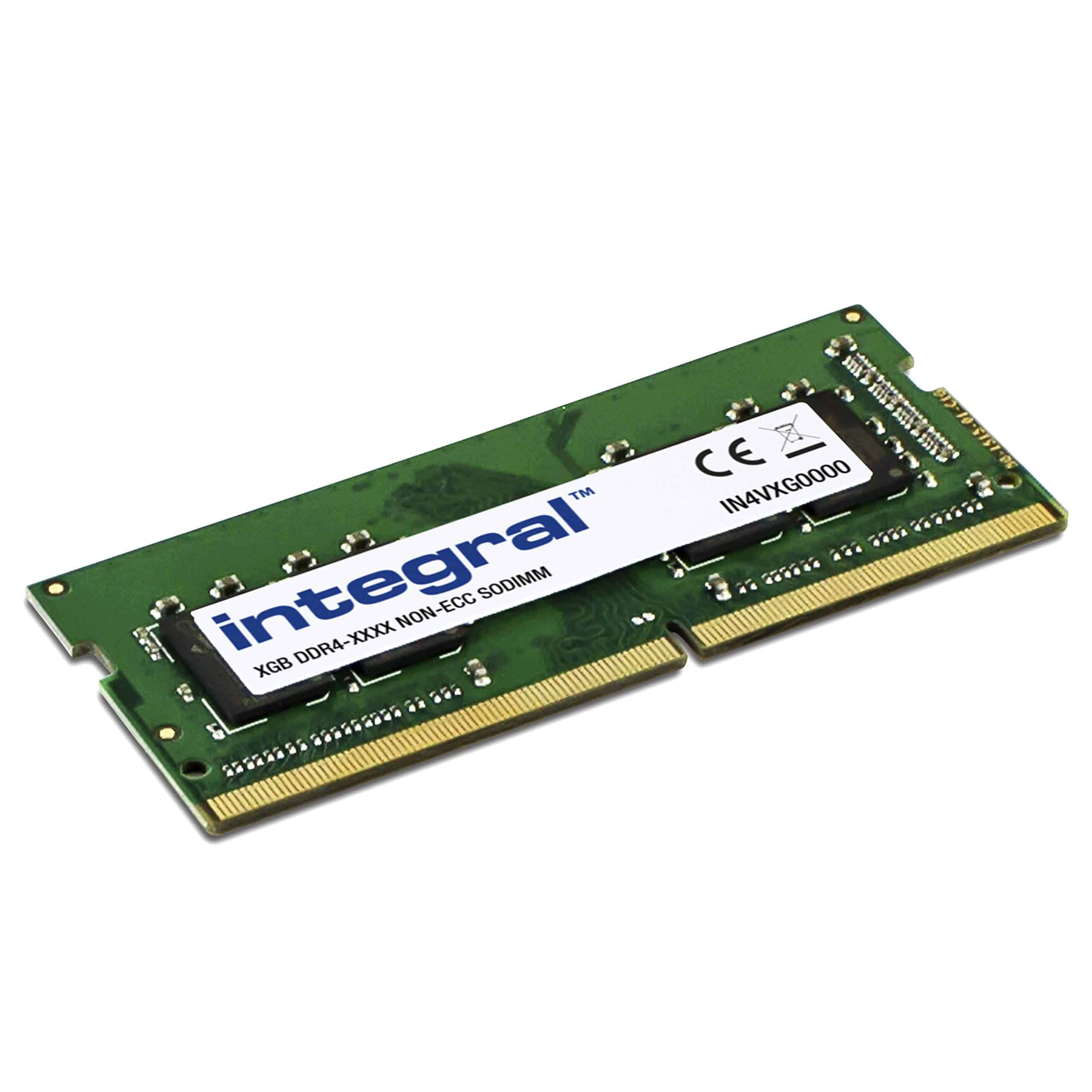 7.5 / 10
Integral 8GB DDR4 RAM 2400MHz PC4-19200 SODIMM Laptop/Notebook/MacBook Memory Module
£48.95 · Integral

Frequently asked
7 questions01Is the Timetec 16GB DDR3 kit compatible with Intel Haswell and Ivy Bridge motherboards?+
Yes. The kit runs at 1600MHz CL11 at 1.5V, which is the standard JEDEC DDR3 specification that Sandy Bridge (LGA1155), Ivy Bridge (LGA1155), Haswell (LGA1150), and Broadwell (LGA1150) platforms are all designed to support natively. No BIOS configuration is required. As always, it is worth checking your specific motherboard's memory support list or QVL to confirm 8GB per DIMM is supported, as some budget boards from that era cap modules at 4GB each.
02Will this DDR3 kit work in a laptop that uses DDR3L low-voltage memory?+
This requires caution. The Timetec kit covered here is a desktop DIMM rated at standard 1.5V DDR3, not DDR3L (1.35V). It is also the wrong physical form factor for laptops, which use SO-DIMMs. If you are upgrading a laptop, you need a DDR3 SO-DIMM variant, and if your laptop specifies DDR3L-only slots, a 1.5V module may not be compatible. Timetec does produce DDR3 SO-DIMM kits, so check the specific listing carefully and verify your laptop's voltage requirements in the manufacturer's service manual before ordering.
03Does the Timetec DDR3 kit have an XMP profile or any overclocking support?+
No. This is a JEDEC-specification kit running at 1600MHz CL11 1.5V with no XMP or EXPO profile. There is nothing to enable in the BIOS. It will run at 1600MHz automatically on any DDR3 board that supports that speed. This is the correct approach for a legacy upgrade kit, as it avoids compatibility issues that can arise from trying to run higher-speed profiles on older memory controllers. Overclocking beyond 1600MHz on DDR3 platforms is not something this kit is designed to support.
04How does Timetec's warranty compare to Kingston and Crucial for DDR3 memory?+
Timetec advertises a lifetime warranty on their memory products, which matches the lifetime coverage offered by Kingston ValueRAM and Crucial on comparable DDR3 kits. The practical difference is in the support process. Kingston and Crucial have well-established RMA infrastructure in the UK built over many years, with straightforward returns processes and local contacts. Timetec is a smaller and newer presence in the UK market, so while the warranty terms are equivalent on paper, the experience of actually using that warranty may be slower or less polished. For a budget upgrade where the cost is modest, most buyers will find this an acceptable trade-off.
05Why would someone buy DDR3 memory in 2026 rather than upgrading to a newer platform?+
There are several practical reasons. If you have a working DDR3 desktop or laptop that performs adequately for your tasks but is being held back by insufficient RAM, a DDR3 memory upgrade costs a fraction of a full platform replacement. A Haswell Core i7 system with 16GB of DDR3 is still capable of light productivity, web browsing, and casual gaming. The economics make sense when the rest of the system is functional. The honest caveat is that if the CPU itself is the bottleneck, or if the system is very old, more RAM will not solve the underlying problem and a second-hand DDR4 system might represent better value.
06What is the true latency of this kit and how does it compare to DDR3 1333MHz CL9?+
True latency is calculated by dividing the CAS latency by the memory clock speed. For this kit at DDR3 1600MHz CL11, that works out to approximately 13.75 nanoseconds. DDR3 1333MHz CL9, which was common in earlier budget kits, produces approximately 13.5 nanoseconds of true latency despite the lower headline clock speed. The difference is marginal in practice. For DDR3 platforms, 1600MHz CL11 is a sensible and well-supported standard, and the higher bandwidth of 1600MHz is generally preferable to the slightly lower latency of 1333MHz CL9 for most workloads, particularly those involving integrated graphics that share the memory bus.
07Are there any known compatibility issues with older AMD AM3 and AM3+ boards?+
Owner reports indicate the kit works correctly across a range of AMD AM3 and AM3+ boards running Phenom II, Athlon II, and FX-series processors. The main compatibility risk with any 2x8GB DDR3 kit on older boards is whether the platform supports 8GB per DIMM. Most boards from 2012 onwards do, but some earlier or budget boards are limited to 4GB per slot, which would cap total memory at 8GB with this kit. Always check your motherboard manual or the manufacturer's memory compatibility list before ordering. The kit itself is not the source of these restrictions; they are platform limitations inherent to older memory controllers.