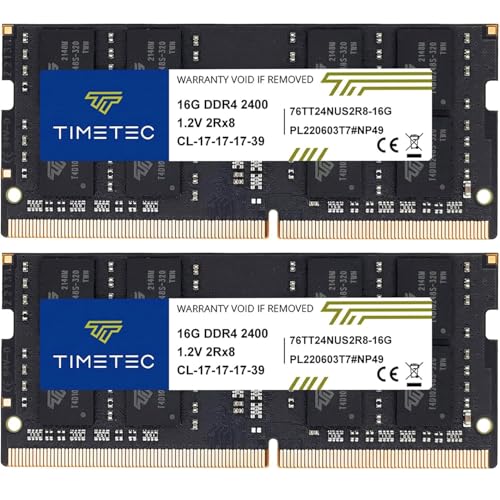
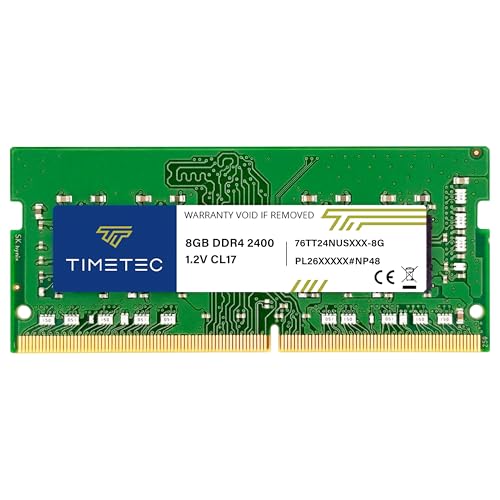
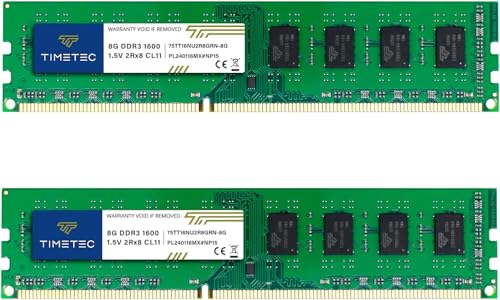
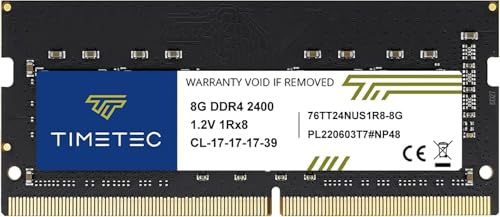
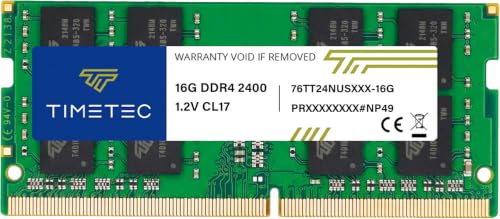
The MHz number on the box is, genuinely, the least useful thing printed on it. A kit rated at 1600MHz CL11 and a kit rated at 1600MHz CL9 are not the same thing, and anyone who's ever tried to explain that to a mate buying RAM on Amazon knows exactly how that conversation goes. The actual latency, measured in nanoseconds, is what the memory controller sees. And that number comes from dividing the CAS latency by half the clock speed, not from squinting at the box art.
Which brings us here. The Timetec 64GB DDR3 kit (ASIN B0DFPZ6P9P) is a product that exists in a very specific, very niche corner of the market in 2026. DDR3 is old. Not "last generation" old. Old old. Intel dropped DDR3 support with Skylake in 2015. AMD moved on around the same time. If you're looking at this kit, you're either maintaining legacy hardware, running a specific workstation or server platform that still uses it, or you've inherited a system and need to max out its memory without buying a new motherboard. That's a real use case. It's just a narrow one.
So the question isn't "is DDR3 worth buying in 2026?" The question is: if you need DDR3, is this the kit to get? And is 64GB of it actually useful on a platform that old? Those are the things worth talking about.
Core Specifications
Timetec lists this as a 64GB kit running at 1600MHz with a CAS latency of CL11. The full primary timings are 11-11-11-28, which is a fairly standard JEDEC profile for DDR3-1600. Voltage sits at 1.5V, which is the standard DDR3 operating voltage. There's no XMP or EXPO profile here because DDR3 predates the widespread adoption of those standards as we know them today. What you get is a JEDEC-compliant kit that should run at rated speed on any DDR3-capable platform without fiddling.
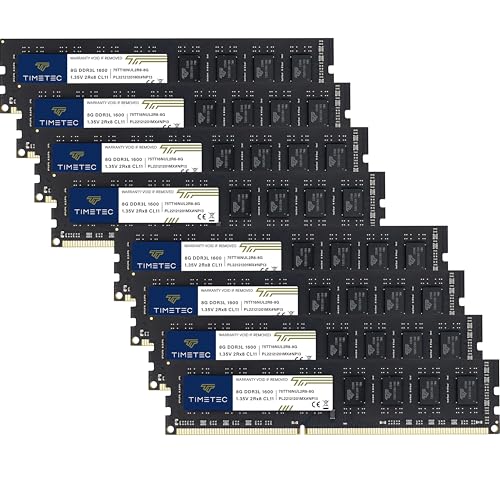
The form factor is standard DIMM (240-pin), which is the desktop DDR3 format. The kit configuration is listed as a multi-module set to reach 64GB total, which on DDR3 desktop platforms is already pushing the absolute limits of what most consumer boards support. Most LGA1155 and LGA1150 boards topped out at 32GB. Getting to 64GB on DDR3 desktop typically required either a high-end enthusiast board (X79, for example, with quad-channel support) or a server/workstation platform. That's not a knock on Timetec; it's just the reality of the platform you'd be installing this into.
Here are the full specs as listed:
| Specification | Detail |
|---|---|
| Total Capacity | 64GB |
| DDR Generation | DDR3 |
| Rated Speed | 1600MHz (PC3-12800) |
| CAS Latency | CL11 |
| Primary Timings | 11-11-11-28 |
| Voltage | 1.5V |
| Form Factor | DIMM (240-pin, Desktop) |
| XMP / EXPO Profile | None (JEDEC standard) |
| ECC Support | Non-ECC |
| Warranty | Lifetime |
| Current Price | £131.92 · Details |
Speed, Timings and Real Latency
DDR3-1600 CL11 works out to a true latency of roughly 13.75 nanoseconds. The calculation is straightforward: take the CAS latency (11), divide by half the clock rate (800MHz), multiply by 1000 to get nanoseconds. So 11 / 800 x 1000 = 13.75ns. For context, DDR3-1600 CL9 would be 11.25ns, and DDR3-1866 CL11 would be about 11.78ns. The CL11 timings at 1600MHz are not the tightest DDR3 can offer, but they're standard JEDEC and they're what the vast majority of DDR3 platforms were designed around.
Compare that to modern DDR5. A DDR5-6000 CL30 kit works out to approximately 10ns true latency. A DDR5-6400 CL32 kit is also around 10ns. So modern DDR5 at its best is genuinely faster in real latency terms than this DDR3 kit, by roughly 25 to 35 percent. That's not surprising; it's a generation that's more than a decade newer. But it's worth stating plainly, because the MHz number on DDR5 boxes looks absurdly large compared to 1600MHz, and some people still get confused about whether that means it's proportionally faster. It's not. The CAS latency scaling keeps the real-world gap much smaller than the raw MHz numbers suggest.
Within DDR3 itself, the 11-11-11-28 timings on this Timetec kit are fine. They're not exciting. You can find DDR3-1600 kits with CL9 timings if you hunt, and those would be genuinely quicker. But at this point in 2026, if you're buying DDR3, you're buying it because you need it for a specific platform, not because you're chasing nanoseconds. The performance ceiling of the platform you're installing it into is almost certainly the bottleneck, not the RAM timings. A Haswell i7 running DDR3-1600 CL9 versus CL11 is not going to produce a meaningful difference in any real workload. The memory controller, the CPU architecture, and the PCIe 3.0 bandwidth are all far more limiting than a couple of nanoseconds in memory latency.
XMP / EXPO Stability and Compatibility
There's no XMP or EXPO profile on this kit, and that's actually fine for DDR3. The JEDEC standard for DDR3-1600 is well-established, and any DDR3-capable motherboard should read the SPD and run this at 1600MHz CL11 without any manual intervention. You won't need to go into the BIOS and enable a profile. It should just work. That simplicity is one of the few genuine advantages of buying JEDEC-spec memory: there's no profile to toggle, no "EXPO on" setting to hunt for, no first-boot failure because the board didn't like the XMP voltage request.
The caveat is that some older boards default to a lower JEDEC speed (1333MHz is common as a default on many LGA1155 boards) even when the RAM is rated for 1600MHz. You might need to go into the BIOS and manually set the memory frequency to 1600MHz to get rated performance. This isn't an instability issue; it's just how those older platforms handled memory negotiation. It's a two-minute BIOS change, but worth knowing about. Owner reports on this kit don't flag any particular issues with boards refusing to run it at rated speed, which is reassuring.
The bigger compatibility question with this kit isn't the speed profile, it's the capacity. As mentioned, 64GB of DDR3 on a consumer desktop board is not a given. Most Z77, Z87, and H97 boards topped out at 32GB. The Intel X79 platform (LGA2011) supported quad-channel DDR3 and could reach 64GB with eight slots. Some server and workstation boards based on Intel Xeon E5 processors also supported 64GB or more of DDR3. If you're not sure your board supports 64GB, check the manufacturer's memory support page before ordering. This is not a small caveat. Installing more RAM than your board supports will either result in the system not posting, or only recognising part of the installed capacity.
Capacity and Use Case
64GB of DDR3 in 2026 is a very specific answer to a very specific question. For gaming on a legacy system? Genuinely unnecessary. Games don't use 64GB of RAM. The sweet spot for gaming has been 16GB for years, and 32GB is increasingly sensible for modern titles with large asset streaming requirements. But if you're running a system that old, you're not playing current AAA titles on it anyway. The GPU in a DDR3-era system is the constraint, not the RAM capacity.
Where 64GB of DDR3 actually makes sense is in legacy workstation use. Running virtual machines, doing data analysis on older software stacks, running a home server or NAS on repurposed hardware, or working in industries where specific legacy software requires older platforms. These are real scenarios. A Xeon E5-based workstation running multiple VMs, for example, benefits enormously from having 64GB rather than 32GB. The memory is the resource VMs fight over, and doubling it genuinely changes what you can run simultaneously.
The kit configuration matters here too. To reach 64GB on a quad-channel X79 or server platform, you'd typically be looking at eight 8GB modules or four 16GB modules. The exact configuration of this Timetec kit (how many sticks, what per-stick capacity) should be confirmed before purchase, because it affects which slots you populate and whether you're running dual-channel or quad-channel. Quad-channel DDR3 on X79 provided a meaningful bandwidth increase over dual-channel, particularly for memory-intensive workloads. Getting the channel configuration right matters more than the difference between CL9 and CL11.
DDR5 vs DDR4 Value
This section normally covers whether it's worth paying the DDR5 premium over DDR4. With a DDR3 kit, the conversation is different. You're not choosing between DDR4 and DDR5. You're choosing between buying DDR3 to keep an old system alive, or putting that money toward a platform upgrade. That's the honest framing.
DDR4 systems (LGA1200, AM4, LGA1700 on older Intel configs) can be picked up very cheaply now. A used AM4 platform with a Ryzen 5000 series CPU and 32GB of DDR4 will outperform any DDR3-era system in every workload, consume less power, and cost roughly comparable to what you'd spend on a 64GB DDR3 kit for legacy hardware. If your use case is general computing or gaming, that's the smarter spend. Full stop.
But if you have a specific reason to stay on DDR3, whether that's a Xeon workstation with a specific PCIe card that won't work on newer platforms, a legacy software environment, or simply that you've already got the system and just need more RAM, then buying DDR3 in 2026 is a pragmatic choice rather than a performance one. DDR5 is irrelevant to this decision. The question is purely whether the cost of the DDR3 RAM is justified by the use-life you'll get from the platform you're running it in.
Build Quality and Heat Spreaders
Timetec doesn't put fancy heatspreaders on their budget and value DDR3 sticks. What you typically get is bare or minimally dressed PCB, which is actually fine for DDR3-1600 at 1.5V. DDR3 at standard JEDEC speeds doesn't generate meaningful heat. The heatspreader arms race that happened with DDR4 and DDR5 at high voltages and speeds is largely irrelevant here. You don't need a chunky aluminium fin stack on 1600MHz CL11 DDR3. The modules will run cool passively.
The practical benefit of no heatspreader (or a slim one) is cooler clearance. On older systems, particularly those with tower coolers that overhang the first DIMM slot, low-profile RAM is genuinely useful. Timetec's DDR3 modules are standard height and don't add unnecessary bulk. On a server or workstation platform where you might be populating six or eight DIMM slots, slim modules make installation easier and don't create airflow problems.
IC and rank information for this specific kit isn't publicly documented by Timetec, which is par for the course at this price point and for this generation of RAM. DDR3 IC sourcing is a mixed bag in 2026; the major fabs have long since moved on, and what's available comes from various sources. Owner reports don't flag unusual failure rates or thermal issues, which suggests the ICs are at least adequate for JEDEC-spec operation. You're not buying this kit to overclock it, and at 1.5V standard operation, the IC quality matters less than it would at 1.65V+ DDR3 OC territory.
RGB and Aesthetics
There's no RGB on this kit. None. And that's completely correct for what this is. DDR3 with RGB would be like putting a spoiler on a skip lorry. The people buying 64GB DDR3 kits in 2026 are not doing it to make their build look good. They're doing it because they have a Xeon workstation or a legacy server platform and they need more memory capacity. The aesthetic conversation is irrelevant.
No RGB also means no RGB tax. You're paying for the memory and nothing else. There's no software to install for lighting sync, no iCUE or ARGB header to worry about, no "is this compatible with my motherboard's lighting ecosystem" question to answer. On a platform this old, the motherboard almost certainly doesn't have a modern ARGB header anyway. So the absence of RGB is a feature, not a gap.
The modules themselves are functional-looking. Plain PCB, standard height, nothing offensive. If you're installing these in a workstation that lives under a desk and gets opened twice a year, which is the likely scenario, the aesthetics are a complete non-issue. This is memory that's designed to work, not to be looked at.
How It Compares
The DDR3 64GB market in 2026 is thin. Most of the major brands have either discontinued DDR3 entirely or only stock it in small capacities for legacy laptop and server use. The realistic alternatives to this Timetec kit are other value-brand DDR3 offerings and the used market. Here's how the Timetec kit stacks up against the two most relevant alternatives:
| Feature | Timetec 64GB DDR3-1600 CL11 | Kingston ValueRAM DDR3-1600 (equivalent capacity) | Used Hynix/Samsung DDR3 (equivalent capacity) |
|---|---|---|---|
| Speed | 1600MHz | 1600MHz | 1333 to 1600MHz (varies) |
| CAS Latency | CL11 | CL11 | CL9 to CL11 (varies) |
| True Latency | ~13.75ns | ~13.75ns | 11.25 to 13.75ns (varies) |
| Voltage | 1.5V | 1.5V | 1.5V |
| XMP Profile | None (JEDEC) | None (JEDEC) | None |
| Warranty | Lifetime | Lifetime | None (used) |
| RGB | No | No | No |
| New / Used | New | New | Used |
| Availability (UK) | Available via Amazon | Limited at this capacity | eBay, mixed |
Kingston's ValueRAM is the obvious comparison for new DDR3. The specs are essentially identical at this frequency and latency. The difference comes down to price and availability. Kingston's brand recognition is stronger, but at JEDEC-spec DDR3-1600 CL11, there's no meaningful performance difference between the two. Both are running the same timings at the same voltage. The Timetec kit's advantage, if it has one, is price and the lifetime warranty on a product you're buying for a legacy system you might run for another three to five years.
The used market is genuinely worth considering here. Hynix and Samsung DDR3 from server decommissions can be found cheaply on eBay, often with tighter CL9 timings, and at 64GB capacity if you're patient. The risk is no warranty and unknown service history. For a critical workstation, that's a meaningful risk. For a home server or NAS where you have backups and can tolerate a stick dying, it's a reasonable gamble. The Timetec kit's lifetime warranty is a real differentiator against used alternatives.

The Praise
Owner reviews on this kit average a solid 5 stars, which for a product this niche is telling. The people buying DDR3 in 2026 know exactly what they need, and when a kit does what it says on the tin, they're happy. The consistent theme in positive reviews is straightforward: it posted at rated speed without any fuss, the system recognised the full 64GB, and it's been running stably since installation. For a legacy platform upgrade, that's genuinely all you want to hear.
Several reviewers specifically mention using this in Xeon-based workstations and older Mac Pro systems (which also used DDR3 ECC or non-ECC depending on the generation). The "it just worked" feedback is the most common thread. No dead-on-arrival sticks reported in the reviews I've seen, no posts about partial capacity recognition, no instability after extended use. For a workstation that needs to run reliably rather than impressively, that's the right outcome.
The Complaints
The complaints are thin, which partly reflects the small and self-selecting buyer pool. People who bought DDR3 in 2026 knew what they were getting into. The main gripe that surfaces occasionally is around compatibility verification, specifically buyers who didn't check their board's maximum supported capacity before ordering and then found their system only recognised 32GB of the 64GB installed. That's not a fault with the kit; it's a platform limitation. But it's frustrating enough that it shows up in reviews.
There's also the general caveat about DDR3 sourcing in 2026. Timetec doesn't publish their IC source, and some buyers are understandably cautious about the provenance of new DDR3 chips being manufactured this late in the product cycle. No reviews flag actual failures attributable to IC quality, but the uncertainty is there. If you're running a critical workstation, the peace of mind question is real, even if the practical failure rate from reviews looks fine.
Reliability and Warranty
Timetec offers a lifetime warranty on this kit, which is the right call for a product sold into legacy systems. If you're spending money to extend the life of a platform that's already a decade old, you want to know the RAM isn't going to die in two years and leave you scrambling for replacements. A lifetime warranty means if a stick fails, you can get it replaced without a time limit. That's a meaningful commitment for a budget brand, and it's one of the things that separates Timetec from some of the no-name DDR3 listings on Amazon that offer 30-day returns and nothing else.
From owner reports, long-term stability looks good. Reviews don't show a pattern of sticks dying after six months, which is the failure mode you'd worry about with low-quality ICs running at 1.5V continuously. DDR3 at JEDEC spec is not a stressful operating condition; the voltage is standard, the timings are relaxed, and the thermal load is minimal. The conditions that kill RAM (high voltage, aggressive overclocking, poor airflow) are largely absent from the typical use case for this kit.
The RMA process for Timetec is handled through Amazon for UK buyers in most cases, which makes the practical experience of a warranty claim straightforward. You're not shipping to a US address and waiting three weeks. The Amazon fulfilment and returns infrastructure means a dead stick is a relatively painless replacement process. That's worth something when you're buying from a brand that isn't Corsair or Kingston.
Value and Price Per GB
DDR3 pricing in 2026 is strange. New DDR3 is scarce, and scarcity pushes prices up relative to performance. You're not paying for cutting-edge specs; you're paying for availability. The price-per-GB on new DDR3 kits is higher than you'd expect given the age of the technology, because the supply chain for new DDR3 ICs is essentially a legacy operation. Compare that to DDR4, where 32GB kits are cheap and plentiful, and DDR5, where prices have come down significantly from launch.
For the specific use case this kit serves, the value calculation isn't about price-per-GB in isolation. It's about total cost of keeping a platform alive versus replacing it. If the rest of your Xeon workstation is paid for and running fine, and you need more RAM to run an additional VM or handle a larger dataset, the cost of this DDR3 kit is compared against the cost of a new platform, not against the cost of DDR4 or DDR5. In that framing, even expensive DDR3 can represent good value.
Within the DDR3 new-kit market, Timetec's pricing is competitive. You're not paying a significant premium over Kingston ValueRAM for equivalent specs, and you're getting a lifetime warranty. The price-per-GB will look high compared to modern DDR4 or DDR5, but that comparison is misleading for this use case. The honest assessment is: if you need DDR3, this is a fair price for a reliable new kit with a proper warranty. If you don't specifically need DDR3, the money is better spent on a DDR4 or DDR5 platform upgrade.
Platform Compatibility
DDR3 desktop DIMMs are 240-pin. They are not compatible with DDR4 (288-pin) or DDR5 (288-pin with different keying) slots. The physical connector is different, so there's no risk of accidentally installing this in a modern board. But the compatibility question that actually matters is which DDR3 platforms can run 64GB total.
On Intel's consumer side, the LGA2011 platform (X79 chipset, Sandy Bridge-E and Ivy Bridge-E processors) is the main DDR3 desktop platform that supported 64GB, with eight DIMM slots running quad-channel DDR3. LGA1155 (Z77, Z75, H77) boards typically topped out at 32GB across four slots. LGA1150 (Z97, H97) similarly capped at 32GB for most boards. So if you have an LGA1155 or LGA1150 system, this 64GB kit almost certainly won't be fully recognised. Check your motherboard's memory support page before buying. This is the single most important compatibility check for this specific kit.
On the server and workstation side, Intel Xeon E5-2600 series (LGA2011) platforms with eight DIMM slots can absolutely run 64GB of non-ECC DDR3, though many server boards prefer ECC memory and some require it. Check whether your board supports non-ECC unbuffered DDR3 or requires registered/ECC. AMD's DDR3-era platforms (AM3+, with FX processors) typically topped out at 32GB on consumer boards. For any platform, the definitive answer is the motherboard manufacturer's memory support list, not a general spec sheet.
Final Verdict
The Timetec 64GB DDR3-1600 CL11 kit is a product that does exactly what it needs to do for a very specific audience. It's not exciting. It's not fast by modern standards. The 13.75ns true latency is roughly 25 to 35 percent slower than what a good DDR5 kit delivers. But none of that matters if you're running a Xeon workstation or legacy server that needs DDR3 and can take 64GB of it.
The specs are JEDEC-standard, the voltage is correct at 1.5V, there's no XMP profile to fiddle with, and it should post at 1600MHz on any compatible board without drama. Owner reports back up the "it just works" expectation. The lifetime warranty is a genuine differentiator over used alternatives. And the price, while high relative to DDR4 per-GB, is reasonable for new DDR3 in 2026.
Who should buy this: anyone with an LGA2011 platform, a Xeon E5 workstation, or another DDR3 system with eight DIMM slots that can actually reach 64GB capacity, who needs to max out their memory for VMs, data work, or heavy multitasking on legacy software. Who should skip it: anyone on LGA1155, LGA1150, or AM3+ with a four-slot board capped at 32GB (the 64GB won't be recognised), and anyone who could instead put that money toward a DDR4 or DDR5 platform upgrade. If your use case is gaming or general computing and you're on DDR3 hardware, the honest advice is that the platform itself is the bottleneck, not the RAM capacity.
For what it is, it's a solid buy. The score reflects a product that serves a niche correctly, not one that pushes any boundaries.
Not Right For You?
If you're not locked into a DDR3 platform, there are better options for your money. A 32GB DDR4-3600 kit (CL16 or tighter) on an AM4 or LGA1700 board gives you a genuinely modern platform with far better single-threaded performance, PCIe 4.0 support, and a much wider ecosystem of compatible hardware. The DDR4 price-per-GB is dramatically lower than DDR3 in 2026, and the performance ceiling is miles higher.
If you're on a newer platform and looking at DDR5, a 32GB DDR5-6000 CL30 kit delivers around 10ns true latency, proper EXPO/XMP support for AM5 and Intel Core Ultra platforms, and future headroom for capacity upgrades. The DDR5 ecosystem has matured significantly; compatibility issues that plagued early DDR5 kits are largely resolved on current boards, and pricing has come down to a reasonable level relative to DDR4.
And if you specifically need a lot of RAM for workstation or VM use on a current platform, 64GB of DDR5 is available, runs faster than any DDR3 kit, and fits into a system that will still be relevant in five years. The DDR3 kit makes sense only if the platform decision has already been made and you're committed to keeping that hardware alive.
What works. What doesn’t.
5 + 5What we liked5 reasons
- JEDEC-standard DDR3-1600 CL11 at 1.5V posts without BIOS fiddling on compatible boards
- Lifetime warranty is a genuine advantage over used DDR3 alternatives from eBay server decommissions
- No heatspreader bulk means easy installation in multi-slot Xeon or X79 boards where clearance matters
- Owner reports consistently confirm full 64GB capacity recognition and stable long-run operation
- No RGB overhead means no software, no ARGB headers, and no compatibility headaches on decade-old motherboards
Where it falls5 reasons
- True latency of 13.75ns is 25 to 35 percent slower than a good DDR5-6000 kit, though the platform is always the real bottleneck
- 64GB DDR3 is incompatible with most LGA1155 and LGA1150 consumer boards capped at 32GB, creating a significant compatibility trap
- Price-per-gigabyte is high relative to DDR4 or DDR5, reflecting legacy supply scarcity rather than performance value
- Timetec does not publish IC sourcing, leaving some uncertainty about chip provenance on a product manufactured this late in the DDR3 cycle
- No overclocking headroom or XMP profile means the kit cannot be tuned beyond its JEDEC spec on any platform
Full specifications
10 attributes| Capacity GB | 64 |
|---|---|
| CAS latency | 11 |
| ECC | false |
| Form factor | DIMM |
| Module count | 8 |
| RAM | 64GB DDR3L/DDR3 1600MHz (DDR3L-1600) PC3L-12800/PC3-12800 CL11 2Rx8 Dual Rank |
| RGB | false |
| Speed MHZ | 1600 |
| Type | DDR3 |
| Voltage V | 1.35 |
If this isn’t right for you
1 options
Frequently asked
7 questions01Will this 64GB DDR3 kit work in my LGA1155 motherboard?+
Almost certainly not at full capacity. The vast majority of LGA1155 boards, including those based on Z77, Z75, and H77 chipsets, have a maximum supported memory capacity of 32GB across four DIMM slots. Installing 64GB will either result in the board failing to post or recognising only 32GB. Check your motherboard manufacturer's memory support page before ordering.
02Does this kit require any BIOS changes to run at 1600MHz?+
Possibly a minor one. Many older DDR3 boards default to 1333MHz even when faster RAM is installed, because 1333MHz is a common JEDEC default. If you want the full 1600MHz rated speed, you may need to enter the BIOS and manually set the memory frequency. There is no XMP or EXPO profile on this kit, so enabling a profile is not required and not possible. A manual frequency selection is a straightforward two-minute change.
03Is non-ECC DDR3 compatible with Xeon E5 server and workstation boards?+
It depends on the specific board. Some Xeon E5 platforms support both registered ECC and unbuffered non-ECC DDR3, while others require registered ECC memory and will not accept unbuffered modules. This Timetec kit is non-ECC unbuffered, so you must confirm that your board's memory support list explicitly includes unbuffered non-ECC DDR3 before purchasing.
04How does the real-world latency of this kit compare to modern DDR4 or DDR5?+
DDR3-1600 CL11 has a true latency of approximately 13.75 nanoseconds, calculated by dividing the CAS latency by half the clock rate. A DDR5-6000 CL30 kit achieves around 10 nanoseconds, making modern DDR5 roughly 25 to 35 percent faster in latency terms. DDR4-3600 CL16 sits at around 8.9 nanoseconds. However, this comparison is largely academic if your platform requires DDR3; the CPU architecture and memory controller on a DDR3-era system are the true performance ceiling.
05What warranty does Timetec offer on this DDR3 kit, and how does the claim process work for UK buyers?+
Timetec offers a lifetime warranty on this kit. For UK buyers purchasing through Amazon, the practical warranty process typically runs through Amazon's returns and fulfilment infrastructure, which makes replacing a faulty stick relatively straightforward without needing to ship internationally. This lifetime coverage is a meaningful advantage over used DDR3 modules sourced from eBay, which are sold as-is with no warranty protection.
06Is it worth buying this DDR3 kit, or should I upgrade to a DDR4 platform instead?+
For most users, a platform upgrade to DDR4 is the better long-term decision. A used AM4 system with a Ryzen 5000 series CPU and 32GB of DDR4 will outperform any DDR3-era system in all workloads, use less power, and cost a comparable amount. The DDR3 kit makes financial sense only if you have a specific reason to remain on the existing platform, such as a Xeon workstation with legacy PCIe cards or software tied to that hardware, and the rest of the system is already in good working order.
07Does the kit include RGB lighting or a heatspreader?+
No. This kit has no RGB lighting and uses bare or minimally dressed PCB modules without a large heatspreader. That is entirely appropriate for DDR3-1600 at 1.5V, which generates negligible heat at standard operating conditions. The slim profile is actually useful on multi-slot workstation boards where clearance and airflow across six or eight populated DIMM slots can be a consideration.