Video production places demands on a graphics card that are quite different from gaming. You need generous VRAM to hold large frame buffers and proxy caches, fast hardware encode and decode engines for H.264, H.265, AV1 and ProRes workflows, and enough shader throughput to accelerate colour grading, noise reduction and effects in DaVinci Resolve, Premiere Pro and Final Cut Pro. The market shifted considerably in early 2025 with the arrival of NVIDIA's RTX 50-series and AMD's RDNA 4 cards. Both generations bring improved AV1 encode support, more efficient media engines and higher VRAM on mainstream SKUs. Whether you are cutting 4K documentary footage on a tight budget, grading HDR commercials in 10-bit, or rendering 8K RED RAW timelines for broadcast, the right GPU will save you hours every week. This guide covers six carefully chosen cards from the current catalogue, ranked by their suitability for video work, with full codec and VRAM context for each pick.
Quick Verdict
Best Overall: Gigabyte GeForce RTX 5070 Ti GAMING OC 16G. Sixteen gigabytes of GDDR7, NVIDIA's fifth-generation NVENC/NVDEC engines with dual AV1 encoders, and class-leading memory bandwidth make it the most capable card on this list for serious video work at a price well below professional-tier options.
Best Value: MSI GeForce RTX 5070 12G GAMING TRIO OC. Twelve gigabytes of GDDR7, the same RTX 50-series media engine as its bigger sibling, and a street price that sits comfortably below the 5070 Ti make it the smartest spend for editors who do not regularly work with 8K RAW or heavy multi-stream workflows.
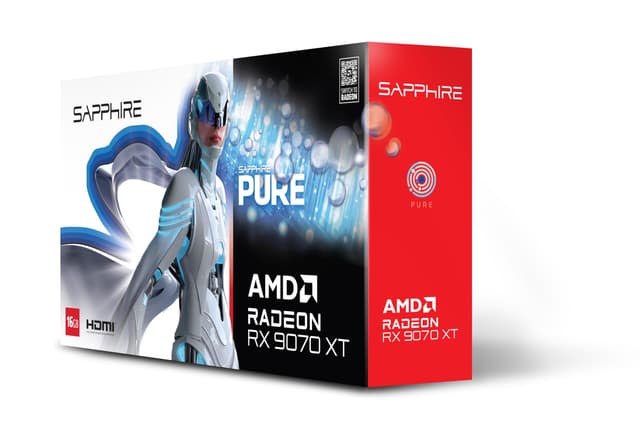
The XFX Mercury RX 9070 XT is AMD's answer to the RTX 5070 Ti in terms of market positioning, and for video production it has a compelling argument: 16 GB of GDDR6 on a 256-bit bus at around 717 GB/s bandwidth, paired with AMD's new VCN 5.0 media engine. The RDNA 4 generation represents a significant step forward for AMD's video codec hardware, and the 9070 XT is the highest-performance RDNA 4 card on this list.
VCN 5.0 brings dual encode instances to the 9070 XT, covering AV1, H.265 and H.264 encode and decode. This matches NVIDIA's dual-encoder advantage that was previously a key differentiator for RTX cards. In DaVinci Resolve, AMD cards are supported via OpenCL and, increasingly, via ROCm on Linux, though the Windows ROCm support is still maturing. Resolve's GPU acceleration works well with the 9070 XT on Windows, and the 16 GB VRAM gives it a headroom advantage over the 12 GB RTX 5070 variants for large project caches.
The XFX Mercury uses an unusual magnetic air cooling system with RGB lighting, which is more of an aesthetic choice than a thermal innovation. The fans are standard axial designs and the heatsink is a conventional vapour chamber arrangement. Thermal performance is adequate, though some reviews note it runs slightly warmer than competing triple-fan designs at sustained loads. The OC variant pushes the GPU clock above AMD's reference specification.
Where the 9070 XT has a relative weakness compared to NVIDIA options is software ecosystem maturity. Premiere Pro's Mercury Playback Engine is more deeply optimised for CUDA than for OpenCL, and some third-party Resolve plugins are CUDA-only. If your workflow involves a lot of third-party OpenFX plugins or CUDA-dependent tools, the NVIDIA cards will serve you better. However, for editors working primarily with Resolve's built-in tools, or those on Linux where ROCm is better supported, the 9070 XT is a strong performer.
The 16 GB VRAM at this price point is the 9070 XT's strongest card to play. It matches the 5070 Ti's memory capacity at a lower price, making it attractive for editors who work with 6K or 8K footage and need the VRAM headroom but cannot stretch to the 5070 Ti's price.
Verdict: The best AMD option for video production on this list. Sixteen gigabytes of VRAM, dual AV1 VCN 5.0 encode, and strong Resolve performance make it a genuine alternative to the RTX 5070, particularly for editors who prioritise VRAM over CUDA ecosystem depth.
Pros
- 16 GB GDDR6 on a 256-bit bus matches the 5070 Ti's VRAM at a lower price point
- Dual VCN 5.0 encode engines with AV1 support close AMD's previous encode gap with NVIDIA
- Strong native Resolve performance with AMD's OpenCL acceleration on Windows
Cons
- Premiere Pro's Mercury Playback Engine is more optimised for CUDA, giving NVIDIA cards an edge in Adobe workflows
- Some third-party Resolve OpenFX plugins are CUDA-only and will not accelerate on AMD hardware
- Magnetic air cooler design runs warmer than competing triple-fan solutions under sustained export loads
The PowerColor Hellhound RX 9070 occupies a sweet spot for video editors who want 16 GB of VRAM without paying for the full 9070 XT's compute throughput. It uses the same Navi 48 die as the 9070 XT but with a slightly lower shader count and reduced clock speeds, which brings the price down while keeping the full 16 GB GDDR6 memory complement and the VCN 5.0 media engine intact.
For video production, the distinction between the 9070 and 9070 XT is less significant than it would be for gaming. The VCN 5.0 engine, which handles hardware encode and decode, is the same on both cards. Dual AV1 encode, H.265 and H.264 encode and decode are all present. The difference shows up in shader-heavy tasks: complex Resolve node trees with multiple noise reduction passes, heavy temporal effects, or running multiple GPU-accelerated processes simultaneously will run faster on the 9070 XT. For straightforward colour grading, cut editing and standard H.265 or AV1 export, the 9070 is barely distinguishable in practice.
The Hellhound cooler is one of PowerColor's better thermal designs, using a triple-fan setup with a large aluminium heatsink and dual heat pipes. It runs quietly and keeps temperatures well below throttle thresholds during sustained export operations. The card's TDP is notably lower than the 9070 XT at around 220 W, which is a genuine advantage in workstations where power budget or thermal headroom is constrained.
Connectivity covers three DisplayPort 2.1 outputs and one HDMI 2.1 port, adequate for a multi-monitor editing setup. The card uses a PCIe 4.0 interface rather than PCIe 5.0, which has no practical impact on GPU performance but is worth noting for future-proofing considerations.
The 16 GB VRAM is the headline feature here. Compared to the 12 GB RTX 5070 variants, the Hellhound RX 9070 gives you more memory headroom for large project caches at a lower price, which is a meaningful trade-off for editors who work with high-bitrate 6K footage or large Resolve project files. The trade-off is the less mature CUDA ecosystem and the slightly lower shader throughput compared to the 9070 XT.
For editors on a tighter budget who work primarily in Resolve and need 16 GB VRAM, the Hellhound RX 9070 is the most cost-effective path to that memory capacity on this list.
Verdict: The most affordable route to 16 GB VRAM for video production. Lower shader throughput than the 9070 XT, but the VCN 5.0 media engine is identical, making it excellent value for editors whose priority is VRAM capacity over raw compute speed.
Pros
- 16 GB GDDR6 VRAM at the lowest price on this list, ideal for editors who need large GPU caches on a budget
- Full VCN 5.0 dual AV1 encode engine, identical to the more expensive 9070 XT
- Lower 220 W TDP suits workstations with constrained power budgets or limited case airflow
Cons
- Lower shader count than the 9070 XT means complex Resolve node trees and heavy temporal effects render more slowly
- PCIe 4.0 interface rather than PCIe 5.0, a minor future-proofing consideration
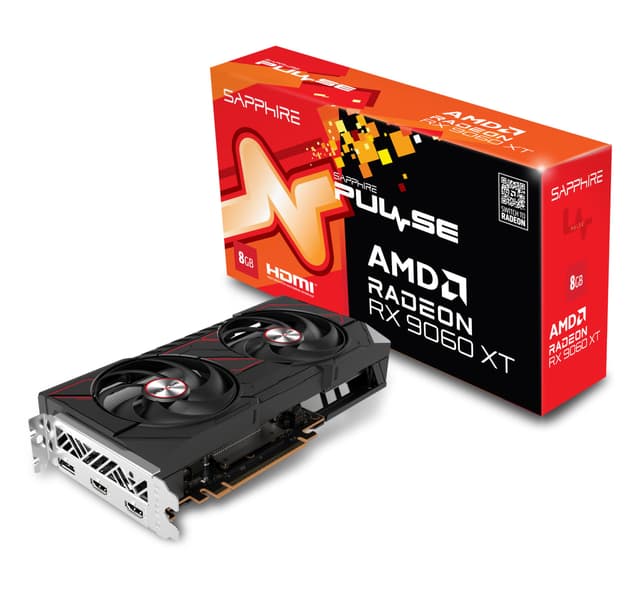
The Sapphire Pulse RX 9060 XT is the entry-level pick on this list, and its inclusion is justified by one specification that punches well above its price class: 16 GB of GDDR6 VRAM. Built on AMD's Navi 44 die, it is a smaller chip than the Navi 48 used in the 9070 and 9070 XT, with a 128-bit memory bus that limits bandwidth to around 320 GB/s. That bandwidth figure is the card's principal limitation for video work, and it is worth understanding where it matters.
For 4K timeline editing with standard delivery codecs, the 9060 XT is genuinely capable. The VCN 5.0 media engine is present, though with a single encode instance rather than the dual encoders found on the 9070 and above. This means you get hardware-accelerated AV1, H.265 and H.264 encode and decode, but you cannot run two simultaneous hardware encode streams. For most solo editors, this is not a constraint: you are unlikely to be exporting two timelines simultaneously while also doing background transcodes.
Where the 128-bit bus becomes a bottleneck is in shader-heavy Resolve workflows. Noise reduction nodes, temporal processing and complex colour science operations all require moving large amounts of data between the GPU's compute units and its memory. With 320 GB/s of bandwidth versus the 9070's 717 GB/s, the 9060 XT will stall more frequently on these tasks, resulting in slower real-time playback and longer render times for effects-heavy timelines. For a straightforward cut-to-grade-to-export workflow without heavy noise reduction or complex OpenFX, the difference is less pronounced.
The 16 GB VRAM is the genuine surprise here. At this price point, 16 GB is exceptional, and it means the card can hold large frame caches in memory even if it processes them more slowly than higher-end options. For editors who work with 4K footage, do light grading, and primarily need the VRAM for smooth proxy-free playback rather than complex real-time effects, the 9060 XT is a legitimate choice.
The Sapphire Pulse cooler is well-regarded for its quiet operation and thermal efficiency. The card draws around 150 W, making it compatible with a wide range of existing workstation PSUs and suitable for compact systems. Connectivity includes two DisplayPort 2.1 and two HDMI 2.1 outputs, slightly different from the three-DP configurations on other cards but adequate for most editing setups.
Verdict: A budget-friendly entry point with a surprising 16 GB VRAM advantage, best suited to editors working with 4K footage and straightforward grading workflows. The 128-bit memory bus limits performance on effects-heavy timelines, but for the price it is hard to fault the memory capacity.
Pros
- 16 GB GDDR6 VRAM at an entry-level price, giving large GPU cache headroom for 4K workflows
- VCN 5.0 hardware encode with AV1 support, covering all current delivery codec requirements
- Very low 150 W TDP suits compact workstations and systems with modest PSUs
Cons
- 128-bit memory bus limits bandwidth to ~320 GB/s, causing bottlenecks on noise reduction and complex Resolve node trees
- Single VCN encode instance cannot run simultaneous hardware encode streams unlike the 9070 and above
Buying Guide
VRAM: the most important specification for video editors
Video production is one of the most VRAM-hungry workloads a GPU faces outside of AI inference. DaVinci Resolve uses the GPU's VRAM as a frame cache: the more you have, the more frames Resolve can hold in memory for instant playback without re-rendering. When the VRAM fills up, Resolve spills to system RAM and then to your SSD, causing dropped frames and stuttering playback. For 4K H.265 timelines with moderate grading, 12 GB is workable. For 6K RAW, multiple streams, or heavy noise reduction, 16 GB is the practical minimum. Eight-gigabyte cards, however fast their GPU, are not recommended for professional video work in 2025.
Hardware encode and decode engines
Modern GPUs include dedicated silicon for video encode and decode that operates independently of the shader cores. NVIDIA calls these NVENC and NVDEC; AMD calls theirs VCN. These engines handle H.264, H.265 and AV1 encode and decode in hardware, dramatically faster than software encoding and without loading the CPU. For delivery workflows, hardware encode quality has improved to the point where it is indistinguishable from software encode for most broadcast and streaming applications. The number of encode engines matters: cards with two NVENC or two VCN instances can run simultaneous encode jobs, which is useful for studios delivering multiple codec versions of the same master.
AV1 support
AV1 is becoming the dominant delivery codec for streaming platforms including YouTube, Netflix and Amazon. Both NVIDIA's fifth-generation NVENC and AMD's VCN 5.0 support AV1 encode in hardware. If you are delivering for streaming platforms, AV1 hardware encode will save significant time compared to software AV1 encoding, which is extremely CPU-intensive.
Software ecosystem: CUDA versus OpenCL
NVIDIA's CUDA platform has a significant maturity advantage in video production software. DaVinci Resolve's GPU acceleration, Premiere Pro's Mercury Playback Engine, and most third-party OpenFX plugins are optimised for CUDA first. AMD cards use OpenCL on Windows, which works well for Resolve's built-in tools but may not accelerate third-party plugins. If you rely heavily on third-party Resolve plugins or work primarily in Premiere Pro, an NVIDIA card will generally give you better GPU utilisation. If you work mainly with Resolve's native toolset or are on Linux where ROCm is more mature, AMD is a viable choice.
Memory bandwidth
VRAM capacity tells you how much data the GPU can hold; memory bandwidth tells you how fast it can access that data. For video production, bandwidth matters most for shader-heavy tasks like noise reduction, temporal processing and complex colour science. A card with 16 GB on a 128-bit bus (like the RX 9060 XT) will be slower on these tasks than a card with 16 GB on a 256-bit bus (like the RX 9070 or RTX 5070 Ti), even though both have the same VRAM capacity. Prioritise bandwidth alongside capacity when comparing cards.
Power and thermal considerations
Video production workloads are sustained: an export job runs the GPU at near-maximum utilisation for minutes or hours. Cards that boost aggressively for short gaming bursts but throttle under sustained load will give inconsistent export times. Check that your PSU has adequate headroom (a 750 W unit is the sensible minimum for any card above 250 W TDP), and ensure your case has sufficient airflow for the card's cooler design.
The Gigabyte GeForce RTX 5070 Ti GAMING OC 16G is the clear overall winner for video production. It combines 16 GB of fast GDDR7 VRAM on a 256-bit bus with NVIDIA's most capable consumer media engine to date, dual NVENC Gen 5 encoders with AV1 support, and the deepest software acceleration in DaVinci Resolve and Premiere Pro. For editors working above 4K, running complex Resolve node trees, or needing simultaneous encode streams for multi-format delivery, no other card on this list matches its combination of VRAM, bandwidth and codec capability at its price point. The MSI RTX 5070 GAMING TRIO OC is the best value pick for editors whose work is predominantly 4K: the codec engine is identical, the 12 GB GDDR7 is sufficient for most workflows, and the saving is meaningful. For those who prioritise 16 GB VRAM on a tighter budget and work primarily in Resolve, the PowerColor Hellhound RX 9070 is the most cost-effective route to that memory capacity.