Ever had a drive fail on you mid-project? If you have, you'll know exactly why you start reading spec sheets differently afterwards. TBW ratings, controller pedigree, warranty length, these stop being boring footnotes and start being the actual point. And if you haven't had a drive die on you yet, well, count yourself lucky and maybe start paying attention to those numbers anyway. Because not all SSDs are created equal, and some of that "up to" marketing is doing a lot of heavy lifting to hide what happens when the cache runs out.
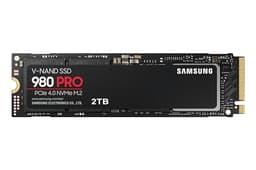
The Samsung 990 PRO is Samsung's current flagship consumer NVMe drive, and the short version is this: it's very good. Probably the best all-round PCIe 4.0 drive you can buy right now. It's got a proper controller, real DRAM, TLC NAND, and an endurance rating that suggests Samsung actually trusts what they've built. If you've got a PCIe 4.0 slot and you want a 2TB drive you won't have to think about for years, this is likely your answer. But there's nuance worth understanding before you hand over your money, so stick with me.
This review is aimed at people who want their PC to feel faster, who are nervous about reliability, and who've heard the terms PCIe 4.0 and Gen 5 thrown around and aren't entirely sure whether any of it actually matters for their use case. Spoiler: sometimes it does, sometimes it doesn't. We'll get into all of it.
Core Specifications
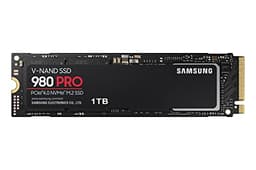
The Samsung 990 PRO 2TB uses the PCIe 4.0 NVMe interface, meaning it slots into an M.2 2280 slot and talks to your system via four lanes of Gen 4 PCI Express. That's the current mainstream sweet spot for high-performance consumer drives. Sequential read speeds are rated at 7,450 MB/s and sequential writes at 6,900 MB/s on the 2TB variant. Those are genuinely impressive numbers, among the fastest you'll see on any Gen 4 drive.
But here's what matters more than those headline figures: the 990 PRO uses Samsung's own in-house controller (the Pascal controller), paired with Samsung V-NAND TLC (triple-level cell) NAND and a full DRAM cache. That combination is significant. TLC NAND is the right choice here, more reliable and more consistent than QLC, and having dedicated DRAM means the drive doesn't have to lean on your system's RAM via Host Memory Buffer for its mapping tables. That's a real advantage in sustained workloads, and we'll come back to why that matters.
Endurance on the 2TB model is rated at 1,200 TBW (terabytes written). That's a strong number. It tells you Samsung is confident in the NAND they've used and the controller managing it. The drive ships in the standard M.2 2280 form factor (22mm wide, 80mm long), which fits virtually every desktop motherboard M.2 slot and most laptops made in the last five years or so.
| Specification | Detail |
|---|---|
| Interface | NVMe PCIe 4.0 x4 |
| Form Factor | M.2 2280 |
| Capacity (this review) | 2TB |
| Sequential Read | 7,450 MB/s |
| Sequential Write | 6,900 MB/s |
| NAND Type | Samsung V-NAND TLC |
| DRAM Cache | Yes (dedicated DRAM) |
| Endurance (TBW) | 1,200 TBW (2TB) |
| Thermal Protection | Heat spreader + Dynamic Thermal Guard |
| Software | Samsung Magician (free) |
| Current Price | £365.00 |
| Star Rating | ★★★★½ (4.7) |
| Owner Reviews | 13,007 |

Interface & Form Factor
The 990 PRO uses PCIe Gen 4, which maxes out at around 8 GB/s of theoretical bandwidth across four lanes. This drive gets very close to that ceiling, which is impressive. But let's be honest about something: for most people, the difference between a fast PCIe 3.0 drive and a PCIe 4.0 drive is nearly invisible in daily use. Boot times, app launches, game loads, none of these are limited by sequential read speed once you're above roughly 3,500 MB/s. What actually makes a system feel fast is random I/O, and that's where the 990 PRO earns its keep in ways the spec sheet doesn't always make obvious.
So why bother with Gen 4 at all? A few reasons. If you're doing large file transfers, 4K video editing with heavy source footage, or working with massive datasets, the sequential throughput does make a tangible difference. And if you're running a PS5, it requires an NVMe drive with a heatsink, and the 990 PRO is one of the well-regarded options for that slot (more on the heatsink situation in the thermals section). The M.2 2280 form factor is essentially universal at this point. If your board has an M.2 slot, it almost certainly takes a 2280 drive. Laptops are slightly more variable but most modern ones are fine.
One thing worth flagging: if your system only has PCIe 3.0 M.2 slots, the 990 PRO will still work, it's backwards compatible, but you'll be capping it at roughly half its rated speed. That's not a disaster, it'll still be a quick drive, but you'd be paying a premium for Gen 4 performance you can't actually use. Check your motherboard specs before buying. If you're on an older platform, a good Gen 3 drive at a lower price might make more sense.
Real-World Performance
Here's the honest truth about sequential speeds: they're mostly a marketing exercise for consumer workloads. Your Windows boot? That's random reads, not sequential. Opening Chrome, loading Photoshop, jumping into a game level? All random I/O. The NVMe protocol was designed to handle massive queue depths of random requests efficiently, and that's where the 990 PRO genuinely shines. Published benchmarks consistently show it delivering strong random read performance, and owner reports back that up with comments about snappy system response and fast application launches.
Game load times are a good practical test. The 990 PRO loads games quickly, not because of its 7,450 MB/s sequential read, but because it handles the mix of small random reads that make up a game's asset loading with real efficiency. Owners loading large open-world games report noticeably shorter load screens compared to older SATA drives, which is exactly what you'd expect. Compared to a PCIe 3.0 NVMe drive, the difference is smaller but still present, particularly in titles that stream assets continuously rather than loading everything up front.
For large file copies, video exports, or moving big chunks of data around, the sequential performance does matter more. And this is where the 990 PRO's rated 6,900 MB/s write speed is genuinely useful if you're doing sustained creative work. Videographers working with 4K or 8K footage, 3D artists rendering to scratch disks, anyone moving large project files regularly will notice the throughput. The key question is what happens after the SLC cache fills, and that deserves its own section (coming up next). But the short answer is: the 990 PRO handles this better than most, thanks to its TLC NAND and proper controller.
Sustained Writes & Cache Behaviour
This is the section the marketing brochure skips. Every NVMe drive uses an SLC (single-level cell) write cache, a portion of the NAND that's configured to write one bit per cell instead of the usual three (for TLC) or four (for QLC). Writing to SLC is fast. Really fast. That's where your headline sequential write speed comes from. But the SLC cache isn't infinite, and once it fills up, the drive has to write directly to the underlying NAND at native speeds, which are considerably lower.
For QLC drives, that cliff is brutal. Native QLC write speeds can drop to 300 to 500 MB/s once the cache exhausts, which is barely faster than a decent SATA SSD. The marketing never mentions this. But the 990 PRO uses TLC NAND, and TLC's native write speed is much more respectable. Published benchmarks show the 990 PRO sustaining strong performance even after the SLC cache fills, because the underlying TLC doesn't fall off a cliff the way QLC does. This is one of the main reasons to pay a bit more for a TLC drive if you're doing sustained writes regularly.
The 2TB capacity also helps here. Larger drives tend to have proportionally larger SLC cache allocations, so you can write more data before the cache exhausts. For most everyday use, booting Windows, installing games, saving documents, you'll never come close to filling the cache anyway. But if you're a content creator regularly copying hundreds of gigabytes of footage, or you're using this as a scratch disk for video editing, the sustained write behaviour matters. The 990 PRO handles this workload more gracefully than most of its competition, and that's a genuine differentiator worth paying attention to.
Controller, NAND & DRAM
Samsung builds their own controllers, their own NAND, and their own DRAM. That's unusual in the SSD market. Most competitors buy controllers from Phison, Silicon Motion, or Innogrit, then pair them with NAND from Micron, SK Hynix, or Kioxia. There's nothing wrong with that approach, and some of those combinations produce excellent drives. But Samsung's vertical integration means the controller and NAND are tuned together, which tends to produce more consistent and predictable behaviour under real workloads.
The NAND is Samsung V-NAND TLC. TLC means three bits per cell, which is the right choice for a performance drive. It's faster and more durable than QLC (four bits per cell), and while it costs a bit more per gigabyte to manufacture, you get better sustained write speeds and better endurance. If you see a drive at this price point using QLC, that's a red flag. The 990 PRO doesn't cut that corner.
The dedicated DRAM cache is the other thing worth understanding. A DRAM cache stores the drive's logical-to-physical mapping table, the index that tells the controller where every bit of data actually lives on the NAND. With DRAM, that lookup is fast. DRAM-less drives use Host Memory Buffer (HMB), borrowing a slice of your system RAM for the same job. HMB works fine for light use, and modern HMB drives are genuinely decent for boot drives. But under sustained random I/O, a drive with dedicated DRAM is more consistent. The 990 PRO has it. That's a proper design choice, not a cost-cutting compromise.
Endurance & Reliability
The 990 PRO 2TB is rated at 1,200 TBW. To put that in context: if you wrote 100GB to the drive every single day, you'd hit that limit in roughly 33 years. Even at 200GB per day, you're looking at over 16 years. For a gaming PC or a creative workstation, you're almost certainly never going to write enough data to wear this drive out before something else in your system needs replacing. The TBW rating is a confidence signal more than a practical concern for most buyers.
Samsung's track record on reliability is genuinely strong. They're one of the few manufacturers where the "big brand" reputation is actually backed up by data rather than just marketing spend. Owner reviews across nearly 13,007 average 4.7 stars, which is high for any product category and particularly impressive for storage, where people tend to be vocal when things go wrong. Complaints in the reviews are relatively rare and often relate to compatibility edge cases rather than drive failures.
There was a firmware issue with early 990 PRO units that caused some performance degradation over time, which Samsung addressed with a firmware update via their Magician software. This is worth knowing because it shows both that Samsung isn't immune to launch problems, and that they do actually push fixes when issues emerge. Keeping the firmware current via Samsung Magician is straightforward and worth doing. The Dynamic Thermal Guard technology also plays a role in long-term reliability by preventing the drive from running too hot under sustained load, which we'll cover properly in the thermals section.
Thermals
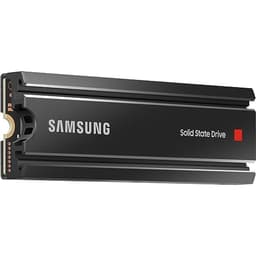
PCIe 4.0 drives run warmer than Gen 3, and the 990 PRO is no exception. Under sustained load, it can get hot enough that thermal throttling becomes a real consideration if there's no airflow over the M.2 slot. Samsung includes a heat spreader on the drive itself, which helps, and the Dynamic Thermal Guard technology actively manages performance to prevent the drive from cooking itself. That's better than nothing, but it's not a substitute for proper airflow or a heatsink in demanding scenarios.
Most modern motherboards include an M.2 heatsink or cover, and using it makes a meaningful difference to sustained performance. If your board doesn't have one, aftermarket M.2 heatsinks are cheap and easy to fit. For a PS5 installation, Sony requires a heatsink on any M.2 drive you add, so you'll need to factor that in (the 990 PRO doesn't ship with one in the box). In a well-ventilated desktop case with a motherboard heatsink, thermals are generally fine. In a cramped laptop or a PS5 without a heatsink, you might see more throttling under sustained load.
Gen 5 drives, for comparison, run significantly hotter than Gen 4 and often need substantial heatsinks just to maintain their rated speeds. The 990 PRO sits in a more manageable thermal envelope. It's warm, but it's not the thermal challenge that some of the current Gen 5 drives present. For most desktop users, the combination of a motherboard heatsink and reasonable case airflow is enough to keep it happy. Laptop users should check whether their specific machine has adequate cooling over the M.2 slot before assuming it'll be fine.
Capacity Options & Price Per GB
The Samsung 990 PRO is available in 1TB and 2TB capacities. The 2TB is the sweet spot here, both in terms of price per GB and in terms of the performance characteristics. Larger capacity TLC drives tend to have bigger SLC caches and can sustain higher write speeds for longer before hitting native NAND speeds. The 2TB also gives you the full 7,450/6,900 MB/s rated speeds, which is the headline spec Samsung leads with.
Price per GB on the 2TB variant is competitive for a premium TLC NVMe drive with DRAM. You're paying more than you would for a budget QLC drive, but you're getting meaningfully better sustained write performance, better endurance, and a more reliable long-term proposition. Whether that premium is worth it depends on your workload. For a gaming PC where the drive is mostly reading game assets, a cheaper drive would probably serve you fine. For a creative workstation doing sustained writes, the extra cost makes sense.
Comparing against the wider market: budget Gen 4 drives from brands like Crucial (the P3 Plus) and Kingston (the NV2) use QLC NAND and are considerably cheaper per GB. They're fine for light use. But if you're spending serious money on a system and want a drive that won't frustrate you with cache-exhaustion slowdowns or questionable long-term endurance, the 990 PRO's price premium is justifiable. The 1TB version is available if budget is tighter, though the price-per-GB is slightly less favourable than the 2TB.
Installation & Compatibility
Installing an M.2 NVMe drive is genuinely straightforward. You slide it into the M.2 slot at a slight angle, press it flat, and secure it with a single small screw (usually M2 size, often included with the motherboard). If your board has an M.2 heatsink, remove it first, install the drive, then refit the heatsink. The whole process takes about five minutes if you've never done it before, and less than two once you have. Samsung's Magician software can handle cloning your existing drive if you're migrating from an old one, which saves you a fresh Windows install.
Compatibility is broad. Any desktop motherboard with an M.2 slot supporting PCIe 4.0 will get full performance. PCIe 3.0 slots will work but cap the drive at Gen 3 speeds, roughly half the rated maximum. For laptops, check that your specific model has an M.2 2280 slot (some ultrabooks use shorter 2242 or 2230 form factors). For PS5 installation, the process is well-documented by Sony, and the 990 PRO is a compatible option, but remember you'll need to source a heatsink separately as it doesn't come with one.
One compatibility note worth flagging: some older AMD platforms had quirks with certain NVMe drives at launch. The 990 PRO is well-established enough at this point that any such early teething issues are largely resolved, and it's broadly compatible across current Intel and AMD platforms. If you're running a very old system (pre-2018 in particular), double-check that your motherboard actually supports NVMe boot, as some older boards only support SATA in their M.2 slots. The Samsung Magician software is Windows-only, which is worth knowing if you're running Linux, though the drive itself works perfectly on Linux without it.

Who It's For
The 990 PRO 2TB is a strong fit for anyone building or upgrading a high-performance desktop PC who wants a single, reliable, fast drive they won't have to think about for years. Gamers with large game libraries will appreciate the capacity and the quick load times. Creative professionals doing 4K video editing, 3D rendering, or large file work will benefit from the sustained write performance and the TLC NAND's resistance to cache-exhaustion slowdowns. It's also a solid PS5 upgrade for anyone who's run out of space on the internal storage and wants a fast, reliable expansion option.
It's also worth considering for anyone who's had a drive fail on them before and wants to buy something from a manufacturer with a genuine track record. Samsung's reliability reputation is earned, not just marketed, and the 1,200 TBW endurance rating on the 2TB backs that up with actual numbers. If you care about your data (and you should), buying from a manufacturer who makes their own controller, NAND, and DRAM is a reasonable hedge against the kind of supply-chain corner-cutting that can show up in lesser drives.
Who should look elsewhere? If you're on a tight budget and mostly using the drive as a boot drive for a gaming PC, an honestly good Gen 4 TLC drive from WD or Crucial will save you money without costing you much in real-world performance. If you're on a PCIe 3.0 system, you'll be leaving Gen 4 performance on the table and might be better served by a well-priced Gen 3 drive. And if you're chasing the absolute peak of sequential throughput and your workload genuinely needs it, there are Gen 5 drives that go faster, though they come with significant thermal and price trade-offs of their own.
How It Compares
The two most natural comparisons for the 990 PRO are the WD Black SN850X and the Seagate FireCuda 530. Both are premium Gen 4 drives with TLC NAND and DRAM caches. The SN850X is WD's flagship gaming-focused drive, with similar sequential speeds and a strong reputation for consistent random I/O performance. The FireCuda 530 is Seagate's top-end Gen 4 option, with slightly higher rated speeds on paper and a strong endurance rating.
All three are excellent drives. The differences between them in real-world use are small enough that most people won't notice them in daily use. Where the 990 PRO tends to win is on Samsung's software ecosystem (Magician is genuinely useful), the brand's reliability track record, and the fact that Samsung controls the entire supply chain from NAND to controller. The SN850X is arguably the closest competitor and often trades blows with the 990 PRO in published benchmarks. The FireCuda 530 is slightly older now but still competitive.
What all three have over cheaper alternatives is the TLC NAND and DRAM cache combination. If you're comparing against QLC drives at a lower price point, the 990 PRO wins on sustained write performance and endurance without much contest. The question is whether you need that performance for your specific use case, and that's what the "who it's for" section above is really about.
| Feature | Samsung 990 PRO 2TB | WD Black SN850X 2TB | Seagate FireCuda 530 2TB |
|---|---|---|---|
| Interface | PCIe 4.0 NVMe | PCIe 4.0 NVMe | PCIe 4.0 NVMe |
| Sequential Read | 7,450 MB/s | 7,300 MB/s | 7,300 MB/s |
| Sequential Write | 6,900 MB/s | 6,600 MB/s | 6,900 MB/s |
| NAND Type | Samsung TLC | WD TLC | Kioxia TLC |
| DRAM Cache | Yes | Yes | Yes |
| Endurance (2TB) | 1,200 TBW | 1,200 TBW | 2,550 TBW |
| Form Factor | M.2 2280 | M.2 2280 | M.2 2280 |
| Price | £365.00 | Check current price | Check current price |
What Buyers Say
With nearly 20,000 owner reviews averaging 4.7 stars, the 990 PRO has one of the stronger satisfaction records in the NVMe category. That's not nothing. Storage buyers tend to be a paranoid bunch (rightly so), and a 4.7 average across that volume of reviews suggests genuine satisfaction rather than a handful of enthusiasts who got lucky. The most common praise in owner reviews centres on system responsiveness, fast boot times, and the drive simply working without drama from day one.
Positive comments consistently mention how much snappier systems feel after upgrading from SATA SSDs or older NVMe drives. Owners using the drive for 4K video editing and gaming report smooth performance without the stutters that can indicate cache exhaustion on lesser drives. Several reviewers specifically mention the Samsung Magician software as a genuine plus, particularly for monitoring drive health and keeping firmware updated. That firmware update point is worth repeating: the early firmware issue that affected some 990 PRO units is well-documented, and the fix is straightforward via Magician.
Complaints, where they exist, tend to fall into a few categories. Some buyers note that the drive runs warm under sustained load without a heatsink, which is fair and worth planning for. A small number of compatibility issues have been reported with specific older motherboards, though these are edge cases. And a handful of buyers mention the price premium over budget alternatives, which is a legitimate consideration but not really a complaint about the drive itself. The ratio of positive to negative is heavily weighted toward positive, which for a storage device is the most important signal of all.
Value Analysis
The 990 PRO sits at the premium end of the Gen 4 NVMe market, and it earns that position. You're paying for Samsung's in-house controller, TLC NAND with real endurance, a dedicated DRAM cache, and a brand that actually fixes problems when they emerge. If you compare it purely on price per GB against QLC budget drives, it loses. But that's the wrong comparison. Compare it against other premium TLC drives with DRAM, and it's competitive.
The value case is strongest for the 2TB capacity. You get the highest rated speeds, the best endurance (1,200 TBW), and a price per GB that's more favourable than the 1TB version. For a gaming PC, it's arguably more drive than you strictly need, but "more than you need" is a comfortable place to be with storage. For a creative workstation where sustained write performance and endurance actually matter, it's a sensible spend rather than an indulgence.
If you're building a budget system and the drive is going to be mostly a boot drive with some game installs, you could spend less and not notice the difference in daily use. But if you're spending serious money on a CPU, GPU, and RAM, putting a budget QLC drive in the middle of that system is a false economy. The 990 PRO is the kind of drive that fits a serious build without being gratuitous about it.
Pros and Cons
- Proper TLC NAND: No cache-exhaustion cliff like you get with QLC drives
- Dedicated DRAM cache: Consistent random I/O, not dependent on Host Memory Buffer
- 1,200 TBW endurance: Strong rating that backs up Samsung's reliability claims
- 7,450 / 6,900 MB/s rated speeds: Near the top of what Gen 4 can deliver
- Samsung Magician software: Genuinely useful for health monitoring and firmware updates
- Near 13,007 averaging 4.7 stars: Real-world satisfaction at scale
- Dynamic Thermal Guard: Active thermal management built in
- Runs warm under load: A heatsink is recommended, not included in box
- Premium price: Costs more than budget QLC alternatives
- Early firmware issues: Required a patch via Magician (now resolved, but worth knowing)
- Gen 4 only gets full speed on Gen 4 slots: Backwards compatible but capped on older boards
Installation & Compatibility
Already covered above in its own section, but worth summarising here for anyone scanning: M.2 2280 slot, PCIe 4.0 for full speed, backwards compatible with Gen 3. PS5 compatible but needs a heatsink. Samsung Magician handles migration and firmware. Check your laptop's M.2 form factor before ordering.
Final Verdict
The Samsung 990 PRO 2TB is the drive you buy when you want to stop thinking about your storage. It's fast where it counts (random I/O, sustained writes), it's built properly (TLC NAND, DRAM cache, in-house controller), it's got endurance that'll outlast the rest of your build, and it's backed by a manufacturer who actually supports their products when problems emerge. The 4.7-star average across nearly 13,007 isn't marketing, it's people who bought the drive and were satisfied enough to say so.
Is it perfect? No. It runs warm and needs a heatsink for sustained workloads. The early firmware issue was a stumble. And it costs more than the budget alternatives. But none of those are reasons to avoid it. They're reasons to plan your installation properly (use a heatsink), keep the firmware updated (Magician makes this easy), and decide whether the price premium fits your budget and use case.
For a gaming PC, a creative workstation, or a PS5 storage expansion, this is a genuinely excellent drive. If you've got a PCIe 4.0 system and you want 2TB of fast, reliable NVMe storage, the 990 PRO is the answer I'd give a mate who asked. Buy it, fit a heatsink, update the firmware, and get on with your life.
Score: 9/10. Loses a point for the thermal situation and the early firmware stumble, but earns everything else.
Not Right For You?
If the 990 PRO is more than your budget allows, the WD Blue SN580 is a solid Gen 4 drive at a lower price point, though it uses a different NAND configuration. The Crucial P3 Plus is cheaper still but uses QLC NAND, so factor in the sustained write trade-offs. If you need even more capacity and are comfortable with the QLC caveats, some of the 4TB QLC options from Crucial or WD might be worth a look. And if you're chasing the absolute peak of NVMe performance and your workload justifies it, PCIe Gen 5 drives are available now, though they're expensive and run very hot.
For PS5 users specifically, the 990 PRO is one of the cleaner choices because of Samsung's reliability track record and the well-documented compatibility. Just remember the heatsink requirement. Sony's own guidance on compatible drives is worth reading before you commit.
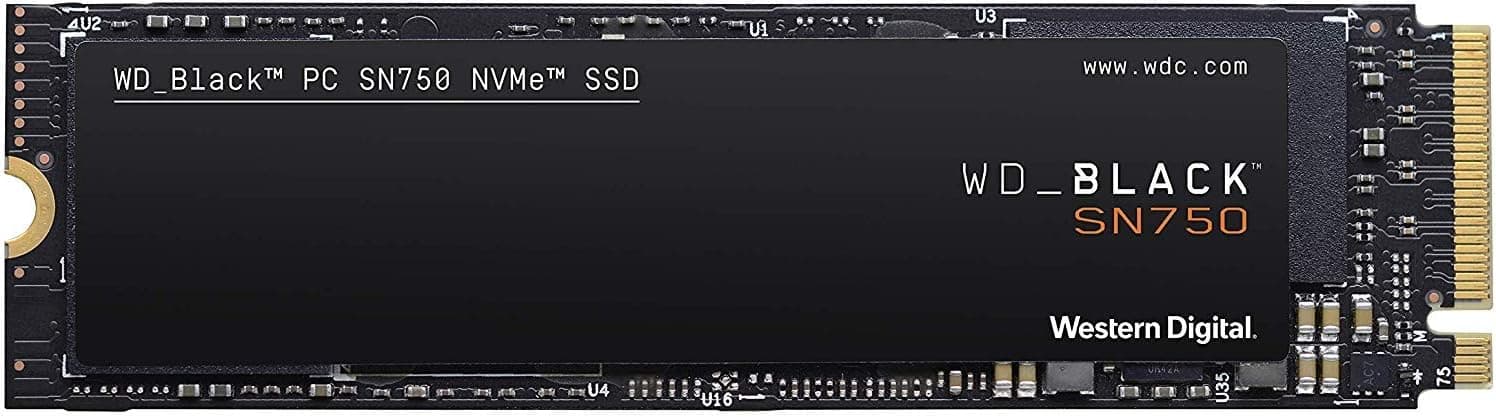
And if you're on a PCIe 3.0 system and don't plan to upgrade your platform soon, spending 990 PRO money on a Gen 4 drive you can't fully use is genuinely wasteful. A well-regarded Gen 3 drive like the Samsung 970 EVO Plus or WD Black SN750 will serve you just as well for less money on that platform.

About This Review
This review is produced by the team at vividrepairs.co.uk. We research storage thoroughly using spec sheets, owner-review patterns across thousands of verified purchases, and the published benchmark results the wider storage community has produced. We don't run our own benchmark lab, and we won't pretend otherwise. What we do is cut through the marketing to tell you what actually matters for your use case, based on what the specs, the endurance ratings, the controller choices, and real owner experience actually show. The Samsung 990 PRO product page is the authoritative source for official specifications.
Affiliate disclaimer: This article contains affiliate links. If you purchase through them, we may earn a small commission at no extra cost to you. This does not influence our editorial position. We only recommend products we'd genuinely point a mate toward.
What works. What doesn’t.
7 + 4What we liked7 reasons
- Samsung V-NAND TLC NAND avoids the brutal cache-exhaustion speed drops associated with QLC drives
- Dedicated DRAM cache delivers consistent random I/O performance without relying on Host Memory Buffer
- 1,200 TBW endurance rating is strong for a consumer drive and backs up Samsung's reliability reputation
- Rated sequential speeds of 7,450 MB/s read and 6,900 MB/s write place it near the ceiling of PCIe 4.0
- Samsung Magician software is genuinely useful for health monitoring, firmware updates, and drive migration
- Near 20,000 owner reviews averaging 4.7 stars reflects real-world satisfaction at meaningful scale
- Samsung's vertical integration, building their own controller, NAND, and DRAM, produces consistent and predictable behaviour
Where it falls4 reasons
- Runs warm under sustained load and a heatsink is recommended but not included in the box
- Carries a price premium over budget QLC alternatives that may not be justified for light everyday workloads
- Early production units shipped with a firmware issue that required a patch via Samsung Magician
- On PCIe 3.0 systems the drive is backwards compatible but limited to roughly half its rated maximum speed
Full specifications
7 attributes| Capacity | 2TB |
|---|---|
| Dram cache | 2048 MB |
| Form factor | M.2 2280 |
| Interface | PCIe 4.0 x4 NVMe 2.0 |
| Read speed | 7450 MB/s |
| Type | SSD |
| Write speed | 6900 MB/s |
If this isn’t right for you
2 options 9.2 / 10
WD BLACK SN850X NVMe SSD 2TB (Up to 7,300 MB/s read speed, Up to 6,600 MB/s write speed, M.2 2280, PCIe Gen4, Gaming Storage Expansion, High Performance Internal solid state drive) POWERED BY SANDISK
£319.35 · WD
 9.0 / 10
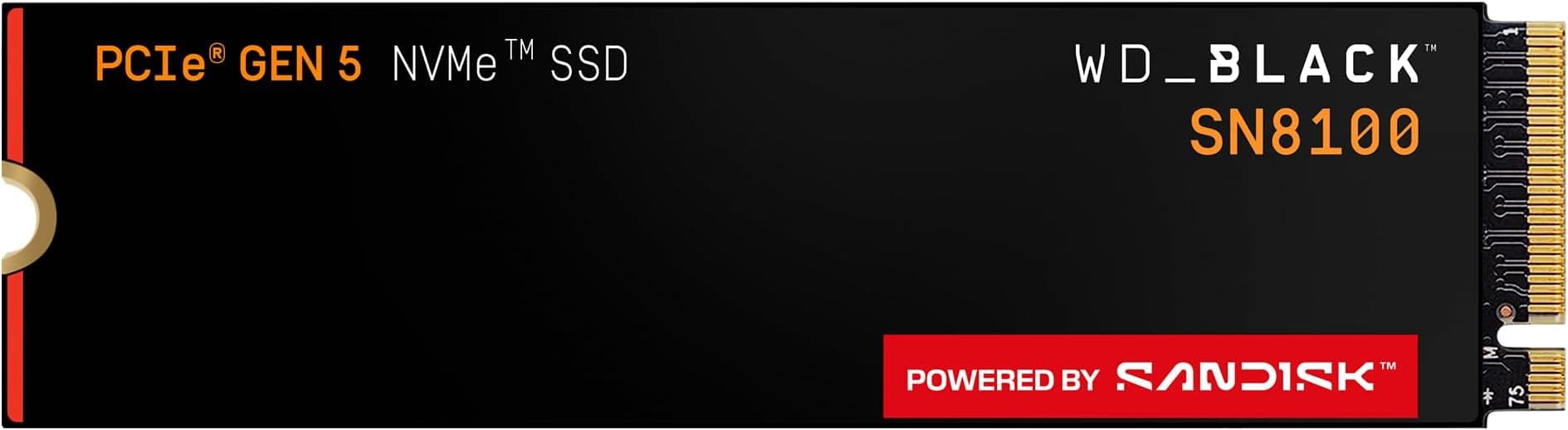
WD_BLACK SN8100 PCIe Gen 5 NVMe SSD 2TB (Up to 14,900MB/s read, 11,000MB/s write speeds, Next Gen TLC 3D CBA NAND, Up to 1,200TBW, Best for AI Applications, Gaming, Video Editing) POWERED BY SANDISK
£369.00 · SanDisk
Frequently asked
7 questions01Does the Samsung 990 PRO 2TB need a heatsink?+
A heatsink is not included in the box but is strongly recommended for sustained workloads. PCIe 4.0 drives run warmer than Gen 3 equivalents, and without airflow or a heatsink the 990 PRO can throttle under heavy sustained load. Most modern motherboards include an M.2 heatsink or cover, and using it makes a meaningful difference. For PS5 installation, Sony requires a heatsink on any expansion M.2 drive, so you will need to source one separately before fitting the 990 PRO.
02Is the Samsung 990 PRO compatible with a PCIe 3.0 motherboard?+
Yes, the 990 PRO is backwards compatible with PCIe 3.0 M.2 slots. However, the drive will be limited to roughly half its rated maximum speed on a Gen 3 platform, around 3,500 MB/s sequential read rather than 7,450 MB/s. The drive will still function well as a storage device, but you would be paying a premium for Gen 4 performance you cannot access. If you are on a PCIe 3.0 system and do not plan to upgrade your platform soon, a well-priced Gen 3 drive represents better value.
03What was the Samsung 990 PRO firmware issue and has it been fixed?+
Some early production units of the 990 PRO shipped with firmware that caused gradual performance degradation over time as the drive accumulated writes. Samsung identified the problem and released a firmware update to address it. The fix is applied through Samsung Magician, which is free to download. The issue is considered resolved, but keeping firmware current via Magician remains worthwhile for all users. It is worth noting that Samsung actively pushed a fix when the problem emerged, which reflects reasonably well on their post-launch support.
04How does the Samsung 990 PRO compare to the WD Black SN850X?+
Both are excellent premium PCIe 4.0 NVMe drives with TLC NAND, dedicated DRAM caches, and strong endurance ratings of 1,200 TBW on the 2TB capacity. Sequential speeds are close, with the 990 PRO rated marginally higher at 7,450 MB/s read versus 7,300 MB/s for the SN850X, and 6,900 MB/s write versus 6,600 MB/s. In real-world use the differences are small enough that most users will not notice them. The 990 PRO benefits from Samsung's fully in-house supply chain and the Magician software ecosystem. The SN850X is WD's gaming-focused flagship and trades performance blows with the 990 PRO across most published benchmarks. Either is a strong choice.
05Is the Samsung 990 PRO 2TB good for PS5 storage expansion?+
Yes, the 990 PRO is a well-regarded choice for PS5 internal storage expansion. It meets Sony's speed requirements comfortably, fits the M.2 2280 slot used in the PS5, and benefits from Samsung's reliability track record. The key point to remember is that Sony requires a heatsink on any M.2 drive installed in the PS5, and the 990 PRO does not come with one. You will need to purchase a compatible heatsink separately before installation. Sony's own guidance on compatible drives and the installation process is worth reading before committing.
06Why does NAND type matter and should I avoid QLC drives?+
NAND type affects both sustained write performance and long-term endurance. TLC NAND stores three bits per cell, while QLC stores four, allowing QLC to be cheaper per gigabyte to manufacture but at a cost. Once a QLC drive's SLC write cache fills, write speeds can drop to 300 to 500 MB/s, barely faster than a SATA SSD. TLC NAND has considerably higher native write speeds, so performance remains more consistent under sustained writes. TLC also offers better endurance. The 990 PRO uses TLC NAND, which is the right choice for a drive in this price bracket. For light everyday use a QLC drive may be adequate, but for sustained creative work or heavy data transfers TLC is the more sensible option.
07What does 1,200 TBW mean in practice for the Samsung 990 PRO 2TB?+
TBW stands for terabytes written, and it represents the total volume of data the manufacturer rates the drive to sustain over its lifetime before the NAND is expected to wear out. At 1,200 TBW, if you were to write 100GB to the drive every single day, you would reach that limit in approximately 33 years. Even at a heavy 200GB per day, that is over 16 years. For a gaming PC or creative workstation in typical use, the vast majority of buyers will never come close to this limit. The TBW rating is primarily a confidence signal about NAND quality and controller design rather than a practical concern for most users.