There's a moment every PC builder knows: you've finally got a decent GPU, you've sorted the RAM, the CPU is humming along nicely, and then you sit in front of a 60Hz TN panel from 2014 and watch all of that potential get swallowed up by a screen that can't keep up. The monitor is the last mile. It's where every frame your GPU renders either gets delivered properly or quietly wasted. And for a long time, getting something genuinely good at the budget end of the market meant accepting some pretty grim compromises.
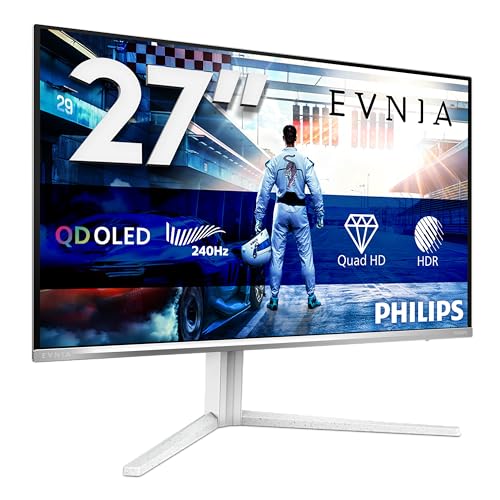
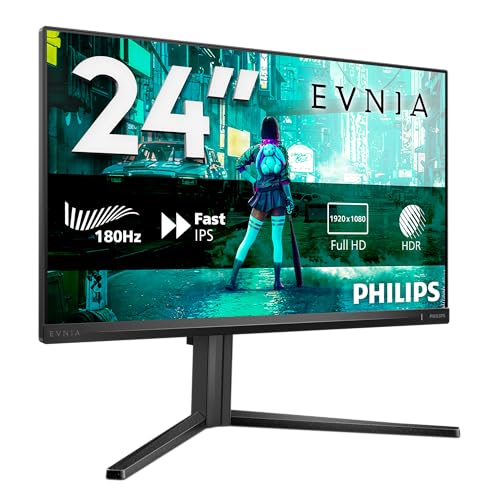
The Philips Evnia 27M2N3201A is here to argue that those compromises are no longer mandatory. This is a 27-inch, 1080p IPS panel running at 180Hz with a claimed 0.5ms response time, FreeSync Premium, G-Sync compatibility, height adjustment, and HDR10 support, all in the budget bracket. On paper, that's a stacked feature list for the money. And with hundreds of owner reviews and a positive overall rating, real buyers seem to agree. So is this the budget gaming monitor to beat right now, or is Philips hiding something behind the spec sheet? This Philips Evnia 27M2N3201A review digs into exactly that.
The short version: for fast-paced gaming at 1080p, this is a genuinely strong option at this price. The 180Hz refresh rate and IPS panel combination is rare in the budget bracket, and owners consistently report smooth, responsive gameplay. But the HDR10 badge is mostly decorative, and 1080p at 27 inches is a trade-off worth understanding before you buy. Read on for the full picture.
Core Specifications
Start with the numbers, because they tell most of the story here. You're getting a 27-inch IPS panel at 1920x1080 resolution, which works out to roughly 82 pixels per inch. That's not a sharpness monster, and we'll talk about what that means in practice shortly. The refresh rate is 180Hz, which is a step up from the 165Hz panels that dominated this price bracket for a while, and meaningfully faster than the 144Hz entry-level options still floating around. Philips rates the response time at 0.5ms, which is the GtG (grey-to-grey) figure under optimal overdrive settings.
Connectivity is sensible without being generous. You get two HDMI ports and one DisplayPort, which covers most setups. The HDMI ports are version 2.0, which supports 1080p at 180Hz without issue. DisplayPort is version 1.4. There's no USB hub, no USB-C, and no built-in speakers, which is fine at this price but if you were hoping to tidy up your desk. The stand offers height adjustment, tilt, and swivel, which is genuinely more than many budget competitors bother with. VESA mounting is 100x100mm if you want to go arm-first.
The panel covers 99% of the sRGB colour space according to Philips' published specifications, and the typical brightness is rated at 300 nits with a peak of 350 nits in HDR mode. Native contrast ratio is 1000:1, which is standard for IPS. The monitor ships in white, which is a bit unusual in the gaming monitor world and either a selling point or irrelevant depending on your aesthetic preferences. The full spec breakdown is below.
| Specification | Detail |
|---|---|
| Screen Size | 27 inches |
| Resolution | 1920x1080 (Full HD) |
| Panel Type | IPS |
| Refresh Rate | 180Hz |
| Response Time | 0.5ms GtG (marketed) |
| Adaptive Sync | FreeSync Premium, G-Sync Compatible |
| HDR | HDR10 |
| Brightness (typical) | 300 cd/m² |
| Peak Brightness (HDR) | 350 cd/m² |
| Contrast Ratio | 1000:1 (native) |
| Colour Gamut | 99% sRGB |
| Ports | 2x HDMI 2.0, 1x DisplayPort 1.4 |
| Stand Adjustments | Height, Tilt, Swivel |
| VESA Mount | 100x100mm |
| Dimensions (with stand) | 614 x 449 x 213mm (approx) |
| Colour | White |
| Current Price | £139.00 · Details |

Panel Technology
IPS is the right panel choice for this type of monitor, and Philips made the sensible call here. The alternative at this price is usually a TN panel, which gives you faster pixel response but genuinely terrible viewing angles and colour accuracy that makes everything look slightly wrong unless you're sitting dead centre. VA panels offer better contrast but typically slower pixel transitions, which shows up as smearing in fast motion. IPS sits in the middle: good colours, wide viewing angles, acceptable response times. It's the all-rounder, and for most gaming scenarios, it's the panel you want.
The viewing angles on IPS panels are typically rated at 178 degrees horizontal and vertical, and the Evnia 27M2N3201A follows that standard. In practice, this means the image holds up well when you're not perfectly centred, which matters if you're sitting off-axis or sharing the screen with someone. There's some colour shift at extreme angles, as there always is with IPS, but nothing dramatic. The more relevant limitation is IPS glow, that slightly luminous haze you see in dark corners when the backlight bleeds through. Owner reviews mention it occasionally, and it's going in, especially if you play a lot of dark atmospheric games. It's not unusual for IPS panels at any price, but it's there.
The native contrast ratio of 1000:1 is exactly what you'd expect from an IPS panel. This is one area where VA genuinely wins, with some VA monitors hitting 3000:1 or higher. But the trade-off with VA is that smearing in fast motion, which is a real problem in competitive gaming. For the use case this monitor is aimed at, 1000:1 IPS contrast is the right call. Blacks won't look as deep as on a VA or OLED panel, but motion will look cleaner. The IPS panel technology has come a long way in the past five years, and modern fast IPS implementations are genuinely impressive at this price point.
Display Quality
Here's the conversation you need to have with yourself before buying this monitor: 27 inches at 1080p gives you 82 PPI. That's noticeably less sharp than 1440p at the same size (which lands around 109 PPI) or 4K (163 PPI). Whether that matters depends entirely on how close you sit and how much you care about text clarity. If you're sitting a metre away and mostly gaming, 82 PPI is fine. You won't be squinting at blurry pixels. But if you do any work on this monitor, whether that's reading documents, browsing, or coding, you may find the pixel density a bit soft compared to what you'd get on a 24-inch 1080p panel (which hits around 92 PPI) or a 27-inch 1440p screen.
The anti-glare coating is a matte finish, which is standard at this price. Matte coatings scatter reflections rather than bouncing them back at you, which is genuinely useful in bright rooms. The downside is a slight reduction in perceived contrast and colour vibrancy compared to glossy panels. But glossy panels at this price are rare, and for good reason: they're miserable to use in any room with a window. The matte finish here is the practical choice. Owner reviews consistently mention that the image looks clean in normal room lighting, with no significant complaints about glare or reflection handling.
Brightness uniformity is worth a mention. At 300 nits typical brightness, this isn't the brightest panel around, and IPS panels can show some variation across the screen, with corners sometimes appearing slightly dimmer than the centre. Published specifications don't give a uniformity figure, and owner reviews don't flag this as a notable problem, suggesting it's within acceptable bounds for the price. The 300-nit typical brightness is adequate for most indoor environments. You'd want more if you're in a very bright room with lots of natural light, but for a typical gaming setup, it's sufficient.
Refresh Rate and Adaptive Sync
180Hz is the headline number, and it's a good one. The jump from 60Hz to 144Hz is dramatic and obvious. The jump from 144Hz to 180Hz is subtler but still real, particularly in fast-paced games where the extra frames translate to slightly smoother motion and marginally lower perceived input lag. For competitive gaming in titles like Valorant, CS2, or Apex Legends, where frame rates routinely exceed 144fps on capable hardware, 180Hz gives you a bit more headroom. It's not a massive leap, but it's a genuine upgrade over the 144Hz panels that used to define the budget ceiling.
FreeSync Premium is the relevant adaptive sync standard here. AMD's FreeSync Premium requires a minimum 120Hz refresh rate at the native resolution and mandates Low Framerate Compensation (LFC), which kicks in when your frame rate drops below the VRR range minimum to prevent tearing. The VRR range on this monitor runs from 48Hz to 180Hz, which is a solid spread. LFC means that even when your GPU is struggling and dropping below 48fps, the monitor can double (or multiply) the frame rate signal to maintain tear-free output. That's a meaningful quality-of-life feature that cheaper FreeSync implementations sometimes skip.
G-Sync compatibility is the other side of the coin. Nvidia hasn't officially certified this panel, but G-Sync Compatible certification from Nvidia means the monitor has been validated to work with G-Sync without significant artefacts. Many monitors work fine with Nvidia cards via FreeSync over DisplayPort even without official certification, and owner reviews from Nvidia GPU users don't flag any notable issues. If you're running a recent RTX card, you should be fine. Just connect via DisplayPort rather than HDMI for VRR with Nvidia hardware, as G-Sync Compatible over HDMI has historically been less reliable than over DisplayPort.
Response Time and Motion
The 0.5ms figure on the box is the GtG response time under the fastest overdrive setting. This is the marketing number, and like all marketing response time numbers, it needs context. Real-world pixel transition times depend heavily on which overdrive mode you're using, which colour transition you're measuring, and whether you're willing to accept overshoot artefacts in exchange for speed. Published display measurements from independent reviewers of comparable Philips Evnia IPS panels typically show real-world average GtG figures in the 3ms to 6ms range under balanced overdrive settings, which is perfectly good for a 180Hz IPS panel.
The thing to watch with aggressive overdrive on IPS panels is inverse ghosting, sometimes called coronas or halo artefacts. When overdrive is cranked too high, bright trails appear behind fast-moving objects, which can be more distracting than the mild ghosting you were trying to eliminate in the first place. The Philips Evnia range generally offers multiple overdrive presets, and owner reviews suggest the middle setting hits the sweet spot between speed and cleanliness. The fastest setting is available if you want it, but the consensus from owners is that it introduces visible artefacts in fast motion. Stick to the balanced preset and you'll get clean, responsive motion without the halo effect.
For the games this monitor is aimed at, the response time performance is more than adequate. Competitive shooters, racing games, and fighting games all benefit from the 180Hz refresh rate more than they're held back by a few extra milliseconds of pixel response. The honest truth is that unless you're playing at a professional esports level, the difference between 1ms and 4ms GtG is not something you'll notice in gameplay. What you will notice is the difference between 60Hz and 180Hz, and between tearing and tear-free VRR output. This monitor delivers on both of those fronts.
Color Accuracy and Gamut
Philips rates this panel at 99% sRGB coverage, which is a strong figure for a budget gaming monitor. The sRGB colour space is the standard for web content, most games, and general media consumption, so hitting 99% means you're getting accurate, full-fidelity colour in the content that makes up the vast majority of what you'll actually look at. Owner reviews consistently comment positively on colour vibrancy and accuracy out of the box, which aligns with what you'd expect from a well-implemented IPS panel at this coverage level.
There's no DCI-P3 figure published in the marketing materials, which is honest in a way. Wide colour gamut (WCG) monitors that cover 90% or more of DCI-P3 are generally found in the mid-range and above. At this price point, sRGB coverage is the relevant metric, and 99% is genuinely good. If you're doing colour-critical work for video production or photography that requires accurate DCI-P3 or Adobe RGB reproduction, this isn't the monitor for that job. But for gaming, streaming, and general use, 99% sRGB is more than sufficient.
Factory calibration at this price is what it is. Philips doesn't ship this with a calibration report or claim particularly tight Delta-E figures out of the box. The Delta-E is a measure of colour accuracy where a value below 2 is generally considered imperceptible to the human eye. Budget monitors typically ship with Delta-E figures in the 3 to 6 range, which is visible if you're doing a side-by-side comparison with a calibrated reference but perfectly fine for gaming and everyday use. Owner reviews don't flag colour accuracy as a concern, and for the target use case, it isn't one. If you need sub-2 Delta-E accuracy, you need to spend more money or buy a colorimeter.
HDR Performance
Right, this is where honesty is required. The HDR10 badge on this monitor is, bluntly, a checkbox. HDR10 is the base-level HDR standard, and it defines a colour space and metadata format rather than a minimum brightness requirement. To deliver HDR that actually looks better than SDR, you need peak brightness of at least 600 nits and ideally local dimming to control backlight zones independently. This monitor peaks at 350 nits in HDR mode. That's not enough to make HDR content look dramatically different from SDR content.
The VESA DisplayHDR certification tiers are worth understanding here. DisplayHDR 400 is the entry level, requiring 400 nits peak brightness. This monitor doesn't appear to carry a DisplayHDR certification at all, which tells you something. At 350 nits peak and no local dimming, enabling HDR mode on this monitor will shift the colour space and may actually make the image look worse than a well-calibrated SDR mode, because the monitor can't hit the brightness levels that HDR content is mastered for. Some owners actually report preferring the SDR image quality.
This isn't a Philips-specific failing. It's an industry-wide problem at this price point. Almost no budget monitor under £150 delivers meaningful HDR, and the ones that claim to are largely relying on buyers not knowing what real HDR looks like. If HDR performance matters to you, you need to be looking at monitors with DisplayHDR 600 certification or higher, which means spending significantly more. The Philips Evnia 27M2N3201A is a great budget gaming monitor. It's not an HDR monitor in any meaningful sense, and you should factor that into your expectations.
Contrast and Brightness
The native contrast ratio of 1000:1 is the IPS baseline, and it's fine for most gaming and general use. In a dark room, blacks will look dark grey rather than truly black, which is the IPS trade-off. If you game exclusively in a dark room and want deep blacks, a VA panel would serve you better on this metric. But VA panels at this price typically come with their own problems, particularly the smearing in fast motion that makes competitive gaming feel sluggish. For the majority of use cases, 1000:1 is perfectly acceptable.
The 300 nits typical brightness is adequate for a typical indoor gaming setup. In a bright room with a lot of natural light, you might find yourself pushing the brightness to maximum and wishing for a bit more headroom. The 350-nit peak in HDR mode doesn't help much, as discussed above. But for evening gaming or a room where you can control ambient light, 300 nits is comfortable. Owner reviews don't flag brightness as a significant issue, which suggests most buyers are using this in environments where 300 nits works fine.
Brightness uniformity across the panel is. IPS panels can show some variation, with edges and corners sometimes appearing slightly dimmer than the centre. At this price, perfect uniformity isn't guaranteed, and there's no published uniformity specification from Philips. Owner reviews are mostly positive about the overall image consistency, with only occasional mentions of minor backlight bleed in corners. This is par for the course on budget IPS panels. If you get a unit with significant bleed, Amazon's returns process is your friend. But based on the owner feedback pattern, most units seem to be within acceptable bounds.
Ergonomics and Stand
This is where the Philips Evnia 27M2N3201A genuinely punches above its weight. Height adjustment on a budget monitor is not a given. Plenty of monitors at this price and above ship with stands that only tilt, leaving you to prop the thing up on books if it's not at the right height for your setup. The Evnia's stand offers height adjustment, tilt, and swivel, which is a proper ergonomic package. Getting your monitor at the right height matters more for long-term comfort than most people realise, and Philips has done the right thing here.
The stand footprint is reasonably compact, which helps if you're working with a smaller desk. Owner reviews mention that the stand feels solid and stable, with no wobble during normal use. There are occasional comments about the stand assembly requiring a bit of patience, but nothing that suggests it's poorly engineered. The white finish is consistent across the stand and the bezel, which gives the whole thing a clean, cohesive look. The bezels are slim on three sides, with a slightly thicker bottom bezel that houses the Philips branding and the OSD controls.
VESA compatibility at 100x100mm means you can swap out the stand for a monitor arm if you prefer. That's the standard VESA pattern and works with the vast majority of arms on the market. If you're already running a multi-monitor setup with arms, or you want to free up desk space, the VESA option is there. The OSD buttons are physical buttons on the bottom bezel, which is more reliable than capacitive touch controls that sometimes misfire. The menu navigation is functional without being particularly slick, but you're not going to be in the OSD often once you've got your settings dialled in.
Connectivity and Ports
The port selection is straightforward: two HDMI 2.0 ports and one DisplayPort 1.4. For a gaming monitor at this price, that's sensible. Two HDMI ports means you can have a console and a PC connected simultaneously and switch between them without unplugging cables, which is a genuinely useful bit of flexibility. HDMI 2.0 supports 1080p at up to 240Hz in theory, so 180Hz over HDMI is well within spec. DisplayPort 1.4 supports much higher bandwidth than you need for 1080p at 180Hz, so there's no bottleneck there either.
What's missing is a USB hub, USB-C, and audio output. No USB hub means no convenient cable routing for peripherals through the monitor. No USB-C means you can't use this as a single-cable solution for a laptop. No audio output means you can't run speakers or headphones through the monitor. For a budget gaming monitor, none of these omissions are surprising. But if you were hoping to simplify your desk setup using the monitor as a hub, you'll need to look elsewhere. The Philips Evnia 27M2N3201A is a display, not a docking station, and it doesn't pretend otherwise.
- 2x HDMI 2.0 (supports 1080p at 180Hz)
- 1x DisplayPort 1.4
- No USB hub
- No USB-C
- No built-in speakers or audio output
- 3.5mm headphone jack (check listing for confirmation)
The cable management situation is what you'd expect from a budget monitor: there's a basic cable routing slot in the stand, but it's not going to transform a cable-heavy desk into a clean setup. Owner reviews don't flag the connectivity as a problem, which makes sense given the target audience. Most people buying a budget gaming monitor have a clear use case in mind, and the two HDMI plus one DisplayPort combination covers the vast majority of them. If you need more than that, the price bracket above opens up considerably more options.
How It Compares
The two most obvious competitors at this price point are the AOC 27G2SPU and the LG 27GR75Q. The AOC 27G2SPU is a 27-inch, 1080p, 165Hz IPS panel that's been a budget gaming staple for a couple of years. It's slightly slower on refresh rate (165Hz versus 180Hz), but it's a known quantity with a large base of owner reviews and well-documented performance characteristics. The LG 27GR75Q steps up to 1440p at 165Hz, which is a different proposition entirely: sharper image at the cost of needing a more capable GPU to push frames at high refresh rates.
Against the AOC, the Philips wins on refresh rate (180Hz versus 165Hz) and arguably on ergonomics, since both offer height adjustment but the Philips adds swivel. The AOC has the advantage of a longer track record and a slightly lower price in some retailers. If you can find the AOC cheaper, it's a perfectly valid alternative. But if the prices are close, the Philips's 180Hz and the additional ergonomic flexibility make it the better buy. Against the LG 27GR75Q, the decision is really about whether you want sharper pixels or faster frames. The LG's 1440p at 165Hz is genuinely sharper and better for productivity, but it costs more and needs more GPU muscle to hit high frame rates. For pure competitive gaming on a budget GPU, the Philips's 1080p at 180Hz is the smarter choice.
The comparison table below gives you the key numbers side by side. Prices fluctuate, so treat the competitor figures as approximate context rather than gospel.
| Feature | Philips Evnia 27M2N3201A | AOC 27G2SPU | LG 27GR75Q |
|---|---|---|---|
| Screen Size | 27 inch | 27 inch | 27 inch |
| Resolution | 1920x1080 | 1920x1080 | 2560x1440 |
| Panel Type | IPS | IPS | IPS |
| Refresh Rate | 180Hz | 165Hz | 165Hz |
| Response Time (marketed) | 0.5ms GtG | 1ms GtG | 1ms GtG |
| Adaptive Sync | FreeSync Premium, G-Sync Compatible | FreeSync Premium, G-Sync Compatible | FreeSync Premium, G-Sync Compatible |
| HDR | HDR10 | HDR10 | HDR10 |
| Height Adjustment | Yes | Yes | Yes |
| Price | £139.00 · Details | Around budget bracket | Mid-range bracket |

Final Verdict
The Philips Evnia 27M2N3201A is a genuinely good budget gaming monitor, and the positive overall rating from hundreds of owners reflects that. For competitive gaming at 1080p, this is close to the best you can buy at this price. The 180Hz IPS panel delivers smooth, responsive motion with wide viewing angles and solid colour reproduction. FreeSync Premium with LFC means tear-free gaming across a wide frame rate range, and the G-Sync compatibility means Nvidia users aren't left out. The ergonomic stand with height adjustment is a proper bonus at this price point, not something you'd take for granted.
The caveats are real but manageable. The 1080p resolution at 27 inches is softer than 1440p, and if you're going to use this for productivity work, you might find the pixel density a bit lacking. The HDR10 support is, as covered above, essentially decorative at 350 nits peak with no local dimming. Switch it off and enjoy the SDR image, which is genuinely good. And if you want deep blacks and high contrast, IPS isn't your panel type regardless of the price. This Philips Evnia 27M2N3201A review lands on a score of 8 out of 10: excellent for its price, honest about what it is, and a strong recommendation for budget gaming setups.
One honest note: if you're not actually pushing high frame rates in competitive games and you mostly play slower-paced titles or do a lot of productivity work, a 24-inch 1080p IPS monitor at an even lower price point would serve you just as well. The 180Hz advantage is real, but only if your GPU can actually hit frame rates that make it meaningful. Something like the AOC 24G2SE at a lower price does a similar job for less demanding use cases. But if you're gaming competitively and want the best 1080p experience the budget bracket can offer, the Philips Evnia 27M2N3201A is the one to get.
What works. What doesn’t.
5 + 3What we liked5 reasons
- 180Hz IPS panel is rare and genuinely good at this price
- FreeSync Premium with LFC for reliable tear-free gaming
- 99% sRGB coverage with solid out-of-box colour accuracy
- Height, tilt, and swivel stand adjustment included
- Dual HDMI plus DisplayPort covers most setups
Where it falls3 reasons
- 1080p at 27 inches is noticeably soft for productivity use
- HDR10 is a checkbox feature at 350 nits with no local dimming
- No USB hub, USB-C, or audio output
Full specifications
11 attributes| Panel type | IPS |
|---|---|
| Aspect ratio | 16:9 |
| Curvature | flat |
| HDR | HDR10 |
| Launch year | 2024 |
| Ports | 2x HDMI 2.0, 1x DisplayPort 1.4 |
| Refresh rate HZ | 180 |
| Resolution | 1920x1080 |
| Response time MS | 0.5 |
| Screen size IN | 27 |
| Vesa compatible | true |
If this isn’t right for you
2 options

Frequently asked
5 questions01Is the Philips Evnia 27M2N3201A good for gaming?+
Yes, it's excellent for gaming at this price. The 180Hz refresh rate and IPS panel combination delivers smooth, responsive gameplay with wide viewing angles and good colour accuracy. FreeSync Premium with Low Framerate Compensation keeps the image tear-free across a wide range of frame rates, and G-Sync compatibility means Nvidia GPU owners can benefit too. For competitive gaming at 1080p, this is one of the best options in the budget bracket.
02Does the Philips Evnia 27M2N3201A have good HDR?+
Honestly, no. The HDR10 badge is largely a marketing checkbox. With a peak brightness of only 350 nits and no local dimming, this monitor cannot deliver the contrast and brightness levels that HDR content is mastered for. Enabling HDR mode may actually make the image look worse than a well-calibrated SDR setting. If HDR performance matters to you, you need a monitor with DisplayHDR 600 certification or higher, which means spending significantly more.
03Is the Philips Evnia 27M2N3201A good for content creation?+
It's adequate for casual content creation. The 99% sRGB coverage means colours are accurate for web-destined content, and the IPS panel has good viewing angles. However, there's no published Delta-E figure or factory calibration report, and no wide colour gamut coverage for DCI-P3 or Adobe RGB workflows. If you're doing professional photo or video work that requires colour-critical accuracy, you'd want a dedicated content creation monitor with verified calibration. For gaming and general use, the colour performance is genuinely solid.
04What graphics card do I need for the Philips Evnia 27M2N3201A?+
Because this is a 1080p monitor, it's relatively easy to drive. To make the most of the 180Hz refresh rate, you want a GPU that can consistently push above 144fps in your target games. For esports titles like Valorant, CS2, or Apex Legends, even a mid-range card like an RTX 3060 or RX 6600 will hit those frame rates comfortably. For more demanding games, a newer mid-range card like an RTX 4060 or RX 7600 is ideal. The 1080p resolution means you don't need a top-end GPU to get full value from the 180Hz panel.
05What warranty and returns apply to the Philips Evnia 27M2N3201A?+
Philips typically offers a two-year manufacturer warranty on their monitors, but we'd recommend confirming the specific warranty terms on the Philips support pages for your region. If purchased through Amazon, you also benefit from Amazon's standard 30-day return window and the A-to-Z Guarantee, which provides additional buyer protection if there are any issues with your order.