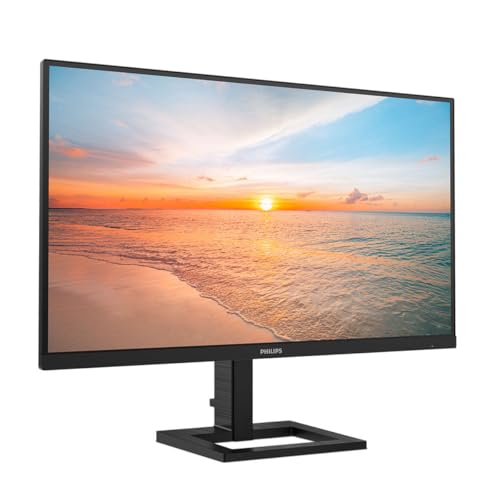
Panel type debates are fine in theory, but what actually matters is whether a specific monitor does the job you need it to do at the price you're paying. The Philips 345B1C is a 34-inch curved ultrawide with a VA panel, 100Hz, WQHD resolution, built-in speakers, a USB hub, height adjustment, and that slightly unusual power sensor feature. On paper it's a productivity workhorse aimed squarely at the desk-all-day crowd. Hundreds of owner reviews and a positive overall rating suggest Philips has got the basics right. But is it actually the best value 34-inch WQHD business monitor in the mid-range bracket? Mostly yes, with some caveats before you buy.
The short version: if you want a big, sharp, curved ultrawide for spreadsheets, multi-window working, and the occasional film, the 345B1C delivers. The VA panel gives you contrast that IPS panels at this price simply can't match, and the feature set, proper ergonomics, USB hub, height adjust, the lot, is genuinely unusual at this price point. Where it falls short is in fast gaming and anything requiring truly accurate colour out of the box. If those are your priorities, you'll want to look elsewhere. For everyone else, this is a well-sorted monitor that punches above its bracket.
Core Specifications
The 345B1C runs a 34-inch VA panel at 3440x1440 (WQHD) resolution with a 21:9 aspect ratio and a 1500R curve. Refresh rate tops out at 100Hz, which is a step up from the 75Hz you'll find on cheaper ultrawides. Response time is quoted at 4ms GtG, which is a realistic figure for a VA panel rather than the fantasy 1ms numbers some brands plaster on their marketing. Brightness is rated at 300 cd/m², contrast at 3000:1 native, and the panel covers 121% sRGB according to Philips' own spec sheet.
Connectivity is where this monitor earns its keep for productivity users. You get DisplayPort 1.4, two HDMI 2.0 inputs, a USB-B upstream port, two USB 3.2 Gen 1 downstream ports, and an audio out jack. There are also built-in 5W stereo speakers. The stand offers height adjustment, tilt, and swivel, and there's a 100x100 VESA mount if you'd rather go arm. The power sensor, which Philips calls PowerSensor, uses an infrared sensor to detect when you step away from the desk and dims or switches off the panel to save energy. Gimmick? Possibly. But several owners mention it works reliably and saves a noticeable amount on electricity over time, which is a practical benefit for anyone who forgets to lock their screen.
There's no USB-C on this monitor, which is immediately for anyone with a modern laptop. That's a real omission at this price point in 2026, and it's probably the single biggest practical limitation for certain buyers. Everything else on the spec sheet is solid for a productivity-focused ultrawide. The Philips product page confirms these figures.
| Specification | Detail |
|---|---|
| Screen Size | 34 inches |
| Resolution | 3440 x 1440 (WQHD) |
| Aspect Ratio | 21:9 |
| Panel Type | VA |
| Refresh Rate | 100Hz |
| Response Time | 4ms GtG |
| Brightness | 300 cd/m² |
| Contrast Ratio | 3000:1 native |
| Curve | 1500R |
| Colour Coverage | 121% sRGB |
| Adaptive Sync | AMD FreeSync |
| HDR | No HDR certification |
| Ports | 1x DisplayPort 1.4, 2x HDMI 2.0, USB-B upstream, 2x USB 3.2 Gen 1, Audio out |
| Speakers | 2x 5W built-in |
| Ergonomics | Height, tilt, swivel |
| VESA | 100x100mm |
| Dimensions (with stand) | Approx. 820 x 530 x 230mm |
| Price | £289.30 · Details |
Panel Technology
VA panels occupy an interesting middle ground between IPS and OLED. The headline advantage is contrast. A native 3000:1 contrast ratio on the 345B1C is roughly three to four times what you'd get from a typical IPS panel at this price, and that gap is visible in everyday use. Dark scenes in films look genuinely dark rather than washed out grey, and blacks in a dark room are proper blacks rather than the backlight bleed glow that plagues cheaper IPS screens. For office work with dark mode apps, this matters more than people realise.
The trade-off with VA is viewing angles. VA panels have narrower horizontal viewing angles than IPS, and colour can shift noticeably if you're viewing from the side. The 1500R curve on the 345B1C partially compensates for this by keeping the edges of the panel angled slightly toward you, which is one of the legitimate reasons to curve an ultrawide rather than just a marketing one. That said, if you regularly have someone sitting beside you looking at your screen, they'll see colour shift. It's not a deal-breaker for solo working, but.
Another VA characteristic to be aware of is black smearing, sometimes called VA ghosting. When dark pixels transition to other dark shades, VA panels can be slower than IPS at the same spec. This is more relevant for gaming than for productivity work, but it does show up in owner reviews here. A handful of the hundreds of reviewers mention visible trailing in dark game scenes. For spreadsheets and browser tabs, you'll never notice it. For fast-paced gaming in dark environments, it's a real issue. The panel's 3000:1 contrast is a genuine strength for its intended use case, but it comes with these known VA limitations that are baked into the technology, not specific to this unit.
Display Quality
At 3440x1440 across 34 inches, the pixel density works out at around 110 PPI. That's not retina-sharp by any stretch, but it's perfectly comfortable for productivity work at a normal sitting distance. Text is crisp, icons are clean, and you're not going to be squinting at anything. The ultrawide format genuinely changes how you work: two full-size windows side by side without any overlap, or three narrower ones if you're comparing documents. Once you've worked on an ultrawide, going back to a standard 16:9 feels claustrophobic.
The anti-glare matte coating does its job without being overly aggressive. Some matte coatings introduce a grainy, sparkly texture that makes text look slightly fuzzy, and owner feedback on the 345B1C doesn't flag this as a problem. The coating handles office lighting and windows behind you without making the image look like it's been sandblasted. Brightness uniformity across a panel this wide is always a concern, and a small number of owners note slight variation toward the edges, which is normal for large VA panels and not specific to Philips here.
The 121% sRGB coverage figure from Philips means colours are vivid and punchy, potentially oversaturated for colour-critical work without calibration. For general office use, streaming, and casual photo browsing, it looks good. The wide gamut can make images pop in a way that feels more engaging than a strictly sRGB panel. Philips rates the factory accuracy, but independent verification of Delta-E figures for this specific model isn't widely published. Owner feedback suggests colours look good out of the box without being wildly off, which aligns with what you'd expect from a business-oriented Philips B-series panel. The Philips B-series line is specifically designed for professional and business environments, and the tuning reflects that.
Refresh Rate and Adaptive Sync
100Hz on an ultrawide at this price point is a meaningful step up from the 75Hz floor that cheaper alternatives sit at. The difference between 75Hz and 100Hz isn't as dramatic as jumping from 60Hz to 144Hz, but it's noticeable in scrolling, cursor movement, and general desktop fluidity. For productivity users, this is the kind of thing you don't notice when it's there but would miss if you went back. It makes the monitor feel more responsive day to day, and that matters when you're staring at it for eight hours.
The 345B1C supports AMD FreeSync, which covers a variable refresh range from 48Hz to 100Hz. AMD FreeSync eliminates screen tearing when your GPU's frame rate falls within that range, which is genuinely useful for the light gaming this monitor is likely to see. It's not certified for NVIDIA G-Sync Compatible, but in practice many NVIDIA cards will run adaptive sync on FreeSync monitors anyway, though without the official certification and with variable results. If you're on a modern NVIDIA GPU, it's worth enabling G-Sync Compatible mode in the NVIDIA control panel and seeing if it plays nicely, which it often does.
Low Framerate Compensation (LFC) requires the upper end of the VRR range to be at least 2.5 times the lower end. With a 48Hz to 100Hz range, the ratio is just over 2:1, so LFC may not always kick in. For gaming use, this means if your frame rate drops below 48fps, you might see some tearing rather than smooth adaptive sync. For the productivity crowd this monitor is aimed at, none of that matters. But if you're planning to use this for games that push your GPU hard at 3440x1440, the adaptive sync implementation is functional rather than exceptional.
Response Time and Motion
The 4ms GtG response time claim is actually credible for a VA panel. This isn't a case of Philips using MPRT figures or some other creative accounting to get to 1ms. A genuine 4ms GtG on VA is achievable and puts it in the same ballpark as many IPS panels at this resolution. For productivity and casual gaming, 4ms is perfectly fine. You're not going to see blurring on a spreadsheet or a YouTube video.
Where VA response time becomes relevant is in dark-to-dark pixel transitions. This is the well-documented weakness of VA technology: transitioning between similar dark shades is slower than IPS at equivalent specs. The result is what owners describe as a trailing or smearing effect in dark game scenes, particularly in fast-paced titles. Several of the hundreds of reviews specifically mention this in the context of gaming, with one owner noting visible ghosting in darker areas of first-person shooters. This isn't a defect with the 345B1C specifically; it's a known characteristic of VA panels that Philips hasn't engineered away at this price.
There's no dedicated overdrive mode with multiple settings listed in the spec sheet, which means you're working with whatever Philips has baked into the panel's default overdrive. Some monitors in this class offer aggressive overdrive settings that can introduce inverse ghosting (bright halos behind moving objects), and owner feedback doesn't flag this as a widespread problem on the 345B1C, suggesting the overdrive tuning is reasonably conservative. For office work and films, motion is fine. For competitive gaming, this isn't the panel you want. The 100Hz ceiling and VA dark-scene trailing put it firmly in the casual gaming category at best.
Color Accuracy and Gamut
The 121% sRGB coverage is a wide gamut figure, and it's worth understanding what that means practically. Wide gamut panels cover more of the visible colour spectrum than the standard sRGB colour space, which means that without proper colour management, colours can appear oversaturated. Reds look more red than they should, greens more vivid. For most office and consumer use, this looks fine or even better than accurate. For professional photo editing or print work where you need colours to match specific values, you'd want to either calibrate the panel or use a monitor with a hardware profile.
Philips doesn't publish DCI-P3 coverage figures for the 345B1C, which is a slight gap in the spec sheet. Given the 121% sRGB figure, a rough estimate would put DCI-P3 coverage somewhere around 85% to 90%, which is decent but not exceptional for creative work. The monitor isn't specifically marketed at content creators, so this isn't a surprise. The B-series positioning is squarely at business users who care about reliability and features more than colour science.
Factory Delta-E accuracy figures aren't published for this model, and independent lab measurements from major testing outlets aren't widely available for the 345B1C specifically. Owner feedback is generally positive about colour appearance out of the box, with no widespread complaints about obvious colour casts or inaccuracy. For general productivity, web browsing, and casual media consumption, the colour output is going to look good to the vast majority of users. If you need verified Delta-E under 2 for professional work, you'd want a monitor that ships with an individual calibration report, which this doesn't. The VESA DisplayHDR certification isn't claimed here, which is consistent with the monitor's focus on productivity over HDR performance.

HDR Performance
The Philips 345B1C does not carry any HDR certification. There's no DisplayHDR 400, no DisplayHDR 600, nothing. This is worth being clear about because some monitors in this bracket claim HDR support while delivering essentially nothing useful, and the 345B1C at least doesn't pretend. At 300 cd/m² peak brightness, genuine HDR would be impossible anyway. Real HDR requires sustained brightness of at least 400 nits with local dimming, and ideally 600 nits or more for anything approaching the HDR10 standard to look meaningful.
What this means in practice is that HDR content will be tone-mapped to SDR on this panel. Windows may show HDR as active if you enable it, but the visual result won't be what HDR is supposed to deliver. Some owners actually report that enabling Windows HDR mode makes the image look worse on this monitor, which is a common experience on panels without proper HDR hardware support. The recommendation is to leave HDR off in Windows and enjoy the monitor for what it is: a very good SDR display with excellent native contrast.
If HDR is genuinely important to you, you need to be looking at monitors with DisplayHDR 600 certification or above, and ideally with local dimming. Those monitors cost significantly more, and most of them in the ultrawide category sit well above the mid-range bracket. For the productivity and business audience this monitor targets, the absence of HDR is not a meaningful loss. Nobody is doing colour grading on HDR deliverables on a 345B1C, and for watching Netflix in HDR, the native contrast of the VA panel actually delivers a more satisfying dark-scene experience than a flat SDR IPS would, even without certified HDR support.
Contrast and Brightness
The 3000:1 native contrast ratio is the headline performance figure for this monitor, and it's the main reason to choose VA over IPS at this price. Published measurements of VA panels with similar specs from Philips and other brands consistently land in the 2500:1 to 3500:1 range in real-world conditions, so the 3000:1 spec is plausible and likely close to what you'd see measured. For context, a typical IPS panel at this price delivers 800:1 to 1200:1. That's a massive difference in how dark blacks look, particularly in a dim room.
Peak brightness at 300 cd/m² is adequate for most indoor environments. In a bright office with overhead fluorescent lighting or sunlight coming through windows, you might push the brightness slider toward maximum and still find it a touch dim. For a home office or a reasonably controlled environment, 300 nits is fine. It's not the brightest panel in the bracket, and some competing IPS ultrawides at similar prices hit 350 to 400 nits, but the contrast advantage of the VA more than compensates in most real-world scenarios.
Brightness uniformity across a 34-inch panel is always a challenge, and a small number of owners note that the edges and corners are slightly dimmer than the centre. This is normal for large LCD panels and not unique to Philips. It's most visible on plain white or grey backgrounds, and most users won't notice it during typical work. The matte coating helps mask minor uniformity variation by diffusing the backlight slightly. Overall, the contrast and brightness combination makes this monitor genuinely pleasant to use in a home office setting, which is exactly the environment it's designed for.
Ergonomics and Stand
This is where the 345B1C earns serious points compared to cheaper ultrawides. The stand offers height adjustment, tilt, and swivel. Height adjustment on a monitor this size is not a given at this price, and its absence on competing models is a real frustration for anyone who spends serious time at a desk. Being able to set the screen at the right height for your seating position, without resorting to a stack of books or a separate arm, is a basic ergonomic requirement that Philips has actually delivered here.
The build quality is generally well-regarded in owner reviews. The stand feels solid rather than plasticky, and the monitor doesn't wobble when you type on a desk that vibrates slightly. A handful of owners mention the stand adjustment mechanism requires a bit of force to move, which some find reassuring (it holds position firmly) and others find slightly stiff. No widespread reports of the stand failing or drooping over time. The overall build is what you'd expect from a business-oriented Philips monitor: not flashy, but sturdy and functional.
The 100x100 VESA mount means you can remove the stand entirely and fit a monitor arm if you want to free up desk space or get more precise positioning. This is worth doing if you have a large desk and want to push the monitor back further than the stand allows, or if you're running a multi-monitor setup. The footprint of the stand is reasonably compact for a 34-inch monitor, but it does take up a meaningful chunk of desk depth. Owners with smaller desks occasionally mention this as a consideration, though it's not unusual for monitors of this size. Cable management on the stand is basic but functional.
Connectivity and Ports
The port selection on the 345B1C is generous for its class. You get one DisplayPort 1.4 input, two HDMI 2.0 inputs, a USB-B upstream port that connects to your PC to enable the USB hub, two USB 3.2 Gen 1 Type-A downstream ports, and a 3.5mm audio output. The ability to connect two computers simultaneously via different inputs and switch between them is useful for anyone running a home office and personal machine from the same monitor.
- 1x DisplayPort 1.4
- 2x HDMI 2.0
- 1x USB-B upstream (for USB hub)
- 2x USB 3.2 Gen 1 Type-A downstream
- 1x 3.5mm audio output
- 2x 5W built-in speakers
The USB hub is a practical addition for keeping a keyboard, mouse, or USB drive plugged into the monitor rather than reaching around to your PC. It's not a high-speed hub by current standards, USB 3.2 Gen 1 tops out at 5Gbps, but it's fine for peripherals and the occasional file transfer. The PowerSensor feature uses infrared to detect your presence and dims or powers off the monitor when you step away. Philips' own documentation claims up to 80% energy saving when the sensor is active. Owner feedback is broadly positive about it working as described, though a few note it can occasionally trigger when they're still at the desk if they're particularly still.
The big omission, and it's, is USB-C. No Thunderbolt, no USB-C with Power Delivery, nothing. For a laptop user with a modern machine, this means you need a separate adapter or dock to connect via DisplayPort or HDMI, and you won't be charging through the monitor cable. For a desktop user with a dedicated GPU, this is a non-issue. But it does limit the monitor's appeal for the increasingly common scenario of a single USB-C cable connecting a laptop to a monitor and charging it simultaneously. The built-in speakers are adequate for calls and background music. They're not going to replace a proper speaker setup, but they're better than nothing and several owners specifically mention being pleasantly surprised by them for a built-in solution.
How It Compares
The most obvious competitor is the LG 34WP65C-B, another 34-inch curved WQHD ultrawide but with an IPS panel and USB-C connectivity. The LG typically sits at a similar or slightly higher price point in the mid-range bracket. The IPS panel gives it better viewing angles and more consistent colour, plus the wide colour gamut (DCI-P3 coverage around 99%) makes it more appealing for creative work. But the trade-off is contrast: IPS panels can't match the 3000:1 native contrast of the 345B1C's VA, so dark scenes and black levels look noticeably better on the Philips. The LG also adds USB-C with 60W Power Delivery, which is a meaningful practical advantage for laptop users. If you're connecting a modern laptop and want one cable, the LG wins. If you want better dark-scene performance and don't need USB-C, the Philips holds its own.
The other relevant comparison is the AOC CU34G2X, a 34-inch curved WQHD VA panel but at a higher 144Hz refresh rate. The AOC is aimed more explicitly at gaming, with faster response time tuning and a higher refresh ceiling. It typically costs a bit more than the 345B1C. If gaming is a significant part of your use case alongside productivity, the AOC's 144Hz is a meaningful upgrade. But it sacrifices some of the productivity-focused features that make the Philips interesting: the ergonomics package isn't as complete, and there's no PowerSensor or equivalent. The 345B1C is the better all-day work monitor; the AOC is the better gaming panel.
The Philips 345B1C sits in a sensible position between these two. It's not the best gaming ultrawide in the bracket and it's not the best creative panel, but it's probably the most complete productivity monitor at this price. The combination of VA contrast, proper ergonomics, USB hub, speakers, and height adjustment is genuinely hard to match at the same price point. That's a specific value proposition, and it's a real one.
| Feature | Philips 345B1C | LG 34WP65C-B | AOC CU34G2X |
|---|---|---|---|
| Panel Type | VA | IPS | VA |
| Resolution | 3440x1440 | 3440x1440 | 3440x1440 |
| Refresh Rate | 100Hz | 100Hz | 144Hz |
| Response Time | 4ms GtG | 5ms GtG | 1ms MPRT |
| Native Contrast | 3000:1 | ~1000:1 | ~3000:1 |
| USB-C / PD | No | Yes (60W) | No |
| Height Adjust | Yes | Yes | Yes |
| Built-in Speakers | Yes (5W) | Yes | No |
| USB Hub | Yes (USB 3.2) | Yes | No |
| HDR | None | HDR10 | HDR10 |
| Price | £289.30 · Details | Mid-range | Mid to upper-mid |
Final Verdict
The Philips 345B1C is a genuinely good productivity ultrawide that delivers on its core promises. The VA panel's 3000:1 contrast makes it a pleasure to use in a home office, the 3440x1440 resolution gives you proper screen real estate for multi-window working, and the feature set, height adjustment, USB hub, built-in speakers, PowerSensor, is unusually complete for the mid-range bracket. Hundreds of owner reviews with a positive overall rating is a meaningful signal that this is a monitor people are actually happy with after extended use, not just at first glance.
The honest caveats are these. VA dark-scene ghosting is real and will bother you if you play fast-paced games regularly. The absence of USB-C is a genuine limitation for modern laptop users who want one-cable simplicity. HDR is absent in any meaningful sense, and the 300 cd/m² brightness ceiling is adequate rather than impressive. None of these are dealbreakers for the intended audience, but they're.
If you're a home office worker or business user who wants a big, sharp, curved ultrawide with proper ergonomics and a tidy feature set, this is one of the best options at this price. It's a monitor you'll sit in front of for years without wishing you'd bought something else. The VA contrast advantage over IPS at this price is real and daily-noticeable. That's the practical case for buying it.
One honest caveat on value: if you mainly need a large screen for basic productivity and don't care about the USB hub, speakers, or PowerSensor, a cheaper 34-inch 75Hz VA ultrawide from AOC or Xiaomi will save you money and deliver a similar core experience. The 345B1C's premium over the cheapest ultrawides is justified by its features, not by dramatically better image quality. Know what you're paying for.
What works. What doesn’t.
5 + 4What we liked5 reasons
- 3000:1 native VA contrast beats IPS rivals at this price
- Full ergonomics: height adjust, tilt, swivel, and VESA mount
- USB 3.2 hub and built-in 5W speakers included
- Credible 4ms GtG response time rather than inflated marketing figure
- PowerSensor is a genuinely useful energy-saving feature
Where it falls4 reasons
- No USB-C or Power Delivery, limiting modern laptop connectivity
- VA dark-scene ghosting visible in fast-paced games
- 300 cd/m² brightness is adequate but not bright
- No HDR certification of any kind
Full specifications
11 attributes| Panel type | VA |
|---|---|
| Aspect ratio | 21:9 |
| Curvature | 1500R |
| HDR | none |
| Launch year | 2020 |
| Ports | 2x HDMI 2.0, 1x DisplayPort 1.2, USB-B upstream, 4x USB 3.2 Gen 1 downstream |
| Refresh rate HZ | 100 |
| Resolution | 3440x1440 |
| Response time MS | 4 |
| Screen size IN | 34 |
| Vesa compatible | true |
If this isn’t right for you
2 options

Frequently asked
5 questions01Is the Philips 345B1C good for gaming?+
Casual gaming, yes. The 100Hz refresh rate and FreeSync support make it a decent option for less demanding titles and slower-paced games. The 4ms GtG response time is honest for a VA panel. However, VA dark-scene ghosting is a known issue, and multiple owners report visible trailing in fast-paced first-person shooters in darker environments. The 100Hz ceiling also means it's not competitive with 144Hz or 165Hz gaming monitors. If gaming is your primary use case, look at the AOC CU34G2X or similar gaming-focused ultrawides.
02Does the Philips 345B1C have good HDR?+
No. The 345B1C has no HDR certification at all, and at 300 cd/m² peak brightness it cannot deliver meaningful HDR performance. HDR content will be tone-mapped to SDR. Some owners report that enabling Windows HDR mode actually makes the image look worse on this panel. Leave HDR off and enjoy it as a high-quality SDR monitor with excellent native contrast. If HDR matters to you, you need a DisplayHDR 600 certified panel with local dimming, which sits in a higher price bracket.
03Is the Philips 345B1C good for content creation?+
For general creative work and photo editing as a secondary activity, it's adequate. The 121% sRGB coverage means colours are vivid, though potentially slightly oversaturated without calibration. Philips doesn't publish DCI-P3 coverage or factory Delta-E figures for this model, and no independent lab measurements are widely available. For professional colour-critical work where accuracy needs to be verified, you'd want a monitor that ships with an individual calibration report. For casual creative use alongside productivity work, it's fine.
04What graphics card do I need for the Philips 345B1C?+
At 3440x1440 and 100Hz, you'll want a mid-range to upper-mid-range GPU to get the most out of this monitor. For productivity and light gaming, something like an NVIDIA RTX 3060 or AMD RX 6600 XT is comfortable. For gaming at or near 100fps in demanding titles at this resolution, an RTX 3070 or RX 6700 XT and above is more appropriate. The monitor connects via DisplayPort 1.4 or HDMI 2.0, both of which support 3440x1440 at 100Hz without issue. Note there is no USB-C input, so a dedicated GPU with DisplayPort output is the recommended connection.
05What warranty and returns apply to the Philips 345B1C?+
Philips typically offers a 3-year warranty on its B-series business monitors, which would cover the 345B1C, but you should verify the exact terms on the Philips website or with the retailer at point of purchase as warranty terms can vary by region and seller. When buying through Amazon UK, you also benefit from Amazon's standard 30-day returns policy and the A-to-Z Guarantee, which provides additional purchase protection if there are issues with the order.