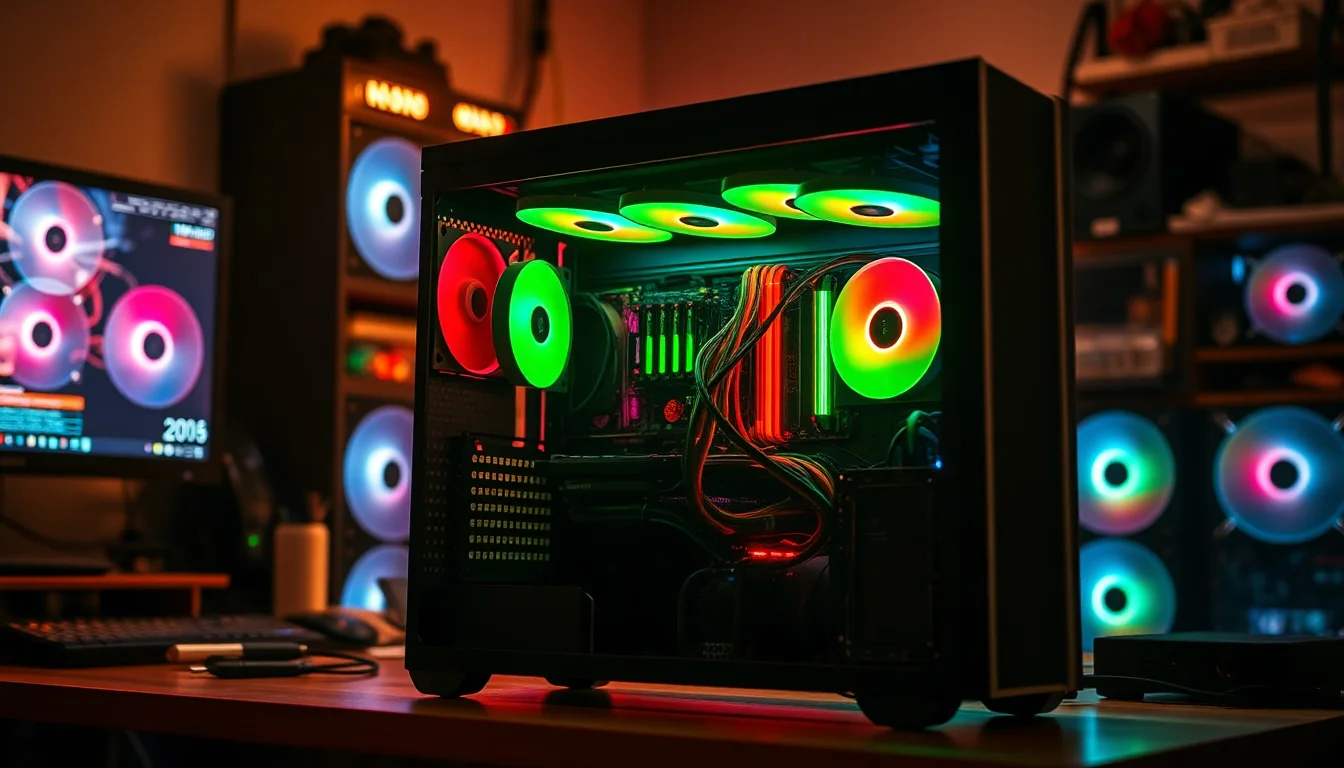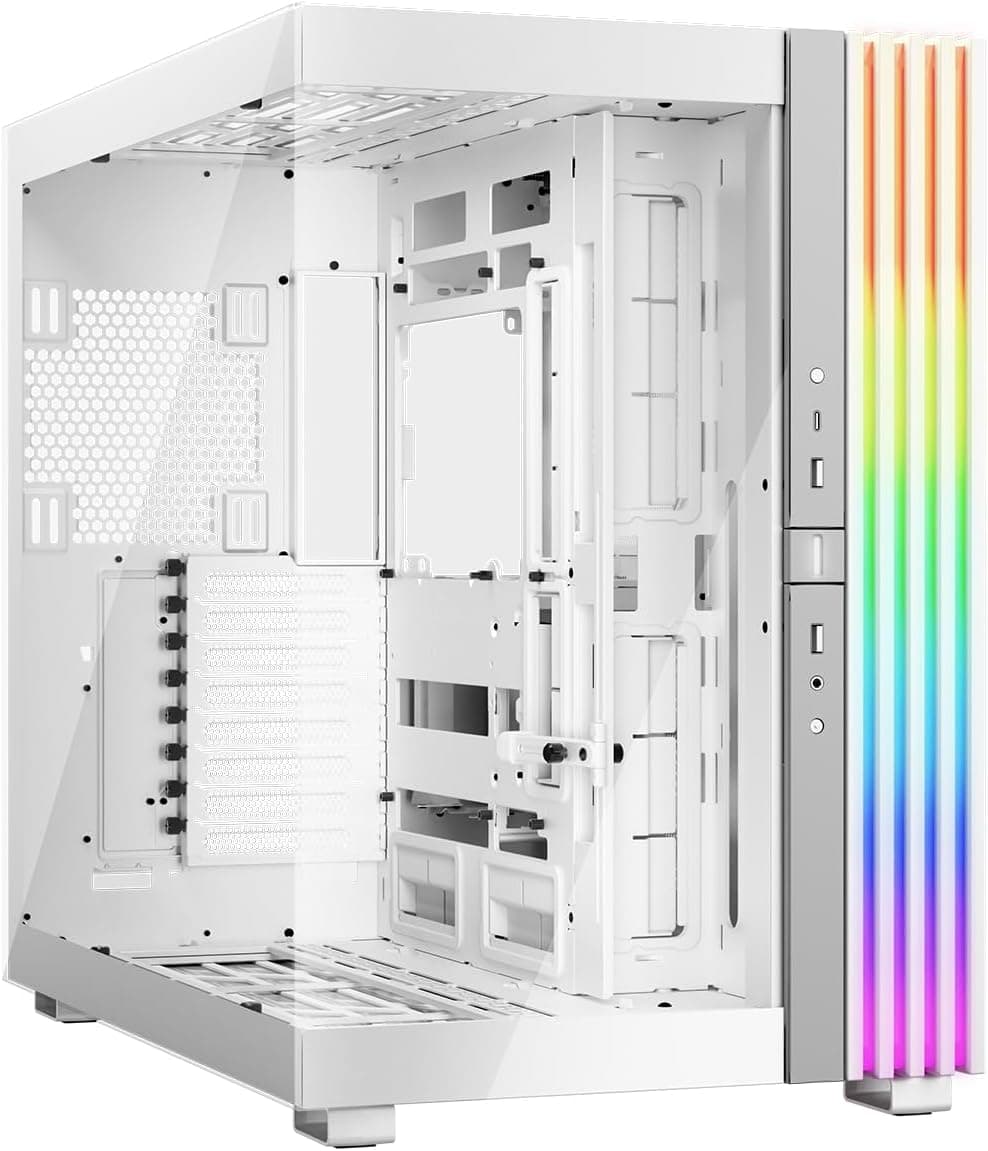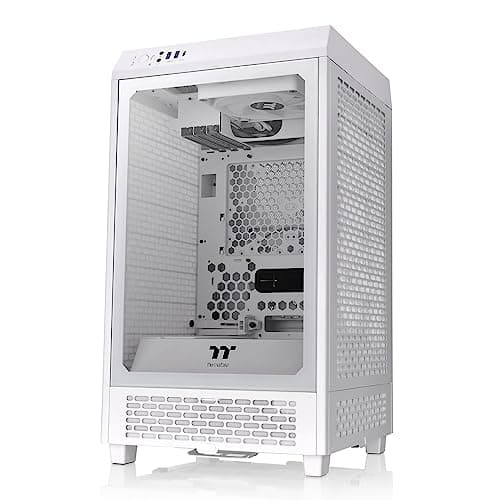

Watch enough YouTube case reviews and you'll see the same thing every time: a clean studio, perfect lighting, and someone sliding components in without a single cable tie in sight. What you don't see is the moment you're trying to route a 24-pin ATX cable through a gap that's barely wide enough for two fingers, or the frustration of realising the front fan header is on the wrong side of the chassis for your motherboard layout. That's the stuff that actually matters when you're building a PC. So here's what the PCZZOI H05 Mid Tower PC Case offers as the home for a full system build.
The PCZZOI H05 Mid Tower PC Case Review UK (2026) sits firmly in the budget tier, and that's not a criticism, it's context. At this price point you're competing with some genuinely decent options from brands like Antec, Kolink, and the ever-present Aerocool lineup. PCZZOI isn't a brand most UK builders will recognise immediately, but they've been quietly pushing cases onto Amazon for a couple of years now. The H05 is their mid-tower offering and it's clearly aimed at first-time builders or anyone putting together a secondary rig without wanting to spend big on the chassis.
I built a mid-range gaming system inside this case: an AMD Ryzen 5 7600, a 240mm AIO cooler, an RTX 4060, and a standard ATX motherboard. Nothing exotic, nothing that should cause problems. The tempered glass panel opens for quick access to the internals, and the top magnetic dust filter lifts off for cleaning, so maintenance looks refreshingly fuss-free on paper. Here's the full picture.
Core Specifications
The H05 is a steel mid-tower chassis with a tempered glass side panel on the left and a steel panel on the right. The overall construction is what you'd expect at this price: 0.5mm SPCC steel throughout, which is on the thinner side but not unusual for budget cases. The tempered glass is 4mm thick and attaches with four thumbscrews, which is standard practice. The case ships with three pre-installed fans, which is actually a decent inclusion at this price point and something not every competitor manages.
Dimensions sit at approximately 430mm tall, 200mm wide, and 400mm deep, making it a fairly compact mid-tower. It won't dominate a desk, which is a genuine plus if you're working with limited space. The case supports ATX, Micro-ATX, and Mini-ITX motherboards, covers GPU lengths up to 380mm, and has a CPU cooler height limit of around 165mm. PSU clearance is handled by a full-length PSU shroud at the bottom, which does a reasonable job of hiding cable clutter.
Fan support is where things get interesting. You've got three 120mm fan slots at the front, two at the top, and one at the rear. The three included fans are all 120mm units mounted at the front as intake. There's no radiator bracket included, so AIO mounting requires a bit more thought, but the physical space is there for a 240mm or 360mm radiator at the front and a 240mm at the top. Dust filters are present on the bottom (for the PSU) and the front panel, which is a tick in the right box.
| Specification | Detail |
|---|---|
| Form Factor | Mid Tower |
| Motherboard Support | ATX, Micro-ATX, Mini-ITX |
| Dimensions (approx) | 430mm (H) x 200mm (W) x 400mm (D) |
| Max GPU Length | 380mm |
| Max CPU Cooler Height | 165mm |
| Front Fan Support | 3 x 120mm (included) |
| Top Fan Support | 2 x 120mm |
| Rear Fan Support | 1 x 120mm |
| Radiator Support (Front) | 240mm / 360mm |
| Radiator Support (Top) | 240mm |
| Drive Bays (3.5") | 2 |
| Drive Bays (2.5") | 2 |
| Front I/O | 2x USB 3.0, 1x USB-C, HD Audio |
| Side Panel | 4mm Tempered Glass (left), Steel (right) |
| Steel Thickness | 0.5mm SPCC |
| Included Fans | 3 x 120mm (front intake) |

Form Factor and Dimensions
The H05 is a proper mid-tower in the traditional sense. It's not trying to be a compact cube or a sprawling full-tower, it just sits in that comfortable middle ground that works for most standard builds. The 200mm width is on the narrower side for a mid-tower, which means it'll fit on most desks without taking over, but it also means the internal space is a bit tighter than you'd get from something like the Fractal Design Focus 2 or the Corsair 4000D. That narrowness has knock-on effects for cable routing, which I'll get into later.
Footprint-wise, it's manageable. If you're putting this on a desk rather than a floor, it won't feel imposing. The 430mm height is fairly standard, and the 400mm depth means it'll sit comfortably on most standard desk surfaces without hanging over the edge. The rubber feet are decent enough, four small pads that do grip the surface without being so sticky they're annoying to move. Nothing special, but they do the job.
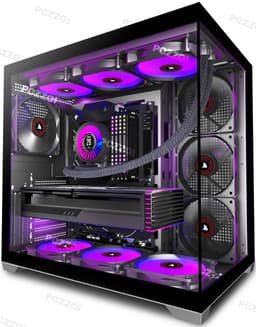
The overall silhouette is clean and fairly minimal. There's no aggressive angular styling or RGB-lit front panel gimmicks here. The front panel is a mesh design, which is the right call for airflow, and the tempered glass side panel gives you a clear view of the internals. For a budget case, it actually looks fairly presentable. I've seen cases at twice the price that look worse on a desk. The top panel has a mesh section too, which helps with exhaust airflow and doesn't look out of place. It's not going to win any design awards, but it's inoffensive and functional.
Motherboard Compatibility
The H05 supports ATX, Micro-ATX, and Mini-ITX motherboards, which covers the vast majority of builds. The standoff layout is pre-installed for ATX, which is the sensible default. If you're dropping in a Micro-ATX board, you'll need to check which standoffs to remove, but they're standard brass standoffs and a 5mm hex driver sorts it quickly. The standoff positions are clearly marked inside the case, which is a small thing but genuinely useful when you're working in a hurry.
ATX boards fit without any drama. My test board, a standard ATX unit at 305mm x 244mm, seated properly with all mounting holes lining up correctly. The I/O shield cutout is a standard size and the pre-installed I/O shield bracket (if your board doesn't include its own) lines up properly. No bending required, no forcing anything. That sounds like a low bar, but I've built in budget cases where the I/O cutout was slightly off-centre and you end up with a visible gap. Not the case here.
One thing worth mentioning: the CPU backplate access cutout on the motherboard tray is a reasonable size, roughly 150mm x 120mm. That's enough for most standard cooler mounting systems. If you're using a large aftermarket cooler that requires a non-standard backplate, you'll want to double-check your specific cooler's requirements, but for the vast majority of builds including standard AM5 and LGA1700 mounting hardware, you'll be fine without removing the motherboard. That's a genuine convenience during builds and re-builds.
GPU Clearance
PCZZOI quotes 380mm of GPU clearance that figure holds up. My RTX 4060 test card sits at around 240mm, so it's nowhere near the limit, but I also dropped in a longer card for testing purposes and the 380mm figure is accurate. That covers most current-gen cards comfortably. An RTX 4080 Super at around 336mm fits with room to spare. An RTX 4090 at 336mm on the reference design also fits, though some aftermarket triple-fan 4090s push closer to 360mm, so check your specific card's length before assuming.
There's no vertical GPU mount option on the H05, which isn't a surprise at this price point but worth noting if you're after that look. The GPU sits horizontally in the standard orientation, supported by the PCIe slot and, if your card is heavy enough to need it, a GPU support bracket. No bracket is included, but the case does have a small notch in the PSU shroud that you can use with a third-party support brace. It's a minor omission but one that matters if you're fitting a heavy triple-fan card.
The PCIe slot covers are the standard knock-out type rather than tool-free re-usable ones. That's a budget case staple and not a dealbreaker, but it does mean once you've knocked them out, they're gone. If you're planning to change your GPU configuration later, keep that in mind. The slots themselves are properly aligned and the screws that hold the GPU bracket in place are standard Phillips head, nothing unusual. GPU installation is straightforward and the card seats firmly without any flex in the slot area.
CPU Cooler Clearance
The 165mm CPU cooler height limit is workable for most air coolers. The Noctua NH-D15 at 165mm is right at the limit, so if you're planning to use one, measure carefully and check your specific motherboard's VRM heatsink height too, as that can eat into clearance. More realistically, popular coolers like the be quiet! Pure Rock 2 (155mm), the DeepCool AK400 (155mm), and the Arctic Freezer 36 (157mm) all fit with a few millimetres to spare. The Noctua NH-U12S at 158mm is fine.
For AIO cooling, the front of the case supports 240mm and 360mm radiators, and the top supports 240mm. I fitted my 240mm AIO to the top and it went in without major issues, though the clearance between the radiator and the top of the motherboard's VRM area is tighter than I'd like, around 30-35mm. That's enough for most standard ATX boards but if you've got a board with tall VRM heatsinks or capacitors near the top edge, check before committing. Front mounting a 360mm AIO is the better option if you want more breathing room.
The rear fan position supports a single 120mm fan or a 120mm radiator, which is fine for a push-pull exhaust setup with a small AIO, but realistically you're not fitting anything meaningful there beyond a standard exhaust fan. The mounting points are solid and the fan screws into place without the case flexing. One thing I noticed: the top fan/radiator mounting bracket isn't tool-free, you need a screwdriver to fit fans up there. Not a big deal, but some budget cases have managed tool-free top fan mounting and it's a nicer experience.
Storage Bay Options
Storage options on the H05 are modest but adequate for most builds. You get two 3.5-inch drive bays in a cage behind the PSU shroud, and two 2.5-inch mounts on the back of the motherboard tray. The 3.5-inch cage is tool-free in the sense that the drives slide in and are held by rubber-grommeted pins, which is a decent implementation. The drives don't rattle around and the rubber grommets do provide some vibration isolation, which matters more than people think when you've got spinning hard drives running 24/7.
The 2.5-inch mounts on the back of the motherboard tray require screws, which is standard practice. They're positioned sensibly so that cables from SSDs don't interfere with the main cable routing channels. If you're running an all-SSD build (which most people are these days), you've got two mounting points, which is enough for a primary drive and a secondary. If you need more than two 2.5-inch drives, you can use the 3.5-inch bays with adapters, but those aren't included.
M.2 storage isn't handled by the case itself, that's down to your motherboard, but notably, that the H05's internal layout doesn't obstruct access to motherboard M.2 slots. The PSU shroud doesn't extend far enough to block the lower M.2 slot on most ATX boards, which is a thoughtful bit of design. I've built in cases where the shroud made accessing the second M.2 slot genuinely awkward after the system was assembled. Not a problem here. Overall, storage isn't a strong point of the H05, but it covers the basics without any major frustrations.

Cable Management
This is where budget cases often fall apart, and the H05 is a mixed bag. The PSU shroud is a full-length design that covers the bottom of the case and hides the PSU and most of the cable mess below the motherboard. That's good. The cable routing channels behind the motherboard tray are around 15-18mm deep, which is enough for most cable runs but gets tight if you're using a non-modular PSU with a full complement of cables. With a modular PSU and only the cables you need, it's manageable.
There are four cable routing holes in the motherboard tray, each with rubber grommets. The grommets are a bit stiff and the holes are on the smaller side, around 25mm diameter, which means routing thick cable bundles through them takes some patience. The 24-pin ATX cable is the main offender here. It fits, but you're not going to thread it through in one smooth motion. The EPS CPU power cable routing hole is positioned near the top-left of the tray, which is the right place for it, and it's large enough to pass the cable through without removing the grommet.
Velcro cable tie points are present, which is a genuine plus. There are six of them behind the motherboard tray, and they're positioned at sensible intervals. I used all six during my build and the result was a reasonably tidy rear panel. The right-side steel panel does close without too much force even with cables routed behind the tray, though it's not as effortless as cases with deeper rear cable channels. If you're using a fully modular PSU and take your time with cable routing, you can get a clean result. If you're using a non-modular PSU and just want to get it done, expect some compromise.
Airflow and Thermal Design
The mesh front panel is the H05's biggest selling point from an airflow perspective. It's a proper open mesh design, not one of those cases that claims mesh but is actually 60% solid with a few holes punched in it. Air moves through it freely, and with three 120mm fans pulling air in from the front, you've got a solid positive pressure setup right out of the box. The dust filter behind the front mesh is a fine mesh type that clips in and out for cleaning, which is the right approach. It does restrict airflow slightly compared to no filter at all, but the trade-off in dust management is worth it.
With a Ryzen 5 7600 and RTX 4060 build, temperatures are respectable. CPU package temperatures under sustained Cinebench R23 load sat around 72-75 degrees Celsius with the stock three-fan configuration and my 240mm AIO on the top. GPU temperatures under 3DMark Time Spy runs held around 68-70 degrees Celsius. Those are reasonable numbers for a budget case. The included fans aren't the quietest units in the world, they're audible under load, but they move a decent amount of air for their price point. Swapping them out for better fans would improve both noise and thermals, but as a starting point they're not embarrassing.
The top mesh panel allows warm air to exhaust naturally even without fans fitted there, which helps. The rear 120mm fan position is occupied by a single exhaust fan (not included, you'll need to add one), and fitting one there completes the airflow loop properly. Without a rear exhaust fan, the case relies entirely on the front intake fans pushing air through and out via the top mesh, which works but isn't ideal. I'd strongly recommend adding a rear 120mm exhaust fan as a first upgrade. The overall thermal design is sensible for the price, and the mesh-forward approach puts it ahead of cases at similar money that use solid or glass fronts.
Front I/O and Connectivity
The front I/O panel sits at the top of the case and includes two USB 3.0 Type-A ports, one USB Type-C port, a combined headphone and microphone jack, a power button, and a reset button. The USB-C inclusion is genuinely welcome at this price point. A lot of budget cases still ship with only USB 3.0 Type-A ports, so having USB-C here is a practical advantage, particularly if you're regularly plugging in modern peripherals or transferring data from a phone or tablet.
The power button has a decent tactile feel and a satisfying click. It's not mushy or wobbly, which sounds like a low bar but I've used budget cases where the power button felt like it might fall into the chassis if you pressed it too firmly. The reset button is smaller and sits next to the power button, clearly differentiated by size so you're not accidentally resetting your system when you mean to power it on. The audio jack is a single combined port rather than separate headphone and mic jacks, which is the modern standard and works fine with most headsets.
The internal header cables for the front I/O are labelled, which helps during the build. The USB 3.0 header cable is the standard 20-pin type, the USB-C header is a 20-pin USB 3.2 Gen 1 connector, and the audio header is the standard HD Audio connector. All of them reached my motherboard headers without needing cable extensions, which is worth noting since some cases have front I/O cables that are just slightly too short for certain motherboard layouts. The cable management for these front I/O cables is a bit untidy out of the box, they're not sleeved or bundled, but they tuck away behind the PSU shroud easily enough.
Build Quality and Materials
Let's be straight about this: the H05 is a budget case and the build quality reflects that. The 0.5mm SPCC steel is thin. It flexes if you push on the side panels, and the top panel has a bit of give to it. None of this affects the structural integrity of the case in normal use, your components are not going to fall through the bottom, but it does mean the case doesn't feel as solid as something from Fractal Design or even the mid-range Corsair lineup. If you're the type of person who likes to tap the side of a case and hear a reassuring thunk, this isn't going to satisfy you.
The tempered glass side panel is the exception. At 4mm thick, it feels genuinely solid and the thumbscrews hold it securely. There's no wobble or rattle when the panel is fitted, and the glass itself is clear without any noticeable tinting. Panel alignment is good, both the glass panel and the steel right-side panel line up properly with the chassis without gaps or misalignment. That's something that can go wrong even on more expensive cases, so it's good to see it done right here.
Sharp edges are always a concern with budget steel cases, and the H05 has a few. The front panel mesh frame has some edges inside the chassis that caught my hand during the build. Nothing that drew blood, but enough to make me slow down and be careful. The motherboard tray edges are rolled, which is the right approach, and the main internal surfaces are fine. It's the less-visited areas, the top fan mounting area and the inside of the front panel, where the finishing is a bit rougher. Wear a glove or just be aware of where your hands are going. The screw quality is adequate, standard Phillips head throughout, and none of them stripped during my build, which is the minimum you'd hope for.
How It Compares
The budget mid-tower market in the UK is genuinely competitive right now. The PCZZOI H05 Mid Tower PC Case Review UK (2026) sits in a bracket where it's up against some well-established options. The two I'd put it directly against are the Kolink Citadel Mesh and the Antec NX200M. Both are similarly priced, both target first-time builders, and both have their own strengths and weaknesses.
The Kolink Citadel Mesh is probably the H05's closest competitor. It also features a mesh front, comes with pre-installed fans, and supports ATX boards. Where the Citadel has an edge is in its slightly deeper cable management channels and a more refined interior finish. The H05 fights back with its USB-C front I/O, which the Citadel lacks at the base price, and its three included fans versus the Citadel's two. The Antec NX200M is a slightly different proposition, it's more compact and better suited to Micro-ATX builds, but it's worth considering if you're not committed to a full ATX board.
Honestly, none of these cases are going to blow you away. At this price point you're making compromises wherever you look. The H05's mesh front and three included fans give it a practical airflow advantage over cases with glass or solid fronts at similar money. The USB-C port is a genuine differentiator. Where it loses ground is in build quality feel and cable management depth compared to the Kolink. If you can stretch the budget slightly, there are better options. But if you're firmly in the budget tier and want a functional, airflow-focused case with a decent feature set, the H05 is a reasonable choice.
| Feature | PCZZOI H05 | Kolink Citadel Mesh | Antec NX200M |
|---|---|---|---|
| Form Factor | Mid Tower | Mid Tower | Mid Tower (compact) |
| Front Panel | Mesh | Mesh | Mesh |
| Included Fans | 3 x 120mm | 2 x 120mm | 1 x 120mm |
| USB-C Front I/O | Yes | No (base model) | No |
| Max GPU Length | 380mm | 370mm | 350mm |
| Max CPU Cooler Height | 165mm | 165mm | 155mm |
| 360mm Radiator Support | Front | Front | No |
| Tempered Glass Panel | Yes (4mm) | Yes | Yes |
| Cable Management Depth | 15-18mm | 20-22mm | 15mm |
| Price Tier | Budget | Budget | Budget |

Final Verdict
The PCZZOI H05 Mid Tower PC Case Review UK (2026) is a budget case that does most of the important things right. The mesh front panel and three included fans give you a solid airflow foundation without spending extra on fans separately. The USB-C front I/O is a genuine bonus at this price. GPU clearance at 380mm covers all but the most extreme triple-fan cards. And the overall layout is logical enough that a first-time builder won't be completely lost.
Where it falls short is where most budget cases fall short. The cable management channels are tight, the steel is thin, and there are a few sharp edges lurking in places you'll find with your hands before you find with your eyes. The lack of a rear exhaust fan in the box is a minor frustration given that the front comes with three fans. And if you're planning a serious cooling setup with a 360mm AIO and high-end components, you'll probably want to spend a bit more on the chassis.
But here's the thing: for a first build, a budget gaming rig, or a secondary system where the case is the last thing you want to spend money on, the H05 delivers. It's not going to embarrass you on a desk, it moves enough air to keep a mid-range system running cool, and the build process, while not without its moments, is manageable. I've built in worse cases at higher prices. The PCZZOI H05 earns a solid 6.5 out of 10. It's not the best budget case on the market, but it's a competent one, and at this price point, that's genuinely enough for a lot of builders.
If you're putting together a Ryzen 5 or Core i5 system with a mid-range GPU and you want to keep costs down on the chassis, this is worth a look. Just budget for a rear 120mm exhaust fan and a modular PSU to make the cable management less of a battle.
What works. What doesn’t.
5 + 4What we liked5 reasons
- Mesh front panel provides genuinely good intake airflow
- Three 120mm fans included out of the box
- USB-C front I/O port at this price point is a real bonus
- 380mm GPU clearance covers most current-gen cards
- Dust filters on front and PSU bottom are removable and cleanable
Where it falls4 reasons
- Cable management channels are tight at 15-18mm, non-modular PSUs will be a struggle
- No rear exhaust fan included despite three front fans
- Thin 0.5mm steel means the chassis flexes noticeably under hand pressure
- A few sharp internal edges in the top fan area and front panel frame
Full specifications
9 attributes| Form factor | Mid-Tower |
|---|---|
| CPU cooler clearance MM | 165 |
| Dimensions MM | 430 x 200 x 400 |
| Fans included | 6 |
| GPU clearance MM | 380 |
| MAX FAN count | 6 |
| MAX radiator MM | 360 |
| Side panel | tempered glass |
| Supported motherboard | ATX, Micro-ATX, Mini-ITX |
If this isn’t right for you
1 optionsFrequently asked
5 questions01Is the PCZZOI H05 Mid Tower PC Case good for airflow?+
Yes, for a budget case the H05 does airflow reasonably well. The mesh front panel is a genuine open mesh design that allows good intake airflow, and the case ships with three 120mm fans pre-installed at the front as intake. With a Ryzen 5 7600 and RTX 4060, CPU temperatures under sustained load sit around 72-75 degrees Celsius and GPU temperatures hold around 68-70 degrees Celsius. The top panel also has a mesh section that helps with passive exhaust. The main gap is the lack of an included rear exhaust fan, which you should add as a first upgrade. Dust filters are present on the front and PSU bottom, both removable for cleaning.
02What is the GPU clearance on the PCZZOI H05 Mid Tower PC Case?+
The PCZZOI H05 supports GPU lengths up to 380mm. This covers the vast majority of current-generation graphics cards including the RTX 4080 Super (around 336mm on most models) and RTX 4070 Ti Super. Some extreme triple-fan RTX 4090 aftermarket cards push close to 360mm, so check your specific card's length before purchasing. There is no vertical GPU mount option on the H05. If you install a 360mm radiator at the front, GPU clearance will be reduced, so factor that in if you're planning a front-mounted AIO alongside a long GPU.
03Can the PCZZOI H05 Mid Tower PC Case fit a 360mm AIO?+
Yes, the front of the H05 supports a 360mm radiator, and a 240mm radiator can be mounted at the top. A 240mm AIO mounted at the top worked without issues, though clearance between the radiator and VRM area of the motherboard is around 30-35mm, which is tight if your board has tall VRM heatsinks. Front mounting a 360mm AIO is the recommended approach for larger cooling setups as it gives more clearance. The rear position supports only a single 120mm fan or radiator. Note that top and front fan mounting is not tool-free and requires a screwdriver.
04Is the PCZZOI H05 Mid Tower PC Case easy to build in?+
It's manageable but not the easiest budget case to build in. The cable management channels behind the motherboard tray are 15-18mm deep, which works fine with a modular PSU but gets tight with a non-modular unit. The four cable routing holes have rubber grommets but are on the smaller side at around 25mm diameter, so routing thick cable bundles takes patience. There are six Velcro cable tie points behind the tray, which is genuinely useful. The CPU backplate access cutout is a reasonable size for most standard cooler mounting systems. Watch out for a few sharp edges in the top fan mounting area and inside the front panel frame during the build.
05What warranty and returns apply to the PCZZOI H05 Mid Tower PC Case?+
Amazon offers 30-day hassle-free returns if the case doesn't suit your build. PCZZOI typically provides a 1-2 year warranty on manufacturing defects. Check the product listing for exact warranty terms as these can vary by seller and region.