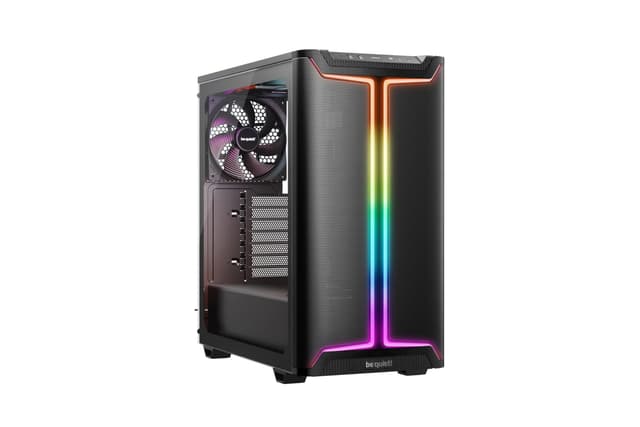
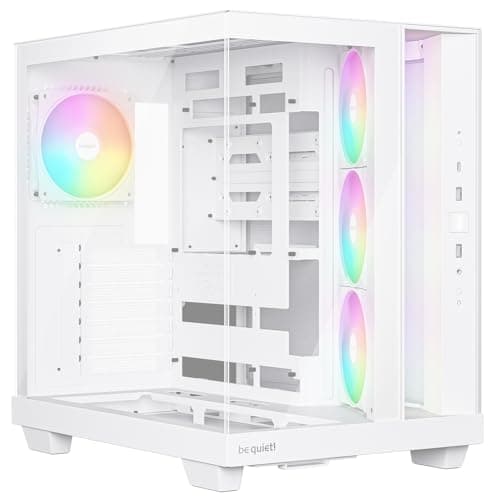
Best Overall Value
£30.99 | ★★★★★ (5.0)
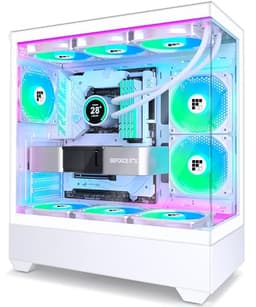
Here's the thing: when you're hunting for the best RGB computer cases under £50, the 1st Player Trilobite T3 keeps coming up. And for good reason. Four 120mm ARGB fans come pre-installed, which means you're getting a genuinely lit-up build straight out of the box without spending extra on fans. That alone would be enough at this price. But the detail that really separates it from the competition is the hinged tempered glass side panel.
Most budget cases use screwed-on side panels that are fiddly to remove and easy to scratch. The Trilobite T3 swings open like a door. It sounds like a small thing, but if you're doing any cable management, adding components, or just showing off your build to mates, it's a genuinely useful feature. The removable front panel is another smart touch. Pull off the metal mesh cover and you get better airflow. Leave it on for a cleaner look. That kind of flexibility is rare under £50.
The Micro-ATX form factor keeps the footprint compact without sacrificing GPU clearance. Full-length graphics cards fit without drama. Cable management space behind the motherboard tray is tight but workable. Build quality feels solid for the price, though the plastic front frame won't win any awards. The ARGB lighting syncs via a standard 5V 3-pin header, so it'll work with most motherboard RGB software.
For anyone building a compact RGB gaming rig on a tight budget, this is the one to beat among the best RGB computer cases under £50 right now.
Pros
- Hinged tempered glass panel is genuinely convenient
- 4 ARGB fans pre-installed, no extra spend needed
- Removable front panel for airflow or aesthetics
- Compact Micro-ATX footprint with full GPU support
- Excellent value for the feature set
Cons
- Micro-ATX only, no full ATX support
- Rear cable management space is limited
- Plastic front frame feels budget-grade
Buy on Amazon
Best Under £50
£44.99 | ★★★★½ (4.6)
NZXT at under £50. That sentence alone should get your attention. The H3 Flow is a Micro-ATX case from one of the most respected names in PC case design, and it lands right at the top of the budget bracket. You're not getting the same spec sheet as the RGB-heavy options here. Just one 120mm rear fan comes pre-installed. But what you are getting is NZXT's engineering quality, and that counts for a lot.
The back-connect motherboard support is the standout feature. If you're using a compatible back-connect board (like NZXT's own N7 or certain Asus models), all your motherboard cables route through the back of the board, leaving the front of your build completely clean. No cable clutter. No mess. Just components and lighting. For RGB builds, that clean look makes your ARGB fans and lighting pop even more.
Airflow is optimised throughout. The front panel supports a 280mm radiator, the top takes a 240mm, and the rear fan position is sensibly placed. Full-sized GPU support means you're not limited on graphics card choice. Build quality is noticeably better than the no-name brands. Panels fit properly, screws thread cleanly, and nothing rattles.
The trade-off is obvious. One fan and no RGB pre-installed means you'll need to budget for fans separately if you want the full light show. But as a foundation for a premium-feeling budget build, the H3 Flow is hard to argue with among the best RGB computer cases under £50.
Pros
- NZXT build quality at a budget price
- Back-connect motherboard support for ultra-clean builds
- Excellent radiator support for a Micro-ATX case
- Full-sized GPU compatibility
- Optimised airflow design throughout
Cons
- Only one fan included, no RGB pre-installed
- Back-connect support requires compatible motherboard
- Micro-ATX only
Buy on Amazon
Best for Beginners
★★★★½ (4.6)
Not every PC needs to sound like a jet engine or look like a nightclub. The iONZ KZ-30M is the only genuinely quiet case in this entire roundup, and it earns its place here even though it's not primarily an RGB case. EPDM sound dampening padding lines the interior, absorbing vibration and fan noise in a way that most budget cases simply don't bother with.
At under £30, it's also the most affordable option in this list by some margin. The white finish looks clean and modern, and the front I/O includes Type-C, which is a nice touch at this price. The Micro-ATX form factor keeps the footprint small, making it ideal for desk builds where space is tight.
Here's the honest bit though. If RGB lighting is your primary goal, this isn't the case for you. There are no pre-installed ARGB fans, and the sound dampening panels actually reduce the visual impact of any lighting you do add. It's a case built for quiet, not spectacle. But if you're building a home office machine or a living room PC where noise matters more than light shows, the KZ-30M is a genuinely smart buy among budget RGB computer cases under £50.
Pros
- EPDM sound dampening is genuinely effective
- Most affordable case in this roundup
- Clean white finish with Type-C front I/O
- Compact Micro-ATX footprint
Cons
- No pre-installed RGB fans
- Sound dampening limits RGB visual impact
- Very compact, limited expansion options
Check availability
Best for Enthusiasts
★★★★☆ (4.0)
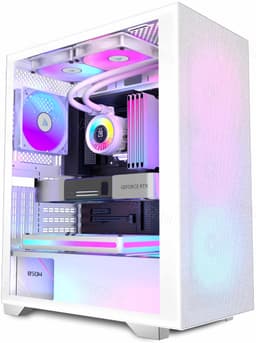
The PCZZOI P4 offers dual tempered glass panels and four pre-installed fans at a competitive price. Full-view glass on both the front and side gives you that all-around visibility that RGB builds thrive on. Type-C front I/O is included, which is becoming a baseline expectation at this price point.
PCZZOI is building a small range of budget cases, and the P4 sits in the middle of their lineup. It's a decent option for builders who want dual glass without spending extra. The four pre-installed fans provide a reasonable starting point for RGB lighting, though they're not the highest quality units you'll find.
The honest assessment is that the P4 is a solid mid-table option. It doesn't do anything badly, but it doesn't do anything exceptionally well either. If dual tempered glass is your priority and you're on a strict budget, it's a reasonable pick. But the 1st Player Trilobite T3 and GAMDIAS GC1 ELITE offer more compelling overall packages for similar money.
Pros
- Dual tempered glass panels for full-view RGB display
- Four fans pre-installed
- Type-C front I/O
- Full ATX mid-tower compatibility
Cons
- Fan quality is basic
- PCZZOI brand has limited UK presence
- Nothing that truly differentiates it from competitors
Buy on Amazon
Best No-RGB Option
£45.46 | ★★★★☆ (4.3)
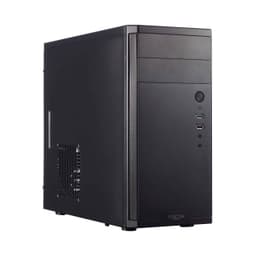
The Fractal Design Core 1100 is the odd one out in this roundup. No RGB. No tempered glass. No ARGB fans. Just a well-built, brushed aluminium mini tower from one of the most respected names in PC case design. So why is it here? Because sometimes the best choice for a budget RGB build is a quality foundation, and Fractal Design delivers that consistently.
The Core 1100 is a proven design with years of positive owner feedback. The build quality is noticeably better than most of the no-name brands in this list. The high airflow design keeps temperatures in check, and the single included 120mm fan is genuinely quiet. If you're planning to add your own ARGB fans and cooler, the Core 1100 gives you a solid, reliable chassis to build around.
It's ranked last here because it's the least relevant to the RGB brief. But if you value longevity and build quality over pre-installed lighting, it's worth knowing about. Among the best RGB computer cases under £50, it's the sensible choice for builders who want to add their own RGB components to a quality base. Check out Fractal Design's official site for the full range of their budget cases.
Pros
- Fractal Design build quality is well above average
- Proven design with years of positive owner feedback
- High airflow design with quiet fan
- Brushed aluminium finish looks premium
Cons
- No RGB or ARGB fans included
- No tempered glass panel
- Older design, lacks modern features like Type-C
- Mini tower limits expansion options
Buy on Amazon£45.46