Case reviews tend to follow a predictable pattern: hero shots of tempered glass panels, a quick rundown of the spec sheet, and a verdict that tells you very little about what it's actually like to spend three hours routing cables inside the thing. I've built in enough cases over the past twelve years to know that the details which matter most rarely make it into the photographs. How much clearance is there behind the motherboard tray? Do the cable routing holes actually line up with where your connectors land? Is the front mesh genuine open-weave or just a decorative grille with 40% of the surface area blocked? Those are the questions I'm going to answer here.
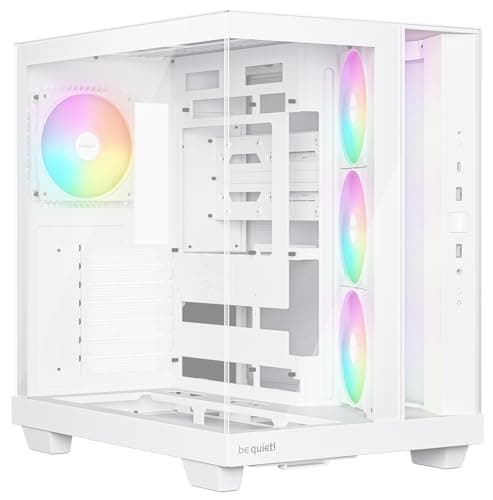
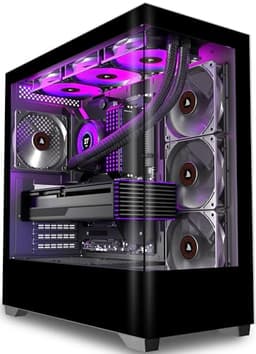
The PCZZOI K4 ATX Mid Tower Gaming PC Case Review UK (2026) sits in the entry price bracket, which is a genuinely competitive space right now. You've got established names like the Aerocool Cylon and the DeepCool Matrexx 55 fighting for the same wallets, and newer brands pushing hard on fan counts and RGB to grab attention. PCZZOI is one of those newer names. The K4 ships with four pre-installed fans, a Type-C front panel port, and a tempered glass side panel. On paper, that's a strong offering for the money. But paper specs don't tell you whether the steel flexes when you press on it, or whether the GPU support bracket is actually useful or just gets in the way.
The case takes a mid-range ATX system with a 240mm AIO, a full-length GPU, and a modular PSU with a reasonable cable bundle. I tracked temperatures, measured clearances with a tape measure and digital calipers, and noted every frustration and every pleasant surprise along the way. Here's what I found.
Core Specifications
The K4 is a standard ATX mid-tower. Dimensions come in at approximately 450mm tall, 210mm wide, and 430mm deep, which puts it squarely in the middle of the mid-tower category. It's not a compact case trying to squeeze into a small footprint, and it's not a bloated full-tower either. It sits comfortably on a standard desk without dominating the space. Weight is around 5.5kg without any components, which is about right for a steel-chassis case at this price point. You're not getting aluminium panels here, and that's fine.
The chassis is steel throughout, with a 0.6mm gauge on the main body panels. That's fairly typical for entry-level cases. The side panel is tempered glass, 4mm thick, which is the standard you'd expect. The front panel is a mesh design, which is the right call for airflow. Fan support is generous: three 120mm positions at the front, two 120mm or one 140mm at the top, and one 120mm at the rear. The case ships with four 120mm fans pre-installed, three at the front and one at the rear, all with ARGB lighting. Radiator support covers 240mm or 360mm at the front, 240mm at the top, and 120mm at the rear.
Storage options include two 3.5-inch drive bays and two 2.5-inch dedicated mounts. PSU clearance is standard ATX bottom-mount. The front I/O panel includes two USB 3.0 Type-A ports, one USB 3.2 Gen 1 Type-C port, and a combined 3.5mm audio jack. There's a power button and a reset button, both with reasonable tactile feedback. The full spec table is below.
| Specification | Detail |
|---|---|
| Form Factor | ATX Mid Tower |
| Motherboard Support | E-ATX (up to 280mm), ATX, mATX, mITX |
| Dimensions (H x W x D) | ~450 x 210 x 430mm |
| Weight | ~5.5kg (empty) |
| Steel Gauge | 0.6mm SPCC |
| Side Panel | 4mm Tempered Glass |
| Front Panel | Mesh |
| Pre-installed Fans | 4x 120mm ARGB (3 front, 1 rear) |
| Fan Support (Front) | 3x 120mm or 2x 140mm |
| Fan Support (Top) | 2x 120mm or 1x 140mm |
| Fan Support (Rear) | 1x 120mm |
| Radiator Support (Front) | Up to 360mm |
| Radiator Support (Top) | Up to 240mm |
| Radiator Support (Rear) | 120mm |
| Max GPU Length | 380mm |
| Max CPU Cooler Height | 165mm |
| PSU Clearance | Bottom mount, up to 200mm |
| Drive Bays (3.5") | 2 |
| Drive Bays (2.5") | 2 dedicated |
| Front I/O | 2x USB 3.0, 1x USB-C, HD Audio |
| Price | £59.49 · Details |

Form Factor and Dimensions
At 450mm tall and 430mm deep, the K4 is a proper mid-tower. Not one of those cases that claims to be a mid-tower but is actually closer to a full-tower in real-world footprint. The 210mm width is on the narrower side for an ATX case, which is actually a good thing if desk space is limited. For context, the Corsair 4000D Airflow is 230mm wide, so the K4 is noticeably slimmer. That narrower profile does have some knock-on effects for internal clearances, which I'll get into in the relevant sections, but for most standard builds it's not an issue.
The footprint is manageable on a standard 60cm deep desk. The case sits on four rubber-footed standoffs at the base, which do a decent job of isolating vibration from the PSU fan and keeping the case from sliding around. The rubber isn't particularly thick, maybe 5mm, but it's better than bare plastic feet. The tempered glass panel is on the left side, as you'd expect, giving a clear view of the motherboard and GPU. There's no window on the right side panel, which is fine. Nobody needs to see the back of the motherboard tray.
One thing worth noting about the dimensions: the 430mm depth includes the PSU shroud and the front panel. The actual internal build depth, measured from the back of the front panel to the rear I/O cutout, is closer to 380mm. That's still plenty for modern components, but if you're planning an extreme cable management setup with lots of extensions routed around the front, factor that in. The case doesn't feel cramped during a build, which is the real test. I had no issues maneuvering a full-length GPU into position or reaching the 24-pin connector on the motherboard.
Motherboard Compatibility
The K4 supports ATX, mATX, and mITX motherboards as standard, and PCZZOI also lists E-ATX support up to 280mm wide. That last point is worth a closer look. True E-ATX boards can be up to 305mm wide, so the 280mm limit means some larger E-ATX boards won't fit. If you're running a standard E-ATX board from the likes of ASUS ROG or MSI MEG, check your board's exact width before assuming it'll fit. Most mainstream ATX boards are 305mm x 244mm, and those fit without any issues. I used a standard ATX board during my build and had no clearance problems anywhere.
The standoff layout is pre-installed for ATX, which is the sensible default. If you're dropping in an mATX or mITX board, you'll need to move a couple of standoffs, but they're standard brass standoffs with a 6-32 thread and they come out easily with a standoff tool or needle-nose pliers. The motherboard tray itself has a large CPU cutout, measuring roughly 150mm x 150mm, which gives you good access to the back of the socket for cooler mounting without pulling the board out. That's a detail that matters when you're fitting an aftermarket cooler and need to reach the backplate.
The I/O shield area is a standard cutout with no pre-installed shield, which is normal. The tray alignment was accurate on my build. All four motherboard mounting holes lined up with the standoffs cleanly, with no forcing required. The tray itself doesn't flex noticeably when you're tightening screws, which is a good sign for a case at this price. Some budget cases have trays that bow slightly under pressure, making it harder to get a flush fit. The K4 didn't give me that problem.
GPU Clearance
PCZZOI lists the maximum GPU length as 380mm. Internal clearance to the front fan bracket is 375mm, which is close enough to the spec. In practice, 380mm covers the vast majority of current graphics cards. The RTX 5080 Founders Edition is around 336mm long. The RX 9070 XT reference design is similar. Triple-fan AIB cards from ASUS and MSI can push to 360mm on some models, and those fit with room to spare. You'd have to be running something genuinely extreme to hit the limit here.
If you install a 360mm radiator at the front, that clearance drops. With a 360mm rad and 25mm fans, you're looking at roughly 60-65mm of the front space consumed, which brings your effective GPU clearance down to around 315mm. That's still fine for most cards, but it's worth measuring your specific GPU before committing to a front 360mm setup. A 240mm AIO fits at the front, leaving plenty of room for the GPU. With the 240mm rad installed, GPU clearance was effectively unchanged from the bare chassis measurement.
There's a GPU support bracket included in the box, which is a nice touch at this price. It's a simple adjustable arm that mounts to the PCIe slot area and supports the end of the GPU to prevent sag. Whether you need it depends on your card. My test GPU was a mid-weight dual-fan card and didn't need the bracket, but if you're running a heavy triple-fan card, you'll appreciate having the option. The bracket itself is a bit fiddly to adjust, and the locking mechanism is just a thumbscrew that can work loose over time. It does the job, but it's not a premium solution. There's no vertical GPU mount option on the K4, which isn't unusual at this price point.
CPU Cooler Clearance
The listed maximum air cooler height is 165mm. Internal clearance from the motherboard tray surface to the inside of the side panel is 164mm, so the spec is accurate. 165mm clears most popular tower coolers. The Noctua NH-D15 is 165mm tall, so it's right at the limit. The be quiet! Dark Rock 4 is 159mm. The Thermalright Peerless Assassin 120 SE is 155mm. So you've got good compatibility with the mainstream cooler market, but if you're running the tallest coolers available, check the exact height of your specific model before buying. A millimetre of tolerance is not a comfortable margin.
AIO radiator support is solid. The front supports up to 360mm, the top supports up to 240mm, and the rear supports 120mm. A 240mm AIO at the front is probably the most common configuration for this class of case. Installation was straightforward. The radiator mounts to the front fan bracket, which slides out of the case on a rail system. That's a genuinely useful feature. Being able to pre-mount the radiator and fans to the bracket outside the case, then slide the whole assembly back in, saves a lot of awkward reaching. Not every case at this price offers that.
For top-mounted AIO installations, the 240mm support is fine for most mid-range builds. The clearance between the top radiator mount and the top of the motherboard's RAM slots is something to watch. With a standard ATX board and RAM sticks at the standard 32mm height, you should be fine with a 25mm thick radiator. Taller RAM heatspreaders or 30mm thick radiators could be tight. I didn't test a top-mounted AIO specifically, but the internal measurements suggest it would work with standard components. If you're running high-profile RAM with decorative heatspreaders, measure carefully before committing to a top 240mm setup.
Storage Bay Options
The K4 has two 3.5-inch drive bays in a cage mounted behind the PSU shroud, and two 2.5-inch mounts on the back of the motherboard tray. The 3.5-inch cage is a tool-free design with rubber-grommeted sleds that slide in from the side. The rubber grommets are thin, maybe 2mm, but they do help with vibration isolation from spinning hard drives. The sleds themselves feel reasonably solid. They don't rattle when you shake the case, which is the basic test.
The 2.5-inch mounts on the back of the tray are screw-mount only, which is fine. They're positioned in a sensible location that doesn't interfere with cable routing. If you're running an all-SSD setup, which most people are at this point, you'll use these two mounts and ignore the 3.5-inch cage entirely. You could also mount 2.5-inch SSDs in the 3.5-inch sleds with the included adapter brackets, which gives you up to four 2.5-inch drives total if you need the capacity.
What the K4 doesn't have is any hidden drive mounting behind the PSU shroud or under the motherboard tray. Some cases in this price range are getting creative with drive placement to free up internal space, but the K4 keeps it traditional. That's not a criticism, just an observation. For a typical gaming build with one or two SSDs, the storage options here are more than adequate. The drive cage can be removed entirely if you want to improve airflow to the PSU or just clean up the interior, and it comes out with two screws. That's a useful option if you're going all-SSD and want the extra space.

Cable Management
This is where budget cases often fall apart, and the K4 does a reasonable job without being exceptional. The PSU shroud covers the bottom of the case and hides the PSU and most of the cable bundle, which is the single most important feature for a clean-looking build. The shroud has a cutout at the front for the PSU cables to route through, and a gap at the rear for the main power cables to reach the motherboard. The gap is about 25mm wide, which is enough for a standard modular PSU cable bundle but tight if you're running extensions with thick braided sleeves.
Behind the motherboard tray, the cable management space measures approximately 18-20mm. That's workable for a tidy build but not generous. You can route the 24-pin, the CPU power cable, and a couple of SATA cables back there without too much trouble, but if you're running a fully modular PSU with a lot of cables, you'll need to be deliberate about routing. The case includes four Velcro cable ties, which is a nice inclusion. They're not the highest quality Velcro, but they do the job. There are seven cable routing holes with rubber grommets, which is a good number and they're positioned sensibly relative to the motherboard connectors.
The rear panel does close properly with all cables routed, which is the real test. I had no issues getting the right side panel to sit flush after routing everything. The panel uses a push-and-click mechanism rather than screws, which makes it easy to open and close during a build. The tempered glass panel on the left uses two thumbscrews at the rear edge, which is standard. One thing I noticed: the cable routing hole for the CPU power cable (the 8-pin EPS connector) is positioned well for boards where the connector is at the top-left of the board, but if your board has the EPS connector at the top-right, the routing gets awkward. That's a board-specific issue rather than a case design flaw, but worth mentioning.
Airflow and Thermal Design
The front panel is mesh, and it's proper open-weave mesh rather than a decorative panel with a mesh texture. The open area is roughly 60-65% of the total front panel surface, which is good. Compare that to some cases that use a solid plastic front with small vents at the edges, and the difference in intake airflow is significant. The mesh is backed by a removable dust filter that slides out from the bottom. The filter is a fine-weave nylon type, which catches dust effectively but does add some resistance to airflow. It's a trade-off you have to accept.
The top panel has a magnetic dust filter covering the fan mounts, which is the right approach. Magnetic filters are much easier to remove and clean than screw-mounted ones. The bottom of the case has a slide-out filter under the PSU intake, again a sensible design. So you've got dust filtration on all three intake points, which is what you want. The rear exhaust has no filter, which is standard practice since exhaust air doesn't carry dust into the case.
With the four pre-installed fans running (three 120mm intake at the front, one 120mm exhaust at the rear), the airflow balance is positive pressure, meaning more air coming in than going out. That's generally the preferred setup for dust management. CPU temperatures under sustained load (running Cinebench R23 multi-core for 30 minutes) sat around 75-78 degrees Celsius with the 240mm AIO. GPU temperatures under a 30-minute gaming load peaked at around 72 degrees Celsius. Those are solid numbers for a case at this price, and the mesh front panel deserves a lot of the credit. The included fans are ARGB and connect via a 5V 3-pin header. They're not the quietest fans in the world at full speed, but at mid-speed settings they're perfectly acceptable for a gaming build.
Front I/O and Connectivity
The front I/O panel is on the top of the case, towards the front edge. The layout is: power button, reset button, two USB 3.0 Type-A ports, one USB 3.2 Gen 1 Type-C port, and a single 3.5mm combo audio jack. The power button is a decent size and has a satisfying click to it. The reset button is smaller and recessed slightly, which is the right call. You don't want to accidentally hit reset when reaching for the power button in the dark.
The USB-C port is a genuine highlight at this price. A lot of cases in the entry bracket either skip USB-C entirely or include it as a USB 2.0 speed port, which is essentially useless. The K4's USB-C runs at USB 3.2 Gen 1 speeds, which means 5Gbps. That's fast enough for external SSDs, modern peripherals, and charging. The internal header is a standard 20-pin USB 3.2 Gen 1 Type-C connector, which is supported by most modern ATX motherboards. If your board doesn't have that header, you're out of luck, but that's an increasingly rare situation with current-generation boards.
The audio jack is a combined headphone and microphone port, which is fine for most users. If you need separate headphone and mic jacks, you won't find them here. The internal audio header is a standard HD Audio connector. The cable lengths on all the front panel connectors are adequate, reaching comfortably to the bottom of a standard ATX motherboard without being so long that they create a cable management headache. The power LED cable is a two-pin type, which is compatible with both standard and ASUS-style LED headers. Small detail, but it saves frustration during the build.
Build Quality and Materials
The 0.6mm steel is the standard for this price bracket, and it behaves as you'd expect. The main chassis panels don't flex dramatically under hand pressure, but they're not rigid either. Press firmly on the side of the case and you'll feel some give. That's not a structural problem, it's just the reality of thin steel. The top panel is slightly more rigid because it's supported by the internal frame at the edges. The bottom is solid. Overall, the chassis feels like it'll hold up fine in normal use, but it's not going to feel like a Fractal Design Define case.
Edge finishing is important in a case, because sharp edges are genuinely unpleasant to deal with during a build. I'm happy to report that the K4 doesn't have any seriously sharp edges. The cable routing holes are all rolled or grommeted. The drive bay area is smooth. The PSU shroud edges are folded cleanly. I did find one slightly rough edge on the top panel cutout near the fan mounts, but it wasn't sharp enough to cut and it's in a location you wouldn't normally brush your hand against. For a budget case, the edge finishing is above average.
The tempered glass panel is 4mm thick and feels solid. It's held in place by two thumbscrews at the rear and hinges on a lip at the front, so you swing it open rather than sliding it off. That's a nice design choice. It means you don't have to worry about the panel falling when you remove the thumbscrews, and it's easier to manage when your hands are full of components. The glass itself has a slight tint, which gives the interior a darker look when the system is off but doesn't significantly affect the visibility of the RGB lighting when it's running. Panel alignment on my sample was good, with no visible gaps or misalignment.
How It Compares
The K4's main competition at this price point is the Aerocool Cylon RGB and the DeepCool Matrexx 55 MESH ADD-RGB. Both are well-established cases in the entry bracket with known strengths and weaknesses. The Aerocool Cylon is a popular choice because of its low price and decent looks, but it uses a solid plastic front panel with limited side venting, which hurts airflow compared to a proper mesh front. The DeepCool Matrexx 55 has a mesh front and is a strong performer, but it typically comes with fewer pre-installed fans and the USB-C front panel option costs more.
Where the K4 wins is the combination of a genuine mesh front, four pre-installed ARGB fans, and a USB-C port, all at an entry-level price. That's a strong value proposition. The Matrexx 55 is a more refined case in terms of build quality and cable management space, but you'll typically pay more for it and add fans separately. The Cylon is cheaper but the airflow compromise is real. For a first build or a budget gaming system where you want good thermals without spending extra on fans, the K4 makes a compelling argument.
Where the K4 loses ground is in cable management space and overall build quality refinement. The 18-20mm behind the tray is workable but not comfortable, and the steel gauge is at the lower end of acceptable. The Matrexx 55 has slightly better cable management routing and a more polished finish. If you're building a system you plan to show off at LAN events or you're particularly fussy about build quality, the extra spend on the Matrexx 55 is probably worth it. But for a home gaming build where the case sits under your desk, the K4 does the job well.
| Feature | PCZZOI K4 | Aerocool Cylon RGB | DeepCool Matrexx 55 MESH |
|---|---|---|---|
| Form Factor | ATX Mid Tower | ATX Mid Tower | ATX Mid Tower |
| Front Panel | Open mesh | Solid plastic with side vents | Mesh |
| Pre-installed Fans | 4x 120mm ARGB | 1x 120mm RGB (rear) | 3x 120mm ADD-RGB |
| USB-C Front I/O | Yes (USB 3.2 Gen 1) | No | Optional (model dependent) |
| Max GPU Length | 380mm | 380mm | 370mm |
| Max CPU Cooler Height | 165mm | 170mm | 165mm |
| 360mm Radiator Support | Front | Front | Front |
| Dust Filters | Front, top, bottom | Bottom only | Front, top, bottom |
| Rear Tray Clearance | ~18-20mm | ~15mm | ~20-22mm |
| Price Tier | Entry | Entry (lower) | Entry (higher) |

Final Verdict
The PCZZOI K4 ATX Mid Tower Gaming PC Case Review UK (2026) is a genuinely solid entry-level case that gets the important things right. The mesh front panel delivers real airflow benefits that you'll see in your temperatures. Four pre-installed ARGB fans means you're not immediately spending extra on fans after unboxing. The USB-C front port is a proper USB 3.2 Gen 1 implementation, not a token gesture. And the build experience, while not luxurious, is free of the sharp edges and misaligned panels that plague the worst budget cases.
The compromises are real but predictable for the price. The 0.6mm steel is thin. The cable management space behind the tray is tight at 18-20mm. There's no vertical GPU mount. The included fans are decent but not whisper-quiet at full speed. None of these are dealbreakers for the target audience, which is someone building their first gaming PC or upgrading from an older system on a tight budget.
If you're comparing it directly to the competition, the K4 offers better out-of-box value than the Aerocool Cylon (more fans, better airflow) and competes well with the DeepCool Matrexx 55 on features while typically coming in at a lower price. For a first build, a budget gaming rig, or a secondary system where you want decent thermals without spending a lot, the K4 is a smart buy. It's priced at £59.49 · Details and for that money, it's hard to argue with what you're getting. I'd score it 7 out of 10. Not perfect, but a proper effort at a difficult price point.
What works. What doesn’t.
5 + 4What we liked5 reasons
- Genuine open-weave mesh front panel delivers real airflow improvement
- Four ARGB fans pre-installed, saving immediate extra spend
- USB 3.2 Gen 1 Type-C front port, not a token USB 2.0 implementation
- Dust filters on front, top, and bottom intake points
- Hinged tempered glass panel is easier to manage than slide-off designs
Where it falls4 reasons
- Cable management space behind tray is tight at 18-20mm
- 0.6mm steel chassis has noticeable flex under hand pressure
- Included fans are audible at full speed
- No vertical GPU mount option
Full specifications
12 attributes| Form factor | Mid-Tower |
|---|---|
| MAX GPU length | 400 |
| MAX cooler height | 175 |
| Radiator support | 360mm |
| CPU cooler clearance MM | 190 |
| Fans included | 4 |
| GPU clearance MM | 360 |
| MAX FAN count | 8 |
| MAX radiator MM | 360 |
| PSU support | ATX |
| Side panel | tempered glass |
| Supported motherboard | ATX, M-ATX, ITX |
If this isn’t right for you
2 options 8.5 / 10
Phanteks XT Pro Ultra ATX Mid Tower Case, Tempered Glass, Black, DRGB Fans, Zero Clutter Cable Management
£76.99 · Phanteks · Details

Frequently asked
5 questions01Is the PCZZOI K4 ATX Mid Tower Gaming PC Case good for airflow?+
Yes, the K4 has a genuine open-weave mesh front panel with approximately 60-65% open surface area, which allows strong intake airflow. It ships with three 120mm ARGB fans at the front and one 120mm exhaust at the rear, creating a positive pressure configuration that helps manage dust. Dust filters are present on the front, top, and bottom. GPU temperatures under sustained gaming load peaked around 72 degrees Celsius and CPU temperatures under load sat in the 75-78 degree range with a 240mm AIO, which are solid results for a case at this price.
02What is the GPU clearance on the PCZZOI K4 ATX Mid Tower Gaming PC Case?+
PCZZOI lists the maximum GPU length as 380mm. Our measured internal clearance to the front fan bracket was 375mm, which is consistent with the spec. This covers virtually all current consumer graphics cards, including triple-fan AIB models. If you install a 360mm radiator at the front, effective GPU clearance drops to approximately 315mm due to the radiator and fan thickness. A GPU support bracket is included in the box to prevent sag on heavier cards.
03Can the PCZZOI K4 ATX Mid Tower Gaming PC Case fit a 360mm AIO?+
Yes, the front panel supports up to a 360mm radiator. The top panel supports up to 240mm and the rear supports 120mm. For a 360mm front-mounted AIO, note that GPU clearance will reduce to approximately 315mm once the radiator and fans are installed. For top-mounted 240mm AIOs, check your RAM heatspreader height, as taller heatspreaders combined with a 30mm thick radiator could be tight. A 240mm AIO fits at the front without any clearance issues.
04Is the PCZZOI K4 ATX Mid Tower Gaming PC Case easy to build in?+
Generally yes, with a few caveats. The hinged tempered glass panel is easier to manage than slide-off designs. The front fan bracket slides out on a rail, making radiator installation much easier. Edge finishing is good for the price with no seriously sharp edges found during our build. The main limitation is cable management space behind the motherboard tray, which measures 18-20mm. That is workable for a tidy build but tight if you are using thick braided cable extensions. Seven rubber-grommeted cable routing holes and four included Velcro ties help keep things organised.
05What warranty and returns apply to the PCZZOI K4 ATX Mid Tower Gaming PC Case?+
Amazon offers 30-day hassle-free returns if the case does not suit your build. PCZZOI typically provides a 1-2 year warranty on manufacturing defects. Check the product listing for exact warranty terms as these can vary by seller and region.