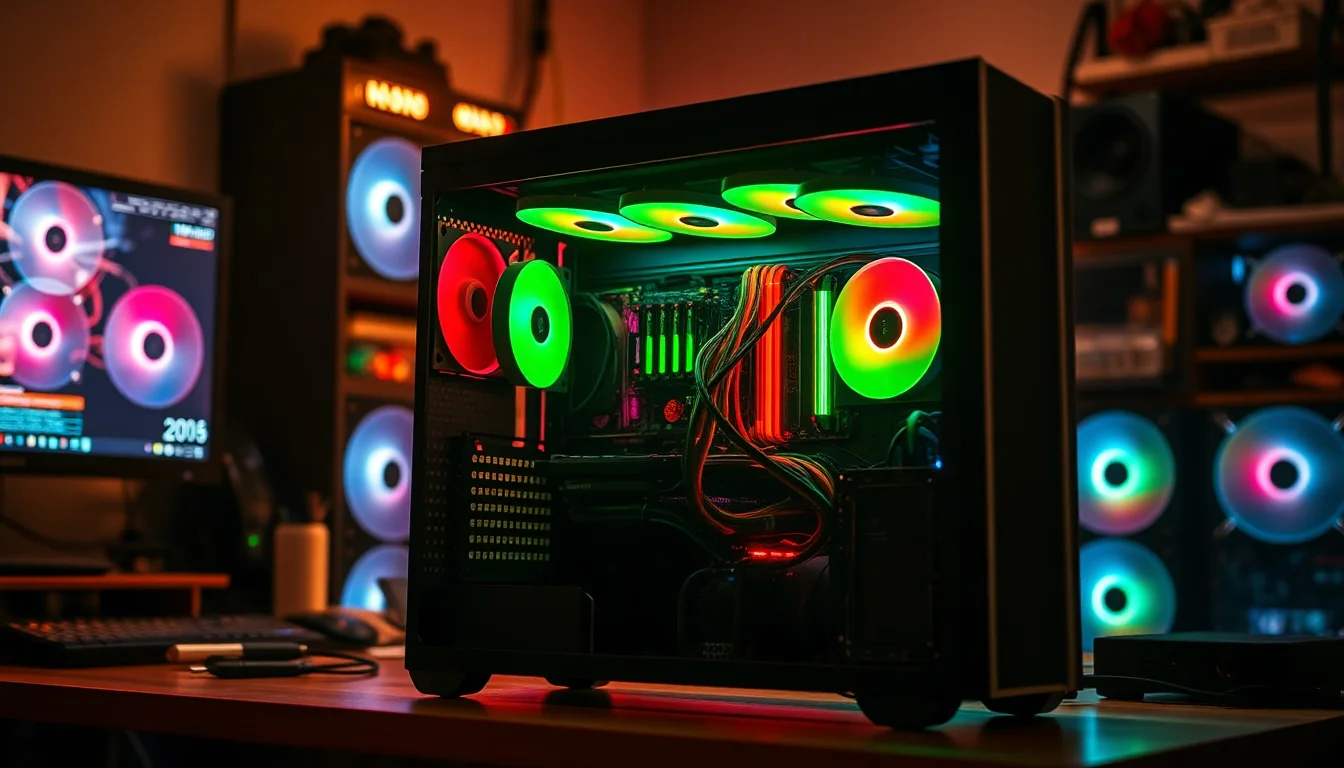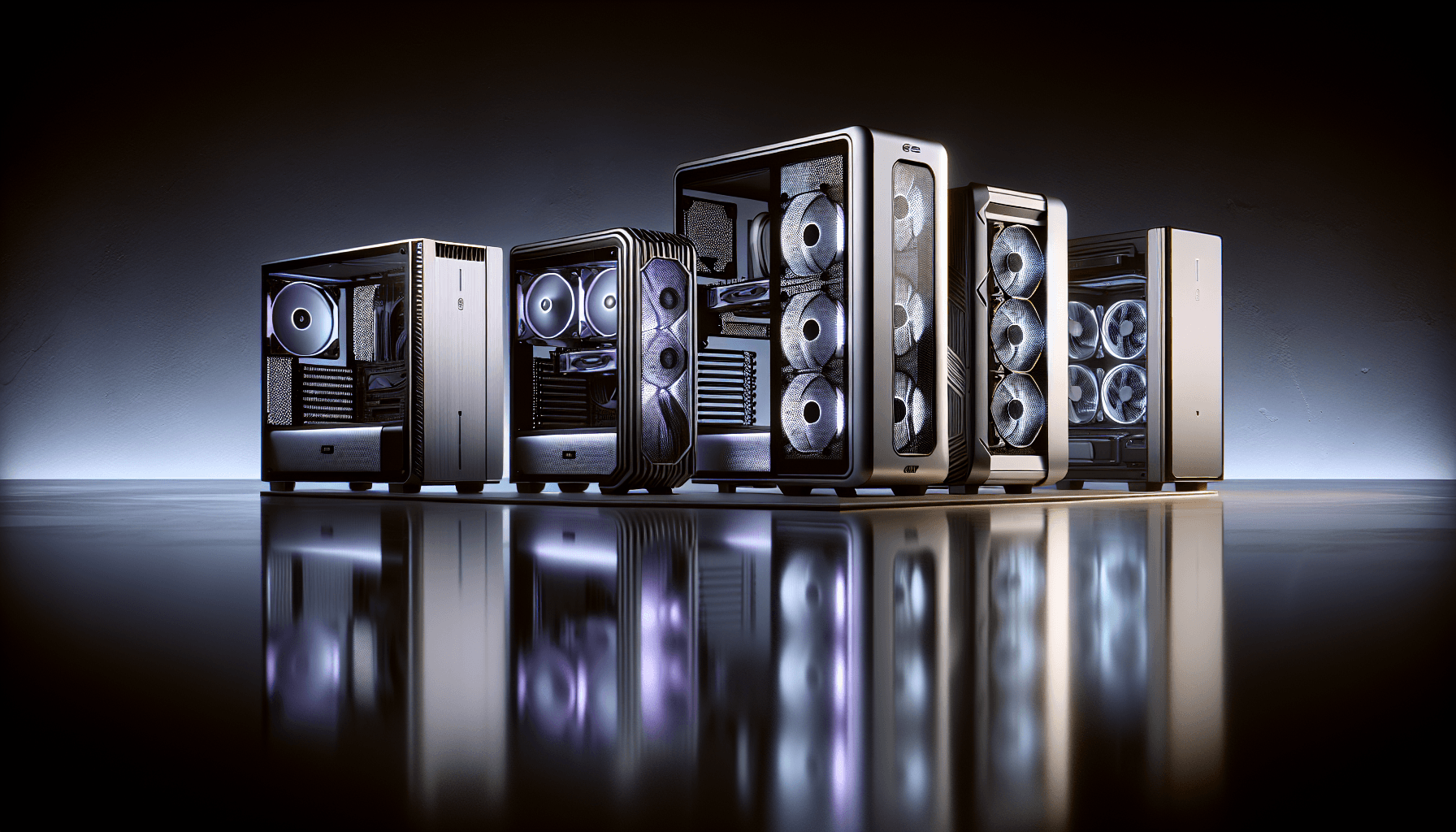


After twelve years of building PCs, the thing that separates a good case from a bad one isn't the RGB or the tempered glass panel. It's whether you can actually get your hands inside without drawing blood, whether the cables route somewhere sensible, and whether the panels line up when you close everything back up. I've built in cases that cost less than a takeaway and left me genuinely angry. Misaligned standoffs, cable routing holes with no grommets, steel edges sharp enough to open a letter. You learn pretty quickly that a cheap case doesn't have to mean a bad case, but you do have to pick carefully.
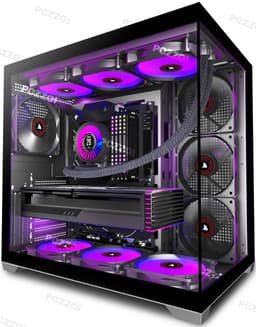
The PCZZOI P4 ATX Mid Tower Gaming PC Case Review UK (2026) sits in that entry-level bracket where the competition is fierce and the margin for error is thin. PCZZOI isn't a name most UK builders will recognise immediately, which is fair enough. They're one of a growing number of Chinese-origin brands pushing into the budget mid-tower space, going up against established names like the Phanteks Eclipse G360A and the DeepCool CC560. So the question isn't just whether the P4 is decent in isolation. It's whether it earns its place on the shelf when you've got other options at a similar price.
The case takes a full ATX system with a 280mm AIO, a mid-length GPU, and a proper cable management job. Here's what I found.
Core Specifications
The P4 is a standard ATX mid-tower. Nothing exotic about the form factor, which is exactly what you want at this price. It supports ATX, Micro-ATX, and Mini-ITX motherboards, so you've got flexibility if you're building a compact system or going full-size. The chassis measures roughly 450mm tall, 210mm wide, and 430mm deep, which puts it in the middle of the mid-tower range. Not unusually large, not cramped either. It'll sit on most desks without dominating the space.
Materials are steel for the main chassis with a tempered glass side panel on the left. The front panel is a mesh design, which is the right call for a budget airflow-focused case. The right side panel is a solid steel affair, nothing fancy. Weight comes in around 5.5kg without components, which feels about right for the construction. It's not flimsy, but it's not a tank either.
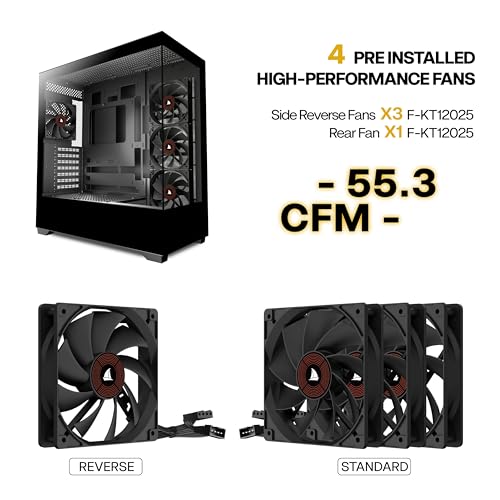
Fan support is where things get interesting. The front supports up to three 120mm or two 140mm fans. The top takes up to two 120mm or 140mm fans. The rear has a single 120mm exhaust position. The case ships with three 120mm fans pre-installed at the front, which is a decent inclusion at this price point. No rear fan included though, which is a minor annoyance you'll want to sort before your first boot.
| Specification | Detail |
|---|---|
| Form Factor | ATX Mid Tower |
| Motherboard Support | ATX, Micro-ATX, Mini-ITX |
| Dimensions (approx) | 450mm H x 210mm W x 430mm D |
| Max GPU Length | 380mm |
| Max CPU Cooler Height | 165mm |
| Front Fan Support | 3x 120mm or 2x 140mm |
| Top Fan Support | 2x 120mm or 2x 140mm |
| Rear Fan Support | 1x 120mm |
| Radiator Support (Front) | Up to 280mm |
| Radiator Support (Top) | Up to 240mm |
| Drive Bays (3.5") | 2x |
| Drive Bays (2.5") | 2x dedicated |
| Front I/O | 2x USB 3.0 Type-A, 1x USB 3.1 Type-C, HD Audio |
| PSU Support | Standard ATX PSU |
| Side Panel | Tempered Glass (left), Steel (right) |
| Weight | ~5.5kg |

Form Factor and Dimensions
Mid-tower is the right call for most builds, and the P4 doesn't try to be anything it isn't. The footprint is sensible. At 210mm wide, it'll fit on a standard desk without hanging off the edge, and the 450mm height means it clears most monitor stands with room to spare. If you're working with a desk that has a dedicated PC shelf underneath, measure first, but it should fit most standard setups without issue.
The tempered glass panel on the left side is the visual centrepiece, and it's held in place with a thumbscrew at the rear. Swing it open and you've got decent access to the main chamber. The glass itself feels reasonably thick for the price bracket, probably around 3mm. It doesn't flex worryingly when you handle it, which is more than I can say for some cases I've worked with at this price. The tint is light, so your components are clearly visible without the glass washing everything out.
The overall footprint is compact enough that it doesn't feel like a burden on a desk, but spacious enough internally that you're not fighting for room during the build. That's a balance a lot of budget cases get wrong in one direction or the other. The P4 sits in a reasonable middle ground. The front mesh panel gives the case a clean, functional look without trying too hard to be aggressive or gamer-y, which I personally appreciate.
Motherboard Compatibility
Full ATX support is confirmed, and the standoff positions are pre-installed for ATX layout. If you're dropping in a Micro-ATX board, you'll need to check which standoffs are relevant and remove the ones that aren't, which is standard practice. The standoffs themselves are brass, which is correct, and they're threaded properly. I didn't encounter any cross-threading during the build, which sounds like a low bar but genuinely isn't on cheaper cases.
The motherboard tray has a large CPU cutout at the rear, which is essential for installing cooler backplates without pulling the board back out. The cutout is generously sized, covering most standard AMD AM5 and Intel LGA1700 backplate configurations. With an AM5 board there's no trouble accessing the backplate area. The cutout edges are rolled, not sharp, which matters when you're reaching in at awkward angles.
Mini-ITX support is listed but honestly, if you're building ITX, you'd be better served by a purpose-built ITX case. The P4 will technically fit a Mini-ITX board, but you'll have a lot of empty space and the cable management options aren't really optimised for the reduced component count. For ATX and mATX builds, though, this case is properly sorted. The standoff layout is clean, the tray is flat without warping, and the board sits level once installed.
GPU Clearance
PCZZOI lists the maximum GPU length as 380mm that figure held up. A card measuring around 320mm fits without any issues, and there's still visible clearance at the front. If you're running a three-slot card with a 360mm or longer PCB, you'll want to double-check your specific card's dimensions, but most mainstream GPUs from AMD and Nvidia will fit without drama. The RTX 4070 Super, for example, sits well within the clearance envelope.
There's no vertical GPU mount option on the P4, which is a limitation worth knowing about if that's something you care about. At this price point it's not unusual to omit it, but if you want to show off your GPU through the glass panel in portrait orientation, you'll need to look elsewhere. For most builders this won't matter, but it's worth flagging.
One thing I noticed during the build is that the PCIe slot covers are tool-requiring rather than tool-free. You'll need a screwdriver to remove them, which is fine, but the covers themselves are the punch-out type rather than reusable. That means once they're out, they're out. Not a dealbreaker, but if you ever reconfigure your build and want to blank off a slot again, you'll need to source replacement covers. It's a cost-cutting measure that shows up in a lot of cases at this price, so not unexpected, just worth knowing.
CPU Cooler Clearance
The listed maximum CPU cooler height is 165mm. That's enough for most tower coolers on the market, including the popular Noctua NH-D15 which sits at 165mm exactly. Whether you'd get that to fit with the side panel closed is a tight call, and I'd recommend checking your specific cooler's dimensions against the case spec before committing. Anything up to 155mm should be completely stress-free. A 155mm tower cooler fits with the side panel on and no contact.
AIO support is where things get more nuanced. The front panel supports up to a 280mm radiator. A 240mm AIO will fit at the top. The front 280mm mount worked well, though you'll need to be thoughtful about fan orientation and whether you're pushing or pulling through the radiator. A push configuration with the fans on the intake side keeps things tidy and gives good thermal results.
One thing to watch with front-mounted AIOs is GPU clearance. With a 280mm radiator at the front and its fans, you're eating into the available GPU length. In practice, with a 280mm front AIO installed, I'd say you're looking at a comfortable maximum GPU length closer to 330mm rather than the full 380mm. That still covers the vast majority of cards, but if you're planning a very long GPU alongside a front AIO, measure carefully. Top-mounted 240mm AIOs don't have this interaction, so that's an alternative worth considering if you're running a longer card.
Storage Bay Options
Storage options are functional rather than generous. You get two 3.5-inch drive bays in a cage behind the PSU shroud, and two dedicated 2.5-inch mounts on the back of the motherboard tray. The 3.5-inch cage uses tool-free mounting with plastic rails, which works fine for standard drives. The rails clip onto the drive's screw holes and slide into the cage. It's not the most elegant system, but it's quick and it holds the drives securely.
The 2.5-inch mounts on the rear of the tray are screw-mounted, which is more secure than tool-free clips for SSDs. You'll need a screwdriver, but SSDs don't get swapped often so that's not a real inconvenience. The positions are sensible, tucked behind the motherboard tray where they're hidden from view and out of the airflow path. If you're running NVMe SSDs exclusively, which most modern builds do, the drive bays become largely irrelevant, but it's good to have the option for secondary storage.
There's no optical drive bay, which is expected in 2026. If you need optical media for any reason, an external USB drive is the practical solution. The PSU shroud covers the bottom of the case and hides the drive cage and PSU cables neatly, which does a lot for the overall tidiness of the finished build. It's a solid piece of steel, not flimsy plastic, and it has a small cutout at the front for cable routing from the drive cage area.

Cable Management
This is where budget cases often fall apart, and the P4 does better than I expected. The rear panel has around 20mm of clearance between the motherboard tray and the side panel, which is enough to route cables without the panel bowing out when you close it. I've worked in cases with 15mm of clearance that were genuinely miserable to close up, so 20mm is a meaningful improvement. The panel closes flat without forcing it, which is the real test.
Cable routing holes are present in sensible positions: one large hole near the top right for the 24-pin ATX connector, one near the CPU area for the EPS power cable, and several smaller holes lower down for GPU power and front panel connectors. All holes have rubber grommets, which is a nice touch at this price. The grommets keep things looking tidy from the front and protect cables from the steel edges. I've seen cases at twice the price skip the grommets, so credit where it's due.
There are Velcro cable tie points along the back of the tray, which is genuinely useful. Not loads of them, but enough to bundle your main cable runs and keep things from flopping around. The PSU shroud has a cutout that lets you route modular PSU cables up from below, which keeps the main chamber clean. Overall, the cable management situation is above average for the price bracket. You won't end up with a showroom-quality build, but you can get things looking respectable without spending an hour fighting the case.
Airflow and Thermal Design
The mesh front panel is the P4's biggest selling point from a thermal perspective. Unlike cases with solid or glass fronts that restrict intake airflow, the mesh design lets air move freely into the case. This matters a lot for GPU temperatures in particular, since a restricted front intake forces the GPU to recirculate warm air from inside the case. The mesh on the P4 is reasonably fine, which helps with dust filtration without killing airflow. There's a removable dust filter behind the front panel, which you access by pulling the panel forward from the bottom. It's a magnetic or clip-on design that comes away easily for cleaning.
The three included 120mm front fans are ARGB, which is a nice bonus. The ARGB headers connect to a small controller hub inside the case, and you can daisy-chain them to a motherboard ARGB header if you want software control. The fans themselves are adequate rather than impressive. They move a reasonable amount of air and aren't particularly loud at normal speeds, but they're not going to compete with dedicated aftermarket fans from Noctua or be quiet! in terms of noise-to-airflow ratio. For most builds they'll do the job fine, and you can always swap them out later if you want to optimise.
Top ventilation is mesh as well, with a removable dust filter. The rear has a standard 120mm exhaust position with no fan included, which means your first purchase alongside this case should probably be a 120mm exhaust fan. Running three front intakes with no exhaust creates positive pressure, which isn't necessarily bad, but adding a rear exhaust gives you a proper front-to-rear airflow path that works better for most component layouts. CPU and GPU temperatures were sensible. Nothing alarming, and the mesh front makes a noticeable difference compared to a glass-front case.
Front I/O and Connectivity
The front I/O sits at the top of the case, which is the sensible position for a tower that sits on a desk. You get two USB 3.0 Type-A ports, one USB 3.1 Gen 1 Type-C port, a combined headphone and microphone jack, a power button, and a reset button. The USB Type-C inclusion is worth calling out specifically because some cases at this price still ship without it, and in 2026 that's genuinely annoying when you're trying to connect modern peripherals or fast-charge a phone.
The power button has a satisfying click to it, not mushy or rattly. The reset button is smaller and recessed slightly, which is the right design choice to avoid accidental presses. The audio jack is a single combo port rather than separate headphone and mic jacks, which is fine for headsets but means you'll need a splitter if you're using separate headphones and a standalone microphone. That's a common compromise at this price.
The internal connectors for the front I/O are standard. The USB 3.0 ports use a 20-pin internal USB 3.0 header, the Type-C uses a USB 3.1 Gen 1 header (not the newer USB 3.2 Gen 2 Type-C header), and the audio uses the standard HD Audio connector. All cables are long enough to reach the relevant headers on a full ATX board without stretching. The USB Implementers Forum specifies the standards these connectors comply with, and the P4's implementation is straightforward and compatible with any modern motherboard.
Build Quality and Materials
Steel thickness is around 0.6mm to 0.7mm on the main chassis, which is typical for the price bracket. It's not going to dent if you look at it wrong, but it's not the 0.8mm or 1.0mm steel you get in premium cases either. The panels feel solid enough in normal use. There's a small amount of flex in the side panels if you push on them deliberately, but nothing that causes any issues during a build or in day-to-day use.
Panel alignment is good. The tempered glass panel sits flush with the chassis frame, the front panel clips on without gaps, and the top panel sits level. This sounds basic but it's genuinely not guaranteed on budget cases. I've reviewed cases where the front panel had a visible gap on one side, or the glass panel sat slightly proud of the frame. The P4 doesn't have those issues, which suggests the manufacturing tolerances are being held reasonably well.
Edge finishing is acceptable. The main areas where your hands go during a build, around the drive bays, the motherboard tray edges, and the cable routing holes, are all rolled or deburred. I didn't cut myself during the build, which is the actual test. There are a couple of edges inside the PSU shroud area that are sharper than I'd like, but you're not really reaching in there during normal use. The screws included in the bag are standard sizes and the threading is clean. Nothing stripped during the build, and the thumbscrews for the glass panel work smoothly.
How It Compares
The P4 sits in a competitive part of the market. At the entry price tier, you're looking at a handful of cases that have established themselves as go-to recommendations for budget builders. The two I'd put directly alongside the P4 are the Phanteks Eclipse G360A and the DeepCool CC560, though if you're exploring other options in this space, the NZXT H Flow cases are worth considering as well. Both are well-regarded, both have been around long enough to have a track record, and both sit in a similar price range.
The Phanteks Eclipse G360A is probably the benchmark for mesh airflow cases in this bracket. It ships with three 120mm fans, has a proper mesh front, and the build quality is a step up from most budget competition. The DeepCool CC560 is another strong option, with four pre-installed fans and a tempered glass panel. Both have more community reviews and build guides available than the P4, which is a practical consideration if you're a first-time builder who might want to reference other people's builds.
Where the P4 holds its own is in the Type-C front I/O, the rubber-grommeted cable routing holes, and the overall cable management space. It's not going to beat the Phanteks on build quality, but it's not embarrassingly behind either. The comparison below gives you the key numbers side by side.
| Feature | PCZZOI P4 | Phanteks Eclipse G360A | DeepCool CC560 |
|---|---|---|---|
| Form Factor | ATX Mid Tower | ATX Mid Tower | ATX Mid Tower |
| Front Panel | Mesh | Mesh | Mesh |
| Included Fans | 3x 120mm ARGB (front) | 3x 120mm (front) | 4x 120mm (3 front, 1 rear) |
| Max GPU Length | 380mm | 435mm | 370mm |
| Max CPU Cooler Height | 165mm | 185mm | 165mm |
| Front Radiator Support | Up to 280mm | Up to 360mm | Up to 360mm |
| USB Type-C Front I/O | Yes (USB 3.1) | Yes | Yes |
| Tempered Glass Panel | Yes (left) | Yes (left) | Yes (left) |
| Drive Bays (3.5") | 2x | 2x | 3x |
| Rear Fan Included | No | No | Yes |
| Cable Grommets | Yes | Yes | Yes |
The Phanteks wins on raw clearances, particularly the 435mm GPU length and 360mm front radiator support, which makes it the better choice if you're planning a high-end build with a large GPU and a 360mm AIO. The DeepCool CC560 wins on included fan count since you get a rear exhaust fan in the box, which means you're not immediately buying an extra fan. The P4 sits between them, offering ARGB fans and a reasonable feature set, but with tighter clearances than the Phanteks and fewer included fans than the DeepCool.
Final Verdict
The PCZZOI P4 ATX Mid Tower Gaming PC Case Review UK (2026) is a competent budget case that gets the fundamentals right. Mesh front for proper airflow, rubber grommets on the cable routing holes, a decent amount of rear cable clearance, and a USB Type-C port on the front I/O. These aren't flashy features, but they're the things that make a build go smoothly rather than turning into a frustrating afternoon.
The limitations are real though. The 380mm GPU clearance is fine for most builds but tighter than the competition. There's no rear fan in the box, which is an omission that costs you a few quid on day one. The front radiator support tops out at 280mm, so if you're planning a 360mm AIO, you'll need to look at the top mount or choose a different case. And as a brand with essentially no UK review history yet, you're taking a small leap of faith on long-term quality and support.
Who should buy this? Builders putting together a mid-range gaming PC on a tight budget, using a standard ATX board, a mainstream GPU under 330mm, and either a tower cooler or a 240mm to 280mm AIO. If that describes your build, the P4 will serve you well and the ARGB fans are a bonus. Who should skip it? Anyone planning a high-end build with a large GPU and a 360mm front radiator, or anyone who wants the reassurance of buying from a brand with an established UK track record. In those cases, the Phanteks Eclipse G360A is worth the extra spend.
At the current price, the PCZZOI P4 is genuinely decent value for what it delivers. It's not going to top any best-of lists, but it's a solid, practical case that won't make you regret the build. And honestly, at this price point, that's exactly what you're asking for.
What works. What doesn’t.
5 + 4What we liked5 reasons
- Mesh front panel delivers proper unrestricted intake airflow
- Three ARGB 120mm fans included in the box
- USB Type-C front I/O port included at this price
- Rubber grommets on all cable routing holes
- Good rear cable clearance for tidy builds
Where it falls4 reasons
- No rear exhaust fan included, you'll need to buy one
- Front radiator support limited to 280mm maximum
- PCIe slot covers are non-reusable punch-out type
- Brand has no established UK review track record yet
Full specifications
7 attributes| Form factor | Mid-Tower |
|---|---|
| MAX GPU length | 440 |
| MAX cooler height | 180 |
| Radiator support | 360mm |
| Fans included | 4 |
| MAX radiator MM | 360 |
| Side panel | tempered glass |
Frequently asked
5 questions01Is the PCZZOI P4 ATX Mid Tower Gaming PC Case good for airflow?+
Yes, the mesh front panel is the P4's strongest feature from a thermal standpoint. It allows unrestricted intake airflow compared to solid or glass-front cases, which makes a meaningful difference to GPU temperatures. Three 120mm ARGB fans are pre-installed at the front, and there are removable dust filters at both the front and top. The main caveat is that no rear exhaust fan is included, so you'll want to add a 120mm exhaust fan to complete the front-to-rear airflow path.
02What is the GPU clearance on the PCZZOI P4 ATX Mid Tower Gaming PC Case?+
The maximum GPU length is 380mm without any front radiator installed. With a 280mm front AIO and its fans in place, practical GPU clearance reduces to around 330mm. Most mainstream GPUs including the RTX 4070 Super and RX 7800 XT fit comfortably. Very long triple-fan flagship cards over 350mm should be checked carefully against your specific card's dimensions before purchasing.
03Can the PCZZOI P4 ATX Mid Tower Gaming PC Case fit a 360mm AIO?+
No, the front panel supports a maximum of 280mm radiators. A 360mm AIO will not fit at the front. The top panel supports up to 240mm radiators, so a 240mm AIO at the top is a viable option. If a 360mm AIO is essential for your build, you'll need to consider an alternative case such as the Phanteks Eclipse G360A which supports 360mm front radiators.
04Is the PCZZOI P4 ATX Mid Tower Gaming PC Case easy to build in?+
Generally yes. The cable management situation is above average for the price bracket, with around 20mm of rear panel clearance, rubber grommets on all cable routing holes, and Velcro cable tie points on the back of the motherboard tray. The large CPU backplate cutout makes cooler installation straightforward. The main frustrations are the non-reusable punch-out PCIe slot covers and the absence of a rear exhaust fan, which you'll want to add before your first boot.
05What warranty and returns apply to the PCZZOI P4 ATX Mid Tower Gaming PC Case?+
Amazon offers 30-day hassle-free returns if the case doesn't suit your build. PCZZOI typically provides a 1-2 year warranty on manufacturing defects. Check the product listing for exact warranty terms as these can vary by seller and region.