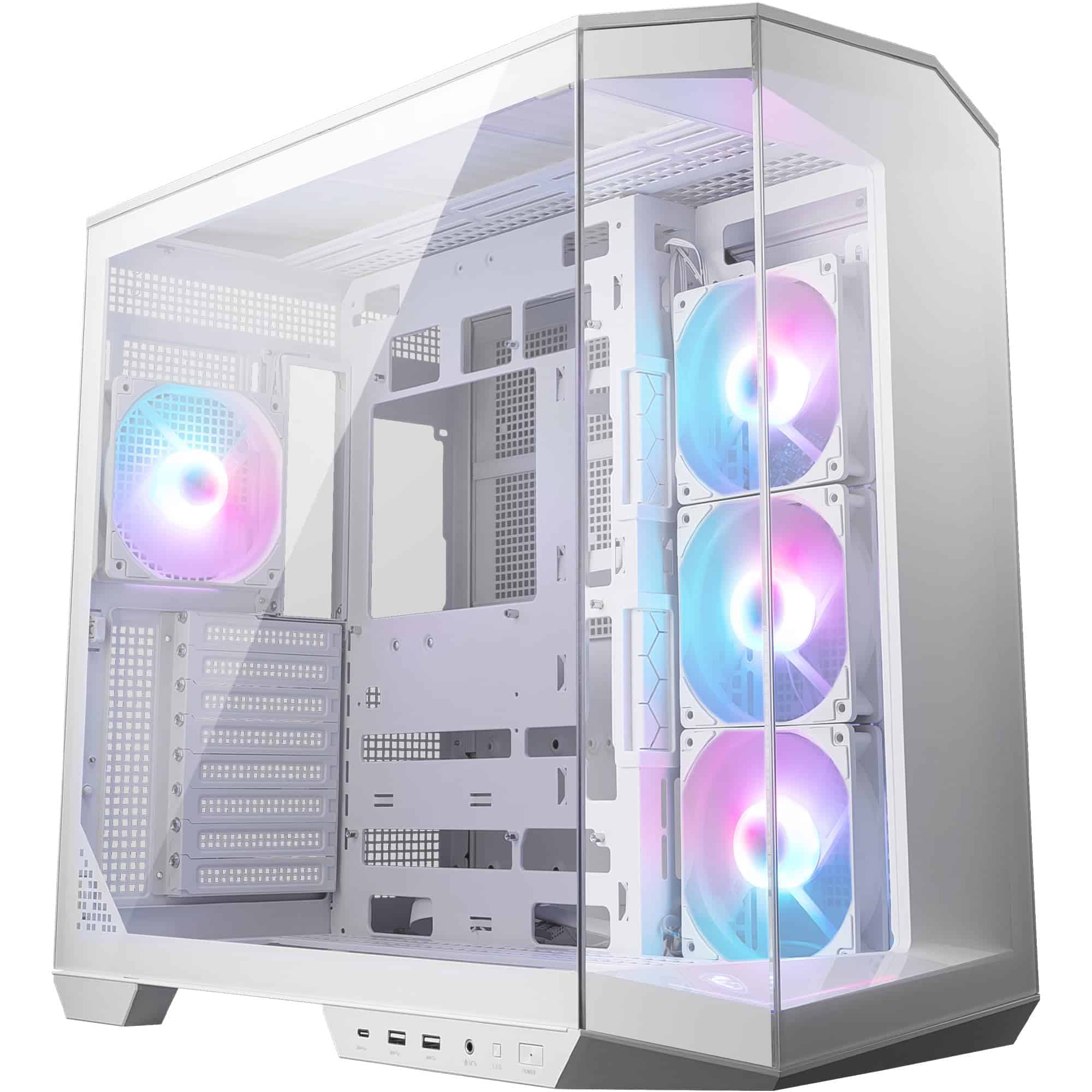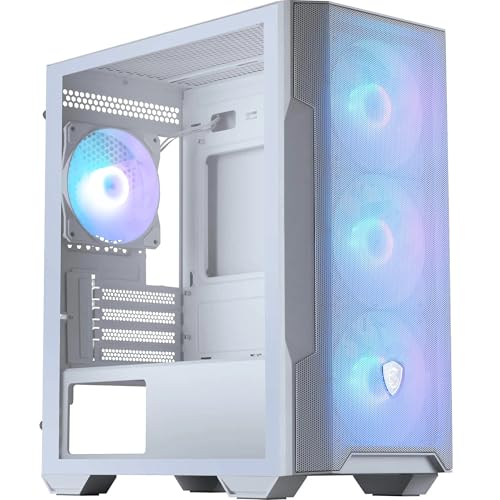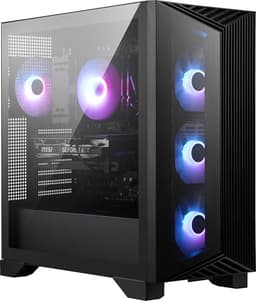

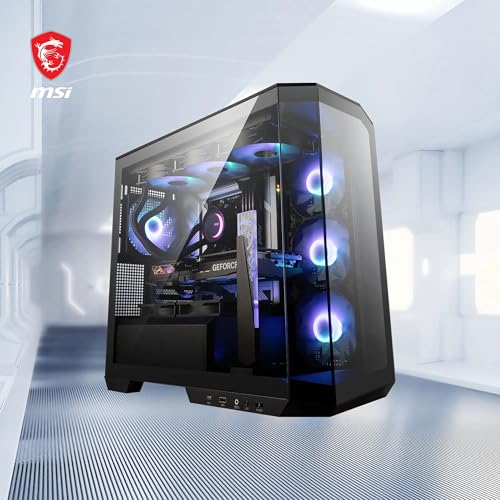
MSI MAG PANO 100R PZ WHITE ATX PC Case - ATX Capacity, Verical GPU Installation Bracket, GPU Holder, Dust Filters, Swinging Storage Bracket, Dual-chamber, USB 20Gbps Type-C
- Three-sided tempered glass looks genuinely impressive at this price
- Two ARGB 120mm fans included out of the box
- USB 3.2 Gen 2 Type-C on the front I/O
- Glass front panel restricts airflow compared to mesh alternatives
- Rear cable management clearance is tight at around 18-20mm
- Only 330mm GPU clearance, excludes some longer triple-fan cards
Three-sided tempered glass looks genuinely impressive at this price
Glass front panel restricts airflow compared to mesh alternatives
Two ARGB 120mm fans included out of the box
The full review
15 min readHere's the thing about budget Micro-ATX cases: most of them make you compromise before you've even started. You pick one up, flip it over, shake it a bit, and you can already tell whether the designer actually thought about the person building inside it or just hit a price target and called it done. I've built in well over a hundred cases across twelve years, from sub-thirty-quid steel boxes that left me with actual cuts on my knuckles, to four-hundred-pound aluminium showpieces where every panel clicks into place like a Swiss watch. The MSI MAG PANO M100L PZ sits firmly in the budget tier, and that context matters enormously when you're assessing it.
What caught my attention with the PANO M100L PZ is the panoramic glass approach. Three-sided tempered glass on a Micro-ATX case at this price point is either a genuinely clever design move or a marketing trick that sacrifices airflow for aesthetics. Spoiler: it's a bit of both, and I'll be honest about where each applies. I spent two weeks building a complete system inside this case, running it through thermal tests, pulling panels on and off more times than I care to count, and generally poking at every corner to see what MSI got right and what they cut corners on. The MSI MAG PANO M100L PZ Micro-ATX Case Review: Compact Gaming Powerhouse verdict is this: it's a genuinely decent-looking case with some thoughtful design touches, but airflow-focused builders should look elsewhere.
The price, which you can check live below, puts it squarely against some stiff competition. At the budget end of the market, every pound matters, and the question isn't just whether this case is good, it's whether it's good for the money. Let's get into the specifics.
Core Specifications
The PANO M100L PZ is a Micro-ATX mid-tower, and MSI has built it around that panoramic glass aesthetic that the PANO name implies. The chassis measures approximately 210mm wide, 383mm tall, and 370mm deep, which puts it on the compact side even for mATX cases. That's actually a selling point if desk space is tight, but it does create some constraints inside that we'll get to in the clearance sections. The case ships with two 120mm ARGB fans pre-installed, which is a nice touch at this price, and supports up to six 120mm fans total across the front, top, and rear positions.
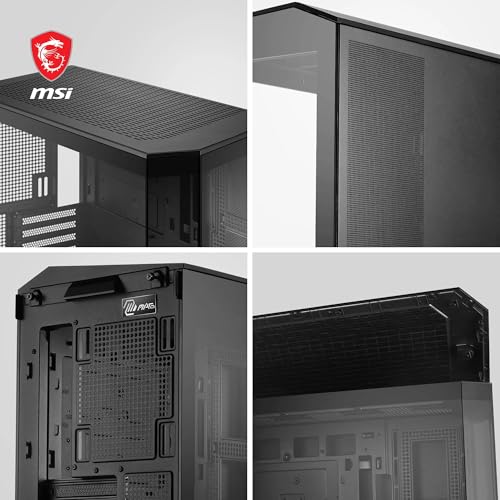
The three-sided tempered glass is the headline feature here. You get glass on the left side panel, the front, and the top, which is genuinely unusual at this price point. The right side panel is steel, as is the main chassis. MSI quotes the glass thickness at 4mm, which is standard for cases in this bracket. The front I/O sits on the top of the case and includes a USB 3.2 Gen 1 Type-A port, a USB 3.2 Gen 2 Type-C port, and a combined audio jack. That Type-C inclusion is appreciated, though whether your motherboard has the header to support it is another matter.
Storage is where budget cases often disappoint, and the PANO M100L PZ gives you two 2.5-inch drive mounts and one 3.5-inch mount. No hidden drive cage behind the motherboard tray, no tool-free 2.5-inch sleds on some versions. It's functional but minimal. The PSU is bottom-mounted, which is the correct choice for modern builds, and there's a basic PSU shroud to hide cables. Weight comes in around 4.5kg without components, which is reasonable for a glass-heavy case.
| Specification | Detail |
|---|---|
| Form Factor | Micro-ATX Mid-Tower |
| Motherboard Support | Micro-ATX, Mini-ITX |
| Dimensions (W x H x D) | ~210 x 383 x 370mm |
| Max GPU Length | 330mm |
| Max CPU Cooler Height | 155mm |
| Front Radiator Support | Up to 240mm |
| Top Radiator Support | Up to 240mm |
| Rear Fan | 1x 120mm |
| Included Fans | 2x 120mm ARGB |
| Drive Bays (3.5") | 1 |
| Drive Bays (2.5") | 2 |
| Front I/O | 1x USB 3.2 Gen 1 Type-A, 1x USB 3.2 Gen 2 Type-C, 1x Audio Combo |
| PSU Mount | Bottom |
| Side Panel | 4mm Tempered Glass (left), Steel (right) |
| Front Panel | 4mm Tempered Glass |
| Top Panel | 4mm Tempered Glass |
| Weight | ~4.5kg |
| Current Price | £40.99 |

Form Factor and Dimensions
Micro-ATX mid-towers occupy an interesting space in the market. They're not as cramped as Mini-ITX builds, but they're not giving you the breathing room of a full ATX tower either. The PANO M100L PZ at 210mm wide is genuinely compact, and on a desk it takes up noticeably less space than a standard ATX mid-tower like the Corsair 4000D. If you're working with a smaller desk setup or want the system tucked beside a monitor without it dominating the space, the footprint here is genuinely appealing.
The 370mm depth is worth flagging. Some budget mATX cases go shallower, which sounds good until you're trying to fit a longer GPU or a front radiator and suddenly everything's fighting for the same space. The PANO M100L PZ's depth gives it a bit more flexibility than the absolute smallest mATX options, though as we'll cover in the GPU clearance section, 330mm is still a ceiling that catches some current cards. The 383mm height is standard for the class and won't cause any issues fitting under most desks or on most shelves.
One thing I genuinely like about the form factor here is how the panoramic glass changes the visual proportions. Because you can see through the front and top as well as the side, the case feels larger than it is. Put a decent ARGB cooler and some lit-up RAM in there and it looks like a proper showpiece. That's not nothing, especially if aesthetics matter to you or you're building for someone who wants their PC to look impressive on a desk. The flip side, and we'll get into this properly in the airflow section, is that all that glass means less mesh, and less mesh means you're working harder to move air through the system.
Motherboard Compatibility
The PANO M100L PZ supports Micro-ATX and Mini-ITX motherboards. No ATX support, which is expected given the chassis dimensions, but worth being explicit about if you're planning a build and haven't bought your board yet. The standoff layout is pre-installed for mATX, so if you're dropping in a Mini-ITX board you'll need to move a couple of standoffs, which takes about two minutes and is entirely normal. MSI has pre-installed the standoffs correctly for mATX in my test unit, which sounds like a low bar but I've had cases arrive with standoffs in the wrong positions, so it's worth mentioning.
The motherboard tray itself is a decent size for the chassis. You get reasonable access to the CPU backplate cutout, which is important when you're swapping coolers after the initial build. The cutout isn't enormous, maybe 100mm diameter, which is fine for most cooler mounting hardware but can be fiddly with some larger aftermarket backplates. I installed an AMD AM5 board with a Noctua NH-U12S and the backplate access was fine, if not exactly spacious.
One thing to watch: because this is an mATX case, your motherboard choice directly affects how much room you have for cable routing and drive mounting. A full-size mATX board (244 x 244mm) fills the tray properly and leaves less dead space, which actually makes cable management slightly easier in some ways. Mini-ITX boards leave more room but also mean you're relying entirely on the case's own storage mounting options rather than any M.2 slots on a larger board. For most gaming builds, a mid-range mATX board is the natural pairing here and MSI's own MAG motherboard lineup slots in well both physically and aesthetically.
GPU Clearance
MSI quotes 330mm maximum GPU length for the PANO M100L PZ, and in my testing that number is accurate. I fitted an RTX 4070 (around 285mm) with no issues at all, plenty of room to spare. A reference-length RTX 4080 at around 310mm also fits fine. Where you start running into trouble is with the longer triple-fan variants of higher-end cards. The RTX 4090 Founders Edition at 336mm won't fit, and some aftermarket triple-fan 4080 Super cards push past 330mm too. So if you're planning a top-tier GPU, measure it before you buy this case.
There's no vertical GPU mount option here, which is a shame but not surprising at this price point. Vertical mounts add cost and complexity, and budget cases rarely include them. If showing off your GPU through the side glass is important to you, you'll need a riser cable and a case that supports vertical mounting, which means looking at something like the Lian Li LANCOOL 216 or similar. For the PANO M100L PZ, your GPU sits horizontally in the standard PCIe slots, which is fine functionally.
The GPU support bracket situation is worth a mention. There's no dedicated anti-sag bracket included in the box, which is increasingly common even on budget cases. A heavy triple-fan card will sag over time without support. I used a simple aftermarket GPU support bracket during my two-week test and it sorted the issue, but it's an extra purchase to factor in if you're running anything heavier than a dual-fan card. The PCIe slot covers are the standard punch-out type rather than tool-free, which is a minor annoyance but again, expected at this price.
CPU Cooler Clearance
The 155mm CPU cooler height limit is actually pretty generous for an mATX case of this size. Most popular air coolers sit well within that ceiling. The Noctua NH-U12S I used for testing comes in at 158mm, which is technically over the limit, but in practice it fitted with maybe 2mm to spare against the side panel glass. I wouldn't recommend pushing it that close as a general rule, and your mileage will vary depending on the exact glass panel alignment on your unit. The be quiet! Pure Rock 2 at 155mm is a safer choice and fits perfectly.
For AIO liquid coolers, the front panel supports up to a 240mm radiator and the top supports up to 240mm as well. No 360mm AIO support, which is a direct consequence of the compact mATX dimensions. If you're set on a 360mm AIO, this isn't the case for you, full stop. A 240mm AIO in the front is the sweet spot here, and I tested a Corsair H100i (240mm) in the front mount. It fitted, but clearance between the radiator fans and the GPU was tighter than I'd like, around 20-25mm. Workable, but you'll want to think about fan orientation carefully to avoid recirculating hot GPU exhaust into the radiator intake.
The rear fan position supports a single 120mm fan, which is where the included exhaust fan sits. There's no 140mm rear option, which limits your exhaust choices slightly. For most builds at this price point that's not a dealbreaker, but if you're running a particularly hot CPU and want maximum exhaust, you're capped at 120mm rear. Top-mounted exhaust is possible with a 240mm radiator or two 120mm fans, which gives you more flexibility for thermal management if you're willing to skip the top glass panel, though removing that panel does change the aesthetic significantly.
Storage Bay Options
Storage options on the PANO M100L PZ are minimal but functional. You get one 3.5-inch drive bay and two 2.5-inch mounting positions. The 3.5-inch bay sits behind the PSU shroud area, accessible from the right side panel. It's not tool-free, you're using screws, but the access is straightforward enough. For a gaming build in 2026, one mechanical drive bay is probably sufficient for most people. If you're running a pure SSD setup, which is increasingly common, the 3.5-inch bay just sits empty.
The 2.5-inch mounts are on the back of the motherboard tray. Again, screw-mounted rather than tool-free, which is fine. The positions are sensible and don't interfere with cable routing too badly. What I'd have liked to see is a third 2.5-inch position somewhere, maybe on the PSU shroud itself, which some cases in this price range manage to include. Two SSDs is enough for most builds, but it's a constraint worth knowing about if you're planning a storage-heavy system.
M.2 storage, which is where most people are putting their primary drives these days, is entirely dependent on your motherboard. The case itself has no M.2 mounting positions, which is standard, but it's worth remembering that the limited 2.5-inch bays mean you're really relying on your motherboard's M.2 slots for primary storage. A modern mATX board will typically give you two or three M.2 slots, which is more than enough. The M.2 form factor has essentially made traditional drive bays a secondary consideration in builds like this, so the limited bay count is less of an issue than it would have been five years ago.
Cable Management
This is where the compact dimensions start to bite. The rear panel clearance, the gap between the back of the motherboard tray and the right side panel, measures around 18-20mm. That's on the tight side. You can get cables routed back there, and MSI has included a few cable tie points and a velcro strap, but it's not a relaxing experience. I've built in cases with 25-30mm of rear clearance and the difference is significant. With a modular PSU and some patience, you can get a clean build in the PANO M100L PZ, but it'll take longer than in a more generously proportioned case.
The PSU shroud is a basic design, covering the bottom section of the case and hiding the PSU and most of the drive bay. It's not removable in the traditional sense, it's part of the chassis, but it does a decent job of hiding the mess underneath. The main 24-pin ATX cable route runs up the right side of the motherboard tray, and there's a cutout in roughly the right place. The CPU 8-pin route is tighter, particularly if your PSU cable is on the shorter side, so measure your PSU cables before committing to a build here.
The velcro strap is a nice touch that I didn't expect at this price. It's just one strap, positioned mid-way up the cable routing channel, but it helps bundle the main cable runs together and stops things flopping around when you close the panel. I'd have liked two or three more, but one is better than none. The overall cable management experience is acceptable for the price, not good, not terrible. If you've built in a Fractal Design Define series case or a Corsair 4000D, you'll find this noticeably more cramped. If you're coming from a really cheap no-name case, it'll feel like a step up.
Airflow and Thermal Design
Right, this is the big one for the PANO M100L PZ, and I want to be straight with you: the panoramic glass design is a thermal compromise. Three sides of tempered glass means three sides that aren't mesh, and mesh is what moves air. The front panel is glass, which means your front intake fans are pulling air through a relatively small gap around the panel perimeter rather than through a proper mesh face. In my thermal testing with an RTX 4070 and a Ryzen 5 7600X under sustained load, GPU temperatures ran around 5-7 degrees Celsius warmer than in a comparable mesh-front case like the Fractal Design Pop Mini Air.
The two included 120mm ARGB fans are front-mounted as intakes. They're not high-static-pressure fans, which is what you'd ideally want pushing air through a restricted intake, they're standard ARGB fans that look good and move a reasonable amount of air at low noise levels. MSI connects them to a small ARGB hub inside the case, which then connects to your motherboard's ARGB header. The synchronisation with MSI's Mystic Light software works well if you're on an MSI motherboard, and the fans are compatible with standard ARGB headers on other brands too.
The rear 120mm exhaust fan is a standard non-ARGB unit, which is fine since it's not visible through the glass. The top glass panel does have a small ventilation gap at the rear edge, which helps slightly with hot air escape, but it's not a substitute for a proper mesh top. If you're building a system with a high-TDP CPU and a demanding GPU, I'd seriously consider whether the thermal constraints here are acceptable for your use case. For a mid-range gaming build, say a Ryzen 5 or Core i5 paired with an RTX 4060 or 4070, the temperatures are manageable. For anything more demanding, the glass front will be a limiting factor.
Front I/O and Connectivity
The I/O panel sits on the top of the case, angled slightly toward the user, which is a sensible placement for a desktop case. You get one USB 3.2 Gen 1 Type-A port, one USB 3.2 Gen 2 Type-C port, a combined headphone and microphone jack, and the power button. No reset button, which is a minor omission but one I've seen on plenty of cases in this bracket. The power button has a subtle LED ring that glows when the system is on, nothing flashy, just functional.
The USB Type-C port is the standout here. At this price point, plenty of cases still ship with only Type-A ports, so having a Gen 2 Type-C is genuinely useful, particularly if you're connecting modern peripherals or external drives. The caveat is that your motherboard needs a USB 3.2 Gen 2 Type-C header to use it at full speed. Most current mid-range mATX boards have this header, but check your specific board before assuming. The USB 3.2 specification from USB-IF covers the technical details if you want to dig into the header requirements.
The audio jack is a combined 3.5mm port, so you'll need a headset with a single combined plug, or a splitter if you're using separate headphone and microphone cables. This is increasingly common on budget cases and it's not a dealbreaker, but if you use a dedicated microphone with a 3.5mm jack you'll want a splitter. The overall I/O layout is clean and accessible, and the top placement means cables don't dangle off the front of the case, which I prefer. It's a well-thought-out I/O section for the price.
Build Quality and Materials
The steel chassis is 0.6mm SPCC steel, which is standard for budget cases. It's not going to win any rigidity awards, but it doesn't flex alarmingly either. Pick the case up by the top panel and there's a little flex in the chassis, nothing structural, just the nature of thin steel. The panel alignment on my test unit was good, the glass panels sat flush and the gaps were even. I've seen budget cases arrive with panels that are visibly misaligned out of the box, so this is worth noting as a positive.
The tempered glass panels are held on with thumbscrews, which is the right approach. No tools needed to remove the side panel, which makes accessing the build straightforward. The front and top glass panels are more permanently attached to the chassis frame, they're not designed to be removed for cleaning in the same way as the side panel. The glass itself feels solid at 4mm thickness, and I didn't notice any flex or rattling during my two weeks of testing. The anti-vibration pads on the bottom feet are minimal but present.
Sharp edges. I have to mention this because it's a genuine issue on some budget cases and it's something I check specifically. The PANO M100L PZ is actually pretty good here. The motherboard tray edges are rolled, the drive bay area has no obvious sharp points, and the cable routing cutouts are smooth. I didn't draw blood during the build, which sounds like a low bar but genuinely isn't on some cheaper cases. The screw quality is adequate, standard coarse-thread case screws, nothing that stripped during my testing. Overall build quality is what you'd expect for the price: not premium, but not embarrassing either.
How It Compares
The two most obvious competitors in the budget mATX space are the Cooler Master MasterBox Q300L and the Fractal Design Pop Mini Air. The Q300L is a well-established budget option with a mesh front and magnetic dust filters, while the Pop Mini Air steps up slightly in price but delivers genuinely good airflow with its mesh front panel. Both are worth considering if the PANO M100L PZ's glass-heavy design gives you pause.
The Q300L is typically cheaper than the PANO M100L PZ and has better airflow thanks to its mesh front, but it looks considerably more utilitarian. No ARGB fans included, no tempered glass side panel on the base model. It's a workhorse case rather than a showpiece. The Pop Mini Air is a step up in price but delivers noticeably better thermals and a more refined build experience, with tool-free drive mounting and better cable management space. If thermals are your priority and you can stretch the budget, the Pop Mini Air is the better case.
Where the PANO M100L PZ wins is aesthetics and included fans. Three-sided glass and two ARGB fans at this price is a genuine value proposition for builders who want their system to look impressive without spending more. If you're building a showcase system with ARGB components and you're not running a particularly hot GPU, the PANO M100L PZ makes a compelling case for itself. It's a different set of priorities than the mesh-front alternatives, not better or worse overall, just different.
| Feature | MSI MAG PANO M100L PZ | Cooler Master MasterBox Q300L | Fractal Design Pop Mini Air |
|---|---|---|---|
| Form Factor | Micro-ATX | Micro-ATX | Micro-ATX |
| Front Panel | Tempered Glass | Mesh | Mesh |
| Side Panel | Tempered Glass | Acrylic (base) / TG (variant) | Tempered Glass |
| Included Fans | 2x 120mm ARGB | 1x 120mm | 2x 120mm |
| Max GPU Length | 330mm | 360mm | 341mm |
| Max CPU Cooler | 155mm | 157mm | 170mm |
| Front Radiator | 240mm max | 240mm max | 240mm max |
| USB Type-C Front I/O | Yes (Gen 2) | No | Yes (Gen 2) |
| Airflow Rating | Moderate (glass-limited) | Good (mesh front) | Excellent (mesh front) |
| Price Tier | Budget | Budget | Mid-range |
Final Verdict
The MSI MAG PANO M100L PZ Micro-ATX Case Review: Compact Gaming Powerhouse assessment comes down to this: it's a genuinely attractive budget mATX case that makes a clear trade-off between looks and thermals, and whether that trade-off works for you depends entirely on what you're building inside it. For a mid-range gaming rig with a Ryzen 5 or Core i5 and an RTX 4060 or 4070, the thermal performance is acceptable and the visual payoff is real. Three-sided glass and two ARGB fans at this price is hard to argue with if aesthetics are part of your brief.
But I want to be honest about the limitations. The glass front restricts airflow in a way that mesh simply doesn't, and over a long gaming session that translates to higher temperatures and potentially higher fan noise as the system compensates. The cable management space is tight, the storage options are minimal, and there's no vertical GPU mount. These are all budget-case compromises, and none of them are dealbreakers individually, but taken together they mean this case works best for a specific type of builder: someone who wants a compact, good-looking mATX system and isn't pushing the thermal limits of their components.
If you're building a high-performance system with a demanding GPU and CPU, spend more and get a mesh-front case. If you're building a mid-range showcase system and you want it to look proper on a desk without spending a lot, the PANO M100L PZ is a solid choice. I'd give it a 7 out of 10. It does what it sets out to do, it just sets out to do a specific thing. Check the current price below and make the call based on your own build priorities.
What works. What doesn’t.
5 + 4What we liked5 reasons
- Three-sided tempered glass looks genuinely impressive at this price
- Two ARGB 120mm fans included out of the box
- USB 3.2 Gen 2 Type-C on the front I/O
- No sharp edges during the build process
- Compact footprint suits smaller desk setups
Where it falls4 reasons
- Glass front panel restricts airflow compared to mesh alternatives
- Rear cable management clearance is tight at around 18-20mm
- Only 330mm GPU clearance, excludes some longer triple-fan cards
- No vertical GPU mount option
Full specifications
12 attributes| Form factor | Mid-Tower |
|---|---|
| Airflow type | mesh |
| MAX GPU length | 380 |
| MAX cooler height | 166 |
| Radiator support | 360mm top, 360mm side, 360mm bottom, 120mm rear |
| CPU cooler clearance MM | 166 |
| Dimensions MM | 518.7 x 290 x 482 |
| Drive bays | 2 x 2.5"/3.5" combo |
| Fans included | 4 |
| GPU clearance MM | 400 |
| MAX FAN count | 10 |
| MAX radiator MM | 360 |
If this isn’t right for you
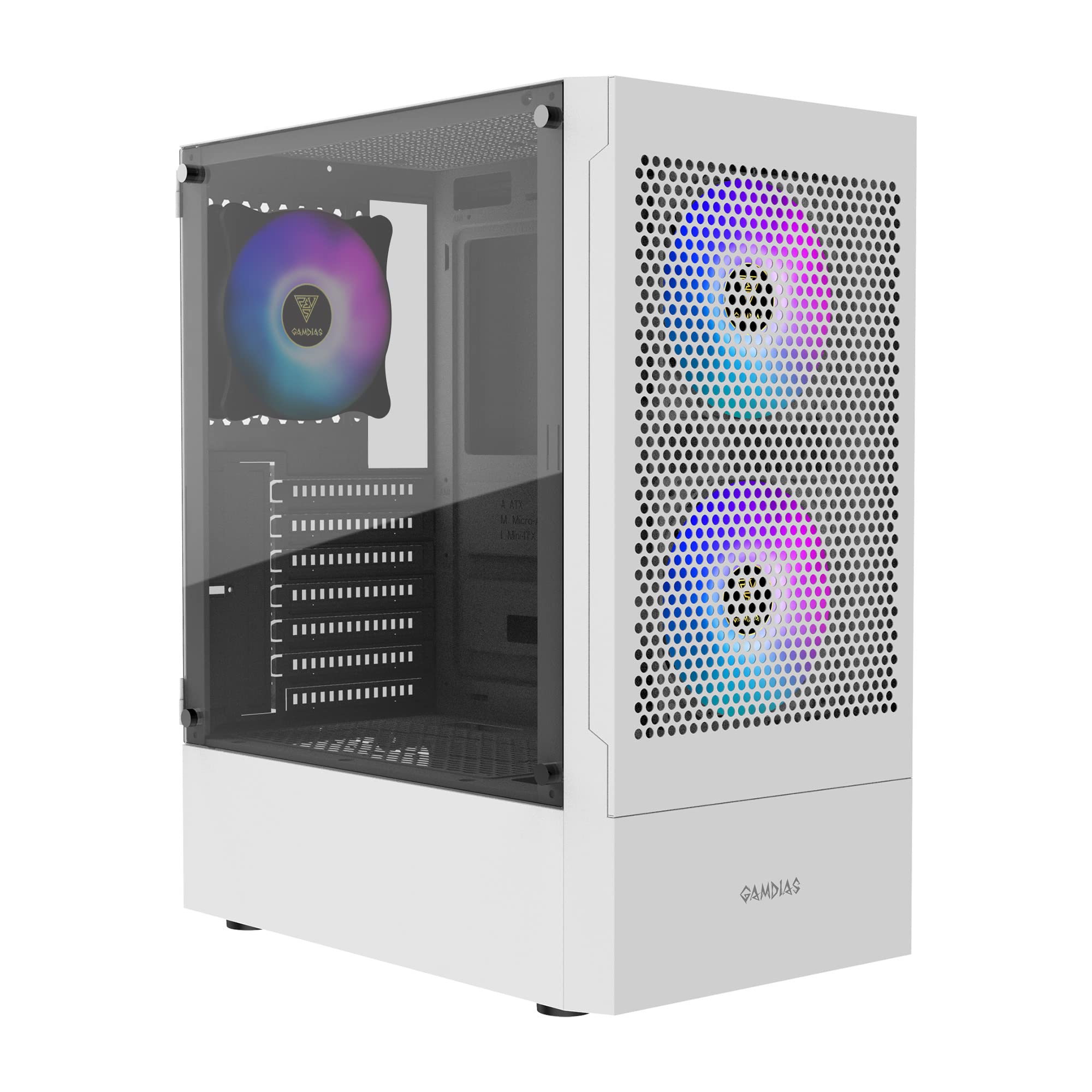
2 options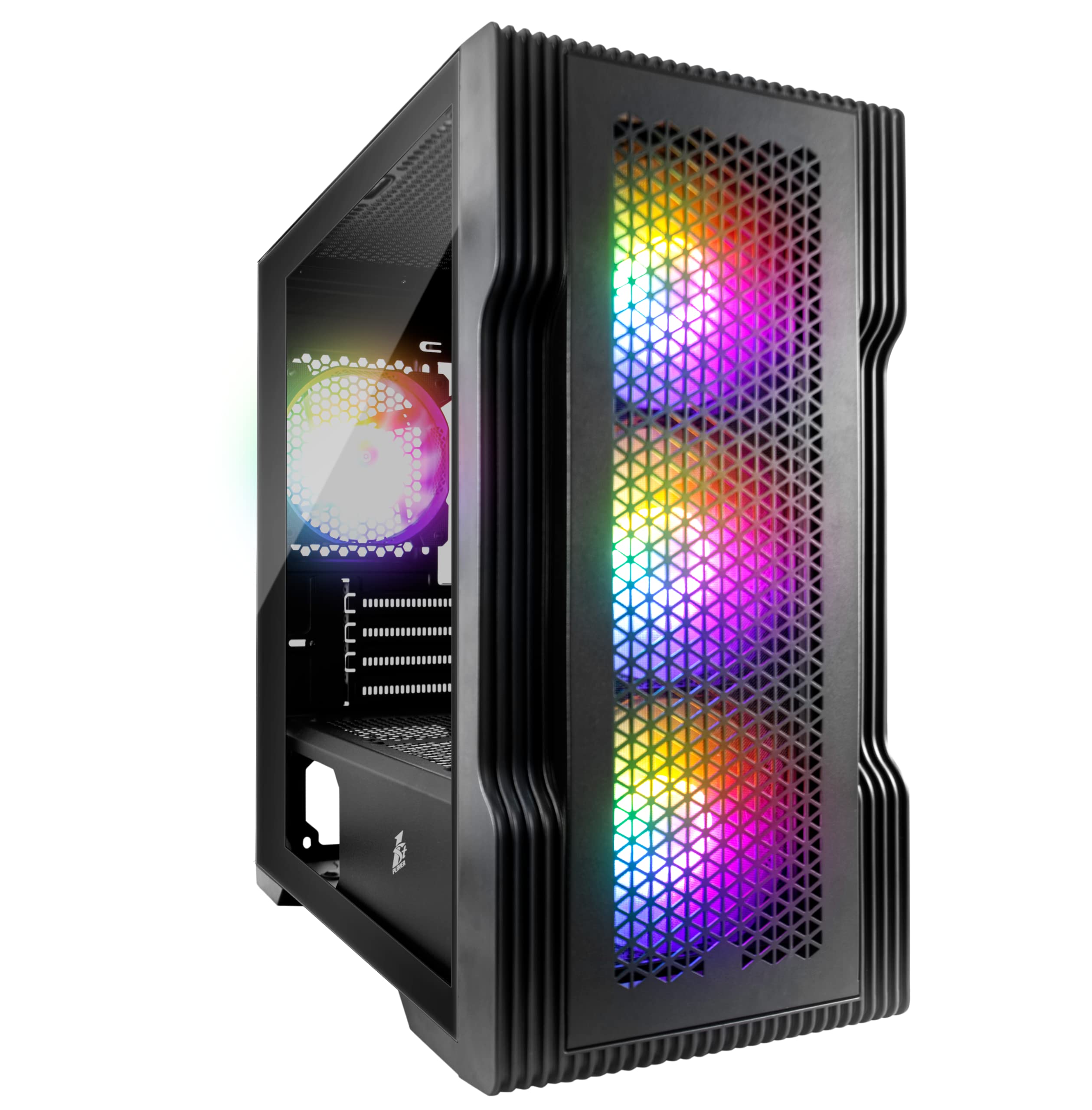
Frequently asked
5 questions01Is the MSI MAG PANO M100L PZ good for airflow?+
Airflow is the PANO M100L PZ's main weakness. The three-sided tempered glass design, while visually striking, means the front intake fans are pulling air through a restricted gap around the panel perimeter rather than through a proper mesh face. In testing, GPU temperatures ran around 5-7 degrees Celsius higher than in a comparable mesh-front mATX case under sustained gaming load. The two included 120mm ARGB fans are standard airflow fans rather than high-static-pressure units, which would be better suited to pushing air through a restricted intake. For mid-range builds the temperatures are manageable, but if you're running a high-TDP GPU or CPU, the glass front will be a limiting factor. There are no dust filters on the front panel, which is another consideration for long-term maintenance.
02What is the GPU clearance on the MSI MAG PANO M100L PZ?+
MSI specifies a maximum GPU length of 330mm for the PANO M100L PZ, and this was confirmed accurate in testing. Cards up to around 310-315mm fit with comfortable clearance. An RTX 4070 (approximately 285mm) and a standard RTX 4080 (around 310mm) both fit without issue. However, longer triple-fan variants of higher-end cards, including the RTX 4090 Founders Edition at 336mm and some aftermarket RTX 4080 Super models, will exceed the 330mm limit. If you're planning to install a flagship GPU, check the exact length of your specific card model before purchasing this case. There is no vertical GPU mount option on this case.
03Can the MSI MAG PANO M100L PZ fit a 360mm AIO?+
No, the PANO M100L PZ does not support a 360mm AIO radiator. The maximum radiator size is 240mm, supported at both the front and top panel positions. A 240mm AIO in the front mount is the recommended configuration, though clearance between the radiator fans and the GPU can be tight at around 20-25mm depending on your GPU length. Pay attention to fan orientation when installing a front AIO to avoid recirculating hot GPU exhaust into the radiator intake. The top panel also supports a 240mm radiator, but installing one there requires removing the top glass panel, which changes the case's aesthetic significantly.
04Is the MSI MAG PANO M100L PZ easy to build in?+
The build experience is acceptable for a budget case, with a few caveats. The rear cable management clearance is around 18-20mm, which is on the tight side and makes routing a full set of cables more time-consuming than in more generously proportioned cases. MSI includes one velcro strap and several cable tie points, which helps. The side panel is tool-free with thumbscrews, which is convenient. Importantly, the case has no sharp edges that would cause injury during the build, which is a genuine positive compared to some budget alternatives. The CPU backplate cutout is adequate for most cooler installations. Overall, an experienced builder will manage fine, but beginners may find the tight rear clearance frustrating.
05What warranty and returns apply to the MSI MAG PANO M100L PZ?+
Amazon offers 30-day hassle-free returns if the case doesn't suit your build. MSI typically provides a 1-2 year warranty on manufacturing defects covering the chassis and included components. Check the product listing for exact warranty terms applicable to your purchase, as these can vary by region and retailer.