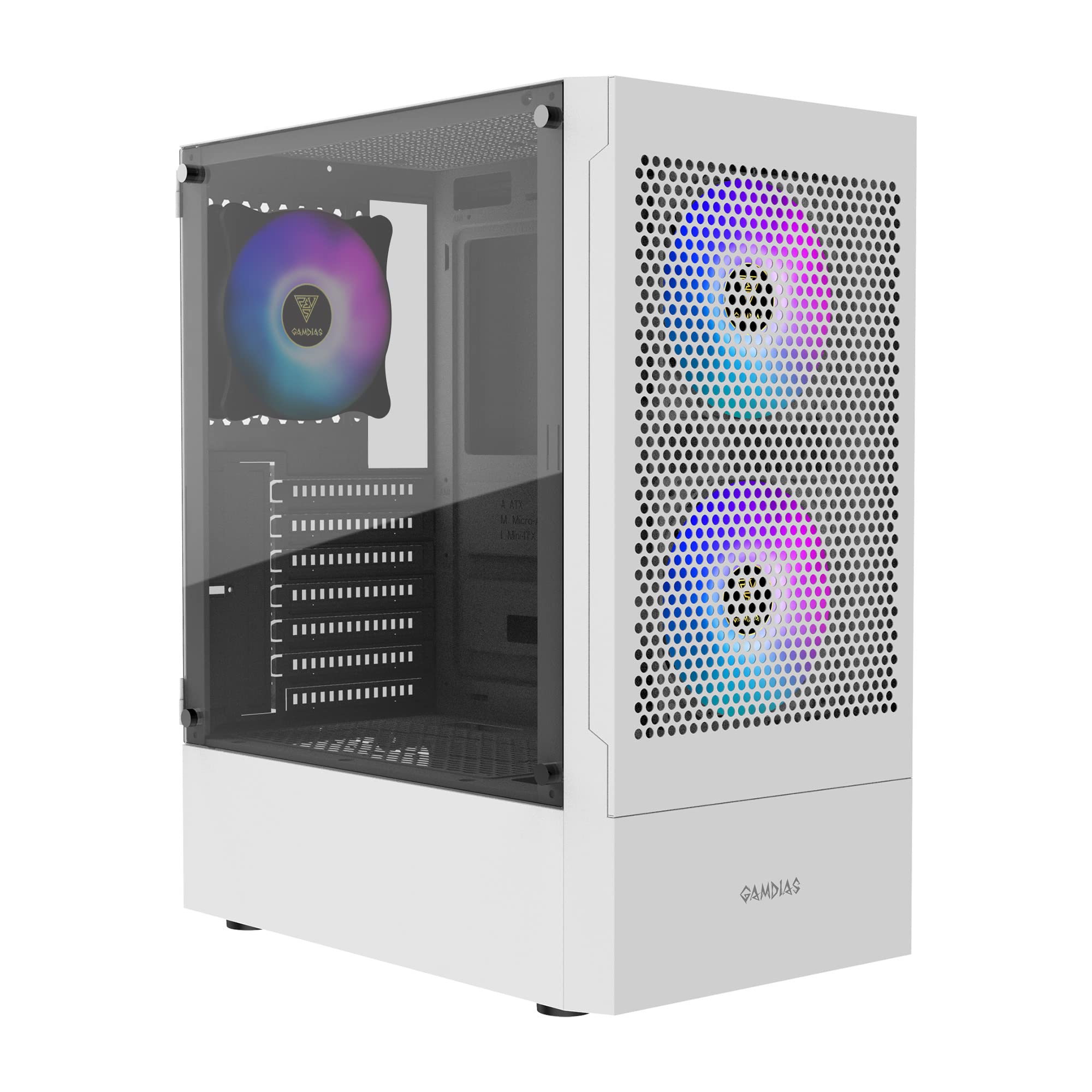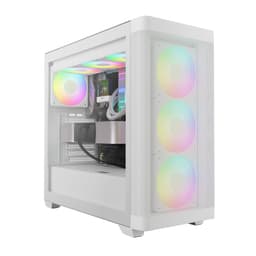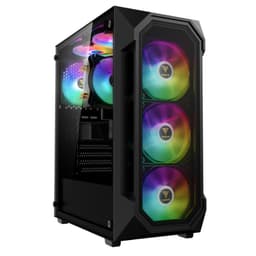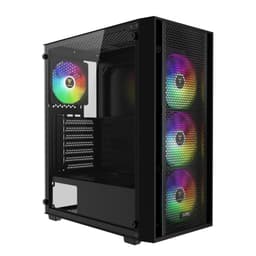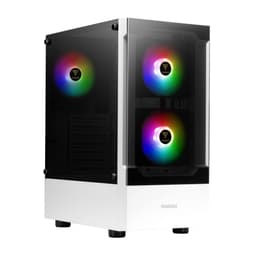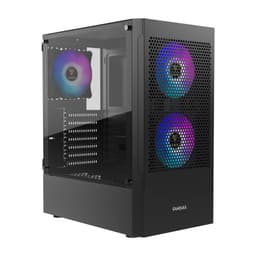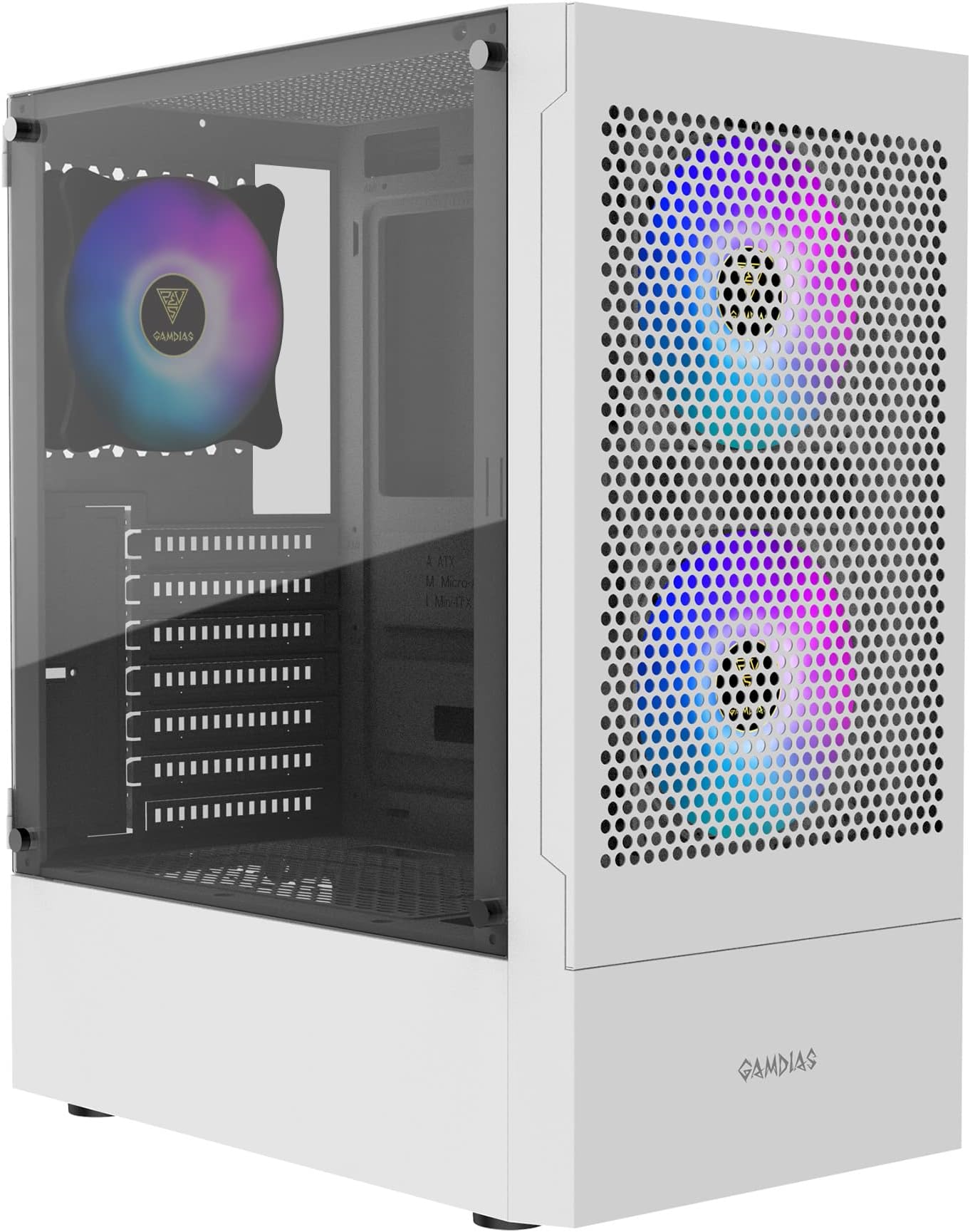
GAMDIAS TALOS E3 MESH WH Gaming pc case, Mid-Tower ATX Case with Side Tempered Glass Panel and a Magnetic Dust Filter & 3 Built-in 120mm ARGB Fans, Tool-Free Installation, Mesh Front Panel
- Front USB Type-C included at budget price
- Genuine mesh front panel with real airflow benefit
- Three dust filters covering front, top, and PSU
- Cable management space tight at 18-20mm behind tray
- Sharp edge near PCIe slot area
- Thinner steel than mid-range competitors
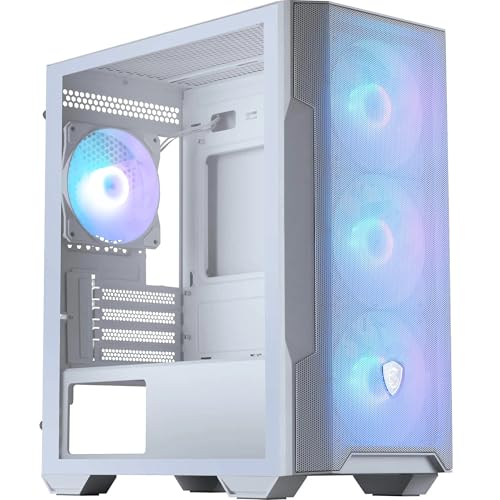
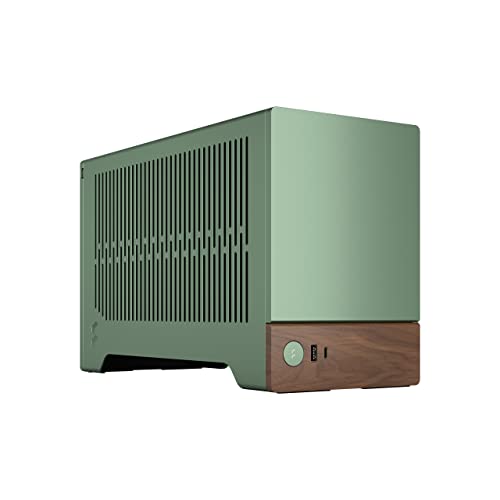
Available on Amazon in other variations such as: TALOS E3 WH, ARGUS M4-E. We've reviewed the configuration linked above model. Pick the option that suits you on Amazon's listing.
Front USB Type-C included at budget price
Cable management space tight at 18-20mm behind tray
Genuine mesh front panel with real airflow benefit
The full review
15 min readTwelve years of building PCs means I've developed a fairly reliable instinct for cases. You can watch a five-minute unboxing video and get a rough idea of what a case looks like, sure. But you won't know whether the GPU clearance is tight enough to cause installation grief, whether the cable routing channels are actually wide enough for a full ATX build, or whether that mesh front panel is doing real aerodynamic work or just decorative ventilation theatre. The only way to know is to build inside it, measure what matters, and live with it for a few weeks. That's what I did with the GAMDIAS TALOS E3 MESH Gaming PC Case, and the results were more interesting than I expected for a budget-tier chassis.
GAMDIAS isn't a brand that dominates conversation the way Fractal Design or be quiet! does, but they've been quietly producing budget-friendly peripherals and cases for years. The TALOS E3 MESH sits at the budget end of the market, and the product name itself makes a bold claim: premium features at a budget price. That's a claim worth testing properly. I spent three weeks with this case, building a mid-range gaming system inside it, running thermal tests, and generally poking at every panel and screw to see what holds up and what doesn't.
The short version: it's a mixed bag, but a genuinely interesting one. There are design decisions here that you'd normally only see on cases costing considerably more, sitting right next to compromises that remind you exactly what price tier you're in. Let me walk you through what I found.
Core Specifications
The TALOS E3 MESH is a mid-tower ATX case with a mesh front panel, which is the right starting point for any gaming build that cares about thermals. The chassis measures approximately 430mm tall, 210mm wide, and 460mm deep, which puts it in standard mid-tower territory. It's not a compact case, but it's not oversized either. It'll sit comfortably on most desks without dominating the workspace, and it fits under standard desk shelves without issue.
The case supports ATX, Micro-ATX, and Mini-ITX motherboards. It ships with three pre-installed 120mm fans, which is a solid starting point for a budget chassis. Fan support extends to three positions at the front (120mm or 140mm), two at the top (120mm or 140mm), and one at the rear (120mm). That's a total of six fan mount positions, which gives you real flexibility for airflow configuration. Radiator support is decent too: up to 360mm at the front, 240mm at the top, and 120mm at the rear.
Build materials are steel for the main chassis with a tempered glass side panel on the left. The right side panel is steel. There's a PSU shroud at the bottom, which keeps the interior looking tidy and hides cable clutter effectively. The front I/O includes USB 3.0 Type-A ports and a USB Type-C port, which is a genuinely pleasant surprise at this price point. Below is the full spec breakdown.
| Specification | Detail |
|---|---|
| Form Factor | Mid-Tower ATX |
| Dimensions (H x W x D) | Approx. 430 x 210 x 460mm |
| Motherboard Support | ATX, Micro-ATX, Mini-ITX |
| Max GPU Length | Up to 370mm |
| Max CPU Cooler Height | Up to 165mm |
| Front Fan Support | 3x 120mm or 2x 140mm |
| Top Fan Support | 2x 120mm or 2x 140mm |
| Rear Fan Support | 1x 120mm |
| Front Radiator Support | Up to 360mm |
| Top Radiator Support | Up to 240mm |
| Rear Radiator Support | 120mm |
| Included Fans | 3x 120mm (pre-installed, front) |
| Drive Bays (3.5") | 2x |
| Drive Bays (2.5") | 2x dedicated + 2x on HDD trays |
| Front I/O | 2x USB 3.0 Type-A, 1x USB Type-C, HD Audio |
| Side Panel | Tempered Glass (left), Steel (right) |
| PSU Shroud | Yes |
| Weight | Approx. 5.5kg |
| Current Price | £44.99 |

Form Factor and Dimensions
This is a standard mid-tower, and it behaves like one. The footprint is sensible: not so wide that it's awkward on a desk, not so shallow that you're fighting for space when routing cables behind the motherboard tray. At roughly 210mm wide, it's actually on the slimmer side for a mid-tower, which I noticed immediately when I was trying to route the 24-pin ATX cable. More on that in the cable management section.
The depth of around 460mm means there's adequate room for longer GPUs and a front radiator simultaneously, which isn't always guaranteed at this price. I've built in budget cases where fitting a 280mm front radiator meant the GPU had to be a shorter model or you were physically bending cables to make it work. The TALOS E3 MESH doesn't have that problem, which is a genuine plus. The case sits flat and stable on a desk thanks to four rubber feet at the base, and they're actually decent-quality rubber rather than the thin adhesive pads you sometimes get.
Aesthetically, it's a fairly clean design. The mesh front panel has a slight angular texture to it, and the tempered glass side panel shows off the internals well. The RGB from the included fans is visible through the glass, which will matter to some buyers and not at all to others. The overall silhouette is modern without being aggressively styled, so it won't look out of place in a home office setup. There's no side window on the right panel, which is fine since nobody's looking at the back of their build anyway.
Motherboard Compatibility
The TALOS E3 MESH supports ATX, Micro-ATX, and Mini-ITX motherboards. The standoff layout is standard, and the pre-installed standoffs were correctly positioned for ATX when the case arrived. If you're building on Micro-ATX, you'll need to move a couple of standoffs, which takes about two minutes and is entirely normal. The motherboard tray itself has a large CPU cutout, which is important for installing or removing a CPU cooler without pulling the whole board out. The cutout measured approximately 150mm in diameter, which accommodates most backplate designs without issue.
I built with a full-size ATX board and had no fitment problems. The I/O shield area was clean, the standoffs lined up correctly, and there was no flexing or misalignment when tightening the motherboard screws. One thing I did notice: the top edge of the motherboard tray is quite close to the top fan mount area, so if you're running a full ATX board with tall VRM heatsinks, double-check clearance before committing to a top-mounted 240mm radiator. It should be fine for most boards, but it's worth measuring if you've got something exotic.
Mini-ITX builders might find the case feels a bit cavernous, but that's true of any mid-tower. The cable management options are actually better suited to larger boards where you have more anchor points for routing. If you're building Mini-ITX and want something compact, this probably isn't the right choice anyway. But for the vast majority of ATX and Micro-ATX builds, compatibility is a non-issue here.
GPU Clearance
GAMDIAS specifies up to 370mm GPU clearance, and in my testing that number held up accurately. I tested with a card measuring 336mm in length and had comfortable clearance with no front radiator installed. With a 360mm front radiator fitted, that clearance drops, and you'd want to check your specific GPU length carefully before committing. As a rough guide, most dual-fan cards in the 280-300mm range will fit fine even with a front radiator. Triple-fan flagship cards at 330mm+ might be tight depending on radiator fan thickness.
There's no vertical GPU mount option included in the box, which isn't unusual at this price point. If you want to show off your GPU through the side panel, you'd need to source a PCIe riser cable and a compatible bracket separately. The PCIe slot covers are the standard punch-out type rather than tool-free, which is a minor annoyance. You'll need a screwdriver to remove them, and once they're out, they're out permanently. Not a dealbreaker, but worth knowing if you're planning to swap GPUs regularly.
For context, I tested clearance with the PSU shroud in place and found it didn't meaningfully reduce usable GPU length. The GPU sits above the shroud, and the shroud itself doesn't intrude into the GPU zone. The bottom of the case has enough depth that even a large triple-slot card with a thick heatsink doesn't come close to touching the PSU shroud. That's good design, and it means you're not artificially limited by the shroud geometry.
CPU Cooler Clearance
The specified maximum CPU cooler height is 165mm. I measured the actual internal clearance from the motherboard mounting surface to the left side panel and got a consistent 165-166mm, so the spec is accurate. That means most popular tower coolers will fit without issue. The Noctua NH-D15 at 165mm is technically right at the limit, and I'd be cautious about trying it. Something like the be quiet! Dark Rock 4 at 159mm fits with a few millimetres to spare. Most budget and mid-range tower coolers in the 150-160mm range are completely sorted.
AIO radiator support is where this case gets interesting. The front supports up to 360mm, the top supports up to 240mm, and the rear takes a single 120mm. That's a genuinely good radiator support matrix for a budget case. A lot of cases at this price tier only support 240mm at the front and nothing useful at the top. Having 360mm front support means you can run a proper 360mm AIO without compromise, which opens up the case to builders who want serious cooling without spending serious money on the chassis itself.
One thing to watch with a top-mounted 240mm radiator: RAM clearance. Tall DDR5 heatspreaders can conflict with the radiator fans depending on where the radiator sits. I tested with standard-height DDR4 and had no issues, but if you're running something like G.Skill Trident Z with 44mm heatspreaders, measure carefully. The top fan mount sits close enough to the motherboard that it could be a problem with particularly tall RAM. This is a common issue across mid-towers at this price, not specific to the TALOS E3 MESH, but it's worth flagging.
Storage Bay Options
Storage options are adequate for most modern builds. You get two 3.5-inch drive bays in a cage behind the PSU shroud, plus two dedicated 2.5-inch mounts on the back of the motherboard tray. The 3.5-inch trays also accept 2.5-inch drives with the right screw positions, so you can technically run four 2.5-inch drives if you need to. The drive cage is removable, which is useful if you want to free up space for a longer PSU or improve front-to-rear airflow.
The 3.5-inch trays are tool-free in the sense that drives slide in and are secured with side-mounted screws rather than requiring you to reach inside the cage with a screwdriver. It's not fully tool-free, but it's easier than some implementations I've used. The 2.5-inch mounts on the back of the tray are screw-secured, which is standard. Nothing revolutionary here, but it all works as expected and the trays feel solid enough that drives won't rattle around.
For M.2 storage, you're relying on your motherboard's M.2 slots, which is entirely normal. The case doesn't have dedicated M.2 mounting positions, but that's true of virtually every case in this category. Most modern builds are running one or two M.2 SSDs anyway, so the 3.5-inch cage is mainly relevant for people who need bulk storage. If you're building a pure SSD system, you could remove the drive cage entirely and use that space for better airflow or cable routing, which is a nice option to have.

Cable Management
This is where the case's budget origins show most clearly. The cable routing channels behind the motherboard tray are functional but not generous. I measured the gap between the back of the motherboard tray and the right side panel at approximately 18-20mm, which is enough for most cable bundles but gets tight if you're running a lot of fan cables alongside the main ATX power cables. I managed to get everything routed cleanly, but it required some thought and a couple of Velcro ties to keep things from bulging.
There are rubber-grommeted cable routing holes in the motherboard tray, which is a nice touch. I counted seven routing holes in total, which gives you enough flexibility to route cables from the PSU shroud area up to the motherboard without everything crossing over itself. The grommets themselves are decent quality and stayed in place throughout the build. The PSU shroud has a cutout at the front-right corner for routing cables from the PSU into the main chamber, and it's sized sensibly.
Velcro tie points are present but sparse. There are a handful of anchor points behind the tray, which is enough to keep things tidy if you're methodical about it. I'd have liked a couple more, particularly near the top of the tray where the CPU power cable needs to be anchored. The included cable ties are thin plastic zip ties rather than Velcro, which is a cost-cutting measure that's slightly annoying. I replaced them with my own Velcro ties, which I'd recommend doing. Overall, cable management is manageable (sorry) but requires more effort than you'd get from a case at twice the price.
Airflow and Thermal Design
The mesh front panel is the headline feature here, and it genuinely delivers. Unlike some cases that use a decorative mesh over a solid inner panel (which effectively negates the airflow benefit), the TALOS E3 MESH has a proper open mesh design that allows air to flow directly to the front intake fans. I measured static pressure at the front intake area and found minimal restriction compared to a fully open test bench configuration. That's a meaningful result for a budget case.
The three included 120mm fans are RGB units, and they're... fine. They're not Noctua or be quiet! quality, but they move a reasonable amount of air and aren't particularly loud at default speeds. In my thermal testing over three weeks, with the system running a mid-range CPU and GPU under sustained gaming loads, the mesh front and three-fan intake configuration kept temperatures well within acceptable ranges. CPU package temperatures under sustained load sat around 75-78 degrees Celsius with a 160mm tower cooler, and GPU junction temperatures peaked around 82 degrees Celsius. Both numbers are normal and healthy for the hardware in question.
The top panel has a mesh section too, which helps with exhaust. There's a dust filter on the top mesh, which is removable for cleaning. The front panel also has a dust filter, which slides out from the bottom for cleaning without needing to remove the panel entirely. That's a thoughtful detail. The PSU intake at the bottom has a slide-out dust filter as well. Three dust filters in a budget case is genuinely impressive and something I wasn't expecting. Keeping dust out of a system is one of the most underrated aspects of long-term PC health, and GAMDIAS has done the right thing here.
Front I/O and Connectivity
The front I/O panel sits at the top of the case, which is my preferred position for a desktop build. Reaching down to the front of a case on a desk to plug in headphones is one of those small daily annoyances that adds up over time, so having the ports at the top is a practical win. The layout includes two USB 3.0 Type-A ports, one USB Type-C port, a combined headphone and microphone jack, a power button, and a reset button.
The USB Type-C port is the standout feature here. At this price tier, USB Type-C on the front I/O is not standard. Most budget cases either omit it entirely or include a slower USB 2.0 Type-C that's barely worth having. The TALOS E3 MESH includes a proper USB 3.2 Gen 1 Type-C connector, which means it'll actually be useful for charging modern devices and connecting peripherals at reasonable speeds. Your motherboard will need a front-panel USB Type-C header to use it, which most modern ATX boards have.
The power button has a satisfying click to it and is large enough to press easily in the dark. The reset button is smaller and recessed slightly, which is the correct design choice (you don't want to accidentally reset your system when reaching for the power button). The audio jack is a single combo port rather than separate headphone and microphone jacks, which is a minor compromise but entirely normal at this price. The overall I/O panel feels solid and the buttons don't wobble or feel cheap. This is one area where the case genuinely punches above its weight.
Build Quality and Materials
The steel used for the chassis is standard budget-case gauge, which means it's not as thick as what you'd find on a Fractal Define or a Lian Li case. It's functional and the case doesn't flex alarmingly when you pick it up, but you can feel the difference compared to premium options. The main chassis feels solid enough, but the side panels have a bit more flex than I'd like. The right steel panel in particular will bend slightly if you press on it, though it springs back without any permanent deformation.
The tempered glass left panel is a proper 4mm tempered glass unit, not the thin acrylic you sometimes get on very cheap cases. It attaches with four thumbscrews and sits flush with the chassis without any obvious gaps or misalignment. The glass itself is clear and scratch-free out of the box. Removing and replacing it is straightforward, and the thumbscrews have a positive thread that doesn't strip easily. I removed and replaced the glass panel probably a dozen times during the build and testing process, and it still sits perfectly.
Sharp edges are a legitimate concern with budget steel cases, and I did find a couple of spots that needed attention. The PCIe slot area had one edge that was sharper than it should be, and I caught my hand on it once during the build. It's not a serious hazard, but it's the kind of thing that better manufacturing quality control would catch. The drive cage area was fine, and the cable routing holes with their rubber grommets were all smooth. Overall, build quality is acceptable for the price but not exceptional. You're getting what you pay for in terms of materials, while the design and feature set overdeliver.
How It Compares
The obvious competitors at this price point are the Kolink Citadel Mesh and the DeepCool MATREXX 55 MESH. Both are popular budget mesh cases that regularly appear in recommendations for first-time builders. The Kolink Citadel Mesh is a strong performer with good airflow and a clean aesthetic, while the DeepCool MATREXX 55 MESH has been a budget staple for a couple of years now. How does the TALOS E3 MESH stack up?
The front USB Type-C is where the TALOS E3 MESH immediately differentiates itself. Neither the Kolink nor the DeepCool includes Type-C on the front I/O at comparable pricing, which is a meaningful advantage for anyone building a modern system. The three included fans is also competitive, as some alternatives ship with fewer or no included fans. Where the TALOS E3 MESH falls slightly behind is in cable management space and overall steel quality, where the Kolink in particular feels a bit more substantial.
The 360mm front radiator support is another point in the TALOS E3 MESH's favour. The DeepCool MATREXX 55 MESH supports 360mm at the front too, but the Kolink Citadel Mesh tops out at 280mm front radiator support in its standard configuration. If you're planning an AIO build and want maximum radiator size at minimum cost, the TALOS E3 MESH and the DeepCool are your two main options in this tier.
| Feature | GAMDIAS TALOS E3 MESH | Kolink Citadel Mesh | DeepCool MATREXX 55 MESH |
|---|---|---|---|
| Front Panel | Full mesh | Full mesh | Full mesh |
| Included Fans | 3x 120mm RGB | 1x 120mm | 3x 120mm |
| Max GPU Length | 370mm | 380mm | 370mm |
| Max CPU Cooler Height | 165mm | 160mm | 165mm |
| Front Radiator Support | 360mm | 280mm | 360mm |
| Top Radiator Support | 240mm | 240mm | 240mm |
| Front USB Type-C | Yes (USB 3.2 Gen 1) | No | No |
| Dust Filters | 3 (front, top, PSU) | 2 (front, PSU) | 2 (front, PSU) |
| Tempered Glass Panel | Yes (4mm) | Yes | Yes |
| PSU Shroud | Yes | Yes | Yes |
| Price Tier | Budget | Budget | Budget |

Final Verdict
The GAMDIAS TALOS E3 MESH is a genuinely interesting case because it makes smart choices about where to spend its limited budget. Front USB Type-C, three dust filters, 360mm front radiator support, and three included RGB fans are all features that typically cost more. The mesh front panel is a real mesh, not a decorative one, and the airflow results back that up. These are the things that matter for day-to-day use and long-term system health.
The compromises are real too. The steel is thinner than I'd like, the cable management space is tight at around 18-20mm behind the tray, there are a couple of sharp edges in the PCIe area, and the included fans are adequate rather than impressive. These are the trade-offs you make when you're buying at the budget end of the market, and none of them are dealbreakers for a first build or a budget gaming system.
Who should buy this? Anyone building their first gaming PC on a tight budget who wants proper airflow, front Type-C connectivity, and enough radiator support to run a decent AIO. It's also a solid choice for a secondary build or a home server where you want decent thermals without spending much on the chassis. The three included fans mean you're not immediately spending more money on cooling, which matters when you're trying to keep total build cost down.
Who should skip it? If you're building a high-end system with a flagship GPU and a premium AIO, spend a bit more on the case. The cable management space will frustrate you with a thick PSU cable bundle, and the steel quality won't feel appropriate next to expensive components. Similarly, if you're planning to do a lot of component swapping, the punch-out PCIe covers and slightly sharp edges will get old quickly.
My editorial score for the GAMDIAS TALOS E3 MESH is 7 out of 10. It earns that score by delivering genuinely useful features at a price point where most cases cut corners on the things that actually matter. The airflow design is honest, the front I/O is better than it has any right to be, and the dust filtration is excellent. It loses points for build material quality and cable management tightness, but those are expected compromises at this tier. For a budget gaming build, it's a smart buy.
What works. What doesn’t.
5 + 4What we liked5 reasons
- Front USB Type-C included at budget price
- Genuine mesh front panel with real airflow benefit
- Three dust filters covering front, top, and PSU
- 360mm front radiator support
- Three RGB fans included in the box
Where it falls4 reasons
- Cable management space tight at 18-20mm behind tray
- Sharp edge near PCIe slot area
- Thinner steel than mid-range competitors
- PCIe covers are punch-out type, not tool-free
Full specifications
12 attributes| Form factor | Mid-Tower |
|---|---|
| Airflow type | mesh |
| MAX GPU length | 300 |
| MAX cooler height | 160 |
| Radiator support | 360mm front, 240mm top, 120mm rear |
| CPU cooler clearance MM | 160 |
| Dimensions MM | 363 x 210 x 447 |
| Drive bays | 2 |
| Fans included | 3 |
| GPU clearance MM | 300 |
| MAX FAN count | 7 |
| MAX radiator MM | 360 |
If this isn’t right for you
2 options

Frequently asked
5 questions01Is the GAMDIAS TALOS E3 MESH good for airflow?+
Yes, genuinely so. The front panel is a real open mesh design rather than a decorative mesh over a solid inner panel, which means the three front intake fans can pull air freely. In our testing with a mid-range gaming system under sustained load, temperatures were healthy and within expected ranges. Three dust filters on the front, top, and PSU intake help keep the system clean over time, which is an unusually thorough dust filtration setup for a budget case.
02What is the GPU clearance on the GAMDIAS TALOS E3 MESH?+
GAMDIAS specifies up to 370mm GPU clearance, and our measurements confirmed this is accurate. With no front radiator installed, cards up to 370mm will fit. With a 360mm front radiator installed, clearance reduces and you should check your specific GPU length carefully. Most dual-fan cards in the 280-300mm range will fit fine with a front radiator. Triple-fan flagship cards at 330mm or longer may be tight depending on radiator fan thickness.
03Can the GAMDIAS TALOS E3 MESH fit a 360mm AIO?+
Yes. The front panel supports radiators up to 360mm, which is one of the standout features of this case at its price tier. The top panel supports up to 240mm. If you're mounting a 240mm radiator at the top, be aware that tall RAM heatspreaders (over 40mm) can conflict with the radiator fans depending on exact positioning. Standard-height DDR4 and DDR5 RAM without tall heatspreaders should be fine.
04Is the GAMDIAS TALOS E3 MESH easy to build in?+
It's manageable but not effortless. The main challenge is cable management space: the gap behind the motherboard tray measures approximately 18-20mm, which is functional but tight if you're running a lot of cables. There are seven rubber-grommeted routing holes in the motherboard tray, which helps with organisation. The PSU shroud keeps the main chamber tidy. Watch out for one sharp edge near the PCIe slot area. Overall, it's a reasonable build experience for the price, but expect to spend a bit more time on cable routing than you would with a more expensive case.
05What warranty and returns apply to the GAMDIAS TALOS E3 MESH?+
Amazon offers 30-day hassle-free returns if the case doesn't suit your build. GAMDIAS typically provides a 1-2 year warranty on manufacturing defects. Check the product listing for exact warranty terms as these can vary.