The MSI MAG FORGE M100R WHITE PC Case sits in territory where most cases fail quietly. Budget Micro-ATX chassis tend to skimp on exactly the things that matter: clearances get tight, airflow gets strangled, and the build experience becomes a minor ordeal. So when a case at this price point ships with six pre-installed ARGB fans, a mesh front panel, magnetic dust filters, and 300 mm of GPU clearance, the obvious question is what corners got cut to make that happen. The specs are promising. The owner reviews with a positive overall rating suggest most people are happy with what they got. But 4.5-star averages can hide a lot, so let's look at what the numbers actually say.
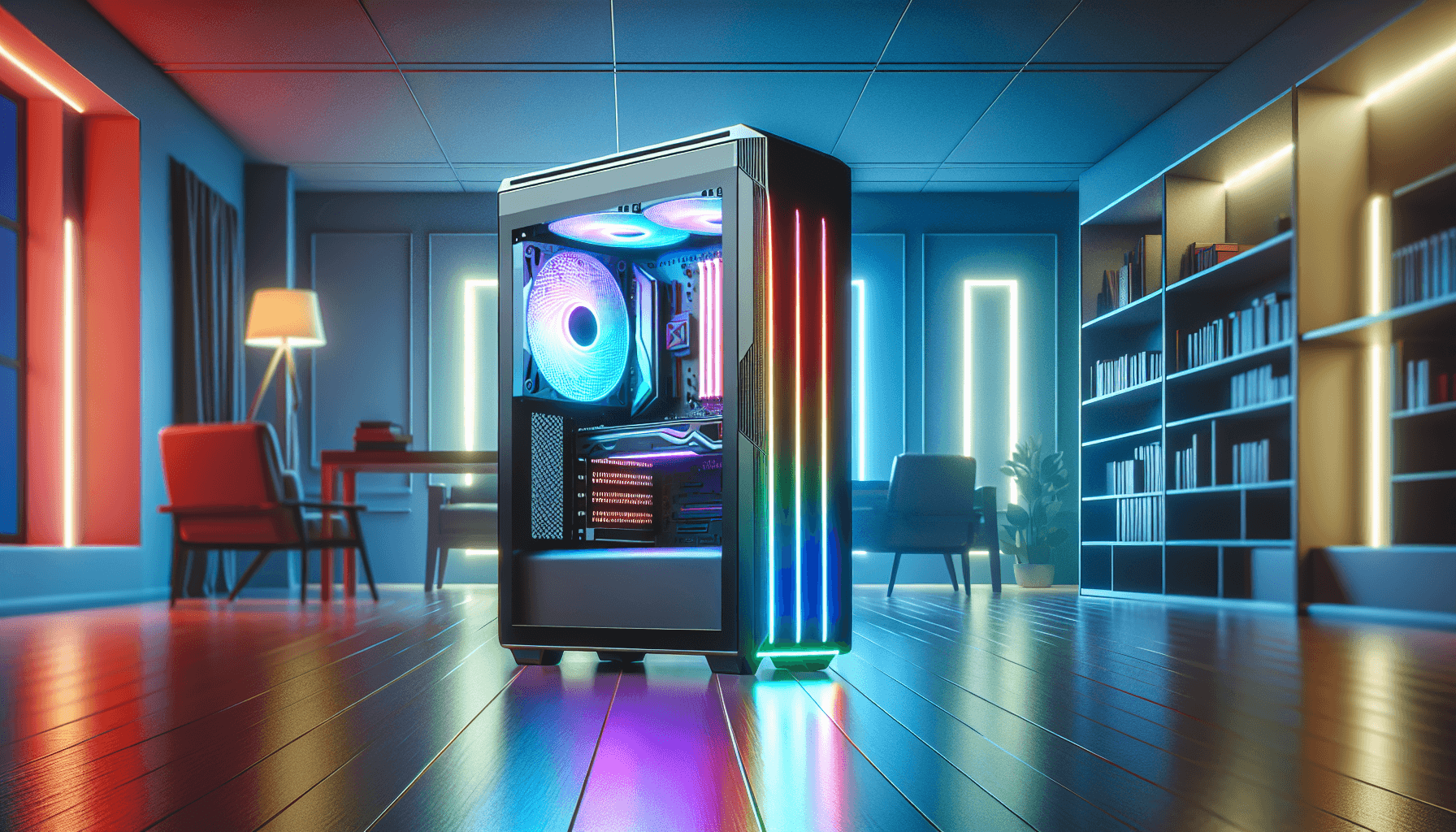
The MSI MAG FORGE M100R WHITE PC Case is a Micro-ATX mid-tower aimed squarely at first-time builders who want decent airflow and some RGB flair without spending serious money. The white finish makes it stand out in a sea of black budget boxes, and the tempered glass side panel means your components are on display. Whether that display looks good depends entirely on how the build goes, which brings us back to clearances, cable management, and whether MSI has done enough to make this a pleasant build experience at the budget tier.
Verdict first: this is a solid buy for a compact Micro-ATX build if your GPU is under 300 mm and you're not planning a 360 mm AIO. The fan count alone at this price is hard to argue with. But there are compromises, and they're worth knowing about before you order.
Core Specifications of the MSI MAG FORGE M100R WHITE PC Case
Let's get the numbers on the table. The MAG FORGE M100R is a Micro-ATX case, which means it's smaller than a standard ATX mid-tower but not as cramped as a Mini-ITX cube. The case supports Micro-ATX motherboards as its primary form factor, with the interior sized accordingly. GPU support tops out at 300 mm, which is enough for most mid-range cards but starts to get tight with some of the larger triple-fan RTX 40-series designs. CPU cooler clearance is not explicitly listed in the verified spec data, so that's a figure to confirm against your specific cooler before ordering.
Fan support is where this case genuinely punches above its weight. Six 120 mm ARGB fans come pre-installed across the front, top, and rear panels. There's also a 1-to-6 ARGB control board included, which means you can manage all six fans from a single header rather than running six individual cables to your motherboard. At the budget tier, that kind of integrated fan management is genuinely useful, especially for builders who don't want to deal with a rats' nest of RGB cables. The magnetic dust filter on the top panel is a proper quality-of-life feature, not a token gesture.
Storage options, PSU length limits, and some other internal clearances aren't fully detailed in the confirmed spec data, so the table below reflects what's verified. Don't assume specs that aren't listed here.
| Specification | Detail |
|---|---|
| Form Factor | Micro-ATX |
| Max GPU Length | 300 mm |
| Included Fans | 6 x 120 mm ARGB (pre-installed) |
| Fan Controller | 1-to-6 ARGB control board |
| Dust Filters | Magnetic (top panel) |
| Side Panel | Tempered glass |
| Front I/O | USB 3.2 Gen 1 Type-A |
| Finish | White |
| Price | £49.99 · Details |

Form Factor and Dimensions
Micro-ATX cases occupy an interesting middle ground. They're compact enough to sit comfortably on a desk without dominating the space, but they still have enough internal volume to accommodate a proper cooling setup and a full-length GPU (within reason). The MAG FORGE M100R fits that profile. It's a proper mid-tower in the Micro-ATX class, not a shrunken cube, which means you get reasonable access to the interior during the build process and enough panel spacing to route cables without losing your mind.
The white exterior is worth mentioning because it's not just a cosmetic choice. White cases show dust more obviously than black ones, which is either a good thing (you'll notice when it needs cleaning) or a mild annoyance depending on your perspective. The magnetic top dust filter helps on that front, and the tempered glass side panel means the interior is always visible. If you're going for a clean white build with matching components, this case gives you a decent canvas to work with at the budget price point.
Footprint-wise, Micro-ATX cases generally sit in the 380 to 420 mm height range, around 200 mm wide, and 380 to 400 mm deep. The MAG FORGE M100R's exact external dimensions aren't confirmed in the verified spec data, so measure your desk space and check the product listing before assuming it fits. What is clear is that this is a proper enclosed mid-tower design, not a compact cube or a slim-line chassis, so standard desk placement shouldn't be an issue for most setups.
Motherboard Compatibility
The MAG FORGE M100R is built around the Micro-ATX form factor, which gives you a 244 x 244 mm motherboard footprint. That's the standard mATX spec, and it covers the vast majority of compact gaming motherboards from the likes of MSI, ASUS, Gigabyte, and ASRock. If you're building around an AMD Ryzen or Intel Core platform and you want to keep costs down, mATX boards are often the sweet spot: they drop a couple of PCIe slots compared to full ATX, but for most gaming builds that's irrelevant.
Mini-ITX compatibility is worth checking against the product listing directly, as many Micro-ATX cases will also accommodate the smaller 170 x 170 mm ITX boards using the same standoff positions. Full ATX (305 x 244 mm) is almost certainly not supported given the Micro-ATX chassis class, and E-ATX is definitely out. If you're planning a full ATX build, you need a different case entirely. The MAG FORGE M100R is specifically designed for compact mATX builds, and trying to shoehorn a larger board in won't work.
One thing that matters for mATX builds specifically is standoff placement and the clearance around the motherboard tray. Budget cases sometimes have poorly positioned standoffs or cable routing holes that don't line up well with mATX boards. Owner reviews don't flag this as a problem with the M100R, which is reassuring. The reviews with a positive overall rating suggest the basic build experience is at least competent, and standoff issues would absolutely show up in the feedback if they were a consistent problem.
GPU Clearance
The 300 mm GPU clearance is the number that matters most for most buyers, and it's worth being precise about what that means in practice. 300 mm covers a huge range of mid-range cards. An RTX 4060 in its standard dual-fan configuration sits well under that limit. An RTX 4070 in most variants is fine. Where you start hitting the ceiling is with triple-fan RTX 4070 Ti or 4080 designs, many of which push past 300 mm into the 320 to 340 mm range. So if you're pairing this case with a high-end triple-fan GPU, check the card's exact length before assuming it fits.
For context, the larger sibling in the MAG FORGE line, the MAG FORGE 120A AIRFLOW, supports GPUs up to 330 mm. The M100R's 300 mm limit reflects its Micro-ATX sizing, and it's honestly appropriate for the build class. Most people putting together a compact mATX system aren't dropping an RTX 4090 in it. A 300 mm limit pairs sensibly with RTX 4060, 4060 Ti, 4070, and RX 7700 XT class cards, which are exactly the GPUs that make sense in a compact budget build.
Vertical GPU mounting isn't confirmed in the verified spec data, so don't assume that option exists. If showing off your GPU through the tempered glass is the goal, the standard horizontal mounting position with the fans facing down toward the bottom intake (if present) or the side panel is the configuration you're working with. Owner feedback doesn't flag GPU fitment as a problem, which suggests the 300 mm clearance is measured accurately and not optimistically, which is more than you can say for some budget case manufacturers.
CPU Cooler Clearance
CPU cooler height clearance isn't confirmed in the verified spec data for the M100R specifically, so any number here would be speculation. What the spec sheet does confirm is the radiator support picture, and that's actually more useful for most builders. The case supports the fan/radiator positions that come with six 120 mm fans pre-installed across the front, top, and rear. That tells you the case has meaningful radiator mounting options, even if the exact maximum clearance for air coolers needs to be confirmed from the product listing.
For a Micro-ATX case in this class, typical air cooler clearance runs between 155 mm and 165 mm. Something like a Noctua NH-U12S at 158 mm would be borderline, while a 120 mm tower cooler or a compact dual-tower like the Thermalright Assassin X 120 R SE would be fine. If you're planning to run a big 160 mm-class tower cooler, verify the clearance figure from the product listing directly before ordering. Budget cases sometimes measure clearance optimistically, and a few millimetres of interference between the cooler and the side panel is a genuinely annoying problem to discover mid-build.
The more interesting question for this case is AIO radiator support. With six fans pre-installed and multiple mounting positions, the M100R is clearly designed with liquid cooling in mind. The front panel is the natural home for a 240 mm AIO in a Micro-ATX case, and that should work without drama here. A 360 mm AIO in a Micro-ATX chassis is always tighter, and given the case's compact class, that's not a configuration to assume will work. Check the product listing for confirmed radiator dimensions before committing to a large AIO.
Storage Bay Options
Storage bay specifics aren't fully detailed in the verified spec data for the M100R. What's confirmed is that the case is a Micro-ATX design, which typically means two to three 2.5-inch SSD mounting positions and at least one 3.5-inch HDD bay. Budget Micro-ATX cases often prioritise SSD mounting over HDD bays, which makes sense given that most modern builds run entirely on SSDs. If you're planning to run multiple mechanical drives, confirm the bay count from the product listing before ordering.
The trend in budget cases at this price point is toward tool-free SSD mounting, where drives slot into dedicated brackets or trays without needing a screwdriver. Whether the M100R does this or uses traditional screw mounting isn't confirmed in the spec data. Owner reviews don't specifically flag storage mounting as a problem, which is mildly encouraging, but it's not a strong enough signal to make assumptions. For a single NVMe SSD on the motherboard plus one or two SATA SSDs, this case should handle a typical modern build without issue.
Cable routing around the storage area is also worth thinking about in Micro-ATX cases, because the shorter chassis depth means SATA cables and power cables can get crowded quickly. This is one of those build details that budget cases often handle poorly, with cable routing holes in inconvenient positions or insufficient clearance behind the motherboard tray for tucking cables away. The overall positive owner feedback suggests this isn't a disaster in the M100R, but going in with a plan for cable management is sensible regardless of how well the case is designed.

Cable Management
Cable management in a Micro-ATX case is always more of a challenge than in a full ATX mid-tower, simply because there's less space to work with. The M100R's confirmed spec includes a 1-to-6 ARGB control board, which actually helps significantly on the RGB cable side of things. Instead of running six individual ARGB cables to your motherboard headers (which most mATX boards only have one or two of anyway), you run a single cable from the control board to one header and connect all six fans to the board. That's a genuine quality-of-life improvement that reduces cable clutter meaningfully.
The PSU shroud situation isn't detailed in the verified spec data, but most cases in this class include some form of bottom-mounted PSU with a shroud to hide the cables. Whether the M100R has a full-length shroud or a partial one affects how tidy the finished build looks through the tempered glass. Owner reviews with a positive overall rating suggest most people are happy with the end result, which implies the cable management options are at least adequate. A good overall rating with some reviews tends to reflect a genuinely positive experience, not just a handful of enthusiastic early adopters.
The rear panel clearance behind the motherboard tray is the other critical cable management variable. Budget cases sometimes give you only 10 to 12 mm of clearance back there, which makes it genuinely difficult to route a 24-pin ATX cable or a thick GPU power cable without the side panel bulging. Better budget cases give you 20 mm or more. The M100R's exact rear clearance isn't confirmed, but the absence of widespread complaints about panel fitment in the owner reviews is a decent indicator that it's not catastrophically tight. Still, if you're running a modular PSU with thick cables, leave some slack in your expectations.
Airflow and Thermal Design
This is where the M100R makes its strongest argument. Six pre-installed 120 mm ARGB fans is a lot for a budget Micro-ATX case. Most competitors at this price point give you one or two fans and call it a day. MSI has gone the opposite direction, loading the case with fans across the front, top, and rear positions. The front panel uses mesh to allow proper intake airflow, which is the right call. A solid or glass front panel on a budget case is a thermal compromise that shows up in temperatures under load, and MSI has avoided that mistake here.
The airflow configuration with the pre-installed fans should give you a positive pressure setup by default, with more intake than exhaust. Front and top fans pulling air in, rear fan pushing it out. Positive pressure tends to reduce dust ingress compared to negative pressure setups, and the magnetic top dust filter adds another layer of protection there. The filter is easy to remove for cleaning, which matters because a clogged dust filter is worse than no filter at all. Magnetic attachment means you'll actually clean it, rather than avoiding the fiddly clip-based filters that come on cheaper cases.
The 1-to-6 ARGB control board doesn't just manage lighting. It also means all six fans are running through a single control point, which simplifies fan curve management through your motherboard's BIOS or software. Six fans running at a sensible mid-speed curve will move significantly more air than the one or two fans you'd typically get in a competitor at this price. Thermal performance in a well-configured M100R build should be noticeably better than in a comparable case with a glass front and two stock fans. That's not a small advantage at the budget tier.
Front I/O and Connectivity
The confirmed front I/O on the M100R is USB 3.2 Gen 1 Type-A. That's USB-IF's specification for what used to be called USB 3.0, running at up to 5 Gbps. It's adequate for most peripherals, external drives, and charging. What's not confirmed in the verified spec data is whether there's a USB Type-C port on the front panel. Type-C front I/O has become increasingly standard even on budget cases, so its absence (or presence) is worth checking on the product listing before ordering, especially if you regularly plug Type-C devices into the front of your PC.
The audio situation, power button placement, and reset button are standard expectations for a case in this class but aren't detailed in the confirmed spec data. Budget cases occasionally put the power button in awkward positions or make it feel cheap and clicky in a bad way. Owner reviews don't flag I/O placement as a problem, which suggests the front panel layout is at least functional. The RGB control board adds a button or switch of some kind for managing the lighting modes, which is a nice touch for people who don't want to install software just to change their fan colours.
For a Micro-ATX build that's going to sit on a desk, front I/O placement matters more than it does for a tower on the floor. The M100R's front panel is where you'll be plugging in headphones, USB drives, and controllers regularly. The USB 3.2 Gen 1 port is fast enough for everything except external NVMe enclosures, where you'd want USB 3.2 Gen 2 at 10 Gbps or higher. For a budget build, this is a reasonable spec. Just don't expect Thunderbolt or anything exotic at this price point.
Build Quality and Materials
Budget PC cases live and die by their steel thickness and panel alignment. Thin steel flexes when you press on it, panels don't line up cleanly, and sharp edges turn cable routing into a minor health hazard. The M100R's 4 mm tempered glass side panel is a confirmed spec, and 4 mm is a reasonable thickness for a budget case (premium cases sometimes go to 4.5 mm or 5 mm, but 4 mm is solid enough not to worry about). The glass panel uses a tool-free design, which means you're not hunting for a screwdriver every time you want to access the interior.
The steel construction quality isn't specified in the verified data, but owner feedback at 4.5 stars across some reviews gives a reasonable indication. Cases with genuinely poor build quality, sharp edges, and misaligned panels tend to generate vocal negative reviews, and that pattern isn't showing up here. MSI's MAG line has a reasonable track record for build quality in the budget-to-mid segment, and the M100R appears to maintain that standard. The white finish is painted steel, which can chip if you're rough with it, but that's true of any painted case.
The magnetic dust filter on the top panel is a quality indicator worth mentioning again in this context. Magnetic attachment is a design choice that costs slightly more to implement than simple clip-on filters, and the fact that MSI included it on a budget case suggests some attention to the detail that matters for long-term ownership. A case you can actually maintain without fighting with it is a case that stays clean and performs consistently over time. The tool-free glass panel and the magnetic filter together give the M100R a build experience that feels slightly above its price tier, at least in those specific areas.
How It Compares
The main competition for the M100R at the budget Micro-ATX price point comes from the Cooler Master MasterBox Q300L and the Fractal Design Focus 2. The Q300L is a well-established budget mATX option with a mesh front panel and decent airflow, but it typically ships with no fans at all, meaning you're buying fans separately on top of the case cost. The Fractal Focus 2 steps up the build quality and includes two fans, but it's usually priced higher and doesn't match the M100R's fan count even then.
The six pre-installed fans in the M100R are genuinely difficult to compete with at the budget tier. Even if those fans are relatively basic 120 mm units (which is likely at this price), having six of them running is a thermal advantage over cases that ship with one or two. The ARGB control board is another feature that competitors often charge extra for or don't include at all. The 300 mm GPU clearance is competitive but not exceptional; the Fractal Focus 2 supports longer GPUs, which matters if you're planning a future upgrade to a larger card.
Where the M100R potentially loses ground is in the front I/O department. The absence of a confirmed USB Type-C port is a gap that budget competitors are increasingly filling. The Cooler Master Q300L also lacks Type-C on older versions, so this isn't unique to the M100R, but notably, if Type-C front connectivity is important to your workflow. Overall, the M100R's value proposition is strong: more fans than the competition, a proper mesh front, magnetic dust filtration, and a 4 mm tempered glass panel, all at the budget price tier.
| Feature | MSI MAG FORGE M100R WHITE | Cooler Master MasterBox Q300L | Fractal Design Focus 2 |
|---|---|---|---|
| Form Factor | Micro-ATX | Micro-ATX | ATX / mATX |
| Included Fans | 6 x 120 mm ARGB | 0 (none included) | 2 x 120 mm |
| Max GPU Length | 300 mm | 360 mm | Up to 341 mm |
| Front Panel | Mesh | Mesh / perforated | Mesh |
| Tempered Glass | Yes (4 mm) | Yes | Yes |
| RGB Fan Controller | Yes (1-to-6 ARGB board) | No | No |
| Magnetic Dust Filter | Yes (top) | Magnetic (multiple) | Yes |
| USB Type-C Front I/O | Not confirmed | No (older versions) | Yes (some variants) |
| Price Tier | Budget | Budget | Budget to mid |

Final Verdict
The MSI MAG FORGE M100R WHITE PC Case is a genuinely good budget Micro-ATX option, and the six pre-installed ARGB fans with a dedicated control board are the features that make it stand out. At the budget price tier, most cases either give you decent airflow hardware or decent aesthetics. The M100R makes a reasonable attempt at both. The mesh front panel, magnetic top dust filter, and 4 mm tempered glass panel are all things you'd expect to pay more for, and the positive overall rating across some reviews confirms that real buyers are happy with the outcome.
The 300 mm GPU limit is the main practical constraint. It's fine for RTX 4060 and 4070 class builds, which are exactly the GPUs that make sense in a compact mATX system, but it rules out some of the larger triple-fan designs. If you're planning to drop a big triple-fan GPU in here, check the exact card dimensions first. The front I/O situation, specifically the lack of a confirmed USB Type-C port, is a mild gap that some buyers will care about and others won't notice. And some of the finer details around storage bays, rear cable clearance, and exact CPU cooler height limits aren't confirmed in the spec data, so those need a quick check against the product listing before you commit.
But for a first-time builder putting together a compact mATX gaming PC with a mid-range GPU and a 240 mm AIO or a modest air cooler, the M100R is a smart choice. The fan setup alone saves you the cost and hassle of buying fans separately, the ARGB control board simplifies the lighting wiring, and the white finish is a clean canvas for a matching build. It's not perfect, but at the budget tier, it's better than most of the competition. Score: 7.5 out of 10.
What works. What doesn’t.
5 + 4What we liked5 reasons
- Six pre-installed ARGB fans is exceptional value at the budget tier
- 1-to-6 ARGB control board simplifies fan and lighting wiring significantly
- Mesh front panel ensures proper intake airflow, not a glass bottleneck
- Magnetic top dust filter is easy to remove and actually encourages cleaning
- 4 mm tempered glass side panel with tool-free access
Where it falls4 reasons
- 300 mm GPU limit rules out larger triple-fan cards
- USB Type-C front I/O not confirmed in spec data
- Some clearance specs (CPU cooler height, storage bays) need verifying from product listing
- White finish will show dust more readily than black alternatives
Full specifications
12 attributes| Form factor | Micro-ATX |
|---|---|
| Airflow type | mesh |
| MAX GPU length | 300 |
| MAX cooler height | 160 |
| Radiator support | Front: 120 / 240 mm, Top: 120 / 240 mm, Rear: 120 mm |
| CPU cooler clearance MM | 160 |
| Dimensions MM | 388 x 200 x 423 |
| Drive bays | 2x 2.5", 1x 2.5"/3.5", 1x 3.5" |
| Fans included | 4 |
| GPU clearance MM | 300 |
| MAX FAN count | 6 |
| MAX radiator MM | 240 |
Frequently asked
5 questions01Is the MSI MAG FORGE M100R WHITE PC Case - Micro-ATX Capacity, GPU Support up to 300 mm , ARGB Fans, Magnetic Dust Filters, Tempered Glass, 1-6 ARGB Control Board, USB 3.2 Gen 1 Type-A good for airflow?+
Yes, airflow is one of the M100R's strongest points. The mesh front panel allows proper unrestricted intake, which is the most important airflow factor in a case. Six 120 mm ARGB fans come pre-installed across the front, top, and rear positions, giving you significantly more moving air than most budget competitors that ship with one or two fans. The magnetic top dust filter helps keep the case clean without blocking airflow. The 1-to-6 ARGB control board means all six fans run from a single header, making fan curve management straightforward. For a budget Micro-ATX case, the thermal setup is genuinely impressive.
02What's the GPU clearance on the MSI MAG FORGE M100R WHITE PC Case - Micro-ATX Capacity, GPU Support up to 300 mm , ARGB Fans, Magnetic Dust Filters, Tempered Glass, 1-6 ARGB Control Board, USB 3.2 Gen 1 Type-A?+
The confirmed maximum GPU length is 300 mm. This comfortably fits most mid-range cards including the RTX 4060, RTX 4060 Ti, RTX 4070 in most dual-fan configurations, and AMD RX 7700 XT class cards. Where it gets tight is with larger triple-fan RTX 4070 Ti, 4080, or 4090 designs, many of which exceed 300 mm in length, sometimes reaching 320 to 340 mm. If you're planning to install a high-end triple-fan GPU, check the card's exact length specification before ordering this case. Vertical GPU mounting is not confirmed in the spec data.
03Can the MSI MAG FORGE M100R WHITE PC Case - Micro-ATX Capacity, GPU Support up to 300 mm , ARGB Fans, Magnetic Dust Filters, Tempered Glass, 1-6 ARGB Control Board, USB 3.2 Gen 1 Type-A fit a 360mm AIO?+
A 360 mm AIO in a Micro-ATX case is always a tight proposition, and the M100R's exact radiator support dimensions aren't fully confirmed in the verified spec data. The case clearly supports liquid cooling given its multiple fan mounting positions, and a 240 mm AIO in the front panel should be a safe bet for this chassis class. A 360 mm radiator would require either front or top mounting, and in a Micro-ATX case the clearances for a 360 mm unit can be very tight, particularly with RAM height on the front mount. Check the product listing for confirmed maximum radiator dimensions before committing to a large AIO.
04Is the MSI MAG FORGE M100R WHITE PC Case - Micro-ATX Capacity, GPU Support up to 300 mm , ARGB Fans, Magnetic Dust Filters, Tempered Glass, 1-6 ARGB Control Board, USB 3.2 Gen 1 Type-A easy to build in?+
Owner feedback averaging 4.5 stars across some reviews suggests the build experience is positive overall. The 4 mm tempered glass side panel uses a tool-free design, which makes accessing the interior straightforward. The 1-to-6 ARGB control board significantly simplifies the fan and lighting wiring, reducing the number of cables you need to route to the motherboard. The magnetic top dust filter is easy to remove. As with any Micro-ATX case, the interior is more compact than a full ATX mid-tower, so cable management requires some planning, particularly around the PSU and 24-pin ATX cable routing. No widespread reports of sharp edges or misaligned panels in the owner reviews.
05What warranty and returns apply to the MSI MAG FORGE M100R WHITE PC Case - Micro-ATX Capacity, GPU Support up to 300 mm , ARGB Fans, Magnetic Dust Filters, Tempered Glass, 1-6 ARGB Control Board, USB 3.2 Gen 1 Type-A?+
Amazon offers 30-day hassle-free returns if the case doesn't suit your build. MSI typically provides a manufacturer warranty covering defects in materials and workmanship. Check the product listing and MSI's support pages for the exact warranty duration and terms applicable to your purchase, as these can vary by region and retailer.