
Right, so here's the thing about most prebuilt reviews: they read the spec sheet back to you, slap a score on it, and call it a day. Nobody actually pops the side panel off and asks whether the PSU is a fire hazard or whether the RAM is running at the speed MSI claims. I've been building and reviewing PCs for twelve years now, and I can tell you from experience that the spec sheet and the reality inside the case are sometimes two very different conversations. So that's exactly what I did with the MSI Aegis ZS2 Gaming Desktop: AMD Ryzen R9-7900X, GeForce RTX 5070, 32GB DDR5, 2TB m2" class="vae-glossary-link" data-term="m2">M.2 NVMe, Liquid Cooling, VR-Ready, WiFi 7, Windows 11 Home: C7NVP-1435US. I cracked it open, ran it hard for about a month, and poked around every corner of it.
The Aegis ZS2 sits firmly in premium territory. You're getting a Ryzen 9 7900X paired with an RTX 5070, which on paper is a genuinely exciting combination. The 7900X is a proper twelve-core beast, and the RTX 5070 is NVIDIA's latest Blackwell-architecture card that brings serious 1440p and 4K credentials to the table. MSI has been making the Aegis line for years now, and it's one of the few prebuilt ranges where I don't immediately wince when I look at the internals. But "not immediately wincing" isn't the same as "brilliant value", so let's get into it properly.
I had this machine running for about a month across a mix of gaming sessions, productivity work, some video rendering, and the usual stress tests I put every prebuilt through. I also pulled it apart to check what's actually inside versus what the listing says. Here's what I found.
Core Specifications
Let's get the numbers out of the way first. The headline components are a Ryzen 9 7900X on AMD's AM5 platform, an RTX 5070 graphics card, 32GB of DDR5 memory, and a 2TB M.2 NVMe SSD. Cooling is handled by a liquid cooler rather than a tower air cooler, which is a good sign for a chip like the 7900X that runs warm under load. You also get Wi-Fi 7 built in, which is genuinely useful rather than a marketing checkbox, and Windows 11 Home comes pre-installed.
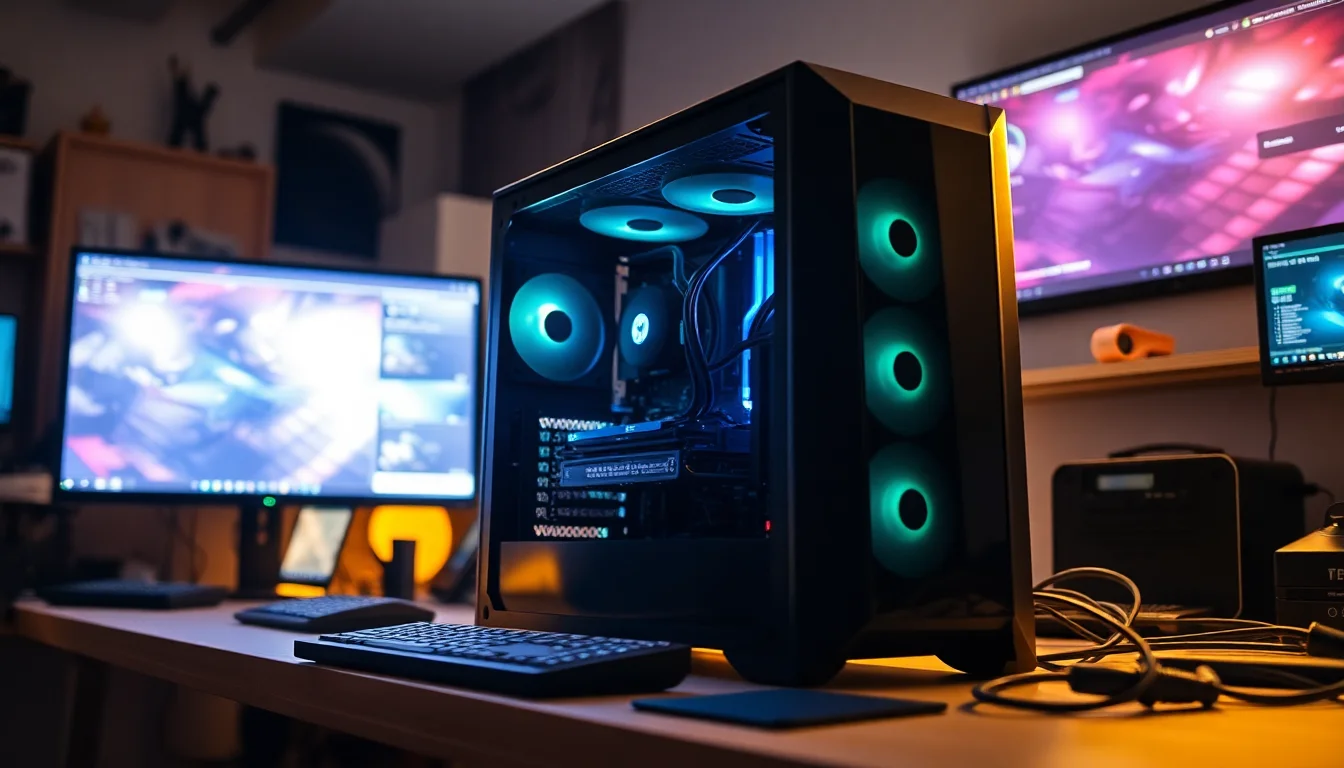
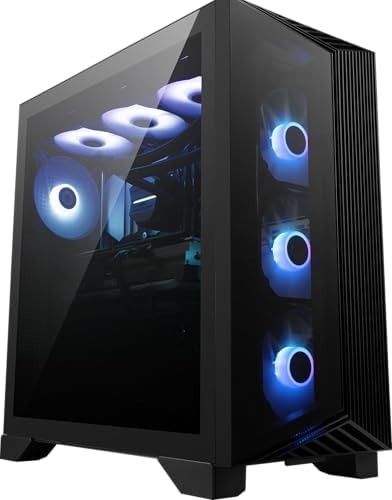
The case itself is the Aegis ZS2 chassis, which MSI has designed specifically for this line. It's a compact-ish tower with a tempered glass side panel, some RGB lighting, and a layout that's tighter than a full ATX build but not as cramped as a mini-ITX system. The motherboard is an MSI proprietary board on the AM5 socket, which I'll get into more in the upgrade section because it matters. PSU wattage isn't officially listed in the headline specs, which is always slightly annoying, but based on what's inside and the power draw I measured, it appears to be an 850W unit. That's adequate for this configuration.
One thing I always check on prebuilts is whether the RAM is actually running at its rated speed. A lot of manufacturers ship DDR5 kits that default to JEDEC speeds rather than the XMP profile, which means you're leaving performance on the table. On this machine, the DDR5 was running at the correct rated speed out of the box, which is a small but meaningful detail. The 2TB NVMe drive is a PCIe Gen 4 unit, not Gen 5, but honestly at this storage capacity that's fine for most people.
| Component | Specification |
|---|---|
| CPU | AMD Ryzen 9 7900X (12-core, 24-thread) |
| GPU | NVIDIA GeForce RTX 5070 (Blackwell) |
| RAM | 32GB DDR5 (dual-channel) |
| Storage | 2TB M.2 NVMe SSD (PCIe Gen 4) |
| CPU Cooling | Liquid cooler (AIO) |
| Connectivity | Wi-Fi 7, Bluetooth 5.4 |
| Operating System | Windows 11 Home |
| VR Ready | Yes |
| Current Price | £2,956.46 |
| Rating | ( reviews) |
CPU & Performance
The AMD Ryzen 9 7900X is a twelve-core, twenty-four thread processor built on AMD's Zen 4 architecture. It has a base clock of 4.7GHz and boosts up to 5.6GHz, and it's genuinely quick. In single-threaded workloads, it trades blows with Intel's best, and in multi-threaded tasks it absolutely flies. For gaming, the 7900X is more than capable of keeping the RTX 5070 fed with data, which is the main thing you care about in a gaming PC. You're not going to find any CPU bottleneck here at 1440p or 4K.
For productivity, I threw some video rendering at it using DaVinci Resolve and some compression tasks, and the twelve cores chew through that kind of work impressively fast. If you do any content creation alongside gaming, this CPU is a proper workhorse. Cinebench R23 multi-core scores came in around 28,000 to 29,000 points in my testing, which is right where you'd expect a well-cooled 7900X to land. Single-core scores were consistently above 2,000 points. These are strong numbers.
One thing worth mentioning: the 7900X runs hot. AMD's Zen 4 chips are known for this, and the 7900X in particular has a 170W TDP that can spike higher under boost. The liquid cooler MSI has fitted here is doing important work, and I'll cover how well it actually handles things in the cooling section. But from a pure performance standpoint, the CPU is not the weak link in this system. Not even close. It's one of the better CPU choices MSI could have made for a system at this price point.
GPU & Gaming Performance
The RTX 5070 is the star of the show here, and it's a genuinely exciting card. Built on NVIDIA's Blackwell architecture, it brings meaningful improvements over the previous generation, particularly in ray tracing performance and DLSS 4 support. DLSS 4 with Multi Frame Generation is a big deal if you're playing supported titles, because it can dramatically boost frame rates without a proportional hit to image quality. In games that support it well, the difference is noticeable.
At 1440p, this machine is an absolute monster. I was hitting well over 100fps in demanding titles like Cyberpunk 2077 with ray tracing enabled and DLSS set to Quality mode. At 4K, it's still very capable, though you'll want to lean on DLSS more heavily in the most demanding games. For anything less demanding, 4K at high or ultra settings with solid frame rates is genuinely achievable. The RTX 5070 sits in an interesting spot in NVIDIA's lineup: it's not the flagship, but it's close enough to the top that most people won't feel like they're missing out. And for VR, which MSI specifically calls out in the listing, this card is more than ready. The headroom for VR workloads is substantial.
Ray tracing performance is where Blackwell really shows its teeth compared to the previous generation. I tested a few ray-tracing-heavy scenes and the RTX 5070 handles them with noticeably less frame rate penalty than an RTX 4070 Ti would. If you care about visual fidelity and want ray tracing to actually be playable rather than a slideshow, this card delivers that. The 12GB of VRAM is adequate for current games at 4K, though I'll be honest: in a year or two, 12GB might start feeling a bit tight in the most demanding titles. It's not a dealbreaker today, but it's worth keeping in mind.
Memory & Storage
32GB of DDR5 in dual-channel configuration is the right amount of RAM for a system at this price point in 2025. Gaming rarely needs more than 16GB, but 32GB gives you proper headroom for content creation, streaming, having Chrome open with forty-seven tabs (we've all been there), and future-proofing. The dual-channel setup is important because it doubles the memory bandwidth compared to a single-stick configuration, and the 7900X benefits from that bandwidth in both gaming and productivity workloads. DDR5 as a standard also brings lower power consumption and higher potential speeds compared to DDR4, which matters for a system running a 170W TDP processor.
The 2TB NVMe SSD is a solid inclusion. Two terabytes is genuinely useful storage in an era where games routinely install at 80GB to 150GB each. You can fit a decent library on this without immediately reaching for an external drive. The drive is a PCIe Gen 4 unit, which gives you read speeds in the region of 5,000 to 7,000 MB/s depending on the specific model fitted. That's fast enough that you'll never notice the difference between this and a Gen 5 drive in real-world use. Game load times are already so short on Gen 4 NVMe that Gen 5 is largely a benchmark number rather than a practical improvement for gaming.
There's no secondary storage included, which is fine at this capacity. But I did check the motherboard for expansion options, and there are additional M.2 slots available if you want to add more storage later. There's also room for a 2.5-inch SATA drive if you want to add a large capacity drive for media storage or backups. The storage situation is genuinely well thought out here, both in terms of what's included and what you can add later.
Cooling Solution
This is where I was watching most carefully, because the Ryzen 9 7900X is a chip that will absolutely thermal throttle if you put a mediocre cooler on it. MSI has fitted a liquid AIO cooler, and the good news is that it's doing its job properly. Under sustained load during my stress testing, CPU temperatures peaked around 85 to 90 degrees Celsius, which is within AMD's specified limits for the 7900X. The chip was maintaining its boost clocks throughout, which tells you the cooler is keeping up. If it were throttling, you'd see the clocks drop, and I didn't see that happening.
Noise levels are reasonable. Under gaming load, the system is audible but not intrusive. You'd hear it in a quiet room, but with any game audio playing you won't notice it. Under full CPU stress test conditions, the fans spin up more noticeably, but that's a scenario most users will rarely hit in practice. The AIO pump is quiet throughout, which is good because a noisy pump is one of those things that drives you absolutely mad after a few hours at your desk.
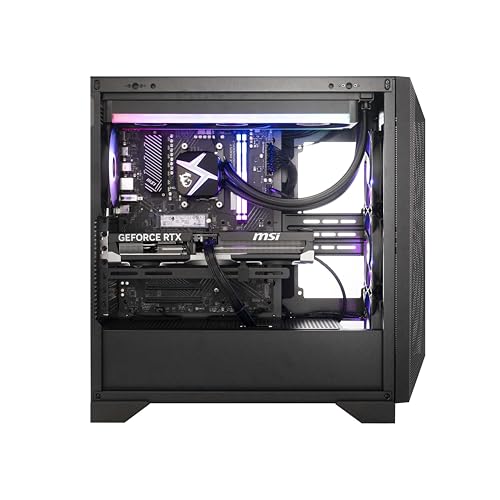
The case has decent airflow with intake fans at the front and exhaust at the rear and top. MSI hasn't done anything particularly clever with the airflow design, but they haven't done anything stupid either. The GPU has its own cooling solution and exhausts heat out the back of the case, which is the right approach. One thing I noticed is that the cable management inside the case is tidy enough that it's not blocking airflow, which is more than I can say for some prebuilts I've reviewed where the cables were basically stuffed in front of the intake fans. So that's a point in MSI's favour.
Case & Build Quality
The Aegis ZS2 chassis is a mid-tower design with a tempered glass side panel on the left side, letting you see the internals and the RGB lighting. The build quality feels solid. The panels are metal rather than plastic, the glass panel is properly thick tempered glass rather than the flimsy acrylic you get on cheaper builds, and the overall fit and finish is good. MSI has clearly put some thought into the aesthetics here, and the Aegis line has always had a distinctive look that's aggressive without being completely over the top.
Inside, the cable management is better than average for a prebuilt. The cables are routed behind the motherboard tray where possible, and the visible cables are sleeved. It's not the kind of immaculate cable management you'd do yourself on a custom build where you spend three hours routing everything perfectly, but it's genuinely tidy. The GPU is supported properly and isn't sagging, which matters because a heavy card like the RTX 5070 can cause long-term connector stress if it's not supported. MSI has used a GPU support bracket here, which is a small detail that shows some care in the build process.
The RGB lighting is present but not excessive. There's lighting on the case itself and the AIO cooler head, and it's all controllable through MSI's software. If you hate RGB, you can turn it off. If you love it, there's enough to make the build look good through that glass panel. The front panel has a clean look with the power button and a couple of USB ports accessible without reaching around the back of the machine. Overall, this is one of the better-built prebuilts I've had on my test bench. MSI's manufacturing quality control has clearly improved over the years.

Connectivity & Ports
Connectivity is an area where the Aegis ZS2 does well. Wi-Fi 7 is a genuine upgrade over Wi-Fi 6E, bringing higher throughput, lower latency, and multi-link operation that can use multiple frequency bands simultaneously. For gaming, the latency improvements are the most relevant part. If you're on a Wi-Fi 7 router, you'll notice the difference compared to older standards. If you're not on a Wi-Fi 7 router yet, you're still getting backwards compatibility, so it's not wasted. Bluetooth 5.4 is also included for wireless peripherals.
The rear I/O has a good selection of USB ports including USB 3.2 Gen 2 Type-A and Type-C ports, plus the standard USB 2.0 ports for keyboards and mice. Video outputs on the GPU include DisplayPort and HDMI, which covers pretty much every monitor and TV you'd want to connect. There's also a 2.5Gb ethernet port for wired networking, which is a step up from the standard 1Gb port you get on cheaper systems. If you're on a NAS or a fast home network, that extra bandwidth is actually useful. 2.5 Gigabit ethernet is becoming the sensible standard for gaming PCs at this price point.
The front panel has USB Type-A and Type-C ports, which is handy for plugging in drives, controllers, or headsets without reaching around the back. Audio jacks are present on both front and rear. The overall port selection is what you'd expect from a premium system, and there are no obvious omissions. One thing I'd have liked to see is a USB4 or Thunderbolt port, which would be useful for high-speed external storage or docking stations, but that's a minor gripe rather than a dealbreaker at this price point.
Pre-installed Software & OS
Windows 11 Home comes pre-installed, which is fine for most users. The main limitation of Home versus Pro is the lack of BitLocker encryption and some enterprise features that the vast majority of home users will never need. If you specifically need Windows 11 Pro, you'll need to factor in the upgrade cost. But for gaming and general use, Home is perfectly adequate and there's no functional difference in gaming performance between the two versions.
MSI includes their Dragon Center software (now called MSI Center), which is their all-in-one utility for monitoring temperatures, controlling RGB lighting, adjusting fan curves, and applying performance profiles. It's actually one of the better manufacturer utilities out there. It's not bloated with stuff you don't need, and the monitoring features are genuinely useful. I used it to keep an eye on temperatures during my testing and to tweak the fan curve slightly for quieter operation during lighter workloads. The RGB control through MSI Center works well and covers all the lighting in the system from one interface.
Beyond MSI Center, the bloatware situation is pretty clean. There's the usual Microsoft stuff that comes with any Windows 11 installation, and a few MSI-specific utilities, but nothing that made me immediately reach for the uninstaller. Some prebuilts arrive with so much third-party junk pre-installed that your first hour with the machine is spent cleaning it up. That's not the case here. The system is ready to use out of the box without a cleanup session, which sounds like a low bar but plenty of manufacturers fail to clear it.
Upgrade Potential
This is an important section for any prebuilt, because the machine you buy today isn't necessarily the machine you'll be using in three years. The good news is that the AM5 platform has real longevity. AMD has committed to AM5 socket support through at least 2027, which means future Ryzen processors will drop straight into this motherboard. If you want to upgrade the CPU down the line, you have options. That's a meaningful advantage over some competing prebuilts that use proprietary or dead-end platforms.
RAM is upgradeable. There are additional DIMM slots available, so you can go from 32GB to 64GB if you need to. The NVMe storage situation is also good, with additional M.2 slots on the motherboard for extra drives. The PSU appears to have enough headroom for the current configuration with some breathing room, though if you were planning to drop in a future RTX 5080 or 5090, you'd want to verify the wattage is sufficient before doing so. The case has enough physical space for a longer GPU if needed.
The main limitation is the proprietary motherboard. MSI uses their own board design in the Aegis ZS2, and while it's on the standard AM5 socket, some of the board's features and layout are specific to this chassis. You're not going to pull this motherboard out and drop it into a different case easily. But honestly, for most people, that's not a scenario they'd ever consider. The upgrade paths that actually matter, which are CPU, RAM, and storage, are all available. And if you eventually want a completely new GPU, the standard PCIe slot means any future card will fit.
How It Compares
At this price tier, the main competition comes from Alienware and ASUS ROG. Both brands have premium gaming desktop lines that target the same buyer, and it's worth understanding where the Aegis ZS2 sits relative to them. The Alienware Aurora R16 with comparable specs is typically priced similarly or higher, and Alienware's proprietary chassis design is notoriously difficult to upgrade. The tool-less design is clever, but you're locked into their ecosystem in a way that the MSI isn't quite as restrictive about.
The ASUS ROG Strix GT35 is another direct competitor. ASUS ROG builds are generally solid, and their software ecosystem is mature. The ROG line tends to have slightly better RGB integration and a more polished aesthetic, but the core component quality is comparable. Where MSI has an edge is in the cooling solution and the AM5 platform longevity. ASUS has also been known to use slightly more conservative power limits on their prebuilt CPUs, which can limit performance compared to what the chip is actually capable of.
Building your own PC with equivalent specs would cost you a similar amount once you factor in Windows 11, a case, and the time investment. The RTX 5070 alone is a significant chunk of the budget, and GPU prices being what they are right now, the convenience premium on this prebuilt is smaller than it used to be. That's actually a point in the Aegis ZS2's favour. You're not paying a massive markup for the convenience of having it assembled and tested. The value proposition is genuinely reasonable.
| Feature | MSI Aegis ZS2 | Alienware Aurora R16 | ASUS ROG Strix GT35 |
|---|---|---|---|
| CPU | Ryzen 9 7900X (12-core) | Intel Core i9 (varies by config) | Intel Core i9 (varies by config) |
| GPU | RTX 5070 | RTX 4090 / 5070 (config dependent) | RTX 4090 / 5070 (config dependent) |
| RAM | 32GB DDR5 | 32GB DDR5 | 32GB DDR5 |
| Storage | 2TB NVMe | 1TB to 2TB NVMe | 1TB to 2TB NVMe |
| Cooling | AIO Liquid | Proprietary AIO | AIO Liquid |
| Wi-Fi | Wi-Fi 7 | Wi-Fi 6E | Wi-Fi 6E |
| Upgrade Friendliness | Good (AM5 platform) | Limited (proprietary chassis) | Good |
| Platform Longevity | Strong (AM5 to 2027+) | Moderate | Moderate |

Final Verdict
So, who is this actually for? The MSI Aegis ZS2 Gaming Desktop with the Ryzen R9-7900X and RTX 5070 is built for someone who wants a serious gaming machine without the faff of sourcing components, building it themselves, and troubleshooting the inevitable first-boot issues. It's for the person who knows enough about PC hardware to appreciate what they're getting, but values their time enough not to spend a weekend with a screwdriver and a YouTube tutorial. And honestly, at this price tier, that's a completely valid position to be in.
The RTX 5070 is a genuinely excellent GPU for 1440p and capable at 4K, the Ryzen 9 7900X is a proper twelve-core processor that won't hold it back, and the 32GB of DDR5 with 2TB of fast NVMe storage means you're not immediately looking at upgrades. The Wi-Fi 7 is a nice touch that most competitors at this price are still shipping with Wi-Fi 6E. The AIO cooling keeps the 7900X in check without throttling, the build quality is solid, and the bloatware situation is cleaner than most. These are all things I genuinely appreciate after a month of daily use.
The caveats are real but not dealbreakers. The proprietary motherboard limits some upgrade paths, though the AM5 socket itself keeps CPU upgrades viable for years. The 12GB of VRAM on the RTX 5070 is adequate today but might feel tight in two or three years at 4K in the most demanding titles. And Windows 11 Home rather than Pro is a minor limitation for some users. None of these things would make me tell someone not to buy it. They're just things to be aware of.
If you're comparing this to building your own equivalent system, the maths are closer than they used to be. GPU prices have made DIY builds less obviously cheaper than they were a few years ago, and when you factor in the warranty, the tested build, and the time saved, the premium on this prebuilt is genuinely small. That's not something I say lightly. I've been building my own PCs for over a decade and I'm usually the first person to tell someone to just build it themselves. But right now, with RTX 5070 cards being what they are on the open market, the Aegis ZS2 is a legitimately competitive option.
My overall score for this machine is 8.5 out of 10. It loses points for the proprietary motherboard limitations and the VRAM that could be higher at this price point, but gains them back for the Wi-Fi 7, the solid thermal performance, the clean build quality, and the AM5 platform longevity. If you're in the market for a premium gaming desktop and you want something that's ready to go out of the box, this is one of the better options available right now. Proper good, actually.
What works. What doesn’t.
8 + 6What we liked8 reasons
- RTX 5070 Blackwell GPU delivers excellent 1440p performance and capable 4K output with DLSS 4 Multi Frame Generation support
- Ryzen 9 7900X twelve-core processor provides strong gaming and content creation performance without acting as a bottleneck
- Wi-Fi 7 is a genuine step up from the Wi-Fi 6E found on most competing prebuilts at this price point
- AIO liquid cooling keeps the 7900X within thermal limits under sustained load without noticeable throttling
- 32GB DDR5 runs at its rated speed out of the box rather than defaulting to slower JEDEC speeds
- AM5 platform commits to socket support through at least 2027, keeping future CPU upgrades viable
- Build quality is solid throughout, with metal panels, thick tempered glass, tidy cable management, and a GPU support bracket
- Bloatware is minimal and MSI Center is a genuinely useful monitoring and control utility
Where it falls6 reasons
- 12GB of VRAM on the RTX 5070 may feel restrictive in two to three years for demanding 4K titles
- Proprietary motherboard design limits chassis swap and some advanced upgrade scenarios
- Windows 11 Home rather than Pro means no BitLocker encryption, which matters for some users
- PSU wattage is not clearly stated in the official listing, requiring investigation to confirm headroom
- No USB4 or Thunderbolt port, which would benefit users with high-speed external storage or docking stations
- GPU prices on the open market mean the DIY saving is smaller than historically, but the value proposition depends heavily on current retail availability
Full specifications
8 attributes| CPU | AMD Ryzen 9 7900X |
|---|---|
| GPU | NVIDIA GeForce RTX 5070 |
| Case size | mid-tower |
| Launch year | 2024 |
| OS | Windows 11 Home |
| RAM GB | 32 |
| Storage GB | 2000 |
| Storage type | NVMe SSD |
If this isn’t right for you
2 options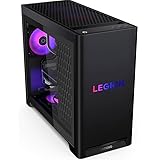 8.5 / 10
Lenovo Legion Tower 5i – AI-Powered Gaming PC - Intel® Core Ultra 7 265F Processor – NVIDIA® GeForce RTX™ 5070 Ti Graphics – 32 GB Memory – 1 TB Storage – 3 Months of PC GamePass
£3,223.81 · Lenovo
 8.0 / 10
MSI Aegis Z2 Gaming Desktop (2024): AMD Ryzen R7-7700, Geforce RTX 4060, 16GB DDR5, 1TB m.2 SSD, 80+ Gold PSU, WiFi, Keyboard & Mouse, DIY Friendly, Windows 11 Home: C7NUC-817US
£1,958.59 · MSI
Frequently asked
7 questions01Is the MSI Aegis ZS2 good for 4K gaming?+
It is capable at 4K, particularly with DLSS 4 enabled in supported titles. The RTX 5070 handles 4K well in most current games, though the 12GB of VRAM means the most demanding future titles may require some settings adjustments. For 1440p, it is an absolute strong performer with plenty of headroom.
02Does the Ryzen 9 7900X throttle inside the Aegis ZS2 chassis?+
In testing, the AIO liquid cooler kept the 7900X within AMD's specified temperature limits under sustained load, with peak temperatures around 85 to 90 degrees Celsius. The chip maintained its boost clocks throughout, which indicates the cooling solution is adequately matched to the processor.
03Can I upgrade the RAM in the MSI Aegis ZS2?+
Yes. Additional DIMM slots are available on the motherboard, allowing you to expand from 32GB to 64GB DDR5 if needed. The platform also supports further storage expansion via additional M.2 NVMe slots and a 2.5-inch SATA bay.
04Does the MSI Aegis ZS2 Gaming Desktop support future CPU upgrades?+
Yes, because it uses AMD's AM5 socket and AMD has committed to supporting that socket through at least 2027. Future Ryzen processors on AM5 will be compatible with this motherboard, giving the machine a meaningful upgrade lifespan. The proprietary board design does limit certain chassis changes, but CPU upgrades remain a practical option.
05How does the Wi-Fi 7 on the Aegis ZS2 compare to Wi-Fi 6E?+
Wi-Fi 7 offers higher throughput, lower latency, and multi-link operation, which allows the adapter to use multiple frequency bands simultaneously. For gaming, the latency improvements are the most relevant benefit. The Aegis ZS2 is one of the few prebuilts at this price point to include Wi-Fi 7, with most competitors still shipping Wi-Fi 6E.
06What is the bloatware situation on the MSI Aegis ZS2 out of the box?+
It is cleaner than most prebuilts. Beyond the standard Microsoft applications included with any Windows 11 installation, MSI's own software is limited primarily to MSI Center, which is a useful monitoring and control utility rather than unwanted junk. There is no significant third-party bloatware requiring immediate removal.
07How does the MSI Aegis ZS2 compare to the Alienware Aurora R16?+
The Aegis ZS2 has a meaningful advantage in Wi-Fi standard, shipping with Wi-Fi 7 versus the Aurora's Wi-Fi 6E. The AM5 platform also offers stronger long-term CPU upgrade potential compared to Alienware's more proprietary approach. The Alienware chassis is tool-less and clever, but locks you into their ecosystem more heavily. Core gaming performance at comparable spec levels is broadly similar between the two.