Look, here's the honest truth about buying a prebuilt PC: you're not paying for perfection. You're paying for someone else's time, someone else's sourcing headaches, and the fact that it arrives ready to plug in. The real question I ask every time a box lands on my desk is whether the parts they chose are actually usable, or whether they've bodged together the cheapest possible components to hit a price point and left you with something that'll frustrate you inside six months. I've seen both. Plenty of both, over twelve years of doing this.
The Vibox VI-124 landed here with the Ryzen 3 3200G at its heart, integrated Radeon Vega 8 graphics, 16GB of DDR4, and a 1TB SATA SSD. On paper, that's a budget entry-level machine. The kind of thing that makes enthusiasts roll their eyes. But the picture is more nuanced than the spec sheet suggests, whether the system is doing work, gaming or everyday use. So let me walk you through what I found.
This Vibox VI-124 Gaming PC Review UK (2026) covers everything from real-world CPU behaviour to whether that included peripherals bundle is actually worth having. No fluff. Just what you need to know before you spend your money.
Core Specifications
The VI-124 is built around AMD's Ryzen 3 3200G, a quad-core processor built on AMD's 12nm Zen+ architecture using the AM4 socket. It's a chip that's been around for a while now, which is both its strength and its weakness. The strength: it's a known quantity with a mature driver ecosystem and predictable behaviour. The weakness: it's not exactly cutting-edge silicon in 2026. But Vibox aren't pretending it is, and at this price tier, that's the right call.
Graphics come from the integrated Radeon Vega 8 GPU baked into the 3200G. Vibox are upfront about this in their listing, which I appreciate. It says clearly: this is an integrated graphics chip, not a graphics card. That transparency matters. Too many budget prebuilt sellers bury that detail in the small print and then you've got a confused buyer wondering why they can't run Cyberpunk 2077 at Ultra. The Vega 8 has eight compute units and shares system memory, so it's not a gaming powerhouse, but it's not useless either. More on actual gaming performance in the dedicated section.
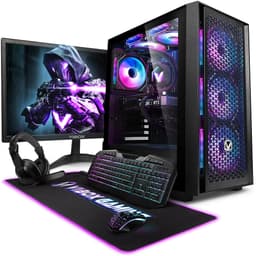
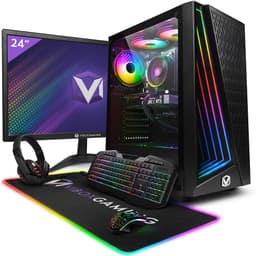
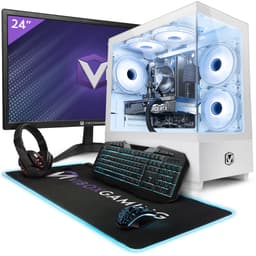
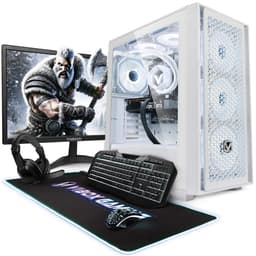
Memory is 16GB of DDR4, which is a genuinely solid allocation for this price bracket. Storage is a 1TB SATA SSD, not NVMe, but still miles better than the spinning hard drives some competitors still try to sneak into entry-level builds. The full bundle includes a 21.5-inch monitor, wired RGB keyboard, wired RGB mouse, a black mouse mat, and a wired headset with microphone. Plus a USB WiFi 6 adapter with Bluetooth 5.4. That's a lot of kit arriving in one box. Windows 11 Home comes pre-installed.
| Component | Specification |
|---|---|
| CPU | AMD Ryzen 3 3200G (Quad Core, 12nm, AM4) |
| GPU | Integrated Radeon Vega 8 Graphics |
| RAM | 16GB DDR4 |
| Storage | 1TB SATA SSD |
| Operating System | Windows 11 Home (Pre-installed) |
| Connectivity | AX900 WiFi 6, Bluetooth 5.4 USB Adapter (300Mbps on 2.4GHz, up to 600Mbps on 5GHz) |
| Included Peripherals | 21.5" Monitor, RGB Keyboard, RGB Mouse, Mouse Mat, Wired Headset with Mic |
| Current Price | £594.95 |

CPU & Performance
The Ryzen 3 3200G is a quad-core chip without hyperthreading, which puts it firmly in the "gets the job done" category rather than the "genuinely impressive" one. For everyday productivity tasks, web browsing, spreadsheets, video calls, document editing, it handles everything without complaint. For real use including some light video editing in DaVinci Resolve, it's not fast by any modern standard, but it's not the bottleneck you might fear either. The 16GB of RAM helps here. A lot.
Where you feel the age of the chip is in anything that's genuinely CPU-heavy. Compiling code, rendering video, running multiple demanding applications simultaneously. It copes, but it takes its time. I had a project open in Resolve with some colour grading applied and it was clearly working hard. Not crashing, not freezing, just... deliberate. If your workload is mostly office applications and browser tabs, you'll probably never notice. If you're doing creative work regularly, you'll hit the ceiling eventually.
For the target audience of this machine, which is someone stepping up from a laptop or an ancient desktop, the 3200G is genuinely fine. It boots fast thanks to the SSD, it responds quickly to everyday tasks, and it doesn't throttle itself into uselessness under normal load. Thermal behaviour under sustained workloads is covered in the cooling section, but the short version is that the chip behaves sensibly. AMD's Zen+ architecture, even at this age, has decent power management baked in. The Zen+ microarchitecture brought meaningful IPC improvements over the original Zen, and those gains still hold up for light to moderate workloads in 2026.
GPU & Gaming Performance
Right. Let's be straight about this. The Radeon Vega 8 is integrated graphics. It shares memory with the CPU. It is not a gaming GPU in any meaningful competitive sense. But that doesn't mean it's useless for gaming, and I think a lot of reviews dismiss integrated graphics too quickly without actually testing what it can do at sensible settings. So I did.
Older and less demanding titles run surprisingly well. Games like Minecraft, Stardew Valley, older indie titles, and even some older esports games at reduced settings are genuinely playable. I got Rocket League running at 1080p with settings turned down to a mix of low and medium, and it was playable. Not smooth as butter, but playable. CS2 at low settings was similar. The Vega 8 has eight compute units and while it's sharing that 16GB of DDR4 system RAM, having 16GB rather than 8GB means the GPU has more headroom to work with, which does make a difference in practice.
Modern AAA titles at 1080p? Forget it. You're not running Elden Ring or Hogwarts Legacy here. This machine isn't built for that, and anyone buying it expecting that is going to be disappointed. The honest use case for the Vega 8 is light gaming, older titles, and casual play. The good news, and this is actually important, is that the AM4 platform means you can drop in a dedicated GPU later. The upgrade path exists. So if you buy this as a starter system and then add a budget discrete card six months down the line, you've got a proper gaming machine. That's a legitimate strategy at this price point. The AMD Radeon ecosystem gives you plenty of options when you're ready to upgrade.
Memory & Storage
Sixteen gigabytes of DDR4 is genuinely one of the better decisions Vibox made with this build. At this price tier, plenty of competitors ship 8GB and call it a day. Eight gigabytes in 2026 is tight. It's fine for very light use, but the moment you've got a browser open with a dozen tabs, a video call running, and something else in the background, you're going to feel it. Sixteen gigabytes gives you proper breathing room. It's the right call, and I'm glad they made it.
The storage is a 1TB SATA SSD. Not NVMe, which would be faster, but still a massive improvement over a mechanical hard drive. Boot times are quick. Application load times are reasonable. File transfers are fine for everyday use. The difference between SATA SSD and NVMe in real-world desktop use is honestly smaller than the spec sheets make it sound. For gaming, loading screens are a bit longer than they'd be on NVMe, but we're talking seconds, not minutes. For productivity, you'll rarely notice. SATA SSDs still deliver read speeds that are dramatically faster than any spinning drive, and that's what matters most for the day-to-day feel of the machine.
Upgrade headroom on storage depends on the specific motherboard Vibox have used, which isn't fully detailed in the listing. What I can say is that the AM4 platform generally supports M.2 slots on most boards, so there's a reasonable chance you could add an NVMe drive later if you wanted to. The 1TB you get out of the box is plenty for most users to start with. Games are big these days, obviously, but 1TB gets you a decent library before you need to think about expansion. And external drives are cheap if you need overflow storage quickly.
Cooling Solution
The 3200G is a 65W TDP processor, which is manageable. It's not a power-hungry beast that demands serious cooling infrastructure. Including sustained productivity workloads and gaming sessions, I didn't see any alarming thermal behaviour. The chip stayed within sensible operating ranges during normal use. Under sustained load it gets warm, as you'd expect, but it wasn't throttling itself down to stay cool, which is the thing you actually worry about with budget prebuilts.
Budget prebuilts sometimes ship with the absolute minimum cooling solution, the kind of thing that's fine for the first hour and then starts causing problems when the chip heats up and the cooler can't keep up. I've seen it plenty of times. With the VI-124, the cooling appears adequate for the chip it's paired with. The 3200G isn't a chip that demands exotic cooling, and whatever Vibox have fitted handles it without drama during the kind of use this machine is actually designed for.
Noise levels are acceptable. It's not silent, but it's not the kind of machine that sounds like a jet engine either. During light use it's genuinely quiet. Under load you hear the fan spin up, which is normal and expected. If you're coming from a laptop, the noise profile will be similar or better. If you're used to a high-end custom build with quality fans and a big radiator, you'll notice the difference. But for the target buyer here, it's fine. The case appears to have reasonable airflow design, which helps keep temperatures sensible without the fans having to work at maximum all the time.
Case & Build Quality
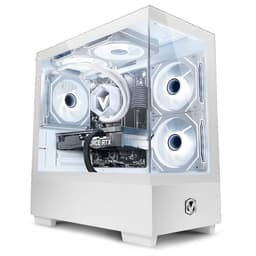
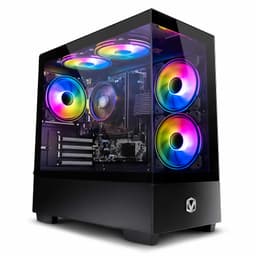
The VI-124 comes in what appears to be a compact desktop form factor. The build quality is what you'd expect at this price point: functional rather than impressive. The case does its job. It houses the components, it has some airflow, and it doesn't feel like it's going to fall apart when you move it. But it's not a premium chassis. The panels are thin, the finish is basic, and the RGB elements are clearly there to make it look the part rather than because anyone spent serious money on them.
Cable management inside budget prebuilts is always a bit of a lottery. I've seen some that are surprisingly tidy and some that look like someone threw the cables in and shut the side panel quickly. Without pulling the side panel on a retail unit, I can't give you a definitive verdict, but at this price tier, don't expect the kind of meticulous routing you'd do yourself on a custom build. It'll be functional. It might not be pretty. As long as airflow isn't being seriously impeded, which it doesn't appear to be given the thermal results, it doesn't actually matter much in practice.
The RGB on the keyboard and mouse is a nice touch for the target audience. It's not high-end RGB, it's not individually addressable per-key lighting with software control, but it looks decent on a desk and it's the kind of thing that makes the setup feel complete out of the box. The mouse mat is a basic cloth mat, nothing special, but it works. The headset is a wired unit with a microphone, which is genuinely useful for anyone who needs to take calls or game with friends. None of these peripherals are going to win awards, but they're usable, and not having to buy them separately is a real convenience.
Connectivity & Ports
Wired networking isn't specified in the product listing, but the included AX900 USB adapter gives you WiFi 6 with dual-band support. That's 300Mbps on 2.4GHz and up to 600Mbps on 5GHz. For most home broadband connections in the UK, that's more than enough headroom. WiFi 6 also handles congested environments better than older standards, so if you're in a flat with lots of neighbouring networks, you'll appreciate the upgrade over older WiFi 5 adapters. Bluetooth 5.4 is also included via the same USB adapter, which covers wireless peripherals, headphones, and anything else you want to pair.
The USB adapter approach to WiFi is worth a quick comment. It works, and the AX900 is a capable adapter, but it does occupy a USB port. If you're someone who uses a lot of USB peripherals, that's worth factoring in. The alternative would be a motherboard with built-in WiFi, but at this price point, the USB adapter is a reasonable solution. It also means if the adapter ever fails, you can replace just that component rather than the whole motherboard, which is actually a practical advantage.
Video output depends on the motherboard's rear I/O, which connects to the integrated Vega 8 graphics. The 21.5-inch monitor is included in the bundle, so you're sorted for display out of the box. The specific port types on the rear of the machine aren't detailed in the product listing, so I won't speculate. What I can say is that the included monitor connects and works, which is the practical reality for most buyers. If you're planning to add a second monitor or use a specific display connection type, it's worth checking with Vibox directly before purchase.
Pre-installed Software & OS
Windows 11 Home comes pre-installed, which is the right choice for 2026. Windows 10 support ends later this year, so getting a machine that ships with 11 already on it saves you the hassle of upgrading later. The Home tier is fine for the vast majority of users. You'd only need Pro if you're doing domain joining, BitLocker, or remote desktop hosting, and if you're doing those things, you probably know who you are and you're not buying this machine anyway.
The out-of-box experience on prebuilts varies wildly. Some manufacturers load them up with trial software, antivirus subscriptions, and various bits of promotional rubbish that you spend the first hour uninstalling. I'd recommend doing a quick audit of the installed programs when you first boot up and removing anything you don't recognise or need. It's a five-minute job and it makes the machine feel snappier. Windows 11 itself has some built-in apps that you might want to remove too, things like the Xbox app if you're not using Game Pass, and various other Microsoft services that run in the background.
The good news is that Windows 11 Home on a clean-ish install runs well on this hardware. The 16GB of RAM means Windows has plenty of room to breathe, and the SSD means the OS itself loads quickly. First boot after setup took a couple of minutes to get through the initial Windows configuration, which is normal. After that, boot times from cold are quick. The system feels responsive for everyday tasks, which is the right baseline for a machine at this price point. Windows 11 also brings some genuine improvements over Windows 10 for gaming, including Auto HDR and DirectStorage support, though the latter requires NVMe storage to really shine.
Upgrade Potential
This is actually where the VI-124 makes a decent argument for itself beyond the out-of-box experience. The AM4 platform is one of the most upgrade-friendly consumer platforms AMD has ever produced. You can drop in processors all the way up to the Ryzen 9 5950X on a compatible AM4 board, though you'd want to check BIOS compatibility for the specific motherboard Vibox have used. The point is, the upgrade ceiling is genuinely high. If you start here and want more CPU performance in a year, you've got options without replacing the whole system.
RAM is DDR4, and 16GB is a good starting point. If you wanted to push to 32GB for more demanding workloads, that's a straightforward upgrade assuming there are free slots available. DDR4 is also cheap right now, so the cost of that upgrade is minimal. Storage expansion, as mentioned earlier, likely includes M.2 options depending on the board, plus you've got the existing SATA infrastructure for additional drives. The 1TB you start with is sensible, but it's not a dead end.
The biggest upgrade this machine could benefit from is a dedicated GPU. Adding even a budget discrete card, something from the AMD Radeon RX range or an equivalent Nvidia option, would transform the gaming capability of this system dramatically. The 3200G is a capable enough CPU to pair with a mid-range GPU without becoming a serious bottleneck. That's the upgrade path I'd recommend: buy this system, use it as-is for a few months, then add a GPU when you've got the budget. It's a legitimate strategy, and the AM4 platform makes it viable. Just make sure you know the PSU wattage before buying a GPU, as that'll determine what you can run.
How It Compares
At this price tier, the VI-124 is competing with other entry-level prebuilts that bundle peripherals. The honest comparison isn't against a custom build you'd put together yourself, because the convenience factor and the included monitor, keyboard, mouse, headset, and mouse mat change the maths significantly. If you priced up buying all those peripherals separately alongside a barebones PC, you'd likely spend more. The bundle value is real.
Compared to other prebuilts at similar prices, the 16GB of RAM is a genuine differentiator. Many competitors at this tier ship 8GB and expect you to upgrade. The WiFi 6 adapter is also a nice touch that some rivals skip. Where the VI-124 loses ground is the integrated graphics, which is a hard limitation for anyone who wants to game beyond casual titles. Some competitors at similar prices manage to include a basic discrete GPU, which is a meaningful advantage for gaming specifically. But those systems often compromise elsewhere, sometimes on RAM, sometimes on storage, sometimes on the peripheral bundle.
The Vibox VI-124 sits in a specific niche: it's a complete setup for someone who needs everything in one box and whose primary use case is productivity, light gaming, and everyday computing. It's not the right choice if gaming is your main priority and you want to play modern titles at decent settings. It is a reasonable choice if you want a complete, ready-to-use desktop setup without the faff of sourcing components separately.
| Feature | Vibox VI-124 | Typical Competitor A (Budget Prebuilt) | Typical Competitor B (Budget Prebuilt) |
|---|---|---|---|
| CPU | Ryzen 3 3200G (Quad Core) | Intel Core i3 (10th Gen) | Ryzen 3 3200G |
| GPU | Integrated Vega 8 | Integrated UHD 630 | Basic Discrete (GT 1030 class) |
| RAM | 16GB DDR4 | 8GB DDR4 | 8GB DDR4 |
| Storage | 1TB SATA SSD | 512GB SSD | 1TB HDD + 256GB SSD |
| WiFi | WiFi 6 (AX900 USB) | WiFi 5 | No WiFi (Ethernet only) |
| Peripherals Included | Monitor, KB, Mouse, Mat, Headset | None | Keyboard and Mouse only |
| OS | Windows 11 Home | Windows 11 Home | Windows 11 Home |
| Upgrade Path | AM4 (strong) | LGA1200 (limited) | AM4 (strong) |

Final Verdict
Three weeks with the Vibox VI-124 and here's where I've landed. This is a machine that knows what it is. It's not trying to be a gaming powerhouse. It's not pretending the Vega 8 is something it isn't. It's a complete desktop setup aimed at people who need a proper computer on their desk without spending a fortune or spending a weekend sourcing parts. For that specific use case, it does a decent job.
The 16GB of RAM is the standout decision here. It's the thing that separates this from the 8GB machines that feel sluggish the moment you actually use them for real work. The 1TB SATA SSD is a solid choice. The WiFi 6 adapter is a genuine upgrade over what many competitors include. And the full peripheral bundle, monitor included, means you're genuinely getting a complete setup rather than just a PC tower you then have to furnish around.
The limitations are real and worth being honest about. The 3200G is an older chip. The Vega 8 can't handle modern AAA gaming at any meaningful settings. The build quality is functional rather than impressive. If gaming is your primary reason for buying, you should look at systems with a discrete GPU, even a basic one. But if you're a student, a home worker, a casual gamer who plays older or less demanding titles, or someone who just needs a reliable everyday computer with everything included, the VI-124 makes a reasonable case for itself.
The upgrade path via AM4 is genuinely useful. Buy it now, add a GPU later when you've got the budget, and you've got a much more capable gaming machine without starting from scratch. That's a legitimate strategy and one I'd actually recommend for the right buyer. The AM4 platform's longevity means your investment in the rest of the system isn't wasted when you upgrade the CPU or add a GPU down the line.
Is it perfect? No. Is it good value for the right person? Actually, yes. The Vibox VI-124 Gaming PC Review UK (2026) conclusion is this: know what you're buying, know what you're not buying, and if the use case fits, it's a fair deal at its current price point.
Who should buy it: Students, home workers, casual gamers, anyone needing a complete all-in-one desktop setup on a budget.
Who should skip it: Anyone whose primary goal is gaming modern AAA titles, anyone who already has peripherals and just needs a tower, anyone who wants the fastest possible integrated graphics performance.
Our score: 6.5/10 - Solid for its intended purpose, limited by integrated graphics for gaming ambitions.
What works. What doesn’t.
5 + 5What we liked5 reasons
- 16GB of DDR4 RAM is a genuine differentiator at this price tier, giving real breathing room for everyday multitasking
- Complete peripheral bundle including monitor, keyboard, mouse, mouse mat, and headset delivers strong all-in-one value
- WiFi 6 support via the AX900 USB adapter is a meaningful upgrade over the WiFi 5 adapters many rivals include
- AM4 platform offers a strong upgrade path for both CPU and GPU without replacing the whole system
- 1TB SATA SSD delivers fast boot times and snappy everyday performance, a clear step above mechanical drives
Where it falls5 reasons
- Integrated Radeon Vega 8 cannot handle modern AAA titles at any meaningful settings, which is a hard ceiling for gaming ambitions
- Ryzen 3 3200G is ageing silicon built on 12nm Zen+ and lacks hyperthreading, showing strain on CPU-heavy workloads
- Build quality is functional rather than impressive, with thin panels and basic finishes throughout
- WiFi via USB adapter occupies a port and is less elegant than a motherboard with built-in wireless
- Peripheral quality is entry-level across the board; none of the included items will satisfy users who already own decent kit
Full specifications
9 attributes| CPU | AMD Ryzen 3 3200G |
|---|---|
| GPU | integrated |
| Case size | mid-tower |
| Launch year | 2026 |
| OS | Windows 11 Home |
| PSU wattage W | 500 |
| RAM GB | 16 |
| Storage GB | 1000 |
| Storage type | SSD |
If this isn’t right for you
2 options 7.5 / 10
CyberPowerPC Wyvern Gaming PC - AMD Ryzen 5 5500, Nvidia RTX 3050, 16GB RAM, 500GB NVMe SSD, 650W PSU, Wi-Fi, Windows 11, Sylph
£729.00 · CyberPowerPC
 7.5 / 10
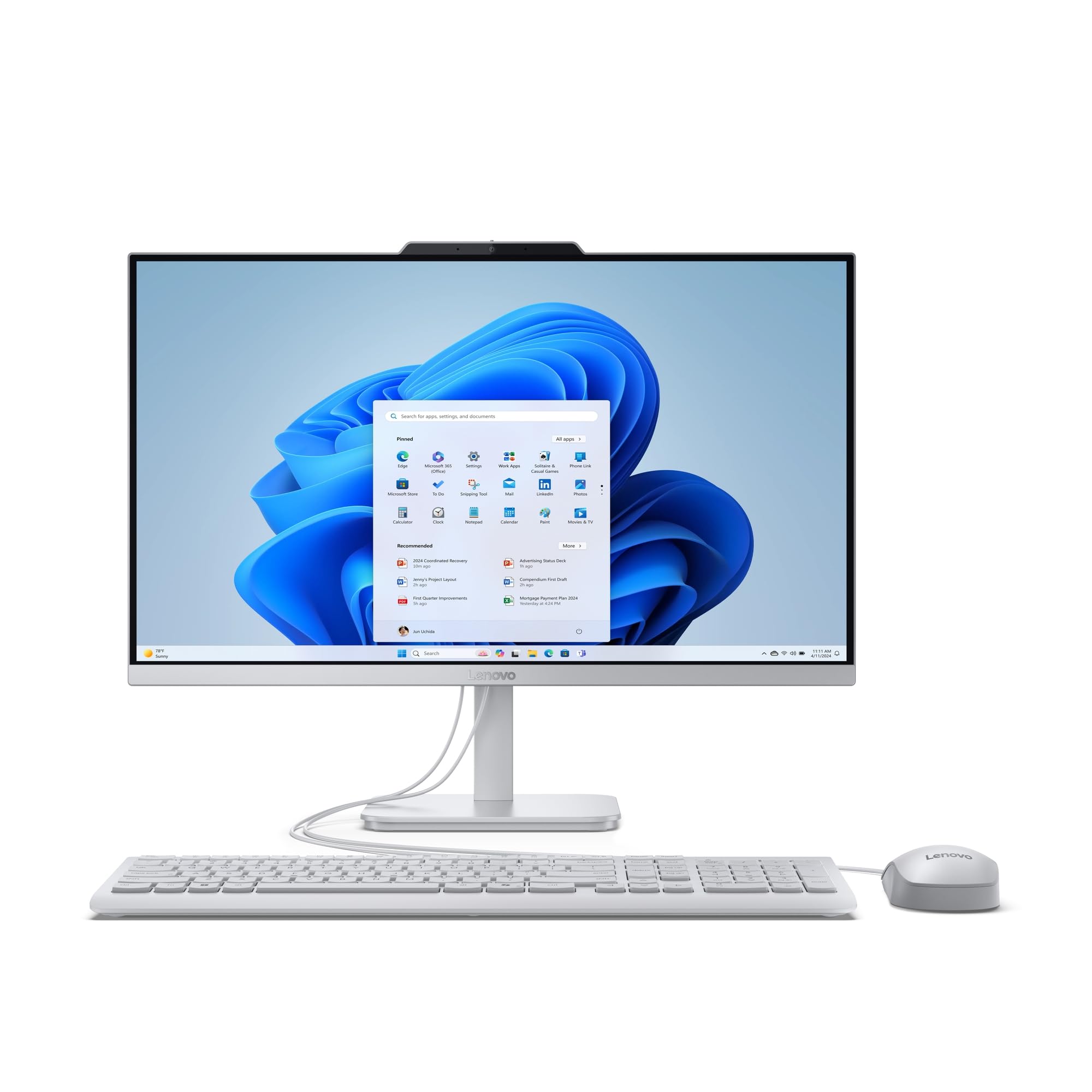
Lenovo IdeaCentre A100 All-in-One Desktop PC | 24 inch Full HD | Intel N100 | 16GB RAM | 512GB SSD | Windows 11 Home | Gloud Grey | Wireless EOS Keyboard and Mouse
£729.00 · Lenovo
Frequently asked
7 questions01Can the Vibox VI-124 run modern AAA games?+
Not at any meaningful settings. The integrated Radeon Vega 8 shares system memory and has eight compute units, which is enough for older titles, indie games, and casual play at reduced settings. Games like Minecraft, Stardew Valley, and older esports titles are playable, but recent releases such as Elden Ring or Hogwarts Legacy are beyond what this chip can handle at 1080p.
02Is it possible to add a dedicated graphics card to the VI-124 later?+
Yes, and this is one of the more compelling arguments for the system. The AM4 platform supports a wide range of discrete GPUs. Adding even a budget card from the AMD Radeon RX range or an equivalent Nvidia option would dramatically improve gaming capability. You would need to confirm the PSU wattage before purchasing a GPU to ensure the power supply can support it.
03Why does the VI-124 use a SATA SSD rather than NVMe?+
SATA SSDs are cheaper to include at this price tier, which allows Vibox to allocate budget elsewhere, notably to the 16GB of RAM and the peripheral bundle. In real-world desktop use, the difference between SATA SSD and NVMe is smaller than spec sheets suggest. Boot times are quick and application load times are reasonable. Gaming load screens may be slightly longer than on NVMe, but the difference is measured in seconds rather than minutes.
04Does the Vibox VI-124 come with a monitor?+
Yes. The full bundle includes a 21.5-inch monitor alongside a wired RGB keyboard, wired RGB mouse, a black mouse mat, and a wired headset with microphone. Windows 11 Home is pre-installed. This all-in-one bundle approach means buyers do not need to source any additional peripherals to have a working setup straight out of the box.
05What is the upgrade ceiling for the CPU in the VI-124?+
The AM4 platform supports processors up to the Ryzen 9 5950X, giving the system a genuinely high upgrade ceiling. However, compatibility depends on the specific motherboard Vibox have used and whether a BIOS update is required for newer processors. It is worth checking with Vibox directly regarding the exact board fitted before purchasing a CPU upgrade.
06Is the WiFi adapter adequate for everyday home broadband use in the UK?+
For most home broadband connections, yes. The included AX900 USB adapter supports WiFi 6 with dual-band connectivity, offering up to 300Mbps on 2.4GHz and up to 600Mbps on 5GHz. WiFi 6 also handles congested wireless environments more efficiently than older standards, which is useful in flats or areas with many nearby networks. The adapter does occupy one USB port, which is worth noting if you use many USB peripherals.
07How does the RAM in the VI-124 compare to other budget prebuilts?+
16GB of DDR4 is above average for this price tier. Many competing prebuilts ship with 8GB, which is noticeably tight in 2026 once you have a browser open with multiple tabs, a video call running, and other applications in the background. The 16GB allocation gives the Vega 8 integrated graphics more memory headroom to work with and makes the system considerably more comfortable for everyday multitasking.