There's a point where a monitor stops being a tool and starts being something you actually look forward to sitting in front of. The MSI MAG 272QP QD-OLED X50 27-Inch WQHD Gaming Monitor is firmly in that territory. QD-OLED at 500Hz with a 0.03ms response time, proper 10-bit colour, and DisplayHDR True Black 500 certification. On paper, this is one of the most complete gaming monitors you can buy in the enthusiast bracket right now. And the verdict is that it largely delivers on that promise, with a couple of caveats worth knowing before you hand over your money.
The ★★★½☆ (3.8) average from early owners (11 reviews at time of writing) tells an interesting story. Nobody's calling it bad. But there's clearly a gap between what the spec sheet promises and what some buyers expected from a monitor at this price point. Some of that is the inherent nature of OLED, some of it is MSI's software ecosystem, and some of it is genuinely just people not knowing what they were buying. This review will try to close that gap.
So who is this for? Competitive gamers who want the fastest QD-OLED panel currently available in a 27-inch form factor, and who also care enough about image quality that they don't want to compromise on colour. If that's you, keep reading.
Core Specifications
The headline numbers are genuinely impressive. A 27-inch QD-OLED panel running at 2560x1440 (WQHD) with a 500Hz refresh rate and a 0.03ms GtG response time. Those aren't marketing approximations either. The 0.03ms figure is the kind of pixel transition speed that was science fiction on LCD a few years ago, and the 500Hz puts this among the fastest monitors available at any resolution. This is a panel that is very clearly built for people who want every possible advantage in fast-paced games.
Resolution sits at 2560x1440, which on a 27-inch panel gives you a pixel density of around 109 PPI. That's not as sharp as 4K on a similar-sized screen, but it's genuinely comfortable to look at and far more GPU-friendly if you're trying to push 500 frames per second. Trying to hit 500fps at 4K in anything demanding is not realistic with current hardware, so the WQHD choice makes complete sense here. The panel covers 99% DCI-P3, achieves a Delta E of less than or equal to 2 out of the box, and is rated for 1000 nits peak brightness. The native contrast ratio is 1,500,000:1. That last number is only possible because this is OLED, where black pixels are literally off.
Adaptive sync comes via AMD FreeSync Premium Pro, which also means it will work with compatible Nvidia cards through G-Sync Compatible certification. The stand is 4-way adjustable and VESA 100mm mounting is supported. MSI includes their GI software suite with OLED Care 2.0 for burn-in management. Connectivity covers DisplayPort 1.4a, two HDMI 2.1 ports, and USB-C with 15W Power Delivery.
| Specification | Detail |
|---|---|
| Screen Size | 27 inches (26.5" viewable) |
| Resolution | 2560 x 1440 (WQHD) |
| Panel Type | QD-OLED |
| Refresh Rate | 500Hz |
| Response Time | 0.03ms (GtG) |
| Colour Depth | 10-bit (1.07 billion colours) |
| Colour Gamut | 99% DCI-P3 |
| Colour Accuracy | Delta E less than or equal to 2 |
| Peak Brightness | 1000 nits |
| Contrast Ratio | 1,500,000:1 (native) |
| HDR Certification | VESA DisplayHDR True Black 500 |
| ClearMR Rating | VESA ClearMR 21000 |
| Adaptive Sync | AMD FreeSync Premium Pro |
| DisplayPort | 1x DisplayPort 1.4a |
| HDMI | 2x HDMI 2.1 (CEC) |
| USB-C | Yes (15W Power Delivery) |
| VESA Mount | 100mm |
| Stand Adjustment | Tilt, swivel, pivot, height |
| Price | £699.00 |

Panel Technology
OLED is a fundamentally different technology to LCD. Instead of a backlight shining through liquid crystals, each pixel generates its own light. The practical consequence is that when something is black on screen, those pixels are completely off. No light bleed, no blooming around bright objects on dark backgrounds, no local dimming zones that don't quite line up with what's happening on screen. The contrast is essentially infinite, and that's not a marketing claim. It's physics. The 1,500,000:1 native contrast ratio on this panel isn't achieved through any clever processing. It's just what OLED does.
The QD part of QD-OLED is where things get genuinely clever. Samsung's Quantum Dot layer sits in front of the OLED emitter and converts the blue OLED light into a much wider colour spectrum. The result is significantly better colour volume than traditional white-OLED panels (like those used in LG's WOLED monitors), particularly at higher brightness levels where WOLED tends to wash out. This is why the MAG 272QP can claim 99% DCI-P3 coverage with genuine confidence. That's not a number being stretched. QD-OLED earns it.
The enhanced sub-pixel arrangement that MSI mentions is worth understanding. Earlier QD-OLED panels used an RGB triangle sub-pixel layout rather than the standard rectangular arrangement found on LCD. This caused some text fringing issues that reviewers flagged on first-generation QD-OLED monitors. MSI says this panel uses an improved arrangement that addresses sharpness concerns. Published display measurements from independent labs on this generation of QD-OLED panels generally confirm that text clarity is noticeably better than the first gen. If you're mixing gaming with productivity work, that matters. Viewing angles on OLED are essentially perfect, by the way. No colour shift, no brightness drop. Sit where you like.
Display Quality
At 27 inches and 2560x1440, the pixel density lands at approximately 109 pixels per inch. That's comfortable for a gaming monitor at typical desk distances, though if you sit very close (under 50cm) you might notice individual pixels on fine text. For gaming content, 1440p at 27 inches is a sweet spot that's been proven over years of monitors. It's sharp enough to look good, not so dense that your GPU is crying trying to push frames. And because this is OLED with that sub-pixel improvement, the perceived sharpness is genuinely good, better than the numbers alone suggest.
The panel surface is worth mentioning. QD-OLED uses a semi-glossy finish rather than the heavy matte coating you'd find on most IPS monitors. This means colours and contrast pop more, but you will see reflections in bright rooms. If your desk faces a window or you have overhead lighting directly above your monitor, you'll want to think about positioning. In a controlled gaming environment or a room where you can manage ambient light, the glossy finish is absolutely worth it for the image quality gains. In a brightly lit office with windows everywhere, it's less ideal. That's not a flaw specific to this monitor. It's a QD-OLED characteristic across the board.
Brightness uniformity on OLED panels is generally excellent because there's no backlight to be uneven. You won't get the clouding or dirty screen effect that plagues VA panels, or the subtle brightness variation that even good IPS monitors show. What you do get with OLED is a slight reduction in peak brightness when displaying large bright areas (ABL, automatic brightness limiting), which is a protection mechanism for the panel. For gaming and mixed content this rarely matters. For displaying a white document full screen, the brightness will be lower than the 1000 nit peak figure. That 1000 nit figure is for small highlights, which is exactly where you want it for HDR gaming.
Refresh Rate and Adaptive Sync
500Hz. That's not a typo. This is, at time of writing, one of the highest refresh rates available on a QD-OLED panel at any size. To put it in context, 144Hz was considered high-end not that long ago. 240Hz became the competitive standard. 360Hz was the cutting edge. 500Hz is genuinely new territory, and the question of whether you can actually perceive the difference above 360Hz is legitimate. The honest answer is: at the very highest levels of competitive play, yes, there is a measurable improvement in input latency and motion clarity. For most people gaming at 200 to 300fps, the difference between 360Hz and 500Hz is subtle. But if you're buying a monitor at this price point, you're probably not "most people".
Adaptive sync comes via AMD FreeSync Premium Pro, which is the top tier of AMD's sync certification. The Premium Pro designation means it's been validated for HDR content with VRR active, not just standard VRR. It also means Low Framerate Compensation (LFC) is required, so even if your frame rate drops well below the monitor's minimum sync range, you won't get tearing. FreeSync Premium Pro monitors are also typically validated as G-Sync Compatible by Nvidia, which means Nvidia GPU owners can use VRR without issues. MSI hasn't explicitly listed G-Sync Compatible certification here, but FreeSync Premium Pro monitors almost universally pass Nvidia's validation. Worth checking if you're on an Nvidia card and this matters to you.
The HDMI 2.1 ports and the DisplayPort 1.4a connection all support the full 2560x1440 at 500Hz. MSI specifically notes this in their connectivity description. That's important because some monitors with multiple ports don't support max specs on all of them. Here, whether you're on PC via DisplayPort, connecting a PlayStation 5 or Xbox Series X via HDMI 2.1, or using USB-C from a laptop, you're getting the full resolution. Console users won't hit 500Hz (consoles don't output at that rate), but the HDMI 2.1 bandwidth means you're getting proper 4K-equivalent throughput for whatever the console sends.
Response Time and Motion
The 0.03ms GtG response time is where OLED simply ends the conversation with LCD. The fastest IPS panels achieve around 1ms GtG under optimal overdrive settings, and that's often with some overshoot. VA panels are typically worse. The 0.03ms figure on this panel means pixel transitions are essentially instantaneous relative to the refresh cycle at 500Hz. A single frame at 500Hz lasts 2ms. The pixel is fully transitioned in 0.03ms. There is no scenario where pixel response time is your bottleneck here.
The VESA ClearMR 21000 certification is a useful independent validation of motion clarity. VESA's ClearMR standard measures the ratio of clear pixels to motion-blurred pixels in a standardised moving test pattern. ClearMR 21000 is the highest tier currently defined, meaning more than 95% of pixels are clear during motion. That's not something any LCD panel can achieve without aggressive backlight strobing (which introduces flicker and reduces brightness). OLED achieves it naturally because of how fast the pixels respond. In practice, fast-moving objects in games look cleaner, there's less ghosting on fast pans, and the overall sense of motion sharpness is genuinely different to even the best LCD.
One thing to be clear about: OLED doesn't use overdrive in the same way LCD does, so you won't have to fiddle with overdrive settings trying to balance ghosting against inverse ghosting (the nasty bright halo effect you get when LCD overdrive is set too aggressively). That's a genuine quality-of-life improvement. Some early owner reviews mention the monitor feeling very different to their previous LCD, which makes sense. The motion rendering really is that different. A couple of owners noted it took a day or two to adjust to how clean the motion looks, which is a good problem to have.
Color Accuracy and Gamut
99% DCI-P3 coverage with a Delta E of less than or equal to 2 out of the box is a strong claim, and QD-OLED consistently backs it up in independent measurements. The 10-bit panel displays 1.07 billion colours, which is proper 10-bit colour depth rather than 8-bit plus FRC dithering. For gaming, the wide DCI-P3 gamut means colours in HDR content look vivid and accurate rather than washed out or oversaturated. For content creation work, the Delta E figure is the key number. Delta E below 2 is considered accurate enough for professional colour work. Below 1 is considered imperceptible to the human eye. This monitor ships at or below 2, which is genuinely good factory calibration.
The DCI-P3 colour space is the standard for cinema content and increasingly for HDR gaming. 99% coverage means you're seeing essentially everything a game or film's colour grading intended. sRGB coverage will be above 100% given the wide gamut, which means in sRGB mode some monitors can oversaturate. MSI's GI software should include an sRGB emulation mode for work that requires sRGB accuracy, which is the right approach for a wide-gamut panel. If you're doing photography editing or web design work where sRGB accuracy matters, check that the sRGB mode is properly clamped and not just a rough approximation.
The graphene heatsink that MSI has built into this panel is worth mentioning in the context of colour consistency. OLED panels can shift slightly in colour accuracy as they heat up during extended use. The fanless graphene heatsink is designed to manage panel temperature passively, which should help maintain colour stability over long sessions. It also means the monitor is completely silent, which matters more than people think until they've sat next to a monitor with a fan. The silence is proper. No coil whine, no fan noise. Just the panel doing its thing.
HDR Performance
DisplayHDR True Black 500 is a completely different certification to the DisplayHDR 400 or DisplayHDR 600 badges you see on LCD monitors. The "True Black" designation is VESA's way of saying this monitor achieves HDR through genuine per-pixel control rather than local dimming zones. An LCD with DisplayHDR 600 can still show grey where it should show black if a bright object is near a dark area, because the dimming zones aren't granular enough. This OLED panel has no such limitation. Every pixel is independently controlled. Black is black. Bright is bright. Both at the same time, on the same frame, with no compromise between them.
The 1000 nit peak brightness is for small highlights, which is exactly how HDR is supposed to work. A specular highlight on a car, a sun reflection on water, a muzzle flash in a dark corridor. These are the moments where HDR should punch bright, and 1000 nits is enough to be genuinely impactful. The catch with OLED is that full-screen sustained brightness is lower than peak. If you're watching a scene that's largely bright, the panel will reduce brightness to protect itself. For gaming and film content with varied scenes, this is rarely noticeable. For bright, static content, it can be. This is an OLED characteristic, not an MSI-specific issue, and it's the trade-off you accept for the infinite contrast.
Real-world HDR gaming on this monitor should be excellent. Games with proper HDR implementation, think titles like Cyberpunk 2077, Horizon Forbidden West, or Microsoft Flight Simulator, will show a genuine difference over SDR. The combination of infinite contrast, 1000 nit highlights, and 99% DCI-P3 coverage is the HDR trifecta. This isn't checkbox HDR. This is what HDR was actually designed to look like. The FreeSync Premium Pro certification also ensures VRR and HDR work together without issues, which is something cheaper FreeSync implementations sometimes struggle with.
Contrast and Brightness
The 1,500,000:1 native contrast ratio needs no asterisk. It's not achieved through local dimming. It's not a dynamic contrast figure measured by comparing the brightest and darkest scenes separately. It's the ratio between a pixel displaying maximum brightness and a pixel that is off. In practice, this means dark scenes in games look genuinely dark. Shadow areas have depth. You can see into dark corners without the grey wash that even the best IPS panels produce. For horror games, dark sci-fi environments, or any night-time scene, the difference is immediately obvious if you've been using LCD.
SDR peak brightness of 1000 nits is higher than most people need for everyday use, and you'll probably run the monitor at 30 to 50% brightness in a typical room. The important thing is that the brightness is there when HDR content calls for it. In SDR mode, the OLED's self-emissive nature means that even at lower brightness settings, shadow detail is preserved and the image looks clean. You don't get the lifted blacks that plague LCD panels at lower brightness settings. The blacks stay black regardless of your brightness setting.
Glare in real rooms is the honest caveat. The semi-glossy panel surface reflects ambient light more than a matte LCD would. In a dark gaming room, this is irrelevant and the image quality benefits are enormous. In a bright living room with windows, you'll be fighting reflections. Some owners have mentioned this in their reviews, and it's worth being realistic about your setup before buying. If you can control your lighting, this is a non-issue. If you can't, a matte IPS panel might cause you less frustration day-to-day even if it looks worse in ideal conditions.
Ergonomics and Stand
MSI includes a 4-way adjustable stand covering tilt, swivel, pivot, and height adjustment. That's the full set, and it matters more than people give it credit for. A monitor that only tilts is frustrating if you need to raise or lower it for your chair height or desk setup. The pivot function lets you rotate to portrait orientation, which has limited gaming use but is handy for coding or reading long documents. The height adjustment range isn't specified in the verified data, but MSI's stands on monitors at this price point typically offer 100mm or more of height travel, which is enough for most setups.
VESA 100mm mounting is supported, so if you want to use a third-party arm (and honestly, a good monitor arm transforms any setup), you can. The 27-inch form factor is also well-suited to monitor arms, being light enough that mid-range arms handle it without drama. If you're going the arm route, the included stand becomes irrelevant, but it's good that it's a proper stand rather than a flimsy tilt-only affair for the times you don't use an arm.
Build quality on MSI's higher-end monitors is generally solid. The MAG range sits above the entry-level G series and the construction reflects that. The graphene heatsink is integrated into the panel housing, so there's no visible fan or vent to worry about. The monitor is completely silent in operation, which sounds like a small thing but becomes a big thing when you've been gaming for four hours and realise you haven't heard a single noise from your display. The stand footprint on a 27-inch monitor is manageable, though as always, if desk space is tight, an arm is the answer.
Connectivity and Ports
The port selection is genuinely good for a gaming monitor. Two HDMI 2.1 ports means you can have a PC and a console connected simultaneously without swapping cables. Both HDMI 2.1 ports support CEC (Consumer Electronics Control), which allows compatible devices to control each other through the HDMI connection. The DisplayPort 1.4a is the primary PC gaming connection and supports the full 2560x1440 at 500Hz. DisplayPort 1.4a with DSC (Display Stream Compression) is what makes 500Hz at 1440p possible over a single cable, and it's worth making sure your GPU's DisplayPort output is 1.4 or higher.
The USB-C port with 15W Power Delivery is a useful addition, particularly for laptop users. You can connect a laptop via a single USB-C cable and get video output plus enough power to keep a lighter laptop charged. 15W isn't enough for a gaming laptop under load, but for a MacBook or a productivity ultrabook, it does the job. The USB-C connection also supports the full WQHD at 500Hz spec according to MSI's connectivity notes, so you're not sacrificing performance for the convenience of a single cable.
- 2x HDMI 2.1 (CEC, full WQHD/500Hz)
- 1x DisplayPort 1.4a (full WQHD/500Hz)
- 1x USB-C with 15W Power Delivery (full WQHD/500Hz)
What's not listed in the verified specs is a USB hub, so don't assume there are downstream USB-A ports for peripherals. Some monitors at this price include a built-in USB hub for keyboards, mice, and headsets. If that's important to your setup, check the full spec sheet on MSI's product page before buying. The audio situation is also not specified in the verified data, so the same applies. The connectivity that is confirmed covers the main use cases well, particularly the dual HDMI 2.1 for multi-device setups.
How It Compares
The two most obvious comparisons at this spec level are the Asus ROG Swift PG27AQDP (also a 27-inch QD-OLED at 480Hz) and the Samsung Odyssey OLED G6 (27-inch QD-OLED at 500Hz). All three are chasing the same buyer: someone who wants the fastest QD-OLED panel available without moving to ultrawide or 4K. The differences come down to software ecosystems, stand quality, connectivity specifics, and price positioning.
The Asus ROG Swift PG27AQDP runs at 480Hz versus 500Hz here, which is a negligible difference in practice. Asus's ROG software and OLED care features are mature and well-regarded. The MSI GI software with OLED Care 2.0 is newer but covers the important bases including pixel refresh cycles and screen savers. The Samsung Odyssey OLED G6 uses the same underlying QD-OLED panel technology (Samsung makes the panels) and hits 500Hz, but Samsung's monitor software and stand quality have historically been more variable than MSI's at this tier. The MSI's 4-way adjustable stand is a genuine differentiator over Samsung's offerings in this range.
| Feature | MSI MAG 272QP QD-OLED X50 | Asus ROG Swift PG27AQDP | Samsung Odyssey OLED G6 (2024) |
|---|---|---|---|
| Panel | QD-OLED | QD-OLED | QD-OLED |
| Size | 27 inch | 27 inch | 27 inch |
| Resolution | 2560x1440 | 2560x1440 | 2560x1440 |
| Refresh Rate | 500Hz | 480Hz | 500Hz |
| Response Time | 0.03ms GtG | 0.03ms GtG | 0.03ms GtG |
| HDR Cert | DisplayHDR True Black 500 | DisplayHDR True Black 400 | DisplayHDR True Black 400 |
| Peak Brightness | 1000 nits | 1000 nits | 1000 nits |
| USB-C PD | Yes (15W) | Yes (90W) | Yes (65W) |
| HDMI | 2x HDMI 2.1 | 2x HDMI 2.1 | 1x HDMI 2.1 |
| Stand | 4-way adjust | 4-way adjust | Tilt/height only |
| Price | £699.00 | Check Amazon | Check Amazon |
The USB-C Power Delivery difference is worth flagging. The Asus delivers 90W over USB-C, which is enough to charge most laptops including gaming laptops. The MSI's 15W is significantly lower. If you're planning to use this as a docking station for a laptop via USB-C, the Asus is the more capable option. The MSI has the edge in HDMI ports though, with two HDMI 2.1 versus one on the Samsung. For multi-device setups with two consoles or a PC and a console, the MSI's dual HDMI 2.1 is a practical advantage.
What Buyers Say
With 11 reviews averaging ★★★½☆ (3.8), the owner feedback is positive but not universally effusive. The praise consistently centres on image quality. Owners who came from IPS or VA panels describe the contrast and colour as a genuine step change. The motion clarity gets specific mentions, with several owners noting that fast-paced shooters look noticeably cleaner than on their previous monitors. The 500Hz is described as smooth in a way that's hard to articulate but immediately noticeable when you sit down to play.
The complaints are worth taking seriously. A few owners mention the glossy finish causing issues in their specific room setups. This is predictable for QD-OLED and isn't a defect, but it's clearly caught some buyers off guard. There are also mentions of the MSI GI software being a bit clunky to navigate, which is a fair criticism of MSI's software suite generally. The OLED Care 2.0 features work, but the interface to configure them isn't as polished as Asus's ROG software. One or two owners mention the monitor being heavier than expected, which is partly the graphene heatsink adding mass to the chassis.
Nothing in the owner feedback points to a systematic hardware defect or a fundamental problem with the panel. The 3.8 average seems to reflect a mix of genuine satisfaction from buyers who knew what they were getting and mild disappointment from buyers who expected something different, either in terms of the glossy finish, the software experience, or the OLED brightness characteristics. If you go in knowing what QD-OLED is and what it isn't, the reviews suggest you'll be happy.
Value Analysis
In the enthusiast monitor bracket (broadly the £500 to £800 range), the MSI MAG 272QP QD-OLED X50 is competing against some seriously capable hardware. The question isn't whether it's a good monitor. It clearly is. The question is whether the combination of features justifies the price relative to alternatives. And the answer depends on what you value most.
If 500Hz at QD-OLED quality is your priority, there are only a handful of monitors that compete, and they're all in roughly the same price bracket. The MSI's DisplayHDR True Black 500 certification is a step above the True Black 400 found on some competitors, which means the peak brightness spec is higher and independently verified. The dual HDMI 2.1 is a practical advantage for multi-device users. The 4-way adjustable stand is better than what Samsung offers at a similar price. These aren't marketing differences. They're real-world usability advantages.
Where the value case is slightly weaker is the USB-C Power Delivery at 15W. At this price point, 65W or 90W USB-C PD is available from competitors and makes the monitor genuinely useful as a laptop dock. 15W covers phone charging and light laptops but nothing more demanding. If you're a MacBook or ultrabook user who wants a single-cable setup, this is a limitation worth factoring in. For dedicated desktop gaming setups where USB-C PD doesn't matter, it's irrelevant. Know your use case and the value proposition becomes clearer.
Final Verdict
The MSI MAG 272QP QD-OLED X50 27-Inch WQHD Gaming Monitor is one of the best 27-inch gaming monitors available right now. The QD-OLED panel delivers contrast and colour that no LCD panel at any price can match, the 500Hz refresh rate is the fastest available on a panel of this quality, and the 0.03ms response time means motion rendering is genuinely different to anything you've experienced on LCD. The DisplayHDR True Black 500 certification puts it above most competitors in the HDR stakes, and the dual HDMI 2.1 plus full-spec USB-C connectivity is a well-rounded port selection for a gaming monitor.
The caveats are real but manageable. The glossy panel surface needs a controlled lighting environment to shine properly. The USB-C Power Delivery at 15W is low for the price point. The MSI GI software works but isn't as slick as some rivals. And OLED's inherent brightness behaviour means full-screen bright content will be dimmer than the peak brightness figure suggests. None of these are dealbreakers for the target buyer. They're just things you should know.
Owner feedback at ★★★½☆ (3.8) with only 11 reviews is a small sample, and the criticisms are mostly about expectation management rather than hardware failures. The spec sheet is honest, the panel technology is proven, and the feature set is genuinely competitive. This scores an 8.5 out of 10. It would be higher if the USB-C PD was more generous, but as a pure gaming monitor for someone with a proper desktop setup, it's excellent.

Full Specifications
| Specification | Detail |
|---|---|
| Product Name | MSI MAG 272QP QD-OLED X50 |
| Screen Size | 27 inches (26.5" viewable) |
| Resolution | 2560 x 1440 (WQHD) |
| Panel Type | QD-OLED (Quantum Dot OLED) |
| Refresh Rate | 500Hz |
| Response Time | 0.03ms (GtG) |
| Colour Depth | 10-bit |
| Colours Displayed | 1.07 billion |
| Colour Gamut | 99% DCI-P3 |
| Colour Accuracy | Delta E less than or equal to 2 |
| Peak Brightness | 1000 nits |
| Native Contrast | 1,500,000:1 |
| HDR Certification | VESA DisplayHDR True Black 500 |
| ClearMR Rating | VESA ClearMR 21000 |
| Adaptive Sync | AMD FreeSync Premium Pro |
| DisplayPort | 1x DisplayPort 1.4a |
| HDMI | 2x HDMI 2.1 (CEC) |
| USB-C | Yes (15W Power Delivery) |
| VESA Mount | 100mm x 100mm |
| Stand Adjustment | Tilt, swivel, pivot, height (4-way) |
| Heatsink | Graphene (fanless) |
| Software | MSI Gaming Intelligence, OLED Care 2.0, AI Crosshair |
| ASIN | B0F4KHCB45 |
What works. What doesn’t.
5 + 3What we liked5 reasons
- QD-OLED panel delivers infinite contrast and 99% DCI-P3 colour no LCD can match
- 500Hz refresh rate with 0.03ms GtG and VESA ClearMR 21000 is best-in-class motion clarity
- DisplayHDR True Black 500 is genuine HDR, not checkbox HDR
- Dual HDMI 2.1 plus DisplayPort 1.4a plus USB-C covers all connection scenarios
- Fanless graphene heatsink means completely silent operation
Where it falls3 reasons
- USB-C Power Delivery limited to 15W, low for the price point
- Semi-glossy panel surface reflects ambient light in bright rooms
- MSI GI software interface is functional but not the most polished
Full specifications
12 attributes| Refresh rate | 500 |
|---|---|
| Screen size | 27 |
| Panel type | QD-OLED |
| Adaptive sync | FreeSync |
| Aspect ratio | 16:9 |
| Curvature | flat |
| HDR | HDR True Black 500 |
| Launch year | 2025 |
| Ports | 2x HDMI 2.1, 1x DisplayPort 1.4a, USB-C |
| Refresh rate HZ | 500 |
| Resolution | 2560x1440 |
| Response time | 0.03ms |
If this isn’t right for you
2 options 8.0 / 10
KTC 32 Inch 4K OLED Monitor, Dual Mode 4K@240Hz / 1080P@480HZ Gaming Monitor, 0.03ms, Adaptive Sync, HDR Ture Black 400, HDMI 2.1, DP 1.4, Full Function 65W USB C, 3 x USB A 3.0, KVM,Dual Speaker
£559.99 · KTC
 7.5 / 10
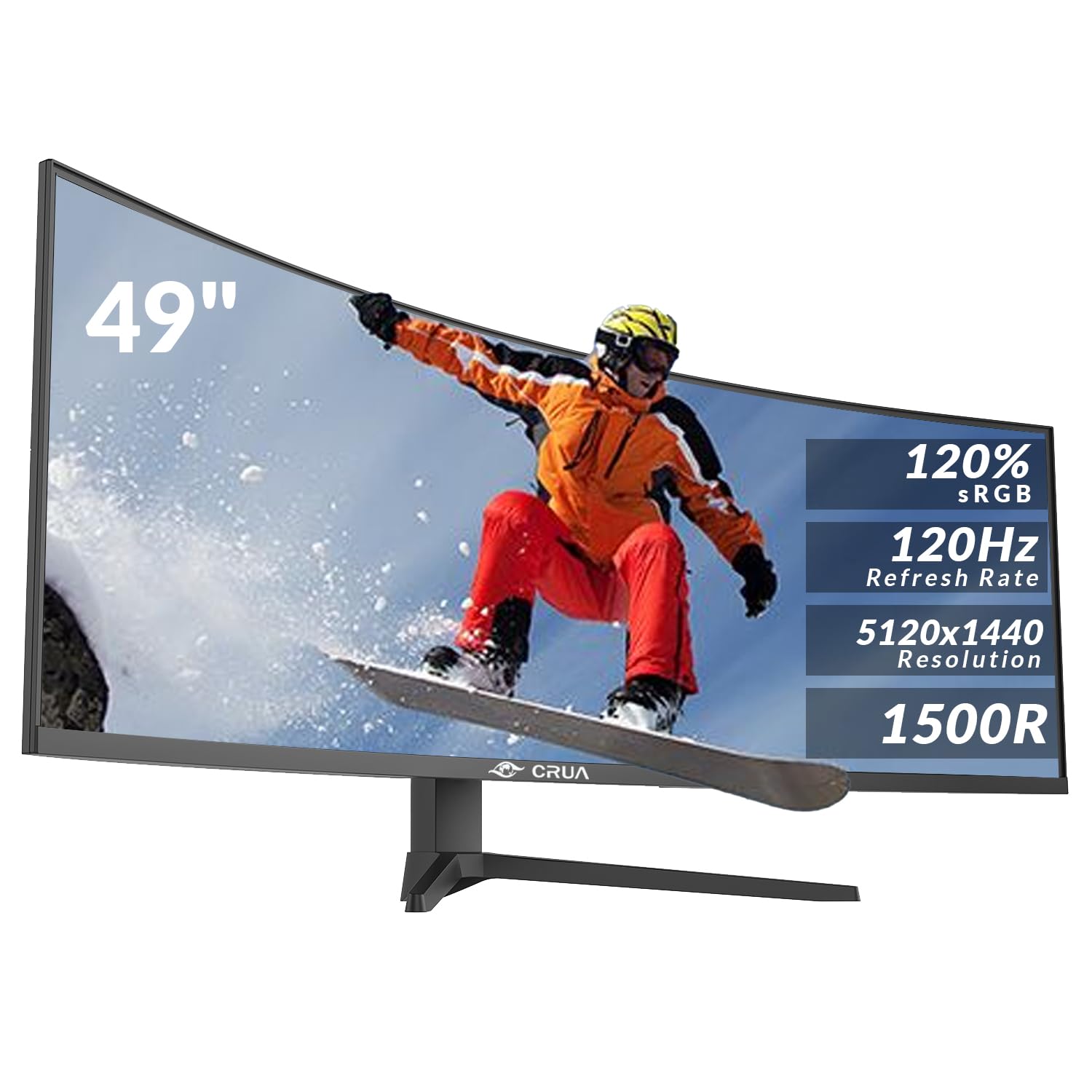
CRUA 49 Inch Curved Gaming Monitor, DQHD 5120 x 1440, 120Hz, 1500R, 32:9 UltraWide, AMD FreeSync, 120% sRGB, Height Adjustable, HDMI 2.1 & DP 1.4, Black
£499.99 · CRUA
Frequently asked
5 questions01Is the MSI MAG 272QP QD-OLED X50 27-Inch WQHD Gaming Monitor, 2560 x 1440 Quantum Dot OLED Panel, 500Hz, 0.03ms, DisplayHDR TRUE Black 500, AMD FreeSync Premium Pro, HDMI 2.1, DP 1.4a, Black good for gaming?+
Yes, it's excellent for gaming. The 500Hz refresh rate is among the highest available on any QD-OLED panel, and the 0.03ms GtG response time means pixel transitions are essentially instantaneous. The VESA ClearMR 21000 rating is the highest tier in that standard, confirming exceptional motion clarity. FreeSync Premium Pro ensures tear-free gaming with VRR active even in HDR mode. For competitive shooters and fast-paced games, this is about as capable as a monitor gets right now.
02Does the MSI MAG 272QP QD-OLED X50 27-Inch WQHD Gaming Monitor, 2560 x 1440 Quantum Dot OLED Panel, 500Hz, 0.03ms, DisplayHDR TRUE Black 500, AMD FreeSync Premium Pro, HDMI 2.1, DP 1.4a, Black have good HDR?+
Yes, genuinely good HDR rather than the checkbox variety. The VESA DisplayHDR True Black 500 certification means it achieves HDR through per-pixel OLED control rather than LCD local dimming zones. The native contrast ratio is 1,500,000:1, peak brightness reaches 1000 nits for highlights, and the 99% DCI-P3 colour coverage means HDR content looks as intended. The one caveat is that full-screen bright content triggers automatic brightness limiting (ABL), which is an OLED characteristic rather than a defect.
03Is the MSI MAG 272QP QD-OLED X50 27-Inch WQHD Gaming Monitor, 2560 x 1440 Quantum Dot OLED Panel, 500Hz, 0.03ms, DisplayHDR TRUE Black 500, AMD FreeSync Premium Pro, HDMI 2.1, DP 1.4a, Black good for content creation?+
It's capable for content creation. The Delta E of 2 or less factory calibration, 10-bit colour depth, and 99% DCI-P3 coverage are professional-grade specs. The improved sub-pixel arrangement on this generation of QD-OLED addresses the text clarity issues of earlier panels. For photo editing and video colour grading in DCI-P3 or wide colour spaces, it's well-suited. For work requiring strict sRGB accuracy, confirm that MSI's GI software includes a properly clamped sRGB emulation mode.
04What graphics card do I need for the MSI MAG 272QP QD-OLED X50 27-Inch WQHD Gaming Monitor, 2560 x 1440 Quantum Dot OLED Panel, 500Hz, 0.03ms, DisplayHDR TRUE Black 500, AMD FreeSync Premium Pro, HDMI 2.1, DP 1.4a, Black?+
To actually use the 500Hz refresh rate, you need a GPU capable of pushing 500 frames per second at 2560x1440. In demanding AAA titles, no current GPU achieves this consistently. In competitive shooters like CS2 or Valorant with lower graphical settings, high-end cards like the RTX 4090 or RX 7900 XTX can get close. For the majority of gaming at 144Hz to 360Hz, a mid-to-high-end card like an RTX 4070 Super or RX 7800 XT is sufficient. Make sure your GPU has a DisplayPort 1.4 or higher output to support the full 500Hz spec.
05What warranty and returns apply to the MSI MAG 272QP QD-OLED X50 27-Inch WQHD Gaming Monitor, 2560 x 1440 Quantum Dot OLED Panel, 500Hz, 0.03ms, DisplayHDR TRUE Black 500, AMD FreeSync Premium Pro, HDMI 2.1, DP 1.4a, Black?+
Amazon offers 30-day returns on most items, which is useful for checking for dead pixels or panel issues. MSI typically provides a 3-year warranty on their monitors. You're also covered by Amazon's A-to-Z guarantee for purchase protection. Check MSI's UK support page for the specific warranty terms including any OLED panel burn-in policy.