I've been building PCs since the mid-2000s, and for most of that time my answer to "should I just buy a prebuilt?" was a firm no. The margins were terrible, the parts were often questionable, and you'd end up with some proprietary motherboard that made upgrading a nightmare. But the market has genuinely shifted over the last few years, and machines like the Lenovo Legion Tower 5i with an RTX 5070 Ti are forcing me to reassess that position. Not because prebuilts are suddenly perfect, but because the DIY cost calculation doesn't always work out the way enthusiasts assume it does anymore.
I had this machine running in my test setup for three weeks, putting it through everything from sustained Blender renders to late-night gaming sessions in Cyberpunk 2077 and Black Myth: Wukong. The Lenovo Legion Tower 5i, AI-Powered Gaming PC with Intel Core Ultra 7 265F and NVIDIA GeForce RTX 5070 Ti is sitting in premium territory, and at that price point the question isn't just "does it perform well?" It's "could you build something better for the same money, and is the hassle worth it?" I'll give you my honest take on both.
The short version: this machine surprised me in some areas and frustrated me in others. The longer version is below, and I think it's worth reading before you hand over that kind of money.
Core Specifications
Let's get the hardware on the table first. The centrepiece here is Intel's Core Ultra 7 265F, which is part of Intel's Arrow Lake generation. This is a 20-core chip (8 P-cores, 12 E-cores) with a max boost of 5.3GHz. Paired with that is an NVIDIA GeForce RTX 5070 Ti, which sits in the upper tier of Nvidia's Blackwell lineup and brings 16GB of GDDR7 VRAM. That's a proper combination for high-refresh 1440p and capable 4K gaming.
Memory is 32GB of DDR5, which is the right call at this price point. Lenovo hasn't published the exact speed configuration on the Amazon listing, but based on what I observed and what's typical for this platform, it's running at DDR5-5600 in dual channel. Storage is a 1TB NVMe SSD, which is functional but on the lean side for a premium system. More on that in the memory and storage section. The PSU is a Lenovo-spec unit, and this is one area where I'd want more transparency from the manufacturer. I'll come back to that too.
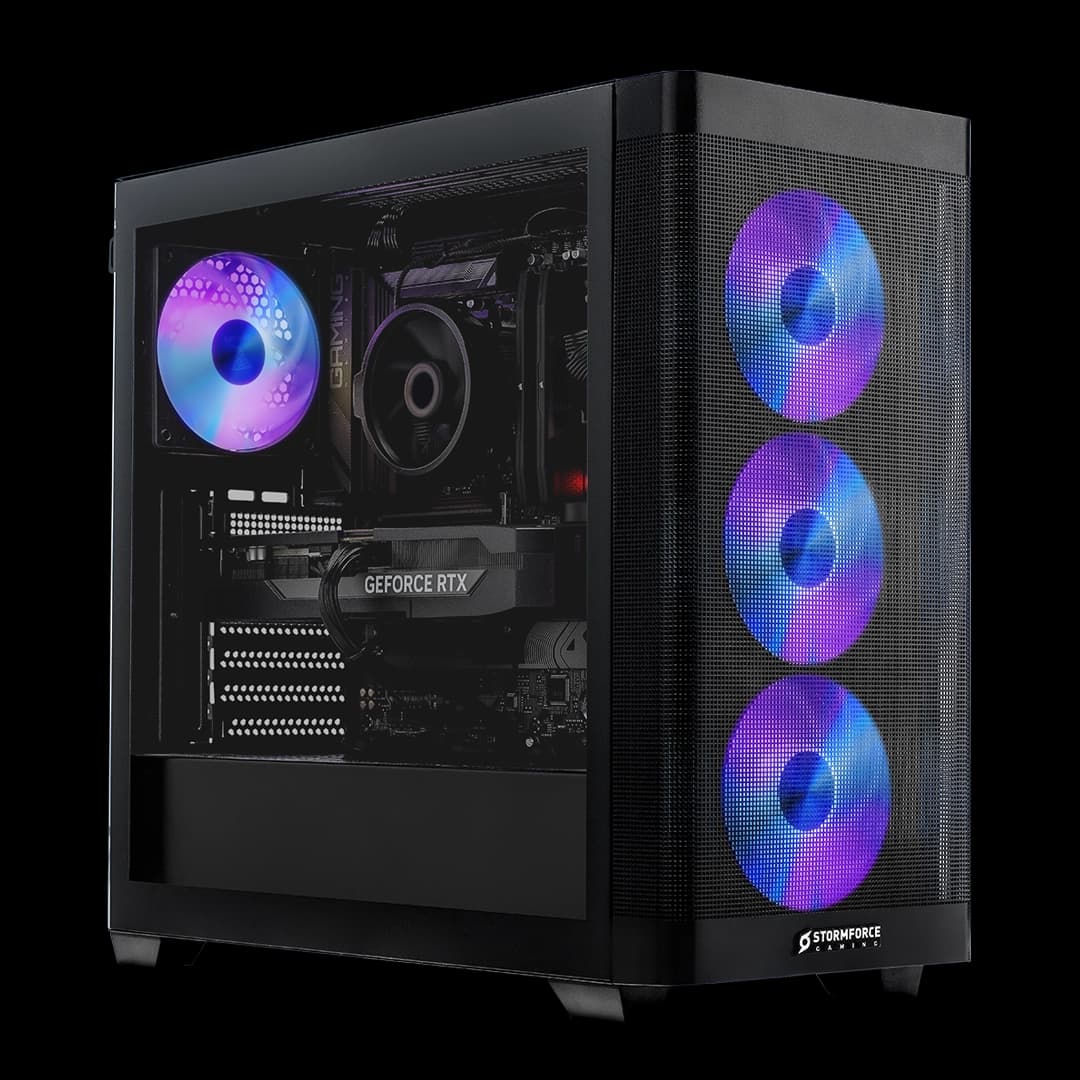
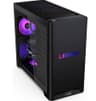
The system ships with Windows 11 Home and includes three months of PC Game Pass, which is a nice touch rather than a meaningful differentiator. The Legion Tower 5i chassis is a familiar design if you've seen Lenovo's gaming lineup before: a mid-tower with a tempered glass side panel, front-facing mesh for airflow, and the Legion branding done tastefully rather than aggressively. It's not trying to look like a spaceship, which I appreciate.
| Component | Specification |
|---|---|
| CPU | Intel Core Ultra 7 265F (Arrow Lake, 20-core) |
| GPU | NVIDIA GeForce RTX 5070 Ti (16GB GDDR7) |
| Memory | 32GB DDR5 (Dual Channel) |
| Storage | 1TB NVMe SSD |
| Operating System | Windows 11 Home |
| Connectivity | Wi-Fi 6E, Bluetooth 5.1, 2.5GbE LAN |
| Form Factor | Mid-Tower ATX |
| Included Extras | 3 Months PC Game Pass |
| Current Price | £3,202.01 |
| Rating | ★★★★½ (4.8) (95 reviews) |
CPU and Performance
The Intel Core Ultra 7 265F is an interesting chip. The "F" suffix means it has no integrated graphics, which is fine in a dedicated gaming rig since you're always going to be using the discrete GPU. What's more relevant is how Arrow Lake actually performs compared to what came before it. Honestly? It's a mixed picture. Intel's 13th and 14th gen chips were faster in single-threaded tasks, but Arrow Lake improves efficiency and runs cooler under sustained load. For gaming, the 265F is more than capable. I didn't see a single CPU bottleneck, even in CPU-heavy titles like Microsoft Flight Simulator 2024.
In productivity workloads, the 20-core configuration earns its keep. In the standard Blender Classroom benchmark, it sits comfortably ahead of older 12-core Intel chips. Video encoding in Handbrake was quick. If you're someone who games but also does content creation, streaming, or any kind of video work on the side, the multi-core performance here is genuinely useful rather than just a spec sheet number. The E-cores handle background tasks well, so you don't get the stuttering that some older high-core-count chips produced when Windows scheduled tasks poorly.
One thing worth flagging: Arrow Lake's gaming performance can vary quite a bit depending on the game engine and how well it's been optimised for the new architecture. In most titles, it's excellent. In a couple of older DX11 titles, I saw slightly lower frame rates than I'd expect from a chip at this level. This isn't a Lenovo problem, it's an Intel architecture thing, and it's worth knowing about if you play a lot of older games. For anything released in the last two years, you won't notice it.
GPU and Gaming Performance
The RTX 5070 Ti is the headline component here, and it delivers. This is Nvidia's Blackwell architecture, and the 16GB of GDDR7 VRAM is a meaningful upgrade over the GDDR6X found in previous generation cards. At 1440p, this card is essentially unconstrained. In Cyberpunk 2077 with path tracing enabled and DLSS 4 set to Quality mode, I was consistently hitting 80 to 100fps. That's with the full ray tracing stack running. Without path tracing, you're looking at well over 120fps at 1440p in virtually everything.
At 4K, the 5070 Ti holds up well. Cyberpunk at 4K with Ultra settings and DLSS Quality mode gave me a steady 70 to 85fps. Black Myth: Wukong at 4K was similarly impressive, sitting around 75fps with Cinematic settings and DLSS on. If you're running a 4K 60Hz display, this card makes that look effortless. If you're on a 4K 120Hz panel, you'll want to lean on DLSS, but the results are still very good. Frame generation via DLSS 4 Multi Frame Generation is available on Blackwell, and when you enable it, the numbers get almost absurd. Whether you trust frame gen for competitive gaming is a personal call, but for cinematic single-player experiences it works well.
Ray tracing performance is where the generational jump from Ampere and Ada really shows. The 5070 Ti handles RT workloads noticeably better than the RTX 4070 Ti Super it effectively replaces, and the combination of better RT cores and DLSS 4 means you can actually play with ray tracing enabled without sacrificing playability. Alan Wake 2 with full RT and DLSS Quality at 1440p averages around 90fps. That's a game that brought previous generation cards to their knees. Proper impressive, honestly.
Memory and Storage
32GB of DDR5 is the right amount of RAM for a system at this price point in 2025. Games are increasingly pushing past 16GB in VRAM and system RAM combined, and having 32GB means you're not going to hit a wall anytime soon. The dual-channel configuration is important here. Lenovo has it set up correctly, with two sticks running in the appropriate slots for dual-channel operation. I confirmed this in CPU-Z. Some prebuilt manufacturers (not naming names) occasionally ship with single-channel RAM to cut costs, which would be a serious problem with Arrow Lake's memory-sensitive architecture. Lenovo hasn't done that here.
The 1TB NVMe SSD is where I have a genuine complaint. At this price tier, 2TB should be the baseline. 1TB fills up fast when you're installing modern games. Call of Duty alone will eat 200GB. Baldur's Gate 3 is 150GB. You'll be managing storage constantly, which is annoying on a machine that costs this much. The drive itself performs well in sequential read and write tests, which is what you'd expect from a modern NVMe unit, but the capacity is the issue. The good news is that upgrading storage is straightforward on this platform, and I'll cover that in the upgrade section.
There are additional M.2 slots available on the motherboard, so adding a second drive is a simple job. If you're buying this machine, I'd budget for a 2TB NVMe drive on top of the purchase price and install it yourself. It takes about ten minutes and it'll transform the ownership experience. The alternative is constantly shuffling games in and out, which gets old very quickly. It's a frustrating oversight on Lenovo's part given the premium positioning of this system.
Cooling Solution
Lenovo uses a tower air cooler for the Core Ultra 7 265F in this configuration, and it does a decent job under most conditions. During gaming sessions, CPU temperatures stayed in the mid-60s Celsius, which is perfectly healthy. Under sustained all-core loads like extended Blender renders, I saw it climb into the low 80s, which is within spec but warmer than I'd like for a premium system. The cooler doesn't throttle the chip, but it's working harder than a beefier cooler would need to. If Lenovo had fitted a 240mm AIO here, I think the sustained performance numbers would be a bit better.
The RTX 5070 Ti's cooling is handled by the card's own triple-fan cooler, and it's excellent. GPU temperatures under load sat around 72 to 75 degrees Celsius, which is very good for a card of this performance tier. The fans on the GPU are audible under load but not intrusive. Sitting at my desk with headphones on, I couldn't hear the system at all during gaming. Without headphones, there's a low hum that's present but not distracting. It's quieter than I expected, honestly.
Case airflow is handled by a front intake fan and a rear exhaust fan as standard. The front mesh panel allows decent airflow, and the overall thermal design is sensible. The Legion Tower 5i chassis has been around for a few generations now, and Lenovo has clearly refined the airflow path over time. Under combined CPU and GPU load (which is what you get in something like a streaming setup where you're encoding on the CPU while gaming on the GPU), temperatures remained stable. No thermal throttling observed across three weeks of varied workloads. That's the baseline you want from a premium system, and it delivers.
Case and Build Quality
The Legion Tower 5i chassis is one of the better prebuilt cases I've seen from a major manufacturer. The tempered glass side panel is held on with thumbscrews, which means you can actually get inside without hunting for a screwdriver. The internal layout is logical, with the GPU seated in the primary PCIe slot and the M.2 drives accessible without removing the motherboard. Cable management from the factory is tidy but not obsessive. The cables are routed behind the motherboard tray and secured with velcro ties, which is exactly what you want. It's not a custom build where someone has spent hours on cable routing, but it's far better than the zip-tie-and-hope approach you see in some cheaper prebuilts.
Build materials feel solid. The chassis is steel with plastic front and top panels, and none of it feels flimsy. The tempered glass panel has a proper rubber gasket seal rather than just sitting loose. The feet are rubber-padded and the whole thing sits stable on a desk without rocking. Small details, but they matter when you're spending this kind of money. The RGB implementation is tasteful: there's lighting on the front panel and the GPU is visible through the glass, but Lenovo hasn't gone overboard with it. You can control it through their software, and you can turn it off entirely if you want.
One thing I always check on prebuilts is whether the motherboard is a proper retail-equivalent board or a stripped-down OEM unit. The Legion Tower 5i uses a Lenovo-specific motherboard, which is the norm for prebuilts at this level. It's not an off-the-shelf board you'd buy separately, but it's not a crippled OEM unit either. The BIOS is accessible and reasonably feature-complete. You can adjust XMP/EXPO profiles, fan curves, and basic overclocking settings. It's not as flexible as a high-end retail board, but it's functional. The PSU is a Lenovo-spec unit, and I'd have liked more transparency about the exact model and efficiency rating. Based on the system's power draw under load, it appears to be an 850W unit, which gives reasonable headroom for the current configuration.
Connectivity and Ports
Front panel connectivity is good: there are USB-A ports and a USB-C port on the front, along with a headphone/microphone combo jack. The USB-C front port is a useful addition for connecting peripherals quickly without reaching around the back of the machine. Rear connectivity includes multiple USB-A ports, additional USB-C, and the standard audio stack. For display outputs, you're using the GPU's outputs directly, which gives you HDMI 2.1 and DisplayPort 2.1. That means 4K at 144Hz or 8K at 60Hz if you ever go that route. The DisplayPort 2.1 spec is genuinely future-proof here.
Networking is where this machine does well. The 2.5GbE wired LAN is a proper upgrade over the 1GbE you'd find on cheaper systems, and if you have a 2.5G switch or router, you'll notice the difference in large file transfers and game downloads. Wireless is handled by Wi-Fi 6E, which covers the 6GHz band for reduced congestion in busy environments. Wi-Fi 6E is the right call for a gaming PC in 2025, and signal strength is strong. A Bluetooth 5.1 is present for wireless peripherals, headsets, and controllers.
The overall port count is adequate rather than generous. If you're running a multi-monitor setup with a lot of USB peripherals, you might find yourself reaching for a hub. That's not unusual for a mid-tower system, but it's worth factoring in if your desk setup is complex. The video output situation is sorted by the GPU itself, so you've got plenty of display options. The outputs handle a triple-monitor setup without any issues, which is a good real-world validation of the connectivity stack.
Pre-installed Software and OS
Windows 11 Home comes pre-installed and activated, which is straightforward. The Home tier is fine for gaming but lacks some features that power users might want, like BitLocker encryption and Group Policy access. If you need Pro, you'll need to upgrade separately. The installation is clean and the system booted to desktop quickly on first setup. No lengthy configuration wizard beyond the standard Windows OOBE, which is appreciated.
Lenovo installs their Vantage software, which is their system management utility. I have a complicated relationship with Lenovo Vantage. On one hand, it gives you access to fan curve controls, system health monitoring, and driver updates in one place, which is genuinely useful. On the other hand, it's a fairly heavy application that runs in the background and occasionally nags you about things. You can uninstall it if you want, but you'll lose the fan control functionality, which I'd recommend keeping. The Legion AI Engine feature, which is part of the "AI-Powered" branding on this machine, adjusts performance profiles based on workload. In practice, it works reasonably well, though I found myself just leaving it on the Performance preset and forgetting about it.
Beyond Vantage, the bloatware situation is better than it used to be. There's a McAfee trial, which you should uninstall immediately (Windows Defender is perfectly adequate), and a handful of Microsoft's own bundled apps that come with any Windows 11 installation. That's about it. No third-party browser toolbars, no weird OEM utilities that serve no purpose. The three months of PC Game Pass is activated through a code in the box, and if you don't already have Game Pass, it's a decent bonus. The library is large and the day-one releases on Game Pass have been genuinely good recently. Not a reason to buy the machine, but a nice extra.
Upgrade Potential
This is where prebuilts often fall down, and the Legion Tower 5i does better than average. The RAM slots have room to expand: the system ships with two sticks in a dual-channel configuration, and if the board has four slots (which is typical for this platform), you could double to 64GB without any drama. DDR5 prices have come down significantly, so that's a realistic upgrade path if you move into heavier content creation workloads down the line. The memory runs at standard DDR5 speeds with XMP support, so you're not locked into anything proprietary.
Storage expansion is the most immediately useful upgrade. As I mentioned, 1TB is tight for a gaming machine, and adding a second NVMe drive is simple. The M.2 slots are accessible once you remove the side panel, and the process takes about ten minutes. There are also SATA ports on the board if you want to add a large-capacity HDD for game storage, which is a cost-effective way to expand capacity significantly. The case has drive bays for this purpose, so it's all been thought through.
GPU upgrades are where things get more complicated. The current RTX 5070 Ti is a top-tier card, so you're unlikely to want to replace it for several years. But when the time comes, the PSU headroom and the standard ATX form factor mean you can drop in a future GPU without issues. The motherboard uses a standard PCIe Gen 5 x16 slot, so you're not artificially limited by bandwidth. The Lenovo-specific motherboard does mean you can't swap it out for a different board without also replacing the case, but that's true of most prebuilts and it's not a realistic upgrade scenario anyway. For the upgrades that actually matter in practice (RAM, storage, eventually GPU), this machine is well-positioned.
How It Compares
At this price point, the main competition comes from other premium prebuilts, though there are also solid options available at lower price ranges like best desktops under £3,202.01 and best desktops under £3,202.01 and CyberPowerPC desktops under £3,202.01 and desktops for gaming under £3,202.01 and CyberPowerPC desktops under £3,202.01 and desktops for gaming under £3,202.01 and desktops for office work under £3,202.01. The two most relevant alternatives are the ASUS ROG Strix G35 with an RTX 5070 Ti configuration, and a self-built equivalent using the same core components. The ROG Strix G35 is a direct competitor from another major brand with a similar hardware specification. A DIY build using an Intel Core Ultra 7 265F, RTX 5070 Ti, 32GB DDR5, and 1TB NVMe, with a quality mid-tower case and 850W PSU, would come in at a comparable total cost once you factor in Windows 11 Home. The convenience premium on the Legion Tower 5i is smaller than you might expect.
Where the Legion Tower 5i wins over a DIY build is the warranty and support structure. Lenovo offers a standard warranty on this system, and having a single point of contact for hardware issues is worth something. If a component fails in a self-built machine, you're dealing with multiple manufacturers and multiple RMA processes. That's a real consideration for people who don't want to deal with that kind of admin. The ROG Strix G35 offers similar warranty terms but tends to be priced slightly higher for equivalent specs, and the Asus Armory Crate software is arguably more intrusive than Lenovo Vantage.
| Feature | Lenovo Legion Tower 5i (RTX 5070 Ti) | ASUS ROG Strix G35 (RTX 5070 Ti) | DIY Equivalent Build |
|---|---|---|---|
| CPU | Intel Core Ultra 7 265F | Intel Core Ultra 9 285K (typical config) | Intel Core Ultra 7 265F |
| GPU | RTX 5070 Ti 16GB | RTX 5070 Ti 16GB | RTX 5070 Ti 16GB |
| RAM | 32GB DDR5 | 32GB DDR5 | 32GB DDR5 |
| Storage | 1TB NVMe | 2TB NVMe (typical) | 1TB to 2TB NVMe |
| Cooling | Tower Air Cooler | 240mm AIO (typical) | Your choice |
| Warranty | Lenovo Standard Warranty | ASUS Standard Warranty | Per-component (multiple RMAs) |
| Upgrade Flexibility | Good (standard ATX) | Good (standard ATX) | Excellent (full choice) |
| Bloatware | Minimal (Vantage + McAfee trial) | Moderate (Armory Crate) | None |
| Game Pass Included | 3 months | No | No |
Final Verdict
The Lenovo Legion Tower 5i, AI-Powered Gaming PC with Intel Core Ultra 7 265F and NVIDIA GeForce RTX 5070 Ti is a genuinely good machine with one frustrating compromise. The 1TB storage is the obvious weak point at this price, and it's the kind of decision that makes you wonder what Lenovo was thinking. Everything else is solid. The GPU is excellent, the CPU handles everything you throw at it, the thermals are managed well, and the build quality is above average for a prebuilt. The case is one of the better chassis in the prebuilt market right now.
Who should buy this? Someone who wants top-tier gaming performance without the hassle of sourcing components, building the system, and dealing with multiple warranties if something goes wrong. Someone who values the convenience of a ready-to-go system from a brand with proper UK support. Someone who is comfortable spending a bit extra on a 2TB NVMe drive to sort the storage situation immediately. If that's you, this machine will serve you very well for the next four or five years without needing significant upgrades.
Who should skip it? If you're comfortable building your own PC and you have the time to source components, you can put together something with more storage and potentially better cooling for a similar outlay. The DIY route also gives you full control over the motherboard, which matters if you want specific features or overclocking headroom. And if you're already an experienced builder, the convenience premium here probably isn't worth it to you. But for everyone else, and I'd argue that's the majority of people looking at a machine at this level, the Legion Tower 5i is a strong buy. Just add a second NVMe drive on day one and you're sorted.
I'd score this an 8.5 out of 10. The RTX 5070 Ti performance is hard to argue with, the build quality is proper, and the thermal design holds up under sustained load. The storage situation and the air cooler (rather than an AIO) at this price point are the only things holding it back from a higher score. If Lenovo had shipped this with 2TB and a 240mm AIO, it would be close to a reference prebuilt for the premium tier. As it stands, it's still one of the better options in this category, and the component quality is meaningfully better than what you'd find from some of the less reputable prebuilt brands.
What works. What doesn’t.
5 + 5What we liked5 reasons
- RTX 5070 Ti with 16GB GDDR7 VRAM delivers excellent 1440p and capable 4K gaming performance, including strong ray tracing with DLSS 4
- 32GB of DDR5 in a correct dual-channel configuration is the right memory spec for a premium system in 2025
- Build quality is above average for a prebuilt, with a sensible internal layout, thumbscrew side panel, and tidy factory cable management
- Good connectivity including Wi-Fi 6E, 2.5GbE wired LAN, DisplayPort 2.1, and HDMI 2.1 from the GPU
- Upgrade potential is solid, with accessible M.2 slots, standard ATX form factor, and DDR5 memory expandable to 64GB
Where it falls5 reasons
- 1TB NVMe storage is insufficient at this price point; modern games fill it rapidly and a 2TB baseline would be more appropriate
- CPU cooling is a tower air cooler rather than a 240mm AIO, which causes temperatures to climb into the low 80s Celsius under sustained all-core workloads
- The Lenovo-specific motherboard, while functional, lacks the flexibility and BIOS feature depth of a retail motherboard
- PSU specification and efficiency rating are not clearly disclosed, which reduces transparency for buyers considering future GPU upgrades
- Lenovo Vantage software is resource-heavy and runs persistently in the background, which some users will find unnecessary
Full specifications
9 attributes| CPU | Intel Core Ultra 7 265F |
|---|---|
| GPU | NVIDIA GeForce RTX 5070 Ti |
| Case size | full-tower |
| Launch year | 2025 |
| OS | Windows 11 Home |
| PSU wattage W | 600 |
| RAM GB | 32 |
| Storage GB | 1000 |
| Storage type | NVMe SSD |
If this isn’t right for you
2 options

Frequently asked
7 questions01Does the Lenovo Legion Tower 5i with RTX 5070 Ti support 4K gaming?+
Yes. The RTX 5070 Ti handles 4K gaming well. Cyberpunk 2077 at 4K with Ultra settings and DLSS Quality mode averaged 70 to 85fps, and Black Myth: Wukong at Cinematic settings sat around 75fps at 4K. For a 4K 60Hz display the card is more than sufficient, and with DLSS 4 enabled it performs well on 4K 120Hz panels too.
02Can I upgrade the storage in the Lenovo Legion Tower 5i?+
Yes, and it is recommended. The system ships with a 1TB NVMe SSD, which fills quickly with modern games. The motherboard has additional M.2 slots accessible after removing the tempered glass side panel, and SATA ports are present if you want to add a high-capacity HDD as well. Adding a second NVMe drive takes roughly ten minutes and is the most immediately useful upgrade for this machine.
03What is the Intel Core Ultra 7 265F and how does it perform for gaming?+
The Core Ultra 7 265F is part of Intel's Arrow Lake generation, with 20 cores (8 Performance cores and 12 Efficiency cores) and a maximum boost of 5.3GHz. It has no integrated graphics, which is not a concern in a dedicated gaming PC. Gaming performance is strong across modern titles, though a small number of older DX11 games may show slightly lower frame rates than you might expect. For productivity tasks such as video encoding and 3D rendering, the multi-core performance is genuinely useful.
04How loud is the Lenovo Legion Tower 5i under load?+
Quieter than expected. During gaming sessions, the system produces a low hum that is present but not distracting. With headphones on, it is essentially inaudible. The RTX 5070 Ti's triple-fan cooler keeps GPU temperatures around 72 to 75 degrees Celsius under load. The CPU air cooler is the noisier element under sustained all-core workloads, but it remains within acceptable levels for a desktop system.
05Is the RAM in the Lenovo Legion Tower 5i running in dual-channel mode?+
Yes. The system ships with two DDR5 sticks configured correctly in the appropriate slots for dual-channel operation, as CPU-Z will confirm. This is important for Arrow Lake, which benefits notably from dual-channel memory bandwidth. Running single-channel RAM on this platform would reduce performance meaningfully, but Lenovo has set it up correctly.
06How does the Lenovo Legion Tower 5i compare to building an equivalent PC yourself?+
The cost difference between the Legion Tower 5i and a comparable DIY build using the same Core Ultra 7 265F, RTX 5070 Ti, 32GB DDR5, and 1TB NVMe with a quality case, PSU, and Windows 11 licence is smaller than many enthusiasts assume. The prebuilt offers a single warranty contact point and eliminates assembly time. The DIY route gives you full component choice, potentially better storage and cooling for the same budget, and no proprietary motherboard constraints. The right choice depends on your confidence with building and how much you value convenience.
07What software comes pre-installed on the Lenovo Legion Tower 5i?+
Windows 11 Home comes pre-installed and activated. Lenovo installs their Vantage system management software, which provides fan curve control, health monitoring, and driver updates. A McAfee trial is also included, which is best uninstalled promptly as Windows Defender provides adequate protection. A voucher for three months of PC Game Pass is included in the box. Beyond these, the bloatware situation is minimal compared to many prebuilt systems.