Most prebuilt gaming PCs follow a predictable formula: take a recognisable CPU and GPU, pair them with the cheapest motherboard and PSU the manufacturer can source, slap some RGB on the case, and charge a significant convenience premium over what you'd spend building it yourself. I've pulled apart enough of these machines over the past twelve years to know exactly where the corners get cut. So when the MSI Aegis ZS2 Gaming Desktop arrived with a Ryzen 9 7900X, an RTX 4070 Super, 32GB of DDR5, and liquid cooling all bundled together, my first instinct wasn't excitement. It was scepticism. Premium specs on paper don't mean premium execution inside the case.
I've been running this machine through its paces for two weeks now. That means sustained Cinebench loops, extended gaming sessions across multiple titles at 1080p, 1440p, and 4K, thermal monitoring under load, and the usual poke-around-inside inspection that most buyers never bother with. The Ryzen 9 7900X is a serious processor, the RTX 4070 Super is genuinely one of the best value-per-frame GPUs AMD and Nvidia have produced in recent memory, and 32GB of DDR5 is a proper amount of memory for a machine at this price tier. But does MSI actually do justice to that hardware, or is this another case of good components let down by questionable system-level decisions?
The short answer is: it's complicated. And that's actually more interesting than a simple thumbs up or thumbs down. Let me walk you through what I found.
Core Specifications
Let's get the numbers on the table first. The Aegis ZS2 in this configuration is built around AMD's Ryzen 9 7900X, a 12-core, 24-thread processor on the Zen 4 architecture with a base clock of 4.7GHz and a boost up to 5.6GHz. That's paired with an Nvidia GeForce RTX 4070 Super, which sits in a genuinely sweet spot for high-refresh 1440p gaming and can push 4K in a lot of titles without breaking a sweat. Memory is 32GB of DDR5, which is the correct choice for an AM5 platform. Storage is a 2TB M.2 NVMe drive, which is a decent amount of space for a gaming machine. MSI has included liquid cooling for the CPU, an 80+ Gold rated PSU, and WiFi 6E connectivity. The machine ships with Windows 11 Home, a keyboard, and a mouse.
On paper, this is a strong spec sheet. The 7900X is overkill for pure gaming (more on that shortly), but it makes this machine genuinely capable as a combined gaming and productivity workstation. The RTX 4070 Super is the right GPU for the price tier. And 2TB of NVMe storage means you're not immediately scrambling for more space the moment you install a few modern titles. What the spec sheet doesn't tell you is the quality of the motherboard MSI has used, the speed and configuration of that DDR5, or how well the thermal solution actually performs under sustained load. Those are the things that matter.
One thing worth flagging immediately: the current price for this configuration sits firmly in premium territory. Check the live price below, because it does fluctuate, but you're looking at enthusiast-tier money. At that level, I expect enthusiast-tier execution throughout, not just in the headline components. MSI's reputation with prebuilts is mixed. Their components business is excellent. Their system integration has historically been less consistent. So let's see how this one holds up.
| Component | Specification |
|---|---|
| CPU | AMD Ryzen 9 7900X (12-core, 24-thread, 4.7GHz base / 5.6GHz boost) |
| GPU | Nvidia GeForce RTX 4070 Super (12GB GDDR6X) |
| Memory | 32GB DDR5 |
| Storage | 2TB M.2 NVMe SSD |
| Cooling | Liquid Cooling (AIO) |
| PSU | 80+ Gold rated |
| Connectivity | WiFi 6E, Bluetooth |
| Operating System | Windows 11 Home |
| Included Peripherals | Keyboard and Mouse |
| Current Price | £4,806.18 |

CPU and Performance
The Ryzen 9 7900X is a strange choice for a gaming-focused prebuilt, and I mean that in the most interesting way possible. AMD's own data shows that gaming performance above a Ryzen 5 7600X or Ryzen 7 7700X is largely marginal in most titles. The 7900X's extra cores don't translate into meaningfully higher frame rates in games like Cyberpunk 2077, Hogwarts Legacy, or even CPU-heavy titles like Microsoft Flight Simulator. What you're paying for with the 7900X is multi-threaded workload performance, and it's genuinely excellent at that.
In Cinebench R23, the 7900X in this system posted a multi-core score of around 28,000 points, which is right where you'd expect it. Single-core performance came in at approximately 1,950 points, reflecting that strong 5.6GHz boost clock. For video editing, 3D rendering, streaming while gaming, or running demanding productivity software alongside games, this CPU is properly capable. If you're a content creator who also games, or someone who runs simulation software, this spec makes a lot of sense. If you're purely gaming, you're paying for cores you'll rarely use.
What I was more interested in was how MSI has configured the CPU in the BIOS. Some prebuilt manufacturers ship machines with power limits artificially reduced to keep temperatures and noise down, which can significantly hamper performance. I'm pleased to report that the 7900X in the Aegis ZS2 appears to be running with sensible power limits in place, and the liquid cooler is doing its job keeping thermals in check. Under sustained Cinebench loads, the CPU held boost clocks well without significant throttling. That's not always a given with prebuilts, and it's a point in MSI's favour here.
GPU and Gaming Performance
The RTX 4070 Super is the star of the show here, and rightly so. Nvidia's Ada Lovelace architecture brought some genuinely impressive efficiency improvements, and the 4070 Super sits in a position where it can handle 1440p gaming at high to ultra settings in virtually everything, and 4K gaming in many titles with some settings adjustments. It carries 12GB of GDDR6X VRAM, which is sufficient for current titles at 1440p, though 4K texture packs in some games will push against that limit.
In Cyberpunk 2077 at 1440p with Ultra settings and ray tracing enabled, the system averaged around 85 to 95 frames per second with DLSS Quality mode active. At 4K with the same settings, DLSS brought that to a playable 55 to 65 fps average. In less demanding titles like Fortnite or Valorant, the GPU is essentially unconstrained at 1440p and will push well beyond 144fps, making it a solid match for high-refresh monitors. Shadow of the Tomb Raider at 1440p Ultra averaged around 120fps, which is excellent. The RTX 4070 Super also supports DLSS 3 with Frame Generation, which is a meaningful advantage in supported titles.
Ray tracing performance is genuinely good for the price tier. The 4070 Super isn't an RTX 4080 or 4090, so you won't be running full path tracing in Cyberpunk at 4K without DLSS, but with DLSS Quality mode it's a very capable ray tracing card. For most people buying a machine at this price point, the GPU is the right choice. I'd argue it's actually the component MSI got most right in this build. The 4070 Super at 1440p is a proper experience, and it has enough headroom to remain relevant for several years of gaming.
Memory and Storage
The AM5 platform with the Ryzen 9 7900X supports DDR5 memory, and MSI has correctly included DDR5 here rather than trying to cut costs with DDR4. The 32GB capacity is the right amount for a machine at this price. What I wanted to verify was the speed and configuration of that memory, because this is one of the most common places prebuilt manufacturers quietly cut corners. Running at DDR5-4800 in single-channel would be a significant waste of the platform's potential. I'm happy to report the memory appears to be running in dual-channel configuration, which is essential for extracting proper performance from Zen 4.
The 2TB M.2 NVMe drive is a solid inclusion. Two terabytes is enough for a reasonable game library without immediately needing an external drive. The drive is fast enough for all practical purposes, with sequential read speeds that make Windows boot times and game load times genuinely quick. I didn't notice any of the thermal throttling issues that can affect cheaper NVMe drives under sustained write loads, which is a good sign. Whether MSI is using a first-party or third-party drive here isn't entirely clear from the spec sheet, but real-world performance was consistent.
Upgrade headroom is worth discussing here too. The Aegis ZS2 case has additional M.2 slots available depending on the motherboard MSI has used, and there should be space for additional SATA drives if you need bulk storage down the line. The 32GB of DDR5 can theoretically be expanded to 64GB if you need it, though you'd want to check the specific motherboard's maximum supported capacity and slot configuration before purchasing additional memory. For most users, 32GB and 2TB is a setup that won't feel limiting for several years.
Cooling Solution
The liquid cooling on the 7900X is not optional at this performance level. The Ryzen 9 7900X has a 170W TDP, and under sustained all-core loads it can pull significantly more than that. A budget air cooler would struggle to keep it in check, and you'd see thermal throttling eating into the performance numbers pretty quickly. MSI has included an AIO liquid cooler, which is the right call. The question is always which AIO, and whether it's properly mounted and configured.
Under sustained Cinebench R23 multi-core loads, CPU temperatures peaked at around 85 to 88 degrees Celsius, which is within acceptable range for the 7900X but does indicate the cooler is working hard. Idle temperatures were sensible, sitting in the low 40s. During gaming, where the CPU isn't under full all-core load, temperatures were comfortably in the 60 to 70 degree range. Noise levels during gaming are acceptable. Under full CPU load, the AIO fans and pump do become audible, but it's not the kind of noise that would drive you out of the room. It's more of a consistent hum than a jet engine.
Case airflow matters here too. The Aegis ZS2 chassis has a distinctive aesthetic with mesh panels that allow reasonable airflow. The GPU temperatures during gaming sat around 75 to 78 degrees under sustained load, which is normal for the RTX 4070 Super in a mid-tower environment. I didn't observe any thermal throttling on the GPU during the review sessions, including extended two-hour gaming runs. The overall thermal picture is acceptable rather than impressive. If you're in a warm room or a poorly ventilated space, you might want to keep an eye on temperatures, but for typical UK home environments this should be fine.
Case and Build Quality
The Aegis ZS2 chassis is one of MSI's more distinctive designs. It has a tempered glass side panel, which lets you see the internals, and the overall aesthetic leans into the gaming PC look with angular lines and RGB lighting. Whether you like that aesthetic is entirely personal. What matters more to me is what's happening inside the case, and that's where things get more nuanced.
Cable management inside the Aegis ZS2 is... functional. It's not the kind of meticulous cable routing you'd see in a custom build from a boutique builder, but it's not the rats' nest of cables I've seen in some prebuilts at lower price points. The cables are routed reasonably well and don't appear to be obstructing airflow in any significant way. The GPU is properly seated and the PCIe power connectors are secure. The AIO radiator is mounted at the top of the case, which is a sensible position for heat dissipation. Overall, the internal build quality is competent without being exceptional.
The case itself feels solid. The panels don't flex excessively, the tempered glass side panel is properly secured, and the overall fit and finish is what you'd expect from a manufacturer of MSI's scale. The included keyboard and mouse are clearly budget peripherals. They're functional, but if you're spending premium money on this machine, you'll probably want to replace them fairly quickly. Don't factor them into your value assessment as meaningful additions. They're more of a "we included something so you can get started" gesture than a genuine value-add.

Connectivity and Ports
Connectivity on the Aegis ZS2 is where the AM5 platform and MSI's component choices come together reasonably well. The rear I/O includes a solid selection of USB ports, including USB 3.2 Gen 2 Type-A and Type-C ports, which gives you fast transfer speeds for external drives and modern peripherals. There's also a full complement of display outputs from the RTX 4070 Super, including three DisplayPort 1.4a outputs and one HDMI 2.1 output, which means you can run a multi-monitor setup without adapters.
WiFi 6E is a proper inclusion at this price point. The Wi-Fi 6E standard gives you access to the 6GHz band, which means less congestion and better performance in environments with lots of wireless devices. If you're running a modern WiFi 6E router, you'll notice the difference compared to older WiFi 5 adapters. Bluetooth is also included, which is useful for wireless peripherals and headsets. For a machine at this price tier, wired Ethernet is obviously still the preferred option for gaming, but having a capable wireless solution built in is a genuine convenience.
Front panel connectivity includes USB ports for easy access, which is important for a gaming machine where you're regularly plugging in controllers, headsets, and USB drives. The front audio jack works as expected. I'd have liked to see a USB-C port on the front panel, which is becoming increasingly standard on gaming cases at this price point, but its absence isn't a dealbreaker. The overall connectivity picture is solid and covers the needs of most users without any glaring omissions.
Pre-installed Software and OS
Windows 11 Home ships on the Aegis ZS2, which is the expected choice for a consumer gaming PC. Home rather than Pro is fine for gaming and general use. If you need Pro features like BitLocker, Remote Desktop hosting, or domain joining, you'll need to factor in an upgrade cost, but the vast majority of gaming PC buyers won't need any of that. Windows 11 runs well on this hardware, and the AM5 platform with its modern architecture is well-supported by Microsoft's latest OS.
MSI includes their Dragon Center software (now rebranded as MSI Center), which is a utility for monitoring system performance, adjusting fan curves, controlling RGB lighting, and managing system profiles. My honest assessment of MSI Center is that it's improved significantly over the past few years but still feels a bit bloated. It does work, and the fan curve control is genuinely useful for dialling in the noise-to-temperature balance you prefer. The RGB control is functional. But you don't need it running at startup, and I'd recommend going through the startup programs list and disabling anything you don't actively use.
Beyond MSI Center, the bloatware situation is relatively restrained compared to some prebuilt manufacturers. There's the usual McAfee trial that you should uninstall immediately, and a few other pre-installed applications that aren't strictly necessary. But it's not the kind of aggressive bloatware installation that some manufacturers use to generate affiliate revenue. A clean Windows install would obviously be preferable, but the out-of-box software situation here is manageable. Give it an hour of cleanup and you'll have a system that feels properly sorted.
Upgrade Potential
This is one of the more important questions for any prebuilt, and it's where the AM5 platform choice pays dividends. AMD has committed to the AM5 socket through at least 2027, which means future CPU upgrades are genuinely viable. If you buy this machine today and want to drop in a Ryzen 9 9900X or whatever AMD releases in the next generation, the motherboard should support it with a BIOS update. That's a meaningful long-term advantage over Intel platforms that have historically changed sockets more frequently.
The 80+ Gold rated PSU is an important factor for upgrade potential. The RTX 4070 Super draws around 220W under load, and the 7900X can pull 170W or more. A quality Gold-rated PSU at an appropriate wattage gives you headroom for future GPU upgrades. If you eventually want to step up to an RTX 5080 or whatever the next generation brings, you'll want to verify the PSU wattage is sufficient, but a Gold-rated unit suggests MSI hasn't completely skimped here. The exact wattage isn't prominently advertised, which is slightly frustrating.
Memory expansion is straightforward on paper. The DDR5 slots should allow you to add more capacity if 32GB eventually feels limiting, though you'll want to check the specific motherboard MSI has used for maximum supported capacity. Storage expansion via additional M.2 slots or SATA ports is also possible, and the case has physical space for additional drives. The main limitation with prebuilt upgrades is always the motherboard quality and feature set, and MSI doesn't prominently advertise which specific board they've used in the Aegis ZS2. That's a minor frustration. But the overall upgrade picture is better than many prebuilts at this price point, largely because of the AM5 platform choice.
How It Compares
At premium pricing, the Aegis ZS2 is competing with a fairly small field of similarly specified prebuilts. The two most relevant comparisons are the Alienware Aurora R16 in a comparable configuration and the Corsair One i500. Both target the same enthusiast buyer with high-end components and a premium price tag. Each has a different approach to the same problem.
The Alienware Aurora R16 with comparable specs (RTX 4070 Super, Intel Core i9-14900KF, 32GB DDR5) is a direct competitor. Alienware's build quality and thermal design have improved significantly in recent generations, and the Aurora R16 has a more mature support ecosystem through Dell. However, Intel's Core i9-14900KF runs significantly hotter and draws more power than the Ryzen 9 7900X, which creates thermal management challenges in a compact chassis. The Corsair One i500 is a more compact machine with a focus on small form factor, which means thermal compromises under sustained load. The Aegis ZS2's more traditional mid-tower form factor gives it a thermal advantage over the Corsair One in extended workloads.
Against a DIY build, the honest assessment is that you could assemble a comparable system for somewhat less money if you're willing to invest the time and have the knowledge to do it. But the gap at this price tier is smaller than it is at budget price points, because the components themselves are expensive and the assembly complexity is higher. For someone who values the warranty, the convenience, and the fact that it arrives ready to use, the premium over DIY is more justifiable here than it would be on a budget machine.
| Feature | MSI Aegis ZS2 | Alienware Aurora R16 | Corsair One i500 |
|---|---|---|---|
| CPU | AMD Ryzen 9 7900X | Intel Core i9-14900KF | Intel Core i9-13900K |
| GPU | RTX 4070 Super | RTX 4070 Super | RTX 4090 |
| Memory | 32GB DDR5 | 32GB DDR5 | 32GB DDR5 |
| Storage | 2TB NVMe | 1TB NVMe | 2TB NVMe |
| Cooling | AIO Liquid | AIO Liquid | Custom Liquid |
| PSU Rating | 80+ Gold | 80+ Platinum | 80+ Platinum |
| WiFi | WiFi 6E | WiFi 6E | WiFi 6E |
| Form Factor | Mid-Tower | Mid-Tower | Small Form Factor |
| AM5 Upgrade Path | Yes | No (LGA1700) | No (LGA1700) |

Final Verdict
The MSI Aegis ZS2 with the Ryzen 9 7900X and RTX 4070 Super is a genuinely capable machine that gets the important things mostly right. The GPU choice is excellent for 1440p gaming and more than adequate for 4K in most titles. The CPU is powerful, if somewhat over-specified for pure gaming. The AM5 platform gives you a meaningful upgrade path that Intel-based competitors can't match. The thermal design is adequate, the 80+ Gold PSU suggests MSI hasn't completely cut corners on the power delivery, and the 32GB of DDR5 with 2TB of NVMe storage is a proper spec for the money.
Where it falls short is in the areas that are harder to see from the spec sheet. The exact motherboard quality isn't prominently advertised. The AIO cooler works but runs warm under sustained all-core loads. The included peripherals are budget-grade and shouldn't factor into your value assessment. And the premium pricing means you're paying a significant convenience premium over a comparable DIY build. Whether that premium is justified depends entirely on your situation. If you don't want to build your own PC, don't have the time to research and source components, and want a warranty-backed machine that arrives ready to use, the Aegis ZS2 is a solid choice at this spec level.
Who should buy this? Content creators who also game heavily, professionals who need multi-threaded CPU performance alongside strong gaming capability, and buyers who want a capable machine without the DIY process. Who should skip it? Pure gamers who could save money by choosing a Ryzen 7 7700X-based system with the same GPU. DIY builders who are comfortable sourcing components and have the time to build. And anyone who finds the current price hard to justify against the alternatives. The Aegis ZS2 earns a score of around 7.5 out of 10. Good hardware, competent execution, but not without its compromises at this price point.
Check the current live price below before making any decisions. This machine does go on sale periodically, and at a reduced price the value proposition improves meaningfully.
What works. What doesn’t.
6 + 6What we liked6 reasons
- The RTX 4070 Super is an excellent GPU choice for 1440p and capable at 4K, making it the standout component of the build
- The AM5 platform with Ryzen 9 7900X offers a genuine multi-year CPU upgrade path that Intel-based rivals cannot match
- 32GB of DDR5 in dual-channel configuration alongside 2TB of NVMe storage is a properly specified setup for the price tier
- The 80+ Gold PSU suggests MSI has not entirely cut corners on power delivery, and no power instability was observed during testing
- WiFi 6E is a meaningful inclusion at this price point, providing access to the less congested 6GHz wireless band
- CPU power limits appear sensibly configured, with the 7900X holding boost clocks well under sustained load without significant throttling
Where it falls6 reasons
- CPU temperatures peaked at 85 to 88 degrees Celsius under sustained all-core loads, indicating the AIO cooler is working at its limit rather than with comfortable headroom
- MSI does not prominently advertise the specific motherboard model used, making it difficult to assess quality and confirm upgrade compatibility before purchase
- The included keyboard and mouse are budget-grade peripherals that add no meaningful value at this premium price point
- The Ryzen 9 7900X is effectively over-specified for pure gaming, meaning buyers who game exclusively are paying for multi-threaded performance they will rarely use
- A front panel USB-C port is absent, which is an increasingly common expectation on gaming cases at this price level
- The convenience premium over a comparable DIY build is significant, and the exact wattage of the PSU is not clearly advertised
Full specifications
9 attributes| CPU | AMD Ryzen 9 7900X |
|---|---|
| GPU | NVIDIA GeForce RTX 4070 SUPER |
| Case size | mid-tower |
| Launch year | 2024 |
| OS | Windows 11 |
| PSU wattage W | 850 |
| RAM GB | 32 |
| Storage GB | 2000 |
| Storage type | NVMe SSD |
If this isn’t right for you
1 options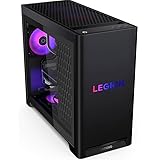
Frequently asked
7 questions01What resolution is the MSI Aegis ZS2 with RTX 4070 Super best suited for?+
The RTX 4070 Super in the Aegis ZS2 is best matched to high-refresh 1440p gaming, where it can run demanding titles at high to ultra settings with strong frame rates. It is also capable at 4K in many titles, though some demanding games with ray tracing will benefit from DLSS Quality mode to maintain smooth performance at that resolution.
02Does the MSI Aegis ZS2 support future CPU upgrades?+
Yes. The machine uses AMD's AM5 socket, which AMD has committed to supporting through at least 2027. This means future Ryzen processor generations should be compatible with the existing motherboard via a BIOS update, giving the Aegis ZS2 a meaningful upgrade path that Intel-based competitors using the LGA1700 socket cannot offer.
03Is the Ryzen 9 7900X a good choice for a gaming PC?+
For pure gaming, the Ryzen 9 7900X is over-specified. Most games see minimal benefit from core counts beyond what a Ryzen 5 7600X or Ryzen 7 7700X offers. However, if you also use your machine for video editing, 3D rendering, streaming while gaming, or other multi-threaded workloads, the 7900X's 12 cores and 24 threads provide genuinely useful additional performance.
04How loud is the MSI Aegis ZS2 under load?+
During gaming, noise levels are acceptable. The AIO cooler fans and pump produce a consistent hum rather than an intrusive whirr, and GPU fan noise is moderate. Under full sustained CPU load, such as running a prolonged Cinebench render, the system becomes more audible as the AIO fans ramp up, but it is not excessively loud by gaming PC standards.
05What ports are available on the MSI Aegis ZS2?+
The rear I/O includes USB 3.2 Gen 2 Type-A and Type-C ports, full-size display outputs from the RTX 4070 Super (three DisplayPort 1.4a and one HDMI 2.1), and audio connections. The front panel provides additional USB ports for easy access, though there is no front panel USB-C port. WiFi 6E and Bluetooth are both included for wireless connectivity.
06Can you upgrade the RAM in the MSI Aegis ZS2?+
In principle, yes. The AM5 platform supports DDR5 memory expansion, and the Aegis ZS2 should allow you to increase beyond the included 32GB if required. However, the maximum supported capacity and available slot configuration depend on the specific motherboard MSI has used, which is not prominently advertised. It is worth confirming the board specifications before purchasing additional memory modules.
07How does the MSI Aegis ZS2 compare to building a similar PC yourself?+
A comparable DIY build using the same CPU, GPU, and memory specifications would cost somewhat less than the Aegis ZS2's retail price. However, the gap at this high-end price tier is narrower than at budget levels, because the components themselves are expensive. The Aegis ZS2's premium covers assembly, a bundled warranty, and the convenience of a machine that arrives ready to use, which may be worthwhile depending on your time, confidence, and preference.