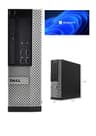
Mini desktops have become the go-to choice for anyone who wants a capable Windows machine without giving up half a desk to a full tower. Whether you are setting up a home office, a media centre, a school workstation, or a lightweight productivity machine for light creative work, a compact small form factor PC costing less than £200 can genuinely cover most everyday computing needs. The refurbished market has matured considerably over the past twelve months: NVMe SSDs are now appearing at this price point, Windows 11 Pro is pre-installed on most units, and sellers are offering longer warranty periods than before. The five picks below span entry-level Celeron machines right through to quad-core Intel Core i7 workhorses, giving you a clear ladder to climb depending on your budget and workload. All prices are under £200, and every unit ships ready to use out of the box.
Quick Verdict
Best Overall: Dell OptiPlex 7020 SFF (i7-4770, 16 GB RAM, 512 GB SSD), the strongest all-round performer at the price, with a proven fourth-generation Intel Core i7 and a generous SSD that handles multitasking, light video editing, and office work with ease.
Best Value: Dell OptiPlex Core i5 SFF (i5-4570, 8 GB RAM, 250 GB SSD), at just over £81, this is the most affordable route into a fully functional Windows 11 Pro machine, ideal for basic office tasks, web browsing, and media playback.
Spec Comparison
If your budget is tight and your workload is squarely in the realm of web browsing, word processing, spreadsheets, and video calls, the entry-level Dell OptiPlex Core i5 SFF is the most sensible place to start. Powered by an Intel Core i5-4570, a quad-core, quad-thread processor from Intel's fourth-generation Haswell family, this machine delivers enough raw compute to handle Microsoft 365, Google Chrome with a dozen tabs open, and HD video playback without breaking a sweat. The 8 GB of RAM is the minimum you would want for Windows 11 Pro, but it is sufficient for everyday single-user workloads, and the 250 GB SATA SSD means boot times are measured in seconds rather than minutes compared to the spinning hard drives that plagued budget refurbished machines a few years ago.
The OptiPlex small form factor chassis is one of the most recognisable designs in British offices and schools, and for good reason: it is compact enough to mount behind a monitor on a VESA arm, quiet in operation, and built to a commercial standard that consumer budget PCs rarely match. Dell's enterprise-grade construction means the internals are accessible without tools, making RAM and storage upgrades straightforward if you want to grow the machine over time. The i5-4570 tops out at around 3.6 GHz under single-core boost, which keeps it competitive for lightly threaded tasks.
Who is this for? Home users setting up a first PC, small businesses needing a fleet of affordable workstations, students who need a reliable machine for coursework, or anyone replacing an ageing laptop with something that sits on a desk. It is not the machine to choose if you need to run demanding software, handle large spreadsheets, or do any kind of video editing, for those use cases, step up to the i7 options below. But as a no-fuss, plug-in-and-go Windows 11 Pro machine for under £85, it is genuinely hard to fault at this price point.
The 250 GB SSD is on the smaller side; if you plan to store large media libraries or install many applications, you may find yourself managing storage carefully or adding an external drive. That said, for cloud-first workers who keep files on OneDrive or Google Drive, 250 GB is perfectly workable. Windows 11 Pro is pre-installed and activated, saving you the cost and hassle of a licence.
Verdict: The most affordable route into a competent, Windows 11 Pro-ready mini desktop. Ideal for light workloads and budget-conscious buyers.
Pros
- Extremely competitive price for a quad-core i5 with SSD and Windows 11 Pro
- Compact small form factor chassis is easy to place on or under a desk
- Commercial Dell build quality with tool-free internal access for future upgrades
Cons
- 250 GB SSD is on the smaller side and may feel limiting within a year or two
- 8 GB RAM is adequate but leaves little headroom for memory-intensive applications
The Dell OptiPlex 7020 SFF with an Intel Core i7-4770, 16 GB of RAM, and a 512 GB SSD represents the sweet spot of this entire category. At this price, you are getting a machine that would have cost well over £800 new, now available at a fraction of that price thanks to the thriving UK refurbished PC market. The i7-4770 is a quad-core, eight-thread processor with a boost clock of up to 3.9 GHz, and it remains genuinely capable for a wide range of tasks in 2024: video conferencing, photo editing in Lightroom, running multiple virtual machines, handling large Excel files, and even light video rendering in DaVinci Resolve or Premiere Pro at lower resolutions.
The 16 GB of DDR3 RAM is the real differentiator at this price. Where the entry-level i5 model can feel constrained when multiple applications are open simultaneously, the 7020 with 16 GB handles multitasking with ease. You can have Chrome with twenty tabs open, a Teams call running, and a document open in Word without noticing any slowdown. The 512 GB SSD provides ample space for an operating system, a full suite of applications, and a reasonable media library, while still leaving room for a year or two of document accumulation.
The OptiPlex 7020 chassis is the same proven small form factor design as the rest of the OptiPlex family: quiet, compact, and built to Dell's commercial standards. At 6.29 kg, it is heavier than a true mini PC like an Intel NUC, but that weight reflects the full-size desktop components inside, including a proper power supply and room for expansion. The integrated Intel HD Graphics 4600 handles 4K display output and is more than sufficient for dual-monitor setups, which many home office users will appreciate.
This machine is well suited to home office workers, small business owners who need a reliable daily driver, content creators working with photos or light video, and students studying computing, design, or media-related subjects. It is not a gaming machine, the integrated graphics rule that out, but for everything else in the sub-£200 bracket, it is the strongest performer available from this catalogue.
Windows 11 Pro comes pre-installed and activated, which adds real value: the Pro licence alone retails at around £220 from Microsoft, meaning the hardware is effectively free at this price. That is a remarkable proposition for budget buyers.
Verdict: The best all-round mini desktop under £200. The i7-4770 with 16 GB RAM and 512 GB SSD covers the vast majority of everyday computing needs comfortably.
Pros
- Intel Core i7-4770 with eight threads handles multitasking and light creative work well
- 16 GB RAM provides genuine headroom for demanding workloads and multiple applications
- Windows 11 Pro pre-installed and activated adds significant licence value
- 512 GB SSD offers ample everyday storage without the need for immediate expansion
Cons
- At 6.29 kg, it is heavier than dedicated mini PCs and less portable
- Fourth-generation Intel architecture means no support for newer platform features like DDR4 or PCIe 4.0
The Lenovo Q190 is the outlier in this comparison, and it is important to set expectations clearly before recommending it. This is a genuine ultra-compact desktop, smaller and quieter than any of the OptiPlex SFF units, built around an Intel Celeron 1017U dual-core processor running at 1.60 GHz. It is not a productivity workhorse, and it was never designed to be one. The Q190 was conceived as a media centre and light-use desktop, and that remains the context in which it makes most sense today.
The Celeron 1017U is a low-voltage mobile chip, the kind found in budget laptops of the early 2010s, and it reflects in the machine's performance envelope. Basic web browsing, document editing, email, and media playback are all within its capabilities, but anything more demanding will expose the processor's limitations quickly. Running Chrome with more than five or six tabs open will cause noticeable slowdown, and any application that requires sustained CPU performance, video encoding, large spreadsheets, multiple simultaneous applications, will feel sluggish.
The 4 GB of RAM is the other limiting factor. Windows 11 technically requires 4 GB as a minimum, but in practice, 4 GB leaves very little headroom once the operating system has claimed its share. Users will need to be disciplined about closing applications they are not actively using. The 500 GB HDD is a spinning hard drive rather than an SSD, which means boot times and application load times are considerably slower than the SSD-equipped machines in this comparison.
It is also worth noting that the Q190 ships with Windows 8.1 with Bing rather than Windows 11, meaning buyers will need to upgrade the operating system themselves. Windows 11 compatibility on this hardware is not guaranteed given the processor's age and the TPM 2.0 requirements, so buyers should research compatibility before purchasing.
Despite these limitations, the Q190 has a genuine use case: as a dedicated media centre connected to a television, a basic reception desk terminal, a thin client for cloud-based applications, or a machine for a child's first computing experience. Its compact footprint and quiet operation make it pleasant to live with in a living room or bedroom setting. At this price, however, it is the most expensive pick in this comparison despite being the least capable, which makes it difficult to recommend over the Dell options unless the ultra-compact form factor is a specific requirement.
Verdict: A niche pick for users who specifically need an ultra-compact, quiet machine for media playback or light cloud-based tasks. Not recommended for general productivity use at this price.
Pros
- Genuinely ultra-compact footprint suits media centre and living room installations
- Very quiet operation thanks to the low-voltage, low-heat Celeron processor
Cons
- Intel Celeron 1017U is significantly underpowered compared to every other pick in this comparison
- Ships with Windows 8.1 rather than Windows 11, requiring a manual OS upgrade that may not be straightforward
- 500 GB spinning HDD results in slow boot times and sluggish application loading versus SSD alternatives
Buying Guide
Processor: What Generation Matters
All five machines in this comparison use Intel processors, but they span three distinct generations: Sandy Bridge (2011), Haswell (2013), and Ivy Bridge (2012). In practical terms, the Haswell-era Core i7-4770 and i5-4570 chips are the most capable and the most future-proof of the group. They support Windows 11 natively, benefit from Intel's HD Graphics 4600 (which handles 4K output), and have enough single-core performance to feel responsive in everyday use. Sandy Bridge chips like the i5-2400 are older but still functional for basic tasks. The Celeron 1017U is a low-power mobile chip and should only be considered for very light workloads.
RAM: How Much Do You Actually Need?
For Windows 11, 8 GB is the practical minimum for a comfortable experience. With 8 GB, you can browse the web, use Microsoft 365, and handle video calls, but you will notice slowdown if you try to do all three simultaneously with multiple tabs open. 16 GB is the sweet spot for most users: it provides enough headroom for multitasking, running background applications, and handling larger files without the machine feeling constrained. If you are considering a machine with 4 GB, be aware that Windows 11 will consume a significant portion of that, leaving very little for applications.
Storage: SSD vs HDD, SATA vs NVMe
The single most impactful upgrade in the refurbished PC market over the past few years has been the shift from spinning hard drives to solid-state drives. An SSD, even a SATA SSD, will make a machine feel dramatically faster than an HDD: boot times drop from over a minute to under fifteen seconds, and applications open almost instantly. NVMe SSDs, like the one in the Veno Scorp unit, are faster still, though the difference is less noticeable in everyday use than the jump from HDD to any SSD. If a machine ships with an HDD, factor in the cost of a replacement SSD (typically £25 to £50 for a 500 GB SATA SSD) when comparing prices.
Operating System: Windows 11 Pro vs Home
Most refurbished machines in this price range ship with Windows 11 Pro, which is a significant value-add. The Pro edition includes BitLocker drive encryption, Remote Desktop hosting, domain joining for business networks, and Hyper-V virtualisation. For home users, these features are rarely essential, but the presence of a legitimate Pro licence means you are not starting from scratch if you ever need them. If a machine ships with an older OS like Windows 8.1, factor in the time and potential cost of upgrading, and check hardware compatibility with Windows 11's TPM 2.0 requirement before purchasing.
Connectivity and Expandability
Small form factor desktops typically offer fewer expansion slots than full towers, but the OptiPlex SFF units in this comparison still include multiple USB ports, DisplayPort and VGA outputs, and Gigabit Ethernet as standard. Check whether the machine you are considering includes Wi-Fi if you need wireless connectivity, most refurbished OptiPlex units are wired-only, and adding Wi-Fi requires a USB dongle or internal card. Also consider the number of RAM slots available: machines with four DIMM slots offer more upgrade headroom than those with two.
Warranty and Seller Reputation
When buying refurbished, the seller's warranty policy matters as much as the hardware specifications. Look for sellers offering at least a 12-month warranty, clear grading descriptions (Grade A, B, etc.), and a straightforward returns policy. UK marketplace sellers are covered by consumer protection legislation, but a seller-backed warranty makes the process of claiming on faulty goods considerably smoother.
The Dell OptiPlex 7020 SFF with Core i7-4770, 16 GB RAM, and 512 GB SSD (B09XHQ7Y6F) is the clear overall winner in this comparison. At this price, it delivers the best balance of processing power, memory, storage, and operating system value available under £200. The i7-4770's eight threads keep it competitive for multitasking and light creative work, the 16 GB of RAM ensures the machine never feels constrained, and the 512 GB SSD provides both speed and capacity. Windows 11 Pro is pre-installed and activated, adding a licence value that alone exceeds the cost of some competing machines. For the vast majority of UK buyers looking for a capable, reliable mini desktop under £200, this is the pick to choose.
For those on the tightest possible budget, the Dell OptiPlex Core i5 SFF (B09L8GWC5J) at around £81 is a remarkable value proposition: a quad-core processor, SSD storage, and Windows 11 Pro for less than the cost of a night out. It will not win any performance benchmarks, but it will handle everyday computing tasks reliably for years to come.