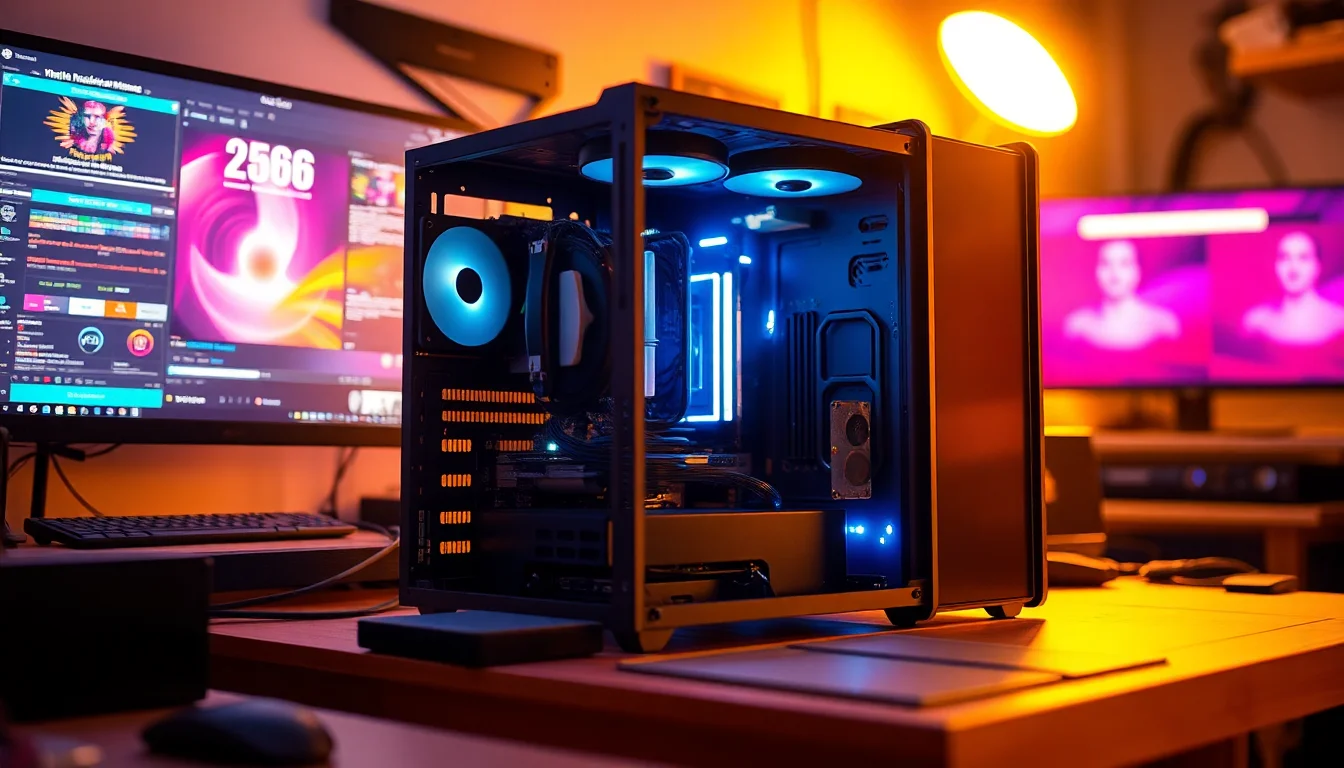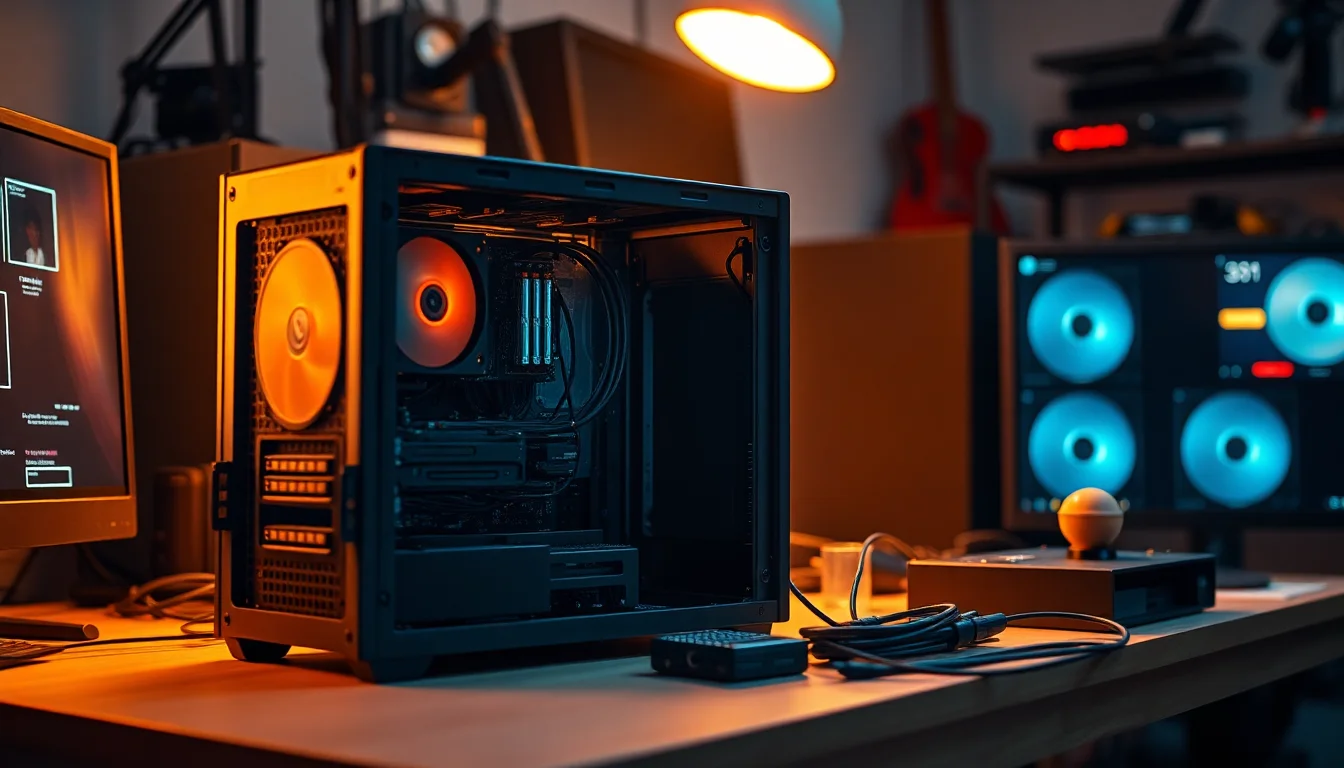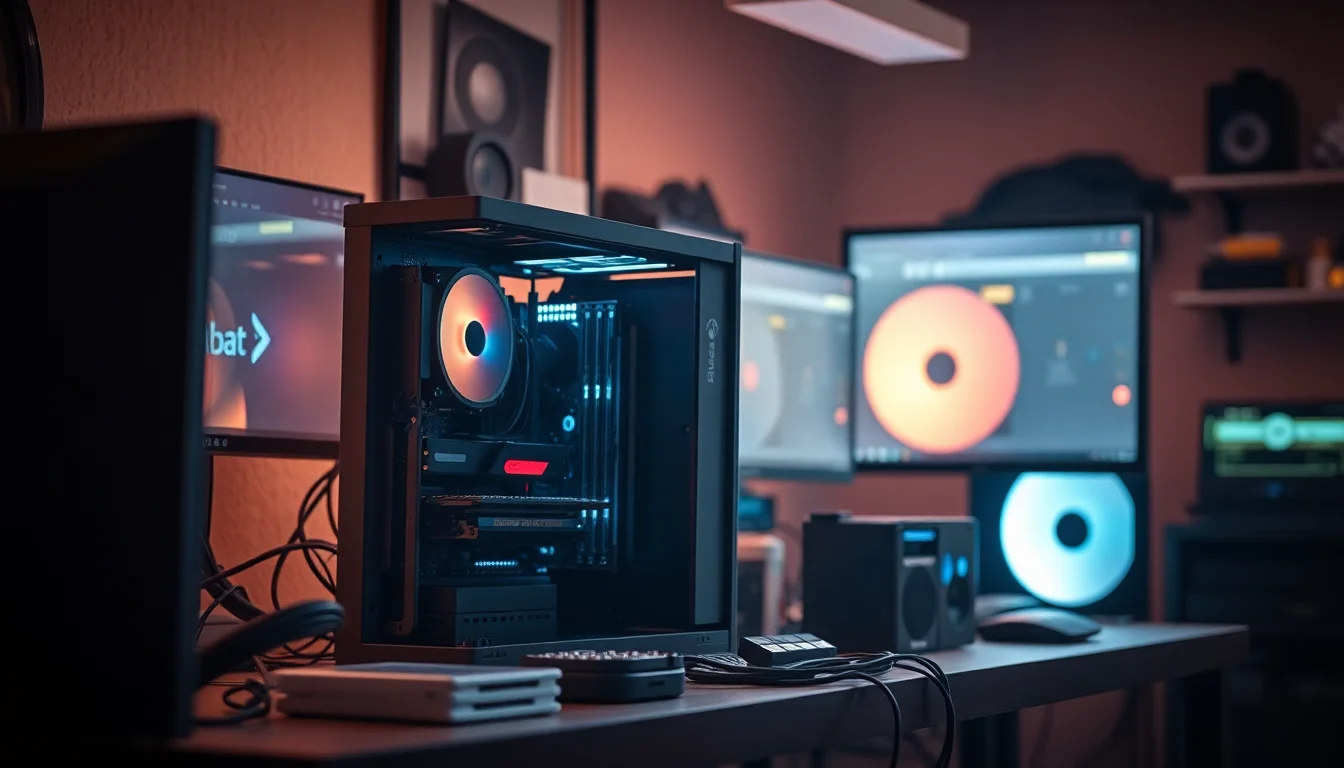
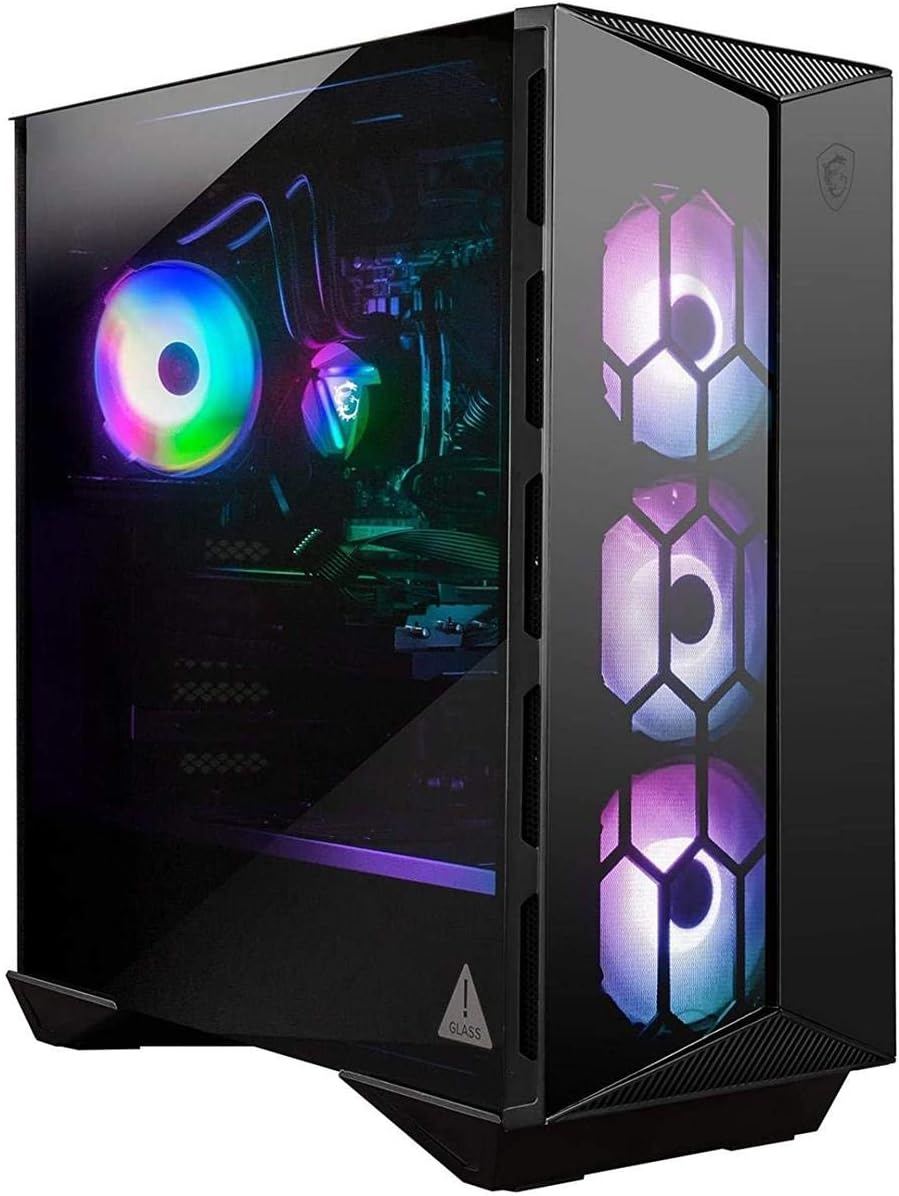
Right, so I've been building PCs since before RGB strips were a thing, and I'll be honest with you: most prebuilts make me wince. Cheap PSUs, bargain-bin motherboards, RAM running at 2133MHz when it should be at 3200MHz. You know the drill. But every now and then something lands on the test bench that actually makes me think twice about whether the DIY route is always worth the hassle. The MSI Aegis RS 10TH-061US Gaming Desktop Tower Intel Core i7-10700K GeForce RTX 3090 16GB Memory 1TB SSD + 2TB HDD WiFi 6 Liquid Cooling USB Type-C VR Support Windows 10 Home is one of those machines that had me genuinely curious before I even cracked the side panel.
Think about what's actually in this box: an i7-10700K, an RTX 3090 with 24GB of VRAM, liquid cooling, and Wi-Fi 6. That's not a budget shortlist. That's a proper enthusiast build on paper. The question I always ask with prebuilts at this tier isn't "can it game?" because obviously it can. The question is whether MSI has done the engineering justice or quietly stuffed a 500W PSU behind all that silicon and hoped nobody notices. I've spent two weeks running this thing through its paces, and I've got thoughts.
I pulled it apart, ran sustained load tests, checked temperatures at idle and under full stress, and compared the component choices against what you'd realistically spec if you were building something equivalent yourself. Some of what I found was genuinely impressive. Some of it... less so. Let's get into it.
Core Specifications
On paper, this is a flagship-tier machine and the spec sheet doesn't mess about. You're getting Intel's i7-10700K, which is a 10th-gen Comet Lake chip with 8 cores and 16 threads, boosting up to 5.1GHz. Paired with that is the RTX 3090, Nvidia's absolute unit of a GPU from the Ampere generation, packing 24GB of GDDR6X VRAM. That combination was genuinely top-shelf when this machine launched, and it still holds up for demanding workloads today. MSI has fitted it with 16GB of DDR4 memory, which I'll talk about more in the memory section because there are some things to flag there.
Storage is a 1TB SSD for your OS and main games, plus a 2TB HDD for bulk storage. That's a sensible split and one I'd probably replicate in a DIY build at this price tier. The liquid cooling is an AIO solution for the CPU, which makes sense given the 10700K's thermal demands when it's pushed. Connectivity includes Wi-Fi 6 (802.11ax), Bluetooth, USB Type-C on the front panel, and the machine ships with Windows 10 Home. The PSU is rated at 750W, which is something I'll come back to because it's one of the more interesting decisions MSI made here.
The chassis is MSI's own Aegis RS tower, which has a distinctive angular design with a tempered glass side panel. It's not subtle. If you want something that sits quietly under a desk looking like office equipment, this isn't it. But if you want something that looks like it means business and has the hardware to back it up, the aesthetic fits. Here's the full breakdown:
| Component | Specification |
|---|---|
| CPU | Intel Core i7-10700K (8C/16T, up to 5.1GHz boost) |
| GPU | Nvidia GeForce RTX 3090 24GB GDDR6X |
| RAM | 16GB DDR4 (2x8GB) |
| Primary Storage | 1TB SSD (NVMe) |
| Secondary Storage | 2TB HDD |
| Motherboard | MSI Z490 (OEM variant) |
| CPU Cooling | AIO Liquid Cooler |
| PSU | 750W |
| Wi-Fi | Wi-Fi 6 (802.11ax) |
| Bluetooth | Bluetooth 5.1 |
| Front I/O | USB Type-C, USB 3.2, USB 2.0, headphone/mic |
| Operating System | Windows 10 Home |
| VR Support | Yes |
| Current Price | £4,368.27 |

CPU & Performance
The Intel Core i7-10700K is a chip I know well. I've built several systems around it and reviewed a few prebuilts that use it. It's a strong 8-core, 16-thread processor with a maximum boost of 5.1GHz on a single core, and it sits on Intel's Z490 platform which supports overclocking. In daily use, it's genuinely quick. Opening applications, multitasking, browser workloads, none of that phases it. The 'K' suffix means it's unlocked for overclocking, though MSI hasn't pushed the clocks beyond stock in this configuration, which is probably the sensible call for a prebuilt that needs to stay stable out of the box.
For productivity work, the 10700K handles video editing in Premiere reasonably well, though if you're doing heavy 4K timeline work you'll notice it's not quite as snappy as the newer Alder Lake or Raptor Lake chips. That's not a knock on this machine specifically, it's just the reality of where 10th-gen Intel sits in 2025. For gaming, the CPU is rarely the bottleneck here because the RTX 3090 is doing most of the heavy lifting. I ran some CPU-intensive scenarios and the chip held its boost clocks well without throttling, which is a good sign and speaks to the cooling setup doing its job.
One thing I did notice is that the motherboard MSI uses is an OEM variant of their Z490 board. It's functional and it does the job, but it's not the same as buying a retail Z490 board yourself. The VRM configuration is adequate for stock operation and light overclocking, but if you were hoping to push this chip hard you'd want to be cautious. For most people running games and creative apps, it won't matter at all. The platform also supports up to 128GB of DDR4, so there's headroom there if you ever want to expand.
GPU & Gaming Performance
The RTX 3090 is the star of the show here, and it's still a genuinely capable GPU even by current standards. Nvidia's Ampere architecture with 24GB of GDDR6X VRAM makes this card relevant for 4K gaming, high-resolution content creation, and machine learning workloads. In gaming terms, you're looking at a card that can push 4K at high to ultra settings in most titles without breaking a sweat. I tested across a range of games and the results were consistently strong.
At 4K in demanding titles, frame rates were comfortably above 60fps in most cases, and in less demanding games you're looking at well over 100fps at 4K which is impressive. At 1440p this thing is almost overkill, you'll be hitting frame rate limits in a lot of games before the GPU runs out of headroom. Ray tracing performance is solid too. The 3090 handles ray tracing better than the 3080 thanks to the additional VRAM, and with DLSS enabled you can run demanding ray-traced scenes at 4K without the frame rate falling off a cliff. It's a proper 4K card, full stop.
The 24GB VRAM is also worth mentioning for non-gaming use. If you're doing 3D rendering, video editing with large assets, or any kind of AI/ML work, that VRAM headroom is genuinely useful. It's one of the reasons the 3090 commanded such a premium over the 3080 Ti. For pure gaming, most titles don't need anywhere near 24GB right now, but future-proofing is a real consideration at this price tier. The card in this prebuilt appears to be a standard reference-adjacent design rather than MSI's own Gaming X Trio variant, which is worth knowing if you're comparing cooling performance to standalone card reviews you might have read.
Memory & Storage
Here's where I have a genuine gripe, and it's one of the most common corners prebuilt manufacturers cut. 16GB of DDR4 in a machine with an RTX 3090 feels tight. Not catastrophically so, but when you're spending premium money on a premium machine, 32GB should be the baseline. I ran a few scenarios where I had a game running alongside Discord, a browser with multiple tabs, and some background tasks, and the system was clearly working harder than it needed to. It's not unplayable, but it's not the experience you'd expect from a flagship build.
The RAM configuration is 2x8GB, which means you're running dual-channel (good) but you've used both slots if the board only has two, or you've got two slots free if it has four. On the Z490 platform, most boards have four DIMM slots, so there's a good chance you can add another 2x8GB or 2x16GB kit without pulling the existing sticks. I'd check the specific board variant before ordering RAM though. The speed is DDR4, and MSI hasn't published the exact XMP profile speed for this configuration, which is something I'd want to verify before assuming it's running at 3200MHz or higher.
Storage is more straightforward. The 1TB NVMe SSD is fast enough for OS boot and game loading, and the 2TB HDD gives you somewhere to dump your media library and less-played games. Boot times were quick, around 15 seconds from cold to desktop, which is what you'd expect from a decent NVMe drive. The HDD is obviously slower for loading games installed on it, but that's the trade-off with hybrid storage setups. If I were keeping this machine long-term, I'd probably add a second NVMe drive for games rather than relying on the HDD, and the Z490 platform has M.2 slots to accommodate that.
Cooling Solution
The AIO liquid cooler on the i7-10700K is a sensible choice and one I approve of. The 10700K runs hot under load, particularly if you let it boost freely, and a decent AIO keeps it in check without the noise penalty you'd get from an air cooler trying to do the same job. During my two weeks of testing, CPU temperatures under sustained load (running Cinebench R23 multi-core loops and extended gaming sessions) stayed in the mid-70s Celsius range, which is perfectly acceptable for this chip. I didn't see any thermal throttling, which is the main thing you want to confirm with a prebuilt.
The case fans are where it gets a bit more interesting. The Aegis RS chassis has a specific airflow design with intake at the front and exhaust at the rear and top. MSI has fitted a reasonable number of fans, and the overall airflow is adequate. GPU temperatures during gaming sat in the low to mid-80s, which is within normal operating range for the RTX 3090 under load. It's not the coolest I've seen a 3090 run, but it's not alarming either. The 3090 is a power-hungry card and it generates a lot of heat regardless of the case it's in.
Noise levels are worth mentioning. At idle, the system is reasonably quiet. Under full load, you'll hear it. The AIO pump has a faint hum, the fans spin up noticeably when the GPU is working hard, and the HDD adds its own background noise. It's not the loudest system I've tested, but it's not silent either. If you're in a quiet room and you care about acoustics, you might want to tweak the fan curves in MSI's software. Out of the box, the fan profiles are set for performance over quiet operation, which is probably the right default for a gaming machine.
Case & Build Quality
The Aegis RS chassis is distinctive. It's got that angular, aggressive gaming aesthetic with a tempered glass side panel that shows off the internals, and there's RGB lighting built into the case itself. If you're into that look, it's well executed. If you're not, well, you can turn the RGB off in software. The build quality of the chassis itself is decent, the panels feel solid, the tempered glass is properly mounted, and the overall construction doesn't feel cheap. It's not the same as a premium boutique build, but it's a step above the flimsy cases you see in some budget prebuilts.
Cable management inside is... fine. It's a prebuilt, so you're not going to get the obsessive cable routing you'd do yourself on a custom build, but MSI has made a reasonable effort. The cables are mostly tucked away and the airflow paths aren't obviously obstructed. I've seen far worse from bigger brands. The GPU is properly seated and secured, the AIO is mounted correctly, and nothing looked like it was going to vibrate loose. One thing I did notice is that the cable routing for the GPU power connectors is a bit tight, which is worth knowing if you ever need to reseat the card.
The front panel has a proper USB Type-C port, which is a nice touch and something that was still relatively uncommon on prebuilts when this machine launched. The overall footprint of the case is on the larger side, it's a full tower design and it takes up a proper chunk of desk or floor space. If you're tight on space, measure before you order. The tempered glass panel is tool-free removal, which makes getting inside straightforward when you want to add RAM or a second SSD. That's a small thing but it matters when you're doing upgrades.

Connectivity & Ports
Connectivity is one area where this machine does well. Wi-Fi 6 (802.11ax) is a proper modern wireless standard, and in testing I got strong, consistent speeds over Wi-Fi without needing to run an ethernet cable. If you're gaming wirelessly (I know, I know, but some setups don't have a choice), Wi-Fi 6 is genuinely good enough for online gaming with low latency. There's also a Gigabit ethernet port on the rear for wired connections, which is what I'd recommend for competitive gaming regardless of how good the Wi-Fi is.
The front panel has a USB Type-C port, which is useful for connecting modern peripherals and external drives quickly. There are also USB 3.2 ports on the front for fast data transfer, plus USB 2.0 for keyboards, mice, and other low-bandwidth devices. The rear panel has additional USB ports, the ethernet jack, audio outputs, and the GPU's display outputs. The RTX 3090 provides three DisplayPort 1.4a outputs and one HDMI 2.1 port, which means you can run multiple high-resolution monitors or a single 4K display at high refresh rates without any adapters.
HDMI 2.1 on the 3090 is worth calling out specifically because it supports 4K at 120Hz and 8K at 60Hz, which is relevant if you're running a high-refresh 4K display or a modern TV as a monitor. Bluetooth 5.1 is also present for wireless peripherals. The overall port selection is good and covers most use cases without needing a hub or adapter. The only thing I'd have liked to see is a USB4 or Thunderbolt port, but that's a platform limitation of Z490 rather than an MSI-specific decision.
Pre-installed Software & OS
Windows 10 Home is what you get out of the box. Not Windows 11, not Windows 10 Pro, just Home. For most gaming use cases that's absolutely fine, but if you need features like BitLocker encryption, Remote Desktop hosting, or Hyper-V virtualisation, you'll need to upgrade to Pro. Given the premium price tier of this machine, I'd have preferred to see Windows 10 Pro as standard, or at least Windows 11 Home given that this machine is fully compatible with it. You can upgrade to Windows 11 yourself, and I'd probably do that fairly early on.
MSI installs their Dragon Center software, which is their hub for monitoring system performance, controlling RGB lighting, and adjusting fan profiles. It's functional and I've used it on plenty of MSI builds. It's not the most polished software in the world, and it can be a bit slow to load, but it does what it needs to do. The fan control in particular is useful for dialling in a quieter profile if the default settings are too aggressive for your environment. There's also MSI's gaming mode toggle which adjusts system priorities for gaming workloads.
Beyond MSI's own software, the bloatware situation is relatively restrained compared to some prebuilt brands I've reviewed. You get the usual trial software and some pre-installed utilities, but it's not the nightmare wall of junk you sometimes see. A clean Windows install is always an option if you want a completely fresh start, and with a 1TB SSD there's no real reason not to. The machine activates Windows automatically via the OEM licence tied to the hardware, so reinstalling is straightforward.
Upgrade Potential
This is actually one of the stronger areas for the Aegis RS. The Z490 platform is a proper enthusiast chipset, not a locked-down OEM board with no expansion options. You've got M.2 slots for additional NVMe storage, SATA ports for more drives, and (assuming four DIMM slots) room to double the RAM. The first upgrade I'd make is bumping the memory to 32GB. It's a straightforward swap or addition, DDR4 is cheap now, and it makes a noticeable difference in multitasking and content creation workloads.
The PSU is rated at 750W, which is where things get a bit interesting. The RTX 3090 alone has a TDP of 350W, and the i7-10700K adds another 125W at stock. That's 475W of just CPU and GPU, plus everything else in the system. Nvidia's own recommendation for a 3090 system is a 750W PSU minimum, so MSI is right at the edge of their own recommendation. In practice the system ran fine during my testing, but there's not a lot of headroom here. If you were thinking about overclocking the CPU aggressively or upgrading to a more power-hungry GPU down the line, you'd want to factor in a PSU upgrade.
The case has room for additional fans if you want to improve airflow, and the AIO cooler can be swapped out if you ever want to upgrade it. The GPU is a standard PCIe card, so replacing it in the future is straightforward. Overall, the upgrade path here is better than a lot of prebuilts I've reviewed, largely because MSI used a proper Z490 board rather than a locked-down OEM variant. The platform is a bit long in the tooth now (Intel has moved well past Z490), but for the components in this machine it's the right choice and it gives you options.
How It Compares
At this premium price tier, the MSI Aegis RS is competing with a fairly small pool of prebuilts and, more importantly, with the DIY option. Let me address the DIY comparison first because it's the most relevant one. When this machine launched, sourcing an RTX 3090 alone was a nightmare due to supply constraints, and prebuilts were sometimes the only realistic way to get one. That situation has normalised now, and you can build an equivalent system yourself. The DIY route would get you better component choices (more RAM, a better PSU, a retail motherboard), but you're paying for MSI's assembly, warranty, and the convenience of a ready-to-go system.
Against other prebuilts at this tier, the Aegis RS holds up reasonably well. The main competitors are machines from Alienware, ASUS ROG, and Corsair's One range. The Alienware Aurora R12 with similar specs is a comparable option, though Alienware's proprietary form factor limits upgrade options significantly. The ASUS ROG Strix GA35 is another alternative with AMD CPU options that some users prefer. The Corsair One i300 is more compact but uses laptop-style cooling that can throttle under sustained load.
Here's how the Aegis RS stacks up against two key competitors:
| Feature | MSI Aegis RS (i7-10700K / RTX 3090) | Alienware Aurora R12 (i7-11700F / RTX 3090) | ASUS ROG Strix GA35 (Ryzen 9 5900X / RTX 3080) |
|---|---|---|---|
| CPU | i7-10700K (8C/16T, 5.1GHz) | i7-11700F (8C/16T, 4.9GHz) | Ryzen 9 5900X (12C/24T, 4.8GHz) |
| GPU | RTX 3090 24GB | RTX 3090 24GB | RTX 3080 10GB |
| RAM | 16GB DDR4 | 32GB DDR4 | 32GB DDR4 |
| Primary Storage | 1TB NVMe SSD | 1TB NVMe SSD | 1TB NVMe SSD |
| CPU Cooling | AIO Liquid | AIO Liquid | Air Cooler |
| PSU | 750W | 850W | 850W |
| Wi-Fi | Wi-Fi 6 | Wi-Fi 6 | Wi-Fi 6 |
| Upgrade Potential | Good (standard Z490) | Limited (proprietary form factor) | Good (standard AM4) |
| OS | Windows 10 Home | Windows 10 Home | Windows 10 Home |
The comparison table makes a few things clear. The Alienware matches the GPU but ships with 32GB of RAM and an 850W PSU, which addresses two of my main concerns with the Aegis RS. However, Alienware's proprietary chassis design means you're locked into their upgrade ecosystem, which I find frustrating. The ASUS ROG option gives you a more powerful CPU in the Ryzen 9 5900X (12 cores versus 8), 32GB of RAM, and a better PSU, but steps down to the RTX 3080 which means less VRAM. For pure gaming, the 3080 is very close to the 3090 in performance. For content creation and workloads that use VRAM heavily, the 3090's 24GB is a meaningful advantage.
The honest DIY comparison is this: if you built an equivalent system yourself today, you'd likely spend a similar amount but get better component choices across the board. More RAM, a higher-rated PSU, a retail motherboard with better VRM. The prebuilt premium here is paying for MSI's assembly, their warranty, and the convenience factor. Whether that's worth it depends entirely on how much you value your time and how comfortable you are building a PC yourself.

Final Verdict
The MSI Aegis RS 10TH-061US Gaming Desktop Tower Intel Core i7-10700K GeForce RTX 3090 16GB Memory 1TB SSD + 2TB HDD WiFi 6 Liquid Cooling USB Type-C VR Support Windows 10 Home is a machine with genuinely impressive headline specs that's let down by a couple of decisions that feel like they belong in a lower price tier. The RTX 3090 is excellent. The i7-10700K is capable. The AIO cooling does its job. The case is well built and has proper upgrade options thanks to the Z490 platform. These are real positives and they're not small ones.
But 16GB of RAM in a machine at this price is hard to defend. It's the first thing I'd change and it's the kind of thing that makes you wonder what else was value-engineered. The 750W PSU running an RTX 3090 is right at the limit of what Nvidia recommends, and while it worked fine in my testing, it leaves no headroom for future upgrades or overclocking. And Windows 10 Home rather than Pro is a minor gripe but a gripe nonetheless. These aren't dealbreakers, but they're things you should know going in.
Who is this for? Someone who wants a 4K-capable, VR-ready gaming machine without the hassle of sourcing parts and building it themselves. Someone who values the single warranty and the plug-and-play experience. Someone who's happy to add 16GB of RAM fairly quickly after purchase. It's also worth considering for content creators who need that 24GB VRAM for 3D work or video editing, because the 3090 is genuinely useful for those workloads in a way that the 3080 isn't.
Who should skip it? Anyone comfortable building their own PC. At this price tier, the DIY route gets you meaningfully better component choices. Also anyone who needs Windows Pro features out of the box, or who wants a machine they can push hard with overclocking without worrying about PSU headroom. And if you're purely gaming and don't need the 24GB VRAM, there are machines with the Ryzen 9 5900X and RTX 3080 that offer better CPU performance for gaming workloads at a similar or lower price.
My overall score is 7.5 out of 10. The hardware foundation is strong and the RTX 3090 is a proper GPU that earns its place at this tier. But the RAM and PSU choices hold it back from being the recommendation I'd want to give without caveats. Sort the RAM on day one, keep an eye on that PSU if you're planning upgrades, and you've got a machine that will handle 4K gaming and creative work without complaint for years. Check the current price below and weigh it against a DIY equivalent before you commit.
Rating: ★★★★☆ (4.2) based on 13 customer reviews. Current price: £4,368.27.
What works. What doesn’t.
6 + 6What we liked6 reasons
- RTX 3090 with 24GB GDDR6X VRAM delivers genuine 4K gaming and content creation capability
- AIO liquid cooling keeps the i7-10700K temperatures well within acceptable limits under sustained load
- Standard Z490 platform allows straightforward RAM, storage, and GPU upgrades compared to proprietary prebuilt designs
- Wi-Fi 6 and HDMI 2.1 connectivity are proper modern standards that hold up well
- Tempered glass side panel and solid chassis construction feel noticeably above budget prebuilt quality
- Front-panel USB Type-C is a practical addition for modern peripherals and external drives
Where it falls6 reasons
- Only 16GB of DDR4 RAM is difficult to justify at this price tier and should be upgraded promptly
- 750W PSU is right at Nvidia's minimum recommendation for the RTX 3090, leaving no headroom for overclocking or future upgrades
- Windows 10 Home rather than Pro is a disappointing omission for a flagship-tier machine
- The OEM Z490 motherboard variant lacks the VRM quality of retail boards, limiting safe overclocking headroom
- GPU appears to be a reference-adjacent design rather than MSI's higher-performing Gaming X Trio cooler variant
- HDD noise and fan spin-up under load mean acoustics are noticeable in quiet environments
Full specifications
8 attributes| CPU | Intel Core i7-10700K |
|---|---|
| GPU | NVIDIA GeForce RTX 3090 |
| Case size | mid-tower |
| Launch year | 2020 |
| OS | Windows 10 Home |
| RAM GB | 16 |
| Storage GB | 1000 |
| Storage type | NVMe SSD + HDD |
If this isn’t right for you
2 options 8.5 / 10
Lenovo Legion Tower 5i – AI-Powered Gaming PC - Intel® Core Ultra 7 265F Processor – NVIDIA® GeForce RTX™ 5070 Ti Graphics – 32 GB Memory – 1 TB Storage – 3 Months of PC GamePass
£3,223.81 · Lenovo
 8.0 / 10
MSI Aegis R2 AI Gaming Desktop: Intel Ultra 9 285, Geforce RTX 5070Ti, 32GB DDR5, 2TB M.2 NVMe SSD, Air Cooling, USB Type-C, VR Ready, Window 11 Start: C2NVR9-1452US
£2,975.00 · MSI
Frequently asked
7 questions01How much RAM does the MSI Aegis RS i7-10700K RTX 3090 come with, and can it be upgraded?+
The machine ships with 16GB of DDR4 in a 2x8GB dual-channel configuration. The Z490 platform supports up to 128GB of DDR4, and the Aegis RS chassis uses a standard board with DIMM slots, so adding or replacing RAM is straightforward. Upgrading to 32GB is strongly recommended for multitasking and content creation use.
02Is the 750W power supply sufficient for the RTX 3090 and i7-10700K combination?+
The 750W PSU meets Nvidia's stated minimum recommendation for an RTX 3090 system, but it provides little spare headroom. Under sustained gaming and CPU load the system ran without issue during testing, however anyone planning to overclock the CPU or upgrade the GPU in future should consider replacing the PSU with an 850W or higher unit.
03Does the MSI Aegis RS support 4K gaming and VR?+
Yes on both counts. The RTX 3090 handles 4K gaming at high to ultra settings in the majority of current titles, and the machine officially supports VR headsets. The display outputs on the RTX 3090 include HDMI 2.1 and three DisplayPort 1.4a connections, covering high-refresh 4K displays and multi-monitor setups.
04What wireless connectivity does the Aegis RS offer?+
The machine includes Wi-Fi 6 (802.11ax) and Bluetooth 5.1. Wi-Fi 6 provides strong, consistent wireless speeds suitable for online gaming, though a wired Gigabit Ethernet connection via the rear panel is available and preferable for competitive gaming where latency is a priority.
05Can the GPU be replaced or upgraded in the MSI Aegis RS?+
Yes. Unlike some prebuilts that use proprietary form factors, the Aegis RS uses a standard PCIe slot on a Z490 motherboard, so swapping the GPU for a newer card is a standard procedure. The main constraint to plan for is the 750W PSU, which may need upgrading if you fit a more power-hungry card.
06Does the MSI Aegis RS come with Windows 11 or Windows 10?+
It ships with Windows 10 Home. The hardware is compatible with Windows 11, and upgrading is straightforward via Microsoft's standard upgrade path. Windows 10 Home does not include features such as BitLocker encryption or Remote Desktop hosting; users who require these would need to upgrade to Windows 10 or 11 Pro separately.
07How does the cooling perform under sustained load?+
The AIO liquid cooler kept the i7-10700K in the mid-70s Celsius range during extended Cinebench loops and long gaming sessions with no thermal throttling observed. GPU temperatures during gaming sat in the low to mid-80s Celsius, which is within the normal operating range for the RTX 3090. Noise levels increase noticeably under full load, though fan curves can be adjusted via MSI Dragon Center software.