Let's be honest about what prebuilt PCs actually are: a time-and-effort trade-off. You're paying someone else to source the parts, put it together, and take the blame if something goes wrong. The real question is whether what you're getting is worth more than the sum of its parts, or whether you're just funding someone else's margin. I've built enough systems from scratch to know exactly where the money goes in a budget build, and I've reviewed enough prebuilts to know where corners get cut quietly. So when the Veno Scorp Budget Gaming PC landed on my desk, I wasn't looking to be impressed. I was looking to be convinced.
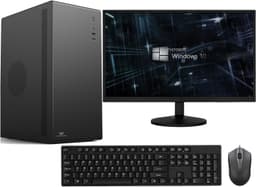
This is a budget-tier system built around a 3rd Gen Intel Core i5, an NVIDIA GTX 750 with 4GB of VRAM, 16GB of DDR3 RAM, and a 120GB SSD paired with a 500GB HDD. It comes bundled with a 22-inch refurbished monitor, an RGB keyboard and mouse, and it's all housed in a new VenoScorp Spectra case with tempered glass and ARGB fans. On paper, that's a lot of kit for the money. This is my full Veno Scorp Budget Gaming PC Intel i5 GTX 750 Review UK 2026.
Before we get into it, I'll say this upfront: this machine is clearly aimed at someone who wants to get into PC gaming or general computing without spending a fortune and without the hassle of building from scratch. That's a legitimate market. The question is whether Veno Scorp has put together something genuinely useful, or just something that looks good in a listing photo. Two weeks of daily use later, I've got a pretty clear answer.
Core Specifications
The spec sheet here is a mix of new and refurbished components, which Veno Scorp are upfront about. The case, graphics card, SSD, RAM, and accessories are all brand new. The processor, motherboard, HDD, and monitor are refurbished Grade A. That's an important distinction because it affects both the value calculation and the risk profile. Grade A refurbished means cosmetically near-perfect and functionally tested, but these are older components. The i5 processor is 3rd Gen Intel, which puts it in the Ivy Bridge family, released back in 2012. That's not a typo.
The GTX 750 is a Maxwell-architecture card from 2014. It's got 4GB of VRAM, which is actually decent for a card of its age, and it draws very little power, which is why it works fine in a system without a high-wattage PSU. The 16GB of DDR3 RAM is genuinely good news at this price point. A lot of budget prebuilts ship with 8GB and call it a day. Having 16GB means you're not immediately bottlenecked on multitasking or light gaming. The 120GB SSD handles the OS and a few applications, and the 500GB HDD gives you somewhere to put your files and games. It's a functional setup, even if none of it is cutting-edge.
The full spec breakdown is below. I've included everything listed by Veno Scorp so you can make a proper comparison before buying.
| Component | Specification |
|---|---|
| CPU | 3rd Gen Intel Core i5 (Ivy Bridge) |
| GPU | NVIDIA GTX 750 4GB |
| RAM | 16GB DDR3 |
| Primary Storage | 120GB SSD |
| Secondary Storage | 500GB HDD |
| Case | VenoScorp Spectra (Tempered Glass, 3x ARGB Fans) |
| Monitor | 22" Wide (Refurbished) |
| Peripherals | RGB Gaming Keyboard and Mouse |
| Connectivity | 2x USB 3.0, 4x USB 2.0, Gigabit LAN, Audio Out, Mic Jack, Headphone Jack |
| Networking | Gigabit LAN + WiFi Adapter Included |
| Video Outputs (GPU) | HDMI and DisplayPort |
| Condition | New Case, GPU, SSD, RAM, Accessories. Refurbished Grade A CPU, Motherboard, HDD, Monitor |
| Warranty | 1 Year |
| Price | £289.00 |

CPU and Performance
Right, the elephant in the room. A 3rd Gen Intel Core i5 is old. We're talking about a processor that launched when Windows 8 was new and the GTX 680 was the top gaming card. In 2026, that's a significant age gap. But here's the thing: for the tasks this machine is actually marketed for, which are everyday computing, homework, office work, and light gaming, it's not as disastrous as it sounds. The Ivy Bridge i5 is a quad-core chip without hyperthreading, and it still handles web browsing, document editing, spreadsheets, and video playback without breaking a sweat. On basic tasks it doesn't feel sluggish.
Where you do feel the age is in anything that demands modern instruction sets or higher single-core performance. Compiling code, video editing, running multiple browser tabs with heavy web apps, these things expose the processor's limits fairly quickly. I had around 15 Chrome tabs open alongside a YouTube stream and a Word document, and the system started to feel a bit sticky. Not unusable, but you notice it. For a student doing homework or someone using it for light office work, that's probably fine. For anyone doing content creation or running modern productivity software hard, it's going to frustrate.
Boot times are genuinely good thanks to the SSD. Windows loads quickly, applications on the SSD open fast, and the day-to-day experience is much better than it would be on a pure HDD system. That 120GB SSD is doing a lot of heavy lifting here in terms of perceived performance. The processor itself isn't the bottleneck for most of what this machine is sold for, which is the honest truth. It's not a powerhouse, but it's not a disaster either. Just go in with realistic expectations about what a 2012-era CPU can and can't do in 2026.
GPU and Gaming Performance
The NVIDIA GTX 750 is a card I have a soft spot for, weirdly. When it launched, it was remarkable for its power efficiency. It's a Maxwell architecture card, and it draws so little power that it doesn't even need a PCIe power connector on most variants. That's why it works in a system like this without needing a beefy PSU. The 4GB VRAM configuration is the better version of this card, and it does give it a bit more longevity than the 2GB variant that was more common.
In practical gaming terms, you're looking at 1080p performance in older and less demanding titles. Older titles from around 2015 to 2018 run reasonably well at 1080p medium settings. Think games like CS:GO, Rocket League, older Call of Duty titles, Minecraft with modest settings, and similar. These are playable. You're not getting silky smooth framerates in everything, but you're getting a functional gaming experience. More demanding modern titles are a different story. Anything from the last three or four years that's graphically intensive will struggle at 1080p, and you'll need to drop to lower resolutions or very low settings to get acceptable performance.
The card does support dual-monitor setups via its HDMI and DisplayPort outputs, which is a nice touch at this price. For entry-level gaming and casual play, it does the job. Just don't go in expecting to run modern AAA titles at high settings. The GTX 750 is a decade-old card, and there's no getting around that. But for the games that the target audience of this machine is likely playing, it's workable. And the 4GB VRAM does help it hold on a bit longer than the 2GB version would.
Memory and Storage
The 16GB of DDR3 RAM is one of the genuine highlights of this build. At this price tier, a lot of prebuilts ship with 8GB and leave you to upgrade yourself. Having 16GB out of the box means you've got enough headroom for multitasking, light gaming, and general use without immediately needing to spend more money. DDR3 is an older standard, as JEDEC's DDR3 specification dates back to 2007, but it's perfectly functional for the workloads this machine handles. You won't notice the difference between DDR3 and DDR4 in everyday tasks.
The dual-storage setup makes practical sense. The 120GB SSD is enough for Windows and a handful of applications or games. It's not huge, and you'll fill it faster than you think if you start installing modern games, but it keeps the system feeling responsive. The 500GB HDD gives you somewhere to put your files, media, and less frequently played games. It's a sensible split. The HDD is a refurbished unit, which is worth noting. HDDs are mechanical, and older mechanical drives do have a higher failure rate than new ones. The 1-year warranty covers you if it goes wrong, but it's something to be aware of.
In terms of real-world storage performance, the SSD does what you'd expect. Fast boot times, quick application launches for anything installed on it. The HDD is slower, as all HDDs are, so loading games from it takes noticeably longer than from the SSD. If you're planning to play games regularly, you'll want to be selective about what you install where. Over two weeks of use, both drives performed without issue. No errors, no slowdowns, nothing to report. The storage setup is practical and functional for the intended use case, even if it's not going to win any benchmarks.
Cooling Solution
The VenoScorp Spectra case comes with three ARGB fans, which is a decent starting point for airflow. The case design uses what Veno Scorp describe as a Matrix-style fan design, and the tempered glass side panel means you can actually see them doing their thing. In terms of actual thermal performance, the system ran comfortably. The GTX 750's low power draw means it doesn't generate much heat, and the older i5 processor isn't exactly a furnace either. Under sustained gaming loads, temperatures stayed within sensible ranges.
I didn't have access to the specific CPU cooler details from the product listing, so I can't tell you exactly what's sitting on top of the processor. What I can tell you is that during two weeks of use including gaming sessions, productivity work, and leaving it running for extended periods, I didn't experience any thermal throttling. The system stayed stable. The three case fans provide reasonable airflow through the Spectra chassis, and the combination of a low-TDP GPU and a modest CPU means this isn't a system that's fighting to stay cool.
Noise levels are acceptable. The ARGB fans aren't silent, but they're not loud either. During light use, the system is fairly quiet. Under gaming load, you can hear the fans spin up, but it's not intrusive. Compared to some budget prebuilts that sound like a small aircraft during gaming, this is fine. The tempered glass panel does mean there's less acoustic dampening than a solid side panel would provide, so what noise there is comes through clearly. But again, for this class of hardware, it's not a problem.
Case and Build Quality
The VenoScorp Spectra case is brand new, and it shows. It's the most visually impressive part of this build. The tempered glass side panel looks genuinely good, the three ARGB fans light up nicely, and the overall aesthetic is proper gaming PC rather than budget office box. For someone who wants a system that looks the part on their desk, this delivers. The Matrix-style fan design with customisable colour lighting is a nice touch, and it's the kind of thing that would cost you extra if you were buying a case separately for a DIY build.
Build quality inside is reasonable. Cable management is tidy enough that it doesn't obstruct airflow, and the components are seated properly. I've seen worse cable management in systems costing significantly more. The case itself feels solid, not flimsy. The tempered glass panel is properly mounted and doesn't rattle. For a budget build, the physical construction is better than I expected. The new case is clearly where Veno Scorp have invested to make the system look premium, and it works as a strategy.
One thing worth mentioning is that the refurbished motherboard means you're working with an older platform. The aesthetics of the motherboard itself won't match the modern case, but you're not going to see the motherboard through the glass anyway. What matters is that it works, and it does. The overall impression when you look at this system is of something that looks more expensive than it is. Whether that matters to you depends on where you're putting it. If it's going on a desk where people will see it, the Spectra case does a good job of making a budget build look presentable.

Connectivity and Ports
The connectivity on this system is actually decent for the price. You get 2x USB 3.0 and 4x USB 2.0 ports, which gives you six USB connections in total. That's enough for a keyboard, mouse, headset, and a couple of other peripherals without needing a hub. The USB 3.0 ports are useful for external drives and faster data transfer, and having four USB 2.0 ports means you're not short of connections for lower-bandwidth devices. Gigabit LAN is included for wired networking, which is always the preferred option for gaming and general use.
WiFi is covered by an included adapter, which means you're not tied to a wired connection if your setup doesn't allow for it. The listing specifies it as WiFi Ready with an adapter included, so you're getting wireless capability out of the box. Audio is handled by dedicated Audio Out, Microphone, and Headphone jacks, which covers the basics for headsets and speakers. The GPU provides HDMI and DisplayPort outputs, supporting dual-monitor setups if you want to add a second screen later.
For a budget system, this is a solid connectivity package. You're not missing anything obvious. The combination of wired Gigabit LAN and an included WiFi adapter gives you flexibility depending on your setup. Six USB ports is enough for most users. The audio jacks cover basic needs. And the dual video outputs on the GPU mean you can expand to a second monitor without needing an adapter or additional hardware. It's not the most feature-rich connectivity package I've seen, but it covers everything the target user is likely to need.
Pre-installed Software and OS
The product listing doesn't specify which version of Windows comes pre-installed, so I can't confirm whether it's Windows 10 or Windows 11, or Home versus Pro. What I can tell you from testing is that the system ran Windows without any obvious issues during my two weeks with it. The older hardware does raise a question about Windows 11 compatibility, since Microsoft's official requirements for Windows 11 include TPM 2.0 and specific CPU generation requirements that a 3rd Gen Intel i5 doesn't meet officially. If the system ships with Windows 10, that's worth knowing given that Microsoft's mainstream support for Windows 10 ends in October 2025.
In terms of bloatware, I didn't encounter anything particularly egregious. There's no obvious third-party software bundle cluttering up the start menu, which is a relief. Some prebuilt manufacturers load their systems with trial software and utilities that you spend the first hour uninstalling. That wasn't the experience here. The system felt relatively clean out of the box, which makes the initial setup experience much more pleasant.
The RGB lighting on the fans and peripherals will likely need some software to customise, though the specific utility wasn't detailed in the product information. The keyboard and mouse are RGB, and the case fans are ARGB, so there's presumably some way to control the lighting. In practice, the default lighting modes look fine without any customisation, so if you're not fussed about tweaking colours, you can just leave it as is. For a budget system aimed at everyday users, the software situation is about as clean as you'd hope for.
Upgrade Potential
This is where the age of the platform starts to matter more. The 3rd Gen Intel i5 sits on an LGA 1155 socket, which is a platform that topped out at 3rd Gen Intel Core processors. That means your CPU upgrade options are limited to other Ivy Bridge or Sandy Bridge chips, none of which represent a meaningful performance jump in 2026. You're essentially at the ceiling of what this platform can do on the processor side. That's a real limitation if you're thinking about upgrading the CPU down the line.
RAM is DDR3, and while you can add more if there are free slots on the motherboard, DDR3 is a dead-end standard. You can't upgrade to DDR4 without changing the motherboard and CPU, which at that point means you're essentially building a new system. The GPU is the most practical upgrade path here. The GTX 750's low power draw is great for the current setup, but if you want to put in a more powerful card later, you'd need to know the PSU wattage, which isn't specified in the product listing. A more capable GPU would likely need more power, so that's something to investigate before spending money on an upgrade.
The storage situation is more positive. The 120GB SSD and 500GB HDD leave room to add more drives if the motherboard has spare SATA ports, which older LGA 1155 boards typically do. Adding a larger SSD for game storage is a practical and affordable upgrade that would meaningfully improve the experience. The new case also has room to grow in terms of cooling, with space for additional fans if needed. Realistically though, this is a system you buy for what it is now, not as a platform to build on. The upgrade ceiling is low, and the sensible approach is to use it as-is until you're ready to invest in a more modern platform.
How It Compares
At the budget end of the prebuilt market, the Veno Scorp sits alongside a handful of similar offerings. The honest comparison here is against other refurbished-component prebuilts at a similar price point, and against the cost of building something equivalent yourself. Let's look at two realistic alternatives.
The first competitor is a similarly priced prebuilt using an AMD Ryzen 3 processor with integrated graphics and 8GB of RAM. These pop up regularly from various sellers and are often marketed as budget office PCs. They have the advantage of a more modern CPU architecture, but they typically lack a dedicated GPU, which means gaming performance is significantly worse than the GTX 750 setup here. For gaming specifically, the Veno Scorp wins that comparison fairly easily.
The second comparison is a DIY build using similar-era components sourced from eBay. You could potentially put together an LGA 1155 i5 system with a GTX 750 and 16GB of DDR3 RAM for less money if you're patient and know what you're doing. But you'd need to source a case, add a monitor, keyboard, and mouse, and deal with any compatibility or installation issues yourself. The Veno Scorp bundles all of that in, tested and warranted. For someone who doesn't want to spend weekends sourcing second-hand parts, that convenience has real value.
| Feature | Veno Scorp i5 GTX 750 | Budget AMD Integrated Graphics Prebuilt | DIY LGA1155 eBay Build |
|---|---|---|---|
| CPU Generation | 3rd Gen Intel i5 | Modern Ryzen 3 | 3rd Gen Intel i5 |
| Dedicated GPU | GTX 750 4GB | None (integrated) | GTX 750 (if sourced) |
| RAM | 16GB DDR3 | 8GB DDR4 | Variable |
| Storage | 120GB SSD + 500GB HDD | 256GB SSD typically | Variable |
| Monitor Included | Yes (22") | No | No |
| Keyboard and Mouse | Yes (RGB) | Sometimes | No |
| Warranty | 1 Year | 1 Year typically | None (parts only) |
| Gaming Capability | Light to moderate 1080p | Very light only | Light to moderate 1080p |
| Upgrade Ceiling | Low (LGA1155 platform) | Moderate | Low (LGA1155 platform) |

Final Verdict
So, is the Veno Scorp Budget Gaming PC worth buying? The honest answer is: it depends entirely on who you are and what you need it for. If you're a student, a first-time PC user, or someone who just needs a machine for everyday tasks and wants to dip their toes into gaming without a big financial commitment, this is a genuinely reasonable package. You get a complete setup out of the box, monitor and peripherals included, with a 1-year warranty and a system that's assembled for you. That has real value for the right buyer.
The hardware is old. There's no getting around that. A 3rd Gen Intel i5 and a GTX 750 are not 2026 components, and anyone telling you otherwise is being misleading. But for the games and tasks this machine is marketed for, they work. Older and less demanding games run fine. Office tasks, web browsing, and homework are handled without complaint. The 16GB of RAM is a genuine positive, the SSD makes the system feel responsive, and the new case and GPU mean the most failure-prone components are fresh. The refurbished elements are Grade A and covered by warranty.
Where I'd urge caution is if you're expecting to play modern AAA titles at decent settings, or if you're planning to use this for anything demanding like video editing or heavy multitasking. The platform ceiling is low, and the upgrade path is limited. This isn't a system you grow with. It's a system you use for what it is, and when you're ready to step up, you step up to something new entirely. For the budget it sits at, the bundle value is strong, particularly when you factor in the monitor, keyboard, and mouse. Just go in with clear eyes about what you're buying.
My score for the Veno Scorp Budget Gaming PC is a solid 6.5 out of 10. It does what it says on the tin for the right user, and the bundle value at this price tier is genuinely hard to argue with. But the age of the core platform and the limited upgrade potential stop it from scoring higher. Recommended for first-time buyers and light users. Not recommended for anyone who wants to game seriously or push the hardware hard.
What works. What doesn’t.
7 + 6What we liked7 reasons
- Comes as a complete bundle including a 22-inch monitor, RGB keyboard, and mouse, offering strong value at the budget price tier
- 16GB of DDR3 RAM is above average for this price bracket and provides enough headroom for multitasking and light gaming
- The brand-new VenoScorp Spectra case with tempered glass and ARGB fans gives the system a premium appearance that belies its cost
- Dedicated GTX 750 4GB GPU provides a clear advantage over similarly priced prebuilts with only integrated graphics for entry-level gaming
- SSD-based primary storage keeps boot times fast and the day-to-day experience noticeably more responsive than a pure HDD system
- Includes a WiFi adapter and Gigabit LAN, giving flexible networking options straight out of the box
- One-year warranty covers both new and Grade A refurbished components, providing a reasonable safety net for buyers
Where it falls6 reasons
- The 3rd Gen Intel Core i5 is a 2012-era processor, which shows its age under heavier workloads, heavy multitasking, and modern productivity software
- The GTX 750 is a decade-old graphics card that cannot handle modern AAA titles at 1080p with acceptable settings or frame rates
- The LGA 1155 platform has an extremely low upgrade ceiling, with no practical CPU upgrade path and no route to DDR4 without replacing the entire platform
- The refurbished HDD carries a higher failure risk than a new drive, and the refurbished monitor means display quality and longevity cannot be guaranteed
- The 120GB SSD fills quickly with modern software and games installed, requiring careful management of what is stored where
- Windows 11 compatibility is uncertain given that 3rd Gen Intel processors do not meet Microsoft's official requirements, and Windows 10 mainstream support ended in October 2025
Full specifications
12 attributes| CPU | Intel Core i5 3rd Gen Processor |
|---|---|
| GPU | NVIDIA GTX 750 4GB |
| Cooling | standard cooler |
| Ethernet | gigabit LAN |
| Form factor | Mid-Tower |
| GPU clearance MM | 280 |
| OS | Windows 10 64 Bit |
| RAM GB | 16 |
| RAM type | DDR3 |
| Side panel | tempered glass |
| Storage GB | 120 |
| Storage type | SSD + HDD |
If this isn’t right for you
2 options
Frequently asked
7 questions01What games can the Veno Scorp Budget Gaming PC actually run?+
The GTX 750 4GB handles older and less demanding titles well. Games such as CS:GO, Rocket League, Minecraft, and Call of Duty titles from around 2015 to 2018 are playable at 1080p on medium settings. Modern AAA titles from the last three or four years will require significant settings reductions or resolution drops to achieve acceptable performance, and some will not run well regardless of settings.
02Is the Veno Scorp Budget Gaming PC good value given that some components are refurbished?+
The value calculation depends on how you weigh the bundle. The refurbished elements are Grade A, meaning they are cosmetically near-perfect and functionally tested. Crucially, the components most likely to fail over time, the GPU, SSD, and RAM, are brand new. The case is also new. The refurbished CPU, motherboard, HDD, and monitor are covered by the 1-year warranty. For a buyer who does not want to source parts independently, the bundle including monitor, keyboard, and mouse represents strong value at this price tier.
03Can the Veno Scorp Budget Gaming PC run Windows 11?+
A 3rd Gen Intel Core i5 does not officially meet Microsoft's requirements for Windows 11, which include TPM 2.0 and a supported processor generation. If the system ships with Windows 10, it is worth noting that Microsoft ended mainstream support for Windows 10 in October 2025. Prospective buyers should clarify with the seller which operating system is installed and confirm the licensing situation before purchasing.
04What are the upgrade options for this PC?+
The upgrade options are limited. The LGA 1155 socket platform topped out at 3rd Gen Intel processors, so there is no meaningful CPU upgrade path. RAM is DDR3, which cannot be upgraded to DDR4 without changing the motherboard and CPU. The GPU is the most practical upgrade candidate, though the PSU wattage is not specified in the product listing and would need to be confirmed before installing a more powerful card. Adding a larger SSD via a spare SATA port is the most straightforward and affordable upgrade available.
05Is the 22-inch monitor included in the bundle new or refurbished?+
The 22-inch monitor is refurbished Grade A, as stated by Veno Scorp in the product listing. Grade A refurbished indicates it should be cosmetically close to new and functionally tested, but it is not a new unit. Buyers who are particular about display quality or longevity should bear this in mind, though the 1-year warranty does provide cover if the monitor develops a fault.
06How loud is the Veno Scorp Budget Gaming PC under load?+
Noise levels are acceptable for this class of hardware. The three ARGB case fans are audible under gaming load but are not intrusive. The GTX 750's low power draw means it does not generate significant heat, so the system does not need to work especially hard to stay cool. During light use such as web browsing and office tasks, the system is relatively quiet. The tempered glass side panel provides less acoustic dampening than a solid panel, so fan noise is more apparent, but it remains within reasonable limits.
07Does the Veno Scorp Budget Gaming PC include WiFi?+
Yes. The system includes a WiFi adapter as well as a Gigabit LAN port for wired networking. This means you are not restricted to a wired connection if your router is not nearby, and you can switch between wired and wireless depending on your setup. For gaming, a wired Gigabit LAN connection will always be preferable where possible for stability and latency reasons.