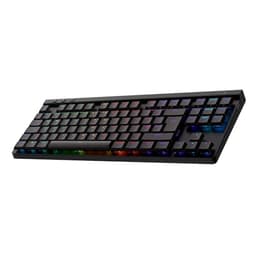
Most gaming keyboards at this price point are essentially RGB light shows with keys attached. The Logitech G715 is trying to be something different: a wireless mechanical board that you could actually use for work, gaming, and everything in between, without it looking like a neon sign on your desk. White colourway, tactile GX Brown switches, Lightspeed wireless, and a palm rest in the box. On paper, that's a genuinely useful package. But does the spec hold up when you look closely, or is Logitech charging a premium for aesthetics and a brand name?
The short answer: the G715 is a solid wireless gaming keyboard with a few real compromises you need to know about before spending upper mid-range money on it. It earns its 4.6-star average from 70 owners, but not without some caveats around keycap quality and battery life that matter at this price. If wireless freedom and Logitech's ecosystem are your priorities, this is probably the right board. If you're primarily a typist, or you want the best possible feel for the money, there are alternatives worth considering first.
Core Specifications
The G715 is a full-size wireless mechanical keyboard in a UK QWERTY layout, running Logitech's proprietary Lightspeed 2.4GHz wireless technology alongside Bluetooth connectivity. The switch fitted here is the GX Brown, which is Logitech's own tactile switch rather than a Cherry or Gateron unit. It's a tenkeyless-adjacent layout, though Logitech calls this full-size because it retains a number pad. The polling rate sits at 1ms (1000Hz) over Lightspeed, which is where it needs to be for gaming use.
Build materials are plastic throughout on the case, which is standard for this category but worth noting given the price. The keyboard ships with a magnetic palm rest, which is a genuinely nice inclusion rather than a flimsy afterthought. The white colourway is the draw for a lot of buyers here, and it does look clean in a way that most gaming boards simply don't. Logitech quotes up to 40 hours of battery life with RGB on, and up to 36 hours without, which sounds counterintuitive and we'll get into that in the battery section.
The G715 sits in Logitech's Aurora collection, which is aimed at a less aggressively "gamer" aesthetic. It works on both PC and Mac, with dedicated key mappings for macOS functions. The included palm rest attaches magnetically, which owners consistently praise as a practical solution since it stays put when you want it and comes off cleanly when you don't. Full specs below.
| Specification | Detail |
|---|---|
| Switch Type | Logitech GX Brown (tactile) |
| Actuation Force | 45g |
| Pre-Travel | 2mm |
| Total Travel | 4mm |
| Layout | Full-size, UK QWERTY |
| Wireless | Lightspeed 2.4GHz + Bluetooth 5.1 |
| Polling Rate | 1000Hz (Lightspeed) / 125Hz (Bluetooth) |
| Anti-Ghosting | Full N-key rollover |
| RGB | Per-key LIGHTSYNC RGB |
| Battery Life (RGB on) | Up to 40 hours |
| Battery Life (RGB off) | Up to 36 hours |
| Charging | USB-C |
| Software | Logitech G HUB |
| Compatibility | Windows, macOS |
| Included Accessories | Magnetic palm rest, USB-C to USB-A cable, Lightspeed USB receiver |
| Price | £117.97 |

Switch Type and Feel
The GX Brown is Logitech's in-house tactile switch, and it's worth understanding exactly what you're getting here rather than just nodding at the word "tactile" and moving on. The actuation point sits at 2mm, with a 45g actuation force and 4mm total travel. That bump arrives early and it's relatively light, which makes the GX Brown feel snappier than something like a Cherry MX Brown. The Cherry equivalent needs 45g to actuate but the bump itself is often described as vague. Logitech's version is a bit more pronounced, which is either a good thing or an annoyance depending on whether you wanted a clean tactile response or a subtle one.
What the GX Brown is not is a Topre, a Holy Panda, or any of the premium tactile switches that enthusiasts obsess over. It's a mid-tier proprietary switch that does the job well for gaming and is perfectly acceptable for typing. The pre-travel before the bump is smooth, and the reset point is well above the actuation point, which helps with fast repeated keypresses in gaming scenarios. Owners consistently report that the switches feel responsive and not mushy, which is the main thing you want to hear about a tactile at this price.
Hot-swap support is not available on the G715. The switches are soldered, so if you want to swap to something different down the line you're either looking at a soldering job or a new board. That's a real limitation at upper mid-range pricing, where some competitors are starting to offer hot-swap as standard. It also means you're committed to the GX Brown when you buy, so make sure tactile is what you actually want. If you're a linear person who wants fast, smooth keystrokes without any bump, this isn't the board for you regardless of how good everything else is.
Keycap Quality and Layout
This is where the G715 takes its most significant hit. The keycaps are ABS plastic with pad-printed legends, not PBT with double-shot or dye-sublimated printing. At upper mid-range pricing, that's a genuine disappointment. ABS keycaps will develop shine from finger oils within a few months of regular use, and the legends on pad-printed caps can fade over time. Multiple owners mention this in their reviews, noting that the white keycaps in particular start to look grubby and worn faster than you'd hope on a board at this price.
The layout itself is standard UK full-size QWERTY, so no surprises there if you're used to UK boards. There's a number pad, dedicated media controls along the top row, and a row of function keys with secondary media and lighting functions. The key spacing and sizing are standard, so anyone coming from a conventional keyboard will have zero adjustment period. The keycap profile is a fairly standard OEM-style profile, not anything exotic like SA or MT3, which means it's immediately familiar and comfortable for most people.
One practical positive: the white colourway means the RGB shows through the legends in a way that actually looks decent rather than garish. Some owners specifically chose this board because it looks like something you'd have on a clean desk setup rather than a gaming cave. But the ABS situation is a real concern for longevity. If you're the kind of person who types heavily and keeps keyboards for years, the keycap wear is going to bother you. At this price, Logitech should be shipping PBT. They're not, and that's a fair criticism.
Build Quality
The G715's case is plastic, which is standard across this category but still something worth flagging given what you're paying. The good news is that Logitech's plastic construction is generally well-executed. Owners report minimal flex when typing and no significant wobble, which is what you want from a full-size board. The keyboard has a decent weight to it, partly from the battery, so it doesn't slide around the desk during use. There's no aluminium plate or premium internal construction here, but the assembly quality is solid.
The magnetic palm rest is genuinely one of the better included accessories you'll find at this price. It attaches cleanly, sits flush, and doesn't develop that annoying rattle that cheaper clip-on rests tend to get over time. Several owners specifically call it out as a highlight, which is unusual praise for something that usually gets ignored. The palm rest surface is a soft-touch material that's comfortable for long sessions, though it will attract dust and fingerprints on the white version.
Stabilisers on the larger keys (spacebar, shift, enter, backspace) are a common weak point on gaming boards, and the G715 is not entirely immune. A handful of owners note that the spacebar can be slightly rattly out of the box, which is a classic stabiliser issue. It's not universal across reviews, but it's worth knowing. Logitech doesn't ship this with pre-lubed stabs, so if you're sensitive to stabiliser noise or wobble, that's something to be aware of. The overall build impression is "good for a plastic gaming board" rather than "impressive for the price," which is honest if slightly underwhelming.
RGB and Lighting
Per-key LIGHTSYNC RGB is standard on the G715, and Logitech's lighting implementation is genuinely one of the better ones in the market. The brightness is high, the colour accuracy is good, and the per-key control means you can do zone lighting, reactive effects, or solid colours depending on your preference. The white case and keycaps actually complement the RGB well, giving it a cleaner look than the same effects on a black board. Owners who care about the lighting consistently rate it positively.
The lighting is controllable through G HUB software, which we'll cover in the next section, and there's on-board profile storage so your lighting settings persist without the software running. That matters for wireless use, where you might be connecting to different machines. The RGB does have a meaningful impact on battery life, though perhaps not in the direction you'd expect from the spec sheet numbers (more on that in the battery section).
One practical point: if you're buying this board primarily for a clean desk aesthetic and you're planning to run the RGB at low brightness or turn it off entirely, the white colourway still looks good with lighting off. That's not always true of gaming boards, which often look like cheap plastic without the lights on. The G715 holds up visually without the light show, which is part of why it appeals to people who want something that doesn't scream "gaming setup" from across the room.
Software and Customisation
Logitech G HUB is the software that drives the G715, and it's a mixed bag. On the positive side, it's feature-rich: you get full per-key RGB customisation, macro programming, profile management, and integration with Logitech's other G-series peripherals. If you're already in the Logitech ecosystem with a G-series mouse or headset, G HUB ties everything together cleanly and the experience is genuinely useful rather than just a checkbox feature.
On the negative side, G HUB has a reputation for being resource-heavy and occasionally temperamental. It's improved significantly over the years, but you'll still find owner reviews that mention it crashing, failing to save profiles, or behaving oddly after Windows updates. It's not a dealbreaker, and most owners get on fine with it, but if you're the kind of person who hates having software running in the background, you should know that G HUB is a proper application rather than a lightweight driver. The on-board memory stores up to five profiles, which means you can set things up once and then run without the software if you prefer.
Macro support is solid, with dedicated G-key macros and the ability to assign complex command strings to individual keys. For productivity users who want keyboard shortcuts and macros alongside gaming use, this is genuinely useful functionality. The software also handles the Lightspeed and Bluetooth switching, firmware updates, and battery status reporting. It's not the slickest software in this category (Razer Synapse has a better interface, and some smaller brands have moved to cleaner web-based configuration tools), but it works and it's mature enough that most bugs have been squashed.

Connectivity
The G715 offers two wireless modes: Lightspeed 2.4GHz via a USB-A nano receiver, and Bluetooth 5.1. Lightspeed is Logitech's proprietary low-latency wireless standard, and it genuinely delivers on the latency front. At 1ms polling rate over Lightspeed, the wireless performance is effectively indistinguishable from wired in real-world gaming use. This isn't marketing fluff; Logitech has been refining Lightspeed technology across their peripheral range for years and the results are consistently good. You're not making a compromise by going wireless on this board, at least not over Lightspeed.
Bluetooth is a different story. The polling rate drops to 125Hz over Bluetooth, which is fine for typing and general use but not ideal for competitive gaming. Bluetooth is there for connecting to a laptop, a tablet, or a second machine without the USB receiver. It works, and switching between Lightspeed and Bluetooth is handled by a dedicated button on the top of the board. The switch is quick enough in practice, though not instantaneous. If you want to use this keyboard with multiple devices regularly, it handles that use case, just don't expect Lightspeed performance over Bluetooth.
There's also a USB-C port for wired use and charging. Running wired gives you the same 1000Hz polling rate as Lightspeed, so if you're doing a long gaming session and want to charge at the same time, you're not sacrificing anything. The USB-C cable is included in the box. The Lightspeed receiver is a standard nano receiver that fits in a USB-A port; there's no USB-C receiver option, which matters if your machine only has USB-C ports and you don't want a dongle. Worth checking your setup before buying.
Battery Life
Logitech quotes up to 40 hours with RGB on and up to 36 hours with RGB off. That figure looks like a typo at first glance. How does turning the lights off reduce battery life? The answer is that Logitech's quoted RGB-on figure assumes relatively dim lighting, while the RGB-off figure represents a different usage profile. In practice, treat both numbers as optimistic. Real-world use with moderate RGB brightness typically lands somewhere between 20 and 30 hours according to owner reports, which is still perfectly usable for a wireless keyboard but meaningfully less than the headline number.
For most people, 20 to 30 hours of actual use means charging every few days to once a week depending on your usage pattern. That's fine. It's not a keyboard that needs to live on a charging dock like some wireless mice do. The USB-C charging is convenient, and you can use the board while it's charging if you run out mid-session. Charge time from flat is a few hours, which is reasonable for the battery capacity involved.
Where the battery situation gets slightly frustrating is if you run the RGB at high brightness constantly. Several owners note that heavy RGB use can bring the real-world figure down towards 15 hours, which starts to feel like a more frequent charging obligation. If you want wireless freedom and you also want the full RGB light show running at maximum brightness, you're going to be charging this more often than the marketing suggests. Turning RGB off or running it at lower brightness is the practical solution, but it's worth setting expectations correctly before you buy.
Typing and Gaming Experience
The GX Brown's tactile bump at 2mm gives you clear feedback without requiring you to bottom out on every keypress, which is the right approach for both typing accuracy and gaming responsiveness. Owners who type heavily report that it's comfortable for long sessions, with the 45g actuation force sitting in a sweet spot that's light enough not to cause fatigue but heavy enough that you're not triggering keys accidentally. The sound profile is moderate: not silent, not clicky-loud, somewhere in the middle that's reasonable in a shared space without being completely muffled.
For gaming specifically, the 1ms Lightspeed polling rate means you're getting input registered as fast as any wired keyboard. Full N-key rollover means every simultaneous keypress is registered, which matters in games where you're sprinting, strafing, and using abilities at the same time. The pre-travel before the tactile bump is smooth and consistent, which helps with fast repeated keypresses on WASD. Nothing in the switch or connectivity spec is a limiting factor for gaming performance at any level short of professional esports, where people are arguing about 8000Hz polling rates on wired boards.
The typing sound is worth a specific mention because it's something several owners comment on. The GX Brown is not a quiet switch, and the plastic case doesn't help dampen the sound. If you're in an open-plan office or sharing a room with someone who's sensitive to keyboard noise, this will be noticeable. It's not as loud as a clicky switch, but it's a proper mechanical keyboard sound. The included palm rest helps with wrist comfort during long sessions and is positioned at a sensible height relative to the keyboard's standard typing angle. There are two tilt positions available via the keyboard's adjustable feet, which is standard but useful for finding your preferred typing angle.
Compatibility
The G715 works on Windows and macOS, with Logitech providing dedicated Mac key mappings and G HUB supporting both operating systems. On Mac, you get the standard function key remapping you'd expect, so Option, Command, and the relevant media keys all work correctly. The keyboard was clearly designed with Mac compatibility in mind as a genuine priority rather than an afterthought, which makes sense given the Aurora collection's positioning as a lifestyle-adjacent product that might sit on a MacBook user's desk.
Linux support is the usual caveat with Logitech products: the keyboard will work as a standard HID device, meaning basic typing and gaming functions are fine, but G HUB doesn't have a Linux client. If you want to configure macros, custom RGB profiles, or advanced features on Linux, you'd need to use an open-source alternative like Piper with the libratbag backend, which supports some Logitech devices. It's not a plug-and-play experience on Linux, but it's not a complete dead end either.
Console compatibility over Bluetooth is possible in principle, with the keyboard pairing to a PS5 or Xbox via Bluetooth for text input. But the polling rate limitation over Bluetooth means this isn't a gaming setup for console, it's purely for text entry and navigation. The Lightspeed receiver is USB-A and won't work directly with current-generation consoles without an adapter. For PC and Mac use, which is clearly the intended audience, compatibility is excellent and there are no meaningful limitations to report.
How It Compares
The main competition for the G715 at this price point comes from the Corsair K70 RGB Pro Wireless and the Razer BlackWidow V3 Pro. Both are wireless full-size gaming keyboards in the same bracket, and the comparison is instructive about what the G715 does well and where it falls short.
The Corsair K70 RGB Pro Wireless uses Cherry MX switches (available in Red, Brown, or Speed), which gives it the advantage of a widely understood, well-regarded switch ecosystem. Cherry MX Browns are the standard tactile reference point that most people have experience with. The K70 also uses PBT double-shot keycaps, which is a meaningful advantage over the G715's ABS pad-printed caps for long-term durability. The K70's build quality is generally considered superior, with an aluminium top plate that the G715 can't match. Battery life on the K70 is rated at 50 hours with lighting off, which is better than the G715's real-world numbers.
The Razer BlackWidow V3 Pro uses Razer's own Green (clicky) or Yellow (linear) switches; there's no tactile option in the same way the GX Brown is tactile, which makes it a less direct comparison. The BlackWidow V3 Pro has the advantage of Razer's HyperSpeed wireless technology, which is competitive with Lightspeed for latency. Its keycaps are also ABS, so it shares the G715's weakness there. Where the G715 wins against the BlackWidow is in the included palm rest and arguably in the cleaner aesthetic, particularly in the white colourway.
The honest summary: if keycap quality and build premium matter most to you, the Corsair K70 RGB Pro Wireless is the stronger choice at a similar price. If you're already in Logitech's ecosystem, want the clean white aesthetic, and value the magnetic palm rest as a bundled accessory, the G715 makes a compelling case. Neither board is perfect, and both are asking you to accept some compromises for wireless convenience.
| Feature | Logitech G715 | Corsair K70 RGB Pro Wireless | Razer BlackWidow V3 Pro |
|---|---|---|---|
| Switch | GX Brown (tactile, proprietary) | Cherry MX (Red/Brown/Speed) | Razer Green/Yellow (proprietary) |
| Hot-swap | No | No | No |
| Keycaps | ABS, pad-printed | PBT, double-shot | ABS, doubleshot |
| Case Material | Plastic | Aluminium top plate | Plastic |
| Wireless | Lightspeed 2.4GHz + Bluetooth | Slipstream 2.4GHz + Bluetooth | HyperSpeed 2.4GHz + Bluetooth |
| Polling Rate (wireless) | 1000Hz | 1000Hz | 1000Hz |
| Battery (rated) | 40 hours (RGB on) | 50 hours (RGB off) | 200 hours (lighting off) |
| Palm Rest Included | Yes (magnetic) | Yes (magnetic) | No |
| Software | Logitech G HUB | Corsair iCUE | Razer Synapse |

Final Verdict
The Logitech G G715 is a well-rounded wireless gaming keyboard that earns its 4.6-star average honestly. The Lightspeed wireless is genuinely excellent, the GX Brown switches are a solid tactile choice for both gaming and typing, the magnetic palm rest is a better accessory than most bundled rests, and the white aesthetic is genuinely appealing if you want a cleaner-looking setup. For someone who wants wireless freedom without compromising on gaming performance, and who's drawn to the Aurora collection's less aggressive visual style, this is a proper option.
But the ABS keycaps are a real weakness at this price. On a board that's asking for upper mid-range money, pad-printed ABS caps that will shine within months of heavy use is a corner Logitech shouldn't have cut. The Corsair K70 RGB Pro Wireless ships with PBT double-shot keycaps and an aluminium top plate at a comparable price, and that's a meaningful build quality advantage if you're planning to keep your keyboard for several years. The G715 also doesn't offer hot-swap, which limits your upgrade path if you decide the GX Brown isn't quite right for you.
The battery life situation is fine in practice but the headline numbers are optimistic. Real-world use with moderate RGB puts you in the 20 to 30 hour range, which is perfectly workable but not the 40-hour figure Logitech leads with. G HUB is functional but heavyweight software that some users find frustrating. The stabilisers can be rattly on the spacebar, which is fixable but shouldn't be an issue at this price. None of these are dealbreakers individually, but they add up to a picture of a board that's very good rather than genuinely great.
Who should buy this: anyone who wants a wireless full-size tactile keyboard with a clean aesthetic, who's already in or open to the Logitech G ecosystem, and who prioritises wireless latency and the included palm rest over absolute build quality. It's particularly good if you split time between gaming and productivity use and want one board that handles both without looking out of place in either context.
Who should skip it: heavy typists who will notice keycap shine within six months, anyone who wants hot-swap flexibility, and buyers who prioritise build quality above all else. If the ABS keycap situation bothers you, the Corsair K70 RGB Pro Wireless is the more sensible spend in this bracket. And if you're on a tighter budget and don't need wireless, Logitech's own G413 TKL SE or the Keychron K8 Pro offer much better value for wired use. Don't spend upper mid-range money on wireless if you're always going to be at a desk with a USB port within reach.
Overall, the G715 scores around 7.5 out of 10. Good enough to recommend, not good enough to call it the obvious choice in its bracket. The wireless performance is class-leading, the aesthetic is genuinely appealing, and the owner satisfaction numbers back up the quality. But Logitech left some obvious improvements on the table, and at this price that's fair to call out. ★★★★½ (4.6) from 71 owners, and we think that's about right.
What works. What doesn’t.
6 + 6What we liked6 reasons
- Lightspeed 2.4GHz wireless delivers genuine 1000Hz polling with no perceptible latency penalty over wired
- Magnetic palm rest is a high-quality bundled accessory that stays securely in place and removes cleanly
- White colourway and Aurora collection aesthetic look clean and understated compared to most gaming boards
- GX Brown switches offer a well-defined tactile bump that suits both gaming and extended typing sessions
- Dual wireless modes plus USB-C wired operation give genuine flexibility across different devices and use cases
- On-board profile storage means lighting and macro settings persist without G HUB running in the background
Where it falls6 reasons
- ABS pad-printed keycaps will develop shine and potential legend fade within months of heavy use, which is a real disappointment at this price
- No hot-swap support means you are committed to GX Brown switches with no straightforward upgrade path
- Quoted battery life figures are optimistic; real-world use with moderate RGB typically yields 20 to 30 hours rather than the advertised 40
- Spacebar stabiliser can be rattly out of the box, and Logitech does not pre-lube stabilisers at the factory
- G HUB software is resource-heavy and has a history of occasional instability after Windows updates
- Plastic case and no aluminium top plate compare unfavourably to the Corsair K70 RGB Pro Wireless at a similar price
Full specifications
6 attributes| Switch type | Logitech GX Brown |
|---|---|
| Layout | TKL |
| Backlighting | Per-key RGB |
| HOT swappable | false |
| Keycaps | Double-shot PBT |
| Switch actuation | tactile |
If this isn’t right for you
2 options 8.5 / 10
YUNZII AL80 Wireless Mechanical Keyboard, Full Aluminum CNC, Smart LCD Display, Hot Swappable Gasket Mount 75% Layout with Knob, BT/2.4G/USB-C,QMK/VIA Support for Win/Mac (black, cocoa cream v2)
£101.99 · YUNZII
 8.5 / 10
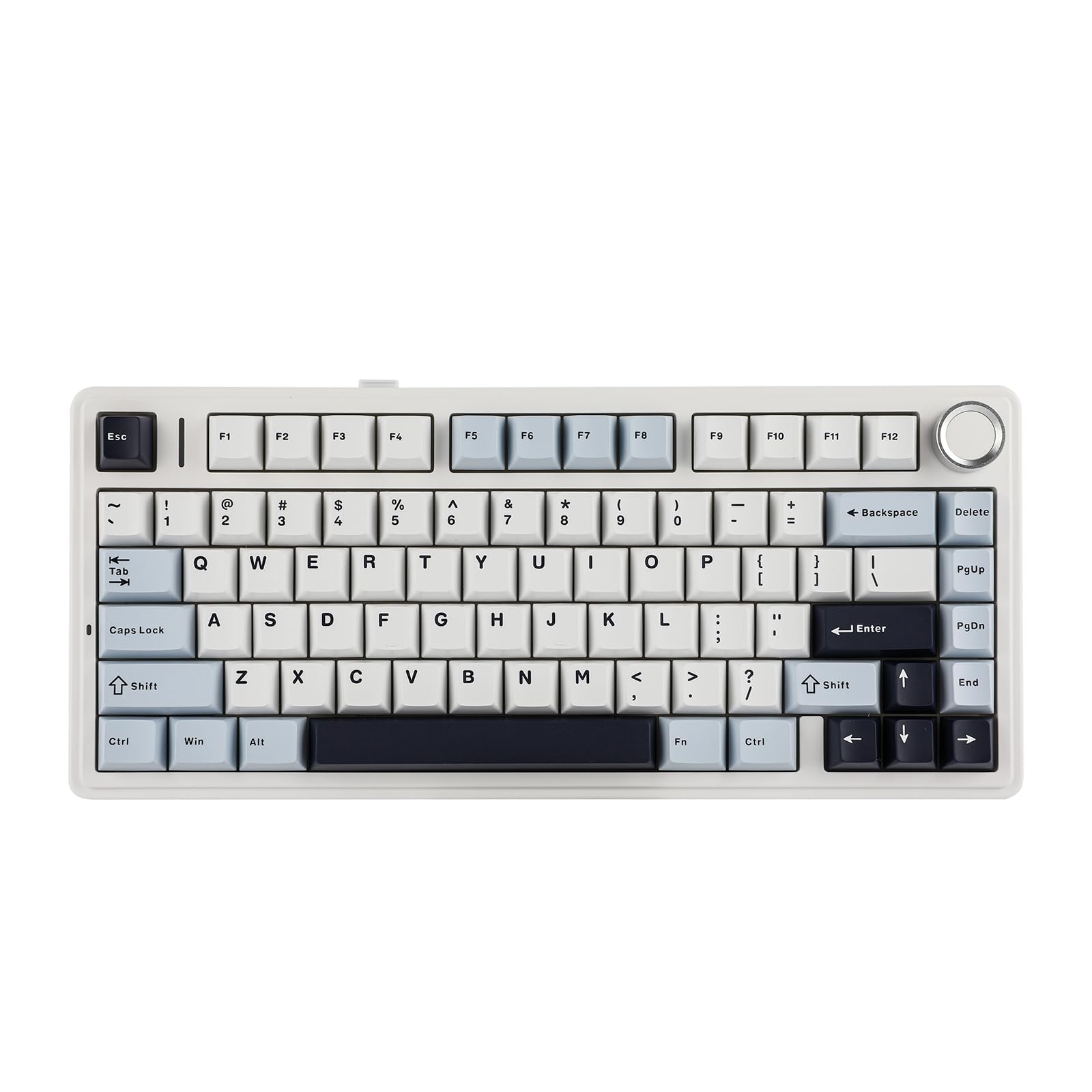
EPOMAKER AULA F75 Wireless Mechanical Gaming Keyboard, 75% Layout with Knob, Creamy Gasekt-Mount with Sound-Dampening, RGB, Hot-Swap, Bluetooth/2.4Ghz (Light Blue, Ice Vein Switch)
£105.08 · EPOMAKER
Frequently asked
7 questions01What type of switches does the Logitech G715 use, and are they hot-swappable?+
The G715 comes fitted with Logitech's own GX Brown tactile switches, which have a 2mm actuation point, 45g actuation force, and 4mm total travel. The switches are soldered directly to the PCB and are not hot-swappable, so you cannot replace them without desoldering. If you want a different switch type, you would need to choose a different keyboard.
02How does the Lightspeed wireless compare to a wired connection for gaming?+
Logitech's Lightspeed 2.4GHz wireless operates at a 1ms polling rate (1000Hz), which is identical to a standard wired gaming keyboard. In real-world gaming use, the wireless performance is effectively indistinguishable from wired. The Bluetooth mode uses a lower 125Hz polling rate, which is fine for typing and general use but not ideal for competitive gaming.
03What is the real-world battery life of the Logitech G715?+
Logitech quotes up to 40 hours with RGB enabled and up to 36 hours with RGB off. In practice, owner reports suggest real-world use with moderate RGB brightness typically delivers between 20 and 30 hours. Running the RGB at maximum brightness can reduce this further towards 15 hours. The board charges via USB-C and can be used while charging.
04Are the keycaps on the G715 good quality, and will they last?+
The G715 ships with ABS plastic keycaps using pad-printed legends. ABS keycaps are prone to developing a shiny, worn appearance from finger oils over months of regular use, and pad-printed legends can fade over time. This is a genuine weakness at this price point. Competitors such as the Corsair K70 RGB Pro Wireless include PBT double-shot keycaps, which are significantly more durable. You can replace the keycaps with aftermarket PBT sets if the wear bothers you.
05Does the Logitech G715 work on Mac, and is it compatible with Mac-specific keys?+
Yes, the G715 fully supports macOS. Logitech provides dedicated Mac key mappings, and G HUB supports both Windows and macOS for software configuration. The keyboard was designed with Mac compatibility as a genuine priority rather than an afterthought, which makes sense given the Aurora collection's positioning as a lifestyle-adjacent product.
06Can the Logitech G715 be used without the G HUB software installed?+
Yes. The G715 has on-board memory that stores up to five profiles, including lighting effects and macro assignments. Once configured through G HUB, those profiles persist on the keyboard itself and will work without the software running. This is particularly useful for wireless use across multiple machines. Basic keyboard functions work on any operating system as a standard HID device even without G HUB installed.
07How does the G715 compare to the Corsair K70 RGB Pro Wireless?+
The Corsair K70 RGB Pro Wireless has a meaningful build quality advantage over the G715, with an aluminium top plate and PBT double-shot keycaps compared to the G715's plastic case and ABS pad-printed keycaps. The K70 also offers Cherry MX switches, which are a well-established standard. The G715 counters with its included magnetic palm rest and the cleaner Aurora collection aesthetic, particularly in white. Both boards offer 1000Hz wireless polling rates. If build quality and keycap durability are your priority, the K70 is the stronger choice at a comparable price.