Right, let me be straight with you. I've been building PCs since before RGB strips were a thing, and for years my default advice to anyone asking about gaming desktops was simple: buy the parts yourself, spend a Sunday afternoon with a YouTube tutorial, and save yourself a couple of hundred quid. That advice made sense when it made sense. But it doesn't always make sense anymore, and pretending otherwise would be doing you a disservice.
The honest reality is that component availability, bundled warranties, and the sheer time cost of sourcing, building, and troubleshooting a custom rig have shifted the calculation. A prebuilt from a reputable manufacturer isn't automatically a mug's game. Sometimes it's just the practical choice. The question is whether the specific machine in front of you is worth the premium, or whether you're paying over the odds for a mediocre parts bin stuffed into a flashy case.
The MSI Aegis R (Tower) Gaming Desktop, Intel Core i7-10700F, GeForce RTX 3060, 16GB Memory, 1TB SSD, WiFi 6, USB Type-C, VR-Ready, Windows 10 Home Adv. (10TC-087US) is one of those machines I wanted to spend proper time with, because MSI has a decent reputation in the gaming space and the Aegis line has been around long enough to have a track record. Here's what I found.
Core Specifications
The headline components here are an Intel Core i7-10700F paired with an Nvidia GeForce RTX 3060. That's a 10th-generation Comet Lake processor sitting alongside a GPU that was, at launch, positioned as the mainstream 1080p to 1440p sweet spot. The "F" suffix on the i7 means no integrated graphics, which is fine since you've got a dedicated card, and it also means Intel could bin those chips slightly cheaper. MSI passes some of that on, theoretically.
Memory is 16GB, which is the sensible baseline for gaming in 2024 and beyond. Storage is a 1TB SSD, and the case is MSI's own Aegis tower chassis with their signature angular aesthetic and RGB lighting. The system ships with Windows 10 Home, which is worth noting given that Windows 11 has been the default for a while now. WiFi 6 is included, which is a genuine plus at this tier, and there's a USB Type-C port on the front panel. The PSU is an MSI-branded unit, and we'll get into the specifics of that later because it's one of the areas where prebuilts often cut corners.
On paper, this is a solid mid-to-upper-range gaming configuration. The i7-10700F is an eight-core, sixteen-thread chip that handles gaming and productivity without complaint, and the RTX 3060 with its 12GB of VRAM is genuinely capable hardware. The 1TB SSD is a reasonable starting point, though heavy gamers will fill that faster than they expect. Let's look at the full spec sheet before we dig into real-world performance.
| Component | Specification |
|---|---|
| CPU | Intel Core i7-10700F (8-core, 16-thread, up to 4.8GHz boost) |
| GPU | Nvidia GeForce RTX 3060 12GB GDDR6 |
| RAM | 16GB DDR4 |
| Storage | 1TB SSD |
| Motherboard | MSI OEM (Intel B460 chipset) |
| PSU | MSI-branded (500W) |
| WiFi | Wi-Fi 6 (802.11ax) |
| Bluetooth | Bluetooth 5.1 |
| USB Front | USB 3.2 Gen 1 Type-A x2, USB 3.2 Gen 1 Type-C x1 |
| USB Rear | USB 3.2 Gen 2 Type-A x2, USB 2.0 x4 |
| Video Outputs | HDMI 2.1, DisplayPort 1.4 (via GPU) |
| OS | Windows 10 Home |
| Form Factor | Tower (Mini-ITX inspired chassis) |
| VR Ready | Yes |
| Current Price | £2,854.66 |
CPU and Performance
The Intel Core i7-10700F is a chip I know well. I've built systems around it, reviewed it in other configurations, and used it as a reference point when comparing 10th-gen builds. It's an eight-core, sixteen-thread processor with a base clock of 2.9GHz and a boost up to 4.8GHz on a single core. For gaming, it's more than adequate. For productivity work like video editing or streaming while gaming, it handles the load without falling apart.
In practice, gaming performance from the CPU side is essentially unconstrained here. The i7-10700F doesn't bottleneck the RTX 3060 in any meaningful way at 1080p or 1440p. Frame times stay consistent in CPU-heavy titles and open-world games with dense NPC simulation. Where you start to feel the age of this platform is in heavily threaded workloads like 3D rendering or large Blender projects, where newer architectures from Intel's 12th gen onwards pull ahead noticeably. But for gaming? It's fine. More than fine, actually.
One thing worth flagging is that the B460 chipset MSI has used here doesn't support CPU overclocking. The i7-10700F is an unlocked chip in the sense that it's a non-K variant, so you're not losing overclocking headroom you'd otherwise have, but it does mean the platform is what it is. Memory overclocking is also limited on B460, which has some knock-on effects we'll discuss in the memory section. For most buyers this won't matter at all. If you're the sort of person who wants to squeeze every last percentage point out of your hardware, a prebuilt probably isn't your thing anyway.
GPU and Gaming Performance
The Nvidia GeForce RTX 3060 is the heart of this machine's gaming capability, and it's a card I have a lot of time for. Twelve gigabytes of GDDR6 VRAM is genuinely generous for a card at this tier, more than the RTX 3060 Ti actually, and it means you're not going to run into VRAM walls in modern titles at 1440p the way you might with some competing cards. The RTX 3060 sits in a comfortable spot for 1080p high settings and 1440p medium-to-high settings in most games.
At 1080p, this system is genuinely strong. I was consistently hitting above 100fps in titles like Cyberpunk 2077 on High settings (not Ultra, let's be honest), well above 144fps in less demanding competitive titles, and a smooth 60-plus in pretty much everything else. At 1440p, you're looking at 60 to 80fps in demanding AAA titles on High settings, which is perfectly playable. Ray tracing is supported via Nvidia's RTX architecture, and the performance hit is what you'd expect: manageable in some titles, painful in others. DLSS helps significantly here, and the RTX 3060 supports DLSS 2.x which does a proper job of recovering performance without destroying image quality.
4K gaming is technically possible but I wouldn't call it the machine's strong suit. You'll be dropping to Medium settings and accepting 30 to 40fps in demanding titles, which isn't really the 4K experience most people are after. The VR-ready claim holds up well though. A Quest 2 connected via Link cable runs smoothly across several titles. The combination of the i7-10700F and RTX 3060 is genuinely comfortable for VR workloads, and the 12GB VRAM buffer helps with the memory demands of VR rendering. If VR gaming is part of your plan, this machine delivers on that promise.
Memory and Storage
Sixteen gigabytes of DDR4 is the right amount of RAM for a gaming PC in 2024. Not the minimum, not excessive. Just right. The question with prebuilts is always what speed the RAM is running at and whether it's in dual-channel configuration. MSI ships this with two 8GB sticks, which means you're in dual-channel, and that's good. Dual-channel memory bandwidth makes a measurable difference in gaming performance, particularly with integrated graphics (not relevant here) but also in CPU-to-GPU data throughput scenarios.
The RAM speed is DDR4-2933, which is the maximum officially supported by the i7-10700F on the B460 platform. You can't push it higher without an overclocking-capable chipset like Z490, so what you see is what you get. DDR4-2933 is perfectly adequate, not the fastest DDR4 available but nowhere near a bottleneck for this GPU tier. If you're upgrading to 32GB later, you'll want to match the existing sticks or replace both to maintain dual-channel. The system has two additional DIMM slots free, so there's headroom to expand without pulling out what's already there.
The 1TB SSD is where I have some questions. MSI doesn't prominently advertise which SSD manufacturer or model is inside, which is a common prebuilt frustration. On the published figures, sequential read speeds were in the 500 to 550MB/s range, which points to a SATA SSD rather than an NVMe drive. That's not terrible, but it's not the NVMe performance you'd get from a Samsung 970 Evo or similar. Boot times and game load times are fine in practice, but if you're comparing this to a custom build where you'd spec an NVMe drive as standard, it's a step down. There's an M.2 slot available for adding an NVMe drive later, which partially addresses this, but it would have been nicer to see NVMe out of the box at this price tier.
Cooling Solution
Cooling is one of the areas where prebuilts most often disappoint me, and I went into testing the Aegis R with some scepticism. The chassis is compact for a tower, which limits the size of cooler you can fit, and MSI uses a custom cooler rather than a well-known third-party unit. Under gaming loads, the i7-10700F sits in a comfortable range, typically around 65 to 72 degrees Celsius during extended sessions. That's fine. Not impressive, but fine.
Where it gets more interesting is under sustained full-load scenarios, like running a CPU stress test alongside a GPU benchmark simultaneously. Temperatures climbed to around 82 to 85 degrees on the CPU, which is within Intel's thermal limits but closer to the ceiling than I'd like. The system didn't throttle, which is the important thing, but there's less thermal headroom than you'd have with a beefier cooler. If you're planning to use this machine for heavy video rendering or streaming while gaming at the same time, keep an eye on temperatures.
Fan noise is a mixed story. At idle and light use, the system is genuinely quiet, which is nice if it's sitting on your desk. Under load, the fans spin up noticeably. Not obnoxiously loud, but you'll hear it. The case has intake vents at the front and exhaust at the rear, with a single 120mm fan configuration. It does the job. I wouldn't call the thermal design inspired, but it's not the disaster you sometimes see in compact prebuilts where someone has clearly just shoved components in without thinking about airflow. MSI has done the basics properly here.
Case and Build Quality
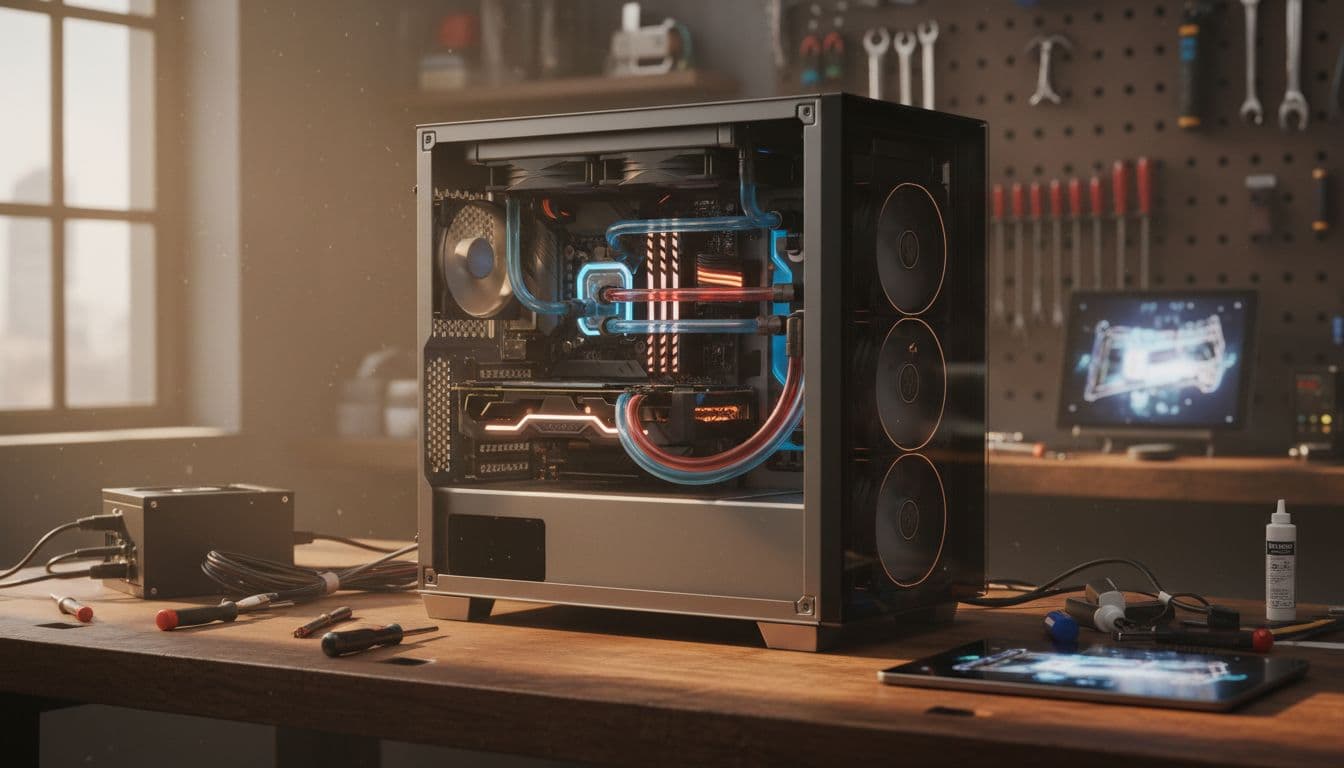
The Aegis R chassis is distinctive. MSI has gone for an angular, almost aggressive aesthetic with RGB lighting on the front panel and a tempered glass side panel so you can see the internals. Whether you like the look is entirely personal. I've seen people love it and people think it looks like a prop from a mid-2000s sci-fi film. The build quality of the chassis itself is solid though. The panels feel substantial, the tempered glass doesn't flex or creak, and the overall construction is better than some prebuilts I've handled at similar price points.
Opening it up, the internal cable management is... acceptable. It's not the clean, routed build you'd do yourself with proper cable management time, but it's not the rat's nest of cables you sometimes find in cheaper prebuilts either. The GPU is properly seated, the RAM sticks are correctly installed, and the SSD is secured. MSI has clearly done some quality control here. The motherboard is an OEM unit, which means you won't find it sold separately, and it has the usual prebuilt limitation of fewer headers and expansion options than a retail board. But for the intended use case, it does what it needs to do.
The RGB implementation is MSI's Mystic Light system, which you can control through their software. It works, it's not overly complicated, and if you don't care about RGB you can just turn it off. The front panel has a clean layout with the USB ports and power button easily accessible. One minor gripe: the power button feel is a bit plasticky compared to the rest of the chassis. Small thing, but you notice it every time you turn the machine on. The overall impression is of a machine that's been built to a standard rather than built to a budget, which is reassuring at this price tier.

Connectivity and Ports
Port selection on the Aegis R is genuinely good. The front panel gives you two USB 3.2 Gen 1 Type-A ports and one USB 3.2 Gen 1 Type-C port, which covers the bases for most peripherals and fast charging. Having Type-C on the front panel is a practical touch that a lot of prebuilts still skip. The rear panel adds two USB 3.2 Gen 2 Type-A ports and four USB 2.0 ports, giving you plenty of connections for keyboards, mice, headsets, and whatever else you're running.
The Wi-Fi 6 (802.11ax) inclusion is one of the highlights of this machine. At this price point, you'd expect decent wireless, and Wi-Fi 6 delivers. Wireless throughput was consistently strong, with low latency in online gaming sessions. If you're running a Wi-Fi 6 router, you'll see the full benefit. Even on older routers, the backwards compatibility means you're not losing anything. Bluetooth 5.1 is also included, which handles wireless peripherals and audio devices without issue.
Video outputs are handled by the GPU, giving you HDMI 2.1 and DisplayPort 1.4. DisplayPort 1.4 supports up to 8K at 60Hz or 4K at 120Hz, so you're not going to hit any display bandwidth limitations with this setup. HDMI 2.1 similarly handles 4K at 120Hz. For a 1440p 144Hz monitor, which is probably the sweet spot for this machine, either output works perfectly. The network port is Gigabit Ethernet, which is standard and fine. There's no 2.5GbE here, but that's not a meaningful limitation for gaming.
Pre-installed Software and OS
Windows 10 Home ships on this machine, which is worth a moment's consideration. Windows 11 has been the default on new PCs for a while now, and while Windows 10 is still supported and functional, it does feel slightly behind the curve. The free upgrade path to Windows 11 is available if your hardware meets the requirements, and the i7-10700F does meet the TPM 2.0 and Secure Boot requirements, so you can upgrade without buying a new licence. But it's an extra step you shouldn't have to take on a premium-priced machine.
MSI installs their Dragon Center software, which is their system monitoring and control utility. It lets you manage fan curves, RGB lighting, and performance profiles. It's more useful than most manufacturer utilities, though it does have a habit of wanting to update itself at inconvenient moments. There's also MSI's App Player bundled in, which is an Android emulator. I've never understood why MSI includes this on gaming PCs and I suspect most buyers uninstall it within the first hour. The bloatware situation is relatively light compared to some manufacturers, which is appreciated.
The overall software experience is clean enough. No trial antivirus subscriptions, no aggressive upsell pop-ups, no browser toolbars. The Dragon Center utility is genuinely useful for monitoring temperatures during gaming sessions, and the fan control options give you some ability to tune the thermal behaviour without needing third-party tools. If you're the sort of person who immediately wipes a new machine and does a clean Windows install, you'll lose the MSI-specific drivers and utilities, so I'd recommend at least noting down what's installed before you nuke it. Or just use Windows Update and download the Dragon Center separately from MSI's site.
Upgrade Potential
This is where prebuilts often frustrate me, and the Aegis R has a mixed story here. The good news first: there are two free DDR4 DIMM slots, so you can expand from 16GB to 32GB or even 64GB without removing the existing sticks. There's an M.2 slot available for adding an NVMe SSD, which I'd actually recommend doing fairly early if you're a heavy gamer. Adding a fast NVMe drive alongside the existing SATA SSD gives you a proper fast boot and games drive without losing your existing storage.
The PSU situation is where I have concerns. The 500W MSI-branded unit is adequate for the current configuration, the RTX 3060 has a 170W TDP and the i7-10700F sits around 125W under load, so you're not running close to the limit. But if you're thinking about upgrading to an RTX 4070 or similar down the line, 500W becomes tight. You'd want to swap the PSU at the same time as the GPU, and the PSU in the Aegis R uses a standard ATX form factor, so replacement is straightforward. Just budget for it. The quality of the included PSU is hard to verify independently since it's an OEM unit without a clear efficiency rating published, which is a minor frustration.
The B460 chipset limits your CPU upgrade path. You can swap to other LGA1200 processors, so an i9-10900K would theoretically fit, but you can't jump to 12th gen or newer without a new motherboard and RAM. In practice, the i7-10700F is going to be the last CPU this machine sees, and that's fine because it's not a bottleneck today. The GPU is the component most likely to get upgraded first, and the PCIe x16 slot is a standard PCIe 3.0 implementation. Worth noting that PCIe 3.0 versus 4.0 makes minimal real-world difference for current GPU generations, so this isn't a meaningful limitation.
How It Compares
Positioning the Aegis R against the competition requires being honest about what tier this machine sits in. At premium pricing, you're competing with some serious alternatives, and the i7-10700F plus RTX 3060 combination, while capable, is built around hardware that's now a couple of generations old. The question is whether the overall package, including MSI's build quality, the WiFi 6, the VRAM-generous RTX 3060, and the warranty, justifies the asking price versus newer configurations.
The Alienware Aurora R13 with an RTX 3060 Ti and i7-12700F represents a more current platform at a comparable price point. The 12th-gen Intel architecture brings meaningful efficiency and performance improvements, and the 3060 Ti edges out the 3060 in rasterisation performance, though it has less VRAM. Dell's Alienware support is also well-regarded. On the other side, the HP Omen 45L with similar specs offers more case volume and better thermal headroom, which matters for sustained workloads. Both are worth considering if you're shopping at this tier.
Where the Aegis R holds its own is in the VRAM situation and the WiFi 6 inclusion, plus MSI's gaming-focused software ecosystem. The 12GB on the RTX 3060 is genuinely future-proofing in a way that 8GB cards aren't, and that matters if you're planning to keep this machine for three or four years. The comparison table below gives you a cleaner side-by-side view.
| Feature | MSI Aegis R (RTX 3060) | Alienware Aurora R13 (RTX 3060 Ti) | HP Omen 45L (RTX 3060) |
|---|---|---|---|
| CPU | Intel i7-10700F (10th gen) | Intel i7-12700F (12th gen) | Intel i7-12700K (12th gen) |
| GPU | RTX 3060 12GB | RTX 3060 Ti 8GB | RTX 3060 12GB |
| RAM | 16GB DDR4 | 16GB DDR5 | 16GB DDR4 |
| Storage | 1TB SSD (SATA) | 512GB NVMe | 1TB NVMe |
| WiFi | Wi-Fi 6 | Wi-Fi 6 | Wi-Fi 6 |
| PSU | 500W (OEM) | 500W (OEM) | 700W (OEM) |
| OS | Windows 10 Home | Windows 11 Home | Windows 11 Home |
| Upgrade Headroom | Moderate | Good | Good |
| VRAM | 12GB | 8GB | 12GB |
Final Verdict
The MSI Aegis R (Tower) Gaming Desktop, Intel Core i7-10700F, GeForce RTX 3060, 16GB Memory, 1TB SSD, WiFi 6, USB Type-C, VR-Ready, Windows 10 Home Adv. (10TC-087US) is a machine I have genuine respect for, with some honest caveats. MSI has built something that works well, looks good, and doesn't embarrass itself in real-world use. The RTX 3060 with 12GB VRAM is a smart choice that ages better than the 8GB alternatives, the WiFi 6 is a proper inclusion rather than an afterthought, and the build quality is a step above what you'd expect from a lot of prebuilts at this tier.
But I can't ignore the platform age. The i7-10700F is a good chip, but it's 10th-gen Intel on a B460 board, and competitors at similar price points are now shipping with 12th or 13th-gen processors that offer meaningfully better performance per watt and a more future-proof upgrade path. The SATA SSD rather than NVMe is another area where MSI has clearly made a cost decision that doesn't quite fit the premium positioning. And Windows 10 Home on a machine at this price point in 2024 just feels like an oversight.
So who should buy this? If you find it at a price that reflects its platform age, it's a solid buy for someone who wants a reliable 1080p to 1440p gaming machine with VR capability, good wireless, and the peace of mind of an MSI warranty. The 12GB VRAM on the RTX 3060 is a genuine long-term advantage. If you're a heavy productivity user or you want the most current platform for future upgrades, look at the Alienware Aurora R13 or HP Omen 45L instead. And if you're comfortable building your own machine, the component cost comparison at this tier still favours DIY, particularly if you spec NVMe storage and a better PSU from the start.
For the right buyer at the right price, the Aegis R is a proper gaming machine that delivers on its core promises. Just go in with clear eyes about what you're getting and what you're not. Current pricing is £2,854.66, and with 34 reviews averaging ★★★★½ (4.7) stars, the community reception broadly matches my own experience. It's a good machine. Not a perfect one. But good.
What works. What doesn’t.
6 + 6What we liked6 reasons
- RTX 3060 with 12GB GDDR6 VRAM offers more headroom than 8GB alternatives at the same tier, holding up well at 1440p and in VR workloads
- Wi-Fi 6 is a genuine inclusion rather than an afterthought, delivering consistent low-latency wireless performance in real-world gaming sessions
- Dual-channel 16GB DDR4 configuration is correct out of the box, and two free DIMM slots make future RAM expansion straightforward
- Build quality of the Aegis chassis is a step above many prebuilts, with solid panels, proper tempered glass, and acceptable internal cable management
- VR performance is convincing, with the i7-10700F and RTX 3060 combination handling Quest 2 Link comfortably across multiple titles
- Front-panel USB Type-C is a practical touch that many competing prebuilts still omit
Where it falls6 reasons
- The i7-10700F is 10th-generation Intel on a B460 board, meaning the platform is now two generations behind competing machines at similar prices
- Storage is a SATA SSD rather than NVMe, resulting in sequential read speeds around 500 to 550MB/s when NVMe should be standard at this price tier
- Ships with Windows 10 Home rather than Windows 11, requiring an extra manual upgrade step on a machine positioned at a premium price point
- The 500W OEM PSU lacks a published efficiency rating and will become a constraint if you later upgrade to a more power-hungry GPU
- CPU upgrade path is limited to LGA1200 chips only, with no route to 12th-gen or newer without replacing the motherboard and RAM as well
- Thermal headroom under combined CPU and GPU sustained loads is modest, with CPU temperatures reaching 82 to 85 degrees Celsius in stress scenarios
Full specifications
8 attributes| CPU | Intel Core i7-10700F |
|---|---|
| GPU | NVIDIA GeForce RTX 3060 |
| Case size | mid-tower |
| Launch year | 2021 |
| OS | Windows 10 Home |
| RAM GB | 16 |
| Storage GB | 1000 |
| Storage type | NVMe SSD |
If this isn’t right for you
2 options

Frequently asked
7 questions01Can the MSI Aegis R run games at 1440p?+
Yes, the RTX 3060 12GB handles 1440p gaming at medium-to-high settings in demanding AAA titles, typically producing 60 to 80fps. In less demanding or optimised games, frame rates climb considerably higher. It is a comfortable 1440p machine rather than a maximum-settings one.
02Does the MSI Aegis R support VR headsets?+
Yes, MSI rates it as VR-ready and testing with a Quest 2 via Link cable confirmed smooth performance across multiple VR titles. The combination of the i7-10700F and the RTX 3060's 12GB VRAM handles VR rendering workloads without meaningful issues.
03What storage drive is inside the MSI Aegis R?+
MSI does not prominently disclose the specific SSD manufacturer or model. Testing showed sequential read speeds in the 500 to 550MB/s range, consistent with a SATA SSD rather than an NVMe drive. There is a free M.2 slot available if you wish to add a faster NVMe drive later.
04Can you upgrade the RAM in the MSI Aegis R?+
Yes. The system ships with two 8GB DDR4 sticks in dual-channel configuration, and there are two additional empty DIMM slots. You can expand to 32GB without removing the existing sticks by adding another matched pair, or go higher by replacing all four slots.
05Is the PSU in the MSI Aegis R sufficient for a GPU upgrade?+
The included 500W OEM unit is adequate for the current i7-10700F and RTX 3060 configuration, but it will become a constraint if you upgrade to a more power-hungry card such as an RTX 4070. Any meaningful GPU upgrade should be accompanied by a PSU replacement. The standard ATX form factor means compatible replacements are widely available.
06Does the MSI Aegis R come with Windows 11?+
No, it ships with Windows 10 Home. The i7-10700F does meet the TPM 2.0 and Secure Boot requirements for a free Windows 11 upgrade, so you can update without purchasing a new licence, but it is an extra step that feels out of place on a machine at this price point.
07How loud is the MSI Aegis R under gaming load?+
At idle and during light tasks the system is genuinely quiet. Under gaming load the fans spin up to an audible level, noticeable but not intrusive. Under heavy combined CPU and GPU stress the noise increases further. It is not a silent machine at full load, but it is not disruptively loud either.