Best Overall Value
Rating: ★★★★☆ (4.3) | Price: £87.30
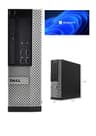
Here's the thing: when you're hunting for the best desktops for office work under £200, this is the one that makes everything else look overpriced. The Intel Core i5 4570 is a genuine quad-core processor. Four cores, running at up to 3.6GHz. For office work, that's more than enough to handle Word, Excel, Outlook, a browser with a dozen tabs, and a Teams call running in the background without the machine grinding to a halt.
It ships with Windows 11 Pro already installed, which matters for office environments. Pro gives you BitLocker encryption, Remote Desktop, and proper domain joining if you're connecting to a business network. That's not something you'd normally expect at this price.
The 8GB of RAM is fine for most office tasks, though you'll notice it if you're running heavy spreadsheets alongside video calls. The 120GB SSD is where the compromise lives. It's enough for Windows, your apps, and your documents, but you'll want to keep files on a network drive or cloud storage. Don't expect to store much locally. That said, the SSD means boot times are quick and the system feels snappy day to day.
The small form factor chassis is tidy on a desk. It's a proper Dell OptiPlex, so the build quality is commercial-grade. These machines were designed to sit in offices for years, and the renewed units tend to be in solid condition. Real owner feedback consistently mentions how quiet and reliable these are for everyday work.
For anyone working from home or setting up a basic office workstation, this is the clear winner among the best desktops for office work under £200. Especially at its current price point, which sits well below the £100 mark.
Pros
- Genuine quad-core i5 performance for office multitasking
- Windows 11 Pro included, ready for business use
- Fast SSD boot times, snappy day-to-day feel
- Commercial-grade Dell build quality
- Excellent value, well under £100
Cons
- 120GB SSD is tight, cloud or network storage recommended
- 8GB RAM may feel limited with heavy multitasking
- No monitor included
- 4th-gen Intel, so not cutting-edge
Buy on Amazon£87.30
Best Build Quality
Rating: ★★★★☆ (4.2) | Price: £147.00
Step up to this and you'll feel the difference. The i7 4770 is a proper eight-thread processor, and paired with 16GB of RAM it handles office multitasking with genuine ease. Running Teams, Chrome with multiple tabs, Outlook, and a spreadsheet simultaneously? No problem. This is the kind of setup that won't slow you down mid-meeting.
The 512GB SSD is a much more comfortable amount of storage for office work. You can keep local copies of your files, install your full suite of software, and still have room to breathe. The built-in 300Mbps USB WiFi adapter means you're not tethered to an ethernet cable, which is handy for home office setups where the router isn't nearby.
It's the OptiPlex 7020, which sits higher in Dell's commercial range than the standard OptiPlex. The 7-series machines were built for more demanding business environments, so the chassis feels solid and the internals are well organised. Renewed units of this model tend to come in good cosmetic condition too, based on owner reports.
Windows 11 Pro is pre-installed, so you're ready to go from the off. For anyone who needs a bit more headroom than the i5 entry-level option but doesn't want to spend on a brand-new machine, this sits in a sweet spot. It's one of the better best desktops for office work under £200 if you're doing anything more demanding than basic word processing.
The only real caveat is that it doesn't include a monitor, so factor that into your budget if you need one.
Pros
- i7 4770 with 8 threads handles heavy office multitasking
- 16GB RAM, noticeably smoother than 8GB options
- 512GB SSD, plenty of local storage
- WiFi included, no ethernet required
- Premium OptiPlex 7020 chassis, excellent build
Cons
- No monitor included
- Costs more than the i5 entry option
- 4th-gen Intel still, same generation as cheaper units
Buy on Amazon£147.00
Best Under £200 (Complete Bundle)
Rating: No rating | Price: £199.99
Right. Let's be straight about this one. The Lenovo Q190 is a compact little machine, and there's something appealing about its small footprint. But the specs are a serious problem for office work in 2026.
The Intel Celeron 1017U runs at 1.6GHz. It's a dual-core, low-power chip designed for light use. Paired with just 4GB of RAM and a traditional spinning hard drive, this machine will feel slow for anything beyond the most basic tasks. Opening a browser with a few tabs while Outlook runs in the background will test its patience. A Teams or Zoom video call? You'll likely see dropped frames and sluggish performance.
Then there's the operating system. Windows 8.1 with Bing. Microsoft ended mainstream support for Windows 8.1 in January 2018 and extended support in January 2023. It is no longer receiving security updates. For any kind of business or office use where you're handling documents, emails, or any sensitive data, running an unsupported OS is a genuine risk. You'd need to factor in the cost of a Windows 10 or 11 licence upgrade, which changes the value proposition significantly.
The 500GB HDD does give you plenty of storage, and the WiFi is a plus for a machine this old. The Q190 is genuinely compact and quiet, which suits a living room or a secondary machine role. But as a primary office desktop for work in 2026? It's a stretch. If you can find this for under £50 and you only need it for the most basic word processing with a plan to upgrade the OS, it has a niche use case. Otherwise, the i5 OptiPlex above it is a far better spend.
Pros
- Very compact, small footprint on a desk
- Quiet operation
- 500GB HDD offers decent storage
- WiFi included
Cons
- Windows 8.1 is unsupported and a security risk
- Celeron 1017U is very slow for modern office software
- 4GB RAM is insufficient for comfortable multitasking
- HDD is much slower than SSD alternatives
- Struggles with video calls and modern browsers
Buy on Amazon£199.99