Best Overall
Don't sleep on renewed business laptops. This Dell Latitude gives you an Intel i5, 16GB of RAM and a 512GB SSD for around £250. On paper that's madness for the price, and it streams absolutely everything without a second thought. The i5-8365U is older, but it's a proper full-fat processor that dwarfs the Celerons on this list.
Build quality is where refurb business kit really shines. The Latitude range is designed to survive years in an office bag, so the chassis is sturdy, the keyboard is excellent and the ports are generous. It even ships with Windows 11 Pro. For sofa streaming it's plenty, and the 14-inch screen is a sensible size.
The catch? It's renewed, so expect some cosmetic wear and older battery health. Battery life won't touch the MacBook or a fresh Chromebook, and the screen is a standard business panel rather than anything punchy. But as a way to get serious specs on a streaming budget, it's superb value and a smart move for anyone who wants power over polish.
Pros
- Full i5 with 16GB RAM for the money
- Tough business-grade build
- Windows 11 Pro included
Cons
- Renewed, so cosmetic wear likely
- Older battery, shorter runtime
- Plain business screen
Buy on Amazon
Best Windows Under £300
If you want a normal full-Windows laptop for streaming and want to keep it under £300, this HP is the sweet spot. The Ryzen 3 7320U is a modern, efficient chip that handles 1080p video with ease, and there's 8GB RAM plus a 256GB SSD to keep everything snappy. Dual speakers help too, giving films a bit more presence than single-speaker rivals.
HP quotes over 11 hours of battery, and while real-world streaming will land lower, it's still enough for a long evening away from the plug. The 15.6-inch Full HD screen is a good size for watching, if a touch dim in bright rooms. Crucially, this one runs full Windows 11, so you're free to install any browser or app you fancy.
It's plastic and unremarkable to look at, and the trackpad is a bit basic. But for a dependable, do-everything streaming laptop at this price, it delivers. Owners like the balance of speed and battery. Read our full HP Ryzen 3 laptop review for more.
Pros
- Modern Ryzen 3, snappy for streaming
- Dual speakers with decent sound
- Full Windows 11 out of the box
Cons
- Screen a little dim
- Basic trackpad
- Plain plastic design
Buy on Amazon£364.58Read full review
Best Battery Life
For pure streaming, this HP Chromebook is one of the smartest buys on the list. The Intel N100 is a proper step up from the old Celerons, and paired with 8GB of RAM it keeps Chrome OS feeling quick even with a stack of tabs and a stream running. HP rates it at over 12 hours, and that's the kind of number streaming fans love. You could watch an entire series on one charge.
The 14-inch Full HD screen is sharp enough for 1080p, and dual speakers mean dialogue comes through clearly. 128GB of storage is generous for a Chromebook, handy if you want to save the odd Netflix download for offline viewing. Netflix, Disney+, Prime Video and YouTube all run through their Android apps or the browser without fuss.
It's Chrome OS, so no Windows software, but for a streaming machine that barely matters. This is the Chromebook we'd point most streamers towards. See our full HP Chromebook 14 review. TechPowerUp has good background on the Intel N100 if you want the spec detail.
Pros
- Excellent 12-hour-plus battery
- Fast N100 with 8GB RAM
- Dual speakers and 128GB storage
Cons
- No Windows software
- Screen could be brighter
- Build is functional, not fancy
Buy on AmazonRead full review
Best For Beginners
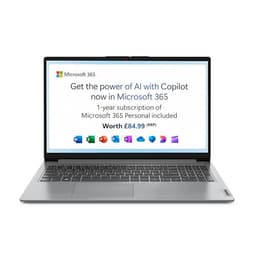
If someone in the family wants a simple, big-screen laptop for streaming and light browsing, the IdeaPad Slim 3 fits the bill. The Core i3-N305 is a tidy little chip with eight cores, so it feels responsive for everyday tasks and never trips over 1080p video. The 15-inch Full HD screen gives you a comfortable canvas for Netflix and iPlayer.
8GB of RAM keeps things smooth, and S mode actually helps beginners here: it only lets you install trusted apps from the Microsoft Store, which cuts down the chance of installing something dodgy. You can flip it off later for free if you outgrow it. Most streaming apps are available in the Store anyway.
The catch is storage. 128GB of UFS fills up fast if you download shows or install big programs, so you'll want cloud storage or an SD card. Owners find it a reliable, no-drama machine that's easy to live with. As a first Windows laptop centred on streaming, it's an easy recommendation.
Pros
- Roomy 15-inch Full HD screen
- Responsive 8-core i3-N305
- S mode keeps things safe for new users
Cons
- Only 128GB storage
- S mode limits apps until switched off
- Speakers are modest
Check availability
Best Budget
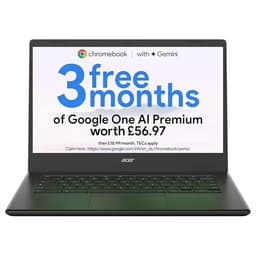
Our best budget pick, and honestly a brilliant little thing for the money. The Acer Chromebook 314 costs a fraction of the top picks yet does the one job most people want perfectly well: it streams. The 14-inch Full HD screen is a genuine highlight at this price, sharp enough for 1080p Netflix and YouTube without looking washed out.
The Celeron N4500 and 4GB RAM aren't going to win races, but Chrome OS is light and streaming is not demanding. One video playing with a couple of tabs open? No problem. It boots in seconds and stays cool and quiet throughout. Battery life is solid too, easily seeing out a film marathon.
You do need to accept the limits. 4GB RAM means you shouldn't hammer it with dozens of tabs, and 64GB storage leans on the cloud. But as a cheap, light, grab-and-go streaming laptop, it punches way above its price. Owners love the value. See our full Acer Chromebook 314 review.
Pros
- Full HD screen at a low price
- Light, cool and quiet
- Good battery for long sessions
Cons
- Only 4GB RAM
- 64GB storage
- Chip is basic, don't push it hard
Buy on Amazon£181.05Read full review
Best Rugged Pick
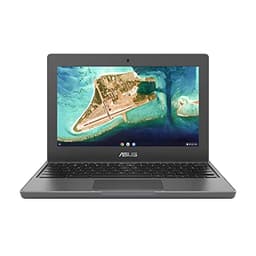
This one's built to be dropped. The CR1100 is a rugged Chromebook designed for schools, with reinforced corners, a spill-resistant keyboard and a chassis that shrugs off knocks. If you want a streaming laptop for the kids or for chucking in a bag, that toughness matters. The three-year ASUS warranty sweetens the deal further.
Inside it's a familiar Celeron N4500 with 4GB RAM, which is fine for a single stream and a bit of browsing. Chrome OS keeps it usable. The sticking point for streaming is the screen: it's an 11.6-inch HD panel, so smaller and lower resolution than the Full HD options here. Films still look okay, just not as crisp or as big.
So it's a compromise. You trade screen quality and size for durability and peace of mind. For a robust, warranty-backed streaming machine that'll survive family life, it's a sensible shout, but if picture quality is your top priority, look at the 14-inch Full HD Chromebooks instead.
Pros
- Tough, rugged build
- Three-year ASUS warranty
- Compact and very portable
Cons
- Small 11.6-inch HD screen
- Only 4GB RAM
- Lower resolution than Full HD rivals
Buy on Amazon£299.99
Best Cheap 14"
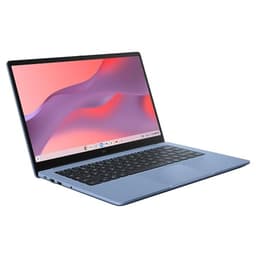
A cheap 14-inch Chromebook with a Full HD screen is a solid recipe for casual streaming, and that's exactly what this ASUS is. At well under £160 it undercuts most of the list, and you still get a decent-sized 1080p panel that makes Netflix and YouTube look respectable. For a spare-room or bedroom streaming laptop, that's plenty.
The Celeron N50 is a newer entry-level chip, and while it's no speed demon, Chrome OS keeps things ticking for light streaming duty. The honest limit is 4GB of RAM. Stick to one stream and a tab or two and it's fine. Pile on the tabs and it'll start to chug. 64GB storage means you'll rely on cloud and streaming rather than big downloads.
It's an Amazon Exclusive, so pricing tends to be keen. Treat it as a cheerful, no-frills streaming Chromebook and you'll be happy. Just don't expect it to double as a workhorse. For the money, it does the streaming job well.
Pros
- 14-inch Full HD screen for very little
- Newer Celeron N50 chip
- Light and easy to carry
Cons
- Only 4GB RAM
- 64GB storage
- Not for heavy multitasking
Buy on Amazon£208.99
Best 15" On A Budget
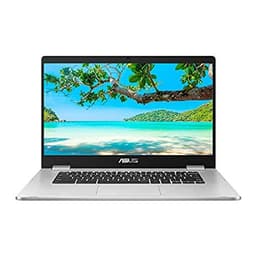
The appeal here is simple: a big 15.6-inch screen on a Chromebook budget. If you want the largest picture you can get without spending on a Windows machine, this ASUS delivers the size. For sofa streaming, that extra screen real estate is genuinely nice, and the price stays modest.
But there's no getting around the chip. The Celeron N3350 is old now, and it shows. It'll play a single 1080p stream fine, but it's slow to wake, slow to load pages and quickly overwhelmed if you ask more of it. 4GB RAM and 64GB storage are the usual entry-level story. This is a one-thing-at-a-time machine.
So it's a compromise pick. You're buying screen size, not speed. If your streaming habit is one show at a time on a big display and you don't mind waiting a beat here and there, it works. But the HP N100 Chromebook or the Acer 314 are noticeably snappier for similar or less money, and we'd steer most people that way.
Pros
- Large 15.6-inch screen
- Cheap for the size
- Fine for single-stream viewing
Cons
- Ageing, slow N3350 chip
- Only 4GB RAM
- Struggles with multitasking
Buy on Amazon£252.00Read full review
Best Under £250 Entry
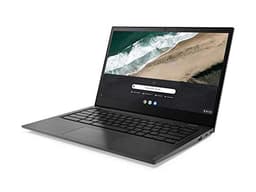
The cheapest way onto this list, and that's really its main selling point. The Lenovo S345 gives you a 14-inch Full HD screen and Chrome OS, so on paper it ticks the streaming boxes. The screen is a nice size for watching, and it'll happily play Netflix or YouTube in a single tab.
The problem is the hardware is showing its age. The AMD A4 processor is one of the weakest here, so expect noticeable pauses and slow loading. And 32GB of storage is the smallest on the list, which fills up fast once Chrome OS updates and a few apps are installed. You'll be leaning entirely on the cloud.
Be honest with yourself about what you need. If your budget is tight and all you want is basic, one-thing-at-a-time streaming, it'll do the job. But if you can stretch even a little to the Acer 314 or the newer ASUS Chromebook 14, you'll get a much smoother experience for not much more. This one is strictly for the tightest budgets.
Pros
- Lowest price on the list
- 14-inch Full HD screen
- Simple Chrome OS for basic streaming
Cons
- Slow, ageing AMD A4 chip
- Tiny 32GB storage
- Only 4GB RAM
Buy on Amazon£239.00