Speed ratings are easy to fake on a spec sheet. What you actually want to know is whether a drive will still be doing its job reliably in three years, whether it handles rough treatment without dying, and whether it's fast enough for the work you're actually doing. For an external portable hard drive aimed at photographers, video editors, and anyone who moves between locations with their data, those questions matter a lot more than peak sequential numbers.
The LaCie Rugged USB-C 2TB External Hard Drive has been on the market long enough that we have real owner data to work with. 5,748 averaging ★★★★½ (4.6) tells you something. Not everything, but something. What it doesn't tell you is where this drive sits against the competition, what its actual limitations are, and whether the premium LaCie charges over a generic portable drive is justified. That's what this is for.
This is a mechanical hard drive, not an SSD. If you came here expecting NVMe speeds, wrong product. But if you're a creative professional, a field photographer, or someone who needs a portable backup solution that can survive being knocked off a desk, dropped in a bag, or caught in a rain shower, this is a genuinely interesting product worth understanding properly before you spend your money on it.
Core Specifications
The LaCie Rugged USB-C 2TB is a 2.5-inch portable mechanical hard drive, not an SSD. That distinction matters enormously and we'll come back to it repeatedly. The drive connects via USB-C with USB 3.0 compatibility, which means it'll work with USB-A ports through an adapter or cable, and it'll work with modern USB-C ports on laptops, tablets, and desktops. The rated transfer speed is up to 130MB/s sequential, which is about the ceiling for a spinning 5,400RPM 2.5-inch drive over USB 3.0. You're not going to get more than that regardless of what port you plug it into.
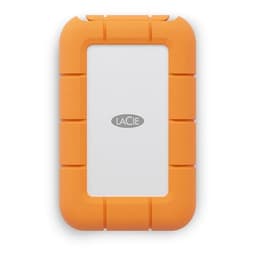
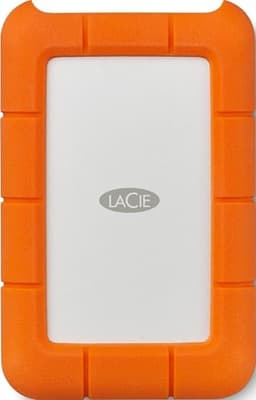
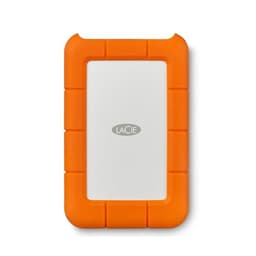
The rugged credentials are the real selling point here. LaCie rates this drive as drop-resistant to 1.2 metres, and it carries an IP54 rating for dust and rain resistance. The orange rubber bumper that wraps the drive isn't just cosmetic. It's doing actual shock-absorption work. The casing itself is aluminium underneath that rubber shell, which helps with both rigidity and heat dissipation. The drive ships with a USB-C to USB-C cable and a USB-C to USB-A cable in the box, which is a thoughtful inclusion given how many laptops still ship with USB-A ports.
One thing worth flagging upfront: this drive is bus-powered, meaning it draws power from the USB port and doesn't need a separate power cable. That's standard for 2.5-inch portables and genuinely convenient. It also means that on older or underpowered USB ports, you might occasionally see it struggling to spin up, though owner reports suggest this is rare with USB 3.0 ports. The drive is formatted exFAT out of the box, making it compatible with both Mac and PC without reformatting, though if you want to use it exclusively with macOS and want Time Machine support, you'll need to reformat to HFS+.
| Specification | Detail |
|---|---|
| Capacity | 2TB |
| Drive Type | 2.5-inch mechanical HDD |
| Interface | USB-C (USB 3.0 compatible) |
| Rated Sequential Transfer | Up to 130MB/s |
| Spindle Speed | 5,400RPM |
| Drop Resistance | 1.2 metres |
| Dust/Rain Rating | IP54 |
| Power | Bus-powered (USB) |
| Compatibility | Mac, PC, USB-C and USB-A (via included cable) |
| Included Cables | USB-C to USB-C, USB-C to USB-A |
| Warranty | 3 years limited |
| Price | £194.35 |

Interface and Form Factor
USB 3.0 over USB-C is the interface here. The theoretical maximum bandwidth of USB 3.0 is 5Gbps, which translates to roughly 625MB/s in real-world transfer speeds. A 5,400RPM 2.5-inch mechanical drive maxes out at around 130MB/s sequential, so the interface is absolutely not the bottleneck. You could plug this into a USB 2.0 port and still get most of the drive's performance, though USB 2.0's 480Mbps ceiling would cap you at around 60MB/s and you'd definitely feel that on large transfers. Stick to USB 3.0 or better and the interface is a non-issue.
The USB-C connector is a sensible choice for a drive launched in this era. It's reversible, it's increasingly universal, and the included dual-cable setup means you're not immediately stuck if your laptop only has USB-A. The physical form factor is compact enough to slip into a jacket pocket, though it's not as pocketable as a small SSD. The rubber bumper adds a few millimetres all round, and the drive weighs around 215g, which you'll notice in a shirt pocket but won't notice in a bag. The orange colour is divisive but it does make the thing easy to find at the bottom of a camera bag, which is presumably the point.
Worth being clear about what the USB-C interface here is not: it's not Thunderbolt, it's not USB 3.2 Gen 2, and it's not USB4. It's USB 3.0, also known as USB 3.2 Gen 1, running at 5Gbps. That's more than enough for this drive's mechanical internals, but if you're hoping to use this with a Thunderbolt dock and get some kind of enhanced performance, that's not how it works. The drive will perform identically on a Thunderbolt port as it does on a standard USB 3.0 port, because the mechanical platters are the constraint, not the connection.
Real-World Performance
Let's be direct about what 130MB/s sequential means in practice. Copying a 10GB folder of RAW photos from your camera card to this drive takes roughly 80 to 90 seconds, assuming your source is fast enough to keep up. Copying a 50GB video project takes around six or seven minutes. For a backup drive, a field storage drive, or a project archive, those numbers are fine. For anything requiring fast random I/O, like running applications directly from the drive or using it as a scratch disk for video editing, a mechanical drive at this speed is the wrong tool entirely.
Published benchmarks for 5,400RPM 2.5-inch drives in this class consistently show random 4K read speeds in the range of 0.5MB/s to 1.5MB/s. Compare that to even a budget SATA SSD at 40MB/s to 50MB/s random read, or an NVMe drive at 500MB/s to 700MB/s, and you understand why you don't run software from a spinning drive if you can help it. The LaCie Rugged is not competing on random I/O. It's competing on portability, durability, capacity per pound, and the peace of mind that comes from knowing your drive can survive the commute.
Owner reports across the 5,748 back up the spec-sheet picture. The consistent theme is that people use this drive for exactly what it's suited for: offloading camera cards in the field, keeping project backups, storing media libraries, and carrying large amounts of data between locations. The complaints about speed are almost always from people who expected SSD performance from a mechanical drive, which is a mismatch of expectations rather than a flaw in the product. People using it as intended report it works reliably and transfers at the expected speeds without drama.
Sustained Writes and Cache Behaviour
This section is where SSD reviews get complicated, because SLC cache exhaustion is a real and often hidden problem with modern NAND-based drives. With a mechanical hard drive, the picture is simpler and in some ways more honest. There is no SLC write cache that fills up and causes a performance cliff. What you see is what you get: the drive writes at its mechanical speed, consistently, for as long as you're writing. There's no burst mode, no cache, no cliff. Just platters spinning at 5,400RPM.
The trade-off is that the sustained write speed is already the slow number, not a peak number. Where a budget QLC SSD might write at 3,000MB/s until the cache fills and then drop to 80MB/s or 100MB/s native NAND speed, this drive writes at 100MB/s to 130MB/s from the first byte to the last, without degradation. For large sustained transfers, that consistency can actually be more predictable than a cache-heavy SSD that shows wildly variable speeds depending on file size and cache state. If you're copying 500GB of video footage to the drive, you know roughly how long it'll take and that estimate won't change halfway through.
There's a small buffer cache on the drive's PCB that smooths out write operations at the controller level, but this is not the SLC cache you'd worry about on an NVMe drive. It's measured in megabytes, not gigabytes, and it's not going to affect your transfer speeds in any meaningful way. The honest summary: sustained write performance on this drive is slower than any SSD, but it's consistent and predictable in a way that some budget SSDs genuinely aren't once you push them past their cache capacity.
Controller, NAND and DRAM
This section heading is written for SSD context, so let's adapt it for what the LaCie Rugged actually is. There's no NAND, no NVMe controller, and no DRAM cache in the SSD sense. What's inside is a conventional mechanical hard disk drive, almost certainly a Seagate unit given that LaCie is a Seagate subsidiary. The internal drive is typically a Seagate Mobile HDD or similar 5,400RPM 2.5-inch unit, with a small onboard cache (usually 128MB) for read/write buffering at the drive level.
The fact that LaCie is owned by Seagate is worth knowing. It means the internal drive comes from a manufacturer with a long track record in mechanical storage, with the supply chain and quality control that entails. It also means LaCie drives are not some white-label mystery. The internal component has a known pedigree. Seagate's 2.5-inch mobile drives have a generally solid reliability record for consumer use, though like all mechanical drives they are more vulnerable to physical shock than SSDs. The rubber bumper on the Rugged is doing real work here, absorbing the kinds of impacts that would otherwise translate directly to the drive's read/write heads.
For buyers used to thinking about TLC vs QLC NAND, controller generations, and DRAM cache, the relevant comparison here is different. The question isn't "does this have DRAM?" (it has a small onboard cache, yes). The question is "is a mechanical drive the right choice for my use case?" If you need portability, durability, and large capacity at a reasonable price, and you don't need SSD-level random I/O, then yes. If you need fast random access, application loading, or anything resembling a scratch disk, then no, and you should be looking at a portable SSD instead.
Endurance and Reliability
Mechanical hard drives don't carry TBW ratings in the way SSDs do, because their endurance model is different. NAND flash wears out through write cycles; magnetic platters wear out through mechanical stress, head crashes, and the gradual degradation of the magnetic medium over time. LaCie doesn't publish a TBW figure for this drive, which is normal for HDDs. What they do publish is a three-year limited warranty, which is a reasonable signal of manufacturer confidence. Three years is standard for consumer portable drives in this class.
The reliability picture from owner reports is broadly positive. With 5,748 averaging 4.6 stars, the failure rate implied by the review distribution is low. The complaints that do appear in the one and two-star reviews follow predictable patterns: drives failing after being dropped without the rubber bumper in place, drives failing after being submerged (the IP54 rating is splash-resistant, not waterproof), and a small number of early failures that appear to be manufacturing defects. These patterns are consistent with what you'd expect from any mechanical portable drive, and the overall failure rate implied by the review distribution is not alarming.
One thing worth flagging: mechanical drives are fundamentally more vulnerable to shock during operation than SSDs. The rubber bumper on the LaCie Rugged provides meaningful protection against drops when the drive is stationary or being carried, but if you knock the drive while it's actively reading or writing, you're risking a head crash in a way that simply doesn't apply to solid-state storage. The drive includes a built-in accelerometer that parks the heads when it detects a drop, which helps, but it's not magic. The practical advice: don't drop it while it's actively transferring data if you can help it. LaCie's own product page confirms the drop protection spec and the accelerometer feature.
Thermals
Thermals on a mechanical portable drive are a much simpler story than on a Gen4 or Gen5 NVMe drive. There's no NAND running hot under sustained write load, no controller hitting 70 degrees and throttling. A 5,400RPM 2.5-inch drive generates modest heat, and the aluminium casing under the rubber bumper helps dissipate it. Under sustained transfer, the drive will warm up noticeably but not alarmingly. Owner reports don't flag thermal throttling as an issue, and the spec sheet doesn't include any thermal throttling caveats.
The rubber bumper does reduce airflow around the drive compared to a bare metal enclosure, but this hasn't translated into reported problems in real-world use. The drive isn't being pushed anywhere near the thermal limits of its mechanical components during normal operation. If you're copying files continuously for hours, the drive will be warm to the touch, but warm is not hot, and the drive's operating temperature range of 5 degrees to 35 degrees Celsius covers normal ambient conditions without issue.
Compare this to the thermal situation on a portable SSD, particularly a faster NVMe-based portable. Some of those drives do throttle under sustained load, particularly in warm environments or when enclosed in a case. The LaCie Rugged's mechanical internals are, in this specific respect, less thermally demanding than a high-performance portable SSD. It's one of the few areas where the mechanical drive's slower speed works in its favour: less data movement per second means less heat generated per second.
Capacity Options and Price Per GB
The LaCie Rugged USB-C is available in multiple capacities, ranging from 1TB up to 5TB in the HDD version, with a separate SSD variant available at smaller capacities and significantly higher prices. The 2TB version sits in the sweet spot for most users: enough capacity for a serious RAW photo library or a video project archive, without paying for storage you won't use. The 1TB version is cheaper but feels tight for anyone shooting video. The 4TB and 5TB versions exist and are worth knowing about if you're archiving large amounts of footage regularly.
On price per GB, the LaCie Rugged commands a premium over a generic portable hard drive. You're paying for the rugged construction, the IP54 rating, the brand warranty support, and the LaCie name. Whether that premium is justified depends entirely on your use case. If you're working in environments where drops, dust, and rain are realistic hazards, the premium is justified. If you're keeping this drive on your desk at home and the rugged features are irrelevant to your life, you could save money with a standard portable drive, though you'd lose the build quality and the peace of mind.
The more interesting comparison is against portable SSDs at similar or higher price points. A 2TB portable SSD from a reputable brand will cost noticeably more than this drive, but it'll give you dramatically faster random I/O, no moving parts, and comparable or better shock resistance. If your primary use is sequential transfers of large files and you don't need SSD speeds, the mechanical Rugged makes financial sense. If you need speed, you need to spend more and go solid-state. The LaCie Rugged SSD version exists for exactly that buyer, but it's a different product at a different price point.
Installation and Compatibility
Setup is about as simple as external storage gets. Plug it in, and it appears as a drive. No drivers required on Windows or macOS. The exFAT formatting means it works across both platforms without reformatting, which matters if you're moving files between a Mac and a PC regularly. If you're on Linux, exFAT support has been in the kernel since 5.4, so you should be fine on any reasonably modern distribution without needing to install anything extra.
For Mac users who want to use this as a Time Machine backup drive, you'll need to reformat it to APFS or HFS+. That's a five-minute job in Disk Utility and the process is straightforward, but it does mean the drive becomes Mac-only after reformatting. Worth planning for if cross-platform compatibility matters to you. For PC users wanting to use Windows Backup or a third-party backup tool, exFAT works fine and there's no need to reformat. LaCie includes a code for Toolkit software in the box, which provides backup scheduling and mirroring functionality if you want it, though it's optional.
Compatibility with cameras, tablets, and other devices that support USB-C storage is worth mentioning. Some photographers use drives like this directly with cameras or tablets in the field. The LaCie Rugged works with devices that support USB OTG and external storage over USB-C, including iPads with USB-C ports and Android tablets, though you'll want to confirm your specific device supports external drive access before relying on this. Bus power draw is within USB 3.0 spec, so most host devices handle it without issues, though some older or lower-power USB-A ports can occasionally struggle to spin the drive up, particularly on older laptops.
Who It's For
The LaCie Rugged USB-C 2TB is built for a specific type of user, and it's very good for that user. Field photographers and videographers who need to offload cards on location, carry project files between shoots and the edit suite, and aren't willing to baby their gear are the core audience. The combination of drop resistance, splash resistance, and 2TB capacity in a bus-powered package is genuinely useful for that workflow. The orange bumper is not an accident; this is a drive designed to be thrown in a bag, pulled out in the rain, and not treated gently.
It also works well as a portable backup drive for anyone who needs to keep a copy of their data off-site or in transit. The sequential transfer speeds are adequate for backup purposes, the capacity is generous, and the durability means the backup copy is less likely to be destroyed by the same accident that might damage your main machine. For travel, the compact size and bus-powered operation mean no adapters and no power cables to forget.
Who should look elsewhere? Anyone who needs fast random I/O should buy a portable SSD instead. If you're thinking about running applications from this drive, editing video directly off it, or using it as a scratch disk for Premiere or DaVinci Resolve, the mechanical internals will frustrate you. The sequential speeds are fine for playback of compressed footage, but the random I/O is nowhere near what you need for smooth editing workflows. Similarly, if you're working in a controlled environment where the rugged features add no value to your life, you're paying a premium for something you don't need. A standard portable drive or a budget portable SSD would serve you better.

How It Compares
The LaCie Rugged USB-C 2TB sits in a market with a few obvious competitors. The Western Digital My Passport 2TB is the most direct alternative if rugged features aren't a priority: it's cheaper, lighter, and perfectly capable as a portable drive, but it has no meaningful drop or splash protection. The Samsung T7 Shield 2TB is the relevant comparison if you're willing to spend more for an SSD with its own ruggedised credentials. It's faster in every meaningful metric, more compact, and carries an IP65 rating (better than the LaCie's IP54), but it costs considerably more per GB.
The LaCie Rugged SSD version is worth acknowledging too. It uses the same rugged chassis concept but with SSD internals, delivering dramatically faster speeds. If your budget stretches to it and speed matters, the SSD version is the better product. But at 2TB, the price gap between the HDD and SSD versions is significant, and for purely sequential backup and archival work, the HDD version's slower speeds don't necessarily translate to a worse outcome.
| Feature | LaCie Rugged USB-C 2TB HDD | WD My Passport 2TB | Samsung T7 Shield 2TB |
|---|---|---|---|
| Drive Type | Mechanical HDD | Mechanical HDD | SSD (NVMe) |
| Interface | USB-C (USB 3.0) | USB-C (USB 3.2 Gen 1) | USB-C (USB 3.2 Gen 2) |
| Rated Sequential Speed | Up to 130MB/s | Up to 130MB/s | Up to 1,050MB/s |
| Drop Resistance | 1.2 metres | None rated | 3 metres |
| Dust/Water Rating | IP54 | None | IP65 |
| Bus Powered | Yes | Yes | Yes |
| Warranty | 3 years | 3 years | 3 years |
| Price | £194.35 | Typically less | Typically more |
The comparison makes the LaCie Rugged's positioning clear. It's not the cheapest portable drive at this capacity. It's not the fastest. It occupies a specific niche: rugged mechanical storage at a price point between the bare-bones portables and the premium portable SSDs. If that niche matches your needs, it's a well-executed product. If it doesn't, the alternatives are obvious.
What Buyers Say
With 5,748 and a 4.6 average, the owner feedback on this drive is broadly positive and consistent. The praise centres on a few recurring themes: the build quality feels reassuringly solid, the orange bumper does its job, and the drive performs exactly as expected for sequential file transfers. Photographers and videographers in particular seem to like the combination of capacity and durability. Several reviewers specifically mention using it on film sets, at outdoor events, and in environments where they'd be worried about a standard drive. The plug-and-play compatibility across Mac and PC gets consistent mentions as a convenience win.
The complaints cluster in predictable places. Speed expectations are the most common source of disappointment, usually from buyers who didn't fully register that this is a mechanical drive. A handful of reviews mention early failures, which is statistically expected across any product with this many units in the field. A few users report issues with the drive not being recognised on certain USB hubs or underpowered ports, which is a known quirk of bus-powered mechanical drives rather than a specific flaw in this product. And some buyers find the rubber bumper makes the drive awkward to slot into tight spaces or certain drive enclosures, which is a fair observation.
The pattern that stands out is the longevity of positive feedback. This product has been on the market since 2016, and the reviews from older buyers who've had the drive for years are largely positive. That's a meaningful signal for a mechanical drive. It suggests the internal drive quality and the protective casing are doing their jobs over time, not just in the first few months. Drives that fail early tend to accumulate negative reviews quickly; the sustained 4.6 average across a large review count suggests the failure rate is genuinely low.
Value Analysis
The value question for the LaCie Rugged USB-C 2TB comes down to what you're paying the premium for. Compared to a standard portable hard drive at the same capacity, you're paying extra for the IP54 rating, the drop resistance, the aluminium and rubber construction, and the LaCie brand. If those features are relevant to your use case, the premium is reasonable. If they're not, you're overpaying for a drive that's no faster than a cheaper alternative.
Compared to a portable SSD at 2TB, the LaCie Rugged HDD is cheaper but slower. The price-per-GB on the HDD is better than on most portable SSDs at this capacity. So if your priority is cost-per-GB with some rugged protection, this drive makes sense. If your priority is speed and you're willing to pay for it, the portable SSD market is where you should be looking. The Samsung T7 Shield and similar products exist at a higher price point for exactly that reason.
For the target audience, field photographers and videographers who need reliable, portable, durable storage for sequential file transfers, the value proposition is solid. You're getting a well-built drive with genuine protective credentials and enough capacity for serious work, at a price that's higher than a bare-bones portable but lower than a comparable-capacity portable SSD. That's a real position in the market, not a gap filled with compromises.
Endurance and Reliability (Long-Term)
Mechanical drives fail. That's a fact of life, and no amount of rubber bumper changes the fundamental physics of spinning platters and read/write heads. The question is how long they last under normal use and whether the failure rate is acceptable. Based on the review data and the fact that this product has been on the market since 2016 with a sustained high rating, the internal drive quality appears to be solid. Three years of warranty coverage from LaCie, backed by Seagate's manufacturing, is a reasonable assurance.
The failure modes for mechanical hard drives are well understood: physical shock during operation, gradual bearing wear, and magnetic medium degradation over time. The LaCie Rugged's design addresses the first of these directly. The second and third are simply a function of time and use. For a drive used as a backup or archive medium rather than a primary working drive, the mechanical wear rate will be lower than for a drive that's spinning constantly. That's another reason the Rugged suits its intended use case: backup and field storage drives spend a lot of time idle, which is easier on the mechanical components.
The practical advice on reliability is the same for any mechanical portable drive: keep a backup of your backup. The LaCie Rugged is a good drive, but no single drive is a backup strategy. If the data on it matters, it should exist in at least one other place. The 3-2-1 backup rule (three copies, two different media types, one off-site) applies here as much as anywhere. The Rugged can be part of that strategy, but it shouldn't be the whole of it.
Thermals in Context
As covered earlier, thermals are not a meaningful concern with this drive in the way they are with a Gen4 or Gen5 NVMe SSD. But it's worth being explicit about why. A 5,400RPM mechanical drive generates heat primarily from the motor spinning the platters and the drive electronics. Under sustained sequential transfer, the drive will warm up, but it won't reach temperatures that trigger throttling or cause concern. The aluminium casing under the rubber bumper provides adequate heat dissipation for normal use.
The rubber bumper does trap some heat compared to a bare aluminium enclosure. In very warm environments, this could theoretically push operating temperatures higher than in a cool office, but there are no widespread reports of heat-related issues in the owner review data. The drive's operating temperature range of 5 to 35 degrees Celsius is standard, and most real-world use falls comfortably within that range. If you're working in extreme heat, say a film set in direct summer sun, it's worth keeping the drive in the shade when not actively transferring, but this is common sense rather than a specific warning about this product.
For context: the thermal management challenges that make Gen4 and Gen5 NVMe drives interesting to discuss simply don't apply here. Those drives can hit 70 to 80 degrees Celsius under sustained load and throttle significantly without a heatsink. The LaCie Rugged is a different category of product with a different thermal profile. It's slower, yes. But it's also simpler and more predictable in its thermal behaviour, which is one less variable to worry about in the field.
Setup, Software and Compatibility Notes
LaCie's Toolkit software is included via a code in the box. It's optional but provides automatic backup scheduling, mirroring, and some basic drive management. It's not required for the drive to function, and plenty of users ignore it entirely in favour of their own backup software. On macOS, Time Machine integration requires reformatting to APFS or HFS+, as mentioned earlier. On Windows, the drive works with File History and most third-party backup tools without any reformatting needed.
The USB-C to USB-A cable included in the box is a genuine convenience. Many portable drives at this price ship with a single cable, and if your laptop only has USB-A ports, you'd otherwise need to buy an adapter separately. The dual-cable approach means you're covered regardless of which ports your current machine has, and you're covered when you upgrade to a machine with only USB-C ports. Small detail, but worth noting.
For users on older Macs with USB-A ports and Thunderbolt 2, you'll need a USB-A to USB-C adapter or use the included USB-A cable with a USB-C to USB-A adapter. The drive will work fine at USB 3.0 speeds. It will not benefit from Thunderbolt bandwidth because it's not a Thunderbolt device. This is a common point of confusion worth being explicit about: USB-C does not equal Thunderbolt, and this drive is USB, not Thunderbolt.
Use Cases: The Right Fit and the Wrong Fit
To be clear about who should buy this and who shouldn't. Buy it if you're a photographer or videographer who works in the field and needs portable storage that can handle being knocked around. Buy it if you need a portable backup drive that can survive the occasional drop or splash. Buy it if you need 2TB of portable capacity at a price point below the portable SSD market. Buy it if cross-platform compatibility matters and you don't want to think about formatting.
Don't buy it if you need fast random I/O for any reason. Don't buy it if you want to run applications, games, or an operating system from it. Don't buy it if your workflow involves editing directly from the drive, using it as a scratch disk, or anything that requires sustained random access. Don't buy it if the rugged features are irrelevant to your life and you'd rather save money on a standard portable drive or spend more on a portable SSD.
And don't buy it as a replacement for a proper backup strategy. The LaCie Rugged is a good drive for what it is. It's not a guarantee against data loss, because no single drive is. If the data matters, back it up somewhere else too. That's not a criticism of this specific product; it's just the reality of relying on any single point of storage for irreplaceable data.
Final Verdict
The LaCie Rugged USB-C 2TB External Hard Drive is a well-executed product for a specific audience. If you're a field photographer, a videographer, or anyone who needs portable storage that can survive real-world abuse, this drive delivers on its promises. The IP54 rating and 1.2-metre drop resistance are not marketing fiction; they're backed by the physical design and by years of owner reports from people who've actually put the drive through its paces. The 4.6-star average across nearly 5,748 is not an accident.
The limitations are real and worth being honest about. This is a mechanical drive. Sequential speeds top out at around 130MB/s. Random I/O is slow in absolute terms. It's not for running software, editing video directly, or anything requiring fast random access. If you need those things, you need a portable SSD and you need to spend more money. The LaCie Rugged SSD version exists for exactly that buyer. The HDD version is for people who need capacity, durability, and sequential transfer performance at a price point below the SSD market.
On balance, this is a product that does what it says it does, for the people it's designed for, at a price that's fair given the build quality and rugged credentials. The three-year warranty is a reasonable assurance from a manufacturer that stands behind its product. The owner review data suggests the drive holds up over time. For field photographers and videographers who've lost data to a dropped drive before, the peace of mind the Rugged offers is worth the premium over a bare-bones portable. Score: 8 out of 10. Solid, honest, does exactly what it's supposed to.

Not Right For You?
If you need faster speeds and the rugged features aren't a priority, the Samsung T7 Shield is the portable SSD to look at in this capacity range. It's faster by a substantial margin, carries an IP65 rating (better than the LaCie's IP54), and has a three-year warranty. You'll pay more, but you're getting SSD-level random I/O and sequential speeds around 1,050MB/s.
If the rugged features genuinely don't matter to your use case and you just need portable storage at 2TB, the Western Digital My Passport 2TB is a cheaper option with similar sequential performance and a comparable three-year warranty. No drop or splash protection, but if you're keeping this on your desk or in a padded bag, that may not matter to you.
And if you're considering whether to go mechanical or solid-state for portable storage more broadly, the Wikipedia overview of solid-state drives is a reasonable starting point for understanding the fundamental differences in how the two technologies work and where each makes sense. The short version: SSDs win on speed and shock resistance, HDDs win on cost per GB at higher capacities. The LaCie Rugged sits in the overlap: it's a mechanical drive with SSD-like shock resistance, at HDD prices, for people who need capacity more than speed.
What works. What doesn’t.
7 + 6What we liked7 reasons
- Genuine IP54 dust and splash resistance backed by physical design and sustained owner reports
- 1.2-metre drop resistance with a rubber bumper that absorbs real shock rather than serving a purely aesthetic purpose
- Consistent, predictable sustained write speeds with no SLC cache cliff to worry about on large sequential transfers
- Dual cable included in the box covers both USB-C and USB-A hosts without needing to buy an adapter separately
- exFAT formatting out of the box means plug-and-play compatibility across Mac and PC without reformatting
- Strong long-term reliability signal from a 4.6-star average across nearly 5,700 reviews spanning several years of ownership
- Three-year limited warranty from a manufacturer backed by Seagate's supply chain and quality control
Where it falls6 reasons
- Mechanical internals mean random 4K read speeds of roughly 0.5MB/s to 1.5MB/s, entirely unsuitable for editing directly from the drive or using it as a scratch disk
- Sequential speeds capped at around 130MB/s make it noticeably slower than any portable SSD, including the LaCie Rugged SSD variant
- Rubber bumper adds bulk and weight compared to bare-enclosure portables, and can make the drive awkward in tight spaces
- Bus-powered operation can occasionally cause spin-up issues on older or underpowered USB-A ports
- Premium pricing over a standard portable hard drive is only justified if the rugged features are actually relevant to your workflow
- Reformatting required for macOS Time Machine support, at which point the drive loses cross-platform compatibility
Full specifications
8 attributes| Capacity GB | 2000 |
|---|---|
| Dram cache | false |
| Form factor | 2.5" |
| Interface | USB 3.0 |
| Read speed MBS | 130 |
| Type | External HDD |
| Warranty years | 3 |
| Write speed MBS | 130 |
Frequently asked
8 questions01Is the LaCie Rugged USB-C 2TB an SSD or a mechanical hard drive?+
It is a mechanical hard drive. Specifically, it uses a 2.5-inch spinning platter drive running at 5,400RPM. Sequential speeds top out at around 130MB/s and random I/O is very slow compared to any SSD. If you need solid-state performance, you would need to look at the LaCie Rugged SSD version or a competing portable SSD such as the Samsung T7 Shield.
02What does the IP54 rating actually mean for this drive?+
IP54 means the drive is rated for protection against dust ingress sufficient to prevent harmful deposits (the 5) and against water splashed from any direction (the 4). It is not waterproof and should not be submerged. It will handle rain, splashes, and dusty environments without issue, but dropping it in a puddle or submerging it would exceed the protection the rating covers.
03Do I need to reformat the drive to use it with a Mac?+
Not necessarily. The drive ships formatted as exFAT, which works on both Mac and PC without any reformatting. If you want to use it as a Time Machine backup drive specifically, you will need to reformat it to APFS or HFS+ using Disk Utility, which takes around five minutes. Be aware that reformatting to a Mac-only file system means the drive will no longer be readable on a Windows PC without additional software.
04Will the drive work with USB-A ports, or do I need USB-C?+
Both cables are included in the box: a USB-C to USB-C cable and a USB-C to USB-A cable. You can use it with USB-A ports immediately without buying anything extra. Performance will be the same on USB 3.0 USB-A and USB 3.0 USB-C ports, since the mechanical drive's 130MB/s ceiling is well below what either interface can deliver.
05Can I use this drive to edit video directly in Premiere Pro or DaVinci Resolve?+
This is not recommended. The mechanical internals produce random 4K read speeds of roughly 0.5MB/s to 1.5MB/s, which is far too slow for video editing workflows that rely on fast random access. For editing directly from a drive, you need a portable SSD. The LaCie Rugged is well suited to storing finished project archives, offloading camera cards, and carrying footage between locations, but not to serving as an active editing drive.
06How does the LaCie Rugged USB-C 2TB compare to the Samsung T7 Shield?+
The Samsung T7 Shield is an SSD with sequential speeds up to 1,050MB/s, an IP65 rating (better than the LaCie's IP54), and 3-metre drop resistance (better than the LaCie's 1.2 metres). It is faster in every performance metric. The LaCie Rugged HDD is cheaper per GB and suits users whose priority is capacity and durability at a lower price. The T7 Shield suits users who need SSD-level speed alongside rugged protection and are willing to pay the higher price per GB.
07What warranty does the LaCie Rugged USB-C 2TB come with?+
LaCie provides a three-year limited warranty on this drive. Given that LaCie is a Seagate subsidiary and the internal drive is manufactured by Seagate, the warranty is backed by an established storage manufacturer with an established support infrastructure. Three years is standard for consumer portable drives in this class and represents a reasonable level of manufacturer confidence in the product.
08Is there a risk of the drive failing if I knock it while it is transferring data?+
Yes, and this is worth taking seriously. Mechanical drives are more vulnerable to physical shock during active read or write operations than SSDs, because the read/write heads are flying very close to the spinning platters. The drive includes a built-in accelerometer that parks the heads when it detects a sudden movement or drop, which reduces the risk, but does not eliminate it entirely. The practical advice is to avoid knocking or dropping the drive mid-transfer where possible.