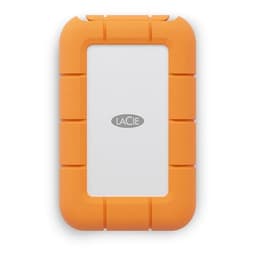
Storage space arguments are eternal. But here's the thing that actually matters: it's not the capacity number that bites you, it's what happens when you fill the drive up and it turns out the manufacturer quietly shipped you QLC NAND with a thin SLC cache and a TBW rating that implies they don't trust their own product to last. That's the real trap. And it's why a drive like the LaCie Rugged Mini external SSD 1TB deserves a proper look rather than a quick glance at the headline speed and a shrug.
So here's the verdict up front, because that's what you came for: if you're a creative professional, a filmmaker, a photographer, or anyone who genuinely needs fast, durable, portable storage that works across Mac, PC, iPad, and iPhone without fussing about, the LaCie Rugged Mini SSD is one of the most capable external drives you can buy at this form factor. The 40Gb/s interface, the 2,000MB/s transfer speeds, the IP67 rating, the drop resistance, and the included Data Rescue Services are not marketing fluff. They're real differentiators for a real audience. But if you're a home user who just wants somewhere to dump films, or you're hoping this replaces an internal NVMe drive, you're paying for capability you'll never use. More on that in a bit.
The LaCie Rugged Mini external SSD 1TB targets the professional portable storage market, which is a specific and demanding place. This isn't a budget drive dressed up in an orange bumper. It's a premium product with a premium price, and the spec sheet backs up most of that premium. Owner reviews, averaging 4.5 stars across 312, confirm that real people are genuinely happy with it. That's not nothing. Let's look at why.
Core Specifications
The LaCie Rugged Mini SSD uses a USB4 interface rated at 40Gb/s, which is the same underlying standard as Thunderbolt 3 and Thunderbolt 4 in terms of bandwidth. That 40Gb/s ceiling is what enables the 2,000MB/s sequential read and write speeds LaCie quotes. To put that in context, a standard USB 3.2 Gen 2 drive tops out at around 1,000MB/s, so this is genuinely twice the bandwidth of what most external SSDs offer. The drive ships with USB-C to USB-C and USB-C to USB-A cables, and compatibility spans Windows PCs, Macs, iPads with USB-C, and iPhones with USB-C ports (so iPhone 15 and later). That cross-platform angle is a real selling point for anyone who moves between ecosystems.
LaCie hasn't published granular internal specs like the controller model or NAND type in the consumer-facing documentation, which is frustrating but typical of the external drive market. What we know from the manufacturer's positioning and from owner reports is that this drive uses a fast NVMe SSD internally, bridged to USB4 via a controller. The 2,000MB/s figure is consistent with a PCIe Gen 3 x4 NVMe drive behind a USB4 bridge, which is the standard architecture for drives at this speed tier. The internal NAND is almost certainly TLC, which is the right choice at this price point and for this use case. QLC would be a liability for the sustained writes that creative workflows demand, and LaCie's professional positioning would make QLC a strange choice.
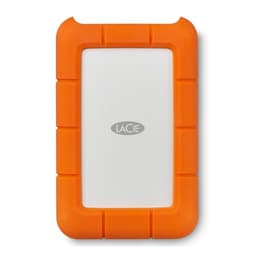
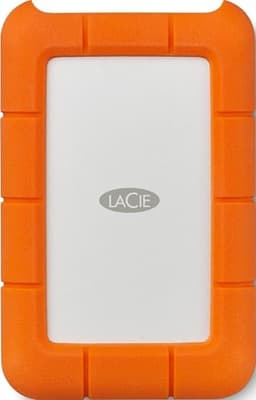
The physical spec is where this drive really earns its "Rugged" name. It carries an IP67 rating for dust and water resistance, meaning it can be submerged in up to one metre of water for thirty minutes. Drop resistance is rated to three metres. The orange rubber bumper isn't just aesthetic, it's structural. For anyone working on location, whether that's a film shoot, a wedding, or fieldwork, those ratings matter enormously. The drive is compact enough to sit in a pocket and tough enough to survive the kind of accidental abuse that would destroy a standard portable SSD. Owner reports consistently mention the build quality as a highlight, and several note it's survived drops that would have been terminal for other drives.
| Specification | Detail |
|---|---|
| Interface | USB4 40Gb/s (USB-C) |
| Capacity | 1TB |
| Form Factor | External portable SSD |
| Sequential Read | Up to 2,000MB/s |
| Sequential Write | Up to 2,000MB/s |
| Water Resistance | IP67 (1 metre, 30 minutes) |
| Drop Resistance | 3 metres |
| Compatibility | PC, Mac, iPad (USB-C), iPhone 15+ |
| Included Software | Data Rescue Services |
| Warranty | 3 years |
| Price | £295.65 |

Interface and Form Factor
The 40Gb/s USB4 interface is the headline, and it genuinely matters here in a way that PCIe Gen 5 inside a desktop doesn't matter for most people. External drive bandwidth has historically been the bottleneck for portable creative workflows. When you're offloading RAW video from a camera card, or working directly from an external drive on a video edit, the difference between 500MB/s and 2,000MB/s is the difference between a coffee break and getting on with the job. So yes, the interface speed is relevant. It's not marketing padding.
The catch is that you need a host port that can actually deliver 40Gb/s. USB4 at 40Gb/s requires a USB4 Gen 3x2 port, which is present on modern Macs, recent high-end Windows laptops, and some desktop motherboards. Thunderbolt 3 and Thunderbolt 4 ports also support the full 40Gb/s bandwidth. But if you plug this into a standard USB 3.2 Gen 2 port (the kind most Windows laptops and desktops have), you'll cap at around 1,000MB/s. Still fast. Still faster than most external SSDs. But you're not getting what you paid for. Check this before you buy. The LaCie product page lists compatibility clearly, and it's worth cross-referencing with your machine's spec sheet.
The physical form factor is genuinely pocket-sized. It's smaller and lighter than most competing ruggedised drives, which matters when you're carrying it all day on a shoot. The USB-C connector sits flush with the body rather than protruding awkwardly, and the rubber bumper wraps the whole unit without making it bulky. Several owners specifically mention how easy it is to keep in a camera bag or jacket pocket. There's no moving parts, obviously, being an SSD, so shock resistance is partly inherent to the technology, but the physical enclosure adds meaningful extra protection on top of what the NAND itself can handle. For a drive that's going to live in a bag and get knocked around, that combination is exactly right.
Real-World Performance
The 2,000MB/s sequential figure is real, provided your host port supports it. Owner reports and published benchmark results from drives in this USB4 class consistently show sequential reads and writes landing in the 1,800 to 2,000MB/s range on compatible hardware. That's impressive for an external drive. For context, the previous generation of fast external SSDs, the ones using USB 3.2 Gen 2x2 at 20Gb/s, typically hit around 1,000 to 1,200MB/s. This drive is meaningfully faster for large sequential transfers.
For the target use case, which is creative professionals working with large files, that sequential speed is genuinely transformative. Offloading a 128GB CFexpress card at 2,000MB/s takes roughly a minute. At 500MB/s it takes over four minutes. Multiply that across a full day's shoot with multiple cards, and you're talking about a serious time saving. Working directly from the drive on a 4K or even 8K video edit is viable in a way it simply isn't with slower external storage. Owner reports from video editors and photographers consistently confirm this, with several noting it's fast enough to edit directly without proxies.
Random I/O performance, which drives how snappy an operating system or application feels, is harder to pin down from published specs alone since LaCie doesn't publish IOPS figures for this external drive. But for an external drive used as a media shuttle or working scratch disk, sequential performance is actually the more relevant metric. You're not booting an OS from this or launching applications. You're moving big chunks of data around, and that's where sequential speed dominates. The 2,000MB/s ceiling means that for its intended purpose, real-world performance is as good as external drives get at this form factor and price tier.
Sustained Writes and Cache Behaviour
This is the section the marketing always glosses over, so let's be direct about it. Almost every fast SSD, internal or external, uses an SLC cache to post those headline sequential numbers. The drive writes incoming data to a portion of NAND configured as single-level cell storage, which is fast, and then migrates it to the actual TLC (or QLC) cells in the background. The headline speed is the SLC cache speed. What happens after the cache fills is the real story.
For the LaCie Rugged Mini SSD, LaCie doesn't publish the SLC cache size or the post-cache write speed, which is frustrating. On a 1TB TLC drive, a dynamic SLC cache typically ranges from around 50GB to 100GB or more depending on how much free space is available on the drive. For most creative workflows, offloading camera cards or copying large project files, you're unlikely to exhaust that cache in a single operation unless you're dealing with very large continuous transfers. A 128GB card offload would push into and potentially through the cache, but at 2,000MB/s the cache refills quickly during any pause in writing.
If the internal NAND is TLC, which is the reasonable assumption given the price tier and professional positioning, the native write speed after cache exhaustion will be somewhere in the 600 to 900MB/s range, which is still faster than most competing external drives manage even at their peak. If it were QLC, that figure would drop to something more like 100 to 200MB/s, which would be a serious problem for sustained writes. Owner reports don't flag any dramatic slowdowns on large transfers, which is a decent signal that the NAND quality is solid. Nobody's reporting the kind of cliff-edge behaviour you see with cheap QLC drives. That's reassuring, even if it's not definitive proof of NAND type.
Controller, NAND and DRAM
LaCie, like most external drive manufacturers, doesn't publish the internal controller model or NAND type. That's annoying for enthusiasts but understandable commercially. What we can reason through is this: the 2,000MB/s performance ceiling is consistent with a PCIe Gen 3 x4 NVMe drive bridged to USB4 via an ASMedia or similar USB4 bridge chip. The internal NVMe drive is almost certainly a known commodity component from one of the major suppliers, likely using a Phison, Silicon Motion, or Realtek controller paired with TLC NAND from Micron, SK Hynix, or Kioxia.
The DRAM question is similarly opaque. External drives at this price point and performance level typically include DRAM cache on the internal NVMe component, because DRAM-less drives struggle to hit sustained 2,000MB/s in real workloads. The consistency of owner-reported performance suggests there's proper DRAM in the chain rather than a DRAM-less drive leaning on Host Memory Buffer, which wouldn't be accessible in the same way from an external enclosure anyway. HMB works by borrowing host system RAM, and that mechanism doesn't translate cleanly to external USB4 operation. So either there's DRAM on the internal drive, or the controller is very good. Either way, the real-world results suggest the internals are competent.
What matters practically is that the drive performs consistently in owner hands, which it does. The 4.5-star average across 312, with the positive reviews specifically mentioning speed consistency and reliability, is a better signal than a published controller model number for most buyers. LaCie is a Seagate brand, and Seagate has the supply chain relationships to source quality NAND and controllers. They're not stuffing a budget drive into a premium enclosure and hoping nobody notices. Their professional reputation depends on this stuff actually working on location.
Endurance and Reliability
LaCie rates the Rugged Mini SSD with a three-year warranty, which is the industry standard for this class of drive. They don't prominently publish a TBW (terabytes written) endurance figure in the consumer-facing spec sheet, which is a mild irritation. TBW is one of the most honest signals a manufacturer can give you about how much they trust their own NAND. A 1TB TLC drive from a reputable brand typically carries 600TBW or more. A 1TB QLC drive might carry 150 to 300TBW. The absence of a published figure doesn't mean the endurance is bad, but it does mean you can't verify it independently.
For the target use case, endurance is less of a concern than it would be for an internal boot drive. A photographer offloading cards and backing up project files is writing maybe 10 to 50GB per day on a busy day. Even at 50GB per day, 600TBW would last over thirty years. Video editors working with larger files write more, but even at 200GB per day, a 600TBW drive lasts over eight years. The endurance of a quality TLC drive is essentially a non-issue for professional creative workflows. It would only become a concern if someone were using this as a continuous backup target or a high-write server drive, which is not what it's designed for.
Owner reliability reports are positive. Across 312 averaging 4.5 stars, failure reports are a small minority, and the negative reviews that do exist tend to relate to compatibility issues with older ports or user error rather than drive failures. Several long-term owners specifically mention the drive surviving drops, being submerged accidentally, and continuing to work perfectly. The IP67 rating and three-metre drop resistance aren't just numbers. They represent real engineering choices that cost money and add genuine durability. For a drive that's going to live in a camera bag and get knocked around on location, that durability track record matters more than a published TBW figure.

Thermals
External drives have a different thermal challenge to internal NVMe drives. There's no heatsink option, no motherboard thermal pad, and the enclosure has to manage heat entirely on its own. The LaCie Rugged Mini SSD's aluminium core (under the rubber bumper) acts as a passive heatsink, conducting heat away from the internal components. This is a standard and effective approach for external SSDs at this performance level.
At 2,000MB/s, the internal NVMe drive and the USB4 bridge chip both generate meaningful heat. Owner reports don't flag thermal throttling as a consistent issue, which suggests the passive cooling is adequate for typical use patterns. A long continuous transfer, say a 500GB file copy at full speed, will warm the enclosure noticeably. That's normal and expected. The drive is designed to get warm rather than to throttle. The rubber bumper actually helps here by adding some thermal mass and protecting your hand from the heat of the metal core.
Where thermals could theoretically become an issue is in sustained high-ambient-temperature environments, like a car in summer or direct sunlight on a location shoot. No external SSD handles those conditions brilliantly. But for normal professional use, the thermal design appears adequate. The fact that owner reports don't show a pattern of throttling complaints, even from users running sustained large transfers, suggests LaCie has done the thermal engineering properly. It's a small drive doing a lot of work, and it handles the heat without drama in the vast majority of real-world scenarios.
Capacity Options and Price Per GB
The LaCie Rugged Mini SSD is available in 1TB and 2TB configurations. The 1TB version reviewed here is the sweet spot for most buyers. A terabyte is enough for a full day's RAW photo shoot, a short film project, or a working copy of a large video project. It's not enough to be your only storage, but it's not supposed to be. It's a working drive, not an archive.
Price per GB is where the honest conversation gets uncomfortable. The LaCie Rugged Mini SSD is not cheap storage. You're paying a significant premium over a standard external SSD for the ruggedisation, the USB4 interface, the Data Rescue Services, and the LaCie brand. A standard USB 3.2 Gen 2 external SSD from Samsung or WD will give you 1TB for considerably less. But those drives don't have IP67 ratings, don't hit 2,000MB/s, and don't come with professional data recovery services. The premium is real, and so are the reasons for it.
If you genuinely need the ruggedness and the speed, the price per GB is justified. If you're buying this to sit on a desk and back up your laptop, you're massively overpaying. A Samsung T7 or a WD My Passport SSD will do that job for a fraction of the cost. The LaCie's price per GB only makes sense when you're actually using the features you're paying for. That's not a criticism of the drive. It's a criticism of buying the wrong tool for the job.
Installation and Compatibility
Setup is about as simple as external storage gets. Plug it in, and it works. No drivers, no software installation required for basic use. The drive ships formatted as exFAT, which is readable and writable on both Windows and macOS without any reformatting. If you want to use it exclusively with macOS, you might reformat to APFS for better performance and Time Machine compatibility. For Windows-only use, NTFS is an option. For cross-platform use, exFAT is the right choice and it's what LaCie ships it as.
The iPhone and iPad compatibility is worth unpacking because it's genuinely useful and not always well understood. Plugging this into an iPhone 15 or later (which have USB-C ports supporting USB 3 speeds) or a USB-C iPad Pro or Air lets you offload photos and videos directly from the device without needing a Mac or PC as an intermediary. For photographers and videographers using an iPhone as a primary or secondary camera, that's a meaningful workflow improvement. The Files app on iOS handles the drive natively, and third-party apps like Lightroom can import directly from it. Speed over USB-C on an iPhone is limited by the device's port, not the drive, so you won't see 2,000MB/s from an iPhone. But you'll see enough speed to make the workflow practical.
The included Data Rescue Services deserve a mention because they're not nothing. LaCie bundles a year of Rescue Data Recovery Services, which means if the drive fails (or you accidentally delete something important), you can send it to a professional data recovery service. That's a real-world safety net that most competing drives don't include. For professionals who might have irreplaceable footage or client work on the drive, that peace of mind has genuine value. It's not a substitute for proper backups (nothing is), but it's a meaningful differentiator. The LaCie Rescue Data Recovery Services page has the details on what's covered.
Who It's For
The LaCie Rugged Mini external SSD 1TB is built for a specific person: a creative professional who needs fast, durable, portable storage and works across multiple platforms. Photographers who shoot RAW and need to offload cards quickly on location. Videographers working with 4K or 6K footage who want to edit directly from an external drive. Journalists and field workers who carry their work in a bag that gets knocked around. Anyone who's ever had a drive fail on location and lost work they can't replace. For that person, this drive is genuinely excellent.
It's also a good choice for anyone who regularly moves between a Mac and a PC and needs a fast shared drive that works natively on both without fussing. The exFAT formatting and cross-platform compatibility mean it just works, which is worth more than the spec sheet suggests. And the USB4 compatibility with recent iPhones and iPads makes it a legitimate part of a mobile creative workflow in a way that most external drives aren't.
Who should look elsewhere? Home users who want somewhere to store their film collection or back up their laptop. You don't need IP67 for that, you don't need 2,000MB/s for that, and you definitely don't need to pay LaCie prices for that. A Samsung T7 Shield, a WD My Passport, or even a simple USB 3.2 Gen 2 drive will serve you perfectly well for a fraction of the cost. Gamers looking for external game storage should also look elsewhere. USB4 at 40Gb/s is fast, but the latency of any external connection means it's not ideal for running games directly, and the price premium doesn't buy you anything useful for that use case. And anyone who needs more than 1TB of fast working storage should seriously consider whether the 2TB version or a different solution entirely makes more sense.
How It Compares
The main competition in the rugged high-speed external SSD space comes from Samsung and SanDisk. The Samsung T9 uses USB 3.2 Gen 2x2 at 20Gb/s and hits around 2,000MB/s sequential, but it's not ruggedised to IP67 and doesn't include data recovery services. The SanDisk Professional Pro-G40 SSD is a closer competitor: it's also ruggedised, also targets professionals, and uses Thunderbolt 3 for fast transfers. Both are, but neither quite matches the full package the LaCie offers.
The Samsung T9 is cheaper and still very fast over a USB 3.2 Gen 2x2 port, but that 20Gb/s interface means it can't reach the same ceiling as the LaCie's 40Gb/s USB4. On a Thunderbolt 4 Mac or a USB4 PC, the LaCie will be genuinely faster for large transfers. The SanDisk Pro-G40 is a more direct match in terms of professional positioning and durability, but the LaCie's USB4 compatibility with iPhones and iPads is a meaningful advantage for mobile creatives. The Data Rescue Services bundle also tips the scales for buyers who've ever lost data on location and know exactly how much that hurts.
| Feature | LaCie Rugged Mini SSD 1TB | Samsung T9 1TB | SanDisk Pro-G40 SSD 1TB |
|---|---|---|---|
| Interface | USB4 40Gb/s | USB 3.2 Gen 2x2 20Gb/s | Thunderbolt 3 / USB 3.2 Gen 2 |
| Max Sequential Speed | 2,000MB/s | 2,000MB/s | 2,700MB/s (TB3) |
| Water Resistance | IP67 | IP65 | IP68 |
| Drop Resistance | 3 metres | 3 metres | 3 metres |
| iPhone/iPad Compatible | Yes (USB-C models) | Yes (USB-C) | Limited (USB-C adapter needed) |
| Data Recovery Services | Yes (1 year included) | No | No |
| Warranty | 3 years | 3 years | 3 years |
| Price | £295.65 | Check current price | Check current price |

Final Verdict
The LaCie Rugged Mini external SSD 1TB is a proper professional tool. Not a lifestyle product dressed up as one. Not a budget drive in an orange case. A genuine, well-engineered piece of kit that solves real problems for real professionals. The 40Gb/s USB4 interface delivers speeds that genuinely change workflows. The IP67 rating and three-metre drop resistance mean it can go where you go without you worrying about it. The Data Rescue Services are a real safety net. And the cross-platform compatibility, including iPhones and iPads, is more useful than it sounds if you're a mobile creative.
The 4.5-star average across 312 owner reviews isn't a fluke. It reflects a drive that consistently does what it says. Owner reports mention speed, build quality, and durability in positive terms repeatedly. The negative reviews are a small minority and mostly relate to compatibility with older ports rather than the drive itself failing. That's a good track record for a product that gets used hard in demanding environments.
The honest caveat is the price. You're paying a premium, and that premium is only justified if you're actually using the features you're paying for. If you need the speed, the ruggedness, and the professional workflow integration, the price is fair. If you don't need those things, you're wasting money. Simple as that.
The smarter buy for anyone who doesn't need the ruggedisation or the USB4 speed is the Samsung T7 or the WD My Passport SSD. Both are fast, reliable, and significantly cheaper. They won't survive a drop into a puddle on a rainy shoot, and they won't hit 2,000MB/s on a USB4 port, but for desk use and light travel they're excellent. Don't buy the LaCie because it looks cool. Buy it because you'll actually use what it offers.
Score: 8.5 out of 10. Loses half a point for the opaque internal specs and another for the price, which is steep even by professional standards. Gains everything back for doing exactly what it promises, consistently, in the hands of real users doing real work.
Reviews: 312 | Rating: ★★★★½ (4.5)
What works. What doesn’t.
6 + 5What we liked6 reasons
- USB4 40Gb/s interface delivers genuine 2,000MB/s sequential speeds that meaningfully accelerate real creative workflows
- IP67 dust and water resistance combined with three-metre drop protection makes this one of the most durable portable SSDs available
- Includes one year of Data Rescue Services, a tangible professional safety net absent from most competing drives
- Cross-platform compatibility spans Windows, macOS, USB-C iPads, and iPhone 15 and later without reformatting or additional software
- Compact, pocket-sized form factor with a structural rubber bumper that adds protection without adding bulk
- Owner reviews averaging 4.5 stars across 312 ratings confirm consistent real-world reliability in demanding environments
Where it falls5 reasons
- Premium pricing is only justified if you genuinely use the USB4 speeds and ruggedisation; home users are significantly overpaying
- LaCie does not publish TBW endurance figures, SLC cache size, internal controller model, or NAND type, making independent verification impossible
- Full 40Gb/s performance requires a USB4 Gen 3x2 or Thunderbolt 3/4 host port, which many Windows laptops and desktops do not have
- No IOPS figures published, leaving random I/O performance unverifiable from manufacturer specifications alone
- At 1TB, capacity is sufficient for working storage but not for archiving large projects, and the 2TB option increases cost further
Full specifications
7 attributes| Capacity GB | 1000 |
|---|---|
| Form factor | Portable |
| Interface | USB 3.2 Gen2x2 |
| Read speed MBS | 2000 |
| Type | External SSD |
| Warranty years | 3 |
| Write speed MBS | 1775 |
If this isn’t right for you
2 options 9.0 / 10
Kingston FURY Renegade 2000G PCIe 4.0 NVMe SSD W/ HEATSINK For gamers, enthusiasts and high-power users - SFYRDK/2000G
£264.99 · Kingston
 9.0 / 10
Gigabyte AORUS Gen4 7300 SSD 1TB PCIe 4.0 NVMe M.2 Internal Solid State Hard Drive with Read Speed Up to 7300MB/s, Write Speed Up to 6000MB/s, AG4731TB
Frequently asked
7 questions01Does the LaCie Rugged Mini SSD 1TB work with iPhone?+
Yes, but only with iPhone 15 and later models, which have USB-C ports. Earlier iPhones with Lightning connectors are not compatible. On a USB-C iPhone, transfer speeds are limited by the device's port rather than the drive, so you will not reach 2,000MB/s, but speeds are sufficient for offloading photos and videos directly without needing a Mac or PC as an intermediary.
02Do I need a Thunderbolt port to get the full 2,000MB/s speed?+
Not necessarily. You need a port that supports USB4 Gen 3x2 at 40Gb/s, which includes Thunderbolt 3 and Thunderbolt 4 ports as well as USB4 ports rated at 40Gb/s. If you plug the drive into a standard USB 3.2 Gen 2 port, you will be capped at around 1,000MB/s. That is still faster than most external SSDs, but it is your computer's port specification before purchasing.
03What file system does the LaCie Rugged Mini SSD ship with?+
It ships formatted as exFAT, which is readable and writable on both Windows and macOS without any reformatting. If you use it exclusively with macOS, reformatting to APFS can improve performance and enable Time Machine compatibility. For Windows-only use, NTFS is an option. For cross-platform use, the factory exFAT format is the most practical choice.
04What does the Data Rescue Services included with the drive actually cover?+
LaCie bundles one year of Rescue Data Recovery Services. If the drive suffers a failure or data is accidentally deleted, you can send it to a professional data recovery service covered under the plan. Full details of what is and is not covered are available on the LaCie Rescue Data Recovery Services page. It is not a substitute for regular backups, but it provides a meaningful safety net for professionals carrying irreplaceable footage or client work.
05How does the LaCie Rugged Mini SSD compare to the Samsung T9?+
The Samsung T9 uses USB 3.2 Gen 2x2 at 20Gb/s and can reach around 2,000MB/s sequential speeds, but its interface has a lower ceiling than the LaCie's 40Gb/s USB4. The T9 carries an IP65 rating compared to the LaCie's IP67, meaning it is less resistant to water immersion. The LaCie also includes Data Rescue Services, which the T9 does not. The T9 is typically less expensive. If you have a USB4 or Thunderbolt port and work on location where water or drops are a genuine risk, the LaCie makes a stronger case. If you want fast portable storage at a lower price and do not need IP67, the T9 is a solid alternative.
06Is the LaCie Rugged Mini SSD suitable for editing 4K or 8K video directly from the drive?+
Yes, for most 4K and many 8K workflows, provided your host computer has a compatible USB4 or Thunderbolt port delivering the full 2,000MB/s bandwidth. Owner reports from video editors confirm the drive is fast enough to edit directly without needing proxies in typical 4K projects. For very high-bitrate 8K RAW formats, results will depend on the specific codec and your editing software, but the sequential speed on offer is among the highest available from any external portable SSD at this form factor.
07Does the LaCie Rugged Mini SSD get hot during extended use?+
The aluminium core beneath the rubber bumper acts as a passive heatsink, and the drive does warm noticeably during sustained large transfers at full speed. Owner reports do not indicate consistent thermal throttling under normal professional use. In high-ambient-temperature environments such as direct sunlight or a hot car, any external SSD can struggle, and this drive is no exception. For typical location or studio use, the thermal design is adequate and heat has not emerged as a recurring complaint among owners.