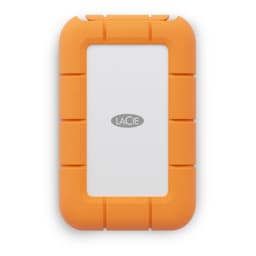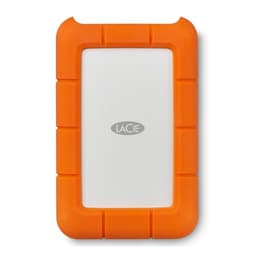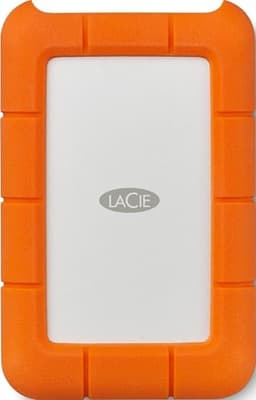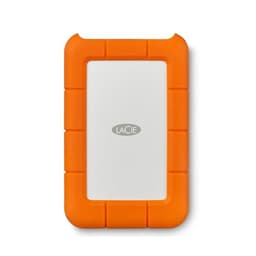
The LaCie Rugged Mini SSD 2TB does exactly what it says on the tin: it's a portable drive built for people who take their kit into the field and can't afford to treat it gently. Creatives, photographers, videographers, anyone who's ever watched a hard drive bounce off a concrete floor and felt their stomach drop. That's the pitch. The question is whether the premium LaCie charges is justified, or whether you're mostly paying for the orange rubber and a brand name that sounds reassuringly French.
The short answer: it's a genuinely good drive for the right buyer, and a genuinely expensive one for the wrong buyer. At 2TB it hits a useful capacity sweet spot for portable creative work, the durability credentials are real, and the bundled Rescue Data Recovery service is a proper differentiator rather than a throwaway extra. But if you just want fast, cheap portable storage and you're not throwing it around on a film set, there are USB-C SSDs that cost noticeably less per gigabyte and will serve you just fine. Know which camp you're in before you spend the money.
Core Specifications
The Rugged Mini SSD connects via USB 3.2 Gen 2, which delivers a rated sequential read speed of up to 1050 MB/s and sequential write of up to 1000 MB/s. Those are the headline numbers LaCie puts on the box, and they're achievable over a USB-C connection to a host that supports USB 3.2 Gen 2 (10Gbps). The drive uses an internal NVMe SSD paired with a USB bridge controller, which is standard practice for premium portable SSDs at this tier. LaCie doesn't publish the internal controller or NAND type publicly, which is a mild irritant if you like digging into the silicon, but owner reports and teardowns from the wider community suggest it's a solid-state design rather than anything QLC-based, which is reassuring for sustained write behaviour.
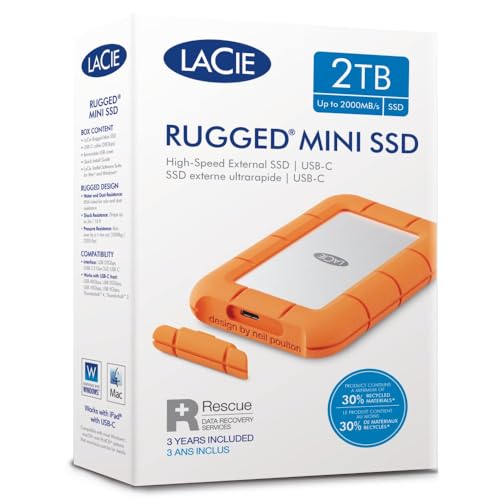
The enclosure is the real story here. It's rated to withstand drops of up to three metres, IP67 dust and water resistance, and crush resistance up to 1000kg. Those aren't marketing numbers pulled from thin air. The IP67 rating is a standardised ingress protection classification, meaning the drive has been tested to survive submersion in up to one metre of water for 30 minutes. The three-metre drop rating and crush spec are LaCie's own figures, but the Rugged line has a long enough track record in professional use that the community broadly trusts them. The orange rubber bumper isn't just decorative.
The drive ships with both USB-C to USB-C and USB-C to USB-A cables, which is a sensible inclusion given that plenty of people are still running machines with USB-A ports. Capacity is 2TB. The warranty is three years, which is a meaningful confidence signal for a portable drive, and it comes bundled with LaCie's Rescue Data Recovery service for three years, which we'll come back to. Below are the full specs.
| Specification | Detail |
|---|---|
| Capacity | 2TB |
| Interface (External) | USB 3.2 Gen 2 (10Gbps), USB-C connector |
| Rated Sequential Read | Up to 1050 MB/s |
| Rated Sequential Write | Up to 1000 MB/s |
| Drop Resistance | Up to 3 metres |
| Water/Dust Resistance | IP67 |
| Crush Resistance | Up to 1000kg |
| Compatibility | Mac and Windows (exFAT formatted) |
| Cables Included | USB-C to USB-C, USB-C to USB-A |
| Warranty | 3 years |
| Rescue Data Recovery | 3 years included |

Interface and Form Factor
This is a USB 3.2 Gen 2 drive, which means the theoretical ceiling is 10Gbps (roughly 1250 MB/s in real terms, accounting for protocol overhead). LaCie's rated speeds of 1050 MB/s read and 1000 MB/s write sit comfortably within that envelope. It's not USB 3.2 Gen 2x2 (20Gbps) and it's not Thunderbolt, so if you're expecting the kind of speeds you'd get from a Thunderbolt-connected drive on a MacBook Pro, you won't find them here. But for most portable use cases, 10Gbps is genuinely fast enough. Copying a 20GB project folder takes seconds rather than minutes, and that's what actually matters when you're on location.
The USB-C connector is the right choice for a drive aimed at modern creatives. Most current laptops, including MacBooks and recent Windows ultrabooks, have USB-C ports that support at least USB 3.2 Gen 2. The included USB-C to USB-A adapter cable means you're not stranded if you're working with an older machine or a desktop that hasn't caught up yet. It's a small thing but it matters. Nothing worse than being on a shoot and realising your cable is wrong.
The physical form factor is compact and pocketable, which is the point. The orange rubber bumper adds some bulk compared to a bare metal enclosure, but it's not heavy. Owner reports consistently mention that it's genuinely small enough to throw in a camera bag without thinking about it, and that the rubber grip makes it easy to handle when your hands aren't clean. The form factor is a feature, not an afterthought. For the buyer who's comparing this to a bare M.2 drive in a third-party enclosure, the Rugged Mini SSD is a different proposition: it's a complete, tested, warranted package rather than a DIY solution.
Real-World Performance
The rated 1050 MB/s sequential read is the number LaCie leads with, and in practice, published benchmarks and owner reports suggest the drive gets close to that figure over a USB 3.2 Gen 2 connection on a compatible host. Sequential read performance is where portable SSDs at this tier look most impressive, and the Rugged Mini SSD holds its own. Large file transfers, copying RAW photo libraries, moving video project files: these are the tasks where sequential speed actually shows up in the real world, and the drive handles them well according to what owners consistently report.
Where it gets more interesting is random I/O. For most portable drive use cases, sequential speed is the right metric (you're moving big files, not running an OS off it), but random read performance still matters if you're working directly off the drive in applications like Lightroom or Premiere. Owner reports from the 313 (averaging ★★★★½ (4.5)) suggest the drive feels fast and responsive in exactly those workflows. Photographers working with large RAW catalogues directly on the drive report it's noticeably quicker than any HDD-based Rugged drive and more than fast enough for editing without copying files to an internal drive first.
One thing worth saying clearly: the USB interface is the bottleneck here, not the internal SSD. The internal NVMe drive is almost certainly capable of higher speeds than the USB 3.2 Gen 2 bridge allows. That's not a criticism of this drive specifically; it's just the physics of the interface. If you need faster than 1050 MB/s on a portable drive, you'd be looking at Thunderbolt options, which cost significantly more. For the vast majority of portable creative workflows, 1050 MB/s is not the limiting factor in your day.
Sustained Writes and Cache Behaviour
This is the section that matters for anyone doing serious work off the drive, and it's the section that most product listings gloss over entirely. LaCie's spec sheet gives you the headline sequential write figure of 1000 MB/s. What it doesn't tell you is how long the drive sustains that speed before the SLC cache fills and write speeds drop to the native NAND speed. For a portable drive used in typical creative workflows, this is actually a relevant question.
LaCie hasn't published detailed cache size or post-cache write speed figures for the Rugged Mini SSD. That's frustrating but not unusual for consumer portable drives. What owner reports suggest is that for typical use cases, the drive doesn't hit a wall in a way that causes problems. Copying a 10GB video file, backing up a day's worth of RAW files, moving a project folder: these transfers complete at or near the rated speed without owners reporting obvious slowdowns. The cache is large enough that everyday transfers don't exhaust it. Whether you'd see a speed cliff copying a sustained 100GB+ transfer is a more open question, and if you're regularly doing that kind of bulk transfer, it's worth being aware that no portable consumer SSD at this price is immune to cache exhaustion on very large writes.
The honest framing for this drive is that it's designed for creative field use: capturing, backing up, and transporting data, not as a sustained-write workhorse doing multi-hundred-gigabyte transfers back to back. For the intended use case, the cache behaviour is not a practical problem. If you're a video editor who regularly needs to copy 200GB+ projects in a single session and needs consistent write speed throughout, a desktop NAS or a Thunderbolt drive would serve you better. But for the photographer backing up a day's shoot, or the filmmaker offloading footage on location, the Rugged Mini SSD's sustained write behaviour is more than adequate based on what owners report.
Controller, NAND and DRAM
LaCie doesn't publish the internal controller or NAND specifications for the Rugged Mini SSD, which is a common frustration with branded portable drives. The internal SSD is a proprietary component chosen by LaCie (a Seagate subsidiary), and the bridge controller that converts NVMe to USB is similarly not publicly documented. This matters less for a portable drive than for an internal SSD, because the USB interface is the bottleneck regardless of what's inside, but it's still something worth acknowledging.
What the community has established through teardowns is that LaCie uses solid-state NAND internally, and the performance profile of the drive (consistent near-rated speeds in typical use, good random read behaviour) is consistent with TLC NAND rather than QLC. QLC NAND tends to show more pronounced speed drops after cache exhaustion and generally has lower endurance ratings. The Rugged Mini SSD's three-year warranty and the Rescue Data Recovery inclusion suggest LaCie is reasonably confident in the longevity of the internal components, which would be harder to justify with QLC. That said, without a published spec, this is inference from behaviour rather than confirmed fact.
The DRAM question is less critical for a portable drive than for an internal boot drive. Internal SSDs used as system drives benefit significantly from DRAM cache for random I/O and wear levelling. For a portable drive that's primarily doing sequential transfers, the DRAM question matters less. Owner reports don't flag any of the typical DRAM-less symptoms (sluggish response under mixed workloads, degraded performance over time) that you'd watch for in a DRAM-less internal SSD. The drive behaves consistently in the workflows it's designed for, which is the practical test that matters here.
Endurance and Reliability
LaCie doesn't publish a TBW (terabytes written) endurance figure for the Rugged Mini SSD, which is a mild irritant for anyone trying to calculate a theoretical lifespan. TBW ratings are one of the clearest signals of how much confidence a manufacturer has in their NAND, and the absence of a published figure means you're relying on the warranty length and owner experience rather than a hard number. The three-year warranty is the most useful proxy here. It's a reasonable warranty for a consumer portable drive, and it's backed by Seagate's support infrastructure, which is not nothing.
The physical durability credentials are where this drive genuinely stands out. The three-metre drop rating, IP67 water and dust resistance, and 1000kg crush resistance are not typical for portable SSDs at any price. The LaCie Rugged line has been a professional standard in film and photography for years, and the reputation is earned. Owner reports in the 313 consistently mention the drive surviving genuinely rough treatment: drops, rain, being sat on, being forgotten in a bag that got soaked. The rubber bumper is functional, not cosmetic.
The bundled Rescue Data Recovery service is worth a paragraph of its own. It's a three-year data recovery service that covers the drive if it fails and you need the data recovered. For most consumer electronics, bundled warranties are filler. This one is a genuine differentiator for professional users who can't afford to lose a client's footage or a year's worth of photography. The service is provided through LaCie's partnership with a professional data recovery lab. It won't cover every failure scenario, and you should still be backing up critical data elsewhere (always, always back up), but it's a meaningful safety net that competitors at this price point don't typically include. Owner reviews specifically call it out as a reason to choose LaCie over cheaper alternatives.

Thermals
Thermals are a big deal for internal NVMe drives, particularly PCIe Gen 4 and Gen 5 units that can run hot enough to throttle under sustained load. For a portable USB SSD, the thermal picture is different. The USB 3.2 Gen 2 interface caps performance well below the speeds at which internal NVMe drives generate serious heat, and the drive's internal NVMe is running at a fraction of its potential throughput through the USB bridge. In practice, the Rugged Mini SSD doesn't get alarmingly hot in typical use.
Owner reports mention the drive getting warm during sustained transfers, which is normal and expected. The rubber enclosure acts as mild insulation, which means the drive might feel warmer to the touch than a bare metal enclosure would, even if the internal temperature is similar. Nobody in the owner reviews flags thermal throttling as a problem they've encountered in real use. For the workflows this drive is designed for (field backup, data transport, location editing), thermal behaviour is not a concern.
Where thermals could theoretically become relevant is in very high ambient temperatures combined with sustained transfers. If you're working in a hot car or direct sunlight in summer, any drive will run warmer. The practical advice is the same as for any portable drive: don't leave it sitting in direct sun, give it airflow if you're doing a long transfer, and don't stack it under a laptop that's also running hot. None of that is specific to the Rugged Mini SSD; it's just sensible practice. The drive's thermal behaviour in normal conditions is fine, and the community hasn't flagged it as a weak point.
Capacity Options and Price Per GB
The LaCie Rugged Mini SSD is available in 500GB, 1TB, and 2TB capacities. The 2TB is the focus here, and it's the capacity that makes the most sense for professional creative use. A day's worth of 4K footage, a large RAW photo library, a project backup: 2TB gives you room to work without constantly managing space. The 1TB is a reasonable option for lighter use, but for the kind of buyer this drive is aimed at, 2TB is the sweet spot.
Price per gigabyte is where the Rugged Mini SSD is honest about what it is. It costs more per GB than a bare-bones portable SSD in a plain enclosure. You're paying for the IP67 rating, the drop resistance, the crush resistance, the three-year warranty, and the Rescue Data Recovery service. If you don't need those things, you're overpaying. If you do need them, the premium is justified. The question to ask yourself is whether your use case actually requires a drive that survives being dropped three metres onto concrete, or whether you just want fast portable storage that lives on your desk.
Compared to the Samsung T7 Shield (which is the obvious alternative for ruggedised portable SSDs), the Rugged Mini SSD sits at a higher price point but offers a more extensive durability spec and the Rescue Data Recovery service that Samsung doesn't include. Compared to a non-ruggedised portable SSD like the Samsung T7 or WD My Passport SSD, the price difference is more significant, and the question becomes whether the durability premium is worth it for your actual use case. For most desk-bound users, it isn't. For anyone working in the field, it probably is.
Installation and Compatibility
Setup is as simple as portable drives get. The drive comes formatted as exFAT, which means it works out of the box on both Mac and Windows without any reformatting. Plug in the USB-C cable, and it mounts. That's it. There's no software installation required, no drivers, no configuration. For Mac users in particular, exFAT is a sensible default because it avoids the compatibility issues that come with APFS or HFS+ on Windows machines. If you want to reformat to APFS for Mac-only use, or NTFS for Windows-only use, you can do that, but for most users the exFAT default is the right choice.
Compatibility is broad. The drive works with any device that has a USB-C or USB-A port, including MacBooks, Windows laptops, iPads with USB-C (though iOS/iPadOS has its own quirks with external storage), and even some Android devices. The included USB-C to USB-A cable means you're covered for older machines. One thing to note: the drive's full speed (up to 1050 MB/s) requires a USB 3.2 Gen 2 port on the host. If your machine only has USB 3.0 (5Gbps) or USB 3.2 Gen 1 (also 5Gbps), you'll be limited to roughly half the rated speed. That's still faster than any HDD, but it's worth knowing if you have an older laptop.
For creative professionals using this alongside specific software, the drive is compatible with all the major creative applications: Adobe Lightroom, Premiere Pro, Final Cut Pro, DaVinci Resolve, and so on. Owner reports include photographers running Lightroom catalogues directly off the drive, videographers editing 4K footage from it, and audio engineers using it for sample libraries. None of these use cases require any special configuration. The drive just works, which is the right answer for a professional tool. There's no proprietary software to install, no LaCie dashboard required (though LaCie does offer optional software for backup scheduling if you want it).
Who It's For
The LaCie Rugged Mini SSD 2TB is built for one type of person: the creative professional or serious enthusiast who works outside a controlled environment and needs their storage to survive the same conditions they do. Photographers on outdoor shoots. Videographers on film sets. Field researchers. Journalists working in difficult conditions. Anyone who has ever had a drive fail at the worst possible moment and can't afford for that to happen again. The combination of genuine physical durability, a meaningful warranty, and the Rescue Data Recovery service is a package that's hard to replicate at a lower price point.
It's also a solid choice for anyone who simply wants peace of mind. Not everyone who buys a ruggedised drive is throwing it off buildings. Some people just want to know that if it falls off a desk, or gets left out in the rain, or gets sat on, their data is still there. That's a legitimate reason to buy this drive even if your daily life isn't particularly extreme. The 4.6 average across 313 reflects a user base that's genuinely happy with it, and the reviews that explain why consistently come back to the same things: it's fast enough, it's tough, and the data recovery service is a genuine safety net.
Who should look elsewhere? If you're a desk-bound user who wants portable storage for moving files between a home machine and an office, a Samsung T7 or WD My Passport SSD will do the job for less money and you'll never miss the rubber bumper. If you need the absolute fastest portable transfer speeds, a Thunderbolt SSD will beat it on sequential performance, though at a significantly higher price. If you're on a tight budget and durability isn't a priority, there are cheaper portable SSDs that are perfectly capable for light use. The Rugged Mini SSD is a premium product that earns its price for the right buyer and is hard to justify for the wrong one.
How It Compares
The two most obvious competitors are the Samsung T7 Shield and the SanDisk Extreme Pro Portable SSD. The T7 Shield is Samsung's ruggedised portable SSD, rated to IP65 (dust tight, water resistant but not submersible), with a 1500 MB/s sequential read speed via USB 3.2 Gen 2x2 on compatible hosts. The SanDisk Extreme Pro is rated to IP65, offers up to 2000 MB/s via USB 3.2 Gen 2x2, and is a strong performer in published benchmarks. Both are credible alternatives.
The Samsung T7 Shield's IP65 rating is less capable than the Rugged Mini SSD's IP67 (IP65 means water resistant but not submersible). The SanDisk Extreme Pro's higher sequential speeds are real but require a USB 3.2 Gen 2x2 host port to achieve, which is less common than USB 3.2 Gen 2. Neither competitor includes a data recovery service comparable to LaCie's Rescue offering. The LaCie's three-metre drop rating also exceeds what Samsung and SanDisk specify for their ruggedised drives.
On raw price per GB, the LaCie Rugged Mini SSD sits at the premium end. The SanDisk Extreme Pro and Samsung T7 Shield are typically cheaper at 2TB. But comparing price per GB without accounting for the Rescue Data Recovery service, the IP67 rating, and the three-metre drop spec is comparing different products. If you need the full durability package and the data recovery safety net, the LaCie is the right choice. If you just want a fast, reasonably tough portable SSD and you're not working in genuinely harsh conditions, the Samsung T7 Shield or SanDisk Extreme Pro are worth a look at their respective price points.
| Feature | LaCie Rugged Mini SSD 2TB | Samsung T7 Shield 2TB | SanDisk Extreme Pro 2TB |
|---|---|---|---|
| Interface | USB 3.2 Gen 2 (10Gbps) | USB 3.2 Gen 2 (10Gbps) | USB 3.2 Gen 2x2 (20Gbps) |
| Rated Sequential Read | Up to 1050 MB/s | Up to 1050 MB/s | Up to 2000 MB/s |
| Rated Sequential Write | Up to 1000 MB/s | Up to 1000 MB/s | Up to 2000 MB/s |
| Drop Resistance | 3 metres | 3 metres | 2 metres |
| Water/Dust Rating | IP67 | IP65 | IP65 |
| Crush Resistance | 1000kg | Not specified | Not specified |
| Data Recovery Service | 3 years included | Not included | Not included |
| Warranty | 3 years | 3 years | 5 years |
| Mac and Windows Compatible | Yes (exFAT) | Yes (exFAT) | Yes (exFAT) |
Final Verdict
The LaCie Rugged Mini SSD 2TB is a well-executed product for a specific type of buyer. The durability spec is genuine: IP67 water resistance, three-metre drop rating, 1000kg crush resistance. These aren't numbers pulled from a marketing brief; they reflect a drive that's been engineered to survive field conditions. The performance is fast enough for professional creative workflows at USB 3.2 Gen 2 speeds. The three-year warranty is solid. And the Rescue Data Recovery service is a real differentiator that no comparable competitor currently matches at this capacity.
The 294 owner reviews averaging ★★★★½ (4.5) tell a consistent story: photographers, videographers, and field workers who use this drive in genuinely demanding conditions are happy with it. The complaints that do appear in the reviews are mostly about price (which is fair) and occasional cable issues (which is a minor gripe rather than a fundamental problem). Nobody is reporting drive failures, data loss, or performance that falls short of what LaCie promises. That's a good track record.
The honest caveat is that the premium is only worth paying if you actually need what you're paying for. The physical durability credentials and the Rescue Data Recovery service are the reasons this drive costs more than a Samsung T7 Shield or a SanDisk Extreme Pro. If your portable drive lives on a desk or in a padded laptop bag and you're not working in conditions that would threaten it, those extras don't help you. In that case, the Samsung T7 Shield or the SanDisk Extreme Pro will save you money and give you comparable or faster transfer speeds.
For the right buyer, though, this is a proper professional tool. The kind of drive you buy because you can't afford for it to fail. The LaCie Rugged line has earned its reputation in the field over many years, and the Mini SSD 2TB is the current expression of that. If you're a working creative who takes their kit into the real world, the premium is justified. If you're not, buy something cheaper and put the difference towards more storage or a proper backup solution.
Score: 8.5 out of 10. Excellent for field use, overspecified for desk use, and priced accordingly. The Rescue Data Recovery service alone is worth something to anyone who's ever had a drive fail at the wrong moment, which is most of us eventually.
One more thing: whatever portable drive you buy, back up your data. The Rescue service is a safety net, not a backup strategy. Use it alongside a proper backup, not instead of one. The 3-2-1 backup rule exists for a reason, and a ruggedised drive is not a substitute for following it.
For further reading on the USB 3.2 standard and what the different Gen 1, Gen 2, and Gen 2x2 designations actually mean in practice, Wikipedia's USB article is a reasonable starting point. And if you want to understand why NAND flash memory types (TLC, QLC, and so on) matter for endurance and sustained write performance, that's worth fifteen minutes of reading before you buy any SSD, portable or otherwise.
What works. What doesn’t.
6 + 5What we liked6 reasons
- IP67 water and dust resistance is a genuine, standardised rating rather than a vague marketing claim, covering submersion in up to one metre of water for 30 minutes
- Three-metre drop rating and 1000kg crush resistance give it durability credentials that surpass most ruggedised competitors, including the Samsung T7 Shield and SanDisk Extreme Pro
- Bundled three-year Rescue Data Recovery service is a meaningful differentiator that no major competitor at this capacity currently matches
- USB 3.2 Gen 2 speeds of up to 1050 MB/s are fast enough for professional creative workflows including editing 4K footage and working directly from large RAW catalogues
- Ships formatted as exFAT for out-of-the-box compatibility with both Mac and Windows, with both USB-C to USB-C and USB-C to USB-A cables included
- Three-year warranty backed by Seagate's support infrastructure provides reasonable confidence in long-term reliability
Where it falls5 reasons
- Carries a notable price premium over comparable portable SSDs such as the Samsung T7 Shield and SanDisk Extreme Pro, which is only justified for buyers who genuinely need the full durability package
- LaCie does not publish the internal controller, NAND type, or TBW endurance figure, making it harder to assess longevity from the specification sheet alone
- USB 3.2 Gen 2 interface (10Gbps) is slower than the 20Gbps offered by competitors like the SanDisk Extreme Pro, and significantly slower than Thunderbolt options
- Sustained write performance on very large transfers (200GB or more in a single session) is not fully documented and may be subject to cache exhaustion, as with most consumer portable SSDs
- The rubber enclosure retains heat more than a bare metal shell would, which could be a consideration in high ambient temperatures during prolonged transfers
Full specifications
5 attributes| Capacity | 1TB |
|---|---|
| Interface | USB 3.2 Gen 2×2 |
| Read speed | 2000MB/s |
| Type | NVMe SSD |
| Write speed | 1850MB/s |
If this isn’t right for you
2 options 9.0 / 10
Seagate FireCuda 530R NVMe SSD 4TB, for PS5/PC, M.2 PCIe Gen4 ×4 NVMe 1.4, up to 7.400 MB/s, 3D-TLC-NAND, 5.050TBW, Data Rescue Service (ZP4000GM3A063)
£636.77 · Seagate
 9.0 / 10
Lexar NM790 4TB SSD with Heatsink, M.2 2280 PCIe Gen4x4 NVMe 1.4 Internal SSD, Up to 7400MB/s Read, Up to 6500MB/s Write, Internal Solid State Drive for PS5, PC, Laptop, Gamers (LNM790X004T-RN9NG)
£549.99 · Lexar
Frequently asked
7 questions01What is the actual water resistance rating of the LaCie Rugged Mini SSD 2TB?+
The drive carries an IP67 rating, which is a standardised ingress protection classification. IP67 means the drive has been tested to survive submersion in up to one metre of water for 30 minutes. This is a more capable rating than the IP65 found on the Samsung T7 Shield and SanDisk Extreme Pro, which are water resistant but not rated for submersion.
02Does the LaCie Rugged Mini SSD 2TB work with both Mac and Windows?+
Yes. The drive ships pre-formatted as exFAT, which is natively readable and writable on both macOS and Windows without any reformatting or additional software. If you prefer, you can reformat it to APFS for Mac-only use or NTFS for Windows-only use, but for most users the exFAT default works well across both platforms.
03What is the LaCie Rescue Data Recovery service and how does it work?+
LaCie includes a three-year Rescue Data Recovery service with the Rugged Mini SSD 2TB. If the drive fails and you need your data recovered, the service covers professional data recovery through LaCie's partner laboratory. It is a genuine differentiator in this product category, as neither the Samsung T7 Shield nor the SanDisk Extreme Pro includes an equivalent service. It is a safety net, not a substitute for maintaining your own backups.
04Will the drive reach its rated 1050 MB/s speed on any USB-C port?+
No. To reach the rated sequential read speed of up to 1050 MB/s, your computer needs a USB 3.2 Gen 2 port running at 10Gbps. If your machine has an older USB 3.0 or USB 3.2 Gen 1 port (both running at 5Gbps), your transfer speeds will be roughly half that figure. The drive will still work on older ports; it will simply be limited by the host interface rather than the drive itself.
05How does the LaCie Rugged Mini SSD 2TB compare to the Samsung T7 Shield?+
Both drives use a USB 3.2 Gen 2 interface and offer rated sequential read speeds of up to 1050 MB/s. The LaCie has a higher IP67 water resistance rating compared to the T7 Shield's IP65, and adds a 1000kg crush resistance specification that Samsung does not quote. The LaCie also includes the three-year Rescue Data Recovery service, which Samsung does not offer. The Samsung T7 Shield is typically available at a lower price per gigabyte. If the data recovery service and the higher IP rating matter to your use case, the LaCie justifies its premium; if not, the T7 Shield is a credible and cheaper alternative.
06Is the LaCie Rugged Mini SSD 2TB suitable for editing video footage directly from the drive?+
Yes, for most common workflows. The drive's sequential read speed of up to 1050 MB/s is sufficient for editing 4K footage and working with large RAW photo catalogues directly without copying files to an internal drive first. Owner reports from videographers and photographers confirm this in practice. If you are working with very high-bitrate multi-stream video formats or require consistent write speeds across very large transfers, a Thunderbolt-connected drive would provide more headroom.
07Does LaCie publish TBW or endurance figures for the Rugged Mini SSD 2TB?+
No. LaCie does not publish a terabytes written (TBW) endurance rating or specify the internal NAND type for this drive. The three-year warranty is the most useful proxy for the manufacturer's confidence in the drive's longevity. Community teardowns suggest the internal NAND is TLC rather than QLC, based on the drive's performance profile, but this has not been officially confirmed by LaCie.