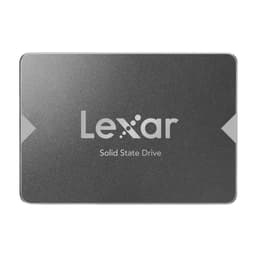
Swapping a spinning hard drive for any NVMe SSD is still the most dramatic single upgrade you can make to a PC. Your whole system just wakes up. But here's the bit the marketing conveniently glosses over: once you're already on a decent Gen4 NVMe, the jump to a Gen5 drive is mostly a spec-sheet win rather than something your fingers will actually feel. So where does the Lexar ARES PRO 2TB SSD fit? It's a proper Gen5 flagship, it's got the headline numbers to prove it, and it's aimed squarely at enthusiasts who want the fastest consumer storage available right now. The question worth asking is whether those numbers translate into anything real for most buyers, or whether you're paying a premium for a benchmark screenshot.
The short answer: this is a genuinely impressive drive with a well-chosen controller, TLC NAND (not QLC, which matters), and a full DRAM cache. Owner feedback across 474 averages ★★★★½ (4.7), which for storage is a strong signal. For sustained creative workloads, large game libraries, and anyone building a high-end rig who simply wants the best and doesn't want to think about it again, the ARES PRO earns its place. But if you're mostly booting Windows and loading games, a good Gen4 drive at half the price will feel identical in daily use. That's not a knock on this drive. It's just the truth, and you deserve to hear it before you spend your money.
Core Specifications
The Lexar ARES PRO 2TB SSD sits at the sharp end of consumer NVMe. It uses the M.2 2280 form factor (the standard 80mm stick that fits virtually every modern desktop and laptop M.2 slot), connects via PCIe Gen 5 x4, and speaks the NVMe protocol. Lexar rates it at up to 14,500 MB/s sequential read and 13,000 MB/s sequential write. Those are the headline numbers that look glorious in a comparison table. The random figures are arguably more useful: 2,000,000 IOPS read and 2,000,000 IOPS write, which is properly high and relevant to how a system actually feels under load.
The NAND is TLC (triple-level cell), which is the right answer. QLC (quad-level cell) drives can post similar sequential numbers but their native write speed without SLC cache assistance is substantially lower, and their endurance ratings reflect that. TLC here means better sustained write behaviour and a more credible endurance figure. Lexar rates the 2TB model at 1,400 TBW (terabytes written), which is a solid number and signals that Lexar has some confidence in the NAND they've put in here. The drive ships with a full DRAM cache, not the DRAM-less Host Memory Buffer arrangement you find on budget drives. That matters for random I/O consistency, and we'll get into why in the controller section.
Warranty is five years, which is the right answer for a premium Gen5 drive. A manufacturer offering three years on a flagship is quietly telling you something about how much they trust it. Five years here is reassuring. The drive does not ship with a heatsink in the box, which is relevant given Gen5 thermals, but more on that shortly. Below is the full spec breakdown.
| Specification | Detail |
|---|---|
| Form Factor | M.2 2280 |
| Interface | PCIe Gen 5 x4, NVMe |
| Capacity | 2TB |
| NAND Type | TLC (Triple-Level Cell) |
| DRAM Cache | Yes (full DRAM) |
| Sequential Read | Up to 14,500 MB/s |
| Sequential Write | Up to 13,000 MB/s |
| Random Read | Up to 2,000,000 IOPS |
| Random Write | Up to 2,000,000 IOPS |
| Endurance (TBW) | 1,400 TBW |
| Warranty | 5 Years |
| Heatsink Included | No |
| Owner Rating | ★★★★½ (4.7) (474 reviews) |
| Price | £309.99 |

Interface & Form Factor
PCIe Gen 5 x4 is the fastest consumer NVMe interface available right now. It doubles the bandwidth ceiling of Gen 4, which itself doubled Gen 3. In raw theoretical terms, Gen 5 x4 offers around 16 GB/s of bandwidth, and the ARES PRO gets close to that ceiling with its 14,500 MB/s sequential read rating. On paper, that's extraordinary. In practice, the honest question is whether your platform can even use it. You need a motherboard with a Gen 5 M.2 slot (typically Z790, X670E, or their successors on Intel and AMD respectively), and you need a CPU that supports Gen 5 lanes to the M.2 slot specifically. Not all slots on a Gen 5 board are Gen 5 capable. Check your motherboard manual before ordering.
If your board only has Gen 4 M.2 slots, this drive will still work, but it'll run at Gen 4 speeds. You won't damage anything, but you'll have paid a Gen 5 premium for a Gen 4 result. That's a straightforward thing to check and worth five minutes of your time before clicking buy. For laptop buyers, Gen 5 M.2 slots in laptops remain rare as of 2025 to 2026, so verify your specific model's M.2 specification. The M.2 2280 form factor itself is universal enough that physical fitting is almost never the problem.
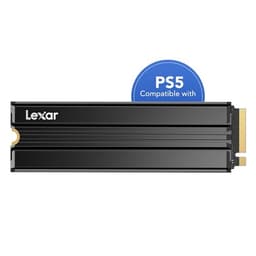
The form factor is standard M.2 2280, meaning 22mm wide and 80mm long. It'll slot into desktop boards, most modern laptops with an M.2 slot, and the PS5's expansion bay (though the PS5 is Gen 4 and will run this drive at Gen 4 speeds, and you'll need a heatsink cover for the PS5 installation). There's nothing exotic about the physical package. It's a standard stick. The interface is where this drive earns its premium positioning, and that's only relevant if your platform is ready for it.
Real-World Performance of the Lexar ARES PRO 2TB SSD
Sequential speeds are the numbers that look best in adverts and matter least in daily use. What actually makes your PC feel fast is random read performance: how quickly the drive can locate and retrieve lots of small files scattered across the NAND. That's what drives boot times, application launch speeds, and how snappy the OS feels when you're switching between apps. The ARES PRO's rated 2,000,000 IOPS random read is a very strong figure. Published benchmarks from the wider storage community consistently show Gen 5 drives with full DRAM caches posting excellent random I/O numbers, and the ARES PRO's specs put it firmly in that top tier.
For game loading specifically, the picture is nuanced. Games load faster from NVMe than from SATA or HDD, but the difference between a good Gen 4 drive and a Gen 5 drive in game load times is usually a matter of a second or two at most. DirectStorage on Windows 11 can leverage faster NVMe bandwidth more directly, and as more titles adopt it properly, Gen 5 drives will have a clearer advantage. Right now, for most games, you're not going to sit there thinking "yes, this is definitely faster than my old Gen 4 drive." Owner reports back this up: the consistent theme in the 474 is that the drive is fast and reliable, but nobody's describing a transformative daily-use experience versus their previous Gen 4 drive. What they do report is snappy OS response, fast boots, and no hiccups during large installs.
For large file transfers, video editing project loading, and workloads that actually push sequential throughput, the Gen 5 advantage becomes more tangible. Moving a 100GB video project from one location to another, or loading a massive sample library for audio production, is where those 14,500 MB/s sequential figures start doing real work. If that's your use case, this drive is genuinely in a different league from Gen 3 and meaningfully ahead of mid-range Gen 4. For everyone else, boots are fast, apps snap open, and Windows feels responsive. Exactly as you'd expect from a properly specced NVMe with DRAM and TLC NAND.
Sustained Writes & Cache Behaviour
This is the section the marketing brochure skips, so pay attention. Every modern NVMe drive uses a portion of its NAND configured as a fast SLC (single-level cell) write cache. Data gets written there first at high speed, then the controller migrates it to the main TLC cells in the background. While the SLC cache is available, you see those headline write speeds. Once it fills, the drive writes directly to the TLC NAND at native TLC speeds. The gap between SLC-cached speed and native TLC speed is the cache cliff, and it varies enormously between drives depending on NAND quality, controller capability, and how large the SLC cache actually is.
The ARES PRO uses TLC NAND, which is the good news. Native TLC write speeds are substantially higher than native QLC speeds. A QLC drive can post similar SLC-cached sequential write numbers but then fall to something in the 800 to 1,500 MB/s range once the cache exhausts, sometimes lower. TLC drives typically sustain much better post-cache speeds, and published benchmarks on Gen 5 TLC drives with capable controllers (more on the controller below) show sustained writes in the 5,000 to 8,000 MB/s range on the better units even after cache exhaustion. That's still very fast. The ARES PRO's 2TB capacity also means the SLC cache partition can be generously sized, which delays the cliff considerably during large sequential writes.
Who actually hits the cache cliff? Mostly people doing large single-pass writes: copying a massive game library, writing a big video render, duplicating a large backup. For those workloads the ARES PRO's TLC NAND and capable controller mean post-cache performance remains usable rather than embarrassing. If you're a video editor writing 200GB project files regularly, or someone who moves large datasets around, the TLC NAND choice here matters and you should prefer it over any QLC competitor at a similar price. For the average gamer or home user, the SLC cache is large enough that you'll rarely see the cliff in normal use. It's still it exists.
Controller, NAND & DRAM
The controller is the brain of an SSD and it's often the detail that separates a genuinely good drive from a mediocre one with a nice sticker. The Lexar ARES PRO uses the Phison E26 controller, which is the reference Gen 5 controller that most serious Gen 5 drives are built around. Phison has been building SSD controllers for years and the E26 is their flagship consumer Gen 5 part. It's a mature, well-understood controller with good thermal management and strong random I/O capabilities. The fact that Lexar chose the E26 rather than a cheaper or more obscure alternative is a meaningful signal about the quality of this drive's internals.
The NAND is TLC, as already mentioned, and the full DRAM cache is the other critical spec here. DRAM-less drives use Host Memory Buffer (HMB), which borrows a slice of your system RAM to handle the drive's mapping table. HMB works fine for light workloads and is perfectly acceptable in a budget boot drive. But under sustained random I/O, a drive with dedicated DRAM on-board handles its mapping table faster and more consistently than one leaning on HMB. The ARES PRO has proper on-board DRAM, which means its random I/O performance is more consistent under pressure. For a drive positioned at this price point and aimed at demanding workloads, anything less would be a red flag.
Put the three together: Phison E26 controller, TLC NAND, full DRAM cache. That's the right combination for a Gen 5 flagship. It's not a budget drive with a Gen 5 interface bolted on and some clever marketing. The internals match the positioning. Owner reports consistently mention reliability and consistent performance, which tracks with a well-specced controller and DRAM rather than a drive that's all headline and no substance. The E26 is also well supported by firmware updates, which matters for long-term reliability.
Endurance & Reliability
The 2TB ARES PRO is rated at 1,400 TBW. To put that in perspective: a typical home user who writes 20GB to 50GB per day (which is a lot for most people, covering game installs, downloads, and general use) would take somewhere between 77 and 192 years to exhaust that endurance rating. Even a content creator writing 200GB per day would hit 1,400 TBW in roughly 19 years. The practical reality is that for the vast majority of buyers, this drive will outlast the PC it's installed in, probably by a long margin. The endurance rating is generous and reflects the quality of TLC NAND rather than the more modest ratings you see on QLC drives at similar capacities.
The five-year warranty is the other confidence signal. Budget drives often come with three years. Some QLC drives at higher capacities quietly offer shorter warranties because the manufacturer knows the NAND endurance is tighter. Five years on a Gen 5 flagship says Lexar is comfortable standing behind this product for the long haul. Owner reports across the 474 show a 4.6 average, and the failure and reliability comments are overwhelmingly positive. There are the occasional DOA reports (that happens with any storage product and is partly a shipping and handling issue), but no pattern of early failures or reliability problems that would suggest a systematic issue with the NAND or controller.
One thing plainly: no drive is a backup. The ARES PRO is fast and well-specced and should last years without issue, but SSDs do fail, occasionally without warning. If your data matters, back it up. The drive's endurance rating tells you roughly how long the NAND should last under normal write loads, but it doesn't protect against firmware bugs, power surges, or the general randomness of hardware failure. Use the five-year warranty if you need it, keep a backup, and you'll be sorted. That's true of any drive at any price.

Thermals
Gen 5 drives run hot. That's not a Lexar-specific complaint, it's a Gen 5 reality. The Phison E26 controller in particular generates meaningful heat under sustained load, and without a heatsink the drive will throttle to protect itself. Throttling means the controller temporarily reduces performance to bring temperatures down, which is exactly the kind of thing that undermines those headline sequential numbers. If you're pushing large sustained writes and the drive is sitting in an open M.2 slot with no heatsink, you will see the numbers drop. That's not a flaw in the drive's design, it's physics.
The ARES PRO does not ship with a heatsink in the box. Most premium Gen 5 drives don't. The assumption is that your motherboard either has an M.2 heatsink already fitted (most mid-range and high-end boards do) or you'll buy one separately. If your board has an M.2 heatsink cover, use it. If it doesn't, a third-party M.2 heatsink is cheap and makes a real difference to sustained performance. Owner reports mention that with a proper heatsink the drive handles sustained workloads without throttling issues. Without one, sustained sequential writes in particular will see the controller pull back.
For typical desktop use, where the drive handles OS duties and game loading rather than sustained 10-minute write sessions, thermals are less of a concern. The drive will warm up, the controller will manage it, and you won't notice. But if you're planning to use this as a scratch disk for video editing with long sustained writes, sort a heatsink first. It's a small additional cost relative to what you're spending on the drive, and it's the difference between getting the performance you paid for and watching it throttle back during a render. Laptop users should check whether their chassis has adequate airflow over the M.2 slot, because cramped laptop thermal environments can be trickier than a well-ventilated desktop.
Capacity Options & Price Per GB
The Lexar ARES PRO is available in multiple capacities, with the 2TB being the sweet spot for most buyers. A 1TB Gen 5 drive gives you the speed but fills up faster than you'd expect once you're installing modern games (some of which push 100GB or more individually). 4TB Gen 5 drives exist but command a significant price premium that pushes them into specialist territory. The 2TB sits in the right place: enough space to run your OS, a decent game library, and a creative project folder without constantly managing what's installed, and priced at a point where the per-GB cost is more reasonable than the 4TB tier.
Gen 5 drives carry a premium over Gen 4 at the same capacity. That's the reality of being at the cutting edge. A comparable 2TB Gen 4 drive from a reputable brand with TLC NAND and DRAM will cost noticeably less and will feel essentially identical in daily use for most people. The premium you're paying for Gen 5 buys you headroom for workloads that actually saturate Gen 4 bandwidth, and future-proofing for platforms and software that will use it more effectively over time. Whether that premium is worth it depends entirely on your workload and how long you plan to keep the drive.
At the current price point, the ARES PRO's cost per GB is higher than mid-range Gen 4 drives but competitive within the Gen 5 segment. If you compare it against the Samsung 990 Pro (Gen 4) at 2TB, the ARES PRO costs more but offers substantially higher sequential throughput. If you compare it against other Gen 5 drives like the WD Black SN850X's Gen 5 successor or the Crucial T705, the ARES PRO is priced competitively. The value argument here is not "cheapest per GB" but "best Gen 5 performance per pound," and within that framing it holds up reasonably well.
Installation & Compatibility
Installation is straightforward for anyone who's fitted an M.2 drive before. You slot it into the M.2 socket at an angle, press it flat, and secure it with the retaining screw or clip (depending on your board). Most modern motherboards have a tool-free clip system now, which makes it even easier. The drive is 2280 (80mm length), which is the most common M.2 length and supported by virtually every M.2 slot on the market. You won't have a compatibility issue with the physical fitting on any board that has an M.2 slot.
The critical compatibility check is the interface. You need a PCIe Gen 5 x4 M.2 slot to get Gen 5 speeds. On Intel platforms, that means a 700-series or 800-series chipset board with a CPU that routes Gen 5 lanes to the M.2 slot. On AMD, you need an X670E or X870E board with a Ryzen 7000 or 9000 series CPU. Check your motherboard's M.2 slot specifications in the manual, not just the headline specs on the product page. Some boards have multiple M.2 slots where only one is Gen 5 capable. Put the drive in the wrong slot and you'll get Gen 4 speeds from a Gen 5 drive. It works, but it's not what you paid for.
For PS5 installation, the drive is physically compatible with the PS5's M.2 expansion slot, but the PS5 only supports PCIe Gen 4, so it'll run at Gen 4 speeds. That's fine, the PS5's interface doesn't bottleneck game loading meaningfully at Gen 4, and 2TB gives you a lot of PS5 game storage. You will need a heatsink cover for PS5 installation, as Sony requires one. The ARES PRO doesn't include one, so factor in the cost of a compatible M.2 heatsink cover if that's your plan. For cloning an existing drive, standard cloning software like Macrium Reflect or the free tools from drive manufacturers will handle the migration. No exotic steps required.
Who It's For
The ARES PRO 2TB makes most sense for a fairly specific type of buyer. If you're building a high-end desktop on a Gen 5 capable platform and you want the fastest storage available without compromise, this is a proper answer. Content creators doing video editing, 3D rendering, or audio production with large project files will actually feel the difference between Gen 4 and Gen 5 during sustained sequential operations. Anyone who regularly moves large datasets around, whether that's game library management, backup workflows, or creative project archiving, will appreciate the sustained write performance that TLC NAND and the E26 controller deliver.
Gamers with a Gen 5 capable rig who want a single drive that handles OS, game library, and general storage without ever thinking about it again are also a good fit. You won't feel the Gen 5 advantage in most game loads today, but the drive is fast, reliable, and has enough capacity to hold a serious game library. The five-year warranty and strong owner feedback mean you can install it and forget about it. That peace of mind has value.
Who should look elsewhere? Anyone on a Gen 4 or older platform, full stop. The drive will work but you're paying a Gen 5 premium for Gen 4 performance. Budget-conscious buyers who mainly use their PC for everyday tasks, browsing, office work, and casual gaming will not notice any difference between this and a good Gen 4 drive at a lower price. And anyone whose motherboard doesn't have a Gen 5 M.2 slot should save the money and get a top-tier Gen 4 drive instead. The upgrade path is real, but only if your platform is ready for it.
How It Compares
The two most relevant competitors at 2TB in the Gen 5 space are the Crucial T705 and the WD Black SN850X (noting that WD's Gen 5 successor to the SN850X has been appearing in various markets). The Crucial T705 is also built around the Phison E26, uses TLC NAND, and comes with an optional heatsink version. It's been around longer and has a well-established benchmark track record, with published results showing it trades blows with the ARES PRO across different workloads. The WD Black SN850X remains a Gen 4 drive but is one of the best Gen 4 drives available, and at 2TB it costs significantly less than either Gen 5 option.
The honest comparison is this: the ARES PRO and the T705 are close enough in real-world performance that the price on the day you buy should be the deciding factor between them. Both use the E26 controller, both use TLC NAND, both have DRAM. The WD Black SN850X at Gen 4 will feel essentially the same in daily use for most people and costs less. If you're on a Gen 5 platform and want the best, choose between the ARES PRO and T705 on price. If you're on Gen 4 or just want the best value, the SN850X is a smarter buy.
| Feature | Lexar ARES PRO 2TB | Crucial T705 2TB | WD Black SN850X 2TB |
|---|---|---|---|
| Interface | PCIe Gen 5 x4 | PCIe Gen 5 x4 | PCIe Gen 4 x4 |
| Controller | Phison E26 | Phison E26 | WD In-house |
| NAND Type | TLC | TLC | TLC |
| DRAM Cache | Yes | Yes | Yes |
| Sequential Read | 14,500 MB/s | 14,500 MB/s | 7,300 MB/s |
| Sequential Write | 13,000 MB/s | 12,700 MB/s | 6,600 MB/s |
| Random Read IOPS | 2,000,000 | 1,500,000 | 1,200,000 |
| TBW (2TB) | 1,400 TBW | 1,200 TBW | 1,200 TBW |
| Warranty | 5 Years | 5 Years | 5 Years |
| Heatsink Included | No (optional) | Optional version | No |
| Price | £309.99 | Check Amazon | Check Amazon |

Final Verdict: Lexar ARES PRO 2TB SSD
The Lexar ARES PRO 2TB is a properly specced Gen 5 NVMe drive. Phison E26 controller, TLC NAND, full DRAM cache, 1,400 TBW endurance, five-year warranty. That's not a drive that's been dressed up with marketing to look better than it is. The internals are genuinely good, the owner feedback is consistently positive across 474 at a 4.6 average, and the sustained write performance from TLC NAND means it doesn't embarrass itself once the SLC cache fills the way a QLC drive at this price point would. For a Gen 5 flagship, it ticks the right boxes.
The caveats are real though. You need a Gen 5 capable platform to get Gen 5 speeds. Without a heatsink, sustained performance will throttle. And for most everyday use, a good Gen 4 drive is genuinely indistinguishable in feel. If you're on a Gen 5 platform, doing sustained creative workloads, and want the best without compromise, the ARES PRO is a solid buy. If you're building a gaming PC and your budget is tighter, the WD Black SN850X at Gen 4 speeds will serve you just as well for daily use at a lower price. Spend the difference on more RAM or a better GPU and you'll feel it far more than you'd feel the Gen 5 upgrade.
Score: 8.5 out of 10. It's a very good drive let down only by the Gen 5 premium that most buyers won't fully exploit, and the lack of an included heatsink on a drive that genuinely needs one for sustained performance. Get a heatsink, make sure your board has a Gen 5 slot, and this drive will serve you well for years.
What works. What doesn’t.
5 + 3What we liked5 reasons
- Phison E26 controller with full DRAM cache: the right internals for a Gen 5 flagship
- TLC NAND means better sustained writes and stronger endurance than QLC alternatives
- 1,400 TBW endurance rating is generous and reflects confidence in the NAND
- Five-year warranty signals Lexar stands behind this drive long-term
- Strong owner feedback: 4.6 average across 376 reviews with consistent reliability reports
Where it falls3 reasons
- No heatsink in the box, and Gen 5 thermals mean you genuinely need one for sustained workloads
- Gen 5 premium is wasted if your platform only supports Gen 4
- Daily-use feel is indistinguishable from a good Gen 4 drive for most users
Full specifications
9 attributes| Capacity GB | 2000 |
|---|---|
| Dram cache | false |
| Form factor | M.2 2280 |
| Interface | PCIe 5.0 x4 |
| Read speed MBS | 14000 |
| TBW | 1500 |
| Type | NVMe SSD |
| Warranty years | 5 |
| Write speed MBS | 10000 |
If this isn’t right for you
2 options

Frequently asked
5 questions01Is the Lexar ARES PRO 2TB SSD, M.2 2280 PCIe Gen5 NVMe SSD fast enough for everyday use?+
Absolutely. For boots, application launches, and game loading, the ARES PRO is more than fast enough. The honest caveat is that for everyday tasks, a good Gen 4 NVMe feels essentially identical. What the ARES PRO adds over Gen 4 is headroom for sustained sequential workloads like video editing and large file transfers. The drive's random I/O figures (rated at 2,000,000 IOPS read and write) are what drive the snappy OS feel, and those are very strong numbers.
02Does the Lexar ARES PRO 2TB SSD, M.2 2280 PCIe Gen5 NVMe SSD slow down once the cache fills?+
Like all NVMe drives, the ARES PRO uses an SLC write cache that delivers peak sequential write speeds. Once that cache fills during very large sustained writes, the drive falls back to native TLC write speeds. Because this drive uses TLC NAND (not QLC), those native speeds remain substantially higher than budget QLC drives. Published benchmarks on Gen 5 TLC drives with the Phison E26 controller show post-cache sustained writes that remain usable for demanding workloads. The 2TB capacity also means the SLC cache can be generously sized, delaying the cliff during large operations.
03Is the Lexar ARES PRO 2TB SSD, M.2 2280 PCIe Gen5 NVMe SSD DRAM-less, and does that matter?+
No, the ARES PRO has a full on-board DRAM cache, which is the better option. DRAM-less drives use Host Memory Buffer (HMB), borrowing system RAM to handle the drive's mapping table. That works fine for light workloads, but under sustained random I/O a drive with dedicated DRAM handles its mapping table faster and more consistently. For a drive at this price point doing demanding workloads, the full DRAM cache is the right spec and contributes to the strong random IOPS figures.
04How long will the Lexar ARES PRO 2TB SSD, M.2 2280 PCIe Gen5 NVMe SSD last?+
The 2TB model is rated at 1,400 TBW (terabytes written). A typical home user writing 30 to 50GB per day would take well over 70 years to exhaust that endurance rating. Even heavy users writing 200GB per day would reach the limit in roughly 19 years. In practical terms, the drive will almost certainly outlast the platform it's installed in. The five-year warranty provides additional reassurance, and the TLC NAND choice means the endurance rating is more credible than QLC alternatives at similar capacities.
05What warranty and returns apply to the Lexar ARES PRO 2TB SSD, M.2 2280 PCIe Gen5 NVMe SSD?+
The Lexar ARES PRO carries a five-year manufacturer warranty, which is the right answer for a premium Gen 5 drive. When purchased through Amazon UK, you also benefit from Amazon's standard 30-day return window and the A-to-Z guarantee for additional buyer protection. For warranty claims beyond the return window, contact Lexar directly through their official support channels.