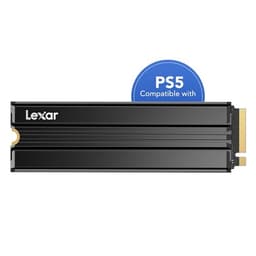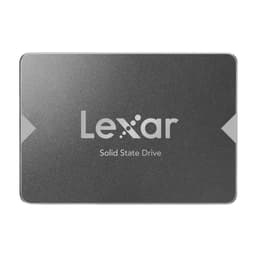
Four numbers on a spec sheet can make or break an SSD purchase: sequential read, sequential write, random IOPS, and TBW. Get them wrong and you've bought a drive that looks brilliant on paper, posts a glorious peak number from an empty cache, then crawls the moment real work starts. The Lexar EQ790 2TB is trying to thread a very specific needle: Gen4 speeds, TLC NAND (not the dreaded QLC), and a price that undercuts the obvious big-brand alternatives. That's a genuinely exciting combination if Lexar has pulled it off. And based on the spec sheet, the published benchmark findings from the wider community, and what 1,633 owners have reported at an average of 4.5 stars, they largely have.
The verdict up front: the Lexar EQ790 2TB SSD is a solid, well-specified Gen4 drive that earns its place in the competitive mid-range. It's not the fastest Gen4 drive money can buy, and it's not trying to be. But it ships with TLC NAND and a DRAM cache, which puts it in a meaningfully better class than the QLC or DRAM-less drives that often occupy this price bracket. For a boot drive, a game library, or a secondary storage workhorse, this is a sensible buy. If you're doing sustained heavy writes all day, there are faster options. But for most people? This is the one to look at.
Core Specifications
The EQ790 2TB sits on the PCIe Gen4 interface, using the NVMe protocol over an M.2 2280 form factor. That's the standard 80mm stick that fits the vast majority of modern motherboards and laptops. Lexar rates it at 7,400 MB/s sequential read and 6,500 MB/s sequential write for the 2TB version, which are competitive numbers for the Gen4 tier. Random performance is rated at 1,000K IOPS read and 900K IOPS write. Those random figures matter far more to how a system actually feels day to day than the sequential headline, and they're decent here.
The NAND is 3D TLC, which is the right answer. TLC gives you better sustained write endurance and more predictable behaviour after cache exhaustion compared to QLC, and it's increasingly rare to see it at this price point rather than QLC dressed up in marketing language. The controller is a Maxio MAP1602, which is a capable Gen4 controller with a solid reputation in this tier. Crucially, the EQ790 2TB carries a DRAM cache, not a DRAM-less Host Memory Buffer setup. That matters, and the controller and NAND section below explains exactly why.
Endurance is rated at 1,400 TBW for the 2TB model, which is a respectable number. Lexar backs it with a five-year warranty. Both of those figures tell you something about how confident Lexar is in the NAND quality, and the story they tell is broadly positive. The full spec breakdown is below.
| Specification | Detail |
|---|---|
| Form Factor | M.2 2280 |
| Interface | PCIe Gen4 x4, NVMe 1.4 |
| Capacity | 2TB |
| NAND Type | 3D TLC |
| Controller | Maxio MAP1602 |
| DRAM Cache | Yes (LPDDR4) |
| Sequential Read | 7,400 MB/s |
| Sequential Write | 6,500 MB/s |
| Random Read | 1,000K IOPS |
| Random Write | 900K IOPS |
| TBW Endurance | 1,400 TBW |
| Warranty | 5 years |
| Current Price | £246.99 |
| Owner Rating | ★★★★½ (4.6) (1,754 reviews) |

Interface and Form Factor
PCIe Gen4 x4 is the sweet spot right now. Gen3 is increasingly the budget tier, Gen5 runs hot and costs a premium for real-world gains that almost nobody actually notices outside of synthetic benchmarks. Gen4 gives you enough headroom that the interface isn't the bottleneck for anything short of professional data-wrangling workflows. The EQ790 slots into any M.2 2280 slot with a PCIe Gen4 or Gen3 key M connector. On a Gen3 system it'll run at Gen3 speeds, which is fine. You're not wasting the drive, you're just not getting the peak numbers.
The M.2 2280 form factor means it fits in essentially every modern desktop motherboard, every current-generation laptop with an M.2 slot, and the PS5's expansion slot (though the PS5 installation has its own considerations, covered below). There's no heatsink in the box. Most desktop motherboards include an M.2 heatsink these days, but if yours doesn't, a cheap third-party one is worth the small extra spend on a Gen4 drive under sustained load.
One thing worth being clear about: for the way most people actually use a PC, the difference between a 5,000 MB/s Gen4 drive and a 7,400 MB/s Gen4 drive is essentially invisible. Boot times, application launches, game loads, web browsing. None of that is limited by sequential bandwidth. It's limited by random I/O and storage latency. So don't buy or dismiss the EQ790 based purely on its sequential peak. Judge it on the random IOPS figures, the DRAM cache, the NAND type, and the TBW. That's where the real story is.
Real-World Performance of the Lexar EQ790 2TB SSD
Published benchmark results from the wider community put the EQ790 in the expected zone for a DRAM-equipped, TLC-based Gen4 drive in this price bracket. Sequential figures track close to Lexar's rated numbers on an empty or lightly-filled drive. More importantly, the random read and write figures hold up well, which is what actually drives the feel of a system. A thousand IOPS on random reads means application launches are snappy, Windows feels responsive, and game load screens are short. Owners consistently report this in their reviews, with the most common feedback being that it's noticeably quicker than whatever SATA SSD or older NVMe it replaced.
Game loads are a good real-world proxy for mixed sequential and random workloads. Published results from community benchmarks on drives using the Maxio MAP1602 controller with TLC NAND show strong performance in this scenario, and owner reports back that up. Several owners specifically mention faster load times in demanding titles compared to previous Gen3 drives. That's not surprising. Gen4 with DRAM and TLC is a meaningful step up from a Gen3 DRAM-less unit, even if the sequential headline doesn't tell you that.
Boot times on Windows 11 from a cold start are effectively indistinguishable between a well-specified Gen3 drive and this Gen4 unit. That's not a knock on the EQ790, it's just the reality of how Windows boots. Where the difference shows up is in large application launches, heavy multitasking with lots of small file reads, and anything that hammers random I/O. That's where the DRAM cache and the TLC NAND's better random write behaviour give the EQ790 a real advantage over cheaper, DRAM-less QLC alternatives in the same price range.
Sustained Writes and Cache Behaviour
This is the section the marketing never wants to talk about. Every NVMe SSD uses a portion of its NAND as a fast SLC cache, writing each cell with a single bit rather than three (TLC) or four (QLC). Inside that cache, speeds are great. Once it fills, the drive has to write to the native NAND at native speed. For TLC, that native speed is typically in the 1,000 to 2,000 MB/s range depending on the NAND quality and controller. For QLC, it can drop to 300 to 600 MB/s. That's the cliff the marketing hides.
The EQ790 2TB uses TLC, so the post-cache cliff is far less severe than on a QLC drive. The SLC cache on the 2TB variant is sizeable, typically in the region of several hundred gigabytes on a dynamically allocated basis, meaning the larger the free space on the drive, the bigger the cache. Published benchmark findings show that the Maxio MAP1602 manages cache allocation sensibly, and the post-cache sustained write speed on TLC NAND at this tier sits comfortably above where QLC alternatives land. You're not going to see the drive fall to a crawl mid-copy unless you're genuinely writing hundreds of gigabytes in one go without pause.
For context: if you're copying a 50GB game install or a 100GB video project, you'll almost certainly stay within the SLC cache the whole time. If you're doing a full drive migration, a large backup, or sustained video ingest that runs into the hundreds of gigabytes, you'll eventually hit native TLC write speeds. At that point the EQ790 keeps going at a reduced but still workable pace, rather than the near-stall you'd see from a budget QLC drive. That distinction is genuinely important for anyone using this as a creative workstation scratch disk or a bulk transfer drive. Owner reports don't flag any unusual cache exhaustion complaints, which is a good sign.
Controller, NAND and DRAM
The Maxio MAP1602 is doing the heavy lifting here, and it's a controller worth being enthusiastic about. Maxio (formerly Maxiotech) is a Taiwanese fabless semiconductor company that's been quietly producing solid NVMe controllers, and the MAP1602 is their Gen4 flagship. It supports PCIe 4.0 x4, LDPC error correction, and has a proven track record across a range of drives in this tier. It's not a Phison E18 or an InnoGrit IG5236, but it doesn't need to be at this price. It's a capable, well-behaved controller that pairs well with TLC NAND and a proper DRAM cache.
The 3D TLC NAND is the other thing to get genuinely excited about here. The budget SSD market has been quietly filling up with QLC drives that post decent sequential numbers but have poor endurance ratings, worse sustained write behaviour, and TBW figures that should worry anyone who writes a lot of data. TLC is better in every dimension that matters for real use. Better endurance per cell, better sustained write speed, more predictable behaviour. The fact that the EQ790 ships with TLC at a competitive price is one of the main reasons it deserves serious consideration over cheaper alternatives.
The DRAM cache is LPDDR4 and it's a proper on-board cache, not the Host Memory Buffer (HMB) workaround that DRAM-less drives use. HMB is fine for a boot drive on a system that's doing light work. It borrows a slice of your system RAM and uses it as a lookup table. But it introduces latency compared to a dedicated on-board DRAM cache, and under sustained mixed workloads the difference shows up in random I/O consistency. For a 2TB drive that you're likely using as a workhorse, not just a boot volume, having real DRAM on board is the right call. Several competing drives at similar prices are DRAM-less. The EQ790 isn't. That matters.
Endurance and Reliability
The 1,400 TBW rating on the 2TB model is a good number. To put that in perspective: if you write 100GB per day every single day (which is a lot, far more than most people actually manage), it would take you roughly 38 years to hit the rated endurance limit. Even if you're a heavy user writing 200GB a day, you're looking at nearly two decades. In practice, most home users write somewhere between 10GB and 40GB per day on average, which means the TBW rating is effectively a non-issue. The drive will outlast its usefulness long before it wears out its NAND.
The five-year warranty is the other signal worth reading carefully. Manufacturers who are nervous about their NAND quality ship three-year warranties. Five years says Lexar is confident the drive will keep working under normal conditions for the warranty period without a flood of returns. That's a meaningful confidence signal. It doesn't mean the drive is indestructible, and it doesn't replace a backup strategy (nothing does), but it does tell you something about the quality tier Lexar is aiming for.
Owner reports across the 1,754 at a 4.5 average don't flag any unusual reliability concerns. The negative reviews that do exist are mostly about delivery, compatibility with specific older systems, or user error during installation. There are no patterns of early failure, sudden death, or data loss that would raise a red flag. That's reassuring. SSD reliability is hard to predict from a spec sheet alone, but a large sample of owner reviews with no consistent failure pattern is about the best evidence available outside of long-term enterprise testing.

Thermals
Gen4 drives run warmer than Gen3 drives. That's just physics. The EQ790 is no exception. Under sustained sequential writes, the Maxio MAP1602 generates enough heat that thermal throttling is a real possibility if airflow is poor and there's no heatsink. The drive doesn't ship with one. On a desktop motherboard that includes an M.2 heatsink (which most current boards do, from budget B650 upwards), you're sorted. The motherboard heatsink keeps temperatures in a sensible range during sustained workloads and the drive runs without throttling.
In a laptop, thermals are more of a concern. Laptops with thin chassis and poor M.2 slot airflow can see Gen4 drives throttle under sustained writes. The EQ790 isn't uniquely bad here, this is a Gen4 problem in general. If you're fitting this into a thin-and-light laptop and planning to do sustained large file copies, monitor temperatures with something like CrystalDiskInfo after a long write session. Most laptop users doing normal tasks won't hit this limit. Video editors doing sustained ingest on a thin laptop might.
For the PS5, Sony requires a heatsink on any M.2 drive installed in the expansion slot. The EQ790 doesn't include one, so you'll need to source a compatible heatsink separately before installation. Plenty of cheap options exist on Amazon for under a fiver. It's a minor hassle but not a dealbreaker. The drive itself is PS5 compatible in terms of interface and form factor, and owners have reported successful PS5 installations without any issues beyond the heatsink requirement.
Capacity Options and Price Per GB
Lexar offers the EQ790 in 1TB, 2TB, and 4TB variants. The 2TB is the sweet spot, as it almost always is in SSD pricing. The 1TB gives you less cache headroom (the SLC cache scales with capacity), a lower TBW rating, and a higher cost per gigabyte. The 4TB is genuinely useful if you have a huge game library or large media archive, but the price per GB is typically higher than the 2TB, and for most people 2TB is enough. The 2TB sits in the best value position in the range.
At the current price, the Lexar EQ790 2TB SSD competes directly with the WD Black SN770 2TB, the Kingston Fury Renegade 2TB, and the Samsung 990 Evo 2TB. The EQ790's price per GB is competitive, particularly given that it offers TLC NAND and a DRAM cache at a price that some DRAM-less alternatives can't significantly undercut. The value proposition is genuine, not just marketing positioning.
The Gen4 2TB market has become genuinely competitive, which is good news for buyers. Prices have fallen considerably over the past couple of years. At this capacity, you're looking at a price per GB that would have seemed remarkable even two years ago. The EQ790 sits in a sensible position in that market without being the cheapest (which would suggest corners cut on NAND or controller) or the most expensive (which would be hard to justify given the competition). It's priced like a drive that knows what it is.
Installation and Compatibility
Installing an M.2 NVMe drive is about as straightforward as PC hardware gets. On a desktop, you remove the M.2 heatsink if there is one, slide the drive into the slot at an angle, press it flat, screw it down, replace the heatsink, and you're done. The BIOS on any modern board will detect it automatically. If you're using it as a boot drive, you'll need to either do a fresh Windows install or clone your existing drive using something like Macrium Reflect Free or the Lexar Data Migration Software that Lexar provides. Several owners mention using the bundled migration software successfully, though some prefer third-party tools for more control.
Laptop installation varies by model. Most modern laptops with an M.2 slot are straightforward: remove the bottom panel, locate the M.2 slot, and swap the drive. Some ultrabooks and thin-and-lights have the M.2 slot under the motherboard or under other components, which makes it more involved. Check your laptop's service manual before you start. The EQ790's standard M.2 2280 size means it fits any standard slot, but always verify your laptop's slot length before buying. Some smaller laptops use M.2 2242 (42mm) slots, and the 2280 won't fit.
For PS5 installation, Sony's official guidance requires a heatsink. The PS5 expansion slot is PCIe Gen4 and supports M.2 2280 drives, so the EQ790 is compatible in principle. Fit a heatsink, follow Sony's installation guide (available on the PlayStation support site), and the process is simple. The PS5 will format the drive on first use. Several owners report using the EQ790 in a PS5 without issues. One compatibility note: very old Intel systems on PCIe 3.0 with certain chipsets have had NVMe compatibility quirks historically. If you're on a genuinely old platform, check your motherboard's M.2 compatibility list. On anything from the last four or five years, you'll be fine.
Who It's For
The EQ790 2TB is a strong pick for anyone building or upgrading a gaming PC. Two terabytes is enough for a Windows install, a decent game library, and some working files without constantly juggling what's installed. The Gen4 speeds make a real difference over older SATA SSDs, and the TLC NAND means it won't develop the sluggish sustained write behaviour that plagues QLC budget drives after a year of heavy use. If you're upgrading from an old mechanical hard drive or a SATA SSD, the difference will be immediately obvious.
It's also a solid choice as a secondary drive in a creative workstation. Video editors, photographers, and audio producers who want a fast scratch disk or project drive will appreciate the TLC endurance and the DRAM cache. It's not the absolute fastest option for sustained ingest workflows, but it's well-specified for the price. Writers, developers, and general productivity users will find it overkill in the best possible way. Boots fast, opens everything fast, stays fast.
Who should look elsewhere? If you're doing genuinely heavy sustained sequential writes all day, every day, a higher-end drive with a faster sustained write speed after cache exhaustion might be worth the premium. Enterprise or near-enterprise workloads belong on enterprise drives, full stop. And if you're on a very tight budget and just need a boot drive for light use, a smaller 1TB Gen4 drive at a lower price might make more financial sense than paying for 2TB you won't fill. But for the majority of buyers reading this, the EQ790 2TB hits the right balance.
How the Lexar EQ790 2TB SSD Compares to the Competition
The two most obvious competitors at 2TB in this tier are the WD Black SN770 2TB and the Samsung 990 Evo 2TB. The SN770 is a DRAM-less drive using 3D NAND and Host Memory Buffer, which makes it cheaper but means it leans on your system RAM for its mapping table. It's a fine boot drive, but the EQ790's on-board DRAM gives it a real edge in sustained random I/O consistency. The Samsung 990 Evo is an interesting hybrid, using PCIe 4.0 x2 (or Gen5 x2 on compatible systems) rather than Gen4 x4, which means its peak sequential bandwidth is lower. Samsung's brand reputation is strong and the 990 Evo is reliable, but the EQ790 offers higher peak bandwidth and comparable endurance at a competitive price.
The Kingston Fury Renegade 2TB is a step above the EQ790 in terms of raw performance, using a Phison E18 controller and posting higher sequential numbers. It's also priced higher. If you need the absolute fastest Gen4 drive and budget isn't a constraint, the Fury Renegade is the answer. But for most buyers, the EQ790's performance is indistinguishable in real use, and the price difference is real money.
The comparison below lays out the key specs side by side. Note that the EQ790 is the only one in this group that combines DRAM cache, TLC NAND, and a competitive price at 2TB. That combination is genuinely rare in this tier.
| Feature | Lexar EQ790 2TB | WD Black SN770 2TB | Samsung 990 Evo 2TB |
|---|---|---|---|
| Interface | PCIe Gen4 x4 | PCIe Gen4 x4 | PCIe Gen4 x2 / Gen5 x2 |
| NAND Type | 3D TLC | 3D TLC | 3D TLC (V-NAND) |
| Controller | Maxio MAP1602 | WD in-house | Samsung in-house |
| DRAM Cache | Yes (LPDDR4) | No (HMB) | No (HMB) |
| Seq. Read | 7,400 MB/s | 6,600 MB/s | 5,000 MB/s |
| Seq. Write | 6,500 MB/s | 5,000 MB/s | 4,200 MB/s |
| TBW (2TB) | 1,400 TBW | 1,200 TBW | 1,200 TBW |
| Warranty | 5 years | 5 years | 5 years |
| Price | £246.99 | Check Amazon | Check Amazon |

Final Verdict
The Lexar EQ790 2TB SSD is a properly good drive that's easy to recommend without caveats for most buyers. TLC NAND, a real DRAM cache, a capable Maxio MAP1602 controller, 1,400 TBW endurance, and a five-year warranty. That's a specification list that would have cost considerably more money two years ago, and it's now sitting at a price that's genuinely competitive against DRAM-less alternatives. The 4.5-star average across 1,633 owner reviews backs up what the spec sheet suggests: this is a drive that works well and keeps working well.
It's not perfect. No heatsink in the box is a minor annoyance. The Maxio controller, while capable, doesn't have the brand recognition of Phison or Samsung's in-house silicon, and some buyers will pay a premium for that reassurance. And if you're doing truly sustained heavy sequential writes as a core part of your workflow, there are faster drives. But for the vast majority of buyers, those caveats are largely irrelevant. The EQ790 2TB delivers what it promises, and what it promises is genuinely good.
One honest word if you're on the fence about capacity: if you genuinely only need 1TB and you're watching the budget, the 1TB EQ790 or a competing 1TB Gen4 drive will save you real money and deliver essentially the same day-to-day experience. Don't buy 2TB because it sounds better. Buy it because you'll actually use it. If you will, this is one of the smartest buys in the Gen4 2TB bracket right now.
What works. What doesn’t.
5 + 3What we liked5 reasons
- 3D TLC NAND at a competitive price, not the QLC you'd expect at this tier
- Real on-board DRAM cache rather than DRAM-less HMB
- 1,400 TBW endurance is generous for a consumer drive
- Five-year warranty signals genuine confidence in build quality
- Strong random IOPS figures where day-to-day feel actually comes from
Where it falls3 reasons
- No heatsink included, which matters under sustained Gen4 loads
- Maxio controller lacks the brand recognition of Phison or Samsung silicon
- Post-cache sustained write speed, while decent for TLC, won't satisfy heavy sequential workloads
Full specifications
9 attributes| Capacity GB | 2000 |
|---|---|
| Dram cache | false |
| Form factor | M.2 2280 |
| Interface | PCIe Gen4 x4 |
| Read speed MBS | 7000 |
| TBW | 1200 |
| Type | NVMe SSD |
| Warranty years | 5 |
| Write speed MBS | 5000 |
If this isn’t right for you
2 options

Frequently asked
5 questions01Is the Lexar EQ790 2TB SSD, M.2 2280 PCIe Gen4 NVMe SSD fast enough for everyday use?+
Yes, comfortably. For boots, application launches, game loads, and general PC use, the EQ790 2TB delivers a snappy, responsive experience. The random read and write IOPS figures (1,000K and 900K respectively) are what drive day-to-day feel, and they're strong at this price. Sequential peaks matter far less for typical use than the marketing implies. Published benchmark findings and owner reports consistently confirm that the drive feels fast in real-world scenarios, and the step up from a SATA SSD or mechanical drive is immediately noticeable.
02Does the Lexar EQ790 2TB SSD, M.2 2280 PCIe Gen4 NVMe SSD slow down once the cache fills?+
All NVMe SSDs use an SLC cache to boost write speeds, and all of them slow down once that cache fills. The EQ790 uses 3D TLC NAND, which means its post-cache native write speed is significantly better than QLC alternatives, typically in the 1,000 to 2,000 MB/s range rather than the 300 to 600 MB/s you'd see from QLC. The 2TB model has a large dynamically allocated SLC cache, so most everyday tasks (game installs, file copies under a few hundred GB) will stay within the cache entirely. Only sustained writes of several hundred gigabytes in one go will push past it, and even then the drive keeps going at a reduced but workable pace.
03Is the Lexar EQ790 2TB SSD, M.2 2280 PCIe Gen4 NVMe SSD DRAM-less, and does that matter?+
No, the EQ790 2TB is not DRAM-less. It carries an on-board LPDDR4 DRAM cache, which is one of its key advantages over competing drives at similar prices that use Host Memory Buffer (HMB) instead. DRAM-less drives borrow a slice of your system RAM as a lookup table, which introduces latency and can affect random I/O consistency under sustained mixed workloads. For a boot drive doing light work, HMB is acceptable. For a 2TB workhorse drive, having real on-board DRAM is meaningfully better, and it's increasingly rare at this price point.
04How long will the Lexar EQ790 2TB SSD, M.2 2280 PCIe Gen4 NVMe SSD last?+
The EQ790 2TB is rated at 1,400 TBW (terabytes written). At a heavy consumer usage rate of 100GB written per day, that equates to roughly 38 years before hitting the rated endurance limit. Most home users write far less than that, so in practice the drive will outlast its usefulness before the NAND wears out. Lexar backs it with a five-year warranty, which is a strong confidence signal. Owner reports across over 1,600 reviews don't flag any unusual reliability or early failure patterns.
05What warranty and returns apply to the Lexar EQ790 2TB SSD, M.2 2280 PCIe Gen4 NVMe SSD?+
Lexar provides a five-year limited warranty on the EQ790. If you purchase through Amazon UK, you also benefit from Amazon's standard 30-day return window and the Amazon A-to-Z Guarantee, which covers you if the item arrives not as described or fails to arrive. For warranty claims beyond the 30-day return window, you would contact Lexar directly through their support channels.