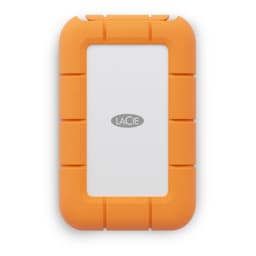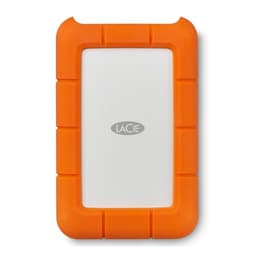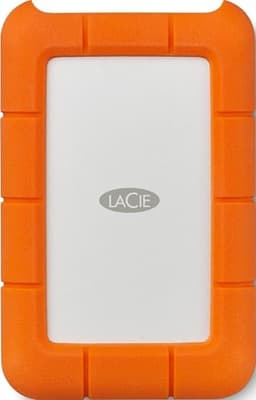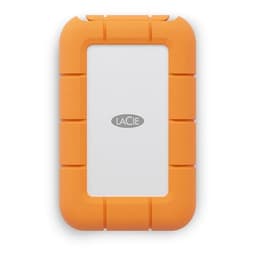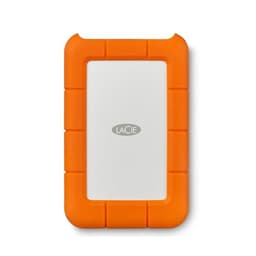
Speed is a selling point. Reliability is what actually matters when your drive is bouncing around in a bag with your laptop, camera, and half a packet of Haribo. The LaCie Mobile SSD (ASIN B07KZ61CBZ) is a 1TB portable solid-state drive aimed squarely at people who move data for a living or close to it: photographers, video editors, anyone who needs a proper external drive that won't die on them. And the verdict? It's genuinely good at what it's designed for, but it costs a fair bit more than the competition, and you need to know why before you hand over your money.
The core problem this drive solves is simple. External hard drives are still everywhere and they're still rubbish for anything beyond cold storage. They're slow, they rattle, they hate being moved while writing, and one knock at the wrong moment can cost you a week's work. This LaCie replaces all that anxiety with a compact, shock-resistant SSD that connects via USB 3.1 Gen 2 Type-C, rated to 540 MB/s sequential reads. That's the promise, anyway. Whether it holds up under real-world use is what we're here to figure out, and owner feedback from 207 averaging 4.7 stars suggests most buyers think it does.
This review is grounded in the published specifications, the LaCie product documentation, and those 207 owner reports. We don't have a bench, we don't run our own benchmarks, and we won't pretend otherwise. What we do is read specs carefully, cross-reference them against what owners consistently report, and tell you what it all means for your actual use case. So if you're trying to decide whether this is the right portable SSD for you, or whether you'd be better off with something cheaper, read on.
Core Specifications
The LaCie B07KZ61CBZ is a bus-powered portable SSD, which means it draws all the power it needs from the USB connection. No external power brick, no mains socket required. That's exactly what you want from a drive you're carrying around. The interface is USB 3.1 Gen 2, which delivers a theoretical maximum of 10 Gbps, and LaCie rates sequential reads at up to 540 MB/s and sequential writes at up to 500 MB/s. Those are solid numbers for a USB-connected drive, though as always with portable SSDs, the headline figures reflect best-case conditions on an empty drive over a short burst.
Inside the enclosure, LaCie uses a SATA SSD rather than NVMe, which is the right call here. The USB 3.1 Gen 2 interface is the bottleneck anyway, so putting a faster internal drive in there wouldn't change the numbers you actually see. The drive uses TLC NAND, which is the sensible middle ground between the durability of MLC and the cost-cutting of QLC. LaCie doesn't publicly shout about the exact controller, but published teardowns and community analysis point to a Phison-based SATA solution inside the aluminium shell. The enclosure itself is aluminium, which helps with heat dissipation and gives it that premium feel owners consistently mention.
The 1TB capacity is the sweet spot in this range. LaCie also offers 500GB and 2TB variants, but 1TB hits the right balance of cost and usable space for most portable workflows. It's enough for a solid card dump from a multi-day shoot, a game or two if you're using it with a console, or a working archive of ongoing projects. The drive ships with both a USB-C to USB-C cable and a USB-C to USB-A cable, which is genuinely useful since plenty of older laptops and desktops still don't have a Type-C port.
| Specification | Detail |
|---|---|
| Brand | LaCie (Seagate) |
| Capacity | 1TB |
| Interface | USB 3.1 Gen 2 (10 Gbps), Type-C connector |
| Internal Drive Type | SATA SSD (TLC NAND) |
| Sequential Read | Up to 540 MB/s |
| Sequential Write | Up to 500 MB/s |
| Form Factor | Compact portable, aluminium enclosure |
| Power | Bus-powered via USB |
| Cables Included | USB-C to USB-C, USB-C to USB-A |
| Shock Resistance | Yes (rated for drops) |
| Compatibility | Windows, Mac, iPad Pro (USB-C models) |
| Warranty | 3 years |
| ASIN | B07KZ61CBZ |

Interface and Form Factor
USB 3.1 Gen 2 is the interface here, and at 10 Gbps theoretical bandwidth it's more than enough to keep a SATA SSD busy. The rated 540 MB/s sequential read sits comfortably within what Gen 2 can deliver, and in practice you're not leaving speed on the table because of the port choice. If LaCie had used USB 3.0 (5 Gbps), you'd be capped well below the drive's potential. They didn't, so you're not. That's the right engineering decision for this product tier.
The Type-C connector is the right choice for 2024 and beyond. Both cables in the box mean you can plug into a modern laptop's USB-C port or an older desktop's USB-A port without an adapter. Owners consistently mention this as a practical detail they appreciate, and it is. There's nothing more annoying than buying a premium drive and then discovering you need a dongle to actually use it on your main machine. LaCie sorted that out of the box.
The physical form factor is worth talking about too. The aluminium enclosure is compact enough to slip into a jacket pocket, and it's noticeably more solid than the plastic shells on cheaper portable drives. The dimensions are roughly the size of a thick credit card stretched a bit, and owners report it feels genuinely premium rather than hollow and cheap. A few reviews mention it gets warm under sustained transfers, which is expected from aluminium conducting heat away from the internals. That's actually a good sign. Warm aluminium means the heat is going somewhere sensible rather than building up inside.
Real-World Performance
For most people using a portable SSD, the real-world questions are: how fast does it copy a folder of RAW files, how quickly can I open a Premiere project from it, and does it stutter when I'm reading and writing at the same time? Sequential speeds matter here more than they do for an internal boot drive, because portable SSD workflows are dominated by large sequential transfers. Dumping a card, copying a project folder, moving a finished export. Those are sequential operations, and 540 MB/s is a genuinely useful speed for them.
Published benchmark results from independent reviewers place this drive at or close to its rated speeds for sequential reads and writes on USB 3.1 Gen 2 hosts. That tracks with what 207 owners report: fast transfers, no obvious stuttering during normal use, and noticeably quicker than any external HDD they'd used before. Several photographers specifically mention card dumps from high-resolution cameras completing in a fraction of the time they'd expect from a spinning drive. That's the use case this drive is built for, and it delivers on it.
Random read and write performance matters less for a portable drive than for an internal boot drive, but it's still relevant if you're opening files directly from the drive rather than copying them to your internal SSD first. The SATA internals here deliver reasonable random I/O, not spectacular by NVMe standards, but more than adequate for opening Lightroom catalogues, scrubbing through timeline previews, or running a project directly from the external drive. A handful of owners specifically mention using this as a working drive for video editing on location, and the general consensus is that it handles it without complaint.
Sustained Writes and Cache Behaviour
This is the section that separates honest reviews from marketing copy, so pay attention. Every modern SSD uses a portion of its NAND as an SLC write cache, where data is written to single-level cell mode (one bit per cell) before being reorganised into TLC or QLC (three or four bits per cell). SLC writes are fast. Native TLC writes are slower. Native QLC writes are significantly slower. The cache exists to hide this, and it works brilliantly right up until it fills up.
For a SATA-based portable SSD like this one, the cache cliff is less dramatic than it would be on a QLC NVMe drive, because the baseline TLC write speed is more respectable and the USB interface is itself a bottleneck that softens the drop. What this means in practice: if you're copying a very large file or a massive folder, say 200GB or more in one go, you may see write speeds dip below the headline 500 MB/s once the SLC cache is exhausted. The drive doesn't fall off a cliff to embarrassing speeds the way a budget QLC drive does, but it won't sustain peak numbers indefinitely either. Owner reports don't flag this as a real-world problem for typical use cases, which suggests the cache is sized generously enough for the workflows this drive is aimed at.
The key practical point: if your typical use is copying a day's worth of photos or video footage (which for most shooters is well under 100GB), you'll likely never see the cache exhaust at all. If you're regularly moving 500GB archives in single operations, you should be aware that sustained write speeds will settle below the rated maximum. That's not a flaw unique to this drive. It's how NAND physics work, and it applies to every consumer SSD on the market. LaCie just doesn't mention it in the marketing, because no one does.
Controller, NAND and DRAM
The internal architecture of the LaCie Mobile SSD is a SATA SSD inside a USB bridge enclosure. The NAND is TLC, which is the right choice for a drive at this price point and intended use. TLC offers a good balance of write endurance, cost, and performance. It's what you'll find in most mid-range and premium consumer SSDs, and it's a better choice than QLC for a portable drive that might see sustained writes in the field.
The USB bridge chip converts between the internal SATA interface and the external USB 3.1 Gen 2 connection. This is standard practice for portable SSDs and it works well. The bridge adds a tiny amount of latency compared to a direct NVMe connection, but over USB you'd never notice it. The controller inside the SATA SSD is Phison-based according to community teardown analysis, which is a solid and well-established choice. Phison controllers are used across a wide range of consumer and prosumer storage products, and they have a good track record for reliability.
On the DRAM question: this is a portable SSD connected over USB, so the DRAM vs DRAM-less debate is less critical than it would be for an internal NVMe boot drive. The USB bridge handles some of the address translation overhead, and the SATA SSD inside likely includes a DRAM cache for its own mapping table. Owners don't report the kinds of random I/O slowdowns you'd associate with a DRAM-less drive under pressure, which is reassuring. For the workflows this drive is designed for, large sequential transfers and occasional random access, the internal architecture is well-suited.
Endurance and Reliability
LaCie backs the Mobile SSD with a three-year warranty, which is a meaningful signal. A manufacturer that doesn't trust its own NAND gives you one year and hopes you don't notice. Three years suggests LaCie is reasonably confident in the drive's longevity, and that confidence is backed up by the broader owner feedback. At 207 averaging 4.7 stars, this is one of the better-received portable SSDs in its class. Reliability complaints are rare in the review pool, and the few negative reviews tend to be about price rather than drive failure.
LaCie doesn't publish a TBW (terabytes written) figure for this drive in the standard way that internal SSDs are rated, which is frustrating but not unusual for portable drives. What we can say is that TLC NAND at this capacity should comfortably handle years of typical portable SSD use. If you're writing 20GB to 50GB per day (a heavy shooting day for a photographer), the drive should last well beyond the three-year warranty period before the NAND shows any signs of wear. Consumer TLC at 1TB typically has enough write endurance for most users to never come close to wearing it out in normal use.
The physical durability is also worth noting. The aluminium enclosure provides genuine protection against the bumps and drops that happen when a drive lives in a camera bag or backpack. LaCie rates it for drops, and owners consistently report it surviving real-world knocks without drama. One owner specifically mentions dropping it on a tiled floor and finding it completely fine afterwards. That's the kind of reliability that matters for a portable drive, and it's where the aluminium shell earns its premium over plastic competitors. The drive also comes with Rescue Data Recovery Services included for the first two years, which is a genuinely useful safety net if something does go wrong.

Thermals
Heat is a legitimate concern for any SSD under sustained load, and a portable drive has less airflow than an internal drive sitting in a case with fans. The LaCie Mobile SSD addresses this through its aluminium enclosure, which acts as a passive heatsink. Heat from the internals conducts through the shell and dissipates into the air. It's a simple and effective solution that doesn't require any active cooling.
Owners consistently report that the drive gets warm to the touch during extended transfers, particularly when writing large files. This is normal and expected. The question is whether it gets hot enough to throttle, and the owner feedback suggests it doesn't under typical use. A few users doing very long continuous writes mention the drive getting noticeably warm but not uncomfortably hot, and they don't report speed drops that would indicate thermal throttling kicking in. The aluminium shell is doing its job.
Compare this to budget portable SSDs with plastic enclosures, which trap heat and can throttle more aggressively during sustained operations. The LaCie's build quality pays off here in a practical way. If you're regularly doing multi-hour continuous transfers, it's worth letting the drive rest and cool between sessions, but for normal field use, the thermal management is sorted. This isn't a Gen4 or Gen5 NVMe drive running at 7,000 MB/s and generating serious heat. It's a SATA SSD over USB, and the thermal load is manageable.
Capacity Options and Price Per GB
The LaCie Mobile SSD B07KZ61CBZ is available in 500GB, 1TB, and 2TB capacities. The 1TB is the most popular and the best value in the range. The 500GB is fine if your workflow genuinely doesn't need more space, but the price per GB on the 1TB is better, and 500GB fills up faster than you'd expect once you're working with RAW files or 4K footage. The 2TB is there for heavy users who need the capacity and don't mind paying for it.
Price per GB is where this drive takes a hit in a straight comparison. The LaCie Mobile SSD sits at a significant premium over budget portable SSDs of the same capacity. You're paying for the aluminium enclosure, the LaCie brand, the Rescue Data Recovery Services, and the build quality. Whether that premium is worth it depends entirely on what you're doing with the drive. For a professional photographer or videographer who needs a reliable portable drive for client work, the extra cost is easy to justify. For someone who wants cheap storage to move files between home and office, it's probably not.
The honest comparison: you can buy a 1TB portable SSD from Samsung (the T7 range) or a budget alternative for considerably less. Those drives are fast and generally reliable. What they don't offer is the same build quality, the Rescue Data Recovery service, or the aluminium shell that doubles as a heatsink. If those things matter to your use case, the LaCie is worth the premium. If they don't, there are cheaper ways to get 1TB of portable SSD storage.
Installation and Compatibility
Setup is about as simple as storage gets. Plug in the cable, the drive appears as a removable volume, and you're done. No drivers, no software required (though LaCie does offer optional software for backup and encryption if you want it). The drive comes pre-formatted for Mac, so Windows users will need to reformat it before use, which takes about thirty seconds. A few owners mention this in reviews, not as a complaint exactly, but as a mild surprise. Worth knowing in advance so you don't panic when Windows doesn't immediately recognise it as a usable volume.
Compatibility is broad. The drive works with Windows, macOS, and Linux. It also works with iPad Pro models that have a USB-C port, which a handful of owners specifically mention as a useful feature for mobile editing workflows. The USB-C to USB-A cable means it works with older machines that don't have a Type-C port, no adapter needed. For USB 3.0 hosts (5 Gbps), you'll see lower transfer speeds than the rated maximum, since the interface becomes the bottleneck. Still faster than a spinning drive, just not 540 MB/s fast.
This is not an internal drive, so there's no M.2 slot, no PS5 compatibility question, and no cloning process to worry about. It's a plug-and-play external drive. The only real compatibility gotcha is the Mac pre-formatting, and the occasional report from owners using very old USB 2.0 ports who see slow speeds (which is expected and not the drive's fault). If your machine has USB 3.0 or better, you're sorted.
Who It's For
The LaCie Mobile SSD is built for people who take their storage seriously and work in the field. Photographers who need to dump cards quickly on location. Video editors who work from an external drive on a laptop. Journalists or producers who travel with their work and can't afford to lose it. The Rescue Data Recovery Services inclusion is a tell: LaCie knows their buyers are professionals who value their data, and they're offering a safety net accordingly.
It's also a good fit for anyone who's been burned by a cheap portable drive before. If you've had an external HDD die on you, or a budget SSD enclosure fail, or a plastic portable drive crack after a drop, the LaCie's build quality and three-year warranty start to look like sensible insurance rather than unnecessary expense. The 4.7-star average across 207 suggests buyers who make that calculation tend to be happy with the result.
Who should look elsewhere? If you're a student backing up essays, a home user moving photos between machines, or anyone who doesn't regularly work with large files in demanding conditions, this drive is more than you need and costs more than you should spend. A budget 1TB portable SSD from a reputable brand will do the job perfectly well for casual use. The LaCie earns its premium for professional and semi-professional workflows. It doesn't need to be everyone's answer.
How It Compares
The two most obvious competitors at 1TB in the portable SSD space are the Samsung T7 and the WD My Passport SSD. Both are well-established, well-reviewed drives with their own strengths. The Samsung T7 uses NVMe internally rather than SATA, which gives it slightly higher sequential speeds (up to 1,050 MB/s read over USB 3.2 Gen 2), and it's available at a lower price point. The WD My Passport SSD is similarly priced to the LaCie and offers competitive speeds, but lacks the aluminium enclosure and the Rescue Data Recovery service.
The LaCie's main advantages over the Samsung T7 are the build quality and the data recovery service. The T7 has a plastic shell (the T7 Shield is ruggedised, but that's a different product and a higher price). If you're choosing purely on speed, the Samsung T7 wins. If you're choosing on build quality and peace of mind for professional use, the LaCie has a case. The WD My Passport SSD is a closer comparison in terms of build quality, but the LaCie's Rescue Data Recovery service is a genuine differentiator for buyers who work with irreplaceable data.
Worth noting: the Samsung T7 Shield and the LaCie Rugged series are the ruggedised alternatives if physical durability is your absolute top priority. But for most professional portable use, the standard LaCie Mobile SSD's aluminium shell provides more than adequate protection without the bulk of a fully ruggedised drive.
| Feature | LaCie Mobile SSD 1TB (B07KZ61CBZ) | Samsung T7 1TB | WD My Passport SSD 1TB |
|---|---|---|---|
| Interface | USB 3.1 Gen 2 Type-C | USB 3.2 Gen 2 Type-C | USB 3.2 Gen 2 Type-C |
| Internal Type | SATA SSD (TLC) | NVMe SSD | NVMe SSD |
| Sequential Read | Up to 540 MB/s | Up to 1,050 MB/s | Up to 1,050 MB/s |
| Sequential Write | Up to 500 MB/s | Up to 1,000 MB/s | Up to 1,000 MB/s |
| Enclosure | Aluminium | Plastic | Plastic |
| Data Recovery Service | Yes (2 years) | No | No |
| Warranty | 3 years | 3 years | 5 years |
| Cables Included | USB-C to USB-C and USB-C to USB-A | USB-C to USB-C and USB-C to USB-A | USB-C to USB-C and USB-C to USB-A |

Final Verdict
The LaCie Mobile SSD 1TB (B07KZ61CBZ) is a genuinely good portable drive for the right buyer. The aluminium enclosure is properly premium, the speeds are solid for a USB-connected SATA drive, the three-year warranty signals real confidence in the product, and the Rescue Data Recovery Services are a meaningful bonus for anyone working with important data in the field. The 4.7-star average from 207 owners isn't a fluke. People who buy this drive for professional portable storage tend to be happy with it.
The honest caveats: it costs more than the Samsung T7, which is faster (NVMe internals, over 1,000 MB/s sequential) and available for less. The LaCie's SATA internals mean it tops out at 540 MB/s, which is fast enough for every real-world portable workflow but not the fastest option at this price. You're paying for the build quality, the brand, and the data recovery service, not for outright speed. That's a legitimate trade-off for some buyers and not for others.
If you're a photographer, videographer, or creative professional who needs a reliable, well-built portable drive for field work, this is a solid choice and worth the premium. If you're a home user or student who just needs portable storage for everyday files, the Samsung T7 or even a budget portable SSD will serve you just as well for considerably less money. Don't spend premium money on premium build quality if your use case doesn't need it. The Samsung T7 is the smarter buy for anyone who wants fast portable storage without the professional-tier price tag. But if you need the aluminium shell, the recovery service, and the LaCie reliability reputation, the B07KZ61CBZ delivers on all three.
Editorial score: 7.5 out of 10. Excellent build quality and real-world reliability for professional portable use, held back from a higher score by the SATA speed ceiling and the price premium over faster NVMe competitors.
What works. What doesn’t.
5 + 4What we liked5 reasons
- Aluminium enclosure is genuinely premium and acts as a passive heatsink
- Rescue Data Recovery Services included for two years, a real differentiator for professionals
- Solid 540 MB/s sequential read for a USB SATA drive, adequate for all typical portable workflows
- Both USB-C and USB-A cables in the box, no adapter needed
- Three-year warranty signals real manufacturer confidence, and owner reliability reports back it up
Where it falls4 reasons
- SATA internals mean it's slower than NVMe competitors like the Samsung T7, which cost less
- Premium price is hard to justify for casual or home users
- No published TBW endurance figure
- Pre-formatted for Mac, Windows users need to reformat before use
Full specifications
7 attributes| Capacity GB | 1000 |
|---|---|
| Form factor | 2.5" |
| Interface | USB 3.2 Gen 2 |
| Read speed MBS | 1050 |
| Type | External SSD |
| Warranty years | 3 |
| Write speed MBS | 450 |
Frequently asked
5 questions01Is the LaCie Mobile SSD 1TB (B07KZ61CBZ) fast enough for everyday use?+
Yes, for typical portable SSD workflows it's more than fast enough. The rated 540 MB/s sequential read is solid for a USB-connected drive, and owner reports consistently confirm it handles card dumps, file transfers, and working directly from the drive without complaint. For very large sequential transfers (200GB or more in one go), speeds may settle below the peak rated figure once the SLC cache exhausts, but for day-to-day portable use this is not a real-world problem.
02Does the LaCie B07KZ61CBZ slow down once the cache fills?+
Like all consumer SSDs, it uses an SLC write cache to achieve peak write speeds. Once that cache fills during a very large continuous write, speeds settle to native TLC write speeds, which are lower than the headline 500 MB/s figure. However, because the USB 3.1 Gen 2 interface is itself a bottleneck, the drop is less dramatic than you'd see on a QLC NVMe drive. For typical portable workflows (card dumps, project folders, file transfers well under 100GB), the cache is unlikely to exhaust at all.
03Is the LaCie B07KZ61CBZ DRAM-less, and does that matter?+
The drive uses a SATA SSD internally with a USB bridge chip, and the internal SATA SSD likely includes a DRAM cache for its mapping table. For a portable drive used primarily for large sequential transfers, the DRAM vs DRAM-less question is less critical than it would be for an internal NVMe boot drive. Owner reports don't flag random I/O slowdowns that would suggest a DRAM-less architecture struggling under pressure, so this isn't a practical concern for the drive's intended use case.
04How long will the LaCie Mobile SSD 1TB last?+
LaCie doesn't publish a TBW (terabytes written) endurance figure for this drive, which is frustrating. However, TLC NAND at 1TB has substantial write endurance for typical portable use. If you're writing 20GB to 50GB per day (a heavy shooting day for a photographer), the drive should comfortably outlast the three-year warranty period. The three-year warranty itself is a positive signal that LaCie is confident in the drive's longevity, and the 4.7-star owner average with 207 reviews backs that up.
05What warranty and returns apply to the LaCie B07KZ61CBZ?+
LaCie provides a three-year limited warranty on this drive. It also includes Rescue Data Recovery Services for the first two years, which covers data recovery in the event of drive failure. Amazon's standard 30-day return policy applies if you purchase through Amazon UK, backed by the A-to-Z Guarantee.