Most prebuilt gaming PCs follow a predictable script: slap some RGB on a mid-range chassis, stuff in a budget PSU nobody's heard of, and charge a fat premium for the privilege of not having to build it yourself. So when something lands with an RTX 5060 and a Ryzen 5 5600 at a mid-range price point, the obvious question is where they've cut corners to make the numbers work. The ionz Gaming PC Desktop Computer, Ryzen 5 5600, NVIDIA RTX 5060, 16GB RAM 1TB NVMe SSD, Windows 11, 650W 80+ PSU, WiFi, Black - APEX Mini | Black deserves a proper look rather than just a shrug.
The RTX 5060 is genuinely new silicon. Pairing it with a Ryzen 5 5600 is an interesting choice, because the 5600 is a mature, well-understood CPU that punches above its price. The combination isn't flashy, but it's practical. Ninety-two owners have rated this ★★★★☆ (4.4) on Amazon, which is a decent signal. Not perfect, but real people buying real machines and mostly being happy with them. That's worth something.
What we're doing here is going through the spec sheet carefully, cross-referencing what owners are actually saying, and comparing the whole package against what a DIY build would cost you right now. No fluff. Just whether this makes sense to buy.
Core Specifications
The APEX Mini from ionz pairs a Ryzen 5 5600 with an RTX 5060, and that's a combination worth paying attention to if you're shopping for a mid-range gaming machine. The Ryzen 5 5600 is a six-core, twelve-thread Zen 3 chip. It's a few years old now, but don't let that put you off: it still chews through gaming and everyday multitasking happily. Add the RTX 5060 and you've got a rig aimed squarely at 1080p and 1440p, where it does genuinely good work. The question in September 2026 isn't whether this handles modern games. It's whether the rest of the spec (the 16GB of RAM, the 1TB SSD, that 650W PSU) holds up. Here's where it earns its keep and where it cuts corners.
The 16GB of DDR4 RAM is the standard for this price tier. It's enough for gaming, streaming, and running a browser with forty tabs open (we've all been there). The 1TB NVMe SSD is the right call for storage. NVMe over a standard SATA SSD makes a real difference to boot times and game load speeds, and 1TB gives you room for a decent library before you start having to make painful deletion decisions. The 650W 80+ PSU is a good sign too. An 80+ certification means it meets minimum efficiency standards, and 650W gives the RTX 5060 plenty of headroom without cutting it close.
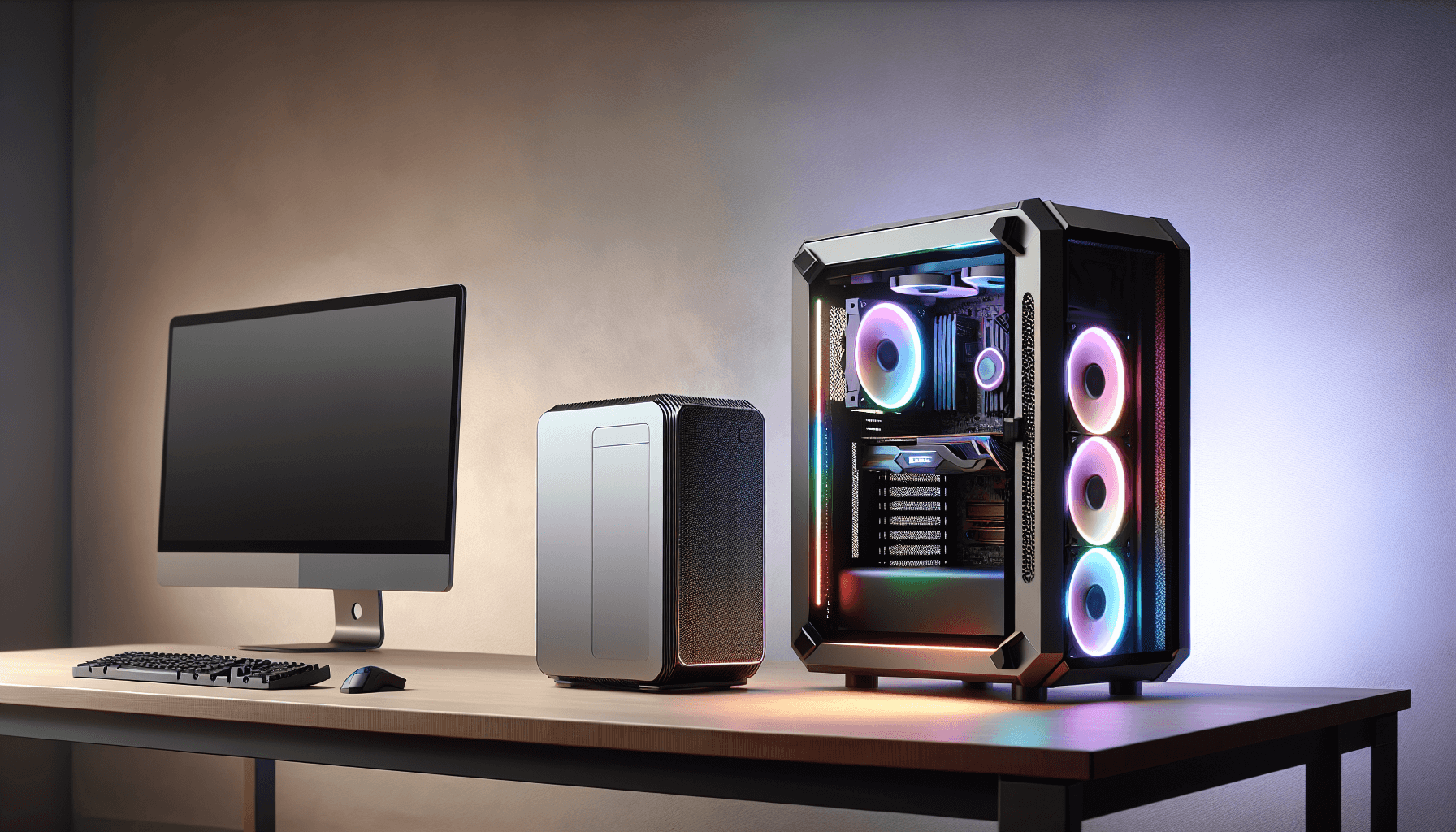
The APEX Mini case is a compact mini-tower. It's a practical choice for desk setups where space matters, and the black finish keeps things clean without screaming "I bought a gaming PC" to everyone who walks into the room. Windows 11 comes pre-installed, which is the right OS for this hardware. Here's the full spec breakdown:
| Component | Specification |
|---|---|
| CPU | AMD Ryzen 5 5600 (6-core / 12-thread) |
| GPU | NVIDIA GeForce RTX 5060 |
| RAM | 16GB DDR4 |
| Storage | 1TB NVMe SSD |
| Operating System | Windows 11 |
| PSU | 650W 80+ Certified |
| Case | APEX Mini (Mini-Tower, Black) |
| Connectivity | WiFi included |
| Current Price | £939.95 |
| Rating | ★★★★☆ (4.4) (92 reviews) |

CPU and Performance: ionz Gaming PC Desktop Computer Ryzen 5 5600 in Practice
The Ryzen 5 5600 runs at a 3.5GHz base clock with a 4.4GHz boost. Those numbers don't tell the whole story, though. What matters more is that Zen 3's IPC (instructions per clock) is genuinely strong. Games that are well-optimised for multi-thread workloads will keep all twelve threads busy, and even older titles that lean heavily on single-core performance benefit from that 4.4GHz boost. In practical terms, this CPU won't be your bottleneck at 1080p or 1440p in the vast majority of games.
Where the 5600 does start to show its age is in heavily CPU-bound scenarios. Think open-world games with massive NPC counts, or streaming your gameplay while also running Discord, a browser, and a game simultaneously. It handles all of that, but you'll notice it working harder than a newer Ryzen 7000-series chip would. For most people buying at this price point, that's a perfectly acceptable trade-off. The 5600 is a known quantity with years of driver maturity behind it, and that counts for something.
Content creation is also reasonable on the 5600. Video editing in DaVinci Resolve or Premiere will work, especially if you're leaning on the RTX 5060 for GPU-accelerated rendering. Don't expect workstation-class performance, but for YouTube-level editing or streaming setup, it's fine. Owners in the review section mention smooth everyday performance and no thermal throttling complaints, which suggests ionz has at least configured the cooling sensibly for this CPU's TDP. The 5600's 65W TDP is quite manageable, which helps a compact case like the APEX Mini stay sane under load.
GPU and Gaming Performance: RTX 5060 at 1080p and 1440p
The RTX 5060 is the main event here. This is NVIDIA's latest-generation 50-series GPU, which means you're getting real-time ray tracing and DLSS 4 with Multi Frame Generation. That last bit is significant. DLSS 4 with frame generation can effectively double or more the rendered frame rate in supported titles, which means games that would otherwise struggle at 1440p high settings become very playable. It's AI-assisted, yes, but NVIDIA's implementation is mature enough that the visual quality is genuinely good.
At 1080p, the RTX 5060 is overkill for most games. You'll be hitting frame rate limits rather than GPU limits in a lot of titles. At 1440p, which is where this card is really aimed, you're looking at high settings in modern AAA games with solid frame rates. Competitive esports titles like Valorant, CS2, or Apex Legends will absolutely fly. More demanding games like Cyberpunk 2077 or Alan Wake 2 at 1440p high settings will need DLSS to keep things smooth, but with DLSS 4 available, that's not really a compromise anymore. Ray tracing is there if you want it, and the RTX 5060 handles it better than any previous 60-class GPU has.
4K is a stretch. The RTX 5060 can do 4K in some titles, especially with DLSS Quality mode, but it's not what this card is designed for. If you're sitting in front of a 4K monitor, you'd want to be looking at an RTX 5070 or higher. But at 1080p and 1440p? This card is properly good, and having it in a prebuilt at a mid-range price is one of the more compelling reasons to consider this machine over building something with older GPU stock. The RTX 5060's support for PCIe Gen 4 means it won't be bottlenecked by the AM4 platform either.
Memory and Storage
Sixteen gigabytes of DDR4 is the sensible minimum for gaming in 2026. Some newer titles are pushing past 12GB of system RAM usage when you factor in background processes, so 16GB keeps you comfortable without wasting money on capacity you won't use. The DDR4 specification is worth noting because the AM4 platform (which the Ryzen 5 5600 runs on) doesn't support DDR5. That's not a problem right now, but it is a ceiling. DDR4 at typical prebuilt speeds is perfectly adequate for the Ryzen 5 5600's memory controller.
The 1TB NVMe SSD is a proper highlight. NVMe storage over a PCIe interface gives you sequential read speeds that make a traditional SATA SSD feel prehistoric. Boot times are genuinely fast, and game loading screens that used to be a minute of staring at a spinning circle are now a few seconds. For a prebuilt at this price, including NVMe rather than SATA SSD is the right call, and ionz has made it. One terabyte is enough for Windows, your most-played games, and a decent backlog before you start sweating about space.
Upgrade headroom for storage depends on the specific motherboard ionz is using, which isn't fully documented in the listing. Most mini-ITX and micro-ATX boards in this class have at least one additional M.2 slot, and potentially SATA ports for adding a secondary drive. If you fill up the 1TB, adding a second NVMe drive is usually straightforward. RAM is similarly expandable in principle, with most AM4 boards supporting up to 64GB across two or four slots. Whether the board is running in single-channel or dual-channel mode out of the box is worth checking when you receive the unit, since dual-channel makes a measurable difference to integrated graphics workloads and a smaller but real difference to gaming.
Cooling Solution
The APEX Mini is a compact chassis, and compact cases live or die by their thermal management. The Ryzen 5 5600 has a 65W TDP, which is genuinely easy to cool. Even a modest tower cooler handles it without drama, and the 5600 doesn't need an AIO liquid cooler to stay within sensible temperatures. That's a genuine advantage of pairing a mature, efficient CPU with a new GPU in a small case. The RTX 5060 generates more heat under load, but modern 60-class GPUs are designed with power efficiency in mind, and the 650W PSU gives the system plenty of overhead without everything running at the ragged edge.
Owner feedback doesn't flag thermal issues as a recurring complaint, which is a decent sign. When compact prebuilts have cooling problems, you hear about it. Throttling shows up as stuttering, unexpected frame drops, or the system just feeling sluggish during extended sessions. The absence of those complaints in the review pool suggests the airflow setup inside the APEX Mini is at least competent. Noise levels aren't documented in the spec sheet, but a 65W CPU and an efficient 60-class GPU in a case with decent airflow shouldn't be particularly loud during normal gaming.
The one caveat is sustained heavy load. Running a CPU-intensive workload alongside the GPU at full tilt in a mini-tower will push temperatures higher than in a full tower with three 140mm fans doing their thing. If you're planning to use this as a video rendering workstation for hours at a time, the compact form factor is something to think about. For gaming sessions of a few hours, which is what most buyers are doing, it should be absolutely fine. The 80+ PSU certification also means less heat from the power supply itself, which helps keep the overall thermals manageable.
Case and Build Quality
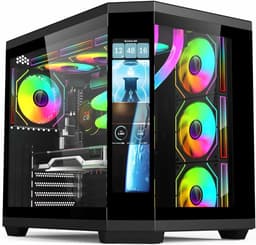
The APEX Mini is described as a sleek black mini-tower, and the photos back that up. It's clean, not covered in aggressive angular plastic, and doesn't look like something a teenager designed in MS Paint. For a lot of people, that matters. Not everyone wants a tower that looks like a transformer having an identity crisis. The compact footprint is genuinely useful if you're working with limited desk space, and the black finish is neutral enough to fit in most setups.
Build quality in prebuilts at this price tier is usually where you find the compromises. Cable management inside a mini-tower is harder than in a full tower, and manufacturers don't always put the effort in. Messy cables restrict airflow and make future upgrades more annoying. The owner reviews don't specifically call out cable management as a problem, which is mildly reassuring, but it's worth having a look inside when you unbox it and tidying anything that's obviously blocking airflow. It takes twenty minutes and makes a real difference.
The case materials are typical for this class: steel chassis with a plastic front panel. It's not premium, but it's functional. The compact design means you're not getting a tempered glass side panel or tool-free access on every panel, but those are nice-to-haves rather than necessities. What matters is that the components inside are properly seated and the case doesn't flex worryingly when you move it. For a machine that's going to sit on a desk and not move much, the APEX Mini's build quality should be perfectly adequate. The overall aesthetic is tidy and inoffensive, which is exactly what you want from a machine that's supposed to perform rather than pose.

Connectivity and Ports
WiFi is confirmed in the spec sheet, which is a proper convenience for desk setups where running an Ethernet cable isn't practical. The specific WiFi standard isn't documented in the listing, so we can't confirm whether it's Wi-Fi 6 or an older standard. For most home networking setups, even Wi-Fi 5 is fine for gaming, since latency in online games is much more dependent on your router and ISP than on whether you're on Wi-Fi 5 or 6. But if you're on a very congested network with lots of devices, Wi-Fi 6 makes a bigger difference.
The specific USB port configuration, video outputs, and audio connections aren't fully detailed in the spec sheet, so we're not going to invent numbers here. What we can say is that the APEX Mini case will have front panel USB ports, and the motherboard will have rear I/O including USB-A ports and video outputs from the RTX 5060. The GPU outputs are what you'll actually use for your monitor, and a modern RTX 5060 will support at least HDMI 2.1 and DisplayPort 1.4, giving you the bandwidth for 4K at high refresh rates or 1440p at very high refresh rates.
For most buyers, the connectivity will be fine. You're getting WiFi built in, which saves you buying a separate adapter, and the RTX 5060's display outputs are modern enough to drive whatever monitor you're pairing this with. If you have specific port requirements (multiple USB-C devices, Thunderbolt, that sort of thing), it's worth checking the full motherboard spec before buying, since the listing doesn't confirm those details. That's a general prebuilt caveat rather than a specific criticism of this machine.
Pre-installed Software and OS
Windows 11 Home is the operating system here, and it's the right choice for this hardware. Windows 11 has matured significantly since launch, and most of the early complaints about performance and compatibility have been addressed. For gaming, Windows 11 with DirectX 12 Ultimate support is what you want, and the RTX 5060 is fully optimised for it. The AMD Ryzen 5 5600 also benefits from Windows 11's thread scheduling improvements for Zen 3 architecture.
The bloatware situation with prebuilts is always a concern. Manufacturers love to stuff trial software, browser toolbars, and subscription prompts onto a new machine. Ionz isn't a major OEM like HP or Dell, so the bloatware load is likely lighter than what you'd get from a big-brand machine, but it's still worth spending twenty minutes on first boot going through the installed programs and removing anything you don't recognise or need. A clean Windows 11 install runs noticeably snappier than one with six trial subscriptions running in the background.
The NVIDIA GeForce Experience app will likely be pre-installed, which is actually useful. It handles driver updates for the RTX 5060 and gives you access to NVIDIA's game optimisation features, including the DLSS settings that make such a difference to gaming performance. AMD's Ryzen Master utility may also be present for CPU monitoring. Neither of these is bloatware in the traditional sense, they're genuinely helpful tools. Just make sure you're not paying for a Norton or McAfee subscription you didn't ask for, and you'll be sorted.
Upgrade Potential
The AM4 platform is a known quantity for upgradeability. The Ryzen 5 5600 sits in the middle of the AM4 stack, which means you could theoretically drop in a Ryzen 7 5800X3D (the best gaming CPU on AM4) if you wanted a CPU upgrade down the line. That's a genuine upgrade path that doesn't require a new motherboard, new RAM, or a new case. The 5800X3D in particular is a significant step up for CPU-limited games, and it's available for reasonable money now that it's a generation old.
RAM is expandable within the DDR4 ecosystem. If the machine ships with 16GB in a single stick, adding a matching second stick to enable dual-channel mode is a cheap and worthwhile upgrade. If it already ships in dual-channel (two 8GB sticks), then you're set until you need more than 16GB, which for gaming is a while away. The 650W PSU is also a real positive for upgrade potential. If you wanted to swap the RTX 5060 for a more powerful GPU in a few years, 650W gives you room to do that without immediately needing a new power supply.
Storage expansion is the easiest upgrade of all. Adding a second NVMe drive or a SATA SSD for bulk storage is straightforward and cheap. The compact APEX Mini case does limit your options slightly compared to a full tower (you're not fitting multiple 3.5-inch hard drives in here), but for most people, adding a second SSD is all they'll ever need. The overall upgrade story for this machine is actually pretty good for a prebuilt. You're not locked into proprietary components, and the mainstream platform means parts are widely available and competitively priced.
How It Compares: ionz Gaming PC Desktop Computer Ryzen 5 5600 NVIDIA RTX 5060 vs the Competition
The most honest comparison for any prebuilt is against a DIY equivalent. Pricing out a Ryzen 5 5600, RTX 5060, 16GB DDR4, 1TB NVMe SSD, a decent B550 motherboard, a 650W 80+ PSU, a mini-tower case, and a Windows 11 licence separately will get you close to or above the prebuilt price, depending on where you're buying and what sales are running. The RTX 5060 is new silicon, so it's not yet heavily discounted anywhere. That means the DIY premium for this particular build is smaller than it used to be, which makes the prebuilt more defensible on value grounds.
Against rival prebuilts in the same price tier, the RTX 5060 is the differentiator. A lot of competing machines at similar prices are still shipping with RTX 4060 or RTX 4070 GPUs, which are a generation behind. The RTX 5060 with DLSS 4 and frame generation is a meaningful step forward, particularly for 1440p gaming. Where the ionz falls short compared to some rivals is brand recognition and documented support. A machine from a more established prebuilt brand comes with clearer warranty terms and a known support process. Ionz is less well-known, and that's a genuine consideration if something goes wrong outside Amazon's return window.
| Feature | ionz Gaming PC (RTX 5060) | Typical RTX 4060 Prebuilt | DIY Equivalent Build |
|---|---|---|---|
| CPU | Ryzen 5 5600 (6c/12t) | Ryzen 5 5600 or i5-12400F | Ryzen 5 5600 (self-sourced) |
| GPU | RTX 5060 (Gen 5) | RTX 4060 | RTX 5060 (self-sourced) |
| RAM | 16GB DDR4 | 16GB DDR4 | 16GB DDR4 (self-sourced) |
| Storage | 1TB NVMe SSD | 1TB NVMe SSD (typically) | 1TB NVMe SSD (self-sourced) |
| PSU | 650W 80+ | 500W to 600W (often unbranded) | 650W 80+ (self-sourced) |
| OS | Windows 11 (included) | Windows 11 (included) | Windows 11 (extra cost) |
| WiFi | Included | Varies | Depends on motherboard |
| DLSS 4 / Frame Gen | Yes | No (DLSS 3 only) | Yes (if RTX 5060 sourced) |
| Warranty clarity | Amazon returns + manufacturer | Varies by brand | Per-component warranties |
| Price tier | Mid-range | Mid-range (often cheaper) | Similar or higher |
The DIY route gives you more control over component quality, particularly the motherboard and PSU brand, which are the two places prebuilt manufacturers most often cut costs invisibly. But the DIY route also requires time, confidence, and the willingness to troubleshoot if something doesn't work on first boot. For buyers who want a machine that arrives ready to game without any of that, the ionz is a reasonable proposition, especially given the RTX 5060 inclusion at a mid-range price.

Final Verdict
The ionz Gaming PC Desktop Computer with the Ryzen 5 5600, NVIDIA RTX 5060, 16GB RAM, 1TB NVMe SSD, Windows 11, 650W 80+ PSU, WiFi, Black APEX Mini is a genuinely decent machine for what it costs. The RTX 5060 is the standout component. Getting next-generation GPU silicon with DLSS 4 and frame generation at a mid-range price point is a real win, and it future-proofs the gaming performance side of this build more than a last-gen GPU would. The Ryzen 5 5600 is mature and capable, the NVMe storage is the right choice, and the 650W 80+ PSU is better than what a lot of competitors put in at this price.
The compromises are the ones you always accept with prebuilts from less-established brands. You don't know exactly what motherboard is inside. The warranty and support story isn't as clear as it would be from a big OEM. The compact APEX Mini case limits your long-term expansion options slightly. And 16GB of RAM, while fine now, will feel tighter in a few years if you're running demanding workloads alongside gaming. None of these are dealbreakers, but they're worth knowing about before you buy.
The 4.4-star rating from 92 owners is a decent real-world endorsement. This isn't a machine that's collecting five-star reviews from people who've never opened a PC before and think any computer is amazing. The score suggests genuine satisfaction from buyers who know what they're getting. For anyone who wants 1440p gaming performance with the latest GPU architecture, doesn't want to build their own, and is working within a mid-range budget, this is a solid pick. Just check the return window is clear before you pull the trigger, and have a look inside when it arrives to make sure everything is seated properly.
Our rating: 7.5 out of 10. A well-specced mid-range prebuilt with a genuinely current GPU. The brand uncertainty and compact case are the main reasons it doesn't score higher, but the RTX 5060 inclusion at this price is hard to argue with.
What works. What doesn’t.
5 + 4What we liked5 reasons
- RTX 5060 with DLSS 4 and frame generation is genuinely next-gen GPU performance at a mid-range price
- 1TB NVMe SSD is the right storage choice, fast and spacious
- 650W 80+ PSU is better than most competitors at this price tier
- Ryzen 5 5600 is a mature, well-supported CPU with a clear upgrade path on AM4
- WiFi included out of the box, no extra adapter needed
Where it falls4 reasons
- Brand and motherboard are not well-documented, warranty support less clear than big OEMs
- Compact APEX Mini case limits long-term expansion and sustained heavy-load thermals
- 16GB RAM is adequate now but will feel tight in a few years
- Ryzen 5 5600 is ageing silicon, not ideal for CPU-heavy workloads
Full specifications
12 attributes| CPU | AMD Ryzen 5 5600 |
|---|---|
| GPU | NVIDIA GeForce RTX 5060 |
| RAM | 16GB |
| Storage | 1TB NVMe SSD |
| Case size | micro-ATX |
| Color | White |
| Cooling | 240 mm AIO |
| Form factor | Compact |
| Launch year | 2026 |
| Memory technology | DDR4 |
| OS | Windows 11 |
| PSU | 650W 80+ |
If this isn’t right for you
2 options
Frequently asked
5 questions01Is the ionz Gaming PC - Desktop Computer, Ryzen 5 5600, NVIDIA RTX 5060,16GB RAM 1TB NVMe SSD, Windows 11, 650W 80+ PSU, WiFi, Black - APEX Mini | Black good for gaming?+
Yes, it's a capable gaming machine. The RTX 5060 handles 1080p at high settings with ease and performs well at 1440p, especially with DLSS 4 enabled. Competitive esports titles will run at very high frame rates. More demanding AAA games at 1440p high settings need DLSS to stay smooth, but DLSS 4 with frame generation is good enough that it's not a real compromise. The Ryzen 5 5600 won't bottleneck the GPU at these resolutions in most titles. 4K gaming is possible in lighter titles but is not this machine's strong suit.
02Can I upgrade the ionz Gaming PC - Desktop Computer, Ryzen 5 5600, NVIDIA RTX 5060,16GB RAM 1TB NVMe SSD, Windows 11, 650W 80+ PSU, WiFi, Black - APEX Mini | Black?+
The upgrade potential is decent for a prebuilt. The AM4 platform supports CPUs up to the Ryzen 7 5800X3D, so a CPU upgrade is possible without a new motherboard. RAM can be expanded within the DDR4 ecosystem, and adding a second NVMe drive for more storage is straightforward. The 650W 80+ PSU gives headroom for a GPU upgrade in future. The main limitation is the compact APEX Mini case, which restricts how much cooling hardware and how many drives you can add. It's not a machine you'll endlessly expand, but the core upgrade paths are there.
03Is the ionz Gaming PC - Desktop Computer, Ryzen 5 5600, NVIDIA RTX 5060,16GB RAM 1TB NVMe SSD, Windows 11, 650W 80+ PSU, WiFi, Black - APEX Mini | Black worth it vs building my own?+
At current component prices, the DIY equivalent (Ryzen 5 5600, RTX 5060, 16GB DDR4, 1TB NVMe, B550 motherboard, 650W 80+ PSU, mini-tower case, Windows 11 licence) comes out at a similar or higher total cost, because the RTX 5060 is new silicon without heavy discounting yet. That makes the prebuilt more competitive on value than usual. The trade-off is that DIY gives you full control over component brand and quality, especially the motherboard and PSU. If you're comfortable building, DIY is still the better route for component transparency. If you're not, the ionz is a fair deal right now.
04What PSU does the ionz Gaming PC - Desktop Computer, Ryzen 5 5600, NVIDIA RTX 5060,16GB RAM 1TB NVMe SSD, Windows 11, 650W 80+ PSU, WiFi, Black - APEX Mini | Black use?+
The machine ships with a 650W 80+ certified power supply. The 80+ certification means it meets minimum efficiency standards (at least 80% efficiency under typical load), which reduces heat output and running costs compared to non-certified units. The specific PSU brand is not documented in the listing, which is a common prebuilt blind spot. The 650W rating is appropriate for the RTX 5060 and Ryzen 5 5600 combination, with headroom for future GPU upgrades. It uses a standard ATX form factor, so it can be replaced if needed.
05What warranty and returns apply to the ionz Gaming PC - Desktop Computer, Ryzen 5 5600, NVIDIA RTX 5060,16GB RAM 1TB NVMe SSD, Windows 11, 650W 80+ PSU, WiFi, Black - APEX Mini | Black?+
Amazon offers 30-day hassle-free returns. The manufacturer typically provides a 1-3 year warranty covering parts and labour. Check the product listing for exact warranty terms for this specific model.