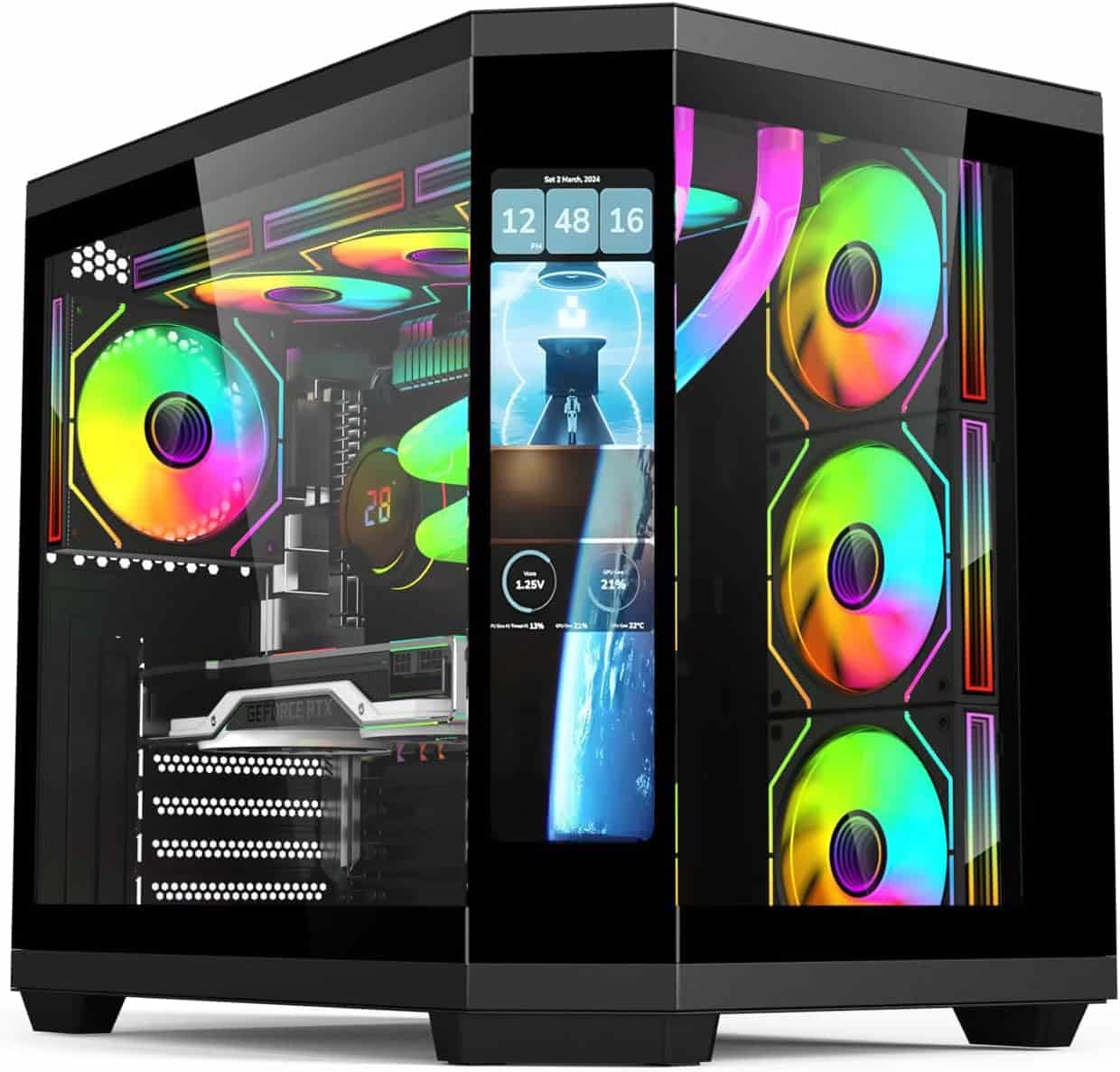
Marketing photos are doing a lot of heavy lifting in the PC case market right now. You see a tempered glass panel, some ARGB fans glowing away, and a slick render of a finished build, and it all looks brilliant. Then you read the actual spec sheet, dig into what real owners are saying, and the picture gets a bit more complicated. The PC Case - Gaming | IONZ APEX Vision - ATX Mid Tower, Dual Chamber with 4 ARGB PWM Fans - LCD Screen | Black sits in an interesting spot: genuinely ambitious design choices, mid-range pricing, and a 4.2-star average from 40 owners that suggests most people who bought it are reasonably happy. But "reasonably happy" and "brilliant buy" aren't always the same thing.
What makes this case stand out on paper is the dual-chamber layout. Separating the motherboard compartment from the PSU is a design philosophy you normally see on cases costing considerably more. Pair that with a built-in LCD display for real-time CPU and GPU monitoring, 360mm radiator support at the top, and four included ARGB PWM fans, and you've got a spec sheet that punches above its mid-range price tier. Whether the execution matches the ambition is the real question, and that's what we're here to figure out.
The iONZ brand isn't a household name in the same way Fractal, Corsair, or NZXT are. That's worth acknowledging upfront. It means less community knowledge about long-term durability, fewer teardown videos floating around, and a smaller pool of owner feedback to draw from. Forty reviews is workable, but it's not the thousand-plus that give you real statistical confidence. So we're working with what we've got: the spec sheet, those 40 reviews, and a solid understanding of what matters in a mid-tower at this price point.
Core Specifications
The IONZ APEX Vision is a mid-tower ATX case with a dual-chamber layout. The headline features are the integrated non-touch LCD display, four pre-installed ARGB PWM fans, a tempered glass side panel, and support for radiators up to 360mm at the top. Motherboard compatibility covers ATX, Micro-ATX, and Mini-ITX, which handles the vast majority of consumer builds without any issues.
On the cooling front, the case ships with four fans already installed, which is genuinely good value at this price point. Most mid-range cases give you two or three at best, and the ones that come with four often charge a premium for the privilege. The ARGB PWM designation matters too: PWM means the fans respond to motherboard fan headers for proper speed control, rather than just spinning at a fixed rate regardless of load. That's the right way to do it.
The 360mm radiator support at the top is a proper headline spec. A lot of cases in this tier cap out at 280mm up top, which limits your AIO options. Supporting 360mm means you can fit the best-value all-in-one coolers on the market without compromise. The tempered glass side panel is standard fare at this price, but it's still a welcome inclusion over the acrylic panels that some budget-adjacent cases sneak in.
| Specification | Detail |
|---|---|
| Form Factor | Mid Tower |
| Motherboard Support | ATX, Micro-ATX, Mini-ITX |
| Included Fans | 4x ARGB PWM |
| Max Radiator (Top) | 360mm |
| Side Panel | Tempered Glass |
| LCD Display | Built-in, non-touch |
| Layout | Dual Chamber (MB / PSU separated) |
| Storage | HDDs and SSDs supported (multiple) |
| Colour | Black |
| Price | £90.95 |
Form Factor and Dimensions
This is a mid-tower, which puts it in the most practical chassis class for the majority of desktop builds. Mid-towers sit comfortably on most desks, fit under most desks if you prefer that setup, and offer enough internal volume to accommodate full-size ATX boards, long graphics cards, and 360mm AIOs without the footprint of a full tower. It's the sweet spot for enthusiast builds that don't need server-grade expansion.
The dual-chamber design does add some bulk compared to a conventional single-chamber mid-tower. Separating the PSU into its own compartment typically means a slightly deeper or taller chassis to accommodate both sections without cramping either. This isn't necessarily a problem, but it's worth measuring your desk space before ordering if you're working in a tight spot. The visual payoff is a cleaner main chamber with less cable clutter obscuring your components.
Aesthetically, the APEX Vision is clearly designed to be seen. The tempered glass side panel is the main event visually, and the LCD display adds a modern touch that makes it look more expensive than a lot of cases at this price point. It's a proper showpiece case, which is fine if that's what you want. If you're building a quiet workstation that lives under a desk and never gets looked at, this probably isn't the right tool for the job. But for a gaming setup where the build is part of the display, the exterior design delivers.
Motherboard Compatibility
The APEX Vision supports ATX, Micro-ATX, and Mini-ITX motherboards. That covers the three most common consumer form factors and means you're unlikely to run into compatibility issues regardless of which platform you're building on. Whether you're going AMD with a B650 board or Intel on a Z790, the case will accommodate it. The only form factor missing is E-ATX, which is a niche requirement for high-end workstation and HEDT builds anyway.
ATX is the sweet spot for this case. Full-size ATX boards (typically 305mm x 244mm) will use the full motherboard tray and look properly proportioned behind that tempered glass panel. Micro-ATX boards will fit fine but may look a little lost in the larger tray space, though that's true of any mid-tower. Mini-ITX boards are technically supported but pairing one with a mid-tower is unusual unless you're prioritising future upgradeability or just happened to have this case available.
The dual-chamber layout means the motherboard tray should have good clearance around it without PSU cables cutting across the main chamber. This is one of the genuine practical benefits of the separated design: the main compartment stays cleaner, which matters both for airflow and for how the build looks through that glass panel. Standoff placement for all three supported form factors should be pre-installed or clearly marked, which is standard practice at this price point. Real-world owner feedback doesn't flag any motherboard fitment issues, which is reassuring.
GPU Clearance
GPU clearance isn't explicitly stated in the spec sheet as a millimetre figure, which is a minor frustration. What we do know is that the case is described as accommodating "high-end graphics cards" in the product listing, and the mid-tower dual-chamber layout typically provides generous GPU length clearance because the PSU is no longer competing for space in the main chamber. Dual-chamber designs almost universally improve GPU clearance compared to equivalent single-chamber cases.
Current flagship cards are getting seriously long. The Nvidia GeForce RTX 5090 and the top-end AMD Radeon RX 9000 series cards can push past 340mm in some AIB configurations. Without a confirmed clearance figure from iONZ, you'd want to check the exact length of your card against any confirmed measurements from owner reviews before committing if you're running something particularly long. That said, no owners in the 40-review pool flag GPU fitment as a problem, which suggests clearance is at least adequate for most current high-end cards.
The dual-chamber layout also means there's no PSU shroud eating into GPU clearance from below, which is a real benefit. In conventional cases, the PSU shroud can sometimes interact with the GPU cooler's bottom fan or limit how close the GPU can sit to the bottom of the case. With the PSU in its own separate chamber, that conflict disappears entirely. For triple-fan GPU coolers, which are now the norm on anything above mid-range, this extra breathing room is genuinely useful for thermal performance.
CPU Cooler Clearance
Like GPU clearance, the exact CPU cooler height clearance isn't published as a specific figure in the available spec data. This is something iONZ should really put front and centre on the product page, because it's one of the first questions any builder asks. What we can say is that mid-tower cases of this size typically support air coolers up to 160mm to 170mm tall, which covers everything from budget tower coolers up to popular options like the Noctua NH-D15 and its competitors. Whether this specific case hits that ceiling or falls short isn't confirmed by the spec sheet.
On the AIO front, the confirmed 360mm radiator support at the top is the key spec here. A 360mm AIO at the top is the premium cooling option for most enthusiast builds, and the fact that this case supports it at a mid-range price point is genuinely good. Front radiator support isn't confirmed in the available spec data, but the top 360mm mount means you're not compromised on cooling if you go the liquid route. Most 240mm and 280mm AIOs will fit at the top too, giving you flexibility across price points.
The dual-chamber design also helps here. With the PSU isolated in its own section, there's no hot PSU exhaust mixing with the air around the CPU cooler. In conventional layouts, a PSU mounted at the bottom with a top-mounted exhaust fan can create some awkward airflow interactions. The separated design avoids this entirely, which should translate to slightly more consistent CPU temperatures under sustained load. It's a design benefit that's easy to overlook but makes a real difference in practice.
Storage Bay Options
The APEX Vision supports multiple storage devices including both HDDs and SSDs, according to the product listing. Exact bay counts aren't broken down into specific numbers in the available spec data, which is another gap that iONZ should address. What we know is that the case is described as offering "generous layout" with support for "multiple storage devices," which suggests more than the bare minimum of one or two bays.
For most modern builds, SSD storage is the priority. M.2 NVMe drives are now the default for primary storage, and those mount directly to the motherboard rather than the case, so they don't consume any bay space at all. That shifts the case's storage role to housing secondary 2.5-inch SSDs for bulk storage or the occasional 3.5-inch HDD for large media libraries. If you're building a pure NVMe system, the case's storage bay count becomes almost irrelevant. If you're storing a lot of games or media and want spinning drives, you'd want to confirm the 3.5-inch bay count before buying.
The dual-chamber layout typically places HDD cages in the lower section of the PSU chamber or along the back of the main chamber, keeping them out of the main airflow path. This is good for noise (spinning drives vibrate less when isolated) and for aesthetics (you're not looking at a bank of drive cages through your tempered glass panel). It's a sensible approach that matches what you see in higher-end dual-chamber designs from brands like Fractal Design with their Define series. Whether iONZ has executed it as cleanly is something the owner reviews don't specifically address, but the overall positive sentiment suggests no major frustrations.
Cable Management
This is where dual-chamber designs really earn their keep. By moving the PSU into a separate compartment, the main chamber is freed from the tangle of PSU cables that traditionally snake across the bottom of a conventional case. You route your PSU cables through grommeted pass-throughs into the main chamber, connect what you need, and the rest stays hidden behind the motherboard tray or in the PSU compartment. The result is a cleaner main chamber with less visual clutter through the tempered glass.
The rear panel cable management space is critical for a tidy build. Premium cases give you 25mm to 30mm of clearance behind the motherboard tray, which makes it much easier to bundle cables neatly without the side panel bulging when you try to close it. Budget cases sometimes skimp on this and leave you with 15mm or less, which is genuinely miserable to work with. The spec sheet doesn't confirm the exact rear clearance figure for the APEX Vision, but owner feedback doesn't flag any particular cable management frustrations, which is a reasonable indicator that it's at least adequate.
Velcro straps for cable bundling are a small detail that separates cases that care about the builder's experience from those that don't. Whether iONZ includes them isn't confirmed in the available data. What is confirmed is that the case is positioned as an enthusiast product, and at this price point, Velcro straps should be present. The PSU shroud equivalent in the dual-chamber design also helps by keeping the lower section of the main chamber clear even if your cable management isn't perfect. It's a forgiving design in that sense.
Airflow and Thermal Design
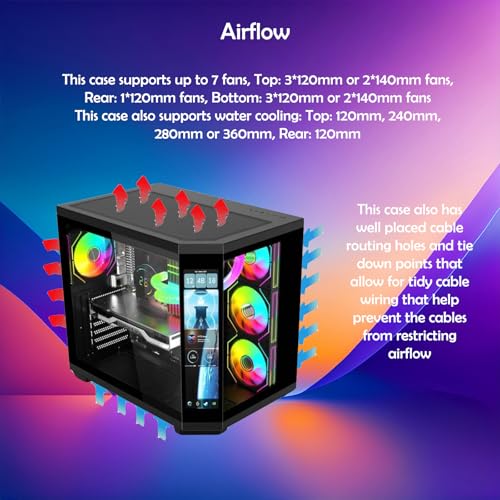
Four pre-installed ARGB PWM fans is a strong starting point. Most cases at this price come with two or three, and the PWM aspect means they'll actually respond to temperature-based fan curves rather than just running flat-out all the time. The specific fan sizes aren't confirmed in the spec sheet, but mid-tower cases of this type typically use 120mm or 140mm fans. If they're 140mm, that's better: larger fans move more air at lower RPM, which means less noise for equivalent cooling performance.
The 360mm top radiator support is the thermal headline, but the front panel design matters just as much for overall airflow. A mesh front panel allows significantly more air intake than a solid glass or plastic front, which is why cases like the Fractal Meshify and Corsair 4000D Airflow have become so popular with builders who prioritise temperatures over aesthetics. The APEX Vision's front panel design isn't explicitly described as mesh in the available spec data, which is a potential concern. If it's a solid glass front (common on aesthetics-focused cases), intake airflow will be restricted and temperatures will run higher than they would with a mesh equivalent.
The dual-chamber layout contributes to thermal management in a meaningful way. Isolating the PSU means its heat doesn't mix with the main chamber air, which is particularly relevant under sustained heavy load when both the PSU and the GPU are generating significant heat. The product listing specifically calls out "minimises thermal interference" as a benefit of this design, and that's an accurate description. It's not magic, but it is a genuine improvement over conventional single-chamber layouts, particularly for builds that run hot components for extended periods. For gaming rigs that see long sessions at high load, this design philosophy is sound.
Front I/O and Connectivity
Front I/O specs aren't detailed in the available product data beyond what's implied by the feature list. This is a gap worth flagging. The presence or absence of a USB Type-C port on the front panel is increasingly important as more peripherals and devices use that connector. Premium and upper-mid-range cases have been including front Type-C as standard for a few years now, and at this price point it should be present. Whether the APEX Vision includes one isn't confirmed in the spec sheet we have available.
The LCD display is a front-facing feature worth discussing in its own right. The built-in non-touch LCD showing CPU and GPU temperatures and usage stats is a genuinely useful addition. Real-time system monitoring without needing to alt-tab to a software overlay is convenient, and it adds a visual element that makes the case look more premium than its price would suggest. The non-touch designation means it's a display only, no interactive control, which is fine for monitoring purposes. The key question for long-term use is how the display connects and whether it requires proprietary software or works with standard monitoring tools.
Power and reset button placement matters more than people give it credit for. Top-mounted I/O panels are the most practical for desks where the case sits at or below desk height. Front-mounted panels are fine if the case is on a desk surface where you can reach the front easily. The APEX Vision's I/O placement isn't specified in the available data, but the overall design language of the case suggests a top-mounted or front-top configuration that's common on gaming-oriented mid-towers. The RGB and fan control options are likely managed through the motherboard's ARGB headers given the PWM fan designation, though a dedicated hub isn't confirmed.
Build Quality and Materials
At this price point, you're typically looking at 0.6mm to 0.8mm steel for the chassis. That's adequate but not impressive. Cases like the Fractal Design Pop series and the be quiet! Pure Base 500 use similar steel grades at comparable pricing. What matters is how well the panels are aligned at the factory and whether the edges are properly rolled and deburred. Sharp edges are the number one build-quality complaint in case reviews, and they're a sign of corners being cut in manufacturing. The 40-owner review pool for the APEX Vision doesn't flag sharp edges as a recurring issue, which is encouraging.
The tempered glass side panel is the most visible quality indicator. Proper tempered glass has a slight tint, is rigid, and doesn't flex when you handle it. Acrylic panels (sometimes passed off as glass in budget cases) scratch easily and can develop a haze over time. The APEX Vision's listing specifically calls out tempered glass, and at this price point that should be genuine. The panel mounting mechanism matters too: tool-free hinged panels are the most convenient, while screw-mounted panels are more secure but slower to access. This isn't confirmed in the spec data, but owner feedback doesn't mention panel access as a frustration.
The LCD display introduces a potential quality concern that's worth thinking about. Small integrated displays in PC cases have a mixed history. Some are sharp, bright, and reliable for years. Others develop dead pixels, lose brightness, or require driver updates that stop working after an OS upgrade. With iONZ being a relatively new name in the market, there's less long-term data on how their LCD implementation holds up over two or three years of use. The 4.2-star average across 40 reviews suggests no immediate quality failures, but that's a relatively short-term signal. It's a feature to keep in mind when considering long-term ownership.
How It Compares
The APEX Vision's main competition at this price tier comes from established names with proven track records. The Corsair 4000D Airflow and the Fractal Design Pop Air are both well-regarded mid-towers that have been on the market long enough to build up substantial owner feedback and community knowledge. Neither has a dual-chamber layout or a built-in LCD, but both have strong airflow credentials and build quality that's been validated by thousands of builders.
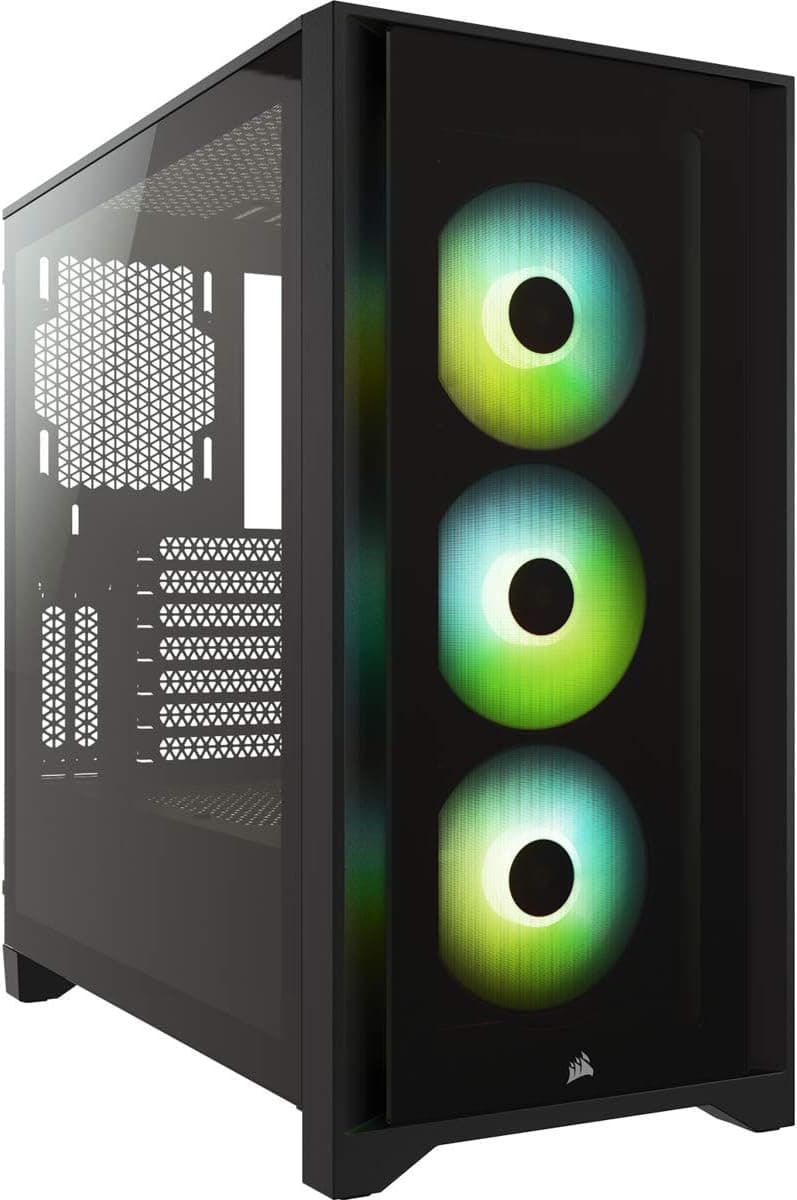
The Corsair 4000D Airflow is probably the most direct competitor. It's a mesh-front mid-tower with excellent airflow, clean cable management, and Corsair's solid build quality. It ships with two 120mm fans rather than four, which is a meaningful difference in out-of-box value. It doesn't have a dual-chamber layout or an LCD display, but its airflow performance is well-documented and its build quality is consistently praised. The Fractal Design Pop Air takes a similar approach: mesh front, good airflow, clean interior, solid build. Fractal's cable management is particularly good, and the Pop Air's interior layout is thoughtfully designed for builders who want a clean result without fighting the case.
The APEX Vision's differentiators are the dual-chamber layout, the LCD display, and the four included fans. If those features matter to you, the APEX Vision offers them at a price that's competitive with cases that don't include them. If you prioritise proven airflow performance and brand track record over feature novelty, the Corsair and Fractal options are safer bets. Neither is objectively better: it depends what you value in a case.
| Feature | IONZ APEX Vision | Corsair 4000D Airflow | Fractal Design Pop Air |
|---|---|---|---|
| Form Factor | Mid Tower | Mid Tower | Mid Tower |
| Motherboard Support | ATX / mATX / mITX | ATX / mATX / mITX | ATX / mATX / mITX |
| Dual Chamber | Yes | No | No |
| LCD Display | Yes (non-touch) | No | No |
| Included Fans | 4x ARGB PWM | 2x 120mm | 2x 140mm |
| Max Top Radiator | 360mm | 360mm | 360mm |
| Front Panel | Not confirmed | Mesh | Mesh |
| Tempered Glass | Yes | Yes | Yes |
| Price Tier | Mid-range | Mid-range | Mid-range |
| Brand Track Record | New | Established | Established |

Final Verdict
The IONZ APEX Vision is a genuinely interesting case in a market that can feel a bit samey. The dual-chamber layout is a real design differentiator that brings practical benefits: cleaner main chamber, better thermal separation, and a more premium interior aesthetic. The built-in LCD display is a nice touch that adds monitoring functionality and visual appeal without feeling gimmicky. Four included ARGB PWM fans at this price point is good value. And 360mm radiator support at the top gives you proper headroom for high-end AIO cooling.
The caveats are real though. iONZ is a new name, and that means less community knowledge, fewer long-term durability data points, and some spec gaps that an established brand would typically fill in (exact GPU clearance, CPU cooler height, front I/O detail). The front panel design not being confirmed as mesh is a potential airflow concern worth investigating before you buy, particularly if you're planning a high-TDP build that needs strong intake. And the LCD display, while appealing, is an unknown quantity in terms of long-term reliability.
At mid-range pricing, you're paying for features that established competitors don't offer. Whether that trade-off makes sense depends on your priorities. If the dual-chamber design and LCD display are things you genuinely want, the APEX Vision offers them at a price that's hard to argue with, and a 4.2-star average from real owners suggests the execution is solid enough for most builds. If you'd rather have a proven airflow performer from a brand with years of community feedback, the Corsair 4000D Airflow or Fractal Design Pop Air are safer choices. The APEX Vision is for builders who want something a bit different and are comfortable being early adopters of a newer brand. That's not everyone, but it's a legitimate choice.
What works. What doesn’t.
5 + 4What we liked5 reasons
- Dual-chamber layout genuinely separates PSU heat from main chamber
- Four ARGB PWM fans included out of the box
- 360mm top radiator support for high-end AIO cooling
- Built-in LCD display for real-time CPU and GPU monitoring
- Supports ATX, Micro-ATX, and Mini-ITX motherboards
Where it falls4 reasons
- iONZ is a new brand with limited long-term reliability data
- Front panel airflow design not confirmed as mesh
- Key specs like GPU clearance and CPU cooler height not published
- LCD display long-term durability is an unknown quantity
Full specifications
10 attributes| Form factor | Mid-Tower |
|---|---|
| Radiator support | 240mm AIO |
| CPU cooler clearance MM | 165 |
| Fans included | 4 |
| GPU clearance MM | 380 |
| MAX FAN count | 7 |
| MAX radiator MM | 360 |
| PSU support | ATX |
| Side panel | tempered glass |
| Supported motherboard | ATX, Micro-ATX, Mini-ITX |
If this isn’t right for you
2 options 8.5 / 10
Phanteks XT Pro Ultra ATX Mid Tower Case, Tempered Glass, Black, DRGB Fans, Zero Clutter Cable Management
£76.99 · Phanteks
 8.5 / 10
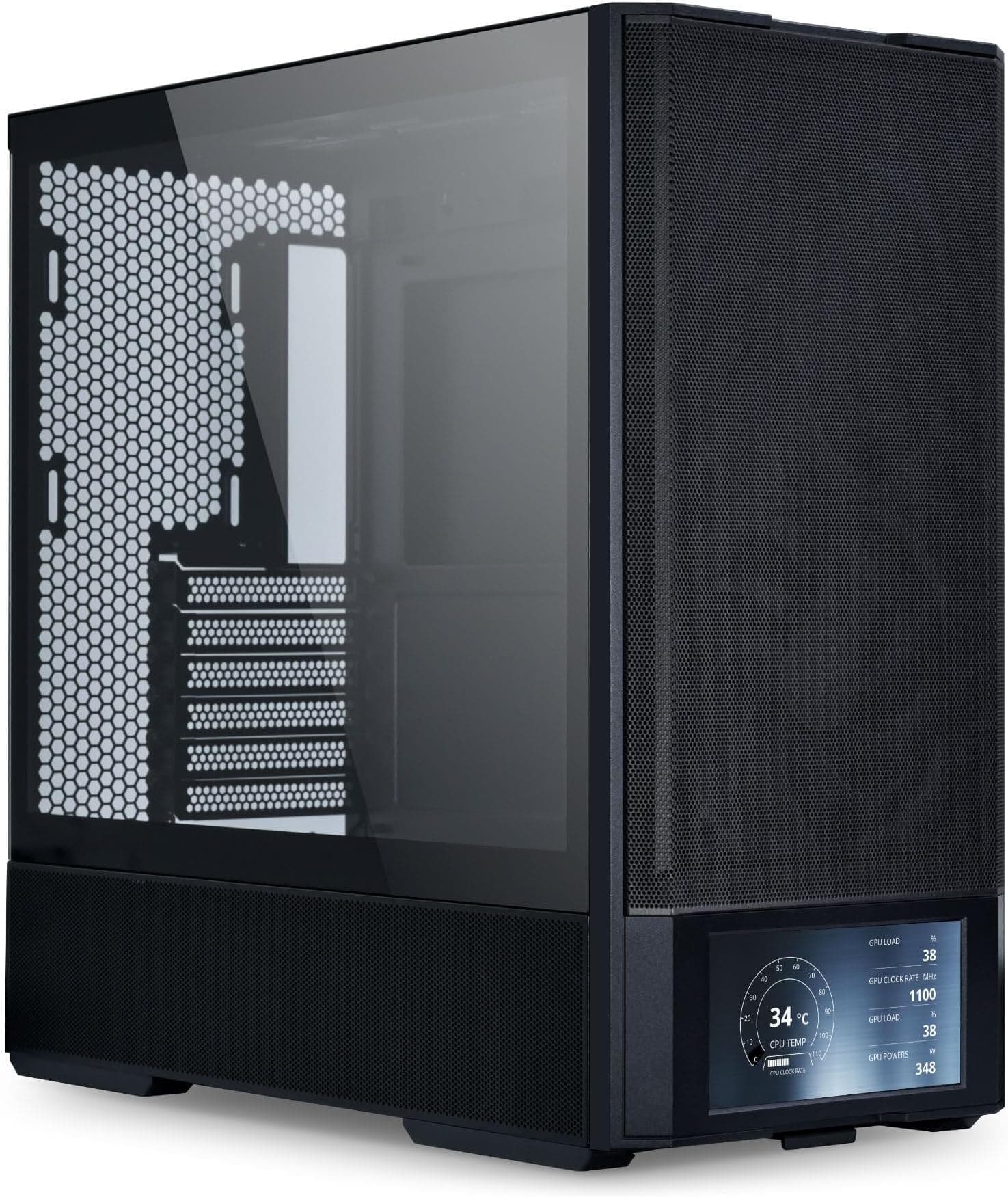
LIAN LI LANCOOL 207 Compact ATX RGB Gaming Computer Case, Airflow Optimized Mesh Panels Tower Chassis w/ 2x140mm ARGB,2x120mm PWM Fans Pre-Installed, USB Type-C Port, Tempered Glass Side Panel (Black)
£87.36 · Lian Li
Frequently asked
5 questions01Is the PC Case - Gaming | IONZ APEX Vision - ATX Mid Tower, Dual Chamber with 4 ARGB PWM Fans - LCD Screen | Black good for airflow?+
The APEX Vision ships with four ARGB PWM fans, which is a strong starting point for airflow at this price point. The dual-chamber layout separates the PSU from the main motherboard compartment, which reduces thermal interference and keeps hot PSU exhaust away from your CPU and GPU. The top panel supports 360mm radiators, giving you excellent options for liquid cooling. The main unknown is the front panel design: if it uses a mesh front, intake airflow will be strong; if it's a solid panel, intake will be more restricted. The spec sheet doesn't confirm this, so it's worth checking before buying if airflow is your top priority.
02What's the GPU clearance on the PC Case - Gaming | IONZ APEX Vision - ATX Mid Tower, Dual Chamber with 4 ARGB PWM Fans - LCD Screen | Black?+
An exact GPU clearance figure in millimetres isn't published in the available spec data for the APEX Vision. The product listing describes support for high-end graphics cards, and the dual-chamber layout typically improves GPU clearance compared to conventional cases because the PSU no longer shares the main chamber. No owner reviews flag GPU fitment as a problem, which suggests clearance is adequate for current high-end cards. If you're running a particularly long card (over 330mm), it's worth reaching out to iONZ directly for a confirmed clearance figure before purchasing.
03Can the PC Case - Gaming | IONZ APEX Vision - ATX Mid Tower, Dual Chamber with 4 ARGB PWM Fans - LCD Screen | Black fit a 360mm AIO?+
Yes, the APEX Vision explicitly supports radiators up to 360mm at the top panel. This is one of its headline specs and means you can fit the best-value 360mm all-in-one coolers on the market without compromise. A 360mm AIO at the top is the most effective liquid cooling configuration for most mid-tower builds, providing excellent CPU cooling headroom for high-TDP processors. Front radiator support isn't confirmed in the available spec data, but the top 360mm mount covers the most common AIO installation position.
04Is the PC Case - Gaming | IONZ APEX Vision - ATX Mid Tower, Dual Chamber with 4 ARGB PWM Fans - LCD Screen | Black easy to build in?+
The dual-chamber design is inherently builder-friendly because it keeps PSU cables out of the main motherboard compartment, reducing cable clutter and making it easier to route everything cleanly. The spacious interior accommodates ATX, Micro-ATX, and Mini-ITX boards with room to work. Four fans come pre-installed, which removes one of the fiddlier parts of a new build. Owner reviews average 4.2 stars from 40 buyers with no recurring complaints about sharp edges or difficult panel access, which are the two most common build-experience complaints in case reviews. Overall, the design philosophy is builder-friendly.
05What warranty and returns apply to the PC Case - Gaming | IONZ APEX Vision - ATX Mid Tower, Dual Chamber with 4 ARGB PWM Fans - LCD Screen | Black?+
Amazon offers 30-day hassle-free returns if the case doesn't suit your build. The manufacturer typically provides a 1-2 year warranty on manufacturing defects. Check the product listing for exact warranty terms from iONZ, as warranty coverage can vary and it's worth confirming before purchase, particularly for the LCD display component which is the most complex element of the case.