UK tech experts · info@vividrepairs.co.uk
Vivid Repairs
VIVID·REPAIRS/THE FIELD GUIDE/DESKTOPPublished 20 September 2026Prices live from Amazon UK

Best of · UK · Field of 4

Best Desktops for families

Looking for the best desktop for your family in 2025? We compare top picks for gaming, creativity, homework and everyday use in the UK.

As an Amazon Associate we may earn from qualifying purchases. We have not handled these products. Everything below is judged on published specifications, the owner ratings on the UK listings and our own product reviews, and the ranking stays independent of what any of them pay.

As an Amazon Associate, we may earn from qualifying purchases. Our ranking is independent.
FIG. 01
Best Desktops for families: hero illustration

Illustration · Vivid RepairsDesktop / 2026

Field4 ranked
Cheapest£489.95
Owner ratings read71
VIVID·REPAIRSThe verdict · desktops for families · UK · Desktop PCs

Our pick

Apple iMac All-in-One Desktop Computer with M4 chip

Apple iMac All-in-One Desktop Computer with M4 chip with 10-core CPU and 10-core GPU: Built for Apple Intelligence, 24-inch Retina Display, 16GB Unified Memory, 512GB SSD storage; Silver

  • Editorial score8.5 / 10
  • Owners4.7 from 63 ratings
£1811.17Live price · checked today
Buy on Amazon£1811.17

Amazon confirms the live price, seller, stock and delivery. Prices here are read from the live listing daily and dead stock is dropped overnight.

Read the full review of this pick →

vividrepairs.co.uk / best-desktops-for-familiesPublished 20 September 2026 · Prices from the live Amazon UK listing
Not sure yet?The shortlist, argued pick by pick, starts here
§ Shortlist

The three worth arguing about

01

01 / Our pick

Apple iMac All-in-One Desktop Computer with M4 chip

  • The M4 chip delivers genuinely fast performance for productivity and creative workloads, with thermal throttling essentially a non-issue in normal use
  • The 24-inch 4.5K Retina display is outstanding, with 500 nits of brightness and one billion colour support that rivals dedicated professional monitors
  • The 12MP Center Stage camera and six-speaker audio system set a standard that competing all-in-ones cannot match, making it exceptional for video calls

Where it gives up

Zero upgrade potential: the unified memory and SSD are soldered permanently, so the configuration you buy is the configuration you keep forever. The 512GB base storage fills up quickly for users working with large video or photo libraries, making external storage essential from day one.

Rated 4.7 by 63 owners. Our review scores it 8.5.

£1811.17★★★★½ 4.7 · 63 ratingsBuy on Amazon£1811.17

Amazon confirms the live price, seller, stock and delivery. · Read the full Apple iMac All-in-One Desktop Computer with M4 chip review

02
02 / Best Budget · Under £500

Vibox I-7 Gaming PC • AMD Ryzen 3 3200G 4.0GHz • Radeon Vega

  • CPU: AMD Ryzen 3 3200G
  • GPU: integrated Radeon Vega 8
  • Bluetooth: 5.4

Rated 5.0 by 4 owners, which is thin. No editorial score for this one yet.

£489.95★★★★★ 5.0 · 4 ratingsBuy on Amazon£489.95

Amazon confirms the live price, seller, stock and delivery.

03

03 / Best Premium

ADMI Gaming PC

  • CPU: AMD Ryzen 5 5500
  • GPU: NVIDIA RTX 3050 6GB GDDR6
  • RAM: 16GB 3200MHz DDR4

Rated 4.6 by 3 owners, which is thin. No editorial score for this one yet.

£699.99★★★★½ 4.6 · 3 ratingsBuy on Amazon£699.99

Amazon confirms the live price, seller, stock and delivery.

§ The rest

Shorter entries, simpler decisions

Every one of these still earns a place. Shorter entries because the decision is simpler: they do one job well and they tell you what they can’t do.

Vibox V-196 Gaming PC Bundle • AMD Ryzen 5 5500 4.2GHz •04

Vibox V-196 Gaming PC Bundle • AMD Ryzen 5 5500 4.2GHz •

Best ValueCPU: AMD Ryzen 5 5500 · GPU: NVIDIA GeForce RTX 4060 8GB. ★★★★★ 5.0 from 1 ratings.

Check availability
§ Method

How we chose

The rules this ranking ran under, in plain sight: what we read, what we weighed and what no merchant can move.

How we picked

Our editors evaluated 4 Desktop options against the criteria readers actually weigh up: price, real-world performance, build quality, warranty, and UK availability. Picks lean toward what we'd recommend to a friend buying today, not specs-on-paper winners.

  • Editorial contextEditor notes from individual reviews, not press releases.
  • Live UK pricingRefreshed from Amazon UK twice daily.
  • No paid placementsAffiliate commission doesn't change what wins.
The full guideEverything behind the shortlist above: the spec sheet, the write-ups in full, our method and the verdict.

§ Editorial · The full guide · three proofs, nothing hidden

The Doubt Index.

The shortlist told you what we picked; this zone shows the working. Come in through whichever doubt you’re carrying, or read straight down; we’d rather you checked us than trusted us.

Proof A · What the numbers mean

↑ All doubts

I can read a spec sheet myself.

What the numbers mean

You can, and you should. What follows is the part a sheet can’t do: the working between what these products have and what your desk actually needs, kept word for word.

Finding the right desktop for a family means balancing competing demands: one child wants to game, another needs a reliable machine for schoolwork, and the adults want something that handles video calls, photo editing and streaming without complaint. In 2025, the landscape has shifted noticeably. AMD's Ryzen 8000 series and Intel's Core Ultra generation have arrived in pre-built systems at accessible price points, Nvidia's RTX 5000 series cards are filtering down into mid-range builds, and Apple's M4 iMac has raised the bar for all-in-one simplicity. Whether your priority is raw gaming performance, a clutter-free living room setup, or a machine that will last five or more years without needing an upgrade, there is a genuinely strong option at every budget. This guide covers five carefully chosen picks from budget-friendly to premium, with honest assessments of who each machine actually suits.

Quick Verdict

Best Overall: Apple iMac (M4, 2024), unbeatable all-in-one design, brilliant display and effortless performance for mixed family use.
Best Value: Vibox I-7, a capable everyday and light-gaming machine at a price that leaves room in the budget for peripherals.

Product Price CPU GPU RAM / Storage OS Form Factor
Apple iMac M4 Check price Apple M4 10-core Apple M4 10-core GPU 16 GB / 512 GB SSD macOS All-in-One
Vibox I-7 £489.95 AMD Ryzen 3 3200G Radeon Vega 8 (integrated) 16 GB / 1 TB SSD Windows 11 Tower
ADMI Gaming PC Check price AMD Ryzen 5 5500 NVIDIA RTX 3050 6 GB 16 GB / 1 TB SSD Windows 11 Tower
Vibox V-196 Bundle Check price AMD Ryzen 5 5500 NVIDIA RTX 4060 8 GB 16 GB / 1 TB SSD Windows 11 Tower + Bundle

1. Apple iMac (M4, 2024)

The Apple iMac with M4 chip is the standout recommendation for families who want a single machine that handles everything without fuss. It is aimed squarely at households where multiple people share one computer: the all-in-one design means there are no towers, no trailing cables from a separate GPU, and no arguments about where to put it. The 24-inch Retina display is genuinely excellent for homework, video calls, creative projects and casual gaming through Apple Arcade or streaming services.

Under the hood, the M4 chip pairs a 10-core CPU (four performance cores, six efficiency cores) with a 10-core integrated GPU. This is not a machine for running the latest AAA titles at high settings, but it handles everyday tasks with a composure that no Windows tower at this price can match. The 16 GB of unified memory means web browsing with dozens of tabs, video editing in iMovie or DaVinci Resolve, and music production in GarageBand all run simultaneously without the system breaking a sweat. Storage is 512 GB SSD, which is adequate for most families, though heavy video editors or game downloaders may find it tight over time.

The macOS ecosystem is a genuine advantage for families with iPhones and iPads. AirDrop, Handoff and iCloud integration make it trivially easy to move files between devices, and the parental controls built into macOS are among the most polished available on any platform. Screen Time lets parents set app limits, content restrictions and downtime schedules with precision.

Setup takes minutes. There is no operating system to configure, no driver updates to chase, and Apple's support infrastructure, including AppleCare, is best-in-class. The keyboard, mouse and power adapter are all included. For a family that values reliability and simplicity over raw gaming muscle, the iMac M4 is the easiest recommendation in this entire guide.

Verdict: The best all-round family desktop money can buy in 2025, provided you do not need to run Windows-only software or play the latest GPU-demanding games.

Pros

  • Stunning 24-inch Retina display with excellent colour accuracy for creative work and media
  • M4 chip delivers fast, near-silent performance across all everyday and creative tasks
  • Best-in-class parental controls via macOS Screen Time, with tight Apple ecosystem integration

Cons

  • 512 GB base storage fills up quickly for families who download games or store large video files
  • Not suited to AAA PC gaming, as the integrated GPU cannot match a dedicated graphics card

2. Vibox I-7 Gaming PC

The Vibox I-7 is the entry point of this guide and represents strong value for families on a tighter budget who still want a proper Windows desktop rather than a Chromebook or tablet. It is built around the AMD Ryzen 3 3200G, a processor that includes integrated Radeon Vega 8 graphics, meaning no separate GPU is required to get a working system. This makes it an honest, no-frills machine for schoolwork, web browsing, video streaming, video calls and light creative tasks.

The 16 GB of RAM is genuinely generous at this price point, and it means the machine will not feel sluggish when a teenager has fifteen browser tabs open alongside a YouTube video and a Google Docs essay. The 1 TB storage is similarly practical: there is room for a family's worth of documents, photos and music without immediately running out of space.

What the Vibox I-7 cannot do is run modern 3D games at playable settings. The Vega 8 integrated graphics are capable of older titles, indie games and browser-based games, but anything released in the last few years will struggle. If gaming is a priority for your household, you should look further up this list. However, for a family whose children are primary school age, or for a machine that lives in a study and handles productivity tasks, the I-7 is a sensible, affordable choice.

Vibox is a UK-based system builder with a reasonable reputation for pre-built value machines. The I-7 ships with Windows 11 installed and ready to go. It is worth noting that the Ryzen 3 3200G is an older processor, so this machine will not win any benchmark competitions, but for the tasks it is designed for, it performs reliably. If your budget allows even a modest step up, the ADMI Gaming PC below adds a dedicated GPU for a more capable experience.

Verdict: The most affordable genuine Windows desktop in this guide, and a solid choice for families who need a homework and productivity machine rather than a gaming rig.

Pros

  • 16 GB RAM is unusually generous for a budget pre-built, keeping multitasking smooth
  • 1 TB SSD storage gives a family plenty of room for documents, photos and media

Cons

  • Integrated Radeon Vega 8 graphics cannot handle modern 3D games at playable settings
  • Ryzen 3 3200G CPU is an older generation, limiting longevity for demanding workloads
  • No dedicated GPU means gaming potential is strictly limited without an upgrade

3. ADMI Gaming PC (Ryzen 5 5500, RTX 3050)

The ADMI Gaming PC sits in the sweet spot between the entry-level Vibox I-7 and the more expensive mid-range options. It pairs an AMD Ryzen 5 5500 processor with an NVIDIA GeForce RTX 3050 6 GB graphics card, which represents a meaningful step up in gaming capability while remaining accessible for families who do not want to spend close to a thousand pounds on a computer.

The Ryzen 5 5500 is a six-core, twelve-thread processor that handles gaming, streaming, video editing and multitasking with ease. It is not the newest chip on the market, but it remains competitive for everyday and gaming use, and it pairs well with the RTX 3050. That GPU can run most modern games at 1080p with medium to high settings, making it a genuinely capable machine for a teenager who wants to play titles like Fortnite, Minecraft, FIFA, or older AAA games without the frustration of poor frame rates.

The 16 GB of DDR4 3200 MHz RAM and 1 TB NVMe SSD are both solid choices. The NVMe SSD ensures fast boot times and quick game loading, which is a quality-of-life improvement over older SATA drives. Windows 11 comes pre-installed, and ADMI is a UK-based system builder, which means support is accessible if anything goes wrong.

For families, this machine works well as a shared gaming and homework computer. The RTX 3050's 6 GB VRAM is on the lower end for future-proofing, and very demanding titles at high settings will push it, but for the price, it represents honest value. It is also worth noting that the RTX 3050 supports DLSS, Nvidia's AI upscaling technology, which can boost performance in supported games. If your family's gaming needs are moderate and your budget is firm, this is a strong choice.

Verdict: A well-balanced family gaming PC that covers homework and moderate gaming without requiring a significant financial commitment.

Pros

  • RTX 3050 enables genuine 1080p gaming in most modern titles, including DLSS support
  • Ryzen 5 5500 handles gaming and productivity multitasking without bottlenecking the GPU
  • UK-based system builder with accessible customer support

Cons

  • RTX 3050's 6 GB VRAM will feel limiting in very demanding titles and at higher resolutions
  • Ryzen 5 5500 is a previous-generation chip, so long-term upgrade paths are narrower

4. Vibox V-196 Gaming PC Bundle

The Vibox V-196 is a step up in gaming performance and comes as a bundle, which typically includes a monitor, keyboard and mouse alongside the tower itself. This makes it particularly appealing for families setting up a dedicated gaming station from scratch, as the total outlay for a complete, ready-to-use setup is consolidated into a single purchase price.

Inside the tower, you get an AMD Ryzen 5 5500 processor paired with an NVIDIA GeForce RTX 4060 8 GB graphics card. The RTX 4060 is a significant upgrade over the RTX 3050 found in the ADMI machine. It can comfortably handle 1080p gaming at high to ultra settings in virtually all current titles, and it manages 1440p respectably in many games. The 8 GB of GDDR6 VRAM is also more future-proof than the 3050's 6 GB allocation, and the card supports DLSS 3 with Frame Generation, which can dramatically boost frame rates in supported titles.

The 16 GB of DDR4 3200 MHz RAM and 1 TB NVMe SSD are the same configuration as the ADMI machine, which is appropriate for this class of build. Windows 11 comes pre-installed. The Ryzen 5 5500 CPU is the same chip as in the ADMI build, which means it is capable but not the newest generation. Pairing it with an RTX 4060 is a reasonable match, though in very CPU-intensive scenarios, the 5500 may occasionally hold the 4060 back.

For families, the bundle format is a genuine convenience. Setting up a new gaming station without needing to source a compatible monitor, keyboard and mouse separately saves both time and the risk of compatibility headaches. The V-196 is best suited to households with one or more teenagers who are serious about gaming, or families who want a capable shared machine that can handle creative software, video editing and demanding schoolwork alongside gaming.

Verdict: The best choice for families who want a complete, ready-to-game setup in one purchase, with an RTX 4060 that will stay relevant for several years.

Pros

  • RTX 4060 8 GB handles 1080p at high/ultra settings and 1440p in many titles, with DLSS 3 support
  • Bundle format includes monitor, keyboard and mouse, making it a genuinely complete setup
  • 8 GB VRAM is more future-proof than budget alternatives at this price bracket

Cons

  • Ryzen 5 5500 is a previous-generation CPU that can bottleneck the RTX 4060 in CPU-heavy games
  • Bundle monitor specification varies, so check the included display's resolution and refresh rate before purchasing

Buying Guide

How much RAM do you actually need?

For a family desktop in 2025, 16 GB of RAM is the minimum worth considering. It is enough for comfortable multitasking: a teenager streaming music while writing an essay, a parent on a video call while a spreadsheet runs in the background. If your household includes serious gaming or video editing, 32 GB becomes worthwhile, as modern games are increasingly RAM-hungry and video editing software benefits enormously from additional memory. Avoid machines with 8 GB unless the budget is extremely tight, as you will feel the limitation quickly.

Integrated vs dedicated graphics

Integrated graphics, such as the Radeon Vega 8 in the Vibox I-7 or the GPU cores in Apple's M4 chip, are perfectly adequate for everyday tasks, video streaming and light creative work. They are not suitable for modern 3D gaming. If anyone in your household wants to play current-generation games, you need a dedicated GPU. The NVIDIA RTX 3050 is the entry point for playable modern gaming, the RTX 4060 is the sweet spot for 1080p at high settings, and the RTX 5060 represents the current generation with the best longevity.

Storage: how much and what type?

A 1 TB NVMe SSD is the practical minimum for a family machine. NVMe drives are significantly faster than older SATA SSDs and dramatically faster than mechanical hard drives, resulting in faster boot times, quicker application loading and snappier overall responsiveness. If your family downloads many games, Steam libraries fill up quickly: a single modern AAA title can occupy 100 GB or more. Consider whether the machine you are buying has room for a second drive to be added later, as this is a cost-effective way to expand storage without replacing the primary drive.

Windows vs macOS

Windows 11 offers the widest software and game compatibility, the most flexible hardware upgrade options, and the most choice at every price point. macOS, as found on the Apple iMac, offers a simpler, more polished experience with excellent parental controls and tight integration with iPhones and iPads, but it cannot run many Windows-only games and applications. If your family is already in the Apple ecosystem and gaming is not a priority, the iMac is the easier choice. If gaming matters, Windows is the only practical option.

Parental controls

Both Windows 11 and macOS include built-in parental controls. Windows Family Safety allows screen time limits, content filters and activity reporting across Microsoft accounts. macOS Screen Time offers similar functionality with arguably a more polished interface. Third-party software such as Qustodio or Circle can add additional controls on either platform. Whichever machine you choose, set up parental controls before handing it over to children.

Form factor considerations

Tower desktops offer the best performance per pound and the most upgrade potential, but they require a separate monitor, keyboard and mouse. All-in-one machines like the Apple iMac are tidier and easier to set up but are harder to upgrade and typically more expensive for equivalent performance. If desk space is limited, an all-in-one or a compact tower may be worth the premium. If the machine will live in a dedicated study or gaming room, a standard tower is almost always the better value choice.

For most families, the Apple iMac M4 is the best desktop available in 2025. Its combination of a brilliant 24-inch display, genuinely fast and efficient M4 chip, clutter-free all-in-one design, and best-in-class parental controls makes it the easiest recommendation for a household that needs a reliable shared machine for schoolwork, creativity, video calls and media. It is not a gaming machine, and its 512 GB storage will feel tight for heavy users, but for the majority of family use cases it is the most capable and most pleasant machine in this guide.

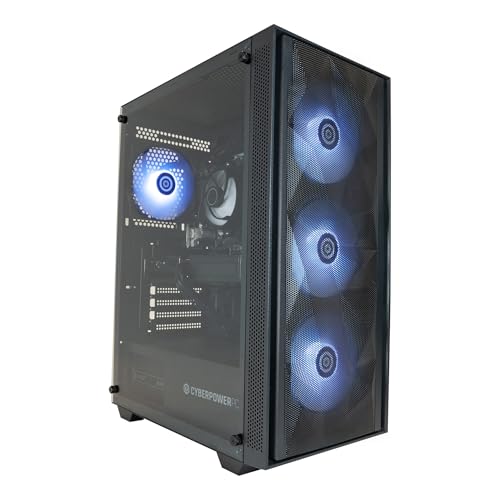
For families where gaming is a genuine priority, the Vibox V-196 Bundle offers the best combination of gaming capability and value, with an RTX 4060 that will handle current and near-future titles at 1080p and the convenience of a complete bundle. Those with a larger budget who want current-generation hardware should look at the CyberPowerPC Wyvern with its Ryzen 7 8700F and RTX 5060. And for families on a tight budget who need a reliable Windows machine for schoolwork and everyday tasks without gaming demands, the Vibox I-7 remains an honest, practical choice.

Proof B · Method & disclosure

↑ All doubts

You’re paid to say this.

Method & disclosure

This page carries affiliate links; they never set the order. We don’t lab-test: rankings come from published specifications, the owner ratings on the UK listings and our own reviews.

How We Picked

Every machine in this guide was assessed against criteria that reflect real family use rather than pure benchmark performance. We considered the balance between CPU and GPU capability, the adequacy of RAM and storage for a household with multiple users and use cases, and the practicality of the form factor. Pre-built systems were preferred over DIY builds because most families want a machine that works out of the box without technical assembly. We also weighted the quality of the included operating system and parental control tools, the reputation of the system builder for customer support, and the realistic longevity of each configuration. Price was assessed relative to what competing machines at the same budget offer, not in isolation. Only machines available to purchase in the UK with verified specifications were included.

Motives inspected? Settled.Next · Proof CThe verdict

Proof C · The verdict

↑ All doubts

Every guide crowns something.

The verdict, cross-examined

A crown that can’t be argued with isn’t proof of quality; it’s proof nobody checked. So rather than restate the winner’s virtues, we defend the crown against the strongest cases to take it.

Apple iMac All-in-One Desktop Computer with M4 chip

Cross-examination · Three challengers, taken seriously

The £1321 argumentVibox I-7 Gaming PC • AMD Ryzen 3 3200G 4.0GHz • Radeon Vega

At £489.95 today against the winner’s £1811.17, its strongest case is the £1321 it hands back. Owners rate it 5.0 from 4 ratings. If the cheaper pick covers the job you actually do, take the saving with a clear conscience. The crown stays where it is because rank follows fit for the job in the title, not the receipt, and its full argument is in the write-up above.

The £1111 argumentADMI Gaming PC

At £699.99 today against the winner’s £1811.17, its strongest case is the £1111 it hands back. Owners rate it 4.6 from 3 ratings. If the cheaper pick covers the job you actually do, take the saving with a clear conscience. The crown stays where it is because rank follows fit for the job in the title, not the receipt, and its full argument is in the write-up above.

The owners’ argumentVibox V-196 Gaming PC Bundle • AMD Ryzen 5 5500 4.2GHz •

Owners rate it 5.0 from 1 rating. The crown holds on the ranking rules: the order above was set before any link was attached, and its case is argued in full in the write-up above.

The original verdict, preserved in full

Final Verdict

We read everything, we hide nothing, and we sign what we publish. Corrections are welcome and printed when we’re wrong.

The Vivid Repairs desk

Vivid Repairs · 20 September 2026

End of the full guide · Back to the doubt index ↑ · The FAQ is next ↓

§ Questions

Questions people actually ask

Frequently Asked Questions

For most families, the Apple iMac M4 is the best all-round choice, offering a stunning display, fast M4 performance and excellent parental controls in a tidy all-in-one design. If gaming is a priority, the Vibox V-196 Bundle with its RTX 4060 graphics card is the best value option for a complete Windows gaming setup.

It depends on how your family uses the computer. For schoolwork, web browsing, video calls and streaming, integrated graphics are perfectly adequate. However, if anyone in your household wants to play modern 3D games, a dedicated GPU such as the NVIDIA RTX 3050 or higher is necessary for a playable experience.

Yes, 16 GB is sufficient for the vast majority of family use cases, including gaming, video editing, schoolwork and heavy multitasking. If your household includes professional video editors or users who run multiple demanding applications simultaneously, 32 GB would be a worthwhile upgrade.

Windows 11 offers broader software and game compatibility and more hardware choice at every price point, making it the better option for gaming-focused households. macOS, as found on the Apple iMac, is simpler to set up and maintain, integrates tightly with iPhones and iPads, and includes polished parental controls, making it ideal for families who prioritise ease of use over gaming.

A 1 TB NVMe SSD is the practical minimum for a family in 2025. It provides enough space for documents, photos, music and a modest game library, while delivering fast boot and load times. Families who download many large games or store significant amounts of video footage may find 1 TB fills up quickly and should consider a machine with room to add a second drive.

§ Sign-off

That’s the field: four desktops for families, ranked for the job in the title and nothing else. We read the published specifications, the owner ratings and our own reviews; we haven’t handled these products, and no maker moves the order. Figures checked against the live Amazon UK listings, page updated 20 September 2026.

The Vivid Repairs desk