The mini-PC market has become crowded over the past couple of years, and sorting the decent options from the overpriced disappointments takes more than a quick spec-sheet glance. This GMKtec G10 mini-PC review UK 2026 is built on GMKtec's own specifications and the Amazon listing: where the G10 earns its price tag, where it asks you to compromise, and whether it's the right compact desktop for your setup.
The G10 sits in an interesting position. It's built around AMD's Ryzen 5 3500U, a processor that's a few generations old at this point but still capable for everyday computing tasks. GMKtec is leaning hard into that narrative: the product listing claims it's more powerful than the 4300U, N150, N100 and N95. That's a bold claim, and it's the seller's, not a measured result. Paired with 16GB of DDR4 RAM, a 512GB NVMe SSD, triple display output and 2.5GbE Ethernet, the spec sheet looks reasonable.
Core Specifications
The GMKtec G10 (GMKtec calls it the NucBox G10) is built around the AMD Ryzen 5 3500U, a 4-core, 8-thread processor based on AMD's Zen+ architecture. It boosts up to 3.7GHz (the listing title's 4.50GHz figure is covered in the performance section). The integrated Radeon Vega 8 graphics handle display output and light GPU tasks without needing a discrete card, which keeps the form factor compact and the power draw sensible. AMD designed the 3500U as a 15W chip, but GMKtec runs it at 25W (35W maximum), so thermal management is a real consideration in a chassis this small.
Memory is 16GB of DDR4 SO-DIMM running at 2400 MT/s, in two slots that GMKtec says take up to 64GB. Storage is a 512GB PCIe 3.0 x4 NVMe SSD, which is a step up from SATA storage, and there are two M.2 2280 slots in all. Connectivity covers WiFi 5 (802.11ac), Bluetooth 5.0, 2.5GbE Ethernet, USB 3.2 and two USB-C ports.
The 3500U is a mobile processor, originally designed for thin-and-light laptops. That suits a mini-PC well, but it does mean you're working with a chip that prioritises efficiency over raw throughput. For the tasks this machine is realistically aimed at, that's a sensible trade-off. Here's the full breakdown:
| Specification | Detail |
|---|---|
| Processor | AMD Ryzen 5 3500U (Zen+, 4C/8T, up to 3.7GHz boost) |
| Integrated Graphics | AMD Radeon Vega 8 (8 cores, up to 1200MHz) |
| RAM | 16GB DDR4 SO-DIMM, 2400 MT/s (2 slots, up to 64GB) |
| Storage | 512GB PCIe 3.0 x4 NVMe SSD (2 x M.2 2280 slots, up to 16TB) |
| Wi-Fi | Wi-Fi 5 (802.11ac) |
| Bluetooth | 5.0 |
| Ethernet | 2.5GbE (Realtek RTL8125BG) |
| USB Ports | USB 3.2 Gen 1 x2, USB 2.0 x1, USB-C x2 (one full-function with video and power delivery, one power only) |
| Display Output | HDMI 2.1 (4K 60Hz), DisplayPort 1.4, USB-C (triple display support) |
| Operating System | Windows 11 Pro (pre-installed) |
| Warranty | 3 years per the Amazon listing; GMKtec's own sites state 1 year (US) and 2 years (EU) |
| Form Factor | Mini-PC (compact desktop) |
| Dimensions | 103 x 98 x 42 mm |
| Power | USB-C adapter, 19V/3.42A (about 65W) |
| In the Box | Power adapter, VESA mount, HDMI cable, user manual, warranty card |
| Current Price | £246.01 · Details |

Key Features Overview
GMKtec's headline selling points for the G10 are the Ryzen 5 3500U processor, the 3-year warranty, the 16GB of RAM, the PCIe NVMe storage, triple display output and 2.5GbE Ethernet. Some of them matter more than the marketing suggests, and one of them needs a caveat.
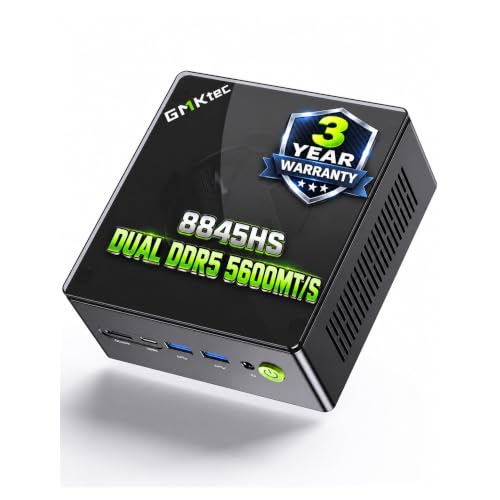
The warranty is the one with the caveat. The Amazon listing, sold by GMKtec's own store, says each mini PC carries a 3-year limited warranty from the date of purchase. GMKtec's own websites give shorter terms: 1 year on its US store and 2 years on its EU store. Until those agree, treat the three years as the seller's claim rather than a settled advantage, and keep your purchase receipt.
The memory setup matters more than it might seem. The Radeon Vega 8 GPU is an integrated graphics solution that pulls from system RAM, and running memory in dual-channel mode roughly doubles the available bandwidth compared to single-channel. That helps GPU-adjacent tasks such as video playback, light photo editing and older games. GMKtec lists two SO-DIMM slots but doesn't say whether the 16GB is fitted as one module or two, so ask the seller if graphics performance matters to you. The PCIe 3.0 x4 NVMe SSD is the right choice: it's a step up from SATA-based storage, and with two M.2 2280 slots GMKtec says storage can grow to 16TB (2 x 8TB). As for the processor comparison claims, I'll address those in the performance section.
Performance
GMKtec's listing claims the 3500U is "more powerful than 4300U/N150/N100/N95", which is a lot to claim for a 2019 chip. The Zen+ architecture in the 3500U is older than the Zen 2 and Zen 3 cores found in more recent AMD mobile chips. It does have four full cores with SMT, giving eight threads, which helps when several applications are running at once. But the listing offers no benchmark figures to back its comparison, so treat it as marketing rather than a measured result.
Where the 3500U shows its age is in anything that pushes the CPU hard for sustained periods. It's a mobile chip in a compact chassis, and how long it holds its 3.7GHz boost depends on the cooling, for which GMKtec publishes no figures. If a machine like this feels sluggish, system process high CPU issues are worth ruling out before blaming the hardware. For gaming, the Vega 8 can handle older titles and less demanding indie games at reduced settings; don't expect to run recent demanding games at playable frame rates. The 4.50GHz figure in the listing title also needs clarification: GMKtec's own specification and the listing's bullets give a 3.7GHz maximum boost, so treat the 4.50GHz with scepticism.
Size, Design and Upgrades
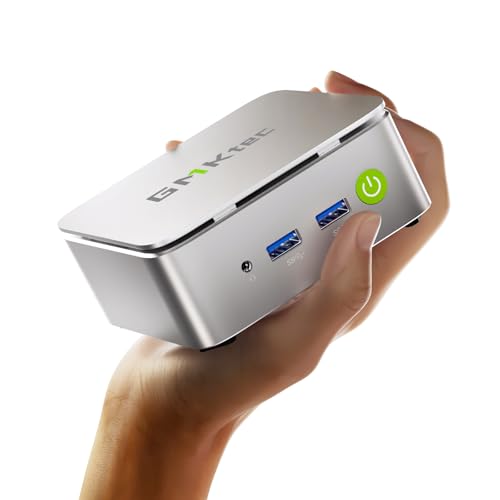
The G10 is a compact unit: GMKtec gives its dimensions as 103 x 98 x 42 mm, so it takes up very little room on a desk or behind a monitor.
GMKtec includes a VESA mount in the box, so you can attach the G10 directly to the back of a compatible monitor, a useful feature for keeping your desk clear. The box also holds the power adapter, an HDMI cable, a user manual and a warranty card.
Upgrades are well catered for on paper. The RAM is standard DDR4 SO-DIMM across two slots, and GMKtec says the G10 supports up to 64GB (the Amazon listing says 32GB, so check your chosen modules with GMKtec first). Storage uses two M.2 2280 PCIe 3.0 x4 slots. That's a meaningful plus for longevity: if the 512GB SSD fills up in a couple of years, you're not stuck. Like any small PC, it needs room to breathe, so I wouldn't run it in an enclosed cabinet without airflow.
Ease of Use
Setup should be straightforward. GMKtec lists Windows 11 Pro as the operating system, so you're plugging in a monitor, keyboard and mouse and going through the standard Windows first-run setup, with no separate licence to buy.
Power arrives over USB-C. GMKtec supplies a 19V/3.42A (about 65W) USB-C adapter and dedicates one of the two USB-C ports to power input, and it says the G10 works with both PD and non-PD chargers. That's one less proprietary cable to manage.

Connectivity and Compatibility
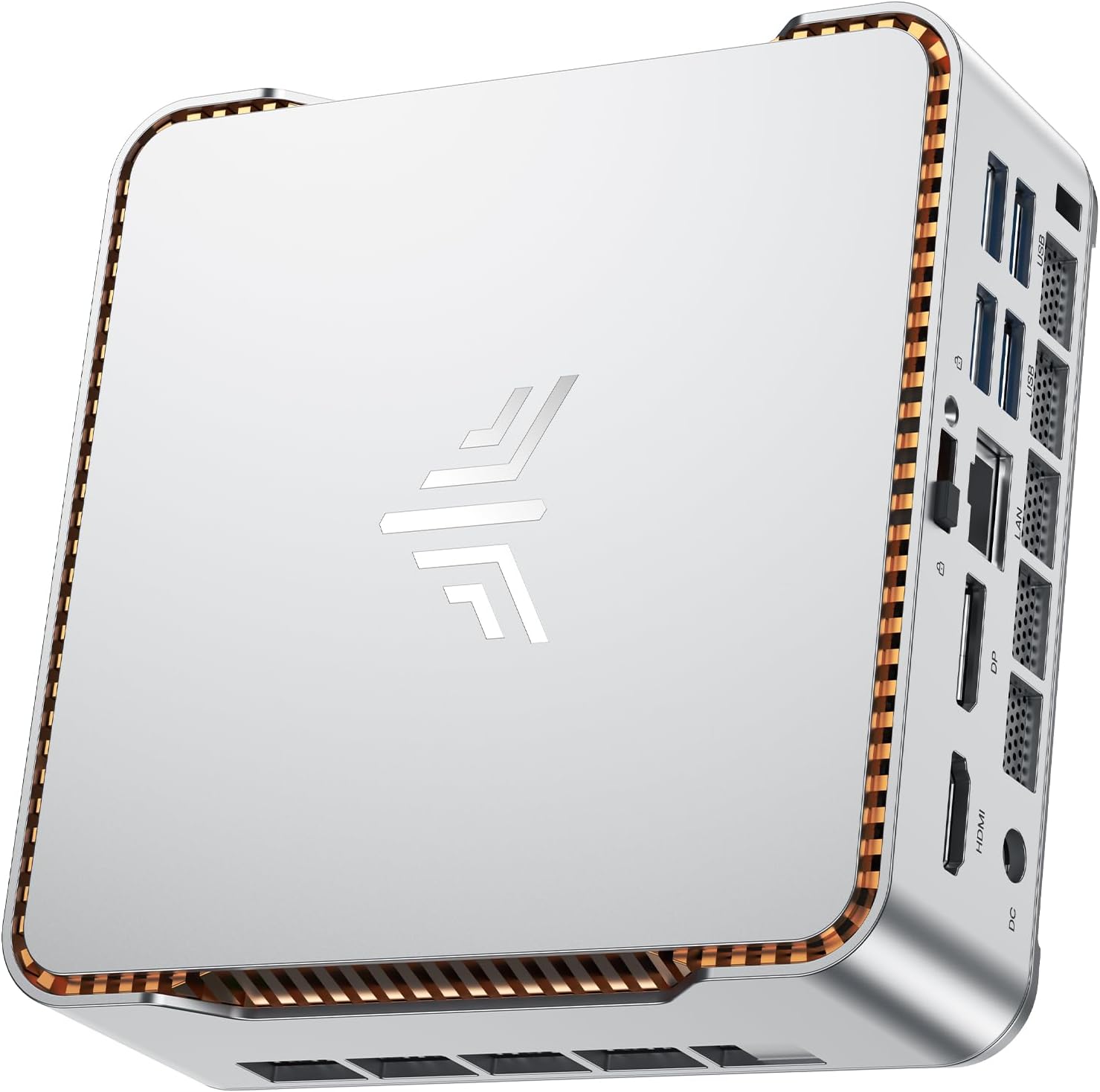
The G10's port selection covers the essentials and then some. You get two USB 3.2 Gen 1 Type-A ports, one USB 2.0 port, two USB-C ports (one full-function, one for power only), a full-size HDMI 2.1 output, a DisplayPort 1.4 output, a 3.5mm audio jack and a 2.5GbE Ethernet port. The full-function USB-C port carries display output, so you can run three monitors at once, via HDMI, DisplayPort and USB-C, which is a useful configuration for a productivity setup. HDMI 2.1 drives a 4K screen at 60Hz, while GMKtec's US page lists the USB-C video output at 4K 30Hz. The Vega 8 will be working hard if you're doing anything GPU-intensive across several 4K screens at once.
Wireless connectivity is Wi-Fi 5 (802.11ac), which is fine for most home and office environments but is starting to show its age compared to Wi-Fi 6 machines. GMKtec quotes up to 866.7Mbps for the Wi-Fi card, so if you're on a gigabit broadband connection and want to take full advantage of it wirelessly, Wi-Fi 5 can be a bottleneck. The Ethernet port runs at 2.5Gbps, though, so if you're in a fixed location, which most mini-PC users are, just run a cable and the wireless limitation becomes irrelevant. Bluetooth 5.0 covers wireless keyboards, mice and headphones.
One thing to be aware of: the full-function USB-C port runs at USB 3.2 Gen 1 (5Gbps), not Thunderbolt or USB4, so if you're planning to connect a Thunderbolt dock or eGPU, this isn't the machine for that. For standard USB-C devices, hubs and displays, that port covers data, video and power delivery. The two PCIe 3.0 x4 slots take standard M.2 2280 NVMe drives, so upgrading storage is straightforward.
Real-World Use Cases
The most obvious fit for the G10 is as a home office or study machine. If you're working from home and your workload is primarily browser-based applications, Office 365, video calls, and document management, this machine handles all of that comfortably. The 16GB RAM means you're not going to hit memory pressure during a normal working day, and the NVMe SSD keeps everything feeling responsive. Pair it with a decent monitor and a good keyboard, and it's a perfectly capable daily driver for knowledge work.
It also works well as a media centre or living room PC. The Vega 8 decodes video in hardware, and HDMI 2.1 carries 4K at 60Hz to a TV. Add a Bluetooth remote or small wireless keyboard, and you've got a capable media machine that takes up almost no space.
Secondary and shared family computers are another strong use case. If you need a machine for kids' homework, light gaming with older titles, and general browsing, the G10 is more than adequate. It's also worth considering for small business reception desks, point-of-sale systems, or digital signage, jobs that call for a compact machine rather than a powerful one. Where I'd steer people away from the G10 is video editing beyond basic cuts, 3D rendering, software development with heavy compilation requirements, or any gaming beyond casual titles. The 3500U simply isn't built for sustained heavy compute workloads in a chassis this size.
Value Assessment
Check the live price below. The question is whether the G10's specification justifies what GMKtec is asking, and the answer is: it depends on what you're doing with it.
For the money you get a lot of connectivity: triple display output, 2.5GbE Ethernet, two USB-C ports including USB-C power, two M.2 slots, room for up to 64GB of RAM, Windows 11 Pro and a VESA mount in the box. The PCIe 3.0 NVMe storage is a step up from SATA SSDs, and that makes a tangible difference to daily responsiveness.
I think the G10 represents fair value if your work suits a four-core, eight-thread chip and you'll use the ports and upgrade room. If you're running multiple applications simultaneously, doing light creative work, or want a small machine you can upgrade over several years, the G10 makes a reasonable case for itself. It's not a bargain, but it's not overpriced either.
Final Verdict
The GMKtec G10 is a competent mini-PC that does what it says on the tin for the majority of everyday computing tasks. The Ryzen 5 3500U is a capable chip but it's showing its age against newer architectures, and the Wi-Fi 5 limitation is a frustration in 2026. But triple display output, 2.5GbE Ethernet, USB-C power, two M.2 slots and room for up to 64GB of RAM make a reasonable case for the asking price.
Who should buy this? Home office workers who want a compact machine for productivity tasks and don't need to push the CPU hard. People replacing an ageing desktop who want something small and capable of handling modern Windows 11. It also makes sense as a shared family computer, a media centre PC, or a secondary machine for a specific task.
Who should skip it? If you're doing video editing, 3D work, software development with heavy compilation, or any serious gaming, look at something with a newer, more powerful processor. And if wireless speed is important to you and you can't run Ethernet, the Wi-Fi 5 limitation is a real reason to look elsewhere.
Overall, I'd rate the GMKtec G10 as a solid 7 out of 10. It's not exciting, but it's a well-connected machine, and for the right buyer it's a practical, no-nonsense choice. On Amazon it holds a ★★★★☆ (4.2) rating from 120 ratings.

About This Review
This review covers the GMKtec G10 mini-PC's specification, connectivity, upgrade options and value. It was written by the Vivid Repairs team from GMKtec's published specifications and the Amazon listing; we did not test a unit. This article contains affiliate links. If you purchase through them, vividrepairs.co.uk may earn a small commission at no extra cost to you. This does not influence the editorial content or scores.
What works. What doesn’t.
6 + 5What we liked6 reasons
- Triple display output via HDMI 2.1, DisplayPort 1.4 and USB-C
- 2.5GbE Ethernet port for fast wired networking
- 512GB PCIe 3.0 x4 NVMe SSD, with two M.2 2280 slots
- RAM upgradeable to 64GB across two SO-DIMM slots, per GMKtec
- Powered over USB-C, with the adapter in the box
- VESA mount included for tidy monitor-back installation
Where it falls5 reasons
- The Ryzen 5 3500U is an older Zen+ chip, a few generations behind current mobile processors
- Wi-Fi 5 (802.11ac) rather than Wi-Fi 6
- The listing title's 4.50GHz boost figure is wrong: GMKtec's own spec says 3.7GHz
- USB-C is USB 3.2 Gen 1, not Thunderbolt, so no Thunderbolt docks or eGPUs
- Not built for video editing, 3D rendering or other sustained heavy workloads
Full specifications
6 attributes| CPU | AMD Ryzen 5 3500U |
|---|---|
| GPU | Radeon Vega 8 Graphics |
| OS | Windows 11 Pro |
| RAM GB | 16 |
| Storage GB | 512 |
| Storage type | PCIe 3.0 x4 NVMe SSD |
If this isn’t right for you
2 options 8.0 / 10
Beelink Mini S13 Mini PC, Intel N150, 12GB LPDDR5, 500GB SSD, Wi-Fi 6, 2.5G LAN, Windows 11 Home
£299.00 · Beelink · Details

Frequently asked
6 questions01What processor does the GMKtec G10 use, and is it still capable in 2026?+
The GMKtec G10 uses the AMD Ryzen 5 3500U, a 4-core, 8-thread chip based on AMD's Zen+ architecture with a boost clock of 3.7GHz, which GMKtec runs at 25W. It is an older processor by current standards, but it remains capable for everyday productivity tasks such as web browsing, Office applications, video calls, and media playback. It isn't built for sustained heavy workloads such as video encoding or 3D rendering.
02Does the GMKtec G10 support dual monitors?+
Yes, and up to three. The G10 has a full-size HDMI 2.1 port (4K at 60Hz), a DisplayPort 1.4 port and a full-function USB-C port that carries a display signal, and GMKtec says all three can run at once. Note that the USB-C port is USB 3.2 Gen 1 rather than Thunderbolt, so you will need a standard USB-C display or adapter rather than a Thunderbolt-specific monitor or dock.
03Can you upgrade the RAM and storage in the GMKtec G10?+
Yes, both are user-upgradeable. The RAM uses two standard DDR4 SO-DIMM slots, which GMKtec says take up to 64GB, and there are two M.2 2280 PCIe 3.0 x4 slots with support for up to 16TB (2 x 8TB). This is a meaningful advantage for long-term use, as you are not locked into the factory specification if your needs grow.
04What warranty does the GMKtec G10 include?+
The Amazon listing, sold by GMKtec's own store, states a 3-year limited warranty from the date of purchase. GMKtec's own websites give shorter terms: 1 year on its US store and 2 years on its EU store. Treat the three years as the seller's claim, keep your order details, and confirm the term with the seller if it matters to your decision.
05Is the GMKtec G10 suitable for gaming?+
Only for light and older gaming. The integrated AMD Radeon Vega 8 graphics can handle casual titles and older games at reduced settings. However, it is not suited to modern or demanding games from the last three to four years at playable frame rates. For serious gaming, a machine with a discrete GPU is necessary.
06Does the GMKtec G10 come with Windows 11 Pro pre-installed?+
Yes. GMKtec lists Windows 11 Pro as the G10's operating system, so there's no separate licence or software purchase to make before you start.