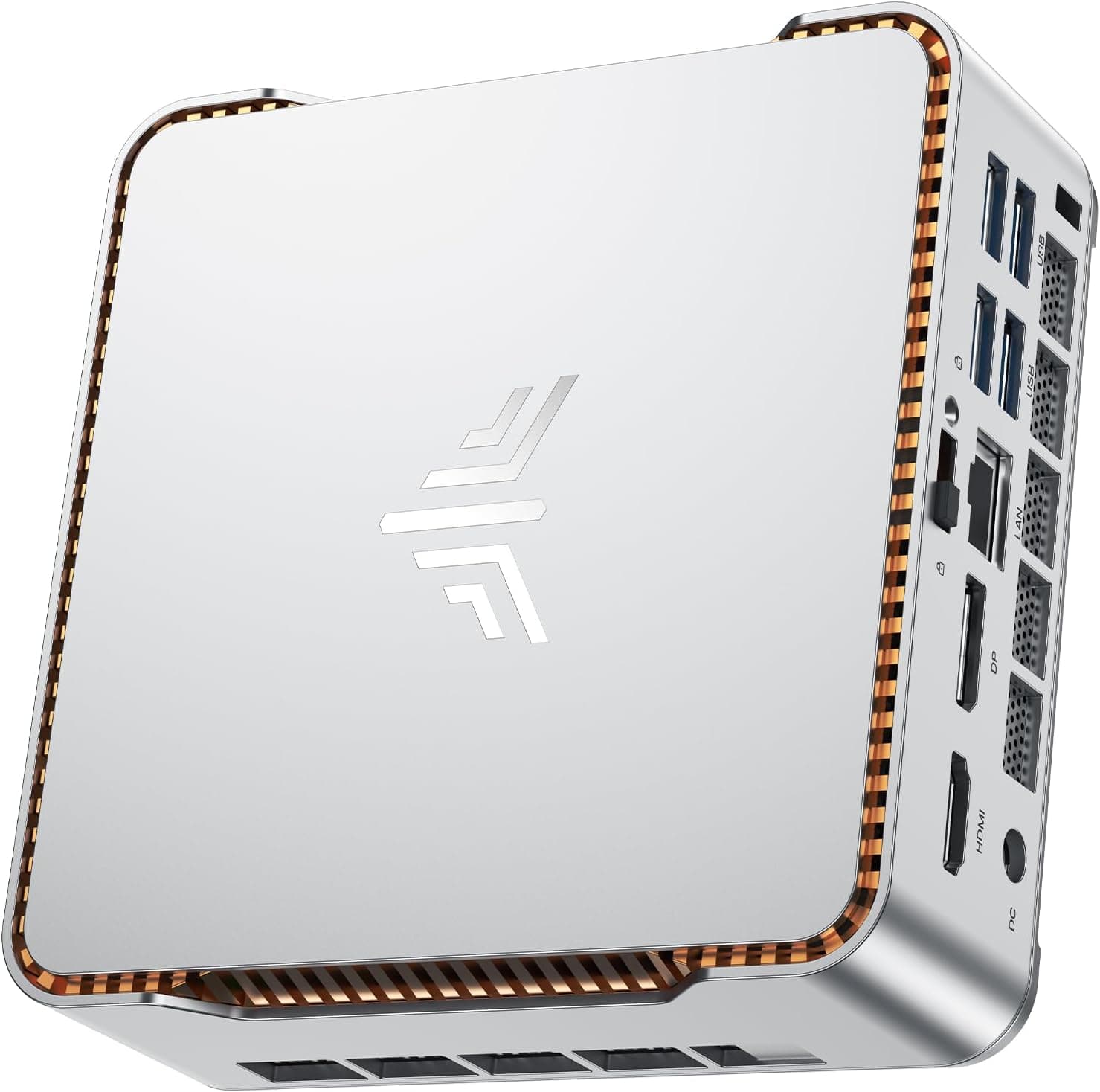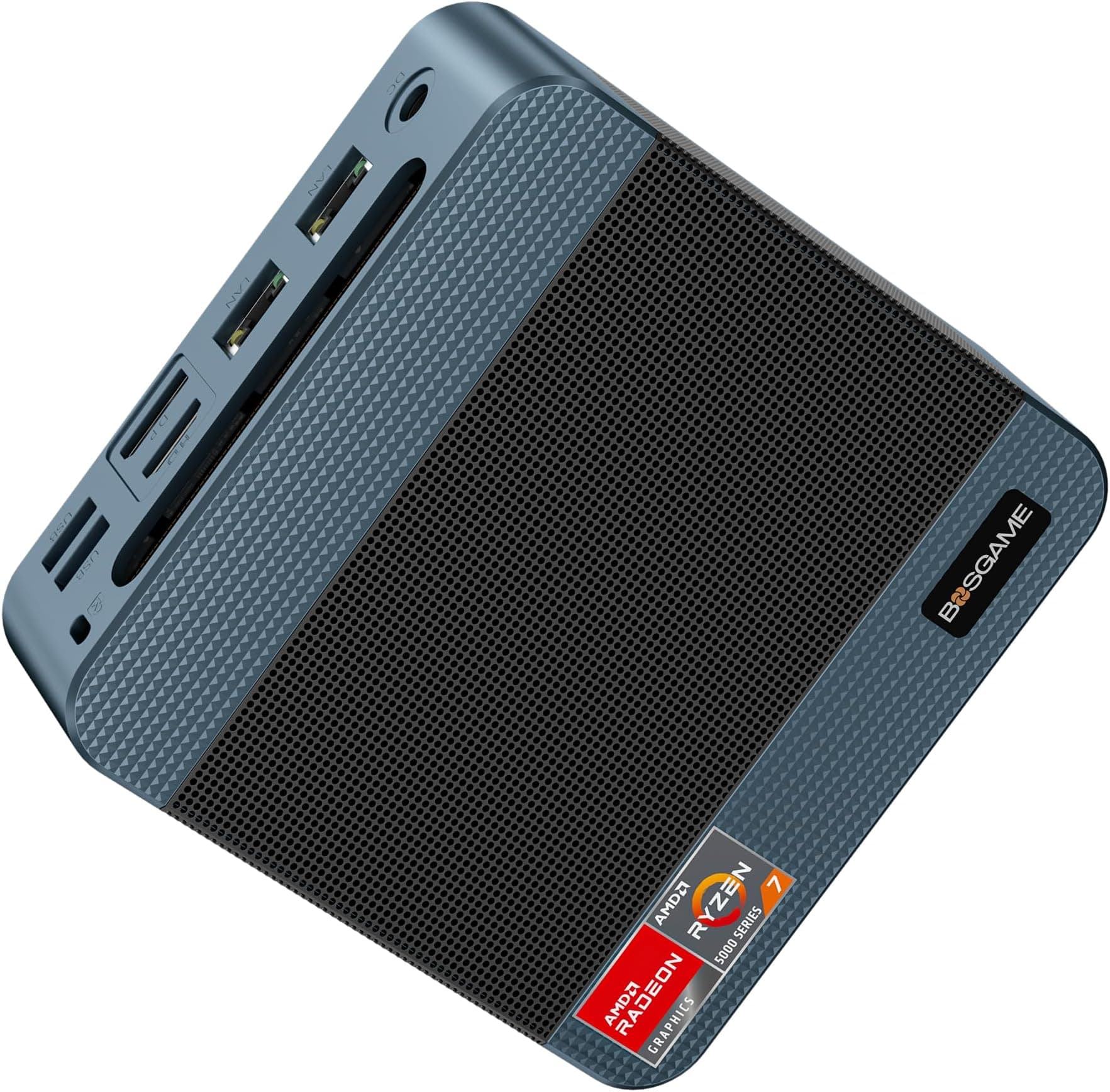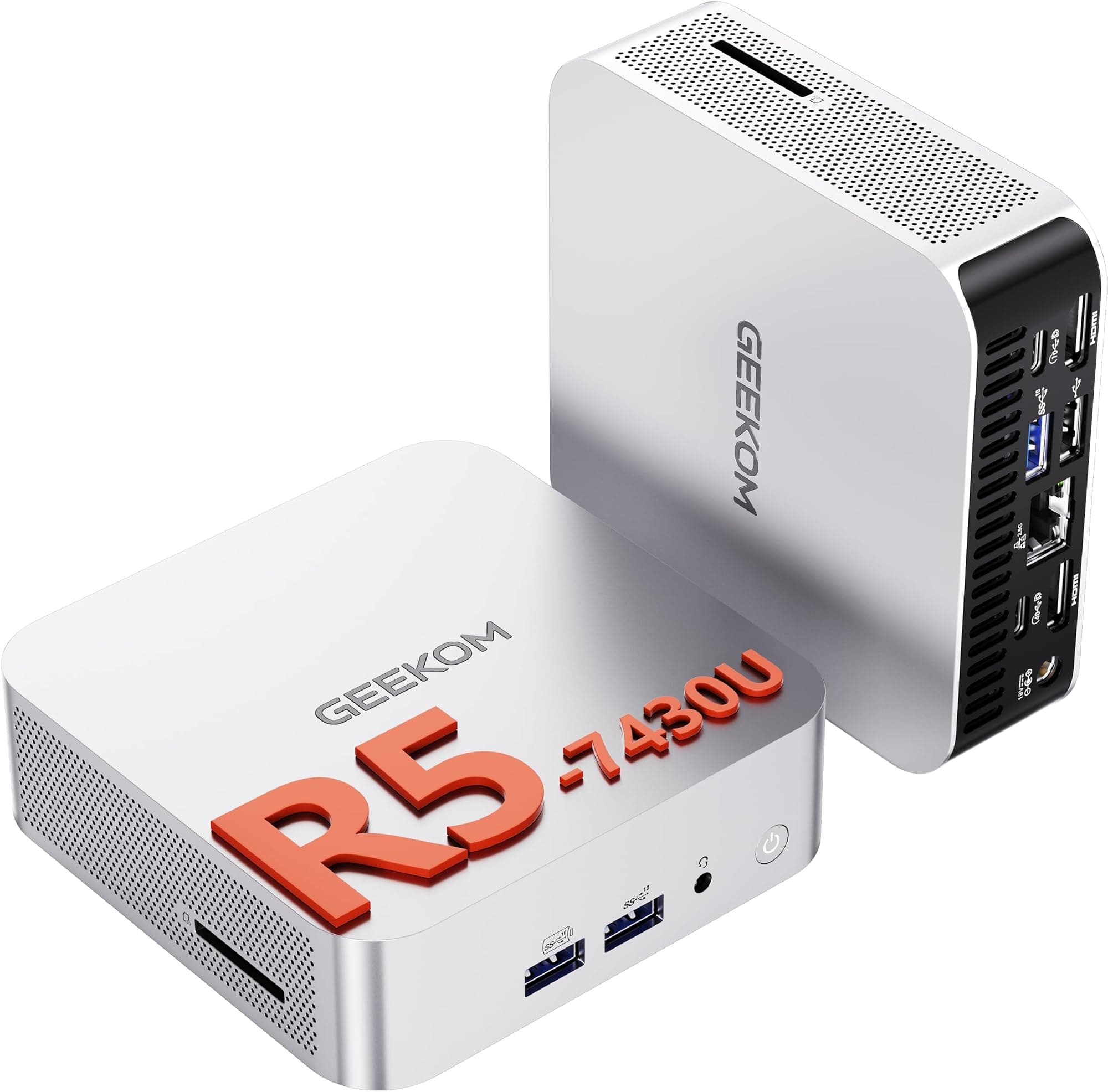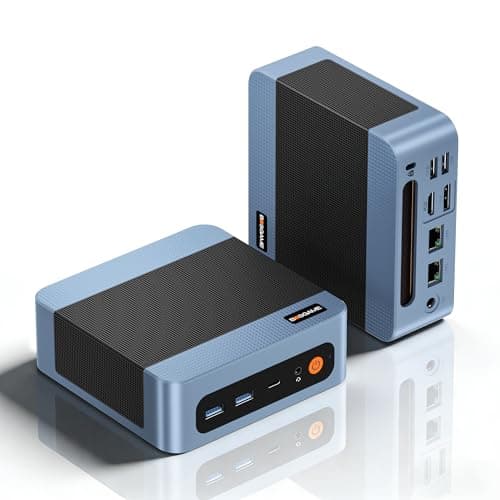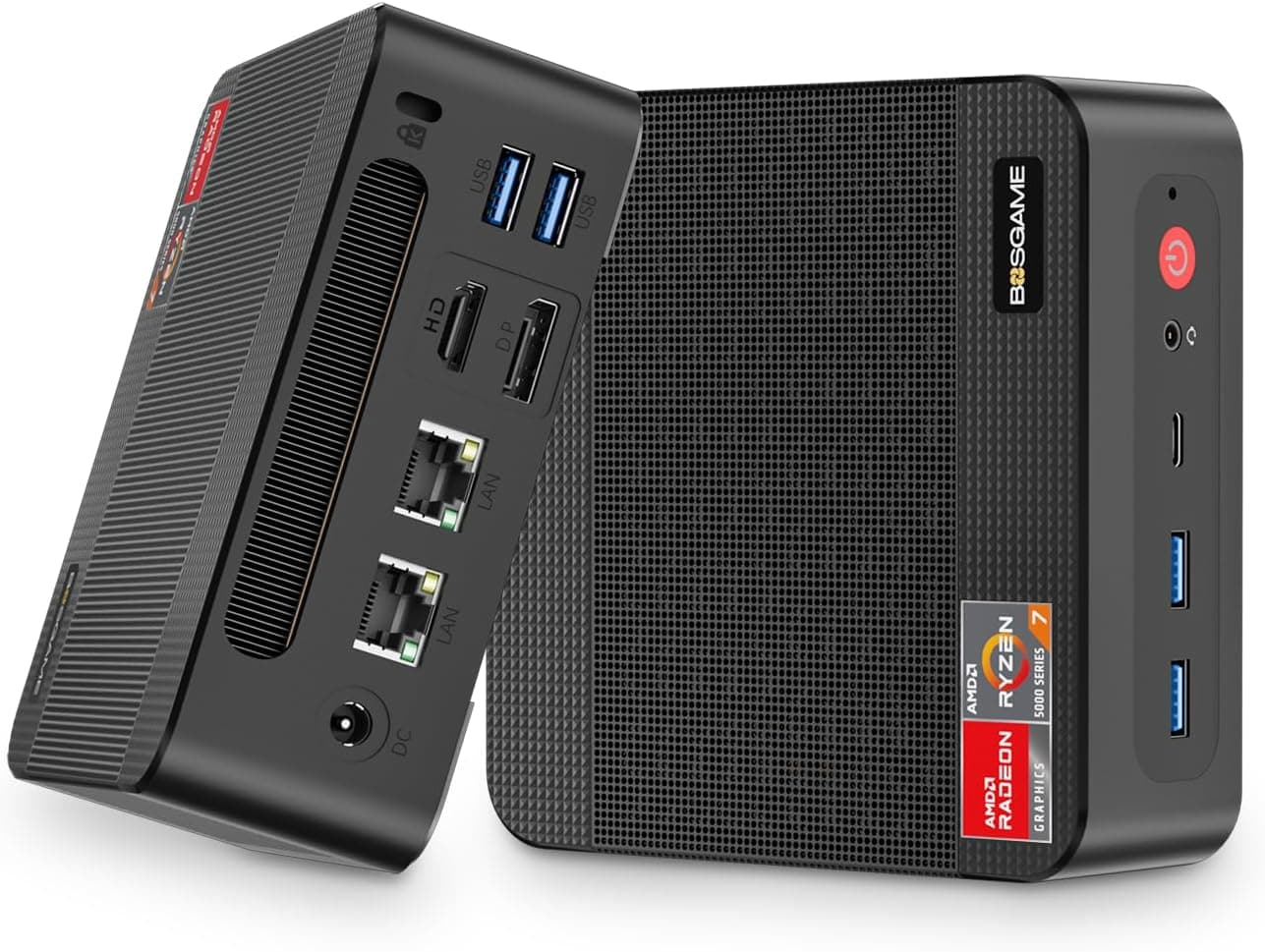
There's a specific type of purchase that quietly solves a problem you've been tolerating for too long. You know the one: the ancient tower PC hogging half your desk, the laptop that's been repurposed as a desktop but still needs its charger, the Raspberry Pi experiment that never quite worked out. The BMAX B1Plus Mini PC is aimed squarely at that situation. It's a compact Windows 11 box, about the size of a thick paperback, that promises to replace all that faff with something that just sits behind your monitor and gets on with it.
And for the most part, it does. But context matters enormously here, because the BMAX B1Plus Mini PC is built around an Intel Celeron J3355 processor, which tells you a lot about what this machine is and isn't. It's not a powerhouse. It's not trying to be. What it is, is a genuinely capable light-duty Windows machine with some surprisingly thoughtful expandability baked in, available at a mid-range price that makes it worth a serious look for the right buyer. Whether you're that buyer is exactly what we're going to work out.
With 300 averaging ★★★★☆ (4.2) stars, owner sentiment is pretty positive for a budget-class mini PC. That's not nothing. But averages can hide a lot, so we'll dig into what people actually say, what the specs actually mean in practice, and how this stacks up against what else you can get for similar money in 2026.
Core Specifications
The centrepiece of the B1Plus is the Intel Celeron J3355, a dual-core Apollo Lake chip built on a 14nm process with a burst frequency of up to 2.5GHz. It's paired with Intel HD Graphics 500, which handles the display output including the dual 4K HDMI connections. The RAM is 6GB of LPDDR3, which is a slightly unusual amount (most budget mini PCs ship with 4GB or 8GB), and the storage is 128GB eMMC. That eMMC distinction matters and we'll come back to it.
The expandability story is where things get more interesting. There are two M.2 2280 slots supporting both SATA and NVMe SSDs, with capacity up to 2TB per slot according to BMAX. So you can add a proper SSD and suddenly transform the storage situation considerably. The connectivity stack includes dual-band WiFi covering 2.4GHz and 5GHz bands, Bluetooth 5.0, and Gigabit Ethernet. Ports include two USB 3.0, two USB 2.0, and a 3.5mm audio jack. The whole thing runs Windows 11 Home out of the box, measures just 10.8 x 10.5 x 3.6cm, and weighs 223g. It comes with a VESA mount included.
That's a genuinely complete package on paper. The weak points are obvious: the J3355 is not a fast processor by 2026 standards, and eMMC storage is noticeably slower than even a budget SATA SSD. But the dual M.2 slots mean you're not stuck with that limitation forever, which is a meaningful design decision that separates the B1Plus from cheaper rivals that solder everything in and call it done.
| Specification | Detail |
|---|---|
| CPU | Intel Celeron J3355, dual-core, up to 2.5GHz burst, 14nm |
| GPU | Intel HD Graphics 500 (integrated) |
| RAM | 6GB LPDDR3 |
| Storage | 128GB eMMC |
| Storage Expansion | 2x M.2 2280 slots (SATA and NVMe, up to 2TB) |
| Display Output | 2x HDMI 1.4, both 4K@60Hz |
| WiFi | Dual-band 2.4GHz / 5GHz (WiFi 5) |
| Bluetooth | 5.0 |
| Ethernet | Gigabit |
| USB Ports | 2x USB 3.0, 2x USB 2.0 |
| Audio | 3.5mm jack |
| OS | Windows 11 Home (pre-installed) |
| Dimensions | 10.8 x 10.5 x 3.6cm |
| Weight | 223g |
| VESA Mount | Included |
| Current Price | £159.99 |

Key Features Overview
The headline feature BMAX leads with is performance, which is a brave claim for a Celeron chip in 2026. What they actually mean is that it handles the basics reliably: document editing, web browsing, video calls, HD video playback. For those specific tasks, the J3355 with 6GB RAM is genuinely adequate. The 25% performance improvement over the previous generation they mention refers to the J3355 versus older Apollo Lake parts, and that's a fair if modest claim. Don't read that as "fast" though. Read it as "faster than the already-slow thing it replaced."
The dual M.2 slot system is the feature I'd actually lead with if I were writing the marketing copy. Having two M.2 2280 slots supporting both SATA and NVMe standards gives you real flexibility. You could add a cheap SATA SSD as a secondary drive, or drop in an NVMe drive and use it as your primary OS disk (though doing that requires reinstalling Windows, which is a bit of extra faff). Either way, you're not locked into the base 128GB eMMC forever, and that matters for long-term usability. Most ultra-budget mini PCs don't give you this option at all.
The dual 4K display output via two HDMI 1.4 ports is another genuine selling point. Both ports support 4K at 60Hz, which means you can run a proper dual-monitor setup at full resolution. The HDMI 1.4 specification supports 4K@30Hz natively, but BMAX claims 60Hz output, which is achievable through specific display stream compression methods on this chipset. Owners generally confirm this works as advertised. For a home office dual-screen setup, that's a meaningful capability at this price. The included VESA mount is a small but thoughtful touch: it means you can bolt this thing to the back of your monitor and genuinely clear your desk rather than just moving the clutter somewhere else.
Connectivity rounds out the feature set sensibly. Bluetooth 5.0 is current-generation wireless for peripherals, and dual-band WiFi means you can use the faster 5GHz band if your router supports it. Gigabit Ethernet is there for wired connections. The port selection of four USB ports total (split between 3.0 and 2.0 speeds) plus a 3.5mm audio jack covers most real-world peripheral needs without requiring a hub for typical use.
Performance in Practice
Right, so the J3355. The Intel Celeron J3355 is an Apollo Lake processor that Intel launched back in 2016. By 2026 standards, it's genuinely old silicon. It's a dual-core chip with no hyperthreading, which means the operating system sees exactly two logical cores. The 2.5GHz burst frequency sounds reasonable until you realise that "burst" means brief peaks under load, not sustained operation. For light tasks, this is fine. For anything demanding, you'll feel it.
What owners consistently report is that it handles the advertised use cases well. Web browsing works, though Chrome with fifteen tabs open will start to feel sluggish. Office applications like Word, Excel, and LibreOffice run without complaint. Video conferencing via Teams or Zoom works, though you'd want to close background applications first. HD video playback is smooth, and owners report that 4K video playback via hardware decoding also works for local files and streaming services. That last point is worth noting: the Intel HD Graphics 500 handles video decode acceleration, which means the CPU doesn't have to do all the heavy lifting for video content.
Where it falls over is multitasking beyond a certain point. If you're someone who keeps email, a browser, a video call, and a document all open simultaneously, you'll hit the ceiling. The eMMC storage also contributes to a slightly sluggish feel compared to SSD-equipped machines: boot times are longer, and application load times are noticeably slower. This is probably the single most common complaint in owner reviews, and it's a fair one. The good news is that adding an M.2 NVMe drive and booting from that transforms the experience considerably, and several owners report doing exactly this. It's an extra cost and a bit of effort, but it's a real fix rather than a workaround. The 6GB of RAM is adequate for light use but you can't upgrade it, so what you see is what you get on that front.
Thermal performance gets positive mentions in owner feedback. The fan is quiet under normal loads, and the machine doesn't throttle noticeably during typical office work. The smart fan and heatsink system appears to do its job without turning your desk into a wind tunnel, which is more than can be said for some mini PCs at this price. It's not completely silent, but it's unobtrusive. For a machine that might sit behind a monitor all day in an office or bedroom, that matters.
Build Quality
The B1Plus comes in what BMAX calls a "Starry Sky Blue" finish, which is a dark blue-grey plastic shell. It's not going to win any design awards, but it looks tidy and inoffensive. At 223g, it's light enough to feel a bit plasticky in the hand, but the construction feels solid enough for something that's going to sit on a desk or behind a monitor and never get touched. The VESA mount bracket is included in the box, which is a nice touch: it's a simple metal bracket that lets you attach the unit to the back of a VESA-compatible monitor using the standard 75mm or 100mm hole pattern.
The chassis is compact at 10.8 x 10.5 x 3.6cm. That's genuinely small: about the footprint of a CD case and not much taller. The port layout puts the USB ports and audio jack on the front face for easy access, which is sensible design for a machine you're likely to tuck away. The HDMI outputs and Ethernet are on the rear. Ventilation slots are present on multiple sides to allow the fan to do its job, and the gap between the chassis and any surface it sits on is sufficient to avoid heat buildup in normal use.
Owner feedback on build quality is generally positive with the caveat that expectations need to be calibrated to the price. Nobody's comparing this to a Beelink or Intel NUC build quality. But for a budget mini PC, the consensus is that it feels reasonably well put together and doesn't rattle, flex, or feel like it's about to fall apart. A few owners note that opening it up to add an M.2 SSD is straightforward, which speaks well of the engineering: the screws are accessible and the internals are laid out sensibly. That matters because adding storage is something a meaningful proportion of buyers will want to do.
Ease of Use
Out of the box experience is pretty painless. Windows 11 Home comes pre-installed, so you're going through the standard Microsoft setup process rather than installing an OS from scratch. BMAX includes a one-key restore function via the F9 key, which lets you reset the system to factory state if things go wrong. That's a useful safety net for less technical users who might be buying this for a family member or as a basic office machine. Auto power-on and scheduled wake-up are also supported, which is handy if you want the machine to start up at a set time without anyone pressing the power button.
The setup process for the hardware itself is simple. Plug in your HDMI cables, connect your keyboard and mouse via USB (or Bluetooth if you prefer), connect Ethernet or set up WiFi, and you're done. If you're mounting it behind a monitor, the VESA bracket takes about five minutes to attach. Adding an M.2 SSD requires removing a few screws from the bottom of the chassis, slotting the drive in, and screwing it back together. It's not complicated, but it does require a small Phillips screwdriver and a bit of confidence. Owners report this process is straightforward and the internals are clearly laid out.
Day-to-day operation friction is mostly limited to the performance ceiling we've already discussed. The machine boots into Windows 11 and behaves like a normal Windows PC. The interface is standard Windows 11, so if you know how to use a Windows computer, you know how to use this. There's no proprietary software layer or unusual configuration required. The compatibility with Linux and Ubuntu that BMAX mentions is worth noting for more technical users who might want to run a lightweight Linux distribution instead of Windows, which would extract better performance from the hardware. That's not a beginner use case, but it's a real option.
Connectivity and Compatibility
The port selection covers the basics without being exceptional. Two USB 3.0 ports handle fast data transfer for external drives and modern peripherals. Two USB 2.0 ports are fine for keyboards, mice, and other low-bandwidth devices. The 3.5mm audio jack covers headphones and basic speakers. What's notably absent from the spec sheet is any mention of USB-C, which is increasingly common even on budget hardware in 2026. If you rely on USB-C for anything, you'll need an adapter or a hub. That's a real limitation worth flagging.
The wireless connectivity is solid for the price. WiFi 5 (802.11ac) dual-band support means you get access to the 5GHz band for faster, less congested wireless connections. It's not WiFi 6 or WiFi 6E, but for the tasks this machine is designed for, WiFi 5 is more than adequate. Bluetooth 5.0 handles wireless peripherals reliably: owners report no issues pairing keyboards, mice, or headphones. Gigabit Ethernet is there for anyone who prefers a wired connection, and for a machine used in a home office or business setting, wired is always the more reliable choice.
The dual HDMI 1.4 outputs are worth a closer look. Both support 4K output, and both can drive independent displays simultaneously in extended mode. This is genuinely useful for productivity: running two monitors lets you keep reference material on one screen while working on the other, or use one screen for video calls while the other handles your documents. The integrated Intel HD Graphics 500 handles this without issue for desktop use, though you wouldn't want to try anything graphically intensive like gaming or video editing. The machine is also compatible with Linux distributions according to BMAX, and the Intel wireless chipset typically has good Linux driver support, so that claim is plausible.

Real-World Use Cases
The clearest use case for the B1Plus is as a dedicated home office machine for someone who primarily works in a browser and Office suite. If your daily workflow is email, spreadsheets, Word documents, video calls, and web research, this machine handles all of that without complaint. It's particularly compelling if you want a dual-monitor setup without the bulk of a tower PC. Mount it behind one of your monitors, run two HDMI cables, and you've got a tidy dual-screen workspace that takes up no desk space at all.
Digital signage and kiosk applications are another strong fit. A lot of businesses need a small, quiet, reliable machine to drive a display in a reception area, retail environment, or meeting room. The B1Plus is quiet, compact, can be hidden behind a screen, and handles looping video or web-based content without breaking a sweat. The auto power-on feature is particularly useful here: set it to start up at opening time and shut down at closing time without anyone having to touch it. For this kind of set-and-forget deployment, the J3355's modest performance is entirely sufficient.
As a secondary PC for a bedroom, kids' room, or spare room, it makes a lot of sense too. It's cheap enough that if a child manages to break it (or install something catastrophic on it), the F9 restore function gets you back to square one quickly. It's quiet enough to sit in a bedroom without being annoying. And it handles YouTube, light gaming via browser-based games, homework tasks, and video calls without issue. For a child's first proper computer or a guest room machine, the value proposition is strong.
Where it doesn't work is as a primary machine for anyone who does anything heavier. Photo editing, video editing, software development, running multiple virtual machines, gaming, anything involving large datasets: the J3355 will make you miserable. It's also not ideal as a media server or NAS replacement: the eMMC storage is too small and too slow for that role, and while you can add M.2 storage, the machine isn't really designed for that use case. Know what you're buying it for, and it'll serve you well. Try to push it beyond its design envelope, and you'll be disappointed.
Value Assessment
At its mid-range price point, the BMAX B1Plus sits in interesting territory. You're paying more than you would for the absolute cheapest mini PCs on the market, but you're getting meaningful extras for that money: dual M.2 slots, dual 4K HDMI output, Bluetooth 5.0, Gigabit Ethernet, and a VESA mount included. The base experience with the eMMC storage is adequate but not inspiring, and the price of adding an M.2 SSD needs to be factored into your total cost if you want the best performance. A decent 256GB SATA M.2 drive adds to the overall outlay, but the result is a considerably more responsive machine.
The 4.5-star average across 300 is a genuine signal of satisfaction for the target use case. Budget mini PCs often accumulate negative reviews from buyers who expected more than the hardware can deliver. The relatively high rating here suggests that most buyers understood what they were getting and found it met their expectations. That's a good sign. It also suggests the hardware reliability is reasonable: a machine that fails frequently accumulates one-star reviews quickly, and that pattern isn't visible here.
For context, you can spend less and get a similar Celeron-based mini PC with less expandability, or spend more and get a machine with a modern N-series Intel processor that offers substantially better performance. The N100 and N150 chips that appear in competing mini PCs in the slightly higher price bracket are genuinely faster than the J3355, and if budget allows, that upgrade is worth considering. But if the B1Plus price is where your budget sits, it's a reasonable buy for the right use case. The dual M.2 slots in particular give it a longevity advantage over cheaper rivals that don't offer any expansion path.
How It Compares
The two most relevant competitors to the BMAX B1Plus at this end of the mini PC market are the Beelink Mini S12 Pro (which uses an Intel N100 processor) and the GMKtec NucBox M2 (also N100-based). Both represent the current generation of budget mini PCs and offer a meaningful step up in CPU performance. The Intel N100, part of Intel's Alder Lake-N family, is a four-core processor with significantly better single and multi-threaded performance than the dual-core J3355. If you're choosing between a J3355 machine and an N100 machine at a similar price, the N100 wins on raw performance every time.
That said, the B1Plus has a couple of specific advantages worth noting. The dual M.2 slots are not universal in this price bracket: some competing machines offer only one expansion slot or none at all. The dual 4K HDMI output is also not guaranteed on every competitor. And the B1Plus's price point may be lower than N100-based rivals depending on current deals, which changes the calculation. The question is whether the expandability and display output of the B1Plus offset the CPU performance gap versus newer-generation alternatives.
For most buyers doing basic office tasks, the honest answer is that the N100 machines are a better buy if the price difference is small. The performance gap is real and noticeable in everyday use. But if you specifically need dual M.2 slots, dual 4K output, and the B1Plus is meaningfully cheaper, it remains a defensible choice for light-duty tasks. The comparison table below lays out the key differences.
| Feature | BMAX B1Plus | Beelink Mini S12 Pro | GMKtec NucBox M2 |
|---|---|---|---|
| CPU | Intel Celeron J3355 (2-core, up to 2.5GHz) | Intel N100 (4-core, up to 3.4GHz) | Intel N100 (4-core, up to 3.4GHz) |
| RAM | 6GB LPDDR3 | 16GB DDR4 | 8GB DDR4 |
| Storage | 128GB eMMC + 2x M.2 slots | 500GB M.2 SSD | 256GB M.2 SSD |
| Display Output | 2x HDMI 1.4 (4K@60Hz) | 1x HDMI + 1x DisplayPort | 2x HDMI |
| WiFi | WiFi 5 (dual-band) | WiFi 6 | WiFi 5 |
| Bluetooth | 5.0 | 5.2 | 5.2 |
| VESA Mount | Included | Included | Included |
| M.2 Expansion Slots | 2 | 1 | 1 |
| Price Tier | Mid-range | Higher | Similar to higher |
What Buyers Say
Across 300 at a 4.5-star average, the praise is pretty consistent. Buyers repeatedly mention that the machine is quiet, that it handles everyday tasks without complaint, and that setup is straightforward. The VESA mount gets specific positive mentions from people who wanted a clean desk setup. Several owners specifically call out the dual monitor capability as a major selling point. A few technically minded buyers mention adding an M.2 SSD and note that the process was easy and the performance improvement was significant. The compact size and the fact that it "just works" with Windows 11 out of the box come up regularly.
The complaints, where they exist, cluster around a few themes. Storage speed is the most common gripe: the eMMC base storage is noticeably slower than SSD-equipped machines, and boot times in particular draw criticism. A handful of owners mention that Windows 11 feels a bit heavy for the J3355 processor, especially with background processes running. This is a fair observation: Windows 11's system requirements are met by the J3355, but Microsoft's background telemetry and update processes do consume a meaningful chunk of the available CPU headroom on a dual-core chip. Some owners address this by disabling unnecessary startup programs, which helps.
A small number of negative reviews appear to come from buyers who expected more performance than the specs could ever deliver. That's not really the machine's fault: a Celeron J3355 is what it is, and anyone who reads the spec sheet before buying should have calibrated expectations. The positive reviews significantly outnumber the negative ones, and the pattern of complaints doesn't suggest any widespread hardware reliability issues. For a budget mini PC from a Chinese brand without major UK retail presence, that's a reasonably reassuring picture.
Final Verdict
The BMAX B1Plus Mini PC is a solid answer to a specific problem. If you need a compact, quiet Windows 11 machine for basic office tasks, digital signage, a kids' computer, or a secondary desk setup, and you want dual 4K monitor output plus the option to expand storage later, this delivers on those requirements at a mid-range price. It's not fast by modern standards. The eMMC storage is a genuine weak point out of the box. And if you can stretch to an N100-based machine, you'll get meaningfully better performance for the money.
But here's what the B1Plus does right that matters: the dual M.2 slots give it an upgrade path that cheaper rivals don't offer. The dual HDMI 4K output is genuinely useful for productivity. It's quiet, it's compact, it comes with a VESA mount, and 165 owners have given it 4.5 stars because it does what it says it does. For the right buyer, that's enough. For anyone who needs more horsepower, it isn't, and no amount of wishful thinking changes what a J3355 can do in 2026.
Our rating: 7 out of 10. Recommended for light-duty use with realistic expectations. Add an M.2 SSD and you'll get noticeably more out of it. Go in expecting a general-purpose powerhouse and you'll be disappointed. Know what you're buying, and it's a proper little machine for the price.

Full Specifications
| Specification | Detail |
|---|---|
| CPU | Intel Celeron J3355, dual-core, 14nm, up to 2.5GHz burst |
| GPU | Intel HD Graphics 500 (integrated) |
| RAM | 6GB LPDDR3 |
| Base Storage | 128GB eMMC |
| Storage Expansion | 2x M.2 2280 (SATA + NVMe, up to 2TB each) |
| Display | 2x HDMI 1.4, 4K@60Hz, dual display support |
| WiFi | Dual-band 2.4GHz / 5GHz (WiFi 5 / 802.11ac) |
| Bluetooth | 5.0 |
| Ethernet | Gigabit (RJ45) |
| USB | 2x USB 3.0, 2x USB 2.0 |
| Audio | 3.5mm headphone / microphone jack |
| Operating System | Windows 11 Home (pre-installed) |
| Linux Compatibility | Compatible with Linux / Ubuntu |
| Dimensions | 10.8 x 10.5 x 3.6cm |
| Weight | 223g |
| Colour | Starry Sky Blue |
| VESA Mount | Included |
| System Restore | One-key restore via F9 |
| Auto Power-On | Supported |
| Current Price | £159.99 |
| Rating | ★★★★☆ (4.2) (300 reviews) |
What works. What doesn’t.
5 + 4What we liked5 reasons
- Dual M.2 2280 slots (SATA + NVMe) offer real storage upgrade path
- Dual HDMI 4K output for proper two-monitor productivity setup
- Quiet operation under typical office loads
- VESA mount included in the box
- Windows 11 Home pre-installed with one-key F9 restore
Where it falls4 reasons
- Celeron J3355 is old, slow silicon by 2026 standards
- eMMC base storage noticeably slower than SSD alternatives
- No USB-C port
- N100-based rivals offer substantially better performance for similar money
Full specifications
12 attributes| Bluetooth | 5.0 |
|---|---|
| Case size | mini-itx |
| Cooling | fanless |
| CPU | Intel Celeron J3355 |
| Dimensions MM | 120x120x32 |
| Ethernet | 1GbE |
| GPU | integrated |
| OS | Windows 11 |
| RAM GB | 6 |
| RAM type | DDR4 |
| Storage GB | 128 |
| Storage type | eMMC |
If this isn’t right for you
1 options
Frequently asked
5 questions01Is the BMAX B1Plus Mini PC worth buying in 2026?+
For light-duty use, yes. If you need a compact Windows 11 machine for web browsing, Office applications, video calls, and HD media playback with dual 4K monitor support, it delivers good value at its mid-range price. If you need more performance, look at N100-based alternatives instead.
02How does the BMAX B1Plus compare to N100-based mini PCs like the Beelink Mini S12 Pro?+
The N100 is a four-core modern processor that significantly outperforms the dual-core Celeron J3355 in both single and multi-threaded tasks. N100 machines also typically come with faster DDR4 RAM and SSD storage. The B1Plus has a slight edge with dual M.2 expansion slots, but if performance matters, the N100 machines are the better buy if budget allows.
03What are the main pros and cons of the BMAX B1Plus Mini PC?+
Pros: dual M.2 storage expansion slots, dual 4K HDMI output, quiet operation, VESA mount included, Windows 11 pre-installed. Cons: Celeron J3355 is slow by current standards, eMMC base storage is noticeably slower than SSD, no USB-C port, and newer N100 rivals offer better performance for similar money.
04Is the BMAX B1Plus Mini PC easy to set up?+
Yes. Windows 11 Home comes pre-installed so you just go through the standard Microsoft setup process. Plug in your HDMI cables, keyboard, mouse, and network connection, and you're ready to go. Adding an M.2 SSD requires removing a few screws and is straightforward according to owner reports. The F9 one-key restore function is useful if anything goes wrong.
05What warranty applies to the BMAX B1Plus Mini PC?+
Amazon offers 30-day returns as standard. The manufacturer provides warranty coverage - check the product page for specific details on duration and terms.