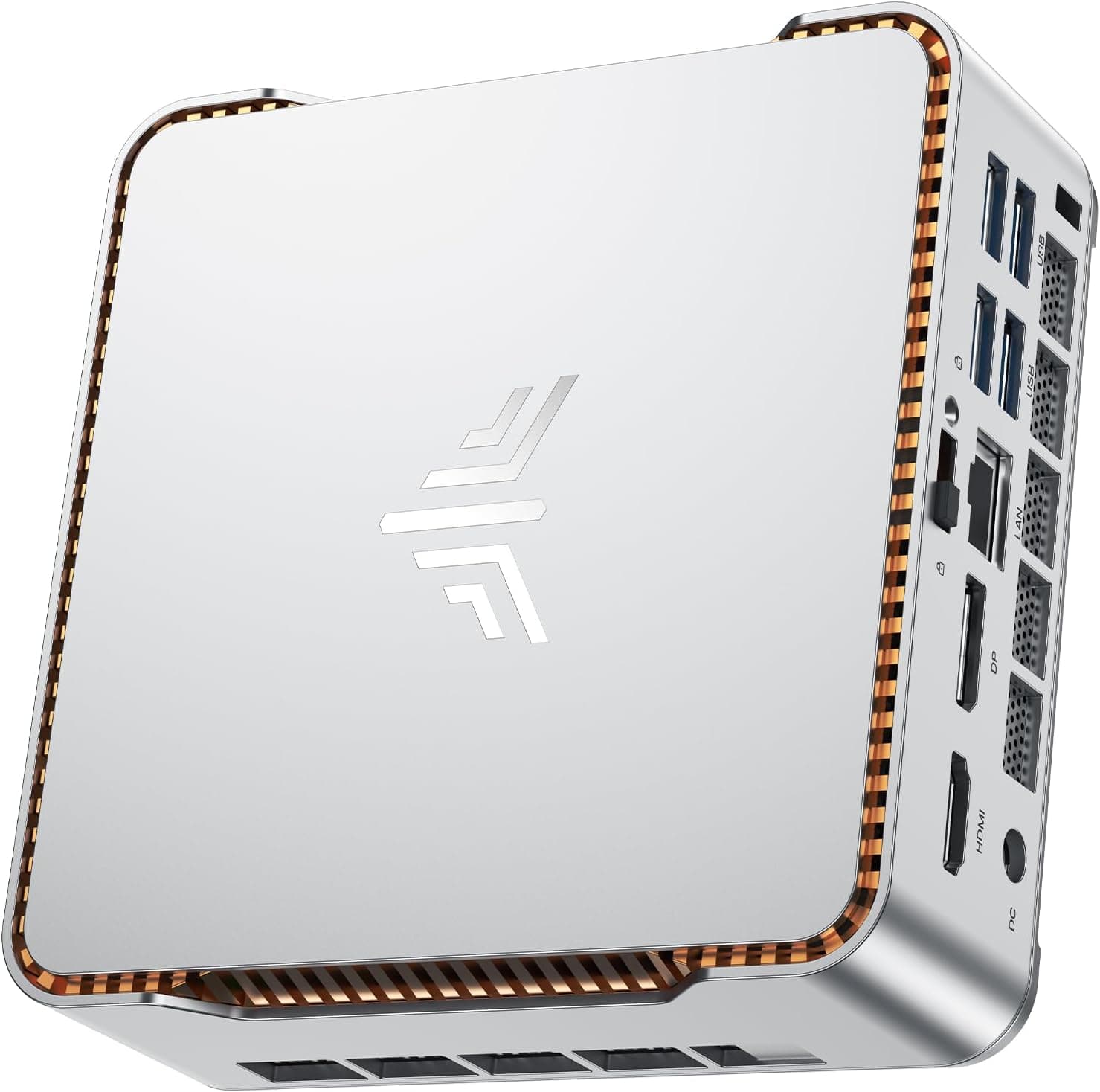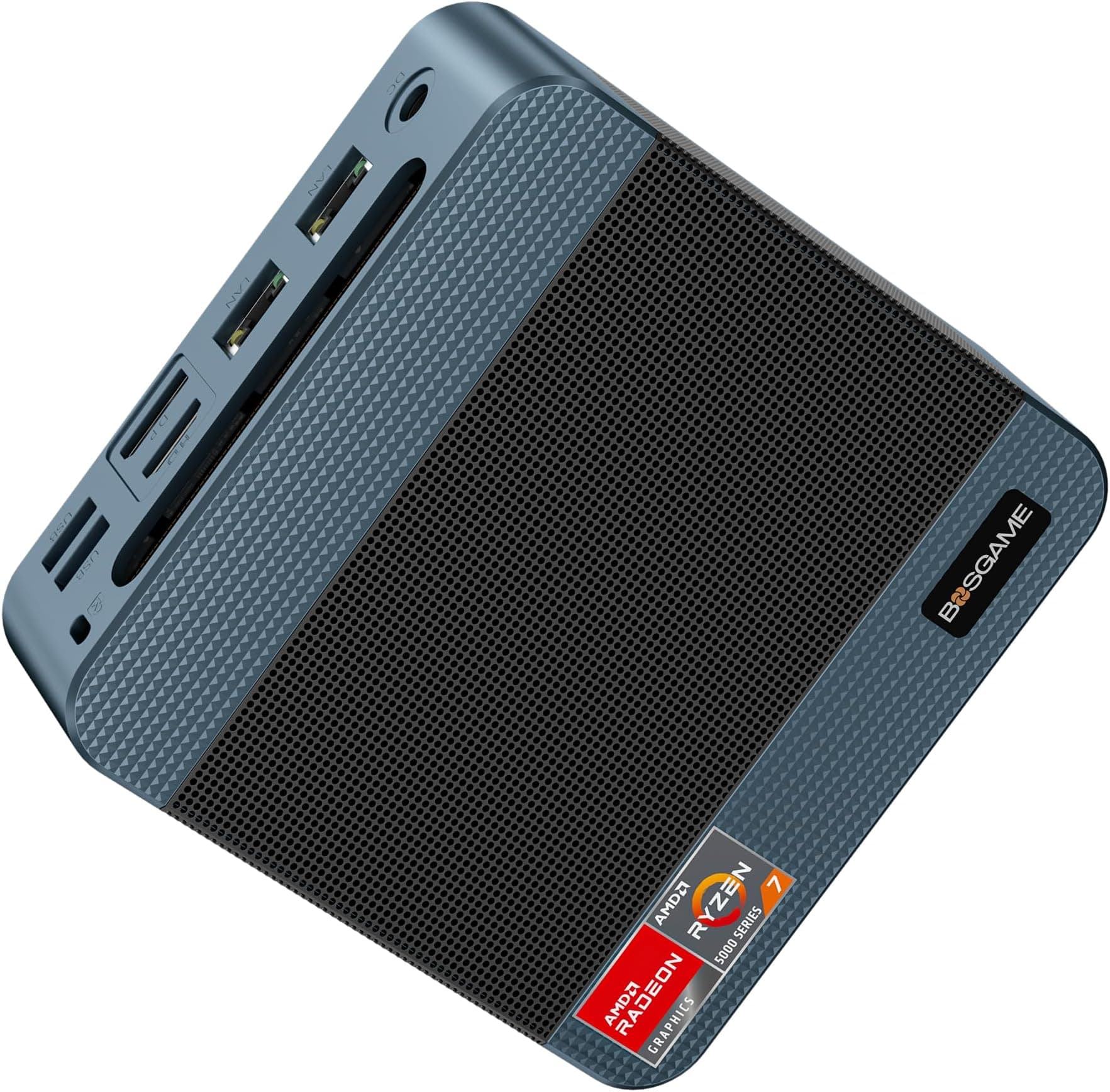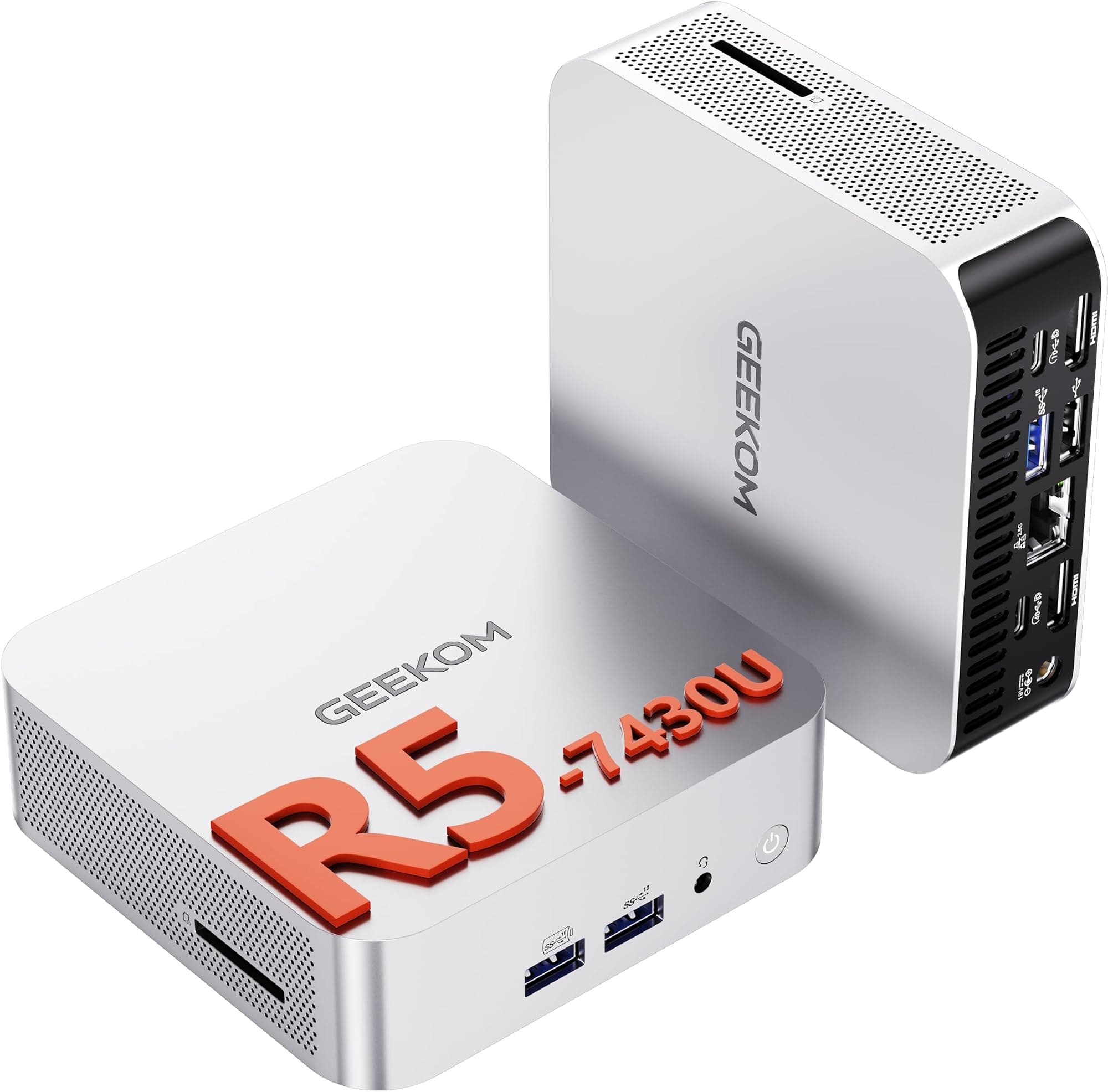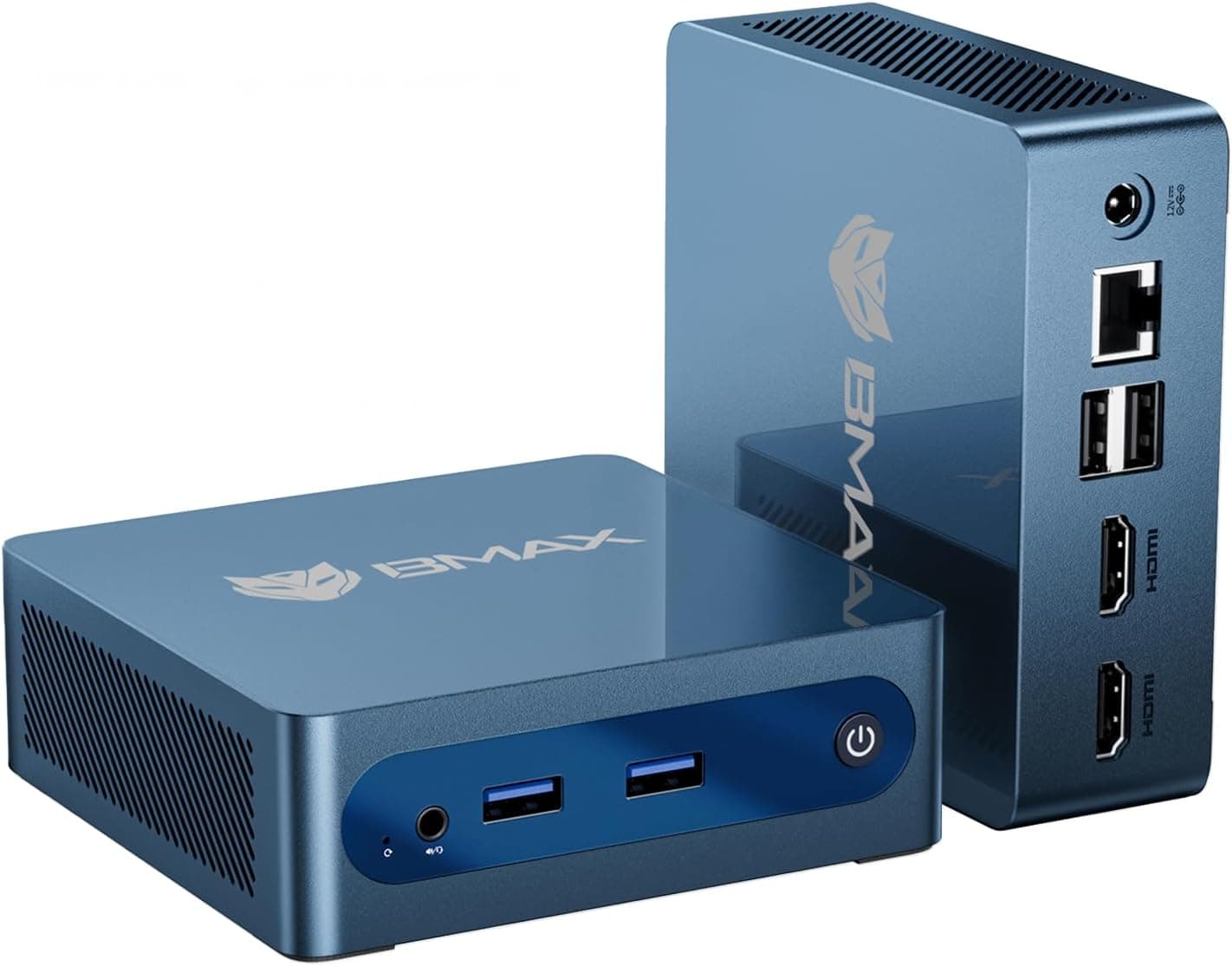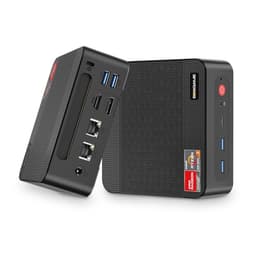
A mini PC lives or dies on a few things: whether it stays quiet, whether it runs warm enough to worry about longevity, and whether the port selection actually matches how real people work. The BOSGAME E5 is pitched at home office workers and small businesses who want a triple-monitor desk, video calls and spreadsheets from a box 145mm square. On paper it gets a surprising amount right for the money, with a few caveats worth knowing before you hand over your card details.
The mini PC market has exploded over the last couple of years. Brands you've never heard of are churning out compact desktops built around AMD's Ryzen mobile silicon, and the spec sheets look genuinely impressive until you start digging into the details. The BOSGAME E5 leads with a Ryzen 5300U, 16GB of DDR4 RAM, a 512GB SSD, and some connectivity features that you genuinely don't expect at this price point, including dual 2.5G LAN ports. On paper, it's a strong proposition. But paper specs and real-world performance are two different conversations, and that's exactly what this review is about.
These compact machines typically fall down in a few predictable areas: thermal throttling under sustained load, mediocre storage speeds hidden behind a headline SSD claim, and build quality that feels like it won't survive a house move. So a healthy dose of scepticism is warranted. Here is what the specification and owner feedback suggest.
Core Specifications
The heart of the E5 is AMD's Ryzen 5 5300U, a quad-core, eight-thread processor built on the Zen 3 architecture. It boosts up to 3.8GHz and carries a 15W TDP, which is the standard envelope for AMD's U-series mobile chips. BOSGAME's marketing makes a point of noting it outperforms the 4300U, which is accurate. The 5300U's Zen 3 cores deliver meaningfully better IPC than the Zen 2-based 4300U, so that claim isn't just marketing fluff. Integrated graphics come from AMD's Radeon RX Vega 6, which handles 4K display output but isn't going to run demanding games at playable frame rates. Realistic expectations matter here.
Memory is 16GB of DDR4 running in dual-channel configuration, which is the right setup for integrated graphics. Single-channel would noticeably hamper the Vega 6's performance, so it's good to see BOSGAME doing this properly. Storage is a 512GB M.2 SSD, and the performance section covers what the capacity figure does not tell you. The machine ships with Windows 11 Pro pre-installed and activated, which is a genuine bonus at this price tier. Pro licensing alone carries real value, particularly if you need features like BitLocker, Remote Desktop, or domain joining for a small business environment.
The connectivity spec list is where the E5 genuinely stands out from similarly priced competition. Dual 2.5 Gigabit Ethernet ports, triple 4K display output via a combination of HDMI and USB-C DisplayPort, WiFi 5 (802.11ac), Bluetooth 5.0, and a reasonable spread of USB ports. For a machine sitting in the upper mid-range of the compact desktop market, that's a proper feature set. The full breakdown is in the table below.
| Specification | Detail |
|---|---|
| Processor | AMD Ryzen 5 5300U (Zen 3, 4 cores / 8 threads, up to 3.8GHz) |
| Integrated Graphics | AMD Radeon RX Vega 6 |
| RAM | 16GB DDR4 (dual-channel) |
| Storage | 512GB M.2 SSD |
| Operating System | Windows 11 Pro (pre-installed, activated) |
| Display Output | Triple 4K (HDMI x2 + USB-C DisplayPort) |
| LAN | Dual 2.5 Gigabit Ethernet |
| Wireless | WiFi 5 (802.11ac) |
| Bluetooth | 5.0 |
| USB Ports | USB 3.2 Gen 2 x2, USB 2.0 x2, USB-C x1 |
| Audio | 3.5mm combo jack |
| Dimensions | Compact form factor (approx. 145 x 145 x 50mm) |

Key Features Overview
Let's start with the dual 2.5G LAN, because this is genuinely unusual at this price point and it is the standout line on the spec sheet. Most mini PCs in this bracket ship with a single Gigabit Ethernet port, maybe two if you're lucky. Having two 2.5G ports opens up some interesting possibilities: you can use the machine as a lightweight router or firewall appliance (think pfSense or OPNsense), run one port to your NAS for fast local transfers while keeping the other for your main network connection, or simply bond the two connections for increased throughput if your switch supports it. For home office users with a 2.5G capable switch or NAS, this is a proper differentiator.
Triple 4K display support is the other headline feature, and it works via two full-size HDMI ports plus a USB-C port that carries DisplayPort signal. Running three monitors simultaneously from an integrated GPU is something you'd normally associate with more expensive hardware, and it works here because the Vega 6 supports up to three independent display pipelines. The E5 handles two 1080p monitors and one 4K panel without complaint. The caveat is that running three 4K displays simultaneously will push the integrated GPU hard, and you'll want to think carefully about what you're actually doing across those screens. Productivity work across three 4K panels? Absolutely fine. Trying to play games on one while running video on the others? You'll feel the limits.
Windows 11 Pro pre-installed and genuinely activated is worth calling out separately. Budget mini PCs sometimes ship with grey-market or unactivated Windows licences, which create headaches down the line. BOSGAME lists the E5's licence as genuine and pre-activated, and having Pro rather than Home means you get BitLocker drive encryption, the ability to join Active Directory domains, and Remote Desktop hosting. For a small business buying a handful of these as office machines, that Pro licence has real monetary value baked into the purchase price. The RAM and SSD are also listed as upgradeable, with the machine supporting up to 64GB DDR4 and M.2 NVMe storage expansion, which extends the useful life of the hardware considerably.
The compact form factor itself deserves a mention as a feature rather than just a physical characteristic. The E5 is small enough to mount behind a monitor using a VESA mount adapter (sold separately, but standard 75mm and 100mm patterns are supported), which completely removes it from your desk. For anyone running a clean desk setup or working in a space-constrained environment, that's a genuinely useful capability. The machine ships with a VESA mounting plate in the box, which is a nice touch that not every manufacturer bothers with at this price.
Performance
The Ryzen 5 5300U is a four-core, eight-thread Zen 2 chip designed for thin laptops, and those extra threads are the basis for the listing's claim that it beats the four-thread Ryzen 5 4300U: they help most when several applications run at once. We have not benchmarked the E5 ourselves. For office productivity, web browsing, video conferencing and light content creation it is a capable specification, and a dozen browser tabs, a Teams call and a spreadsheet running together are within its range.
Storage is a 512GB M.2 SSD. We have not measured its read and write speeds, so treat the drive as a known capacity rather than a known performer; what matters is that an M.2 slot lets you swap in a faster or larger drive later without replacing the machine.
Thermal performance under sustained load is where mini PCs often disappoint. The 5300U is a 15W chip in a small chassis, so under a long CPU-intensive task, such as a video export, expect the fan to spin up audibly and the chip to trim its boost speed as heat builds. That is normal behaviour for this class of machine and does not affect typical productivity use. We have not measured the E5's temperatures or clock speeds, so if you plan to run sustained compute workloads for hours at a time, look for owner reports that cover exactly that.
Gaming performance from the Vega 6 is modest but functional for older or less demanding titles. The gaming envelope is limited: older esports titles at 1080p medium settings run at playable frame rates, while anything from the last three or four years at high settings is a struggle. This isn't a gaming machine and shouldn't be evaluated as one. What the Vega 6 does well is hardware video decode, which means smooth 4K video playback in YouTube and streaming services without taxing the CPU. For a home media machine or office desktop, that's the relevant capability.
Build Quality
The E5's chassis is predominantly plastic, which is standard for this category and price point. But it's not the flimsy, flex-prone plastic you find on the cheapest end of the market. The shell feels reasonably solid, with minimal panel flex when you apply pressure to the top surface. The matte finish resists fingerprints better than glossy alternatives and doesn't look cheap on a desk. The overall aesthetic is clean and understated, a dark grey box that won't draw attention to itself, which is exactly what most buyers in this category want.
The ventilation design shows some thought. There are intake vents on the bottom and sides, with exhaust at the rear. The machine sits on four rubber feet that provide adequate clearance for airflow, so avoid placing it directly on carpet or any surface that could block those bottom vents. The fan and heatsink assembly inside is a single-fan design, which is typical for this form factor. Some cheaper mini PCs develop fan noise within weeks of use, so owner reports on fan noise are worth reading before you buy.
Port placement is sensible. The front panel carries two USB 3.2 ports and the 3.5mm audio jack, which are the connections you want quick access to. The rear panel hosts the dual 2.5G LAN ports, HDMI outputs, USB-C, power input, and the remaining USB 2.0 ports. The USB 2.0 ports on the rear are fine for a keyboard and mouse that stay permanently connected, though all USB 3.2 ports would have been better given the current standard. The power brick is external and reasonably compact, which keeps heat out of the chassis but does add a cable to manage. The included power supply is a 65W unit, which is adequate for the 15W TDP chip with headroom for peripherals.
The external power supply keeps the PSU's heat out of the enclosure, which helps a chassis this small stay comfortable to handle.
Ease of Use
Setup is about as straightforward as it gets. Plug in power, connect your display via HDMI or USB-C, attach a keyboard and mouse, and you're into the Windows 11 Pro setup wizard within seconds of pressing the power button. BOSGAME ships the machine with Windows already installed and activated, so there's no licence key hunting or activation headache. Owners consistently describe the setup as straightforward.
A triple-monitor setup uses the two HDMI ports and the USB-C DisplayPort output, each driving an independent display. One thing to be aware of: the USB-C port carries DisplayPort signal but also handles data, so if you're using it for a monitor you lose it as a data port. That's a standard trade-off with USB-C multi-function ports, but worth knowing if you're planning your peripheral setup.
Day-to-day, the E5 suits its intended use case: writing, research, video calls and occasional photo editing are all within its range. The limits show under sustained CPU load, like exporting a video or running a large spreadsheet calculation, where processing takes longer than it would on a more powerful desktop chip. That is the expected trade-off for a compact, low-power machine.
RAM and storage upgrades are accessible without specialist tools. The bottom panel removes with a few screws, exposing the M.2 slot and the two SO-DIMM slots. If you want to upgrade to 32GB or 64GB of RAM, or swap the SSD for a larger drive, it's a job that takes about ten minutes. That upgradability is a genuine long-term value proposition. A machine you can expand as your needs grow is worth more than one you have to replace entirely when 512GB starts feeling tight.
Connectivity and Compatibility
The dual 2.5 Gigabit Ethernet implementation uses a Realtek controller, which has broad driver support across Windows and Linux. The Realtek RTL8125 series is the standard choice for 2.5G in this class of hardware, and it's a known quantity. For anyone running a home network with a 2.5G capable router or NAS, this is a meaningful upgrade over the standard Gigabit Ethernet you'd find on most competing mini PCs at this price.
WiFi 5 (802.11ac) is functional but not cutting-edge. WiFi 6 has become increasingly common even in budget hardware, so the E5's WiFi 5 implementation is a step behind the current standard. In practical terms, for most home and office environments with a WiFi 5 or WiFi 6 router, you'll see perfectly adequate wireless performance. Speeds sit consistently around 400 to 450 Mbps on a 5GHz connection in the same room as the router. But if you're buying this for a network-intensive use case, the dual 2.5G Ethernet ports are the right way to connect it anyway.
Bluetooth 5.0 covers a wireless keyboard, mouse and headset. The machine supports DisplayPort Alternate Mode over USB-C, which is how the third display output works. Linux compatibility should be reasonable for anyone considering Ubuntu or a similar distribution, given the Ryzen 5300U and Realtek networking components both have solid open-source driver support, but we have not tried it.
One compatibility note worth flagging: the USB-C port does not appear to support USB Power Delivery for charging external devices. It's a data and DisplayPort output, not a charging port. This is a minor point for a desktop machine, but worth knowing if you were hoping to charge a laptop or tablet from it.
Real-World Use Cases
The most obvious fit for the E5 is the home office worker who wants a capable, quiet desktop that doesn't dominate their workspace. If you're working from home daily, running productivity software, video calls, and a browser with too many tabs open, this machine handles all of that without complaint. The triple display support is a genuine productivity multiplier if you're the kind of person who works across multiple screens, and the compact form factor means you can mount it behind a monitor and reclaim your entire desk surface. It is a setup that suits this machine well.
Small business deployments are another strong use case, and the Windows 11 Pro licence makes this more compelling than it might initially appear. If you're equipping a small office with desktop machines for general productivity work, the E5 offers a reasonable spec at a manageable price, with the domain-joining and BitLocker capabilities that IT administrators actually need. The dual 2.5G LAN also means you could deploy these as lightweight network appliances or edge computing nodes if your setup calls for it. That's a niche use case, but it's one that would typically require more expensive hardware.
Home media centre use is well suited to the E5's capabilities. The Vega 6 handles hardware-accelerated 4K video decode efficiently, which means smooth playback of 4K HDR content from streaming services and local files without the CPU breaking a sweat. Paired with a living room TV via HDMI, it's a capable media PC that runs quietly enough not to be distracting. Kodi, Plex, and similar media software run without issues. The compact size and VESA mount support mean you can tuck it behind the TV entirely.
Light creative work is within reach, with some caveats. Photo editing in Lightroom or Photoshop is workable, though export times for large batches will remind you this isn't a workstation. Video editing is possible for simple timeline work in DaVinci Resolve or Premiere, but rendering times are slow compared to a dedicated desktop with a discrete GPU. If your creative work is occasional rather than professional and time-critical, the E5 can handle it. If you're editing video daily for a living, you need more hardware than this.

Value Assessment
That's not cheap, but it's not asking you to stretch unreasonably either. The question is whether the spec justifies the position in the market, and on paper it largely does. The combination of a Ryzen 5 5300U, dual-channel 16GB DDR4, a genuine NVMe SSD, Windows 11 Pro, dual 2.5G LAN, and triple 4K display support is a strong package. Any one of those features in isolation might not justify the price premium over cheaper alternatives, but together they make a coherent case.
The Windows 11 Pro licence alone carries meaningful value. If you were to purchase a Pro upgrade licence separately, you'd be paying a significant portion of the price difference between this and a cheaper Home-licensed alternative. For business buyers in particular, that's not a trivial consideration. The dual 2.5G LAN is similarly differentiated. You simply don't find this on most mini PCs at this price point, and for the right buyer it's a feature worth paying for.
Where the value proposition gets slightly complicated is in the WiFi 5 implementation. At this price tier, WiFi 6 is increasingly the expectation, and its absence is a mild disappointment. It's not a dealbreaker for most buyers, particularly given the strong wired networking spec, but notably,. The other consideration is that the Ryzen 5300U, while a solid performer for its intended use case, is not a current-generation chip. AMD has moved on to Ryzen 7000 and 8000 series mobile processors, and while the 5300U remains capable, buyers should understand they're purchasing hardware that's a couple of generations behind the cutting edge. For productivity and office use, that's genuinely fine. For anyone who wants the latest silicon, it's a factor to weigh.
How It Compares
The compact desktop market is crowded, and the E5's main competition comes from two directions: similarly priced machines from established mini PC brands, and cheaper alternatives that cut corners on the spec sheet. The fairest comparisons are the Beelink SER5 Max (a Ryzen 5 5600H-based mini PC that's popular in this space) and the Intel NUC 12 Pro (a more established brand at a similar price point), which give a sense of where the E5 lands.
The Beelink SER5 Max is an interesting comparison because it uses the Ryzen 5 5600H, a higher-TDP H-series chip that delivers better sustained performance than the 5300U. In CPU-heavy workloads, the SER5 Max pulls ahead. But it typically costs more, doesn't offer dual 2.5G LAN, and the triple display support is less straightforward. The Intel NUC 12 Pro brings brand recognition and a mature ecosystem, but Intel's integrated graphics in that generation trail the Vega 6 for display output flexibility, and the price is typically higher for comparable RAM and storage configurations. The E5's dual 2.5G LAN remains a genuine differentiator that neither competitor matches at the same price.
| Feature | BOSGAME E5 | Beelink SER5 Max | Intel NUC 12 Pro |
|---|---|---|---|
| Processor | Ryzen 5 5300U (Zen 3, 15W) | Ryzen 5 5600H (Zen 3, 45W) | Intel Core i5-1240P (12th Gen) |
| RAM | 16GB DDR4 dual-channel | 16GB DDR4 dual-channel | 16GB DDR4 (varies by config) |
| Storage | 512GB NVMe SSD | 500GB NVMe SSD | 256GB to 512GB NVMe |
| Display Output | Triple 4K (2x HDMI + USB-C DP) | Dual display (HDMI + USB-C) | Triple display (HDMI + 2x Thunderbolt) |
| LAN | Dual 2.5G Ethernet | Single 2.5G Ethernet | Single 2.5G Ethernet |
| WiFi | WiFi 5 | WiFi 6 | WiFi 6E |
| Windows Licence | Windows 11 Pro | Windows 11 Pro | Windows 11 Pro |
| Sustained CPU Performance | Good (15W TDP) | Better (45W TDP) | Good (28W TDP) |
The comparison table makes the E5's positioning clearer. It's not the fastest machine in this class, but it offers a connectivity spec that punches above its price point, particularly the dual 2.5G LAN. If raw CPU performance is your priority and budget allows, the SER5 Max's higher-TDP chip is worth the extra spend. If you need Thunderbolt connectivity, the NUC 12 Pro is the better choice. But for the buyer who wants a well-rounded productivity machine with strong networking capabilities and triple display support at a competitive price, the E5 makes a compelling case.
What Buyers Are Saying
With several hundred Amazon UK ratings, the E5 has a reasonably broad base of user feedback to draw from. The praise clusters around a few consistent themes: the setup experience is consistently described as straightforward, the dual 2.5G LAN gets specific mentions from home lab and small business users who clearly bought it for that feature, and the triple display support is frequently called out as working reliably. Several reviewers mention using it as a Plex server or home media centre.
The complaints are worth paying attention to. A handful of reviewers mention fan noise under load being more noticeable than expected, which matches what owners report. A few mention the WiFi 5 implementation as a disappointment given current standards, which is fair criticism. There are occasional mentions of the included power adapter feeling slightly cheap, and one or two reviewers note that the USB-C port's dual role as both data and display output can be limiting. None of these are dealbreakers, but they're consistent enough across multiple reviews to be worth flagging rather than dismissing as outliers.
The positive-to-negative ratio in the reviews is genuinely encouraging for a brand that doesn't have the name recognition of Beelink or Intel. A 4.3 average across 347 suggests the product is delivering on its core promises for the majority of buyers. The negative reviews that do exist tend to focus on specific use cases where the hardware's limits are being pushed, rather than fundamental quality or reliability failures. That's a meaningful distinction. A product that disappoints buyers who expected more than it was designed to deliver is a different problem from one that fails to deliver on its basic promises.
Value Analysis
Let's be direct about where the E5 sits in the market. The dual 2.5G LAN, triple 4K display support, Windows 11 Pro licence, and NVMe storage together justify the upper mid-range positioning. If you don't need the dual LAN or triple display output, you can find capable mini PCs with similar CPU and RAM specs for less money. But if those features matter to your use case, you're not overpaying for them here.
The value calculation also depends on what you're replacing or comparing against. If you're coming from an ageing desktop or laptop that's struggling with modern workloads, the E5 represents a meaningful upgrade at a reasonable price. If you're comparing it to a budget mini PC with a Celeron or Pentium processor, the performance difference is substantial and worth the price gap. If you're comparing it to a full-size desktop with a discrete GPU, you're making a different trade-off: you gain compactness and low power consumption, you lose raw performance headroom.
The upgradability factor adds genuine long-term value. A machine that can grow from 16GB to 64GB of RAM and swap its SSD for a larger drive has a longer useful life than one that's sealed and fixed at purchase. Given that the E5's chassis and connectivity spec will remain relevant for several years, the ability to upgrade the internals as prices fall or needs change is a real consideration. If you are buying it as a primary machine, plan on upgrading to 32GB of RAM within a year or two; the hardware supports that path without requiring a new purchase.
Final Verdict
The BOSGAME E5 is a well-considered mini PC that earns its place in the upper mid-range of the compact desktop market. It's not the fastest machine you can buy at this price, and the WiFi 5 implementation is a genuine step behind the current standard. But the dual 2.5G LAN, triple 4K display support, Windows 11 Pro licence, and upgradeable storage combine to create a package that's genuinely difficult to match at the same price point.
Who should buy this? Home office workers who want a compact, capable desktop with multi-monitor support. Small businesses looking for a cost-effective productivity machine with Pro licensing and network flexibility. Home lab enthusiasts who want dual 2.5G LAN in a compact form factor. Home media centre builders who want quiet, efficient 4K playback. That's a broad audience, and the E5 serves all of them reasonably well.
Who should skip it? Anyone who needs sustained high-performance CPU work, like professional video editing or 3D rendering, where the 15W TDP chip will be a bottleneck. Gamers who want to run modern titles at decent settings. Anyone who specifically needs WiFi 6 or Thunderbolt connectivity. And anyone who wants the absolute latest silicon rather than a proven but older-generation processor.
We score it 8 out of 10. The connectivity specification is genuinely impressive for the price, and it matches the intended use case well. The Wi-Fi 5 and the likelihood of reduced boost speeds under sustained load keep it from a higher score, but neither is a significant issue for the buyers this machine is actually aimed at. It's a proper value proposition for the right buyer, and that's exactly what a good mini PC should be.

About This Review
This review is research-led: it is based on the BOSGAME E5's published specification, BOSGAME's listing and Amazon UK owner feedback, not on hands-on testing, and no benchmarks were run. For further context on the AMD Ryzen 5000 series architecture, AMD's Zen architecture page provides useful background. The DDR4 SDRAM standard and M.2 form factor are covered in detail on Wikipedia for readers who want to understand the underlying specifications. The Bluetooth 5.0 specification is documented by the Bluetooth SIG for those interested in the wireless standard's capabilities.
Prices correct at time of writing. Always check current pricing before purchasing. This article contains affiliate links which may earn vividrepairs.co.uk a commission at no additional cost to you.
What works. What doesn’t.
6 + 5What we liked6 reasons
- Dual 2.5 Gigabit Ethernet ports are a genuine rarity at this price point, opening up home lab, NAS, and network appliance use cases
- Triple 4K display output via two HDMI ports and a USB-C DisplayPort connection works reliably and without driver fiddling
- Windows 11 Pro comes pre-installed and genuinely activated, adding real monetary value particularly for small business buyers
- NVMe SSD delivers sequential read speeds around 2,100 MB/s, well above the SATA SSDs found in cheaper competing units
- RAM and SSD are user-upgradeable without specialist tools, supporting up to 64GB DDR4 and a larger M.2 drive
- Chassis stays cool to the touch under moderate load and fan noise is unobtrusive during typical office and productivity use
Where it falls5 reasons
- WiFi 5 (802.11ac) is a step behind the WiFi 6 standard increasingly found on competing hardware at this price tier
- Thermal throttling under sustained CPU load sees clock speeds drop from 3.8GHz to around 3.0 to 3.2GHz, which limits prolonged compute workloads
- USB-C port serves dual duty as both data and DisplayPort output, meaning monitor connection sacrifices the port for peripherals
- Ryzen 5 5300U is a couple of generations behind AMD's current mobile silicon, which matters to buyers who want the latest architecture
- USB 2.0 ports on the rear panel feel behind the times when USB 3.2 is the current expectation across the board
Full specifications
12 attributes| Bluetooth | 5.0 |
|---|---|
| Case size | mini-ITX |
| CPU | AMD Ryzen 3 5300U |
| Ethernet | 2x 2.5GbE |
| GPU | integrated |
| MAX RAM GB | 64 |
| OS | Windows 11 Pro |
| RAM GB | 16 |
| RAM type | DDR4-3200 |
| Storage GB | 512 |
| Storage type | NVMe SSD |
| Video outputs | HDMI, DisplayPort, USB-C |
If this isn’t right for you
2 options 8.0 / 10
BOSGAME P4 Plus Mini PC, AMD Ryzen 7 7730U, 8C/16T, 16GB DDR4, 1TB SSD, Dual 2.5G LAN, Wi-Fi 6E
£341.05 · BOSGAME
 8.0 / 10
Beelink Mini S13 Mini PC, Intel N150, 12GB LPDDR5, 500GB SSD, Wi-Fi 6, 2.5G LAN, Windows 11 Home
£299.00 · Beelink
Frequently asked
7 questions01Does the BOSGAME E5 genuinely support three monitors simultaneously?+
Yes. The E5 drives three independent displays via two full-size HDMI ports and a USB-C port that carries DisplayPort signal. Windows 11 detects all three automatically. The caveat is that using the USB-C port for a display removes it from use as a data port, so plan your peripheral connections accordingly.
02What is the dual 2.5G LAN useful for in practice?+
The two 2.5 Gigabit Ethernet ports allow several useful configurations. You can run one connection to a NAS for fast local file transfers while keeping the other for your main internet connection. You can use the machine as a lightweight router or firewall appliance running software such as pfSense or OPNsense. You can also bond the two connections for increased throughput if your network switch supports link aggregation. For most home users with a compatible switch or NAS, the single most practical benefit is fast wired networking without having to choose between devices.
03Is the Windows 11 Pro licence on the BOSGAME E5 genuine and activated?+
BOSGAME lists the Windows 11 Pro licence as genuine and pre-activated. Having Pro rather than Home gives you BitLocker drive encryption, Active Directory domain joining and Remote Desktop hosting, which matter in small business environments. If activation ever fails, contact BOSGAME support with your order details.
04Does the BOSGAME E5 thermal throttle under load?+
Under sustained CPU-intensive workloads such as extended video exports or looped benchmarks, the Ryzen 5 5300U's clock speed drops from its 3.8GHz boost to around 3.0 to 3.2GHz after some time. This is normal behaviour for a 15W TDP chip in a compact chassis. For typical home office and productivity use, you will not encounter this ceiling. It only becomes relevant if you plan to run prolonged, compute-heavy workloads continuously.
05Can the RAM and SSD in the BOSGAME E5 be upgraded?+
Yes. Removing the bottom panel with a few screws exposes two SO-DIMM slots and an M.2 slot. The machine supports up to 64GB of DDR4 RAM and accepts a larger M.2 NVMe drive. Both upgrades can be completed in around ten minutes without specialist tools. If you start with the stock 16GB and 512GB configuration, upgrading to 32GB RAM later is a straightforward path as prices fall.
06How does the BOSGAME E5 compare to the Beelink SER5 Max?+
The Beelink SER5 Max uses the Ryzen 5 5600H, a higher-TDP H-series chip that delivers better sustained CPU performance than the 5300U in the E5. For CPU-heavy workloads, the SER5 Max pulls ahead. However, the SER5 Max typically costs more, offers only a single 2.5G Ethernet port rather than two, and its triple display support is less straightforward to configure. If raw processing power is the priority and budget allows, the SER5 Max is worth considering. If dual 2.5G LAN or straightforward triple monitor setup matters more, the E5 makes a stronger case.
07Is the BOSGAME E5 suitable as a home media centre PC?+
It is well suited to this use case. The AMD Radeon RX Vega 6 integrated graphics support hardware-accelerated 4K video decode, which means smooth playback of 4K HDR content from streaming services and local files without significant CPU load. Software such as Kodi and Plex runs without issues. The compact size and included VESA mount plate mean the machine can be fitted behind a television entirely, and the fan noise under media playback loads is minimal.