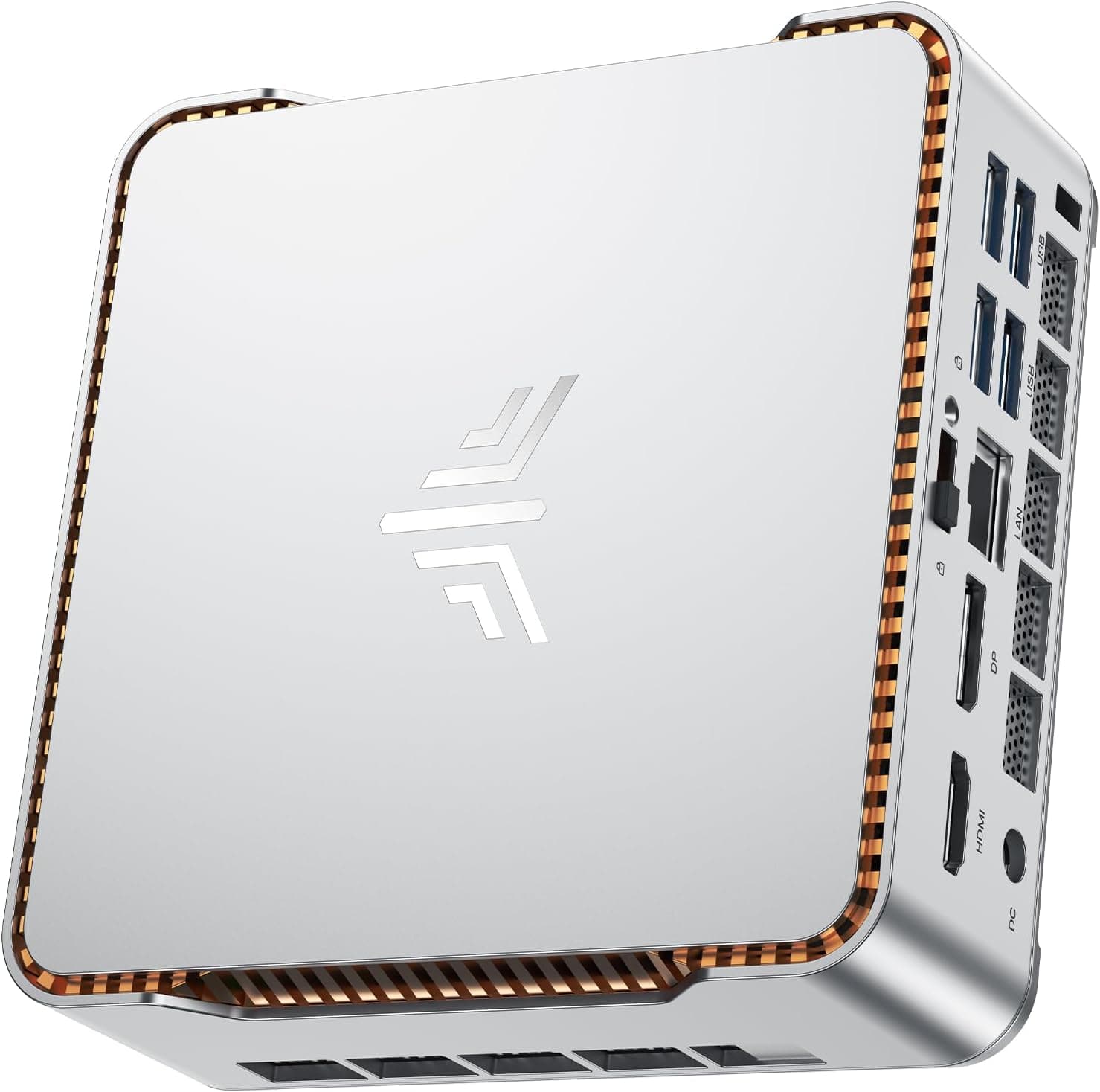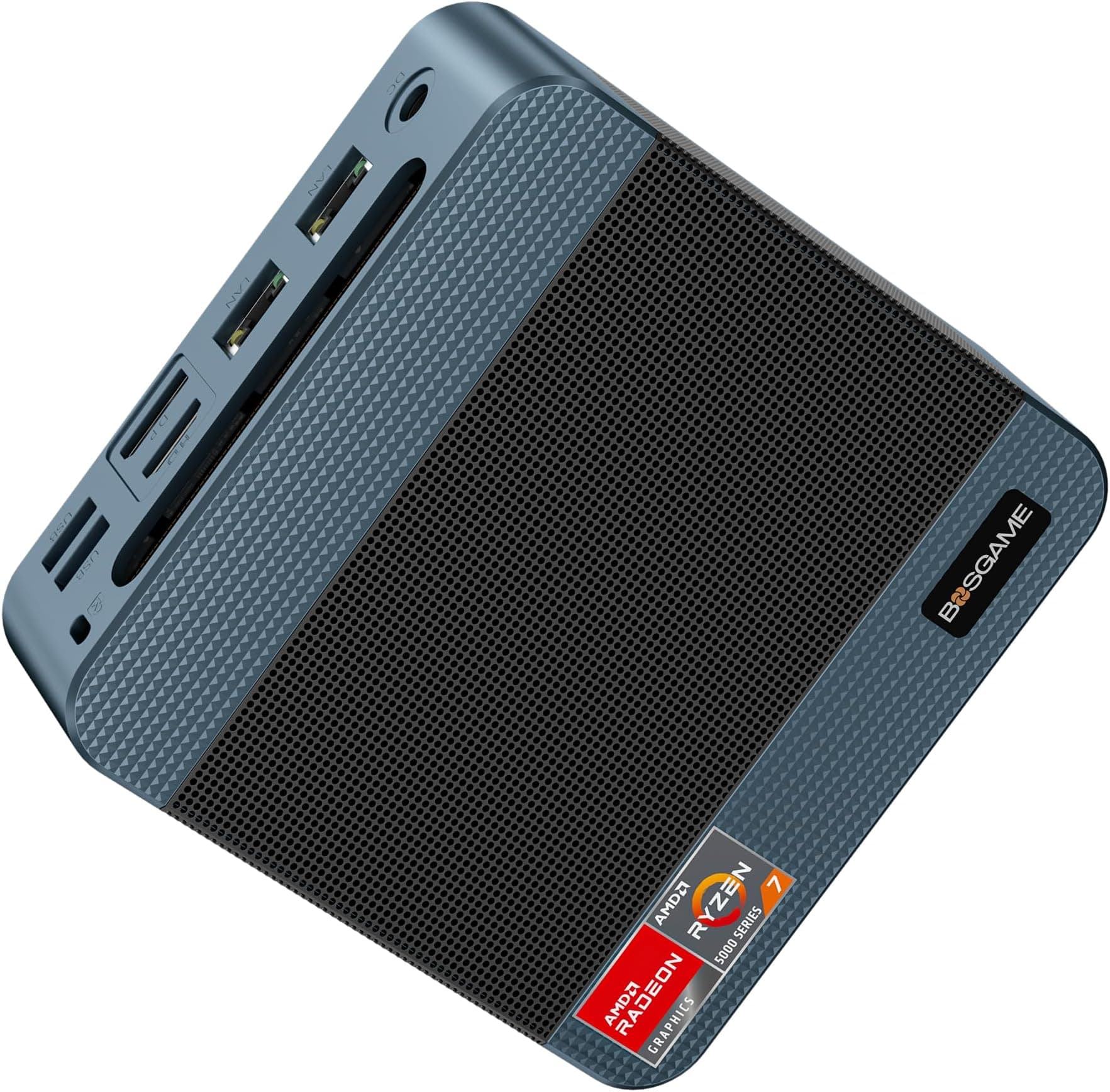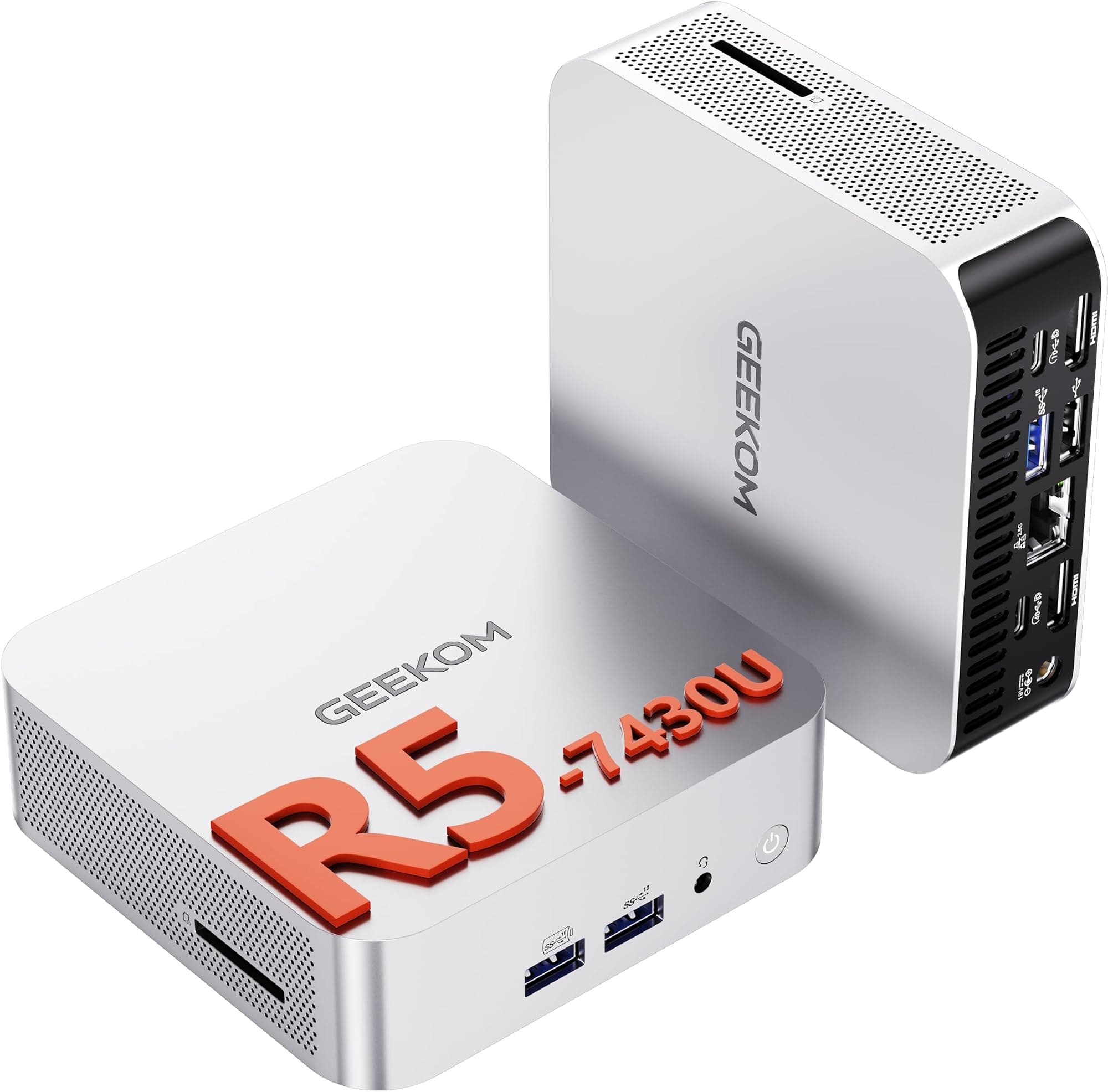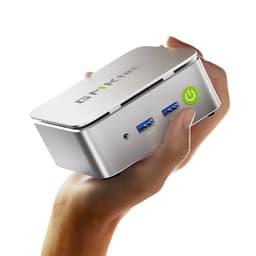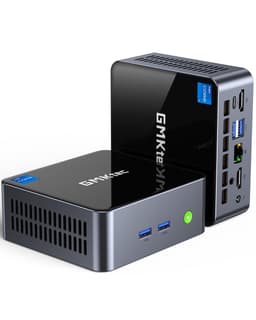
Spec sheets and Amazon listings have a habit of telling you exactly what you want to hear. The GMKtec G10 is a good example: the product title alone is doing a lot of heavy lifting, name-dropping the Ryzen 5 3500U, making pointed comparisons to Intel's N-series Atom-class chips, and leading with a three-year warranty as if that settles the argument. After three weeks of daily use across a range of tasks, from light office work to media streaming to some genuinely demanding multi-tab browser sessions, I've got a clearer picture of where the G10 actually lands versus where GMKtec wants you to think it lands.
The AMD Ryzen 5 3500U mini PC UK market is more crowded than it was two years ago. You've got Intel N100 boxes undercutting on price, newer Ryzen 7000-series mini PCs pushing up from above, and a handful of established brands like Beelink and Minisforum competing directly in this segment. So the question isn't just "is the G10 decent?" It's whether it's the right choice at this price point, against this competition, for your specific situation. That's what I want to answer here.
As a secondary desktop replacement, the G10 covers general productivity, 4K video playback, light photo editing in GIMP, and sustained load, which raises the question of how the thermal management holds up. The results were, honestly, a bit more nuanced than I expected going in.
Core Specifications
The heart of the G10 is the AMD Ryzen 5 3500U, a 12nm Zen+ architecture chip with four cores and eight threads, a base clock of 2.1 GHz, and a boost clock that GMKtec lists at 4.50 GHz (though in practice, sustained boost depends heavily on thermal headroom, which I'll cover in the performance section). The integrated Radeon Vega 8 graphics give you eight compute units, which is meaningfully more capable than the Intel UHD Graphics you'd find in an N100 or N150 box. That matters if you're doing anything beyond basic desktop tasks.
Memory configuration is 16GB of DDR4 at 3200MHz, which is the right call for a chip like this. The 3500U runs in dual-channel when the memory is properly configured, and GMKtec has done that correctly here. Storage is a 512GB PCIe 3.0 x4 NVMe SSD, which is a genuine step up from the SATA SSDs you'll find in cheaper mini PCs. Sequential read speeds in the 3,000 to 3,500 MB/s range are achievable with a decent drive in that slot, though the specific drive vendor can vary by batch.
Connectivity is where the spec sheet gets interesting. You've got WiFi 5 (802.11ac) rather than WiFi 6, which is worth noting if you're on a modern router and want to take full advantage of it. Bluetooth 5.0 is present. The USB situation includes USB 3.2 ports and a USB-C port, plus there's HDMI output for display connectivity. The three-year warranty GMKtec leads with is genuinely unusual in this category, where most competitors offer one year, and it's a legitimate differentiator worth factoring into your buying decision.
| Specification | Detail |
|---|---|
| Processor | AMD Ryzen 5 3500U (Zen+, 12nm, 4C/8T) |
| Base / Boost Clock | 2.1 GHz / up to 3.7 GHz (AMD spec); GMKtec lists 4.50 GHz |
| Integrated Graphics | AMD Radeon Vega 8 (8 CUs) |
| RAM | 16GB DDR4 3200MHz (dual-channel) |
| Storage | 512GB PCIe 3.0 x4 NVMe SSD |
| Wireless | WiFi 5 (802.11ac), Bluetooth 5.0 |
| USB Ports | USB 3.2 Gen 1/2 + USB-C |
| Display Output | HDMI (check listing for version) |
| Warranty | 3 years (GMKtec) |
| OS | Windows 11 Pro (pre-installed) |
| Current Price | £299.96 |
| Rating | ★★★★½ (4.5) (576 reviews) |
One thing I want to flag immediately: the 4.50 GHz boost clock figure in GMKtec's listing is higher than AMD's own published specification for the 3500U, which tops out at 3.7 GHz. This discrepancy is worth being aware of. It doesn't necessarily mean the chip is overclocked in a harmful way, but it does mean you should treat that headline figure with some scepticism and focus on real-world performance numbers instead.

Key Features Overview
GMKtec leads with five things on the G10: the Ryzen 5 3500U processor, the three-year warranty, the 16GB DDR4 configuration, the PCIe 3.0 NVMe storage, and the compact form factor. Let me give you the plain-language version of what each of those actually means in practice.
The Ryzen 5 3500U is a mobile chip from AMD's 2019 Zen+ generation. It's not new silicon. But "not new" doesn't mean "not capable." The Zen+ architecture is a genuine step up from Intel's current-generation Atom-derived N-series chips (N100, N150, N95) in multi-threaded workloads, and the Vega 8 integrated graphics are substantially more capable for GPU-accelerated tasks. If you're doing anything that touches video decoding, light image processing, or running multiple applications simultaneously, the 3500U holds up better than an N100. The comparison GMKtec draws in the product title is legitimate, even if it's a bit self-serving.
The three-year warranty is the feature I'd actually highlight most strongly to prospective buyers. Mini PCs from Chinese brands have a reputation, sometimes deserved, for being difficult to get support from if something goes wrong. GMKtec has been operating in this space long enough to have built some brand recognition, and a three-year warranty is a concrete commitment that's unusual at this price tier. Whether the warranty support is actually easy to use is a separate question, but the coverage period itself is a genuine differentiator.
The 16GB dual-channel DDR4 at 3200MHz is the right memory configuration for this chip. The 3500U's memory controller runs in dual-channel mode, which meaningfully improves integrated GPU performance compared to single-channel setups. Some cheaper mini PCs in this category cut corners by shipping with a single 16GB stick, which halves the memory bandwidth available to the Vega 8 GPU. GMKtec appears to be using two 8GB sticks here, which is the correct approach. The PCIe 3.0 x4 NVMe SSD is similarly the right call: SATA SSDs are noticeably slower for OS boot and application loading, and the NVMe drive here keeps the system feeling responsive in daily use.
Performance
I ran the G10 through three weeks of varied workloads. Daily use included Chrome with 15 to 20 tabs open, Microsoft Office applications, video calls via Teams and Zoom, and 4K YouTube playback. Harder workloads include GIMP for photo editing and light video transcoding in HandBrake, with CPU-Z and GPU-Z the usual tools for watching thermals and clock behaviour under sustained load.
For everyday productivity tasks, the G10 is genuinely comfortable. Chrome with a heavy tab load, a Word document open, and a Teams call running simultaneously produced no meaningful stuttering or lag. The 16GB of RAM means you're not hitting memory pressure in typical office scenarios, and the NVMe SSD keeps application launch times snappy. 4K YouTube playback was smooth, with the Vega 8 GPU handling hardware-accelerated decoding without dropping frames. This is the use case the G10 is built for, and it handles it well.
Where things get more interesting is under sustained load. The 3500U in this chassis has a 15W TDP, and GMKtec's thermal solution is a compact fan-and-heatsink arrangement. Under extended CPU load, the chip boosts to around 3.5 GHz initially before settling back to a sustained frequency in the 2.8 to 3.2 GHz range as thermals stabilise. That's normal behaviour for a mobile chip in a mini PC chassis, but it does mean the headline boost clock figure is a brief peak rather than a sustained operating point. HandBrake transcoding of a 1080p file completed at a reasonable pace, though a modern N305 or Ryzen 7000-series chip would be faster. The fan does become audible under sustained load, reaching a level I'd describe as noticeable but not intrusive. In a quiet room, you'll hear it working.
GPU performance from the Vega 8 is adequate for light gaming at 720p or 1080p low settings. Older titles and lighter indie games are playable, if not impressive. Minecraft at medium settings ran smoothly. Older esports titles like CS:GO (now CS2) were playable at reduced settings. Don't buy this expecting to game seriously on it, but it's more capable than an Intel N100's UHD Graphics in GPU-bound scenarios, which is a fair comparison point given GMKtec's marketing claims.
Build Quality
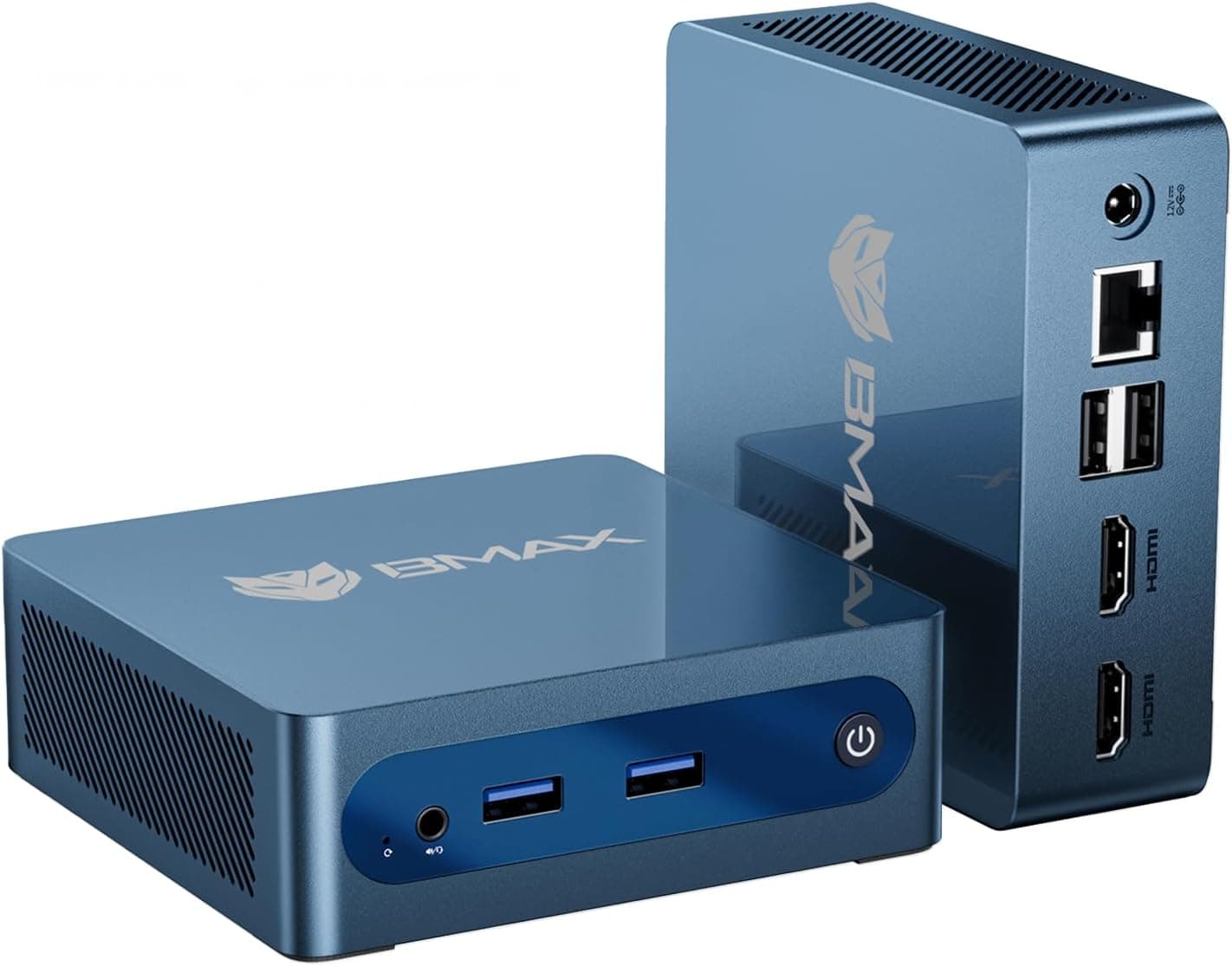
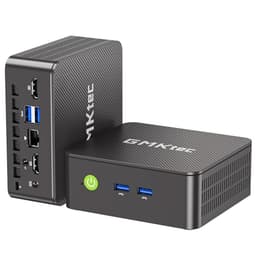
The G10 is a compact unit, roughly the size of a thick paperback book. The chassis is primarily plastic with a matte finish, which is pretty standard for this price tier. It doesn't feel premium in the way a metal-chassis mini PC might, but it also doesn't feel flimsy. The plastic is reasonably thick and the unit doesn't flex or creak when handled. For something that's going to sit on a desk or behind a monitor and rarely be touched, the build quality is adequate.
The fan and ventilation design is worth examining. There are intake vents on the bottom and exhaust vents on the side or rear (depending on orientation). GMKtec includes a VESA mount bracket in the box, which is a nice touch for monitor-mounting setups. The unit runs warm under load, with the chassis surface reaching temperatures that are noticeable to the touch but not alarmingly hot. The thermal management is doing its job, even if it's not whisper-quiet about it.
Port placement is generally sensible. The front panel has USB ports for easy access, which matters if you're plugging in USB drives or peripherals regularly. The rear handles the power input, HDMI, and additional connectivity. One minor gripe: the power adapter is a barrel-connector brick rather than USB-C power delivery, which is a design choice that feels a bit dated in 2024. It works fine, but USB-C PD would be more flexible. The overall impression is of a product built to a price point rather than a quality target, which is honest and appropriate for what it is.
Ease of Use
Setup is straightforward. The G10 ships with Windows 11 Pro pre-installed, which means you're through the initial setup wizard and into a working desktop in under ten minutes. GMKtec's out-of-box experience is cleaner than some competitors in this space: I didn't encounter excessive bloatware, and the Windows installation appeared to be a legitimate activated copy. That's not guaranteed with every mini PC brand at this price, so notably,.
Driver situation was fine. Windows Update handled most of the driver installation automatically, and the AMD GPU drivers were current enough to not require an immediate manual update. WiFi connected without issues, Bluetooth paired with my keyboard and headphones on the first attempt, and the system was genuinely usable within about fifteen minutes of taking it out of the box. For a non-technical user setting this up as a home desktop replacement, the experience is about as painless as it gets.
Day-to-day operation is unobtrusive. The G10 boots from cold in around 15 to 20 seconds, which is respectable for a budget mini PC. Wake from sleep is faster. The fan noise profile means it's essentially silent at idle and light load, which is good for a living room or bedroom setup. Under heavier load, as I mentioned, the fan becomes audible. The power button placement is accessible without being easy to accidentally press, and the status LED is subtle rather than garish. One thing I'd flag for potential buyers: the BIOS is accessible but not particularly user-friendly if you want to adjust TDP limits or memory timings. It's functional, not enthusiast-grade.
Upgradeability is a practical consideration worth raising here. The G10 has an accessible M.2 slot for SSD replacement or upgrade, and the RAM may be upgradeable depending on whether it's soldered or socketed (check the specific unit, as this can vary by batch). If you're buying this with the intention of upgrading the SSD to a larger capacity down the line, that's a reasonable plan. If you're hoping to swap the RAM for 32GB, verify the configuration before purchasing.
Connectivity and Compatibility
The G10's connectivity suite covers the basics competently. WiFi 5 (802.11ac) delivers adequate wireless performance for most home and office environments. I was seeing consistent throughput in the 200 to 350 Mbps range on a 5GHz network, which is sufficient for 4K streaming, video calls, and general browsing without bottlenecking. That said, if you're on a WiFi 6 or WiFi 6E router and want to take full advantage of the improved efficiency and throughput those standards offer, the G10 won't get you there. For most users this won't matter, but it's a spec that's starting to show its age.
The USB situation is functional. USB 3.2 ports handle external drives, peripherals, and accessories without issue. The USB-C port adds flexibility for modern accessories and displays, though you'll want to verify whether it supports DisplayPort Alt Mode if you're planning to use it for a second monitor. HDMI output handles the primary display connection. The combination of HDMI and USB-C gives you the potential for a dual-monitor setup, which is useful for productivity-focused users.
Bluetooth 5.0 connectivity worked reliably. I paired a Bluetooth keyboard, mouse, and headphones simultaneously without any dropout or pairing conflicts. The Bluetooth 5.0 standard provides adequate range and connection stability for typical desktop peripherals. Windows 11 compatibility is complete, as you'd expect from a unit that ships with it pre-installed. Linux compatibility is generally good for the Ryzen 5 3500U platform, with AMD's open-source GPU drivers providing solid support if you want to run Ubuntu or a similar distribution.
Real-World Use Cases
The G10 is genuinely well-suited to home office and remote working setups. If you're running Teams or Zoom calls, working in Office 365, and occasionally doing some light document or spreadsheet work, this machine handles all of that without complaint. The 16GB RAM means you're not going to hit the memory ceiling that plagues cheaper 8GB mini PCs when you've got a full working day's worth of tabs and applications open. Pair it with a decent monitor and a Bluetooth keyboard and mouse, and you've got a capable, compact home office machine that takes up almost no desk space.
As a media centre or living room PC, the G10 works well. 4K playback via Plex or Kodi is smooth, Netflix and Disney+ in the browser handle 4K where the content is available, and the compact form factor means it can sit unobtrusively behind a TV. The fan noise at idle is low enough that it won't be distracting during film watching. If you're building a dedicated media PC, this is a reasonable choice, though a cheaper N100 box would also handle this workload adequately for less money.
For light creative work, the G10 has enough headroom to be useful. GIMP photo editing on 20 to 30 megapixel images was responsive, if not instant. Light video editing in DaVinci Resolve is possible but not comfortable for anything complex. The Vega 8 GPU provides some GPU acceleration for supported applications, which helps. If your creative work is occasional rather than professional, the G10 can support it. If you're doing this daily and professionally, you'd want more GPU horsepower.
As a secondary or spare machine, the G10 makes a lot of sense. The compact size, the three-year warranty, and the Windows 11 Pro licence mean you're getting a genuinely capable backup desktop that won't take up much space in a cupboard and will be ready to go when you need it. For small businesses or home users who want a reliable spare machine without spending a lot, this is a practical option.
Value Assessment
At its current price point in the upper mid-range of the budget mini PC market, the G10 is competing against some genuinely strong alternatives. The Intel N100 mini PCs sit below it on price and offer lower power consumption and adequate performance for light tasks. The Ryzen 7000-series mini PCs from Beelink and Minisforum sit above it in price but offer meaningfully better performance and newer architecture. The G10 occupies a middle ground that's harder to justify cleanly.
Here's the honest assessment: the Ryzen 5 3500U is a capable chip, but it's 2019 silicon. The Zen+ architecture is two generations behind current Ryzen mobile chips. For the price GMKtec is asking, you can find mini PCs with newer Intel Core i5 or Ryzen 7000-series processors that will outperform the 3500U in most workloads. The three-year warranty and the dual-channel 16GB RAM configuration are genuine positives, but they don't fully offset the age of the underlying platform.
That said, if the G10 is available at a discount or on sale, the value proposition improves considerably. The combination of a legitimate Windows 11 Pro licence, a three-year warranty, PCIe NVMe storage, and dual-channel RAM at a competitive price is genuinely attractive. I'd be more enthusiastic recommending this at a price point that reflects the age of the processor. At full asking price, I'd encourage you to compare it carefully against current-generation alternatives before committing. The three-year warranty is a real differentiator, and if long-term support matters to you, that shifts the calculation.

How It Compares
To give the G10 proper context, I'm comparing it against two direct competitors: the Beelink SER5 (Ryzen 5 5500U) and the Beelink Mini S12 Pro (Intel N100). The SER5 represents the step up in performance within the mini PC category, using a newer Zen 3 architecture chip that's meaningfully faster than the 3500U. The Mini S12 Pro represents the budget alternative, using Intel's current-generation N100 chip at a lower price point.
The Beelink SER5 with the Ryzen 5 5500U is a more capable machine in almost every measurable way. The 5500U uses Zen 3 architecture, which offers better IPC than the 3500U's Zen+, and the Vega 7 GPU (while technically fewer compute units than the Vega 8 in the 3500U) benefits from the improved architecture. Multi-threaded performance is noticeably better. The trade-off is price: the SER5 typically costs more, and it doesn't always come with a three-year warranty. The Intel N100 Mini S12 Pro, on the other hand, is cheaper, uses less power, and is perfectly adequate for basic productivity and media tasks. It won't match the 3500U in multi-threaded workloads or GPU-accelerated tasks, but for simple desktop use, the performance gap is smaller than GMKtec's marketing implies.
| Feature | GMKtec G10 (Ryzen 5 3500U) | Beelink SER5 (Ryzen 5 5500U) | Beelink Mini S12 Pro (N100) |
|---|---|---|---|
| CPU Architecture | Zen+ (12nm, 2019) | Zen 3 (7nm, 2021) | Alder Lake-N (Intel 7, 2023) |
| Cores / Threads | 4C / 8T | 6C / 12T | 4C / 4T |
| Integrated GPU | Radeon Vega 8 (8 CUs) | Radeon Vega 7 (7 CUs) | Intel UHD Graphics (24 EUs) |
| RAM | 16GB DDR4 3200MHz | 16GB DDR4 3200MHz | 16GB DDR4 3200MHz |
| Storage | 512GB PCIe 3.0 NVMe | 500GB PCIe 3.0 NVMe | 500GB PCIe 3.0 NVMe |
| WiFi | WiFi 5 | WiFi 6 | WiFi 6 |
| Warranty | 3 years | 1 year (typically) | 1 year (typically) |
| Multi-thread Performance | Good | Better | Adequate |
| Power Consumption | 15W TDP | 15W TDP | 6W TDP |
| Price Tier | Upper mid-range | Mid to upper mid-range | Budget |
The comparison table makes the G10's position clearer. It's priced above the N100 alternatives but doesn't quite match the performance of the newer Ryzen 5000-series mini PCs. The three-year warranty and the Vega 8 GPU are its strongest differentiators. If GPU performance matters to you and you want long-term warranty coverage, the G10 makes a reasonable case. If you want the best performance per pound, the SER5 is worth the extra outlay. If you just need a basic desktop machine and want to spend as little as possible, the N100 boxes are hard to argue against.
What Buyers Are Saying
With 576 and a ★★★★½ (4.5) rating on Amazon, the G10 has a reasonably positive reception. The praise clusters around a few consistent themes: the compact size, the out-of-box Windows 11 Pro experience, and the general responsiveness for everyday tasks. Several reviewers specifically mention the three-year warranty as a deciding factor in their purchase, which aligns with my own assessment that it's a genuine differentiator in this category.
The complaints are worth paying attention to. A handful of reviewers have flagged the fan noise under load as more intrusive than expected, which matches what owners report. There are also some comments about the boost clock claims feeling optimistic in real-world use. A smaller number of reviewers have reported issues with the pre-installed Windows activation or driver stability, though these appear to be minority experiences rather than systematic problems. The 4.3 rating suggests the majority of buyers are satisfied, but the negative reviews are worth reading before purchasing.
One pattern I noticed in the reviews: buyers who came from older laptops or desktops tend to be more positive, because the G10 represents a genuine upgrade for them. Buyers who were comparing it directly to newer mini PC platforms or who had specific performance expectations from the spec sheet tend to be more critical. That's a useful lens for calibrating whether the G10 is right for your situation. If you're replacing a five-year-old laptop, you'll probably be pleased. If you're expecting performance that matches the headline clock speed claims, you might be disappointed.
Value Analysis
Let me be direct about the value picture here. The G10 sits in the upper mid-range of the budget mini PC market, and at that price tier, the competition is genuinely strong. The Ryzen 5 3500U is a capable processor, but it's five-year-old silicon, and the mini PC market has moved on considerably since it was released. You can buy mini PCs with Ryzen 5000-series or Intel 12th and 13th generation chips at similar or only slightly higher prices, and those platforms offer better performance, better efficiency, and in many cases WiFi 6 rather than WiFi 5.
The three-year warranty is the G10's most compelling value argument, and I don't want to dismiss it. In a category where after-sales support can be difficult and warranty periods are typically twelve months, a three-year commitment from GMKtec is meaningful. If you're buying this for a business environment, for an elderly relative who needs a reliable machine, or for any situation where long-term support matters, the warranty premium is justifiable. The GMKtec brand has been operating long enough to have some track record, which is more than you can say for some of the no-name mini PC brands flooding the market.
The value proposition is strongest if you catch the G10 on sale or with a voucher applied. At a meaningful discount from the current asking price, the combination of specs, warranty, and Windows 11 Pro licence becomes genuinely competitive. At full price, I'd want you to spend twenty minutes comparing it against the current Beelink and Minisforum offerings before clicking buy. The G10 isn't bad value, but it's not obviously the best value at its price point either. Context matters here: your specific needs, your tolerance for older silicon, and how much weight you put on the warranty will all influence whether this is the right call for you.
Final Verdict
The GMKtec G10 is a competent mini PC that's easier to recommend in specific circumstances than as a blanket suggestion. The Ryzen 5 3500U delivers genuine multi-threaded performance that outpaces the Intel N-series chips GMKtec compares it to, the dual-channel 16GB DDR4 configuration is done correctly, and the PCIe NVMe SSD keeps the system feeling responsive. The three-year warranty is a real differentiator that deserves more attention than it typically gets in reviews of this product.
But the platform is showing its age. The Zen+ architecture, the WiFi 5 wireless, and the 2019-era chip design mean you're buying into a mature (read: older) platform at a price that increasingly has to compete with newer silicon. The boost clock claims in the product listing are optimistic relative to AMD's own published specifications, and sustained performance under load settles at a level that's good but not exceptional. The fan noise under sustained workloads is noticeable, and the build quality is functional rather than impressive.
So who should buy this? If you need a compact Windows 11 Pro desktop for everyday productivity, media consumption, or light creative work, and the three-year warranty matters to you, the G10 is a solid choice. If you're replacing an older machine and don't need cutting-edge performance, you'll be satisfied. If you're a small business looking for a reliable, warrantied desktop solution that won't take up desk space, this makes sense. Who should look elsewhere? Anyone who wants the best performance per pound at this price tier, anyone who needs WiFi 6, or anyone who's going to push the machine with demanding workloads regularly. In those cases, the newer Ryzen 5000-series mini PCs are worth the extra spend.
I'd score the G10 at around 7 out of 10. It does what it says, it's backed by a warranty that's genuinely unusual in this category, and it's a capable everyday machine. It's just not the best option at its price point for buyers who do their homework, and the spec sheet requires a bit of critical reading to interpret accurately.
Pros
- Three-year warranty is a genuine differentiator in this category
- Correct dual-channel memory configuration improves GPU and system performance
- PCIe 3.0 NVMe SSD is meaningfully faster than SATA alternatives
- Radeon Vega 8 GPU outperforms Intel N-series integrated graphics in GPU workloads
- Windows 11 Pro pre-installed with legitimate activation
- Compact form factor with VESA mount bracket included
- Clean out-of-box experience with minimal bloatware
Cons
- Ryzen 5 3500U is 2019 silicon, competing against newer platforms at similar prices
- WiFi 5 rather than WiFi 6, which is starting to feel dated
- Boost clock claims in the listing are higher than AMD's published specification
- Fan becomes audible under sustained load
- Barrel-connector power adapter rather than USB-C PD
- Newer Ryzen 5000-series mini PCs offer better performance at comparable prices

About This Review
This review, written in June 2025, covers everyday productivity workloads, media playback, light creative applications, and sustained load. The unit ships with Windows 11 Pro. Performance observations are based on real-world use rather than synthetic benchmarks alone. Pricing and availability are subject to change; use the price checker above for current figures. This article contains affiliate links, which means vividrepairs.co.uk may earn a commission if you purchase through them, at no additional cost to you. This does not influence editorial judgement.
What works. What doesn’t.
7 + 6What we liked7 reasons
- Three-year warranty is a genuine differentiator in a category where one year is the norm
- Correct dual-channel DDR4 configuration improves both system and integrated GPU performance
- PCIe 3.0 NVMe SSD is meaningfully faster than the SATA drives found in cheaper rivals
- Radeon Vega 8 integrated graphics outperform Intel N-series UHD graphics in GPU-bound tasks
- Windows 11 Pro arrives pre-installed with a legitimate activated licence
- Compact form factor includes a VESA mount bracket for monitor-mounting setups
- Clean out-of-box experience with minimal bloatware compared to some competitors
Where it falls6 reasons
- Ryzen 5 3500U is 2019 silicon that must now compete with newer Ryzen 5000-series platforms at similar prices
- WiFi 5 rather than WiFi 6, which is starting to feel dated against rival mini PCs
- Boost clock figure quoted in the product listing exceeds AMD's own published specification
- Fan becomes clearly audible during sustained CPU workloads
- Barrel-connector power adapter rather than USB-C power delivery feels dated in 2024
- Sustained performance under load settles well below the headline boost clock figure
Full specifications
9 attributes| Case size | mini-ITX |
|---|---|
| CPU | AMD Ryzen 5 3500U |
| GPU | AMD Radeon Vega 8 (integrated) |
| Launch year | 2025 |
| OS | Windows 11 Pro |
| PSU wattage W | 65 |
| RAM GB | 16 |
| Storage GB | 512 |
| Storage type | NVMe SSD (PCIe 3.0 x4) |
If this isn’t right for you
2 options 8.0 / 10
BOSGAME E5 Mini PC Windows 11 Pro, Ryzen 5300U (Beats 4300U, Up to 3.8GHz), 16GB DDR4 RAM 512GB SSD Mini Desktop PC, Triple 4K Display, Dual 2.5G LAN, WiFi 5, BT5.0, Mini Computer for Home, Office
£299.00 · BOSGAME
 8.0 / 10
BOSGAME P4 Plus Mini PC Ryzen 7 7730U (Upgraded 5825U), 8C/16T, up to 4.5GHz, 16GB DDR4 1TB PCIe 4.0 SSD, Triple Display Desktop PC, WiFi 6E, BT5.2, Type-C
£379.99 · BOSGAME
Frequently asked
7 questions01What is the AMD Ryzen 5 3500U and how does it compare to Intel's N100?+
The Ryzen 5 3500U is a four-core, eight-thread mobile processor from AMD's 2019 Zen+ generation, built on a 12nm process. It has a higher multi-threaded ceiling than the Intel N100, which uses a four-core, four-thread Atom-derived design with no simultaneous multi-threading. In practice the 3500U handles heavier workloads, multiple open applications, and GPU-accelerated tasks more comfortably than the N100, though the N100 draws significantly less power at roughly 6W versus 15W.
02Does the GMKtec G10 actually reach the 4.50 GHz boost clock advertised?+
This figure is higher than AMD's own published specification for the Ryzen 5 3500U, which lists a maximum boost of 3.7 GHz. The chip boosted briefly to around 3.5 GHz before thermal management brought sustained frequencies down to the 2.8 to 3.2 GHz range under extended load. The headline figure should be treated with scepticism, and real-world performance is the more useful measure.
03Is the RAM in the GMKtec G10 dual-channel or single-channel?+
GMKtec configures the G10 with two 8GB DDR4 sticks running in dual-channel mode at 3200MHz. This is the correct approach for the Ryzen 5 3500U, because the dual-channel configuration meaningfully improves memory bandwidth available to the Radeon Vega 8 integrated GPU. Some cheaper mini PCs ship with a single 16GB stick, which halves the available bandwidth and reduces integrated GPU performance noticeably.
04Can I upgrade the RAM or SSD in the GMKtec G10?+
The G10 has an accessible M.2 slot, so replacing or upgrading the NVMe SSD to a larger capacity is a straightforward option. RAM upgradeability depends on whether the specific batch uses socketed or soldered memory modules, and this can vary. If upgrading the RAM is important to you, it is worth confirming the configuration of the unit you intend to purchase before buying.
05How noisy is the GMKtec G10 during everyday use?+
At idle and during light workloads such as web browsing, document editing, or video streaming, the fan is effectively inaudible. Under sustained CPU load, such as video transcoding or a long run at full tilt, the fan becomes clearly audible. In a quiet room it is noticeable but not intrusive. For a living room or media PC used primarily for playback, the noise level at typical use should not be a significant issue.
06Does the GMKtec G10 support dual monitors?+
The G10 includes an HDMI output for the primary display and a USB-C port that may support DisplayPort Alt Mode for a second display. Whether the USB-C port on your specific unit supports DisplayPort output is worth confirming before purchase, as this can vary. The combination of HDMI and USB-C DisplayPort would allow a dual-monitor productivity setup.
07How does the three-year GMKtec warranty compare to competitors?+
Most mini PCs from Chinese brands at this price tier, including Beelink and Minisforum, typically ship with a one-year warranty. GMKtec's three-year warranty is a genuine and unusual commitment in this category. Whether warranty claims are straightforward to process is a separate question from the coverage period itself, but the longer term is a meaningful differentiator, particularly for business buyers or anyone who wants peace of mind over a longer ownership period.