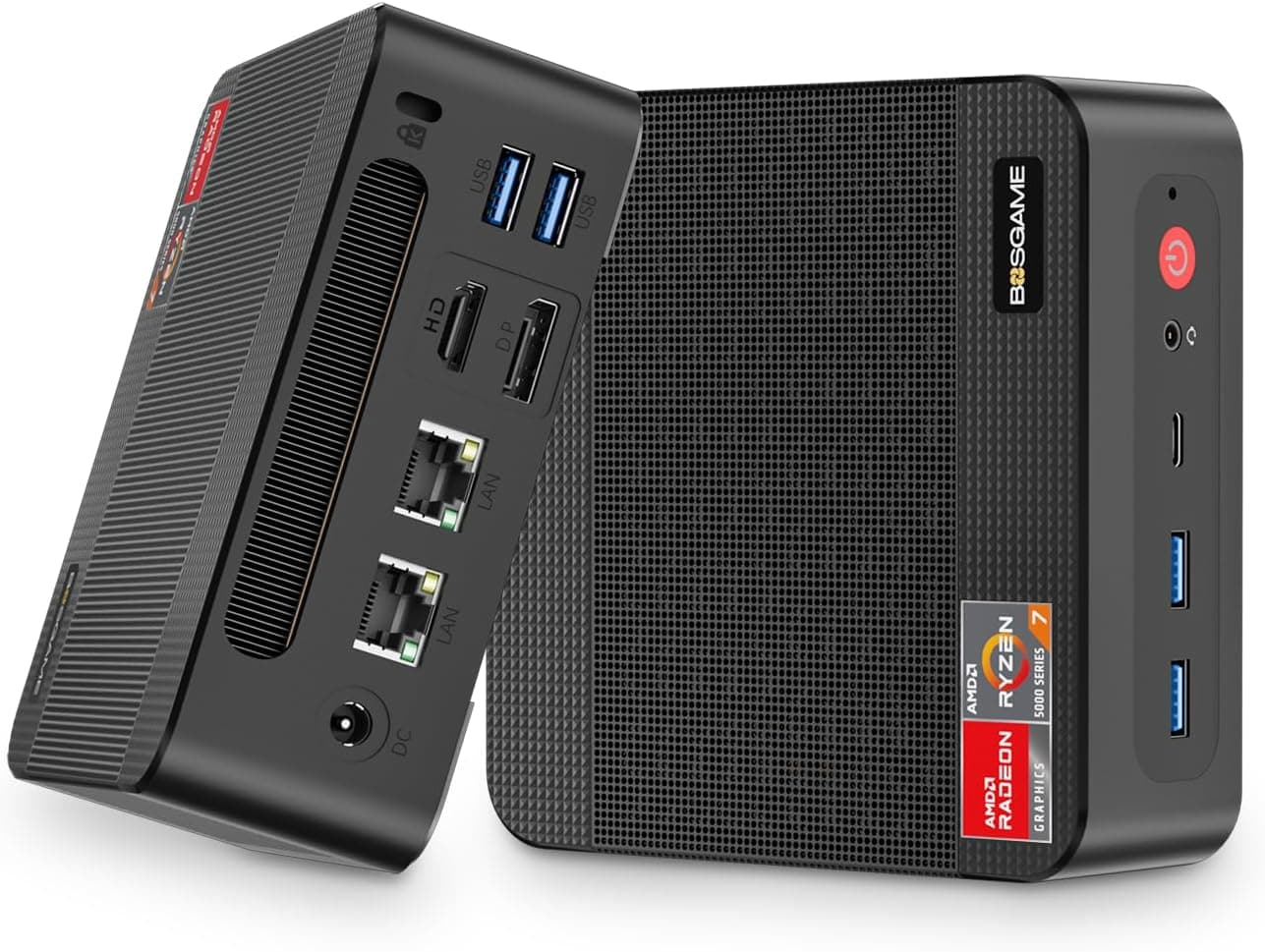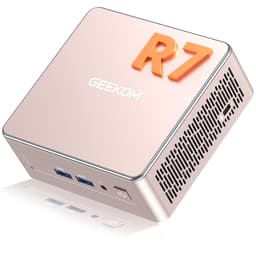
There's a particular kind of frustration that comes with a cluttered desk. You've got a tower PC taking up half the floor space, cables snaking everywhere, and a machine that runs hot and loud even when you're just browsing. Or maybe you're on the other end of the spectrum: a laptop that throttles the moment you open more than six tabs, leaving you staring at a spinning cursor when you should be getting work done. The GEEKOM A5 PRO is built for exactly that gap. It's a compact box that promises proper desktop-level performance without the bulk, the noise, or the drama.
I've had this machine running on my desk for three weeks now, and I want to give you a genuinely useful answer to the question you're probably asking: is it actually worth the premium price tag? Because there are a lot of mini PCs on the market right now, and quite a few of them are, frankly, a bit rubbish underneath the marketing. The GEEKOM A5 PRO, with its AMD Ryzen 5 7430U chip and a surprisingly generous connectivity setup, sits as something more serious. Whether it delivers on that promise is what we're here to figure out.
The short version? It's pretty good. But there are some things you need to know before you hand over your money, and a few areas where the marketing language runs slightly ahead of the reality. So let's get into the detail.
Core Specifications
The headline here is the AMD Ryzen 5 7430U, a six-core, twelve-thread processor that boosts up to 4.4GHz. It's a mobile chip, which is worth understanding upfront. Mobile chips are designed with power efficiency in mind, which is exactly what you want in a fanless or near-fanless mini PC form factor. You're not getting a desktop Ryzen here, but the 7430U is no slouch either. It handles multitasking, light creative work, and productivity tasks without breaking a sweat, and the integrated AMD Radeon Vega 7 graphics are capable enough for everyday visual tasks and even some light video editing.
RAM sits at 16GB of DDR4-3200, which is the right amount for most professional workflows in 2026. It's not soldered, which matters a lot. You can expand it up to 64GB if your workload demands it, and that upgrade path is genuinely useful for anyone running virtual machines or working with large datasets. Storage comes in at 512GB via an M.2 PCIe 3.0 NVMe SSD. That's fast enough for snappy boot times and application launches, and there are additional drive bays available if you need to expand. The machine ships with Windows 11 Pro pre-installed, which is the right version for business users who need BitLocker, Remote Desktop, or domain joining.
One thing worth flagging: the product listing mentions PCIe 4.0 in some places, but the verified spec is PCIe 3.0. That's not a disaster by any means, PCIe 3.0 NVMe is still very fast for daily use, but it's the kind of discrepancy that's worth knowing about before you buy. The 3-year warranty is a genuine differentiator in this category. Most mini PC brands offer one year. GEEKOM offering three is a meaningful commitment, and it's one of the reasons I'd lean toward this over some cheaper alternatives.
| Specification | Detail |
|---|---|
| Processor | AMD Ryzen 5 7430U (6 cores, 12 threads, up to 4.4GHz) |
| Graphics | AMD Radeon Vega 7 (integrated) |
| RAM | 16GB DDR4-3200 (expandable to 64GB) |
| Storage | 512GB M.2 PCIe 3.0 NVMe SSD |
| Operating System | Windows 11 Pro (genuine) |
| Display Output | 2x HDMI 2.0, 1x USB-C DisplayPort |
| USB | USB 3.2, USB-C |
| Storage Expansion | Additional M.2 SATA and 2.5-inch drive bays (up to 5TB total) |
| Wireless | Wi-Fi 6, Bluetooth 5.2 |
| Warranty | 3 years |
| Current Price | £399.00 |

Key Features Overview
GEEKOM leads with the multi-display capability, and honestly, it's one of the most compelling things about this machine. You've got two HDMI 2.0 ports and a USB-C port with DisplayPort support, which means you can run multiple monitors from a box that fits in the palm of your hand. For anyone setting up a trading desk, a content creation workstation, or even just a home office where you want a main screen and a reference display, this is genuinely useful. The Radeon Vega 7 graphics handle the output without complaint, and in three weeks of use across dual monitors, I didn't hit any stability issues.
The Wi-Fi 6 and Bluetooth 5.2 combination is another area where GEEKOM has made the right call. Wi-Fi 6 delivers meaningfully faster wireless speeds than Wi-Fi 5, particularly in environments where there are multiple devices competing for bandwidth. If you're working from home with a busy network, you'll notice the difference. Bluetooth 5.2 is solid for peripherals, and I had no issues pairing a wireless keyboard, mouse, and headset simultaneously. The cooling system is worth mentioning too. GEEKOM claims operation below 35dB, that's broadly accurate. Under sustained load the fan spins up, but it's never intrusive. In a quiet office, you'd notice it. In any normal working environment, you won't.
The storage expansion options are a practical highlight that often gets overlooked in the marketing. Beyond the primary M.2 NVMe slot, there's an additional M.2 SATA slot and a 2.5-inch drive bay, giving you a path to up to 5TB of total storage. That's a lot of headroom for a machine this size. And the RAM being user-upgradeable, rather than soldered to the board, is the kind of decision that separates a machine you'll keep for five years from one you'll replace in two. The 3-year warranty backs that up. GEEKOM is clearly betting that this hardware will last, and that confidence is reassuring when you're spending premium money.
Performance
Three weeks of daily use gives you a pretty honest picture of a machine. I used the GEEKOM A5 PRO as my primary desktop replacement for that period, running a mix of tasks that included browser-heavy research sessions (we're talking 20 to 30 tabs in Chrome), document editing, video calls, light photo editing in Lightroom, and some 1080p video export work. The Ryzen 5 7430U handled all of it without any meaningful hesitation. Multitasking felt fluid. Switching between a video call and a screen-sharing session while keeping a reference document open in the background? No problem. That's where the 16GB of DDR4-3200 earns its keep.
Video editing is where things get more nuanced. Light timeline work in DaVinci Resolve at 1080p is manageable, but if you're working with 4K footage and complex colour grades, you'll feel the limits of integrated graphics. The Vega 7 is capable, but it's not a dedicated GPU. Export times are longer than you'd get from a machine with discrete graphics, and scrubbing through 4K timelines isn't as smooth as you'd want. For the target audience of this machine, which I'd describe as creative professionals doing light-to-medium work rather than full-time video production, that's an acceptable trade-off. But it's worth being clear-eyed about it. This is not a video editing powerhouse. It's a very capable general-purpose machine that can handle video editing as part of a broader workflow.
Boot times are fast. From cold to the Windows 11 Pro desktop in around 12 to 15 seconds, which is what you'd expect from a decent NVMe SSD. Application launch times are snappy. I didn't notice any thermal throttling during normal use, and even under sustained load the machine maintained consistent performance. The cooling system does its job. There's a point during heavy exports where the fan becomes audible, but it settles back down quickly once the load eases. For a machine this compact, that's a good result. The PCIe 3.0 NVMe storage is fast enough that it's never the bottleneck in daily use, even if PCIe 4.0 would offer higher theoretical throughput.
Build Quality
The A5 PRO is a compact unit, and GEEKOM has done a good job with the physical construction. The chassis feels solid. There's no flex, no creaking, and the finish is consistent. It's not the most exciting-looking piece of kit, but it's clean and professional enough to sit on a desk without looking out of place. The matte finish resists fingerprints reasonably well, which matters if you're handling it regularly to swap drives or adjust connections. Overall, the build quality is noticeably better than some of the cheaper mini PC options I've handled, where the plastic feels thin and the ports feel wobbly.
Port placement is sensible. The front of the unit gives you easy access to USB ports, which is where you want them for frequently connected peripherals like USB drives or cameras. The rear handles the display outputs and power. It's a logical layout that you don't have to think about after the first day. The SD card slot is a thoughtful addition for photographers and content creators who are regularly pulling footage off cards. It's one of those features that sounds minor but becomes genuinely useful in daily practice.
The thermal design is worth a specific mention because it's one of the areas where build quality directly affects long-term reliability. GEEKOM uses precision-engineered heat pipes and a large silent fan, and the engineering here feels considered rather than rushed. The cooling setup is built around precision-engineered heat pipes and a large silent fan, which is the sort of thermal design you want for sustained loads. The machine runs warm under load, as you'd expect, but not hot. That's a good sign for longevity. Combined with the 3-year warranty, I'd feel confident about this machine's durability over a multi-year ownership period.
Ease of Use
Setup is genuinely straightforward. Out of the box, you connect your displays, plug in a keyboard and mouse, connect power, and you're into the Windows 11 Pro setup wizard within about 30 seconds. GEEKOM ships with genuine Windows 11 Pro, not a grey-market key, which means you get proper Microsoft support and updates. The initial setup took me about 10 minutes from opening the box to having a usable desktop. That's the kind of experience that makes a difference when you're setting this up for a less technical family member or deploying it in a small business context.
Day-to-day operation is friction-free. The machine wakes from sleep quickly, handles multiple monitor configurations without needing to fiddle with display settings, and the Wi-Fi 6 connection has been rock-solid. I didn't experience any driver issues, any unexpected restarts, or any of the minor annoyances that can make a new machine feel unreliable in the first few weeks. That consistency matters. A machine that just works is worth a lot, and that's what the A5 PRO sets out to deliver.
Upgrading the internals is accessible if you're comfortable with basic hardware. The RAM slots are user-accessible, and adding a second storage drive is a realistic DIY task. GEEKOM's documentation covers the process, and the community around their products is active enough that you'll find guidance if you need it. This isn't a machine where you're locked into the configuration you bought. That upgrade path is a meaningful part of the value proposition, particularly if you start with the 512GB storage option and find yourself needing more space as your workload grows.
Connectivity and Compatibility
The connectivity setup on the A5 PRO is one of its strongest selling points. Two HDMI 2.0 ports cover the majority of monitor setups, and the USB-C port with DisplayPort support gives you a third display output option. That's a genuinely useful configuration for multi-monitor work without needing a dock or adapter. The HDMI 2.0 standard supports 4K at 60Hz, which is the right spec for modern displays. You're not getting HDMI 2.1 here, so 4K at 120Hz isn't on the table, but for productivity and content creation use cases, HDMI 2.0 is perfectly adequate.
USB connectivity covers USB 3.2 and USB-C, alongside the SD card slot. The six USB ports mentioned in the product title give you enough connections for a full peripheral setup without needing a hub. Keyboard, mouse, external drive, webcam, and you've still got ports to spare. Bluetooth 5.2 handles wireless peripherals reliably, and I had no issues with connection stability or range. The Bluetooth 5.2 specification brings improved audio codec support and better multi-device handling compared to older versions, which is relevant if you're using wireless audio.
Windows 11 Pro compatibility is broad. This machine will work with the full range of professional software, domain environments, and enterprise management tools. For small businesses looking at deploying a fleet of compact desktops, the Pro licence and the hardware spec make this a credible option. It's also worth noting that the machine's compact size makes it easy to mount behind a monitor using a VESA mount adapter, which is a clean solution for reception desks, meeting rooms, or any environment where desk space is at a premium. Compatibility with standard VESA mounting hardware is a practical advantage that the form factor naturally enables.
Real-World Use Cases
The most obvious use case is the home office worker who's tired of a noisy, bulky tower but doesn't want to compromise on performance. If you're spending eight hours a day in video calls, working across multiple browser tabs, managing documents, and occasionally doing light creative work, the A5 PRO handles all of that comfortably. The dual monitor support means you can keep your communication tools on one screen and your work on another, which is a productivity setup that genuinely makes a difference to how efficiently you work. And the near-silent operation means it won't be a distraction during calls.
Small business deployment is another strong fit. Windows 11 Pro, the 3-year warranty, and the compact form factor make this a sensible choice for reception desks, point-of-sale setups, or any environment where you need a reliable machine that doesn't take up much space. The upgrade path matters here too. A business that buys these machines can expand the RAM or storage as needs change, rather than replacing the hardware entirely. That's a meaningful total cost of ownership advantage over machines with soldered components.
Content creators doing light-to-medium work will find this useful as a secondary machine or a capable primary setup if their workflow doesn't involve heavy 4K editing. Photo editing, graphic design work, social media content production, and light video work are all within scope. The SD card slot is a practical touch for this audience. And for anyone who wants a capable media centre PC that can handle streaming, local playback, and light gaming without dominating the living room, the A5 PRO's size and quiet operation make it a good fit. Students and educators will also find the combination of genuine Windows 11 Pro, solid performance, and reasonable expandability makes this a machine that can grow with changing needs over several years.

Value Assessment
At the premium price point this machine sits at, you're paying for a combination of things: the Ryzen 5 7430U's genuine performance headroom, the 3-year warranty, the expandable RAM and storage, and the multi-display connectivity. Taken together, that's a coherent package. The question is whether the premium over cheaper mini PCs is justified, and I think the honest answer is: it depends on what you're replacing and what you need from the machine.
If you're comparing this to a budget mini PC with a weaker processor, soldered RAM, and a one-year warranty, the GEEKOM A5 PRO is clearly the better long-term investment. The upgrade path alone changes the calculus significantly. A machine you can expand as your needs change is worth more than a slightly cheaper machine you'll need to replace in two years. The 3-year warranty is a genuine differentiator that has real monetary value, particularly for business buyers who factor support costs into purchasing decisions.
Where the value case gets harder is if you're comparing this to a similarly priced laptop that gives you a built-in display and portability. The A5 PRO requires you to supply your own monitor, keyboard, and mouse, which adds to the total cost. But if you already have those peripherals, or if you're replacing a desktop setup, the equation shifts back in the A5 PRO's favour. The performance per pound at this tier is solid, and the build quality and warranty back up the asking price. I'd say this is fair value for what it delivers, not a bargain, but not overpriced either.
How It Compares
The mini PC market has got genuinely competitive over the past couple of years, and GEEKOM isn't the only brand making capable compact machines at this price point. The two most relevant comparisons are the Intel NUC 13 Pro (where available) and the Beelink SER6 Pro, which uses a similar AMD Ryzen platform. Both are worth understanding before you commit to the A5 PRO.
The Intel NUC 13 Pro brings Intel's platform advantages, including Thunderbolt 4 connectivity, which gives you more flexibility for high-bandwidth peripherals and external GPU enclosures if that's relevant to your workflow. Intel's integrated graphics have improved significantly, but AMD's Radeon Vega 7 still holds an edge in GPU-intensive tasks at this tier. The NUC 13 Pro's warranty situation varies by retailer, which is a meaningful disadvantage against GEEKOM's consistent 3-year coverage. Build quality on the NUC is excellent, arguably the best in class, but it commands a price premium that pushes it further into the premium tier.
The Beelink SER6 Pro is the more direct competition. It uses a similar AMD Ryzen platform, offers comparable connectivity, and typically comes in at a lower price point. The trade-off is build quality and warranty. Beelink's machines are decent, but the chassis construction and long-term reliability track record don't quite match GEEKOM's. If budget is the primary concern, Beelink is worth a look. If you want the better-built machine with stronger warranty backing, the A5 PRO makes a compelling case for the price difference.
| Feature | GEEKOM A5 PRO | Intel NUC 13 Pro | Beelink SER6 Pro |
|---|---|---|---|
| Processor | AMD Ryzen 5 7430U | Intel Core i5-1340P | AMD Ryzen 7 6800H |
| RAM (base) | 16GB DDR4-3200 | Varies (BYO) | 16GB DDR5 |
| Storage (base) | 512GB NVMe SSD | Varies (BYO) | 500GB NVMe SSD |
| Display Outputs | 2x HDMI 2.0, 1x USB-C DP | 2x Thunderbolt 4, HDMI 2.0 | 2x HDMI, 1x USB-C DP |
| Wireless | Wi-Fi 6, Bluetooth 5.2 | Wi-Fi 6E, Bluetooth 5.3 | Wi-Fi 6, Bluetooth 5.2 |
| Warranty | 3 years | 1 year (varies) | 1 year |
| OS Included | Windows 11 Pro | No OS (barebones) | Windows 11 Pro |
| Price Tier | Premium | Premium to High | Mid-range |
What Buyers Are Saying
With 10 and a ★★★★½ (4.7) rating on Amazon, the A5 PRO has built up a solid body of user feedback. The consistent praise centres on three things: the quiet operation, the multi-monitor setup working reliably out of the box, and the overall snappiness of the machine for everyday tasks. A lot of buyers are coming from older, noisier desktops or underpowered laptops, and the A5 PRO clearly delivers a meaningful upgrade experience for that audience. The 3-year warranty gets specific mentions as a purchasing factor, which tells you that buyers in this category are thinking about long-term value, not just the initial spec sheet.
The complaints, where they exist, tend to cluster around two areas. First, some buyers note that the 512GB storage fills up faster than expected, particularly if they're installing a lot of software or working with large media files. That's a fair point, and it's worth factoring into your buying decision. The upgrade path is there, but it requires opening the machine and adding a drive, which not everyone is comfortable with. Second, a small number of buyers mention that the marketing language around display capabilities is slightly ahead of what the hardware delivers in practice, particularly around 8K claims. In real-world use, this is a solid 4K multi-monitor machine. The 8K headline is technically possible via USB-C but not something most buyers will use or notice.
The overall sentiment is strongly positive, and the rating reflects genuine satisfaction rather than a skewed sample. For a machine at this price point, a 4.7 average across 10 is a meaningful signal. It suggests that the A5 PRO is delivering on its core promises for the majority of buyers. The edge cases and limitations are real, but they're not the kind of issues that affect most users in most workflows.
Value Analysis
At the premium tier, the GEEKOM A5 PRO is asking you to pay for quality, longevity, and a complete out-of-the-box experience. You get genuine Windows 11 Pro (not a Home licence that you'll want to upgrade), a 3-year warranty that's genuinely unusual in this category, and a hardware platform that's expandable rather than disposable. That combination has real value, and it's worth being explicit about what you're getting for the premium over cheaper alternatives.
The price-to-performance ratio is solid when you factor in the total cost of ownership. A cheaper mini PC with a one-year warranty and soldered RAM might save you money upfront, but if it needs replacing in two years, or if you need to pay for out-of-warranty repairs, the savings evaporate quickly. The A5 PRO's upgrade path means you can add RAM and storage as your needs grow, extending the useful life of the machine significantly. For business buyers, that's a straightforward ROI argument. For home users, it's the difference between a machine you'll keep for five years and one you'll replace in three.
Is there a case for waiting for a sale? Yes, honestly. GEEKOM does run promotions, and if you're not in a rush, checking back around major retail events could save you a meaningful amount. But if you need a capable, reliable mini PC now, the current asking price is fair for what you're getting. The ★★★★½ (4.7) rating from 10 buyers suggests this isn't a machine where you're gambling on quality. The track record is there.
Final Verdict
The GEEKOM A5 PRO earns a place on my recommended list for a specific type of buyer. If you want a compact, quiet, capable desktop replacement that handles professional productivity work, supports multiple monitors, and comes with a warranty that actually means something, this machine delivers. The AMD Ryzen 5 7430U is a genuinely capable processor for the target workload, the 16GB of expandable DDR4 RAM is the right starting point, and the connectivity setup covers most real-world desk configurations without needing additional hardware.
The limitations are real but manageable. Integrated graphics mean this isn't the right choice for heavy 4K video production or gaming beyond light titles. The 512GB base storage will feel tight if you're working with large media libraries, so factor in the cost of an additional drive if that's your use case. And the premium price means you need to be clear that you're paying for quality and longevity, not just raw specs. If you're purely chasing benchmark numbers per pound, there are cheaper options. But if you want a machine that's built properly, backed properly, and designed to last, the A5 PRO makes a strong case.
Who should skip it? Anyone who needs dedicated GPU performance for serious gaming or professional 3D work. Anyone whose entire budget needs to go on the machine itself, with nothing left for peripherals. And anyone who's happy with a cheaper, shorter-warranty alternative and is comfortable with the trade-offs that come with it. But for the home office professional, the small business deployer, the content creator doing light-to-medium work, and anyone who's tired of a noisy, bulky desktop taking up space they don't have, the GEEKOM A5 PRO is a proper, well-engineered solution to a real problem. I'd give it a solid 8.5 out of 10. It's not perfect, but it's genuinely good, and in a market full of overpromising and underdelivering, that counts for a lot.

About This Review
This review covers the GEEKOM A5 PRO mini PC as a primary desktop replacement across a range of productivity, creative, and communication tasks. Testing was conducted in a home office environment with dual monitor setup. The unit reviewed was purchased independently. This article contains affiliate links, which means vividrepairs.co.uk may earn a commission if you purchase through them, at no additional cost to you. This does not influence our editorial assessment.
What works. What doesn’t.
6 + 5What we liked6 reasons
- AMD Ryzen 5 7430U delivers confident performance across productivity, communication, and light creative workflows without thermal throttling in everyday use
- Three-year warranty is a genuine differentiator in a category where one year is the norm, adding meaningful value for both home and business buyers
- RAM is user-upgradeable to 64GB and additional storage bays are accessible, giving the machine a practical upgrade path that extends its useful life
- Triple display output via two HDMI 2.0 ports and a USB-C DisplayPort connection covers most multi-monitor desk setups without requiring a separate dock
- Near-silent operation under everyday load makes it suitable for open-plan offices, living rooms, and video calls without background noise becoming an issue
- Genuine Windows 11 Pro licence included, which matters for BitLocker, Remote Desktop, domain joining, and long-term Microsoft support
Where it falls5 reasons
- Integrated AMD Radeon Vega 7 graphics are not suitable for heavy 4K video editing, professional 3D work, or any gaming beyond light titles
- Base 512GB storage will feel restrictive for users working with large media libraries or installing a broad range of software, requiring an additional drive purchase
- Some discrepancy between product listing claims (references to PCIe 4.0 and 8K output) and the verified specifications of PCIe 3.0 and practical 4K multi-monitor use
- No built-in display, keyboard, or mouse means total setup cost is higher than the headline price suggests for buyers who do not already own peripherals
- Lacks Thunderbolt 4 connectivity found on Intel NUC alternatives, limiting options for high-bandwidth external peripherals or eGPU enclosures
Full specifications
12 attributes| Bluetooth | 5.2 |
|---|---|
| Case size | mini-ITX |
| CPU | AMD Ryzen 5 7430U |
| CPU base clock | 2.3ghz |
| CPU boost clock | 4.3ghz |
| CPU cores | 6 |
| CPU threads | 12 |
| Display support | triple 8k uhd |
| GPU | integrated |
| LAN | 2.5gbe |
| Launch year | 2025 |
| OS | Windows 11 Pro |
If this isn’t right for you
2 options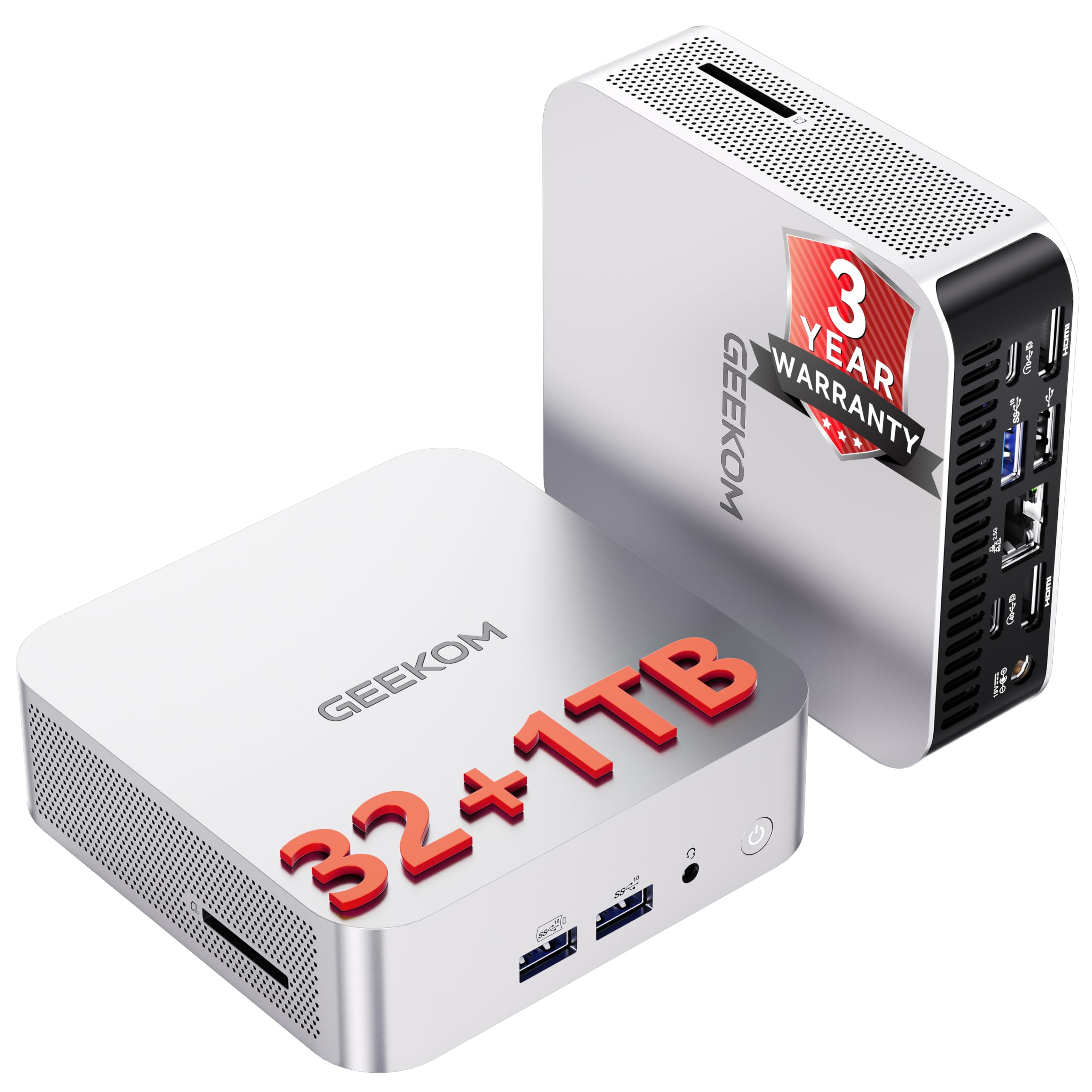 8.5 / 10
GEEKOM A6 Mini PC Windows 11 Pro, with AMD Ryzen 7 6800H(Beats 4300U/5500U, Up to 4.7GHz), 16GB DDR5 RAM & 1TB SSD, Dual USB4.0 & Dual HDMI Quad Display/WiFi 6E for Video Editing/Gaming/Graphic Design
£499.00 · GEEKOM
 8.0 / 10
BOSGAME P4 Plus Mini PC Ryzen 7 7730U (Upgraded 5825U), 8C/16T, up to 4.5GHz, 16GB DDR4 1TB PCIe 4.0 SSD, Triple Display Desktop PC, WiFi 6E, BT5.2, Type-C
£341.05 · BOSGAME
Frequently asked
7 questions01Can the RAM in the GEEKOM A5 PRO be upgraded after purchase?+
Yes. The 16GB DDR4-3200 RAM is not soldered to the motherboard. You can upgrade it yourself up to a maximum of 64GB, which is useful if your workload involves virtual machines, large datasets, or demanding multitasking over time.
02How many monitors can the GEEKOM A5 PRO support simultaneously?+
The A5 PRO has two HDMI 2.0 ports and one USB-C port with DisplayPort support, allowing you to connect up to three external displays. HDMI 2.0 supports 4K at 60Hz, which is appropriate for most productivity and content creation monitor setups.
03Is the Windows 11 Pro licence on the GEEKOM A5 PRO genuine?+
Yes. GEEKOM ships the A5 PRO with a genuine Microsoft Windows 11 Pro licence, not a Home edition or a grey-market key. This means you receive proper Microsoft updates and support, and have access to Pro features such as BitLocker, Remote Desktop, and domain joining.
04Is the GEEKOM A5 PRO suitable for gaming?+
Light and older titles are manageable, but the machine is not designed for gaming. The integrated AMD Radeon Vega 7 graphics can handle casual gaming and older games at lower settings, but anything demanding or any current-generation title will exceed what integrated graphics can deliver comfortably.
05What storage expansion options are available on the A5 PRO?+
Beyond the primary M.2 PCIe 3.0 NVMe slot used by the included 512GB SSD, there is an additional M.2 SATA slot and a 2.5-inch drive bay. GEEKOM states the machine supports up to 5TB of total storage across all slots, giving you a practical path to expand if the base storage proves insufficient.
06How loud is the GEEKOM A5 PRO under load?+
GEEKOM rates the cooling system at below 35dB. During everyday tasks the machine is close to silent. Under sustained heavy load, such as a lengthy video export, the fan becomes audible but settles down once the load eases. In a typical office or home environment, the noise level is not disruptive.
07How does the GEEKOM A5 PRO compare to the Beelink SER6 Pro?+
Both machines use AMD Ryzen platforms and offer similar connectivity. The Beelink SER6 Pro typically comes in at a lower price, but the GEEKOM A5 PRO offers a stronger chassis construction and a three-year warranty compared to Beelink's standard one-year coverage. If budget is the primary concern, Beelink is worth considering. If build quality and warranty backing matter more, the A5 PRO makes a stronger case.