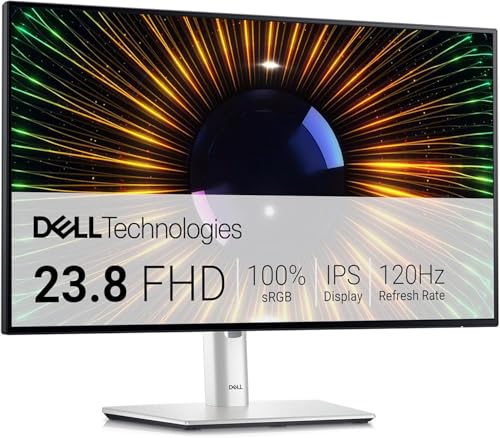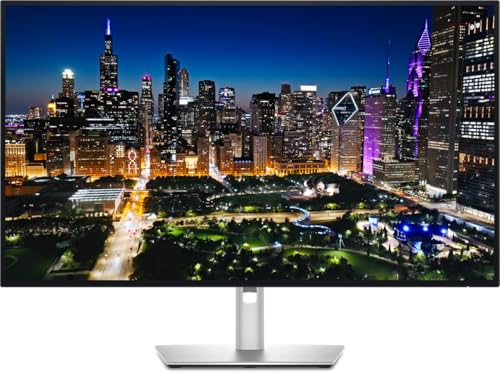


Most monitors at this price make you pick your poison. You either get decent colours with a sluggish panel, or a fast refresh rate bolted onto washed-out IPS glow that makes dark scenes look like someone left a torch on behind the screen. The Dell SE2725HM tries to sidestep that by pairing a proper IPS panel with a 100Hz refresh rate and a three-year warranty, all at a budget price. That's a specific set of promises. The question is whether it actually delivers them in practice, or whether the spec sheet is doing more work than the monitor.
The short answer: for everyday productivity, casual gaming, and anyone who just needs a big, clear, reliable screen at their desk without spending a fortune, this is a genuinely good shout. It's not a monitor that'll make a content creator or a competitive gamer particularly happy, and there are real compromises here about before you buy. But at this price tier, the Dell SE2725HM is one of the more honest offerings in the budget bracket. Here's why.
Core Specifications
The headline numbers are clean and uncomplicated. You get a 27-inch IPS panel running at 1920x1080 (Full HD) with a 100Hz refresh rate. Dell quotes a 5ms grey-to-grey response time, which is a reasonably conservative claim for this class of panel. The resolution works out to roughly 82 pixels per inch at 27 inches, which is something we'll come back to in the display quality section because it's genuinely the most divisive thing about this monitor.
Connectivity is straightforward: one HDMI port (HDCP 1.4) and one VGA port. No DisplayPort, no USB-C, no USB hub. The stand offers tilt from -5 to 21 degrees and VESA compatibility at 100x100mm, which is useful if you want to mount it on an arm. Dell backs this with a three-year warranty, which is a meaningful differentiator at this price and something that cheaper alternatives from less established brands often can't match.
The design is described as three-sided borderless, with an integrated power supply (no external power brick, which owners consistently appreciate) and cable management built into the stand. It's a clean, no-fuss package. Below is a full spec summary.
| Specification | Detail |
|---|---|
| Screen Size | 27 inches |
| Resolution | 1920x1080 (Full HD) |
| Panel Type | IPS |
| Refresh Rate | 100Hz |
| Response Time | 5ms (GtG) |
| Aspect Ratio | 16:9 |
| Viewing Angles | 178° horizontal and vertical |
| Ports | 1x HDMI (HDCP 1.4), 1x VGA |
| VESA Mount | 100x100mm |
| Tilt | -5° to 21° |
| Warranty | 3 years |
| Eye Care | TUV Rheinland 3-Star, ComfortView Plus |

Panel Technology
IPS panels have a well-earned reputation for doing two things well: colour accuracy and viewing angles. The SE2725HM's IPS panel delivers the standard 178-degree viewing angles both horizontally and vertically, which means colours and brightness stay consistent whether you're sitting directly in front or off to one side. That matters more than people think. If you share a desk, use the monitor from slightly off-axis, or just have a habit of leaning back, IPS handles all of that without the image going weird. IPS technology has been the go-to for productivity and colour-sensitive work for this reason.
The trade-off with IPS is contrast. IPS panels typically land around 1000:1 native contrast, which is fine for bright rooms and daytime use but means blacks look more like very dark grey in a dim environment. VA panels can hit 3000:1 or higher, which makes them noticeably better for dark room viewing and films with lots of shadow detail. The SE2725HM is an IPS monitor, so manage your expectations accordingly. If you primarily work in a well-lit office or watch content in a bright room, you won't notice. If you game in the dark or watch a lot of cinema, the blacks will bother you.
IPS glow is also a factor. This is that faint, milky brightening in the corners of IPS panels when displaying dark content, and it's inherent to the technology rather than a quality control issue. Owner reviews mention it occasionally, usually in the context of dark-room gaming or watching films at night. It's not a dealbreaker for the target audience of this monitor, but it's about. The matte anti-glare coating helps in brightly lit rooms, reducing reflections without the haze you sometimes get with cheaper anti-glare treatments.
Display Quality
Here's the honest conversation about resolution. 1920x1080 on a 27-inch panel gives you around 82 PPI. That's noticeably less sharp than the same resolution on a 24-inch screen (which hits roughly 92 PPI), and you will see individual pixels if you sit close. Text can look slightly soft compared to a 1440p panel at the same size, and fine detail in photos or design work loses some crispness. This is the main criticism that comes up repeatedly in owner reviews from users who upgraded from a smaller monitor.
That said, context matters enormously here. If you're doing general office work, browsing, watching YouTube, or playing games where you're not scrutinising fine textures, 1080p at 27 inches is perfectly usable. It's the standard resolution for budget monitors at this size, and Dell isn't pretending otherwise. The IPS panel's colour reproduction goes a long way toward making the image look good even if it isn't pixel-dense. Colours are vibrant and consistent, which makes the screen pleasant to look at for long sessions in a way that a sharper but duller VA panel sometimes isn't.
The matte coating handles glare well. Owners working near windows consistently report that reflections aren't a problem, which is a practical win for a desk monitor. Brightness uniformity on IPS panels at this price tier is generally decent, though some variation across the panel is normal and expected. Dell's ComfortView Plus technology, which reduces blue light output without requiring a separate mode or colour filter, is a genuine quality-of-life feature for anyone staring at this thing for eight hours a day. It's certified by TUV Rheinland at the 3-Star level, which is the highest tier of their eye comfort certification.
Refresh Rate and Adaptive Sync
100Hz is a meaningful step up from the 60Hz panels that dominated the budget segment for years. The practical difference is real: scrolling through documents feels smoother, mouse cursor movement looks more fluid, and in games, motion is noticeably cleaner. Dell's own listing describes the 100Hz rate as reducing flicker for smooth scrolling, and that's not just marketing. The jump from 60 to 100Hz is one of the more immediately perceptible upgrades you can make to a monitor, especially if you're coming from an older screen.
Adaptive sync compatibility is not specified in the verified product data for this monitor. Dell's listing doesn't mention FreeSync or G-Sync compatibility, so it would be wrong to claim either. What that means practically is that if you're gaming and your frame rate drops below your refresh rate, you may see screen tearing. For casual gaming and productivity, this isn't a major concern. For competitive gaming where frame rate consistency matters, notably, that you won't have hardware-level tear prevention here.
The 100Hz cap is also worth thinking about in context. This isn't a monitor aimed at 144Hz or 165Hz gaming. For the target audience, someone doing office work, casual gaming, general media consumption, 100Hz is genuinely enough. You'd need to spend more to get a 144Hz IPS panel with comparable build quality and warranty coverage, and for most people's actual daily use, the difference between 100 and 144Hz is far less dramatic than the jump from 60 to 100Hz was.
Response Time and Motion
Dell quotes a 5ms grey-to-grey response time for the SE2725HM. That's a conservative and credible figure for an IPS panel at this price. Some budget monitors claim 1ms or 2ms response times that only apply under extreme overdrive settings, producing visible inverse ghosting (where a bright halo trails behind moving objects) that's often worse than the ghosting it was meant to fix. A 5ms GtG claim from Dell suggests they're not running the overdrive into the red just to put a flashy number on the box.
In practice, 5ms GtG on a 100Hz IPS panel means motion is clean for everyday tasks and most gaming genres. Fast-paced competitive shooters where you're tracking fast-moving targets at high frame rates will show some motion blur, but for RPGs, strategy games, casual shooters, and anything that isn't esports-level twitch gaming, it's fine. Owner reviews don't flag ghosting as a significant complaint, which is a decent signal that the real-world response behaviour is acceptable.
It's worth being clear about what response time actually means here. The 5ms figure describes how quickly individual pixels can transition between shades of grey. It's not the same as input lag, which is the delay between your mouse or keyboard input and what appears on screen. Input lag for this class of monitor typically sits in the 10 to 15ms range, which is imperceptible for most users. Competitive gamers chasing sub-5ms input lag should be looking at monitors specifically designed for that use case, usually at a higher price point.
Color Accuracy and Gamut
Dell doesn't publish sRGB coverage or Delta-E figures for the SE2725HM in the verified product data, so specific gamut percentages can't be stated here. What can be said is that IPS panels in this class typically cover around 95 to 99 percent of the sRGB colour space, which is solid for general use. The ComfortView Plus implementation is notable because it reduces blue light at the hardware level rather than applying a yellow filter in software, meaning colour accuracy isn't sacrificed for eye comfort the way it is with older low-blue-light modes.
For content creation, the honest assessment is that this isn't the right tool if colour accuracy is your primary concern. Without factory calibration data or published Delta-E measurements from Dell, you're relying on the panel's inherent IPS consistency. IPS panels are generally more colour-accurate out of the box than TN panels, but if you're doing professional photo editing, video grading, or print production work, you'd want a monitor with verified sRGB or DCI-P3 coverage figures and a known factory calibration. The SE2725HM is built for a different user.
For the actual target audience, though, colours look good. Owner reviews consistently describe the image as vibrant and pleasant, which aligns with what a decent IPS panel at this price should deliver. Web browsing, video streaming, document work, casual photo viewing, all of that will look perfectly fine. The wide 178-degree viewing angles mean the colour doesn't shift when you're not sitting dead centre, which is a practical benefit over TN panels that can look completely different from off-axis. For general desk use, the colour output is one of the better things about this monitor.

HDR Performance
There's no HDR certification listed in the verified product data for the SE2725HM. Dell's listing doesn't mention HDR10, DisplayHDR 400, or any other HDR standard. So this is not an HDR monitor in any meaningful sense. That's fine. Budget monitors that do claim HDR, specifically the DisplayHDR 400 tier that's common at this price, typically offer so little peak brightness improvement over SDR that the HDR label is nearly meaningless in practice.
Real HDR requires significant peak brightness (typically 600 nits or above for a credible experience, and ideally local dimming to manage contrast dynamically). The VESA DisplayHDR certification tiers make it clear that DisplayHDR 400 is essentially the floor of HDR capability, and many monitors that carry it don't deliver a noticeably better HDR experience than a good SDR panel. The SE2725HM skipping the HDR checkbox entirely is arguably more honest than slapping a DisplayHDR 400 badge on a panel that can't back it up.
If HDR is important to you, you need to spend considerably more. Monitors with genuine HDR performance, proper local dimming, and meaningful peak brightness sit at a much higher price point. For the SE2725HM's target audience, this is a non-issue. Nobody buying a budget productivity monitor is expecting cinematic HDR. The SDR image quality is what matters here, and that's where the IPS panel earns its keep.
Contrast and Brightness
Specific brightness and contrast figures aren't published in the verified product data for this monitor, so exact nit counts can't be stated. What's typical for IPS panels in this class is a native contrast ratio around 1000:1 and a brightness somewhere in the 250 to 300 nit range. That's enough for a normally lit office or home desk environment. In a bright room with direct sunlight hitting the screen, you might find yourself wishing for a bit more headroom, but the matte anti-glare coating mitigates reflections enough that it's rarely a serious problem in practice.
The 1000:1 contrast ratio is the IPS trade-off already discussed in the panel section, but it's the practical consequence. Dark scenes in games or films will look noticeably less impactful than on a VA panel with 3000:1 contrast. Blacks look like dark grey rather than true black, and in a dim room that's visible. If you watch a lot of content in low light, this will bother you. If you use the monitor in a typical well-lit room, you'll probably never think about it.
Brightness uniformity is generally decent on IPS panels, with less risk of the severe clouding or blotchiness that can affect VA panels. Some variation across the panel is normal and expected at this price point, but it's unlikely to be severe enough to affect everyday use. Owner reviews don't highlight uniformity as a significant complaint, which suggests Dell's quality control on this panel is reasonable. The integrated power supply means no external brick to deal with, which is a small but genuinely appreciated practical detail.
Ergonomics and Stand
The stand on the SE2725HM offers tilt adjustment from -5 to 21 degrees. That's the full range of adjustment available. There's no height adjustment, no swivel, and no pivot to portrait mode. For a budget monitor this is entirely normal, but it's worth being explicit about. If you need to raise the screen significantly, you're looking at a monitor arm or a stack of books. Owner reviews occasionally mention this, particularly from users who prefer a higher eye level.
The VESA 100x100mm compatibility is the practical solution here. If ergonomics matter to you, a decent monitor arm costs relatively little and transforms the usability of any VESA-compatible screen. The SE2725HM's VESA support means you're not locked into the stand's limited adjustment range. Given the budget price of the monitor itself, spending a bit on an arm to get proper height, tilt, and swivel control is a sensible upgrade path.
The three-sided borderless design looks clean and modern. The integrated power supply is a genuine quality-of-life win over monitors that ship with a separate power brick. Cable management is built into the stand, which keeps the desk tidy. The overall build quality is described by owners as solid for the price. It's not a premium-feeling piece of kit, but it doesn't feel flimsy either. Dell's build consistency is generally reliable, and the three-year warranty backs that up in a way that cheaper no-name alternatives can't match.
Connectivity and Ports
The SE2725HM has two video inputs: one HDMI port (version with HDCP 1.4 support) and one VGA port. That's the full connectivity story. No DisplayPort, no USB-C, no USB hub, no audio passthrough listed in the verified data. For most users connecting a single PC or laptop via HDMI, this is completely fine. The VGA port is there for older hardware or specific business environments where VGA is still in use.
The absence of DisplayPort is for users with multiple monitors or specific GPU setups where DisplayPort is preferred. For a single-monitor setup connected to a modern PC or laptop with HDMI out, the HDMI port is all you need. HDCP 1.4 support means the monitor can handle protected content from streaming devices and Blu-ray players connected via HDMI, which is useful if you're using it as a combined work and media screen.
The VGA port is increasingly a legacy inclusion, but it does make this monitor compatible with older business hardware that might not have HDMI output. In a corporate or educational environment where older machines are still in use, that's a practical consideration. For home users with modern hardware, VGA is irrelevant. The two-port setup keeps things simple, which suits the monitor's positioning as a no-fuss productivity screen. Just don't expect to daisy-chain displays or run a USB hub from it.
- 1x HDMI (HDCP 1.4)
- 1x VGA
How It Compares
The most obvious comparison at this price tier is the AOC 27B2H, a 27-inch 75Hz IPS monitor that often sits a touch cheaper. The AOC offers a similar IPS panel and clean design, but the lower refresh rate is a meaningful step down from the SE2725HM's 100Hz. For anyone doing any gaming or just wanting smoother everyday scrolling, the Dell's 100Hz advantage is real and worth paying for if the price difference is small. AOC's warranty terms also don't match Dell's three-year coverage.
The other natural comparison is the LG 27MK400H, another 27-inch 75Hz panel that competes in the same budget space. LG's budget monitors are generally decent but the 75Hz cap and the lack of Dell's warranty make the SE2725HM the more compelling package for most buyers. LG does offer FreeSync on some budget models, which is a genuine advantage for AMD GPU users who want tear-free gaming, so if adaptive sync matters to you specifically, it's what LG's current budget lineup offers before committing.
Where the SE2725HM loses ground is against 1440p monitors that have come down in price recently. A 27-inch 1440p IPS panel at a slightly higher price delivers noticeably sharper text and finer detail, which is a meaningful upgrade for anyone who works with text, code, or detailed graphics all day. If your budget stretches even a little further, the resolution jump from 1080p to 1440p at 27 inches is one of the most impactful upgrades available in the monitor market right now. The SE2725HM is the right choice if budget is the primary constraint. If you can stretch, the 1440p options are worth serious consideration.
| Feature | Dell SE2725HM | AOC 27B2H | LG 27MK400H |
|---|---|---|---|
| Screen Size | 27 inches | 27 inches | 27 inches |
| Resolution | 1920x1080 | 1920x1080 | 1920x1080 |
| Panel Type | IPS | IPS | TN |
| Refresh Rate | 100Hz | 75Hz | 75Hz |
| Adaptive Sync | Not specified | Not specified | FreeSync |
| VESA Mount | 100x100mm | 100x100mm | 75x75mm |
| Warranty | 3 years | 3 years | 2 years |

Final Verdict
The Dell SE2725HM is a solid, honest budget monitor that does exactly what it says on the box. A 27-inch IPS panel with 100Hz refresh, decent colour output, wide viewing angles, and a three-year warranty from a brand with a track record of standing behind their products. For the price tier, that's a genuinely good package. The hundreds of owner reviews with a positive overall rating back that up. People who buy this for office work, everyday computing, and casual gaming are largely happy with it, and that's not surprising given what it offers.
The compromises are real and worth naming clearly. The 1080p resolution at 27 inches is the biggest one. Text is softer than on a 1440p panel, and if you sit close or work with fine detail, you'll notice. The stand is tilt-only, which limits ergonomic flexibility unless you add a VESA arm. There's no adaptive sync listed, which matters for gaming setups where frame rate varies. And the IPS contrast means dark-room viewing isn't this panel's strong suit. None of these are dealbreakers for the right buyer, but they are real.
Who should buy this? Someone setting up a home office or upgrading from an old 60Hz screen who wants a clean, reliable, big display without a big price tag. Students, remote workers, casual gamers, anyone who needs a second monitor for a dual-screen setup. The three-year warranty makes it a sensible long-term buy in a market full of cheaper options that could leave you on your own after twelve months.
Who should skip it? Anyone who works with colour-critical content professionally, anyone who games competitively and needs adaptive sync and fast response times, and anyone who sits close to a 27-inch screen and will be bothered by the pixel density. For those users, stretching to a 27-inch 1440p IPS monitor is the smarter move. The resolution difference is genuinely worth the extra spend if your use case demands it. If budget is the hard limit, though, the SE2725HM is one of the better options at this price. It's not flashy, but it's proper.
What works. What doesn’t.
5 + 4What we liked5 reasons
- 100Hz IPS panel at a genuinely budget price
- Wide 178-degree viewing angles with consistent colour
- Three-year Dell warranty beats most budget rivals
- Integrated power supply and clean three-sided borderless design
- TUV Rheinland ComfortView Plus for all-day eye comfort
Where it falls4 reasons
- 1080p at 27 inches is noticeably soft, especially for text-heavy work
- Tilt-only stand with no height or swivel adjustment
- No adaptive sync listed, which limits gaming credentials
- Only HDMI and VGA, no DisplayPort or USB-C
Full specifications
12 attributes| Refresh rate | 100 |
|---|---|
| Screen size | 27 |
| Panel type | IPS |
| Aspect ratio | 16:9 |
| Curvature | flat |
| HDR | none |
| Ports | HDMI, VGA |
| Refresh rate HZ | 100 |
| Resolution | 1920x1080 |
| Response time | 5ms |
| Response time MS | 5 |
| Screen size IN | 27 |
Frequently asked
5 questions01Is the Dell SE2725HM good for gaming?+
For casual gaming it's a decent choice. The 100Hz refresh rate is a real improvement over 60Hz panels and makes motion noticeably smoother. The 5ms GtG response time is adequate for most gaming genres. However, adaptive sync compatibility is not specified for this monitor, so competitive gamers who need tear-free performance at variable frame rates may want to look elsewhere. It's best suited to casual and story-driven gaming rather than fast-paced esports titles.
02Does the Dell SE2725HM have HDR?+
No HDR certification is listed in Dell's verified product data for the SE2725HM. This is not an HDR monitor. For most users at this price tier that's not a real loss, since budget HDR certifications like DisplayHDR 400 rarely deliver a noticeably better experience than a good SDR IPS panel anyway. If genuine HDR performance matters to you, you'll need to spend considerably more on a monitor with higher peak brightness and local dimming.
03Is the Dell SE2725HM good for content creation?+
For general use and casual photo viewing it's fine. The IPS panel delivers consistent colour across wide viewing angles, and the ComfortView Plus technology maintains colour accuracy while reducing blue light. However, Dell doesn't publish sRGB coverage or Delta-E figures for this monitor, and it lacks factory calibration data. For professional photo editing, video grading, or print production work where verified colour accuracy is essential, a higher-specified monitor with published gamut coverage would be a better choice.
04What graphics card do I need for the Dell SE2725HM?+
The SE2725HM runs at 1920x1080 at up to 100Hz, which is a very manageable resolution for modern GPUs. Almost any dedicated graphics card from the last five years will push 100fps at 1080p in most games. Even mid-range options like an Nvidia GTX 1660 Super or AMD RX 5600 XT can handle 100Hz 1080p gaming well in most titles. If you're using integrated graphics for office work and light use, that will also work fine via HDMI.
05What warranty does the Dell SE2725HM come with?+
The Dell SE2725HM includes a three-year manufacturer warranty, which is listed in Dell's verified product data. This is a meaningful advantage over many budget monitor competitors that offer only one or two years of coverage. In addition to Dell's warranty, Amazon's standard 30-day return window and A-to-Z Guarantee apply when purchased through Amazon UK.