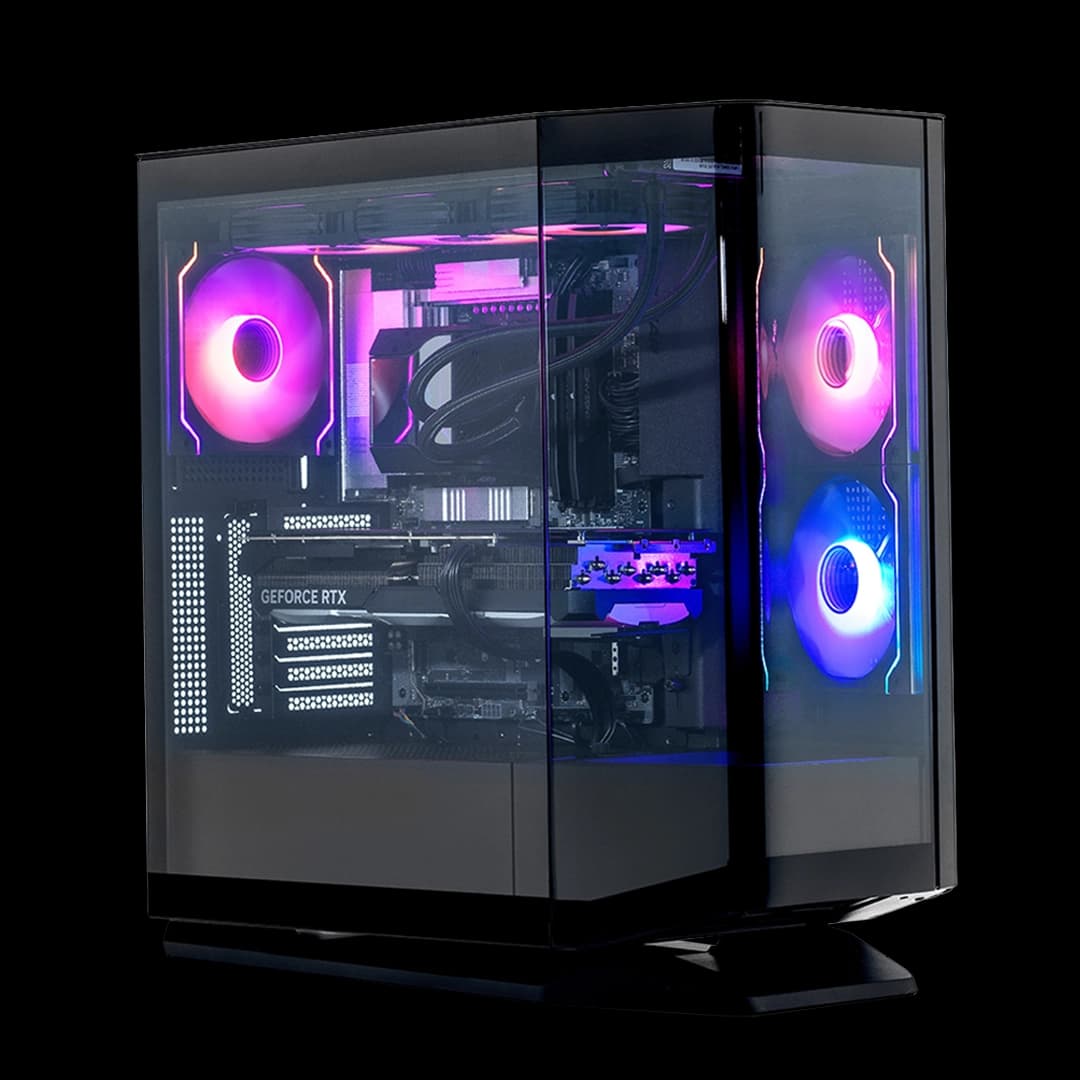
Prebuilt gaming PCs are a genuinely sensible option for a lot of people, and the entry-level market in the UK has got surprisingly competitive. The ADMI Gaming PC sits squarely in that bracket: a Ryzen 5 5500 paired with an RTX 3050 6GB, 16GB of DDR4, a 1TB NVMe SSD, and Windows 11 Home out of the box. On paper, it's a tidy 1080p gaming machine at an entry-level price. The question worth asking, though, is whether the components inside are actually worth what you're paying, or whether you're subsidising a white RGB case and a warranty label.
The short answer is: it's decent, but not without compromise. The RTX 3050 6GB is the weakest link here, a GPU that sits at the bottom of the current Nvidia stack and shows its age in anything demanding. The Ryzen 5 5500 is a solid workhorse that punches above its weight for the price, and 240 owners averaging ★★★★☆ (4.2) suggests most buyers are genuinely happy with what they got. But "happy" and "best value" aren't always the same thing. This is a machine for someone who wants to game at 1080p without fuss, not someone chasing competitive frame rates in AAA titles.
So who should actually buy it? We've pulled apart the spec sheet, cross-referenced the owner feedback, and compared it against what you'd spend building something equivalent yourself. Here's the full picture.
Core Specifications
The ADMI Gaming PC comes with an AMD Ryzen 5 5500, a six-core, twelve-thread processor built on AMD's Zen 3 architecture. It runs at a base clock of 3.6GHz and boosts up to 4.2GHz, with 16MB of L3 cache. That's a chip that handles everyday tasks and light-to-moderate gaming loads without breaking a sweat. It's not a powerhouse, but it's not trying to be.
The GPU is an NVIDIA GeForce RTX 3050 with 6GB of GDDR6 VRAM. That's the newer, trimmed-down version of the RTX 3050, not the older 8GB variant, so the VRAM ceiling is lower than you might expect from an RTX card. It supports DLSS and real-time ray tracing, which sounds impressive until you realise that ray tracing on a 3050 6GB is largely decorative. You'll want DLSS on to keep frame rates sensible. The 16GB of DDR4 running at 3200MHz is a proper amount of RAM for a gaming PC in 2026, and the 1TB NVMe SSD means load times are fast and you've got room for a decent game library. The PSU carries an 80+ rating, which means it meets basic efficiency standards. The whole thing runs Windows 11 Home and ships ready to use.
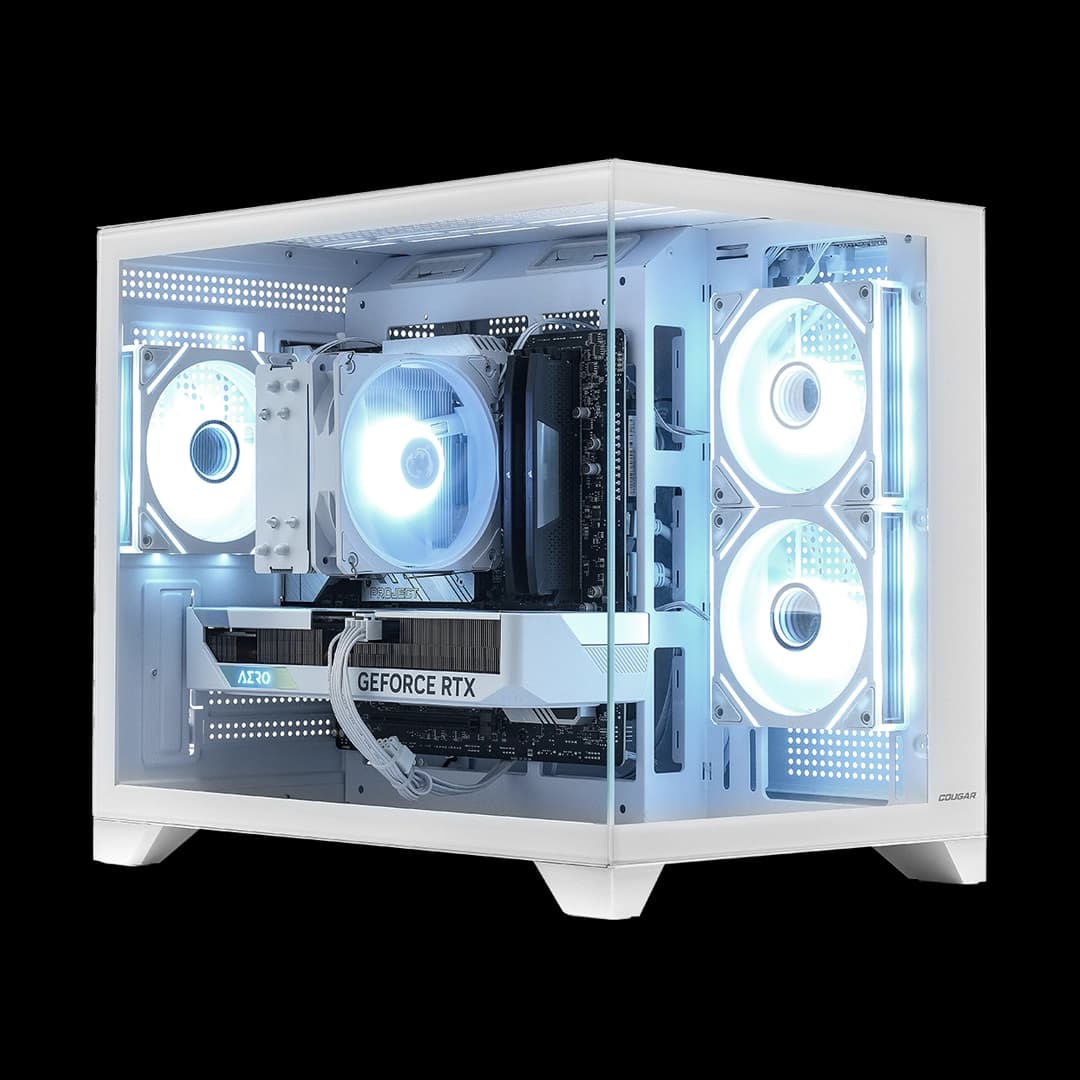
The case is ADMI's own Airflow ARGB chassis in white. It's designed around airflow (the name says as much) and includes the usual RGB lighting that the gaming PC market seems to consider mandatory. ADMI themselves describe it as a British brand with over 50 years of collective experience, and they back the machine with a three-year warranty, which is genuinely good for this price tier. Most competitors offer one year.
| Component | Specification |
|---|---|
| CPU | AMD Ryzen 5 5500 (6-core, 12-thread, 3.6GHz base, 4.2GHz boost, 16MB cache) |
| GPU | NVIDIA GeForce RTX 3050 6GB GDDR6 |
| RAM | 16GB DDR4 3200MHz |
| Storage | 1TB NVMe SSD |
| Operating System | Windows 11 Home (pre-installed) |
| PSU Rating | 80+ Certified |
| Case | Airflow ARGB Gaming Case (White) |
| Connectivity | WiFi included |
| VR Ready | Yes (per manufacturer) |
| Warranty | 3 years |
| Price | £739.99 |
| Rating | ★★★★☆ (4.2) (240 reviews) |

CPU and Performance
The Ryzen 5 5500 is a chip that gets unfairly overlooked. Yes, it's not the 5600X, and yes, AMD's newer Ryzen 7000 series has moved the goalposts. But for a prebuilt at this price point, the 5500 is genuinely capable. Six cores and twelve threads, Zen 3 architecture, Precision Boost 2 for automatic clock speed management, and support for overclocking if you ever fancy pushing it. The 4.2GHz boost clock means it won't drag its heels in single-threaded workloads, which is still what most games care about most.
In practical terms, this CPU handles gaming, streaming, and everyday productivity without complaint. It's quick enough that the GPU, not the processor, will be your bottleneck in games. That's actually the right way round for a gaming PC. Where you'd notice the 5500's limits is in heavy creative workloads: video editing, 3D rendering, that sort of thing. For those tasks, you'd really want something with more cores. But if you're gaming and browsing and maybe running Discord in the background, the 5500 is more than adequate.
Owner reviews back this up. The recurring theme in the feedback is that the machine "boots fast and runs well", with no significant complaints about the processor specifically. A handful of owners mention upgrading RAM or storage down the line, but the CPU doesn't come up as a weak point. That tracks with the spec. The 5500 is a sensible, well-matched choice for the RTX 3050 6GB it's paired with. Neither component is being wasted on the other, which is more than you can say for some prebuilts that shove a powerful GPU into a system bottlenecked by a weak processor, or vice versa.
GPU and Gaming Performance
The RTX 3050 6GB is where things get honest. This GPU is squarely a 1080p card, and even then, you'll be managing expectations in 2026. In older or less demanding titles, like Fortnite, Rocket League, CS2, or Minecraft with shaders, it runs well and delivers smooth frame rates at 1080p medium-to-high settings. In more recent AAA games, think Alan Wake 2, Cyberpunk 2077, or anything with heavy asset streaming, you'll be dropping settings to medium and leaning on DLSS Performance mode to stay above 60fps. That's the honest reality of a 6GB card in the current landscape.
Ray tracing is technically supported, and DLSS is genuinely useful on Nvidia hardware. But ray tracing on a 3050 6GB is a checkbox feature rather than something you'd actually use day-to-day. Turning it on in demanding titles will crater your frame rates. DLSS, on the other hand, is worth using. It's one of the few real advantages the RTX branding gives you at this tier, and it does meaningfully help in supported titles. The Ampere architecture underpinning the 3050 is getting long in the tooth now, but it's not useless, it's just firmly entry-level.
At 1440p, the 3050 6GB starts to struggle. You can push some lighter games there, but for anything graphically intensive, 1440p is really beyond what this card is designed for. Forget 4K entirely. This is a 1080p machine, and if you're buying it knowing that, you'll probably be fine with what it delivers. The manufacturer's claim of VR readiness is technically true for basic VR headsets, but don't expect to run high-fidelity VR experiences smoothly. The 6GB VRAM limit also means some VR titles will hit a ceiling sooner than you'd like. For casual VR gaming, it's workable. For serious VR use, you'd want more GPU headroom.
Memory and Storage
Sixteen gigabytes of DDR4 at 3200MHz is a proper starting point for a gaming PC. It's the sweet spot right now: enough for gaming, enough for multitasking, and not so much that you're paying for capacity you won't use. The 3200MHz speed pairs well with the Ryzen 5 5500, since AMD's Zen 3 platform responds well to faster memory. Whether the RAM ships in dual-channel configuration is, because dual-channel makes a measurable difference to gaming performance, particularly with integrated graphics (not relevant here) but also to overall system bandwidth. ADMI don't specify this explicitly, but 16GB kits in prebuilts at this price are frequently installed as a single 16GB stick rather than two 8GB sticks. If you get the chance to check after purchase, it's worth confirming.
The 1TB NVMe SSD is a genuine highlight. NVMe storage means fast boot times, quick game loads, and snappy general responsiveness. This is a meaningful upgrade over the SATA SSDs that used to be standard in budget prebuilts, and it makes the day-to-day experience noticeably better. One terabyte is enough for Windows, a handful of large games, and everyday files, though if you're the type to have ten AAA titles installed simultaneously, you'll feel the pinch eventually. The good news is that adding a second drive later is straightforward, assuming the motherboard has a spare M.2 slot, which is not confirmed in the spec sheet but is common on AM4 boards in this class.
Owner feedback doesn't flag storage as a problem. Most buyers seem happy with the 1TB as a starting point and appreciate the NVMe speed. A few mention planning to add storage later, which is a sensible approach. The SSD alone contributes meaningfully to the "ready out of the box" experience that ADMI advertise, and it's one of the areas where this machine doesn't cut corners in a way that would frustrate you immediately.
Cooling Solution
ADMI describe the case as an "Airflow" chassis, and the inclusion of ARGB fans suggests there's active cooling beyond just the CPU cooler. The Ryzen 5 5500 ships with AMD's stock Wraith Stealth cooler in retail configurations, which is adequate for stock operation but won't win any awards for silence or thermal headroom. Whether ADMI have swapped this out for something better in the prebuilt isn't confirmed in the spec sheet. Stock AMD coolers at this tier keep temperatures in check under normal gaming loads, but sustained heavy workloads can push them to their limits.
The case's airflow-focused design should help here. Good case airflow means the GPU and other components benefit from fresh air rather than recirculating hot air, which matters more than people often realise. The RTX 3050 6GB is a relatively low-power GPU compared to higher-end cards, so it doesn't generate enormous heat. That means a well-ventilated case is probably sufficient to keep thermals sensible without needing anything exotic. Owner reviews don't raise overheating as a common complaint, which is a reasonable indicator that the cooling setup is at least functional under typical gaming use.
Noise is harder to assess without first-hand use, but the ARGB fans in the case are typically mid-range units in prebuilts at this price. They're not silent, but they're not obnoxious either. The 5500 and 3050 6GB are both relatively modest in their power draw compared to higher-tier components, so the fans shouldn't need to spin up aggressively under normal gaming. If you're particularly sensitive to fan noise, that's something in owner reviews before committing, but based on what's reported, it doesn't appear to be a widespread issue.
Case and Build Quality
The Airflow ARGB Gaming Case in white is ADMI's own chassis, and it's designed to look the part on a desk. The white finish is genuinely popular right now, and the ARGB lighting adds visual flair without being too garish. Whether you care about that is entirely personal, but it's the case isn't just functional: it's been designed with aesthetics in mind. The tempered glass or mesh panel (typical for this style of case) lets you see the internals, which only matters if you've got RGB components worth showing off.
Build quality in prebuilts at this price is always a bit of a lottery. ADMI have been building systems for a while, and the 4.3-star average across 240 suggests the build quality is at least consistent enough to not be a common source of complaints. A handful of owner reviews mention the cable management being tidy, which is a good sign. Poorly managed cables restrict airflow and make future upgrades more painful, so it's not a trivial detail. The case itself appears to be a standard mid-tower form factor, which means standard ATX components fit inside and upgrading later isn't a nightmare.
The one area where prebuilts at this price sometimes disappoint is the motherboard. Manufacturers often use budget AM4 boards to keep costs down, and while that's fine for stock operation, it can limit overclocking options and the number of expansion slots available. ADMI don't specify the motherboard model, which is frustrating but not unusual for prebuilts. If the motherboard is a genuine budget unit, it won't cause problems for everyday use, but it might limit how far you can push the system later. That's a known prebuilt trade-off, not a specific criticism of ADMI, but it's worth being aware of.

Connectivity and Ports
WiFi is included as standard, which is genuinely useful for anyone who can't run an ethernet cable to their gaming setup. The specific WiFi standard isn't detailed in the product listing, so we can't confirm whether it's WiFi 5 or WiFi 6. For most gaming use, either is fine, though WiFi 6 would be preferable for better performance in congested wireless environments. If you're serious about low-latency online gaming, a wired ethernet connection is always the better choice regardless of WiFi standard, but having wireless built in means you're not stuck without options.
The port selection on the front and rear of the case isn't detailed in the spec sheet beyond the WiFi inclusion. That's a gap in the product information that's worth investigating before purchase if you have specific connectivity requirements. Most mid-tower gaming cases at this price include a couple of USB-A ports on the front panel, and the motherboard's rear I/O will typically offer USB-A, USB-C, and audio jacks at a minimum. The GPU will provide the video outputs, likely HDMI and DisplayPort, though the exact configuration depends on the specific RTX 3050 6GB card fitted.
The machine is listed as VR Ready, which implies the connectivity needed for common VR headsets is present. Most modern VR headsets connect via USB and DisplayPort or HDMI, so this should be covered by the standard port configuration. Again, without a detailed I/O spec from ADMI, we're working from reasonable assumptions based on the components listed. If you have a specific peripheral or display setup in mind, it's worth contacting ADMI directly to confirm the exact port layout before ordering.
Pre-installed Software and OS
Windows 11 Home comes pre-installed, which means you're ready to game the moment you plug it in. That's genuinely convenient, and the Windows 11 licence alone has real monetary value. Home is the right tier for most gaming PC users: it handles gaming, productivity, and everyday tasks without any meaningful limitations compared to Pro. The only time you'd want Windows 11 Pro is if you need BitLocker encryption, Remote Desktop hosting, or specific enterprise features. For gaming, Home is fine.
ADMI don't heavily advertise bundled software beyond the OS, which is actually a point in their favour. Prebuilts that come loaded with trial software, manufacturer utilities, and bloatware are a genuine annoyance to deal with. Owner reviews don't flag excessive bloatware as a problem, which suggests ADMI keep the software install relatively clean. That said, it's worth running a quick check after first boot to remove anything unnecessary, as even a light bloatware load can affect system performance and startup times.
The "ready to go straight out of the box" claim holds up based on owner feedback. Most buyers report being up and running quickly, with the setup process being straightforward. Windows 11's own setup process has improved significantly in recent years, and a clean install on fast NVMe storage means the initial boot and configuration is quick. For someone who doesn't want to spend an afternoon installing and configuring an operating system, this is a real practical benefit of buying a prebuilt over a bare-bones DIY build.
Upgrade Potential
The AM4 platform is a genuine asset here. AMD's AM4 socket supports a wide range of processors, from budget chips right up to the Ryzen 9 5950X, and the second-hand market for AM4 CPUs is healthy. If you wanted to drop in a Ryzen 5 5600X or a Ryzen 7 5800X down the line, the platform supports it. Whether the specific motherboard ADMI have used supports the full range of AM4 processors is something to verify, since some budget AM4 boards have BIOS limitations, but in principle the upgrade path exists.
RAM is straightforward to upgrade. DDR4 is widely available and cheap. Going from 16GB to 32GB is a simple, affordable upgrade if you ever need it. The key question, again, is how many RAM slots the motherboard provides. Most AM4 boards have four slots, which would give you room to add two more sticks. If the board has only two slots and both are occupied by a single 16GB stick, you'd need to replace rather than add, which is less convenient. This is with ADMI if it matters to you.
The GPU is the most obvious upgrade candidate over time. The RTX 3050 6GB will feel increasingly limited as games get more demanding, and swapping it out for something more powerful is the natural progression. The 80+ rated PSU is a positive sign, but without knowing the exact wattage, it's hard to say how much GPU headroom you have. A higher-end GPU like an RTX 4070 draws significantly more power than the 3050, so if the PSU is on the lower end of the wattage range, it might need replacing alongside the GPU. This is a known prebuilt limitation, and it's why the PSU spec matters more than it might seem at first glance.
How It Compares
The honest comparison here is against two things: a DIY build at the same spec, and rival prebuilts in the same price bracket. On the DIY side, building a Ryzen 5 5500 and RTX 3050 6GB system yourself in 2026 would cost you a similar amount once you factor in a Windows 11 licence, a case, and a PSU. The components themselves are cheap now that AM4 is a mature platform, but the licence and case costs eat into the saving. The convenience premium ADMI charge is relatively modest at this tier, and the three-year warranty adds genuine value that a DIY build doesn't come with.
Against rival prebuilts, the three-year warranty is a meaningful differentiator. Most UK prebuilt brands at this price offer one year. The ARGB case in white is also a nice touch if aesthetics matter to you. Where ADMI potentially fall short is GPU choice: the RTX 3050 6GB is on the weak side for a 2026 gaming PC, and some rivals in the same bracket have started fitting RX 6600 or RX 6650 XT cards, which offer noticeably better 1080p performance for similar money. That's before committing.
| Feature | ADMI Gaming PC (Ryzen 5 5500 / RTX 3050 6GB) | Typical Rival Prebuilt A (Similar Price) | Typical Rival Prebuilt B (Similar Price) |
|---|---|---|---|
| CPU | AMD Ryzen 5 5500 (Zen 3, 6-core) | Intel Core i5-12400F (6-core) | AMD Ryzen 5 5600 (Zen 3, 6-core) |
| GPU | RTX 3050 6GB GDDR6 | RTX 3050 8GB or RX 6600 | RX 6650 XT 8GB |
| RAM | 16GB DDR4 3200MHz | 16GB DDR4 | 16GB DDR4 |
| Storage | 1TB NVMe SSD | 1TB NVMe SSD | 1TB NVMe SSD |
| OS | Windows 11 Home | Windows 11 Home | Windows 11 Home |
| Warranty | 3 years | 1 year (typical) | 1 to 2 years (typical) |
| WiFi | Included | Varies | Varies |
| 1080p Gaming Tier | Entry (medium settings, DLSS needed) | Entry to mid (higher settings possible) | Solid mid (high settings comfortable) |
The comparison table tells a reasonably clear story. The RTX 3050 6GB is the weakest GPU in this comparison, and that matters for gaming performance. The three-year warranty is the strongest card ADMI hold. If long-term peace of mind is your priority and you're happy with 1080p medium settings in demanding titles, the ADMI machine makes sense. If you want better frame rates and are less bothered about warranty length, some rivals offer more GPU for similar money.

Final Verdict
The ADMI Gaming PC with the Ryzen 5 5500 and RTX 3050 6GB is a machine that does exactly what it says on the tin, as long as you read the tin carefully. It's a 1080p gaming PC for someone who wants to buy once, plug in, and play without spending a weekend sourcing components and debugging a fresh Windows install. The Ryzen 5 5500 is a capable processor that won't hold you back, the 1TB NVMe SSD is fast and practical, and 16GB of DDR4 is a proper starting point. The three-year warranty is genuinely good for this price tier and reflects ADMI's confidence in their build quality.
The RTX 3050 6GB is the honest limitation. It's a card that will handle esports titles and older games comfortably at 1080p, but it will struggle in graphically demanding 2026 releases without leaning heavily on DLSS and dropping settings. If your gaming diet is Fortnite, Valorant, FIFA, or older open-world titles, you'll be fine. If you're planning to play the latest AAA releases at high settings, this card will frustrate you sooner than you'd like. That's not a failure of the build overall, it's just the reality of entry-level GPU pricing in 2026.
Owner feedback is broadly positive. The 4.3-star average across 240 is a genuine signal that most buyers are satisfied, and the recurring themes in the reviews are fast setup, good build quality, and reliable performance for everyday gaming. Complaints are relatively rare and tend to focus on expectations management rather than build defects. ADMI's reputation as a British brand with real customer support is worth something too, particularly compared to some grey-market prebuilt sellers where after-sales support is effectively non-existent.
Our editorial rating is 7 out of 10. Solid for its intended purpose, held back by an entry-level GPU that's showing its age. If your budget stretches a bit further, look at ADMI's own higher-spec configurations or rival prebuilts fitting an RX 6650 XT or RTX 3060, because that extra GPU performance makes a meaningful difference to how long the machine stays relevant. But if the current price is your ceiling and you want a proper prebuilt with a three-year warranty and a fast NVMe SSD, this is a reasonable choice.
What works. What doesn’t.
5 + 4What we liked5 reasons
- Three-year warranty is exceptional for this price tier
- Ryzen 5 5500 is well-matched to the GPU - no bottleneck either way
- 1TB NVMe SSD delivers fast load times and decent capacity
- WiFi included as standard, ready to use out of the box
- 4.3-star average across 240 owners suggests consistent build quality
Where it falls4 reasons
- RTX 3050 6GB is entry-level and will struggle in demanding 2026 titles
- 6GB VRAM is a real ceiling in modern games and VR
- Motherboard and PSU wattage not specified, limits upgrade planning
- Some rivals offer better GPU performance at a similar price point
Full specifications
12 attributes| CPU | AMD Ryzen 5 5500 |
|---|---|
| GPU | NVIDIA GeForce RTX 3050 6GB GDDR6 |
| RAM | 16GB 3200MHz DDR4 |
| Storage | 1TB NVMe SSD |
| Case | Airflow ARGB |
| Chipset | RTX 3050 |
| Cpu-architecture | Zen 3 |
| Cpu-base-clock | 3.6GHz |
| Cpu-boost-clock | 4.2GHz |
| Cpu-cache | 16MB |
| Cpu-cores | 6 |
| Cpu-threads | 12 |
If this isn’t right for you
2 options
Frequently asked
5 questions01Is the ADMI Gaming PC - AMD Ryzen 5 5500 - NVIDIA RTX 3050 6GB GDDR6-16GB 3200MHz DDR4-1TB NVMe - X= Airflow RGB (White) - WiFi - Windows 11 good for gaming?+
It's a solid 1080p gaming machine for less demanding titles and esports games. In games like Fortnite, Valorant, Rocket League, and older open-world titles, the RTX 3050 6GB delivers comfortable frame rates at 1080p medium-to-high settings. In more demanding 2026 AAA releases, you'll need to drop to medium settings and use DLSS to stay above 60fps. At 1440p, performance drops significantly and isn't really what this card is designed for. If you're gaming at 1080p on a budget and your game library isn't exclusively cutting-edge titles, it's a capable machine.
02Can I upgrade the ADMI Gaming PC - AMD Ryzen 5 5500 - NVIDIA RTX 3050 6GB GDDR6-16GB 3200MHz DDR4-1TB NVMe - X= Airflow RGB (White) - WiFi - Windows 11?+
Yes, with some caveats. The AM4 platform supports a wide range of AMD processors up to the Ryzen 9 5950X, so CPU upgrades are possible. RAM can be expanded by adding more DDR4 sticks, assuming spare slots are available on the motherboard. The GPU is the most obvious upgrade target over time, but you'll need to check the PSU wattage before fitting a more powerful card - the listing confirms an 80+ rated PSU but doesn't specify wattage, which matters for higher-draw GPUs. Storage expansion depends on available M.2 or SATA slots on the motherboard, which ADMI don't specify. Overall, the upgrade path is reasonable for a prebuilt, but worth verifying the exact motherboard and PSU specs with ADMI before planning major upgrades.
03Is the ADMI Gaming PC - AMD Ryzen 5 5500 - NVIDIA RTX 3050 6GB GDDR6-16GB 3200MHz DDR4-1TB NVMe - X= Airflow RGB (White) - WiFi - Windows 11 worth it vs building my own?+
At this price tier, the DIY saving is relatively modest once you factor in a Windows 11 Home licence, a case, and a PSU. The components themselves are affordable since AM4 is a mature platform, but the total cost of a self-build with equivalent specs is closer to the prebuilt price than it used to be. The three-year warranty ADMI include is a genuine differentiator - a DIY build has no equivalent. If you're a confident builder who can source second-hand parts and troubleshoot issues yourself, you can probably do better on GPU performance for the same money. If you're not, or if the warranty matters to you, the prebuilt is a reasonable value proposition.
04What PSU does the ADMI Gaming PC - AMD Ryzen 5 5500 - NVIDIA RTX 3050 6GB GDDR6-16GB 3200MHz DDR4-1TB NVMe - X= Airflow RGB (White) - WiFi - Windows 11 use?+
The product listing confirms the PSU carries an 80+ efficiency rating, which means it meets basic quality standards and isn't a completely no-name unit. However, the specific wattage and brand are not disclosed in the product specification. This is with ADMI directly if you're planning a GPU upgrade, since a higher-end replacement GPU may require significantly more power than the RTX 3050 6GB draws. For stock operation with the included components, the PSU is adequate - owner reviews don't flag power issues. But for future-proofing your upgrade path, knowing the exact wattage is important.
05What warranty and returns apply to the ADMI Gaming PC - AMD Ryzen 5 5500 - NVIDIA RTX 3050 6GB GDDR6-16GB 3200MHz DDR4-1TB NVMe - X= Airflow RGB (White) - WiFi - Windows 11?+
ADMI include a three-year warranty with this machine, which is stated in the product listing and is genuinely above average for a prebuilt gaming PC at this price. Most rivals offer one year. This covers manufacturing defects and component failures during normal use. In addition, purchasing through Amazon gives you access to Amazon's standard 30-day return window and the A-to-Z Guarantee, which provides an additional layer of buyer protection if the machine arrives damaged or doesn't match the listing. For warranty claims after the Amazon return window, you'd deal directly with ADMI's customer support.