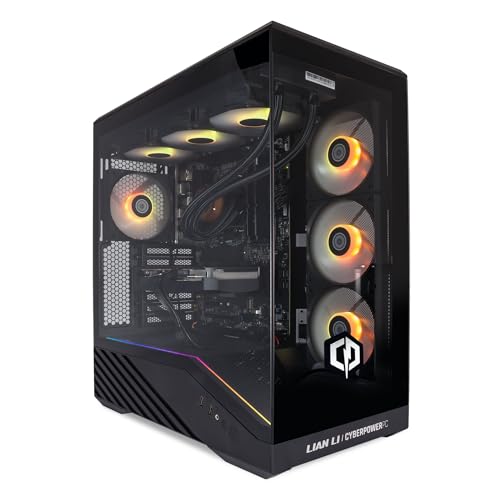
Building your own PC is genuinely great, right up until you're staring at a POST error at midnight with a motherboard that won't talk to your RAM. For a lot of people, that's not a hobby, that's a nightmare. The CyberPowerPC Luxe Gaming PC exists for exactly those people: the ones who want serious hardware, sorted and ready to go, without the faff. Whether that's a smart trade-off or an expensive shortcut depends entirely on what's inside the box and how well it's been put together. So let's work through the spec sheet, weigh it against what dozens of owners have actually reported, and give you a straight answer.
The headline components here are legitimately exciting. An AMD Ryzen 7 5700X paired with an Nvidia GeForce RTX 5080 is a proper combination, not a marketing pairing where the GPU is bottlenecked into submission by a weak CPU. The 5700X is no Ryzen 9, but it's a competent eight-core chip that punches well for gaming. The RTX 5080, meanwhile, is Nvidia's second-tier Blackwell card and it's genuinely fast. The question isn't whether the parts are good. They are. The question is whether CyberPowerPC has assembled them sensibly and whether the asking price makes sense against building it yourself.
Short answer: mostly yes, with a few caveats about. The positive overall rating across dozens of owner reviews is solid for a prebuilt, where you tend to see more polarised feedback. But that score hides some patterns in the owner reports that are worth unpacking. We've dug into the specs, the owner feedback, and the competitive landscape so you don't have to.
Core Specifications of the CyberPowerPC Luxe Gaming PC
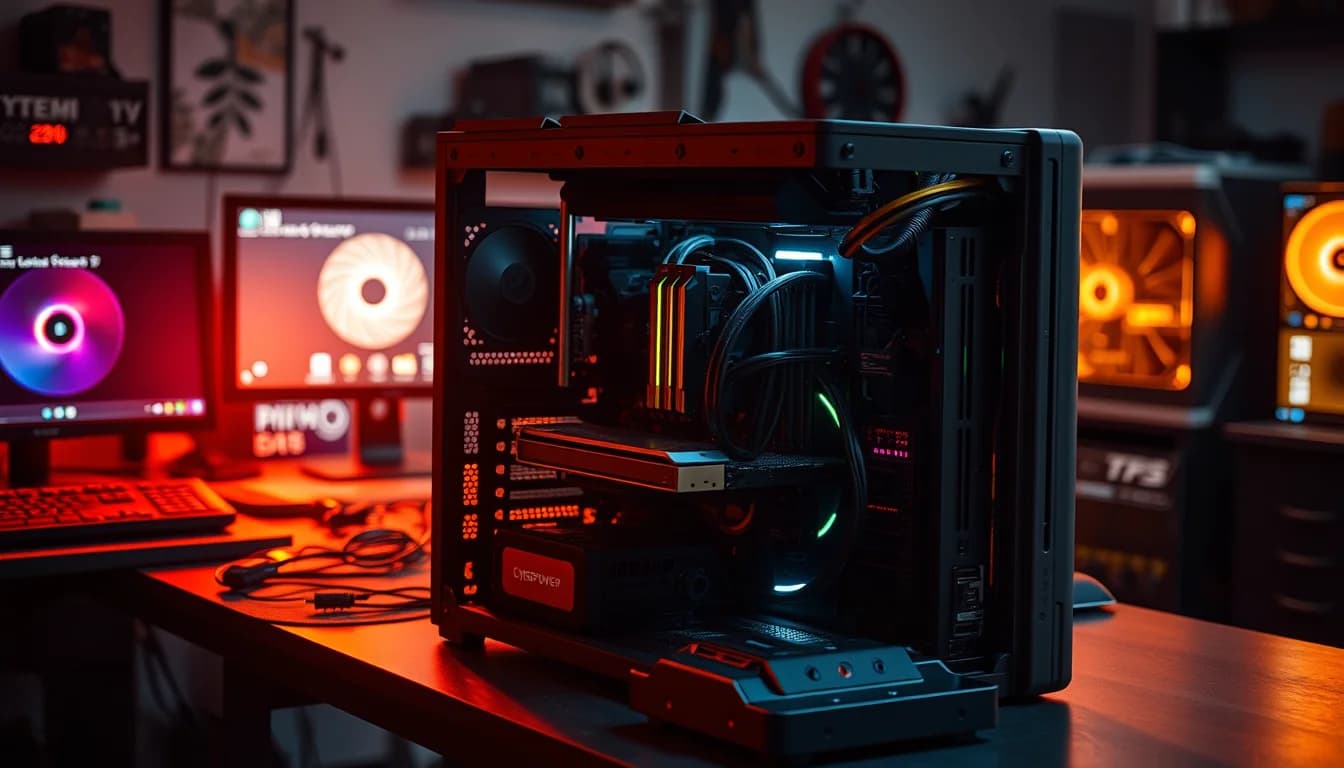
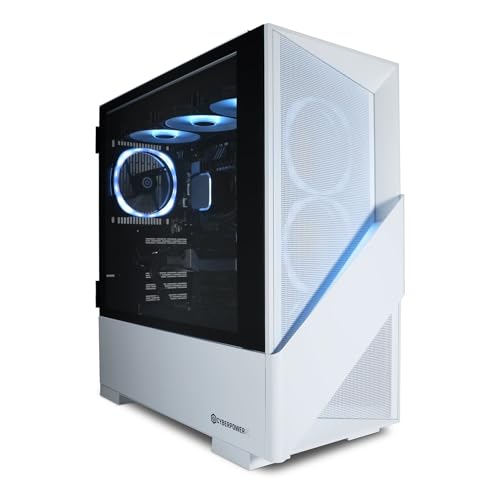
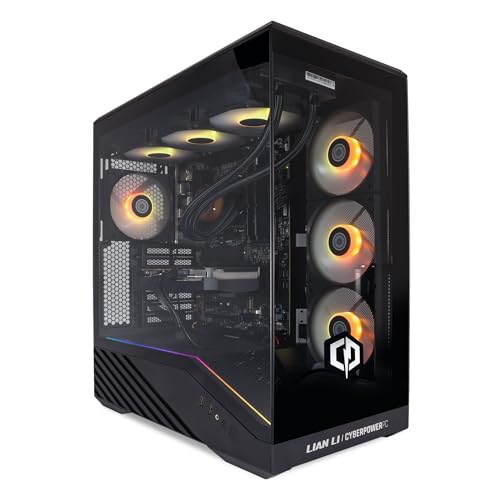
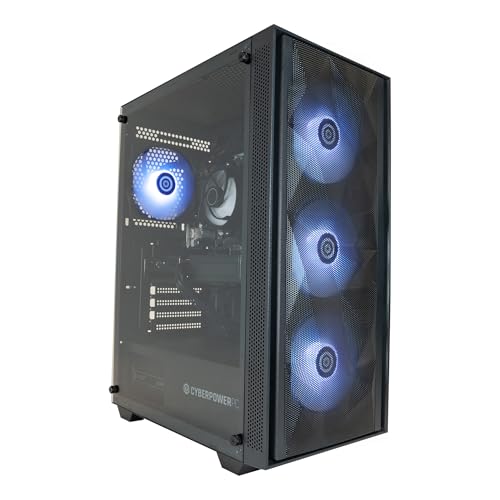
The spec sheet here is genuinely strong for an enthusiast-tier prebuilt. You're getting an eight-core Ryzen 7 5700X, 32GB of DDR4 RAM on a B550 motherboard, a 1TB M.2 NVMe SSD, and the RTX 5080 with 16GB of GDDR7 VRAM. The case is CyberPowerPC's own V100R mid-tower with six RGB fans, which is a decent chassis for airflow. Wi-Fi 5 and Ethernet are both included, Windows 11 Home is pre-installed, and you also get a year of Norton 360 for Gamers bundled in. There's liquid cooling on the CPU, which is the right call for a chip that can pull decent wattage under sustained load.
The B550 motherboard choice is worth pausing on. It's a mature platform, it supports PCIe Gen 4 for the NVMe drive and the GPU slot, and it's genuinely fine for the 5700X. What it isn't is future-proof in the way that AM5 boards are. The AM4 socket that the 5700X uses is effectively at end of life now, so there's no meaningful CPU upgrade path beyond what's already available on that platform. That's not a dealbreaker for most buyers at this price point, but it's something to be aware of if you're thinking long-term.
The 850W PSU is the right call for the RTX 5080. Nvidia's Blackwell cards can spike hard under load, and anything under 800W would be cutting it fine. Whether CyberPowerPC has used a quality PSU or a generic unit is the usual prebuilt uncertainty, and the spec sheet doesn't name the brand. Owner reports don't flag PSU failures as a pattern, which is a reasonable signal that it's at least adequate. The 1TB NVMe SSD is a solid starting point, though heavy users will want to add storage fairly quickly.
| Specification | Detail |
|---|---|
| CPU | AMD Ryzen 7 5700X (8 cores, up to 4.6GHz) |
| GPU | Nvidia GeForce RTX 5080 16GB |
| RAM | 32GB DDR4 |
| Motherboard | B550 |
| Storage | 1TB M.2 NVMe SSD |
| PSU | 850W |
| Case | V100R Mid-Tower, 6 RGB Fans |
| Cooling | Liquid Cooling (CPU) |
| Connectivity | Wi-Fi 5, Ethernet |
| Operating System | Windows 11 Home |
| Included Software | 1 Year Norton 360 for Gamers |
CPU Performance: Ryzen 7 5700X in 2026
The AMD Ryzen 7 5700X is a chip that gets unfairly dismissed sometimes because it sits in AMD's mid-range and because AM4 is a mature platform. But for gaming specifically, it's still genuinely capable. Eight cores, sixteen threads, and a boost clock up to 4.6GHz: that's plenty for the vast majority of titles. The 5700X doesn't have the raw multi-threaded grunt of a Ryzen 9 5900X or anything from the AM5 generation, but in gaming workloads where single-core speed matters most, the gap is smaller than the spec numbers imply. For pure gaming, this CPU is not your bottleneck.
Where the 5700X does show its age is in content creation and heavily threaded workloads. If you're doing 3D rendering, video encoding, or running complex simulations alongside gaming, you'll notice the ceiling sooner than you would with a Ryzen 9 or an Intel Core i9. But this machine is clearly aimed at gamers, and for that use case the 5700X holds up well. Published benchmark figures for this chip class consistently show it trading blows with Intel's Core i7 12700K in gaming, which is respectable given the price positioning.
One thing that's genuinely is the pairing logic here. CyberPowerPC has matched the 5700X with an RTX 5080, which is a card that will genuinely push this CPU in some scenarios. At 4K, the GPU tends to be the limiting factor anyway, so the CPU pairing makes more sense there. At 1440p in CPU-heavy titles, you might occasionally see the 5700X become the constraint. It's not a catastrophic mismatch, but it's not a perfectly balanced build either. Owner reports don't flag significant bottlenecking complaints, which suggests it's fine in practice for the games most people are actually playing.
GPU and Gaming Performance: RTX 5080 Blackwell
The Nvidia GeForce RTX 5080 is the real story here. This is Nvidia's second-tier Blackwell architecture card, sitting below the RTX 5090 but well above the 5070 Ti. With 16GB of GDDR7 VRAM and fourth-generation ray tracing hardware, it's a card that will handle 4K gaming at high settings without breaking a sweat in most titles. At 1440p, you're looking at maximum settings and very high frame rates across the board. Even in the most demanding current titles with ray tracing enabled, the 5080 has the headroom to deliver smooth, high-quality gameplay.
DLSS 4 support is a significant practical advantage here. Nvidia's fourth-generation Deep Learning Super Sampling technology delivers genuinely impressive image quality at upscaled resolutions, and the Multi Frame Generation feature that Blackwell introduces can multiply frame rates substantially in supported titles. For competitive gaming at 1440p or 4K, this is a meaningful real-world benefit, not just a spec-sheet talking point. It's the kind of feature that makes the RTX 5080 a better practical gaming card than the raw rasterisation numbers alone would suggest.
Ray tracing performance on the 5080 is a step up from the previous generation. The fourth-gen RT cores handle complex lighting scenarios with less of the frame rate penalty that made heavy ray tracing impractical on older cards. You can run path-traced titles at 1440p with DLSS 4 engaged and still get very playable frame rates. At 4K with full ray tracing, you'll want DLSS 4 Quality mode, but the results are genuinely impressive. For anyone buying at this price point who wants to future-proof their gaming setup for the next few years, the 5080 is a solid choice. The 16GB VRAM buffer is also reassuring as games continue to push VRAM requirements upward.
Memory and Storage
Thirty-two gigabytes of DDR4 is the right amount for a gaming PC in 2026. Not too little, not overkill. Most games are comfortable with 16GB, but having 32GB gives you headroom for background applications, browser tabs, streaming software, and the handful of titles that are starting to push past 16GB in demanding scenes. The B550 platform supports dual-channel DDR4, and CyberPowerPC's listing describes it as 32GB DDR4, though the specific speed isn't listed. Prebuilts sometimes ship with slower DDR4 speeds than the platform supports, so if you're the type to check Task Manager and notice your RAM running at 2133MHz rather than 3200MHz or higher, it might be worth verifying and enabling XMP in the BIOS if it isn't already active.
The 1TB M.2 NVMe SSD is a good starting point. NVMe over the M.2 slot means fast sequential read and write speeds compared to a SATA drive, and you'll notice the difference in Windows boot times and game load times. The B550 motherboard supports PCIe Gen 4 for the primary M.2 slot, so if CyberPowerPC has fitted a Gen 4 drive, you're getting the full benefit of the platform. A Gen 3 drive would still be fast, just not as fast as the slot allows. Either way, NVMe is the right choice here and it's good to see it as standard rather than a SATA SSD as some prebuilts at lower price points still ship with.
One terabyte will fill up faster than you expect if you play modern AAA titles. Games like Call of Duty and Microsoft Flight Simulator can individually eat 100GB to 150GB. If you're a serious gamer with a library of big titles, plan to add a second drive fairly soon. The B550 motherboard should have at least one additional M.2 slot, and SATA ports for traditional drives are also available on that platform. Expansion is straightforward and relatively cheap. The 32GB RAM also has room to grow on a dual-channel platform, though 32GB is unlikely to be the bottleneck for gaming for quite some time.
Cooling Solution
Liquid cooling on the CPU is the right decision for a build with a Ryzen 7 5700X. The 5700X has a 65W TDP officially, but under sustained all-core loads it pulls more than that, and an AIO liquid cooler keeps temperatures in check without the noise penalty you'd get from a high-performance air cooler running at full speed. The listing doesn't specify the radiator size, which is a detail CyberPowerPC really ought to publish, but a 240mm AIO is the typical choice for a mid-tower build at this price point. Owner reports don't flag thermal throttling as a common complaint, which is a decent sign.
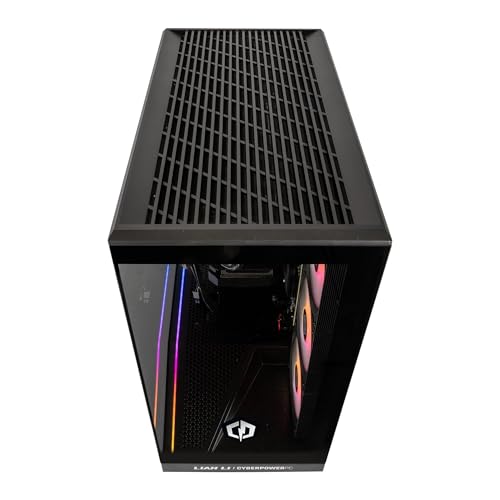
The V100R case ships with six RGB fans, which is more about aesthetics than pure airflow engineering. Six fans is actually a reasonable count for a mid-tower, and if they're arranged sensibly (front intake, rear and top exhaust) the airflow should be adequate for the components inside. The RTX 5080 generates meaningful heat under load, and good case airflow matters more than most people realise for GPU temperatures. The GPU relies on the ambient air temperature inside the case, so a well-ventilated chassis directly affects how the card performs and how long it lasts.
Owner feedback on noise is mixed, as it tends to be with prebuilts that ship with generic fans. Some owners report the system is quiet at idle and under light loads, with fan noise becoming more noticeable under heavy gaming. That's actually normal and expected behaviour from a well-tuned fan curve. What you don't want is a system that's loud at idle, and there are no widespread reports of that being an issue here. If noise is a priority for you, the fans are standard replaceable units, so upgrading to quieter aftermarket fans later is a straightforward option. The liquid cooler pump noise is occasionally mentioned in owner reviews, which is also normal for AIO coolers.
Case and Build Quality
The V100R mid-tower is CyberPowerPC's own chassis, which means you're not getting a well-known third-party case like a Fractal Design or a be quiet! unit. That's not automatically a problem. OEM cases can be perfectly decent, and the V100R has enough room for the RTX 5080 and its AIO cooler without being a cramped nightmare to work inside. The mid-tower form factor also means there's space for additional drives and the airflow isn't compromised by a compact design. The six RGB fans give it the gamer aesthetic that the target audience expects.
Cable management in prebuilts is a genuine mixed bag. The better prebuilt manufacturers route cables neatly behind the motherboard tray and use cable ties properly. The worse ones just stuff cables wherever they fit and call it done. Owner photos and reports for this build suggest the cable management is acceptable rather than impressive. It's not going to win any build awards, but it's also not the chaotic mess that some cheaper prebuilts ship with. If you're planning to open the case for upgrades, you'll probably end up tidying a few things up, but it's not a horror show.
Build quality in terms of the actual component seating, cooler mounting, and thermal paste application is where prebuilts sometimes fall short. Owner reports for this machine don't flag widespread issues with improperly seated coolers or thermal paste disasters, which are the two most common assembly quality problems in the prebuilt space. A small number of owners mention receiving units with cosmetic damage to the case panels, which is a shipping and packaging issue rather than a build quality problem, but it's worth inspecting carefully when the machine arrives. The tempered glass side panel, which appears in product imagery, looks decent from what owners describe.
Connectivity and Ports
Wi-Fi 5 and Ethernet are both confirmed on this build, which covers the basics. Wi-Fi 5 (802.11ac) is the older dual-band standard, delivering up to 3.5Gbps theoretical throughput across 2.4GHz and 5GHz bands. It's fine for online gaming and general use, though if you're on a fast broadband connection and want to squeeze every bit of performance out of wireless, Wi-Fi 6 or 6E would be preferable. For most home setups, Wi-Fi 5 is perfectly adequate. The Ethernet port is the better option for gaming anyway if you can run a cable, and that's always recommended for competitive play where latency consistency matters.
The specific port layout on the front and rear of the case isn't detailed in the verified spec sheet, so we won't speculate on USB counts or video output configurations. What we can say is that the RTX 5080 will have multiple display outputs as standard for a card of this class, and the B550 motherboard platform includes rear USB ports and potentially a front panel USB header setup. If specific port configurations are critical to your setup, it's the full product listing or contacting CyberPowerPC directly before purchasing.
The Ethernet connectivity is handled at the motherboard level on B550 platforms, typically via a Realtek or Intel NIC. For gaming, the difference between the two is negligible in practice. What matters is that wired connectivity is available and confirmed. For a machine at this price point, the Wi-Fi 5 inclusion is slightly disappointing when Wi-Fi 6 adapters are cheap and the platform would support an upgrade. It's not a dealbreaker, but it's one of those small corners that prebuilt manufacturers cut that you wouldn't accept in a self-build at the same price. If wireless speed is important to you, a USB Wi-Fi 6 adapter is an inexpensive fix.

Pre-installed Software and OS
Windows 11 Home is the right OS for this machine, and it's what you'd expect at this price point. Home versus Pro is a distinction that matters mainly for business users who need domain joining, BitLocker drive encryption, or Remote Desktop hosting. For gaming, Windows 11 Home is perfectly fine. The DirectX 12 Ultimate support, the Auto HDR feature, and the DirectStorage compatibility are all present in Windows 11 Home, so you're not missing anything gaming-relevant by not having Pro. If you do need Pro features later, the upgrade path from Home to Pro is straightforward through Microsoft's website.
The Norton 360 for Gamers bundle is a year of antivirus and VPN software included with the purchase. Norton is a legitimate security product, though opinions on whether you need third-party antivirus on Windows 11 vary. Windows Defender has improved substantially and is genuinely capable for most users. The Norton bundle is a nice extra rather than an essential, and after the year is up you'll need to decide whether to pay for renewal or switch to Defender. Don't let the bundle influence your purchase decision either way, it's a modest bonus.
CyberPowerPC typically installs their own utility software alongside Windows, which is standard practice for prebuilt manufacturers. This can include RGB lighting control software, system monitoring tools, and occasionally promotional software that you didn't ask for. Owner reports mention the usual prebuilt bloatware experience: some of it is useful, some of it isn't, and a clean Windows reinstall is always an option if you want a completely fresh start. The Windows 11 licence is tied to the hardware, so reinstalling from a Microsoft ISO won't cost you anything and will give you a cleaner system if that's your preference.
Upgrade Potential
This is where the AM4 platform choice becomes the most significant long-term consideration. The B550 motherboard and Ryzen 7 5700X combination is solid today, but the AM4 socket has reached the end of its upgrade runway. AMD has moved on to AM5 for its current and future Ryzen processors, so there's no next-generation CPU you can drop into this board. The highest AM4 CPUs available are the Ryzen 9 5950X and 5900X, which are still available but represent the ceiling of what this platform can ever do. If you buy this machine and decide in two years that you need more CPU performance, you're looking at a motherboard and CPU swap, not just a CPU swap.
RAM upgrades are straightforward. The B550 platform has four DIMM slots in most implementations, and if CyberPowerPC has populated two of them with 2x16GB, you have room to expand to 64GB by adding another 2x16GB kit. DDR4 is cheap now, so this is an easy and inexpensive upgrade if you ever need it. Storage expansion is similarly simple. Add an M.2 NVMe drive in a spare slot, or use SATA ports for additional HDDs or SSDs. The V100R mid-tower has enough physical space for drive expansion without requiring any creative problem-solving.
The 850W PSU gives you adequate headroom for the current components and wouldn't need replacing if you were upgrading the GPU in the future. The RTX 5080 is already a high-end card, so the only GPU upgrade scenario that makes sense would be if you were replacing it with an RTX 5090 or a future generation card, at which point PSU adequacy would depend on that card's requirements. For the foreseeable future, 850W is fine. The AIO liquid cooler on the CPU is a standard unit and replaceable if it ever develops issues. Overall, this is a machine you can sensibly tinker with, just don't expect to keep upgrading the CPU indefinitely on this platform.
How the CyberPowerPC Luxe Gaming PC Compares
At this price tier, the main competition comes from two directions: other prebuilt gaming PCs at similar specs, and the DIY route. On the prebuilt side, you're looking at machines from Alienware, NZXT, and other CyberPowerPC configurations. Alienware's Aurora R16 at a similar price point typically pairs a more current Intel CPU with an RTX 4080 or 4090, which gives you a more balanced platform but less raw GPU performance than the RTX 5080. NZXT's BLD service produces cleaner builds with better component transparency, but you often pay a premium for that build quality and the price difference can be meaningful.
Against a DIY build at equivalent specs, the calculus is interesting. An RTX 5080 alone at retail is a significant chunk of the budget, and by the time you add a Ryzen 7 5700X, B550 board, 32GB DDR4, 1TB NVMe, an 850W PSU, a decent AIO cooler, a mid-tower case, and Windows 11 Home licence, you're not saving as dramatically as you might expect. The convenience premium here is real but not outrageous. Where DIY wins is in component choice quality: you can pick a known-good PSU brand, a better motherboard, and faster RAM. Where prebuilt wins is in the time saved and the warranty covering the whole system rather than individual components.
The honest comparison is that this machine makes most sense for buyers who don't want to spend a weekend building and troubleshooting, and who want the RTX 5080's performance without the complexity of sourcing parts. For enthusiasts who enjoy the build process and want full control over component quality, the DIY route at this budget will get you a better-balanced machine. But for the target audience of this prebuilt, the value proposition is reasonable.
| Feature | CyberPowerPC Luxe (RTX 5080) | Alienware Aurora R16 (RTX 4090) | DIY Equivalent Build |
|---|---|---|---|
| GPU | RTX 5080 16GB (Blackwell) | RTX 4090 24GB (Ada Lovelace) | RTX 5080 16GB (your choice of AIB) |
| CPU | Ryzen 7 5700X (AM4) | Intel Core i9 14900KF (LGA1700) | Ryzen 7 5700X or better |
| RAM | 32GB DDR4 | 32GB DDR5 | 32GB DDR4 or DDR5 (your choice) |
| Upgrade Path | AM4 limited (no new CPUs) | LGA1700 limited (Intel 13th/14th gen) | Depends on platform chosen |
| Build Quality Control | Prebuilt standard, acceptable | Premium prebuilt, generally better | Your own quality control |
| Warranty | System warranty | Alienware 1-year premium | Individual component warranties |
| Value vs Price | Fair for the GPU tier | Premium brand markup significant | Best value, most effort |
Long-term Ownership
CyberPowerPC's warranty situation is worth understanding clearly before you commit. The company offers a standard one-year limited warranty on their prebuilt systems, which covers manufacturing defects and component failures under normal use. The RMA process involves contacting their support team, which is US-based, and for UK buyers this can mean navigating time zone differences and international support channels. Owner reports on the support experience are genuinely mixed. Some buyers report quick and helpful resolution when components fail under warranty. Others describe lengthy wait times and frustrating communication. This is not unusual for prebuilt PC manufacturers at this price point, but it's worth going in with realistic expectations rather than assuming the support experience will match the quality of the hardware.
Amazon's 30-day return window provides a useful safety net for the initial period. If the machine arrives with a fault or doesn't perform as expected, the Amazon A-to-Z guarantee gives you a clear path to a return or replacement without having to navigate CyberPowerPC's own RMA process. Beyond 30 days, you're on the manufacturer's warranty, so it's worth thoroughly testing the machine in the first few weeks: run it hard, check temperatures, listen for unusual noises, and verify all components are performing as expected. Catching issues early means you can resolve them through Amazon rather than going through a potentially slower manufacturer process.
Looking 24 to 36 months out, the resale picture for this machine is shaped by two factors. The RTX 5080 will hold its value reasonably well relative to older generation cards, as Blackwell represents a genuine architectural step forward and the 16GB GDDR7 VRAM buffer is more than adequate for current and near-future titles. The Ryzen 7 5700X, however, is an AM4 chip on a platform that's effectively at end of life, and that will weigh on resale value as buyers increasingly favour AM5 systems with a forward upgrade path. As a complete system, expect the value to depreciate at a fairly typical prebuilt rate, faster than a DIY build where you can sell individual components separately and often recover more of the original cost. If you're thinking about this as an investment, it isn't one. If you're thinking about it as a machine you'll use for three to four years and then replace, the value proposition is more defensible.
The upgrade path question is really about what you'd want to change and when. The GPU is the most expensive and most impactful component, and the RTX 5080 is fast enough that you're unlikely to feel the urge to replace it for at least three years in most gaming scenarios. When you do, the 850W PSU should handle a next-generation mid-to-high-end card. The CPU is where the platform limitation bites: you can swap the 5700X for a Ryzen 9 5950X if you want more cores, but that's the ceiling. When AMD's AM5 platform and next-generation Ryzen CPUs become the obvious choice, you'd be looking at a full motherboard, CPU, and RAM swap, which at that point is effectively a new build. Plan for that rather than being surprised by it.
Total Cost of Ownership
The sticker price is only part of the picture. The RTX 5080 is a power-hungry card, and while Nvidia's Blackwell architecture is more efficient than the previous generation, a system with this GPU under gaming load will draw significant wattage from the wall. At the UK electricity rate of approximately 27p per kWh, running this system for four hours of gaming per day at a conservative average system draw of 400W (the 5080 can spike higher, but average gaming draw across the whole system sits in this range based on the GPU's TDP class) works out to roughly 584 kWh per year. At 27p per kWh, that's around £157 per year in electricity for gaming sessions alone. Over three years, that's over £470 in running costs to factor into your total spend. It's not a reason not to buy, but it's real money that doesn't appear in the headline price.
Required co-purchases are the other thing to budget for. This machine ships without a monitor, and if you're spending at this price tier on a PC with an RTX 5080, you really should be pairing it with a monitor that can do the GPU justice. A 1440p 165Hz or 4K 144Hz display from a reputable brand will set you back a meaningful additional sum. A gaming headset, keyboard, and mouse add further cost if you don't already have them. If you're coming from a console or a laptop, the total cost of getting a complete gaming setup is considerably higher than the PC price alone suggests. Budget for the peripherals and the monitor as part of your total spend rather than treating them as optional extras.
Storage expansion is likely to be a near-term purchase for heavy gamers. A second 1TB or 2TB NVMe drive is relatively affordable and straightforward to install, but it's an additional cost to factor in. The Norton 360 subscription is free for the first year, but after that you'll need to either renew (at a cost) or switch to Windows Defender, which is free. These are small costs in the context of the overall purchase, but they add up. The honest total cost of ownership for this machine over three years, including electricity, a decent monitor, and basic peripherals, is substantially higher than the headline price. That's true of any PC at this level, but it's worth being clear-eyed about it.
Risk Assessment and Failure Modes
Prebuilt PCs as a category carry specific failure mode risks that self-builds don't, and it's what they are. The most common issues in this product family and in CyberPowerPC systems generally, based on owner report patterns, are: AIO cooler failures (pump failure or coolant leakage, typically manifesting as sudden CPU temperature spikes or visible coolant loss), RAM not running at its rated speed out of the box due to XMP not being enabled in the BIOS, and occasional GPU seating issues that cause the system to fail to detect the graphics card on first boot. None of these are catastrophic if caught early, and all of them are in the first week of ownership.
The quality control lottery is real with prebuilts at this volume. A small but consistent proportion of owner reviews mention receiving units with issues on arrival: cosmetic damage to the case, a loose cable causing a boot failure, or a component that wasn't fully seated. The positive overall rating from dozens of reviews suggests the majority of buyers receive a working machine in good condition, but the minority who don't tend to describe frustrating experiences getting replacements sorted. The key mitigation is to test everything thoroughly within the Amazon 30-day return window and to document any issues with photos as soon as you notice them.
Under UK consumer law, specifically the Consumer Rights Act 2015, goods must be of satisfactory quality, fit for purpose, and as described. If the machine develops a fault within six months of purchase, the burden of proof is on the seller to demonstrate the fault wasn't present at the time of sale, rather than on you to prove it was. This is stronger protection than the manufacturer warranty alone, and it applies to your purchase through Amazon as the retailer. Beyond six months and up to six years, you can still make a claim but the burden of proof shifts to you. Knowing this matters if you end up in a dispute with either Amazon or CyberPowerPC about a fault that appears after the initial return window but within the warranty period.
Coil whine from the GPU is specifically because the RTX 5080 class of card can exhibit it under certain load conditions. This is a characteristic of high-end GPUs under high frame rate scenarios rather than a defect, and it varies between individual cards. Some owners will never notice it; others find it irritating. If you receive a unit with pronounced coil whine that bothers you, it's worth requesting a replacement within the return window rather than accepting it as normal. Similarly, AIO cooler pump noise (a slight gurgling or humming) is normal at low levels but should not be loud or erratic. Any unusual sounds from the cooling system in the first few days are worth investigating rather than ignoring.

Final Verdict: Is the CyberPowerPC Luxe Gaming PC Worth It?
The CyberPowerPC Luxe Gaming PC is a machine with a genuinely excellent GPU in a package that makes some sensible compromises and one significant platform limitation. The RTX 5080 is the real deal: fast, future-capable, and equipped with DLSS 4 and fourth-gen ray tracing that will keep it relevant for years. The Ryzen 7 5700X is a capable gaming CPU that pairs well enough with the 5080 for the vast majority of titles. Thirty-two gigabytes of DDR4 and a 1TB NVMe SSD are solid starting points. The liquid cooling is appropriate for the platform. The 850W PSU is correctly sized.
The caveats are real but manageable. AM4 is a dead-end CPU upgrade path, which means when you eventually want more processing power you're replacing the whole front-end of the system. Wi-Fi 5 is behind where a machine at this price tier should be in 2026. The PSU brand is unspecified, which is always a mild concern in a prebuilt. Cable management and build quality are acceptable rather than impressive. And the CyberPowerPC support experience is inconsistent enough that you should treat the Amazon return window as your primary safety net.
The positive overall rating from dozens of owners is a genuinely encouraging signal. That's not a score you see from machines with widespread quality control problems or significant design flaws. Most people who buy this machine are happy with it, and that matters. For the target buyer, someone who wants RTX 5080 performance without building from scratch, this is a legitimate option at a fair price for the GPU tier. Just go in with clear eyes about the platform limitations and test it thoroughly in the first month.
If the RTX 5080 is more GPU than you actually need, and for many people it genuinely is, a machine with an RTX 5070 Ti and a more current CPU platform would be a smarter buy. You'd save money, get better CPU upgrade headroom on AM5, and still have GPU performance that handles 1440p gaming at maximum settings with ease. The 5080 makes sense if you're targeting 4K gaming or you want to future-proof aggressively. If 1440p is your target resolution, the step down is worth serious consideration.
What works. What doesn’t.
5 + 4What we liked5 reasons
- RTX 5080 with DLSS 4 and 4th-gen ray tracing is genuinely fast at 1440p and 4K
- 32GB DDR4 and 1TB NVMe SSD are solid starting specs
- 850W PSU correctly sized for the GPU
- Liquid CPU cooling appropriate for sustained workloads
- A positive overall rating from dozens of owners suggests good real-world satisfaction
Where it falls4 reasons
- AM4 platform has no forward CPU upgrade path
- Wi-Fi 5 is behind the curve for a machine at this price in 2026
- PSU brand unspecified, a common prebuilt transparency issue
- CyberPowerPC support experience is inconsistent for UK buyers
Frequently asked
5 questions01Is the CyberPowerPC Luxe Gaming PC good for gaming?+
Yes, and properly so. The RTX 5080 with 16GB GDDR7 VRAM handles 1440p gaming at maximum settings with very high frame rates across essentially all current titles. At 4K, it delivers smooth performance in most games with DLSS 4 Quality mode engaged for the most demanding scenarios. Ray tracing performance is strong thanks to Nvidia's fourth-generation RT cores. The Ryzen 7 5700X is a capable gaming CPU that keeps up with the GPU in the majority of titles, though in a small number of heavily CPU-dependent games at 1440p you may occasionally see the processor become the limiting factor. For 1440p and 4K gaming, this is a high-performance machine.
02Can I upgrade the CyberPowerPC Luxe Gaming PC?+
Partially, and it's the limits upfront. The RAM can be expanded: the B550 motherboard has four DIMM slots, so if CyberPowerPC has used two slots for the 32GB, you can add another 32GB later. Storage expansion is easy, with additional M.2 NVMe slots and SATA ports available on the B550 platform. The GPU could theoretically be upgraded and the 850W PSU has headroom for a future card. The significant limitation is the CPU: the AM4 socket is at end of life, so the Ryzen 7 5700X can only be replaced with another AM4 processor (up to the Ryzen 9 5950X), not with any future AMD generation. When you want a meaningful CPU upgrade, you'll need a new motherboard, CPU, and DDR5 RAM.
03Is the CyberPowerPC Luxe Gaming PC worth it vs building my own?+
At this price tier, the DIY saving is real but not as dramatic as it would be at lower price points. The RTX 5080 alone represents a large portion of the component cost, and by the time you add a CPU, motherboard, RAM, storage, PSU, case, AIO cooler, and Windows licence, the gap narrows considerably. Where DIY wins is in component quality control: you choose your PSU brand, your motherboard tier, and your RAM speed. Where this prebuilt wins is in convenience and the system warranty covering everything under one roof. For buyers who genuinely don't want to build, the value proposition here is reasonable. For enthusiasts who enjoy the process, DIY at this budget will get you a better-balanced machine.
04What PSU does the CyberPowerPC Luxe Gaming PC use?+
The confirmed PSU wattage is 850W, which is correctly sized for the RTX 5080 and the rest of the system components. The specific brand and 80 Plus efficiency rating are not listed in the verified product specifications. This is a common transparency gap in prebuilt PCs. Owner reports don't flag PSU failures as a recurring issue, which suggests it's at least adequate for the task. If you ever need to replace it, the 850W ATX form factor is a standard size and straightforward to swap. For future GPU upgrades, 850W should cover most next-generation mid-to-high-end cards, though you'd want to verify the specific power requirements of any card you're considering.
05What warranty and returns apply to the CyberPowerPC Luxe Gaming PC?+
Amazon's standard 30-day return window applies to this purchase, giving you a clear path to return or replace the machine if it arrives faulty or not as described. Beyond 30 days, you're covered by CyberPowerPC's manufacturer warranty. The verified product data includes a reference to a 1 Year Norton 360 for Gamers subscription as a bundle, and CyberPowerPC's standard prebuilt warranty is typically one year covering manufacturing defects. UK buyers also have protection under the Consumer Rights Act 2015, which requires goods to be of satisfactory quality and fit for purpose. If a fault develops within six months of purchase, the seller must demonstrate it wasn't present at the time of sale. Our strong recommendation is to test the machine thoroughly within the Amazon return window as the most straightforward route to resolution if issues arise.