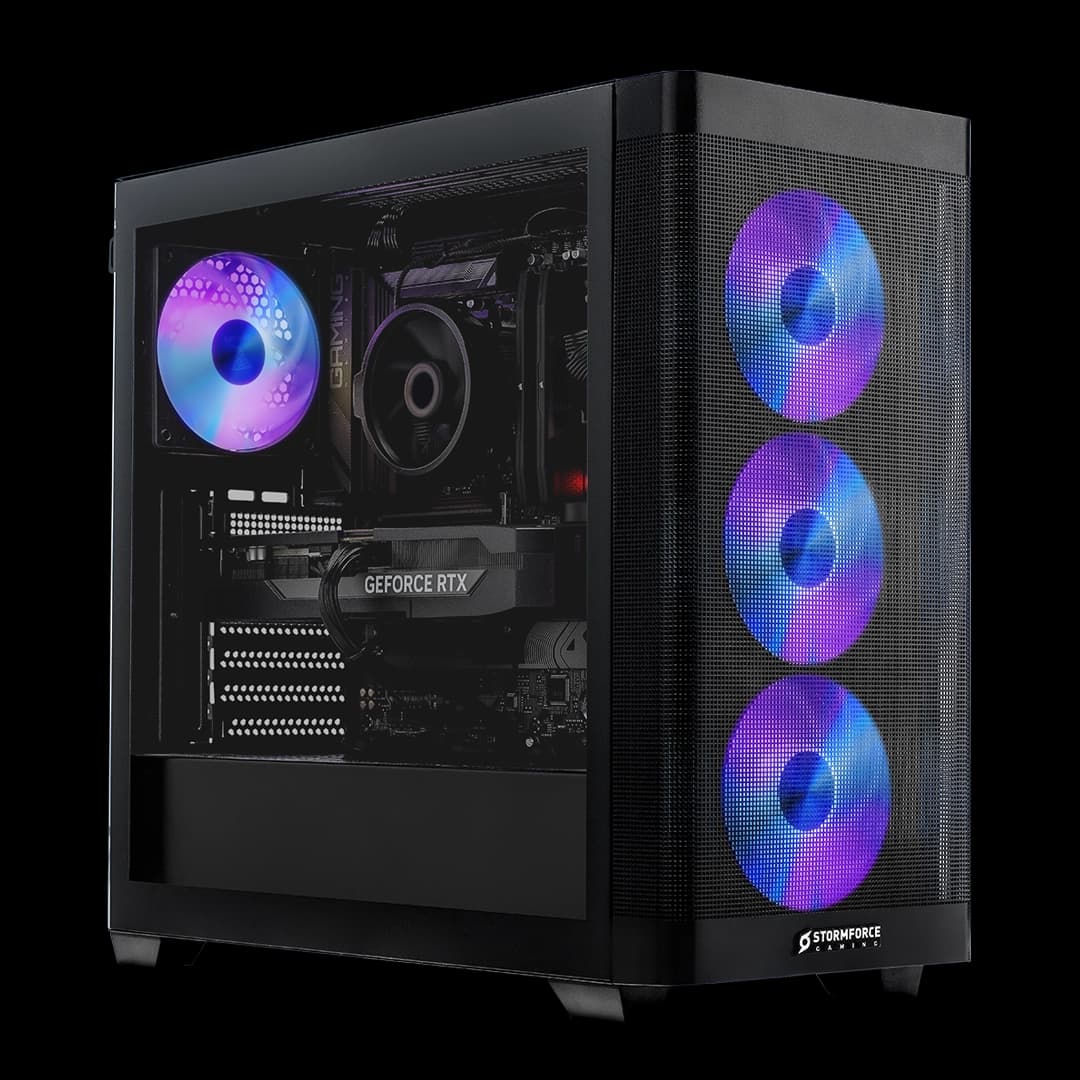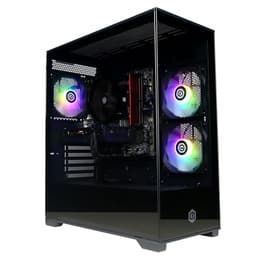
The CyberPowerPC Wyvern is a ready-built gaming desktop with an Intel Core i5-12400F, an Nvidia GeForce RTX 3050, 16GB of DDR4 memory and a 500GB NVMe SSD, running Windows 11. CyberPowerPC UK sells it on Amazon and Amazon handles dispatch.
We looked at it as an entry-level PC for playing and streaming at 1080p without building one yourself. On paper the parts suit that job. The weak spots are the small SSD and how little CyberPowerPC says about the motherboard, cooling and ports, so there are a few things to check before you order.
The specification
All of this comes from CyberPowerPC's Amazon listing.
| Part | Detail |
|---|---|
| Processor | Intel Core i5-12400F, 6 cores, up to 4.40GHz |
| Graphics | Nvidia GeForce RTX 3050 (Ampere; DLSS, Nvidia Reflex and ray tracing) |
| Memory | 16GB DDR4 |
| Storage | 500GB M.2 NVMe SSD |
| Motherboard | H610M |
| Power supply | 650W |
| Case | Sylph mid-tower with four RGB LED fans |
| Networking | Wi-Fi 5 and Ethernet |
| Software | Windows 11; one year of Norton 360 for Gamers (VPN and security) |
| Price | £679.00 · Details |
CyberPowerPC also says it plants a tree for every order.
The listing doesn't name the exact motherboard model, the memory layout, the CPU cooler or the rear ports. If any of those matter to you, ask CyberPowerPC before you buy.

Processor
The i5-12400F is a six-core Intel desktop chip with a top speed of 4.40GHz. For a 1080p gaming PC it's a sensible pairing with an entry-level graphics card, because in most games at this resolution the graphics card sets the pace, not the processor.
Six cores also help if you stream, chat on Discord and keep a browser open while you play. Everything you run at the same time shares those cores, so the more you add, the more the encoder setting in your streaming software matters (more on that below).
Graphics card
The RTX 3050 is Nvidia's entry-level card from its Ampere generation. CyberPowerPC highlights DLSS, Nvidia Reflex and ray tracing support.
One thing the listing doesn't say: which RTX 3050 this is. Nvidia has sold more than one version under the RTX 3050 name, so ask CyberPowerPC for the exact card, then look up benchmarks for that version in the games you play. We haven't tested this PC, so we can't give frame rates.
As a guide to expectations, the RTX 3050 is a 1080p card. Plan on medium to high settings in lighter and older games, and lower settings in demanding new releases. DLSS helps in games that support it, by rendering at a lower resolution and scaling up. Ray tracing is supported, but on an entry-level card it costs a lot of performance, so most people will leave it off.
Streaming on it
For streaming, the useful feature is one the listing doesn't mention by name. Nvidia's RTX cards have a separate hardware video encoder, called NVENC, which streaming software such as OBS can use. It takes the job of compressing your stream off the processor, which leaves more of it for the game, which is the main reason Nvidia cards are a common choice for streamers on a budget.
In OBS, pick the NVENC encoder rather than the x264 (processor) option, and start at 1080p or 720p at 30 or 60 frames per second, depending on your upload speed. If the game stutters while you're live, dropping the stream to 720p is usually the quickest fix.
Use the Ethernet port for streaming if you can. A wired connection is steadier than Wi-Fi, and a dropped connection in the middle of a stream is far more annoying than a slightly slower download. Wi-Fi 5 is fine for everyday use, but real speeds depend on your router and how far away it is.
Memory and storage
16GB of DDR4 is a sensible amount for gaming plus streaming software and a browser. The listing doesn't say whether it's fitted as one stick or two. Two sticks (dual channel) generally give better performance than one, so ask CyberPowerPC which it is.
The 500GB SSD is the real limitation. Windows and your everyday apps take a share, and many big modern games need 100GB or more each. A few large games will use most of the drive. If you also record your streams or keep video files, you'll run out sooner. Budget for more storage: either a second internal drive or, simpler, a USB external SSD for recordings and older games.
Before buying a second internal drive, check with CyberPowerPC which motherboard is fitted and what spare M.2 slots or SATA connections it has. H610 is Intel's entry-level chipset for this generation, and boards built on it vary in how many drive and memory slots they have.
Case and cooling
The Wyvern uses CyberPowerPC's Sylph mid-tower case with four RGB LED fans. Before planning a graphics card upgrade, check the case's clearance for longer cards.
The number of fans tells you how many there are, not how well the PC is cooled or how loud it is, and CyberPowerPC doesn't name the processor cooler. If noise matters (for example, because your microphone sits next to the PC), ask CyberPowerPC what cooler is fitted. Either way, put the PC where its front and rear aren't blocked, and check for dust build-up every few months.
Power and upgrades
The 650W power supply is listed by wattage only. Wattage alone doesn't tell you its quality or which connectors it has, so if you plan to fit a faster graphics card later, check the power supply's model and cables, and the new card's requirements, first.
The same goes for the motherboard. Before buying memory, storage or a new processor, confirm the exact board model with CyberPowerPC and look up its slots and supported parts. Upgrading a prebuilt is perfectly possible; it just starts with finding out exactly what's inside.
Windows and Norton
Windows 11 is installed, so you can sign in and start downloading games straight away. A year of Norton 360 for Gamers is included, with a VPN and security software. Windows already includes its own antivirus, so if you'd rather not keep Norton after the year, you can uninstall it and rely on Windows Security.
First steps once it arrives
A few things will save you trouble. Run Windows Update until it finds nothing new. Install the latest Nvidia driver from Nvidia's website or the Nvidia app rather than relying on whatever came installed. Check in Windows that the memory shows as 16GB and that the monitor is plugged into the graphics card's ports, not the motherboard's. Then set your monitor's refresh rate in Windows display settings, as it often defaults to 60Hz.
Who should buy it
The Wyvern suits someone who wants to play and stream at 1080p without building a PC, wants Windows installed and is happy with an entry-level graphics card. Check CyberPowerPC's warranty and support arrangements before ordering.
It's less suited to anyone who wants high settings in demanding new games or plans to play at 1440p, where a faster graphics card makes more difference than anything else. And if you're likely to install many large games, factor in the cost of more storage.

Final verdict
We give the CyberPowerPC Wyvern 7/10. The i5-12400F, RTX 3050 and 16GB of memory are a reasonable mix for 1080p gaming and streaming, the Nvidia encoder helps with the streaming part, and Windows 11 is ready to go. The 500GB SSD is small for a gaming PC, and the listing leaves out details you'd want to know, most of all which RTX 3050 is fitted. Ask about that before you buy.
What works. What doesn’t.
5 + 4What we liked5 reasons
- Six-core i5-12400F and 16GB of DDR4 suit gaming plus streaming software
- RTX 3050 with DLSS and Nvidia Reflex, plus Nvidia's NVENC encoder for streaming
- Ethernet as well as Wi-Fi 5
- Windows 11 installed, with a year of Norton 360 for Gamers
- Sold by CyberPowerPC UK and dispatched by Amazon
Where it falls4 reasons
- 500GB SSD is small for a gaming PC
- The listing doesn't say which RTX 3050 version is fitted
- Motherboard model, memory layout, CPU cooler and ports aren't specified
- An entry-level card for 1080p, not for high settings in demanding new games
Full specifications
5 attributes| Key features | Intel Core i5-12400F Processor (6 Cores, up to 4.40GHz) | 16GB DDR4 RAM Memory | H610M Motherboard |
|---|---|
| 16GB DDR4 RAM Memory | 500GB M.2 NVMe SSD Storage | |
| Nvidia GeForce RTX 3050 Graphics Card |Powered by NVIDIA Ampere architecture, DLSS, NVIDIA Reflex, Ray tracing | |
| Sylph Mid Tower Case with 4x RGB LED Fans | Wi-Fi 5 & Ethernet Connectivity | |
| 1 Year Norton 360 for Gamers VPN & Security | Tree planted for every order |
If this isn’t right for you
2 options

Frequently asked
5 questions01Is the CyberPowerPC Wyvern good for streaming?+
It's a reasonable entry-level choice. The six-core i5-12400F and 16GB of memory cope with a game, OBS and a browser, and Nvidia's NVENC hardware encoder reduces the load on the processor compared with software encoding. Use Ethernet for a steadier connection.
02Which RTX 3050 does it have?+
The listing just says RTX 3050. Nvidia has sold more than one version, so ask CyberPowerPC for the exact card before comparing benchmarks.
03Is 500GB enough storage?+
Probably not for long if you play big games. Many need 100GB or more each, so a few will fill most of the drive. Plan for a USB external SSD or a second internal drive.
04Can I upgrade it later?+
Yes, but check first. Ask CyberPowerPC for the exact motherboard and power supply models, then confirm the slots, connectors and supported parts before buying memory, storage or a new graphics card.
05Does it have Wi-Fi?+
Yes, Wi-Fi 5, plus an Ethernet port. For gaming and streaming, a wired connection is steadier.