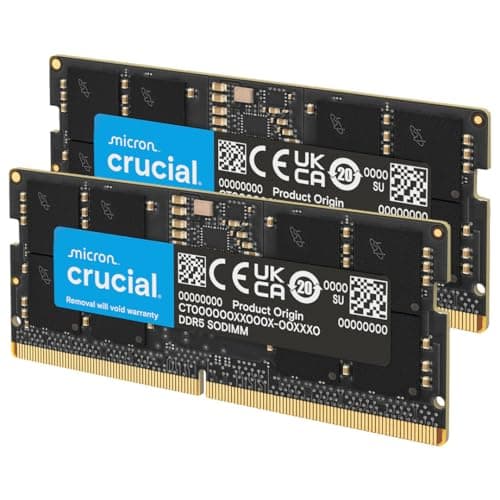
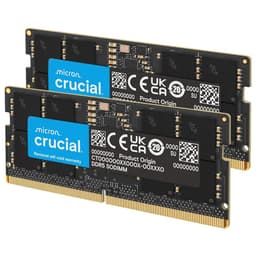
Pick the wrong RAM kit and you've either bought more than you'll ever use, or you've paid for speed that your board won't post at without a fight. The Crucial Pro DDR5 64GB kit in white sits in a specific corner of the market: high capacity, 6000MHz, CL40 timings, and a clean aesthetic that doesn't scream "RGB gaming" at you. That's either exactly what you need, or it's overkill dressed up in origami-patterned aluminium.
Verdict up front: this is a solid kit for content creators, video editors, and anyone running memory-hungry workloads who also wants DDR5 at a sensible overclock. The 6000MHz CL40 combo isn't the tightest on the market at this speed, and that matters for anyone chasing benchmark records. But 64GB of stable, XMP 3.0 and EXPO-capable DDR5 from a brand with genuine manufacturing pedigree, backed by a lifetime warranty and 118 owner reviews averaging 4.6 stars, is a hard thing to argue with if you actually need the capacity. If you don't need 64GB, you genuinely don't need this kit.
Core Specifications
The CP2K32G60C40U5W is a 2x32GB kit, so two sticks running in dual channel. That's the right configuration for most AM5 and Intel LGA1700/1851 boards, which have two memory slots per channel. You get 64GB total, DDR5, rated at 6000MHz. The CAS latency is CL40. Voltage is the standard DDR5 1.1V at JEDEC, bumped to 1.35V when you enable XMP 3.0 or EXPO to hit the rated 6000MHz. That's a normal voltage for DDR5 at this speed and nothing to worry about on a decent board.
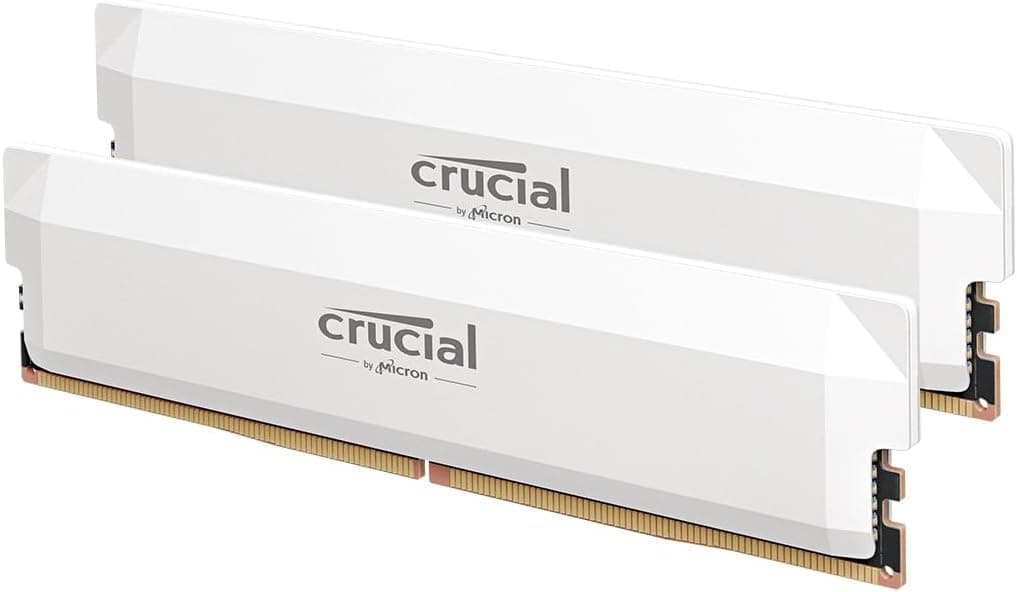
The kit supports both Intel XMP 3.0 and AMD EXPO on the same module, which is genuinely useful. You're not buying a kit that works on one platform and needs manual tweaking on the other. Crucial lists compatibility with Intel Core 12th Gen and above, and AMD Ryzen 7000 Series and above. The form factor is standard DIMM, so it goes in a desktop motherboard, not a laptop. The heat spreader is white aluminium with Crucial's origami-inspired design.
One thing the spec sheet doesn't publish openly is the full set of secondary and tertiary timings. Crucial lists the primary CAS latency as CL40, but the complete timing string (tRCD, tRP, tRAS) isn't in the product listing. That's common at this tier, and it means you're trusting the XMP profile to do the heavy lifting, which it generally does. The lifetime warranty is included, which is one of the better warranty positions in the memory market.
| Specification | Detail |
|---|---|
| Kit Configuration | 2x32GB (64GB total) |
| DDR Generation | DDR5 |
| Rated Speed | 6000MHz |
| CAS Latency | CL40 |
| XMP / EXPO Support | Intel XMP 3.0 and AMD EXPO |
| Voltage (XMP/EXPO) | 1.35V |
| Form Factor | DIMM (Desktop) |
| Colour | White aluminium heat spreader |
| Warranty | Limited Lifetime |
| Compatible Platforms | Intel 12th Gen+, AMD Ryzen 7000 Series+ |
| Part Number | CP2K32G60C40U5W |

Speed, Timings and Real Latency
The headline says 6000MHz. That number sells kits. But the number that actually tells you how fast the RAM is responding to the CPU is true latency in nanoseconds, and you calculate that by dividing the CAS latency by the effective clock speed (half the MHz figure, since DDR is double data rate) and multiplying by 1000. For this kit: CL40 divided by 3000MHz, times 1000, equals approximately 13.3 nanoseconds. That's the real access latency.
Compare that to a 6000MHz CL30 kit, which works out to around 10 nanoseconds. That's a meaningful gap if you're doing latency-sensitive work or you're on an AMD Ryzen 7000 system where the memory controller's infinity fabric link runs best at 6000MHz anyway. The CL30 kit is genuinely quicker at the same clock speed. Now, CL30 at 6000MHz costs more and is harder to find in 64GB configurations, so there's a real trade-off. But you should know you're not buying the tightest kit at this speed. You're buying a high-capacity kit that runs at a sensible overclock with looser timings.
For comparison, the JEDEC DDR5 baseline is 4800MHz at CL40, which works out to about 16.7 nanoseconds. So this kit is meaningfully quicker than stock JEDEC spec, just not as quick as the top-bin 6000MHz CL30 kits. For gaming, the difference between CL40 and CL30 at 6000MHz is going to be a handful of frames per second in the most memory-sensitive titles. For video encoding or RAM-heavy applications, the gap is similarly modest. The honest position is that 6000MHz CL40 is a solid, well-rounded spec for a 64GB kit. It's not a performance compromise you'll notice in daily use.
XMP / EXPO Stability and Compatibility
This is where most RAM kits either earn their price or become a headache. The Crucial Pro supports both XMP 3.0 for Intel and EXPO for AMD on the same physical module. That dual-profile support is a genuine convenience. On a Ryzen 7000 board, you enable EXPO in the BIOS and you're done. On an Intel 12th, 13th, or 14th Gen board, you enable XMP 3.0. Neither should require manual timing entry or voltage adjustments beyond what the profile sets automatically.
Owner feedback across the 120 (averaging 4.6 stars) is broadly positive on stability. The pattern in the reviews is the usual DDR5 story: most people enable XMP or EXPO, it posts first time, and they get on with their lives. A small number report needing a BIOS update before the profile works correctly, which is standard advice for DDR5 at this point. If your board's BIOS is more than six months old, update it before you even install the kit. This isn't a Crucial-specific issue; it's just how DDR5 works on early firmware.
The 1.35V operating voltage at 6000MHz is within the safe range for DDR5, and it's what the XMP/EXPO profile will set automatically. There's no indication from owner reports of thermal runaway or instability under sustained loads. The white aluminium heat spreader is functional, not just decorative, and DDR5 does run warmer than DDR4 at high speeds because the power management IC (PMIC) is on the module itself. Crucial's 45 years of memory manufacturing experience, through its parent company Micron, means the modules go through proper component and module-level testing before they ship. That background matters when you're buying a 64GB kit and don't want to play the lottery with your build.
Capacity and Use Case
Let's be blunt about who actually needs 64GB. If you're a gamer and only a gamer, you don't. Modern games rarely push past 16GB of RAM usage, and even the most demanding titles in 2025 and 2026 are comfortable with 32GB. A 2x16GB or 2x32GB kit at 32GB total is the gaming sweet spot. You'll spend the price difference on a better GPU and see a far bigger improvement in frame rates. Buying 64GB for gaming is buying insurance against a scenario that hasn't materialised yet.
Where 64GB makes sense: video editing in Premiere Pro or DaVinci Resolve with high-resolution footage, 3D rendering in Blender or Cinema 4D, running virtual machines alongside a full desktop workload, software development with Docker containers, or any combination of the above. If you've ever watched your RAM usage creep past 28GB in Task Manager while you had a browser, an editing suite, and a render queue running simultaneously, you know the feeling. 64GB fixes that. And the 2x32GB configuration means you're in dual channel from day one, which is correct for both AM5 and Intel platforms.
The kit configuration also matters for future expandability. Two sticks in a four-slot board leaves two slots free. In theory you could add another 2x32GB kit later to hit 128GB. In practice, mixing kits is risky: different batches, different ICs, and the XMP profile may not play nicely with four sticks populated. If you think you'll want 128GB eventually, buy a 128GB kit now. If 64GB is your ceiling, this 2x32GB configuration is sensible and leaves you with clean dual-channel operation.
DDR5 vs DDR4 Value
DDR5 is the only option for Intel 12th Gen and above on LGA1700/1851, and for AMD Ryzen 7000 and above on AM5. There's no DDR4 vs DDR5 choice to make on those platforms; the platform decides for you. So if you're building on AM5 or Intel 12th Gen or newer, DDR5 is simply what you buy. The question becomes which DDR5 kit, not whether DDR5 is worth it.
If you're still on an older Intel platform like LGA1200 or an AMD AM4 board, this kit won't work at all. Those platforms use DDR4. But if that's you, you're probably not shopping for a 6000MHz DDR5 64GB kit anyway. The people buying this kit are building new systems or upgrading to a current-generation platform, and for them DDR5 isn't a premium add-on, it's the baseline.
The real DDR5 premium question is whether to buy a faster, tighter kit or a slower, looser one. At 64GB, the options thin out. You're not spoilt for choice with CL30 or CL32 kits at this capacity. The 6000MHz CL40 spec sits in a reasonable middle ground: quick enough to keep the Ryzen 7000 infinity fabric happy at its preferred 1:1 ratio with the memory controller, and not so extreme that you're gambling on whether your specific board can handle it. For workstation use, this is a pragmatic choice.
Build Quality and Heat Spreaders
The heat spreader is white aluminium, which is actually useful rather than just cosmetic. DDR5 modules generate more heat than DDR4 because the PMIC sits on the module itself rather than on the motherboard. The aluminium spreader helps dissipate that heat passively. Crucial's origami-inspired design gives the spreader some surface area variation, which helps marginally with airflow. It's not a tall, aggressive spreader, so clearance under large air coolers shouldn't be a problem for most builds.
The white colourway is a genuine differentiator in the DDR5 64GB market. Most high-capacity kits default to black or grey, with white being an afterthought or a separate SKU that costs more. If you're building a white-themed system with a white case, white GPU shroud, and white cooler, this kit fits without compromise. That's not a trivial point; a build that looks intentional is satisfying to use every day, and Crucial has executed the white aesthetic cleanly here.
Micron manufactures its own DRAM dies, which is increasingly rare in the memory industry. Most brands buy dies from Samsung, SK Hynix, or Micron and put their own label on the module. Crucial is Micron's consumer brand, so the dies and the module both come from the same company. That vertical integration means quality control is tighter, and it's part of why Crucial can offer a lifetime warranty without it being a marketing gimmick. Owner reports don't show a pattern of early failures or dead-on-arrival sticks, which is the real-world evidence that the manufacturing process is solid.
RGB and Aesthetics
There's no RGB on this kit. None. That's a deliberate design choice, and it's the right one for a pragmatic workstation build. RGB adds cost, adds potential failure points (LEDs and controllers can die independently of the DRAM), and requires software to sync across brands. iCUE, Aura Sync, Dragon Centre: they're all fine until they're not, and then you've got a support ticket to write. Skipping RGB entirely sidesteps all of that.
The white aluminium heat spreader is the aesthetic statement here. It's clean, it's minimal, and it photographs well in a white build. If your case has a tempered glass side panel and you want the interior to look considered rather than chaotic, a pair of white sticks with a geometric pattern does the job without demanding attention. For a content creation rig that sits on a desk and gets used rather than displayed, this is the right call.
The absence of RGB also means there's no RGB tax built into the price. Some 32GB DDR5 kits charge a premium purely for the lighting hardware and the software ecosystem around it. This kit's pricing reflects the DRAM itself, the heat spreader, and the engineering behind the XMP/EXPO profiles. Whether that pricing represents good value at 64GB capacity is covered in the value section below, but you're not paying extra for lights you might not even want.
Reliability and Warranty
The limited lifetime warranty is one of the better coverage offers in consumer memory. It means Crucial will replace a defective module for the life of the product, not just for two or three years. In practice, RAM either fails early (infant mortality, usually within the first few weeks) or it runs for a decade without issue. A lifetime warranty covers the early-failure scenario properly and gives you peace of mind for the long term.
Owner reviews across 120 at 4.6 stars suggest the reliability picture is good. The reviews don't show a pattern of modules dying after a few months, which is the main thing you're looking for in owner feedback on RAM. There are occasional no-post reports, but these are almost always resolved by a BIOS update or by clearing CMOS and re-enabling XMP, not by defective hardware. DDR5 on early board firmware is finicky across all brands; this isn't a Crucial-specific issue.
Micron's background as a DRAM manufacturer rather than a rebadger matters here. The component and module-level testing that Crucial references isn't marketing language; Micron has the facilities and the process knowledge to actually run meaningful validation. That doesn't mean every stick is perfect, but it does mean the failure rate is lower than brands that buy dies from the spot market and assemble modules with less process control. For a 64GB kit at this price point, buying from a manufacturer with genuine vertical integration is the lower-risk option.
Value and Price Per GB
This kit sits firmly in the premium memory tier: 64GB of DDR5 at 6000MHz with a lifetime warranty and dual XMP/EXPO support. At this capacity, you're not going to find budget pricing. The price per GB works out at a higher rate than a 32GB kit of equivalent speed, which is normal: high-capacity modules (32GB single sticks) cost more per gigabyte than 16GB sticks because the die density and manufacturing complexity is higher.
The honest value question is whether you need 64GB or whether 32GB at the same speed would serve you better for less money. If your workload genuinely uses more than 32GB, the value per GB calculation doesn't matter much; you need the capacity and this kit delivers it with a good spec. If you're buying 64GB speculatively, for workloads that currently use 20GB at peak, you're paying a premium for headroom that may never be used. The smarter buy in that scenario is a 2x16GB 6000MHz kit at 32GB total, which costs significantly less and covers gaming and light creative work without compromise.
Within the 64GB DDR5 6000MHz category, the Crucial Pro white is competitively positioned. It's not the cheapest 64GB DDR5 kit you'll find, but it's backed by a lifetime warranty, Micron manufacturing, and a clean aesthetic that commands a small premium over generic-brand equivalents. If you're comparing it against tighter-timed 6000MHz CL30 kits at 64GB, those will cost more and may be harder to source. The CL40 timing is the trade-off you make for availability and price at this capacity.
Platform Compatibility
This kit works with Intel Core 12th Gen (Alder Lake) and above on LGA1700, and Intel's newer LGA1851 platform. It also works with AMD Ryzen 7000 Series and above on AM5. Those are the current mainstream desktop platforms for anyone building or upgrading today. The dual XMP 3.0 and EXPO profile support means one kit covers both ecosystems without needing platform-specific SKUs.
What it won't work with: anything older. Intel 11th Gen and below uses DDR4. AMD Ryzen 5000 Series on AM4 uses DDR4. If you're on those platforms, this kit is physically incompatible; DDR5 DIMMs have a different notch position and won't seat in a DDR4 slot. Check your motherboard's memory type before buying. It sounds obvious, but it's the most common reason for returns on memory purchases.
QVL (Qualified Vendor List) coverage is the other thing to check. Most major board manufacturers maintain QVL pages listing tested memory kits. Crucial's kits generally appear on QVL lists for popular AM5 boards from ASUS, MSI, Gigabyte, and ASRock, and similarly for Intel boards. If your specific board model isn't on the QVL, that doesn't mean the kit won't work; it means it hasn't been formally tested by the board maker. In practice, any DDR5 board from a reputable manufacturer should handle 6000MHz XMP or EXPO without drama, provided the BIOS is current. Check your board's QVL page and update the BIOS before installing.
How It Compares
At 64GB DDR5 6000MHz, the main alternatives are Kingston Fury Beast DDR5 64GB at 6000MHz and Corsair Vengeance DDR5 64GB at 6000MHz. Both are established brands at similar price points, and all three kits are competing for the same buyer: someone who needs high capacity, wants a sensible DDR5 overclock, and is building on a current-gen platform.
Kingston Fury Beast DDR5 64GB 6000MHz typically comes in at CL40 as well, so the real-latency comparison is essentially a draw. Kingston's kit is available in both black and white colourways and has its own RGB option if you want it. The warranty is Kingston's lifetime warranty, which is comparable to Crucial's. Kingston's QVL coverage is broad. The main difference is brand preference and price at time of purchase rather than any meaningful spec advantage.
Corsair Vengeance DDR5 64GB at 6000MHz is often CL30 or CL36 at the top-spec end, which gives it a genuine latency advantage over CL40 kits. At 6000MHz CL30, true latency is around 10 nanoseconds versus 13.3 nanoseconds for CL40. That gap is real, even if it doesn't translate to dramatic real-world differences for most workloads. Corsair's kit costs more for the tighter timings, and whether that premium is worth paying depends on how latency-sensitive your workload is. For video editing and VM work, probably not. For competitive gaming where every frame counts, possibly yes.
| Feature | Crucial Pro DDR5 64GB 6000MHz CL40 (White) | Kingston Fury Beast DDR5 64GB 6000MHz CL40 | Corsair Vengeance DDR5 64GB 6000MHz CL36 |
|---|---|---|---|
| Capacity | 64GB (2x32GB) | 64GB (2x32GB) | 64GB (2x32GB) |
| Speed | 6000MHz | 6000MHz | 6000MHz |
| CAS Latency | CL40 | CL40 | CL36 |
| True Latency (approx) | ~13.3ns | ~13.3ns | ~12ns |
| XMP / EXPO | XMP 3.0 + EXPO | XMP 3.0 + EXPO | XMP 5.0 + EXPO |
| RGB | No | Optional SKU | Optional SKU |
| White Colourway | Yes | Yes (select SKU) | Yes (select SKU) |
| Warranty | Lifetime | Lifetime | Lifetime |
| Manufacturer DRAM | Micron (in-house) | Third-party | Third-party |

Final Verdict
The Crucial Pro DDR5 64GB 6000MHz CL40 in white is a well-made, properly warranted, high-capacity memory kit for people who actually need 64GB. The 6000MHz speed is the sweet spot for both AM5's infinity fabric and Intel's memory controller on current platforms. The CL40 timings are not the tightest at this speed, and if you're comparing it directly to a 6000MHz CL30 kit, the CL30 wins on pure latency. But CL30 at 64GB costs more and is harder to find, and the real-world difference for creative workloads is modest enough that most buyers won't feel it.
Micron's in-house manufacturing, the dual XMP 3.0 and EXPO support, and the lifetime warranty are genuine differentiators. Owner feedback at 4.6 stars across 120 backs up the reliability claim. The white aesthetic is clean and well-executed for anyone building a light-coloured system. This is a kit that does what it says, posts at rated speed on current platforms without drama (assuming a current BIOS), and will run reliably for years. For a 64GB DDR5 kit, that's the brief met.
The honest caveat: if your workload peaks at 24GB or 28GB and you're buying 64GB just in case, don't. A 2x16GB 6000MHz kit at 32GB total from Crucial's own lineup will cost you noticeably less, run at the same speed, and cover everything gaming and light content creation throws at it. Buy the 64GB kit when you have a concrete reason to need it, not as a precaution. That's the smarter spend for most people reading this.
Editorial score: 8 out of 10. Loses a point for CL40 timings when CL36 competitors exist at similar prices, and another half point for the price per GB being high (though that's a 64GB DDR5 market reality, not a Crucial-specific failing). Gains it back for Micron manufacturing, lifetime warranty, dual XMP/EXPO, and a white aesthetic that's actually well done rather than an afterthought. ★★★★½ (4.6) from 120 owner reviews on Amazon.
What works. What doesn’t.
5 + 3What we liked5 reasons
- Micron in-house manufacturing means genuine quality control, not rebadged spot-market dies
- Dual XMP 3.0 and EXPO on one module covers Intel and AMD without platform-specific SKUs
- Limited lifetime warranty is one of the best coverage offers in consumer memory
- Clean white aesthetic with no RGB tax built into the price
- 6000MHz hits the AM5 infinity fabric sweet spot and keeps Intel's memory controller happy
Where it falls3 reasons
- CL40 timings mean ~13.3ns true latency; CL36 competitors exist at similar prices
- High price per GB is a 64GB DDR5 market reality, but it still stings
- No published full timing string (tRCD, tRP, tRAS) in the product listing
Full specifications
8 attributes| Capacity GB | 64 |
|---|---|
| CAS latency | 36 |
| ECC | false |
| Form factor | DIMM |
| Module count | 2 |
| RGB | false |
| Speed MHZ | 6000 |
| Type | DDR5 |
If this isn’t right for you
2 options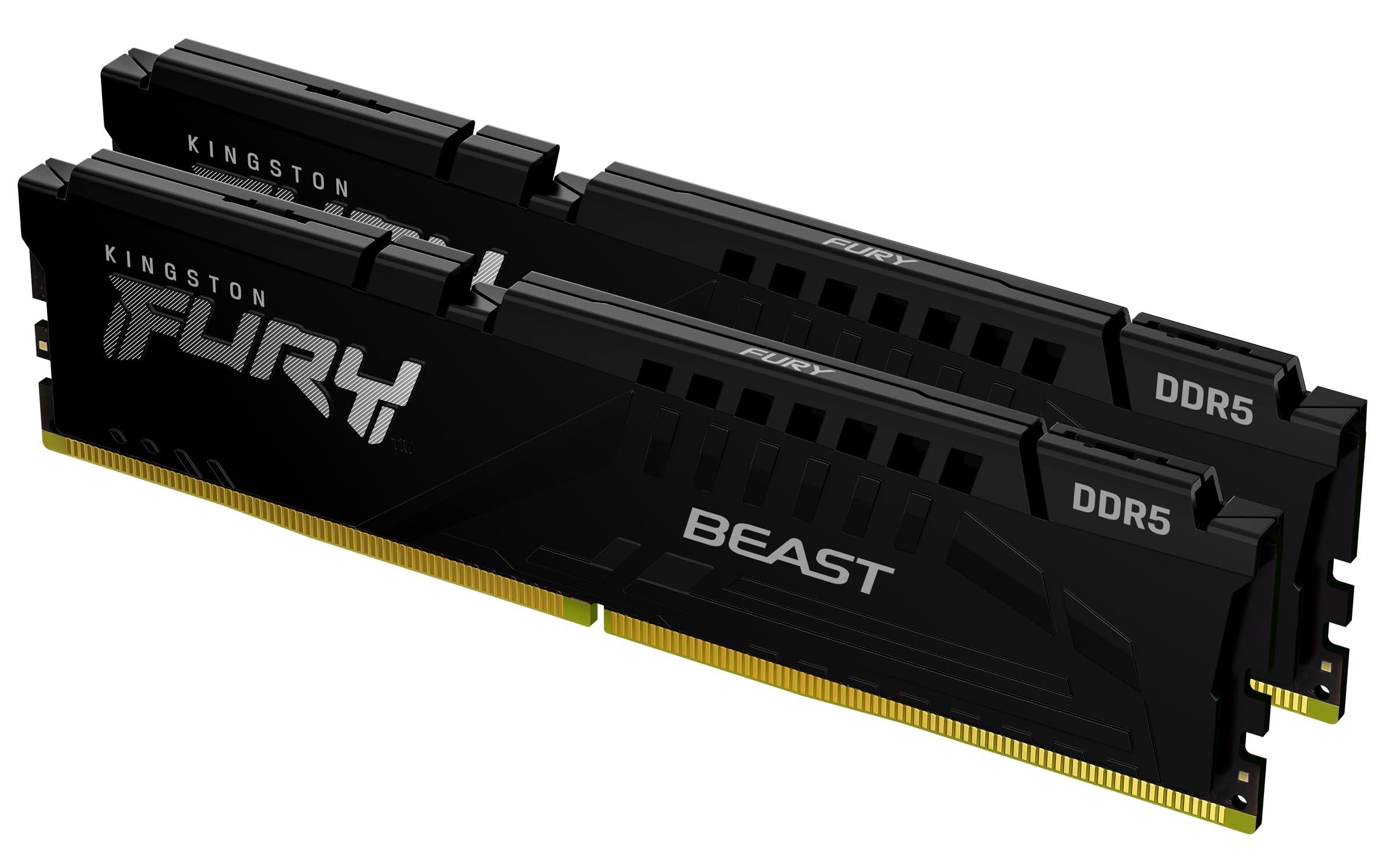
Frequently asked
5 questions01How much RAM do I actually need for the Crucial Pro DDR5 64GB Kit's use case?+
For gaming alone, 32GB is the ceiling you'll realistically hit in 2025 and 2026, and 16GB covers most titles comfortably. The 64GB kit is for workloads that genuinely consume that memory: video editing in Premiere Pro or DaVinci Resolve with high-resolution footage, 3D rendering, running virtual machines alongside a full desktop environment, or software development with multiple Docker containers. If your Task Manager peaks above 28GB regularly, 64GB makes sense. If it doesn't, save the money and buy a 32GB kit instead.
02Will the Crucial Pro DDR5 64GB Kit run at its rated 6000MHz speed with XMP or EXPO?+
On current AM5 and Intel 12th Gen and above boards with an up-to-date BIOS, enabling EXPO (AMD) or XMP 3.0 (Intel) should post at 6000MHz without manual intervention. Owner feedback across 118 reviews at 4.6 stars suggests the vast majority of buyers get it working first time. A small number report needing a BIOS update before the profile works correctly, which is standard practice for DDR5 at this point. Update your board BIOS before installing the kit and clear CMOS if you hit a no-post. That resolves most issues without any hardware fault.
03Is the Crucial Pro DDR5 64GB Kit compatible with my motherboard?+
This kit requires a DDR5 motherboard. It is compatible with Intel Core 12th Gen (Alder Lake) and above on LGA1700, Intel's LGA1851 platform, and AMD Ryzen 7000 Series and above on AM5. It will not work with DDR4 platforms including Intel LGA1200 or earlier, or AMD AM4. Check your motherboard's memory type before purchasing. For confirmation of compatibility with your specific board model, check the board manufacturer's QVL page and ensure your BIOS is current.
04Does faster RAM like the Crucial Pro DDR5 6000MHz actually improve gaming performance?+
Marginally, yes. Moving from slow DDR5 (4800MHz JEDEC) to 6000MHz does produce measurable frame rate gains in memory-sensitive titles, particularly on AMD Ryzen 7000 where the infinity fabric runs best at a 1:1 ratio with the memory at 6000MHz. But the difference between 6000MHz CL40 and 6000MHz CL30 in gaming is a handful of frames per second in the most sensitive titles, and often unmeasurable in others. The honest answer is that RAM speed matters far less than GPU and CPU for gaming. Buying 64GB at 6000MHz for gaming is also overkill on capacity; 32GB at the same speed is the smarter gaming purchase.
05What warranty applies to the Crucial Pro DDR5 64GB Kit?+
Crucial offers a limited lifetime warranty on this kit. That means Crucial will replace a defective module for the life of the product, not just for a fixed period. In addition, Amazon's standard 30-day returns policy and A-to-Z guarantee apply to purchases made through Amazon UK, covering you for dead-on-arrival issues in the initial period.