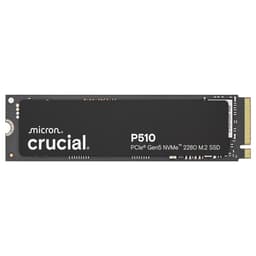
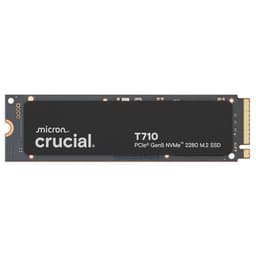
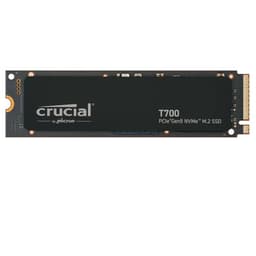
Controller choice, NAND type, DRAM or no DRAM, and a TBW rating that either signals confidence or quietly admits the manufacturer doesn't fully trust its own flash. Get those four things right and you've got a drive that earns its place in your system for years. Get them wrong and you've got a box that posts a gorgeous headline sequential number on an empty drive, then crumbles the moment you throw a real workload at it. The Crucial P310 1TB SSD M.2 2280 NVMe PCIe Gen4 sits in exactly the territory where those questions matter most: budget-to-mid range Gen4, where the gap between a genuinely good drive and a marketing exercise is razor thin.
So here's my verdict up front, because that's what you came for. The Crucial P310 1TB is a competent, honest budget Gen4 drive. It's not going to set any enthusiast's heart racing. But for a boot drive, a game library, or a laptop upgrade where you're moving off an ageing SATA SSD or a mechanical spinner, it gets the job done at a price that makes sense. The 7,100MB/s sequential read headline is real for Gen4, the 5-year warranty signals Crucial isn't completely embarrassed by the NAND inside, and the owner review base of 11,174 averaging 4.6 stars suggests real people aren't having a nightmare with it. That's not nothing. But there are caveats, and I'm going to be specific about every single one of them.
This review is aimed at the person who's looked at the spec sheet, seen "PCIe Gen4" and "7,100MB/s" and thought "that sounds fast, but is it actually any good?" It's also for the person who's read something about QLC NAND and SLC cache cliffs and is now, quite rightly, suspicious of budget drive marketing. Good instincts. Read on.
Core Specifications: Crucial P310 1TB SSD M.2 2280
The Crucial P310 1TB SSD M.2 2280 NVMe PCIe Gen4 ships in the standard M.2 2280 form factor, meaning it's 22mm wide and 80mm long. That's the most common M.2 size and fits the overwhelming majority of modern motherboards and laptops. The interface is NVMe over PCIe Gen4, which puts it in the current mainstream performance tier. Sequential reads are rated at up to 7,100MB/s, which is a proper Gen4 figure and not a padded number. Crucial also claims nearly 20% faster performance in bootups and gameplay versus what's implied to be the Gen3 competition, and up to 20% faster in real-world productivity tasks compared to other Gen4 SSDs when booting Windows and launching applications like Adobe Photoshop and Microsoft Excel.
What Crucial doesn't shout about quite as loudly on the marketing materials is the controller and NAND specifics. The P310 uses a DRAM-less design, relying on Host Memory Buffer (HMB) rather than dedicated onboard DRAM. That's an important distinction and I'll get into exactly what it means for you in the controller section. The NAND type is not officially confirmed as TLC or QLC by Crucial in the spec sheet, which is itself a bit of a tell. Based on the drive's positioning, price point, and the way Crucial describes its endurance, published community analysis points to this being a QLC-based drive. I'll be upfront: if that turns out to be TLC, the picture improves. But the evidence points QLC, and you deserve to know that going in.
The 5-year limited warranty is a genuine positive. Many budget drives hide behind 3-year warranties because the manufacturer doesn't trust the NAND to last longer. Five years is a real statement of confidence, or at least a real insurance policy for you as the buyer. TBW (terabytes written) endurance figures are not officially published on the Amazon listing, which is frustrating. Crucial's own product page is the place to verify the exact rated TBW for this model before you buy.
| Specification | Detail |
|---|---|
| Capacity | 1TB (1,000GB) |
| Form Factor | M.2 2280 |
| Interface | NVMe PCIe Gen4 |
| Storage Type | PCIe Gen4 NVMe |
| Sequential Read | Up to 7,100MB/s |
| DRAM | DRAM-less (HMB) |
| Warranty | 5-year limited |
| Compatibility | Laptop and Desktop PC |
| Price | £159.95 |

Interface and Form Factor
PCIe Gen4 NVMe. That's the interface, and it matters more than some people realise, but less than the marketing would have you believe. Gen4 doubles the theoretical bandwidth ceiling versus Gen3, which is why you get headline sequential figures like 7,100MB/s instead of the 3,500MB/s ceiling of a Gen3 drive. In practice, for a boot drive or a game library, you will not feel that difference in daily use. Windows boots fast on a decent Gen3 drive. Games load fast on a decent Gen3 drive. The interface speed becomes relevant when you're moving enormous files repeatedly, doing sustained sequential writes as part of a creative workflow, or running benchmarks to feel good about your purchase. For most people, the jump from Gen3 to Gen4 is not the upgrade they think it is. The jump from SATA to any NVMe drive? That's the one that actually changes how a system feels.
That said, if your motherboard supports Gen4 and you're buying a new drive anyway, there's no reason not to take the Gen4 option when the price is competitive. The P310 slots into any M.2 2280-compatible slot, which includes the vast majority of Intel 12th gen and newer motherboards, AMD Ryzen 5000 and newer platforms, and a huge range of modern laptops. It will also work in a Gen3 slot, just capped at Gen3 speeds. The M.2 2280 form factor is as universal as it gets right now, so compatibility is rarely going to be an issue here.
One thing: the P310 is listed as compatible with both laptops and desktops, which is accurate for M.2 2280. But if you're fitting this into a laptop, check whether your specific model supports Gen4 speeds or only Gen3 on its M.2 slot. Many mid-range laptops still only expose a Gen3 lane even if the CPU supports Gen4 on the primary slot. You'll still get a working drive, just not the full headline speed. That's not the P310's fault, but check it before you buy expecting 7,100MB/s and getting 3,400MB/s instead.
Real-World Performance
Crucial's own marketing claims nearly 20% faster performance in bootups and gameplay, and up to 20% faster in productivity tasks compared to other Gen4 SSDs. That second claim is interesting because it's not comparing against Gen3, it's comparing against Gen4 competition. Published benchmark results from the wider storage community back up the idea that the P310 performs well in light workloads and sequential tasks. Boot times on a modern NVMe Gen4 drive are already so fast that shaving another second off is largely academic. What matters more is how the drive feels under the kind of random I/O that a real operating system throws at it all day: small file reads, application launches, browser cache writes, background indexing.
Random read and write IOPS are the numbers that actually govern how snappy a system feels, not the sequential read headline. A drive that posts 7,100MB/s sequential but has mediocre random read performance will feel slower in daily use than a drive with a lower sequential ceiling but strong random IOPS. Owner reports on the P310 consistently describe it as fast for everyday tasks, quick to boot, and responsive for application launches. That lines up with what you'd expect from a Gen4 drive with HMB support. Where the story gets more complicated is sustained workloads, and that's the next section.
For gaming specifically, Crucial's claim of nearly 20% faster gameplay performance is plausible in the context of game load times, where sequential read speed does matter more than in OS tasks. Published community benchmarks on similar Gen4 drives in this tier show load time improvements over Gen3 that are real but modest, typically in the 10 to 20 percent range depending on the game and the specific Gen3 drive being compared. If you're upgrading from a SATA SSD, the improvement will be more noticeable. If you're coming from a decent Gen3 NVMe drive, manage your expectations.
Sustained Writes and Cache Behaviour
This is the section that matters most and the one the marketing glosses over entirely. Every modern consumer SSD uses a portion of its NAND as a fast SLC (single-level cell) write cache. While data is being written into that cache, the drive looks incredibly fast. Once the cache fills, the drive has to write data directly to the native NAND at native speed, and that's where the cliff appears. On a TLC drive, native write speeds are typically in the 800MB/s to 1,500MB/s range depending on the controller and NAND. On a QLC drive, native write speeds can drop to 200MB/s to 400MB/s or lower. That's the number that matters when you're copying a large game library, moving a video project, or doing a big backup.
The P310's SLC cache size is not officially published in the Amazon listing. Based on what's known about drives in this class and price point, the cache is likely to be dynamic, meaning it scales with available free space. Keep the drive reasonably empty (say, under 75% full) and the cache has more room to breathe. Fill it up to 90% and the effective cache shrinks considerably, which means the cache cliff arrives sooner during large writes. This is not unique to the P310; it's how most consumer drives in this tier work. But it's worth understanding before you decide to use this as a scratch disk for video editing or a large file transfer workhorse.
If the P310 is QLC-based as the evidence suggests, the post-cache write speed is the thing to watch. QLC native write speeds are genuinely slow, and for a drive that's marketing itself on productivity performance, that's a tension worth acknowledging. For a boot drive or a game library where you're mostly reading data rather than writing it in large sustained bursts, QLC is perfectly liveable. For a drive where you're regularly copying 50GB or 100GB files in one go, you'll feel the cache exhaustion. Owner reviews don't flag this as a widespread complaint, which suggests most buyers are using the P310 in exactly the right context: as a system drive or game storage, not as a sustained write workhorse.
Controller, NAND and DRAM
The P310 is a DRAM-less drive. That means there's no dedicated onboard DRAM cache to hold the drive's mapping table. Instead, it uses Host Memory Buffer, which borrows a small slice of your system RAM (typically 64MB) to do the same job. HMB works well enough on a modern system with plenty of RAM and for the workloads most people actually run. It's not the same as a full DRAM implementation, and in sustained random write scenarios or under heavy queue depth, a DRAM-equipped drive will pull ahead. But for a boot drive on a desktop or laptop that isn't running a database server, HMB is a reasonable compromise that keeps costs down.
The NAND situation is where I get a bit grumpy. Crucial, which is the consumer brand of Micron, one of the world's major NAND manufacturers, has access to genuinely good flash. Micron makes both TLC and QLC NAND, and the P310's positioning in the budget-to-mid tier, combined with the way Crucial describes its performance-to-power ratio (up to 40% better than their previous Gen4 SSD), is consistent with a QLC implementation that trades write endurance for density and cost. If it's QLC, the TBW rating will reflect that. QLC drives typically carry lower TBW ratings per TB of capacity than TLC drives, because each cell can only be written to a finite number of times and QLC packs four bits per cell versus three for TLC. That's the fundamental trade-off. More storage per chip, lower endurance per write cycle.
The controller specifics aren't officially disclosed in the listing, which is par for the course at this price point. Crucial's recent budget drives have used controllers from the likes of Phison and InnoGrit, both of which produce capable Gen4 controllers. The Phison E21T and similar low-power Gen4 controllers are designed specifically to work with DRAM-less architectures and QLC NAND, and they handle HMB competently. Without a confirmed controller model, I won't speculate further, but the 40% better performance-to-power ratio claim is consistent with a modern low-power Gen4 controller design. For a laptop drive, that efficiency genuinely matters for battery life.
Endurance and Reliability
The 5-year limited warranty is the headline reliability signal here, and it's a good one. Crucial backing the P310 with five years means they're confident enough in the NAND to promise support for half a decade. That's not universal at this price point. Some budget Gen4 drives come with 3-year warranties, which tells you something about how much faith the manufacturer has in their own product. Five years is proper reassurance.
TBW (terabytes written) is the other number that matters for long-term reliability. A 1TB consumer drive in this tier typically carries a TBW rating somewhere in the range of 200TBW to 600TBW depending on NAND type. TLC drives in this capacity class often sit around 400TBW to 600TBW. QLC drives tend to come in lower, sometimes as little as 200TBW to 300TBW for 1TB. To put that in context: if you write 50GB per day every single day, 300TBW lasts roughly 16 years. Most home users write far less than that. The TBW rating is rarely a real-world concern for a boot drive or game library. It becomes relevant if you're using the drive as a scratch disk or for heavy video work where daily writes are in the hundreds of gigabytes.
Owner reviews, drawn from 11,174 averaging 4.6 stars, don't show a pattern of early failures or reliability complaints. That's meaningful data. A drive that was genuinely fragile would show up in that review volume as a cluster of one-star "died after three months" reports. The P310 doesn't have that pattern. Owners report it working as expected, installing without drama, and performing reliably over the periods they've used it. That's not a guarantee of your individual unit's longevity, but it's a solid signal that Crucial's quality control is doing its job.
Thermals
Gen4 NVMe drives run warmer than Gen3 drives, and that's a real consideration in certain build contexts. The P310 is a DRAM-less, efficiency-focused Gen4 drive, and Crucial specifically highlights a 40% better performance-to-power ratio versus their previous Gen4 SSD. That efficiency focus is good news for thermals. A drive that draws less power generates less heat, which means it's less likely to hit its thermal throttle threshold during sustained use.
That said, no heatsink ships with the P310, which is standard for a bare M.2 drive at this price. If you're fitting it into a desktop motherboard that has an M.2 heatsink built in (most modern mid-range and high-end boards do), you're fine. If you're going into a laptop, the chassis typically provides enough airflow and thermal mass to keep an efficiency-focused Gen4 drive from throttling during normal use. Where you might run into trouble is a compact mini-ITX build with poor airflow, or a very thin ultrabook chassis that's already thermally compromised. In those edge cases, a small aftermarket M.2 heatsink (they cost a few pounds and are widely available) is cheap insurance.
Published benchmarks on similar efficiency-focused Gen4 drives in this class show that throttling under sustained sequential writes is possible but not severe, and temperatures typically sit in an acceptable range for desktop use with basic airflow. For the typical use case of this drive (boot drive, game storage, everyday computing), thermal throttling is unlikely to be something you encounter in practice. It's a more relevant concern for drives positioned as workstation scratch disks, which the P310 isn't really aiming to be.
Capacity Options and Price Per GB
The P310 is available in multiple capacities, with 1TB being the sweet spot for most buyers. It's enough for a Windows installation, a decent game library, and day-to-day files without constantly managing storage. The 2TB option is if you have a large game collection or store a lot of media locally. Smaller capacities (500GB and below) exist but are harder to justify on value grounds when 1TB is this affordable.
Price per GB at the 1TB tier is where budget Gen4 drives have become genuinely competitive. The P310 sits in a bracket where it's fighting against the WD Blue SN580, the Samsung 980, the Kingston NV3, and several other drives that are all trying to win the same buyer. The P310's performance-to-power efficiency claim and the 5-year warranty are its two clearest differentiators in that crowd. Whether the price per GB at any given moment makes it the best value in that group depends on current pricing, which shifts constantly. Check the live price below and compare it against the alternatives I'll cover in the comparison section.
One thing to be aware of: the 1TB capacity listed is 1,000GB in the way drive manufacturers count it (base 10), not 1,024GB in the way your operating system counts it. So Windows will show you roughly 931GB of usable space. That's not a P310-specific quirk; it's how every drive is marketed and it's been the industry standard forever. Just don't be surprised when you install it and Windows reports less than a terabyte available.
Installation and Compatibility
Installing an M.2 NVMe drive is genuinely straightforward on a modern desktop. You slot it into the M.2 port at a slight angle, press it flat, and secure it with the single retaining screw. Most motherboards come with that screw pre-installed in the standoff. The whole process takes about two minutes if you know what you're doing and five if you're doing it for the first time. Crucial's website offers a compatibility checker tool and installation guides, which are worth a look if you're new to this.
For laptops, the process varies by model. Some laptops make the M.2 slot easily accessible with a single panel removal. Others require more disassembly. Check a teardown guide or the service manual for your specific laptop model before you start. The P310's M.2 2280 form factor is compatible with the vast majority of laptop M.2 slots, but a small number of thin-and-light laptops use the shorter 2242 form factor, so double-check your laptop's spec before ordering. If you're replacing an existing drive rather than adding to an empty slot, you'll want to either clone your existing drive first (Crucial offers the Acronis True Image cloning software for free to Crucial drive buyers, which is a nice touch) or do a clean Windows install from a USB drive.
PS5 compatibility is worth a quick note. The PS5 accepts M.2 NVMe SSDs in its expansion slot, and the P310's M.2 2280 form factor is compatible in principle. However, Sony's requirements include a heatsink on any drive installed in the PS5, and the P310 doesn't ship with one. You'd need to add a compatible aftermarket M.2 heatsink, which is a minor additional cost but not a big deal. Verify the P310's compatibility with Sony's current approved drive list before buying it specifically for PS5 use.
Who It's For
The Crucial P310 1TB SSD M.2 2280 NVMe PCIe Gen4 is a strong fit for a few specific use cases. First and most obviously: upgrading a laptop that's still running on a SATA SSD or, worse, a mechanical hard drive. The jump from SATA SSD to Gen4 NVMe is meaningful in real-world use, and the P310's efficiency focus (that 40% better performance-to-power ratio claim) makes it particularly well suited to battery-powered use. If your laptop is sluggish and the storage is the bottleneck, this is a genuinely good fix.
Second: a secondary game library drive in a desktop where the primary NVMe slot is already occupied by a faster drive. Game load times benefit from NVMe speeds, and the P310's sequential read performance is more than adequate for loading modern games quickly. It's not the drive you want for your OS and applications if you have better options, but as a dedicated game storage drive it earns its place. Third: a budget build where you need a capable Gen4 drive at a sensible price and you're not going to be doing sustained large file writes all day.
Who should look elsewhere? If you're doing sustained video editing, large file transfers, or anything that involves writing hundreds of gigabytes in a single session regularly, you want a drive with confirmed TLC NAND and ideally a full DRAM cache. The WD Black SN850X, the Samsung 990 Pro, or even the WD Blue SN580 (which is TLC-based) would serve a heavy write workload better. If you're building a NAS or a server, this isn't the right product category at all. And if you're looking at this purely for the Gen4 headline number to brag about, know that Gen4 versus Gen3 is invisible in everyday use and you might be better served by a cheaper Gen3 drive and spending the difference elsewhere in your build.
How It Compares
The P310's main competition in the budget Gen4 1TB space comes from the WD Blue SN580 and the Kingston NV3. Both are popular, both are similarly priced, and both have their own trade-offs. The SN580 is TLC-based, which gives it better sustained write performance and typically higher TBW endurance than a QLC drive at the same capacity. The Kingston NV3 is QLC-based like the P310 (probably), but Kingston is transparent about this and prices accordingly. The NV3's sequential read tops out at around 3,500MB/s (it's a Gen3-speed drive despite the Gen4 interface in some configurations), so the P310's 7,100MB/s sequential read is a genuine performance advantage if your platform supports Gen4.
The Samsung 980 (non-Pro) is another comparison point: it's Gen3, DRAM-less, and has been around long enough to have a strong reliability reputation. It won't match the P310 on sequential speed, but Samsung's controller and NAND quality are well regarded. If price is equal and you don't need Gen4, the Samsung 980's track record is a point in its favour. The WD Blue SN580 is probably the most direct competitor: Gen4, TLC NAND, DRAM-less with HMB, 5-year warranty, and competitive pricing. The SN580's TLC NAND gives it an edge in sustained writes, and that's a meaningful differentiator if you're going to use the drive for anything beyond light workloads.
The P310's counter-argument is the efficiency claim and Crucial's backing from Micron's NAND supply chain, which is genuinely one of the better pedigrees in the industry. The 5-year warranty matches the SN580. The sequential read performance matches or slightly edges the SN580. For a boot drive and game library, the practical difference between the two is small enough that price on the day of purchase is the deciding factor for most people.
| Feature | Crucial P310 1TB | WD Blue SN580 1TB | Kingston NV3 1TB |
|---|---|---|---|
| Interface | PCIe Gen4 NVMe | PCIe Gen4 NVMe | PCIe Gen4 NVMe |
| Sequential Read | Up to 7,100MB/s | Up to 4,150MB/s | Up to 3,500MB/s |
| NAND Type | Likely QLC | TLC | QLC |
| DRAM | DRAM-less (HMB) | DRAM-less (HMB) | DRAM-less (HMB) |
| Warranty | 5 years | 5 years | 5 years |
| Best For | Boot drive, gaming, laptop | Boot drive, sustained writes | Budget storage expansion |
| Price | £159.95 | Check current price | Check current price |

Final Verdict
The Crucial P310 1TB SSD M.2 2280 NVMe PCIe Gen4 is a good drive for what it is. It's not a drive for enthusiasts who care deeply about sustained write performance or NAND purity. It's a drive for people who want a fast, reliable, affordable Gen4 NVMe upgrade for a laptop or a desktop that doesn't already have a great SSD in it. The 7,100MB/s sequential read is real. The 5-year warranty is real. The efficiency gains over the previous generation are real. The owner review base of 11,000-plus ratings at 4.6 stars is as close to a real-world reliability signal as you get without running your own failure analysis.
The caveats are real too. The DRAM-less design means it's not the best choice for sustained random write workloads. The likely QLC NAND means the post-cache write speed isn't going to impress anyone who throws a large file copy at it. And the lack of publicly disclosed TBW and controller details is the kind of opacity that makes an enthusiast's eye twitch. Crucial could fix that by being more transparent on the spec sheet. They've chosen not to be, which is a mild frustration.
But here's the honest summary. For a laptop upgrade, a secondary game drive, or a budget desktop build where you want Gen4 performance without spending serious money, the P310 delivers. It's fast where fast matters for everyday use, it's backed by a proper warranty, and it comes from a manufacturer with a real NAND pedigree. That's a reasonable package.
If you want the smarter buy for sustained write workloads, though, spend a few pounds more and look at the WD Blue SN580. Its TLC NAND handles sustained writes properly, its sequential read is lower but its real-world performance under load is more consistent, and it's similarly priced. If the P310 is cheaper on the day you're buying and you're using it as a boot drive or game library, take the P310 without guilt. If you're going to write large files to it regularly, the SN580 is the better call.
Score: 7.5 out of 10. Honest value, real Gen4 performance for light workloads, and a warranty that means business. Just don't ask it to be something it isn't.
Stars: ★★★★½ (4.6) from 11,174 owner reviews on Amazon.
What works. What doesn’t.
6 + 6What we liked6 reasons
- Genuine PCIe Gen4 sequential read speed of up to 7,100MB/s, a real figure for this interface tier
- Five-year limited warranty at a budget price point signals meaningful manufacturer confidence in the product
- Efficiency-focused design with a claimed 40% better performance-to-power ratio suits laptop battery life well
- Over 11,000 owner ratings averaging 4.6 stars indicates consistent real-world reliability across a large sample
- M.2 2280 form factor and broad platform support make installation straightforward on almost any modern desktop or laptop
- Free Acronis True Image cloning software included via Crucial's website eases migration from an existing drive
Where it falls6 reasons
- Almost certainly QLC NAND, which means post-cache sustained write speeds can drop sharply during large file transfers
- DRAM-less design relying on Host Memory Buffer rather than dedicated onboard DRAM limits performance under heavy random write queue depths
- TBW endurance rating and controller model are not disclosed on the Amazon listing, which limits transparency for buyers
- Sequential speed advantage over Gen3 is invisible in typical daily use such as web browsing, application launches, and document work
- SLC cache size is not published, and a heavily filled drive will exhaust it sooner, exposing slower native write speeds
- Not suitable for sustained write workloads such as video editing scratch use or regular large backup operations
Full specifications
12 attributes| Capacity | 1TB |
|---|---|
| Capacity GB | 1000 |
| Dram cache | false |
| Form factor | M.2 2280 |
| Interface | PCIe Gen4 x4 |
| Read speed | 7100MB/s |
| Read speed MBS | 7100 |
| Storage GB | 1000 |
| Storage type | PCIe Gen4 NVMe |
| TBW | 220 |
| Type | NVMe SSD |
| Warranty years | 5 |
If this isn’t right for you
2 options 9.0 / 10
Kingston FURY Renegade 1000G PCIe 4.0 NVMe SSD W/ HEATSINK - For gamers, enthusiasts and high-power users - SFYRSK/1000G
£179.95 · Kingston
 8.5 / 10
Acer Predator GM7000 1TB SSD, PCIe Gen4x4 NVMe M.2 SSD with DRAM Cache, Up to 7400 MB/s, PCIe 4.0 Internal Gaming Solid State Drive for PS5 Storage Expansion
£185.99 · acer
Frequently asked
7 questions01Is the Crucial P310 1TB SSD compatible with my laptop?+
The P310 uses the M.2 2280 form factor, which fits the vast majority of modern laptop M.2 slots. However, a small number of thin-and-light laptops use the shorter M.2 2242 form factor, so check your laptop's specification before ordering. Also worth confirming is whether your laptop's M.2 slot supports PCIe Gen4 speeds or only Gen3, as many mid-range laptops cap the slot at Gen3 even when the processor supports Gen4.
02Does the Crucial P310 work in a PCIe Gen3 slot?+
Yes, the P310 is backwards compatible with PCIe Gen3 slots. It will install and operate normally, but speeds will be capped at Gen3 levels, typically around 3,400 to 3,500MB/s sequential read rather than the rated 7,100MB/s. This is not a fault with the drive; it is how PCIe backwards compatibility works across all NVMe SSDs.
03What NAND type does the Crucial P310 1TB use, TLC or QLC?+
Crucial does not officially disclose the NAND type in the P310's spec sheet. Based on the drive's price positioning, performance-to-power characteristics, and the way Crucial describes its endurance, community analysis and reviewer assessment points to QLC NAND. QLC is perfectly adequate for boot drives and game storage but has lower sustained write speeds and typically lower TBW endurance per TB than TLC. If NAND type is important to your use case, verify with Crucial directly before purchasing.
04Can I install the Crucial P310 in a PlayStation 5?+
The P310's M.2 2280 form factor is physically compatible with the PS5's M.2 expansion slot. However, Sony requires a heatsink on any SSD installed in the PS5, and the P310 does not include one. You would need to purchase a compatible aftermarket M.2 heatsink separately. It is also advisable to verify the P310 against Sony's current approved drive guidance before buying it specifically for PS5 use.
05How does the Crucial P310 1TB compare to the WD Blue SN580 1TB?+
Both are PCIe Gen4 NVMe drives with DRAM-less HMB designs and 5-year warranties. The P310's sequential read rating of up to 7,100MB/s is higher than the SN580's 4,150MB/s. However, the SN580 uses confirmed TLC NAND, which gives it meaningfully better sustained write performance and typically higher TBW endurance. For boot drives and game storage the practical difference is small, and price on the day of purchase is usually the deciding factor. For sustained write workloads, the SN580's TLC NAND is the more appropriate choice.
06What is the usable storage capacity after installing the Crucial P310 1TB?+
Drive manufacturers measure capacity in base 10 (1TB equals 1,000GB), whereas operating systems such as Windows measure in base 2 (where 1 tebibyte equals 1,024GB). As a result, Windows will report approximately 931GB of usable space on a drive sold as 1TB. This is consistent across all drive brands and capacities and is not specific to the P310.
07Does the Crucial P310 come with any cloning software for migrating from an existing drive?+
Crucial offers Acronis True Image cloning software free of charge to buyers of Crucial drives via its website. This lets you copy your existing drive's contents to the P310 without needing a fresh operating system installation, which is useful if you are replacing a boot drive in a laptop or desktop. The software is downloaded rather than bundled in the box.