UK tech experts · info@vividrepairs.co.uk
Vivid Repairs
VIVID·REPAIRS/THE FIELD GUIDE/DESKTOPPublished 31 August 2026Prices live from Amazon UK

Best of · UK · Field of 6

Best Desktops for beginners

Best desktops for beginners in the UK 2025: from budget all-in-ones to entry gaming rigs, reviewed and ranked for first-time buyers.

As an Amazon Associate we may earn from qualifying purchases. We have not handled these products. Everything below is judged on published specifications, the owner ratings on the UK listings and our own product reviews, and the ranking stays independent of what any of them pay.

As an Amazon Associate, we may earn from qualifying purchases. Our ranking is independent.
FIG. 01
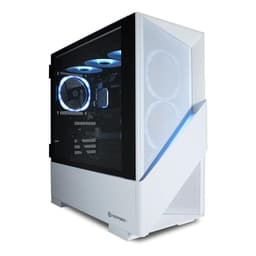
Best Desktops for beginners: hero illustration

Illustration · Vivid RepairsDesktop / 2026

Field6 ranked
Cheapest£689.99
Under £7001 of 6
Owner ratings read138
VIVID·REPAIRSThe verdict · desktops for beginners · UK · Desktop PCs
01 / 08

Our pick

Lenovo IdeaCentre A100 All-in-One Desktop PC

Lenovo IdeaCentre A100 All-in-One Desktop PC | 24 inch Full HD | Intel N100 | 16GB RAM | 512GB SSD | Windows 11 Home | Gloud Grey | Wireless EOS Keyboard and Mouse

Why it’s our pick

  • CPU: Intel Processor N100
  • Rated 4.6 by 17 owners on the UK listing
  • £749.00 today, under this field's £789.95 midpoint
  • Editorial score7.5 / 10
  • Owners4.6 from just 17 ratings
£749.00Live price · checked today
Buy on Amazon£749.00

Amazon confirms the live price, seller, stock and delivery. Prices here are read from the live listing daily and dead stock is dropped overnight.

Read the full review of this pick →

vividrepairs.co.uk / best-desktops-for-beginnersPublished 31 August 2026 · Prices from the live Amazon UK listing
Not sure yet?The shortlist, argued pick by pick, starts here
§ Shortlist

The three worth arguing about

01
01 / 08

01 / Our pick

Lenovo IdeaCentre A100 All-in-One Desktop PC

  • 16GB RAM is generous for the price tier
  • 5MP AI-tuned webcam is well above average for a budget AIO
  • Wi-Fi 6 included as standard

Where it gives up

Integrated graphics only - not suitable for gaming. 250 nits display brightness is modest for bright rooms.

Rated 4.6 by 17 owners, which is thin. Our review scores it 7.5.

£749.00★★★★½ 4.6 · 17 ratingsBuy on Amazon£749.00

Amazon confirms the live price, seller, stock and delivery. · Read the full Lenovo IdeaCentre A100 All-in-One Desktop PC review

02
02 / Best Budget · Under £700

ADMI Gaming PC

  • CPU: AMD Ryzen 5 5500
  • GPU: NVIDIA RTX 3050 6GB GDDR6
  • RAM: 16GB 3200MHz DDR4

Rated 4.6 by 3 owners, which is thin. No editorial score for this one yet.

£689.99★★★★½ 4.6 · 3 ratingsBuy on Amazon£689.99

Amazon confirms the live price, seller, stock and delivery.

03
01 / 08

03 / Best Build Quality

GMKtec AMD Ryzen 7 Mini Gaming PC 8845HS(8C/16T

  • The Radeon 780M is the strongest integrated GPU available in a mini PC right now, handling 1080p gaming and emulation credibly
  • OCuLink eGPU support offers a genuine upgrade path to discrete GPU performance that no competing mini PC at this price provides
  • Dual Intel 2.5G Ethernet makes this a compelling option for home lab, NAS, and small network deployments

Where it gives up

RAM is soldered onto the board with no upgrade path, which is a significant long-term limitation at this price point. Fan noise under sustained load reaches 45 to 48dB, which is noticeable from across a desk.

Rated 4.7 by 51 owners. Our review scores it 8.5.

£739.96★★★★½ 4.7 · 51 ratingsBuy on Amazon£739.96

Amazon confirms the live price, seller, stock and delivery. · Read the full GMKtec AMD Ryzen 7 Mini Gaming PC 8845HS(8C/16T review

§ The rest

Shorter entries, simpler decisions

Every one of these still earns a place. Shorter entries because the decision is simpler: they do one job well and they tell you what they can’t do.

Apple iMac All-in-One Desktop Computer with M4 chip with04

Apple iMac All-in-One Desktop Computer with M4 chip with

Best PremiumOur review scores it 8.5. ★★★★½ 4.7 from 63 ratings.

£1599.00Live priceBuy on Amazon
Vibox V-196 Gaming PC Bundle • AMD Ryzen 5 5500 4.2GHz •05

Vibox V-196 Gaming PC Bundle • AMD Ryzen 5 5500 4.2GHz •

Best ValueCPU: AMD Ryzen 5 5500 · GPU: NVIDIA GeForce RTX 4060 8GB. ★★★★★ 5.0 from 1 ratings.

£789.95Live priceBuy on Amazon
CyberPowerPC Luxe Gaming PC06

CyberPowerPC Luxe Gaming PC

Runner-upOur review scores it 7.5. ★★★★½ 4.6 from 3 ratings.

£2149.00Live priceBuy on Amazon
§ Method

How we chose

The rules this ranking ran under, in plain sight: what we read, what we weighed and what no merchant can move.

How we picked

Our editors evaluated 6 Desktop options against the criteria readers actually weigh up: price, real-world performance, build quality, warranty, and UK availability. Picks lean toward what we'd recommend to a friend buying today, not specs-on-paper winners.

  • Editorial contextEditor notes from individual reviews, not press releases.
  • Live UK pricingRefreshed from Amazon UK twice daily.
  • No paid placementsAffiliate commission doesn't change what wins.
The full guideEverything behind the shortlist above: the spec sheet, the write-ups in full, our method and the verdict.

§ Editorial · The full guide · three proofs, nothing hidden

The Doubt Index.

The shortlist told you what we picked; this zone shows the working. Come in through whichever doubt you’re carrying, or read straight down; we’d rather you checked us than trusted us.

Proof A · What the numbers mean

↑ All doubts

I can read a spec sheet myself.

What the numbers mean

You can, and you should. What follows is the part a sheet can’t do: the working between what these products have and what your desk actually needs, kept word for word.

Choosing your first desktop PC can feel overwhelming, particularly when the market has shifted so dramatically over the past twelve months. The arrival of AMD's Ryzen 8000-series processors, Nvidia's RTX 50-series graphics cards, and a new wave of compact mini-PCs has given beginners more choice than ever, at every price point. Whether you are a student who needs a reliable machine for coursework, a first-time gamer stepping up from a console, a creative professional dipping into photo editing, or simply someone replacing an ageing laptop with something more capable, the right desktop will depend on what you actually plan to do with it. This guide covers seven carefully chosen machines, from a tidy all-in-one that requires no setup knowledge whatsoever, through to a punchy mid-range gaming tower that will handle anything a newcomer throws at it, without demanding that you already understand overclocking, cable management, or BIOS settings. Prices and availability were verified in mid-2025.

Quick Verdict

Best Overall for Beginners: Vibox V-196 Gaming PC Bundle. It arrives with a monitor, keyboard, and mouse included, runs Windows 11 out of the box, and the RTX 4060 inside handles modern games and creative software without fuss. A genuine plug-and-play experience at a sensible price.

Best Value Pick: ADMI Gaming PC (Ryzen 5 5500 / RTX 3050). For beginners who want a capable gaming and productivity machine without spending close to four figures, the ADMI hits a sweet spot that few rivals can match at its price.

Best for Non-Gamers: Lenovo IdeaCentre A100 All-in-One. A tidy, space-saving desktop with a built-in 24-inch screen, ideal for students, home office workers, and anyone who just wants to browse, stream, and type.

Product Price CPU GPU RAM / Storage OS Form Factor
Lenovo IdeaCentre A100 AiO £749.00 Intel N100 Integrated 16 GB / 512 GB SSD Windows 11 Home All-in-One
ADMI Gaming PC (RTX 3050) £674.99 AMD Ryzen 5 5500 RTX 3050 6 GB 16 GB DDR4 / 1 TB NVMe Windows 11 Tower
GMKtec K8 Plus Mini PC £739.96 AMD Ryzen 7 8845HS AMD Radeon 780M (integrated) 32 GB DDR5 / 1 TB PCIe 4.0 NVMe Windows 11 Mini PC
Apple iMac (M4, 2024) £1,811.17 Apple M4 10-core Apple M4 10-core GPU 16 GB / 512 GB SSD macOS All-in-One
Vibox V-196 Gaming PC Bundle £1,039.95 AMD Ryzen 5 5500 RTX 4060 8 GB 16 GB DDR4 / 1 TB NVMe Windows 11 Tower + Bundle
CyberPowerPC Luxe (RTX 5070 Ti) £2,149.00 Intel Core Ultra 7 265KF RTX 5070 Ti 32 GB / 2 TB NVMe Windows 11 Tower

1. Lenovo IdeaCentre A100 All-in-One Desktop PC

The Lenovo IdeaCentre A100 is the machine we would hand to a complete beginner with zero hesitation. It is an all-in-one design, meaning the computer is built directly into the back of a 24-inch Full HD display. There are no towers to find space for, no cables to route between a separate PC and a monitor, and no decisions to make about which screen to pair it with. You take it out of the box, plug in the power cable, and you are running Windows 11 Home within minutes. For students, home workers, older users upgrading from an ancient laptop, or anyone who simply wants a tidy desk, that simplicity is genuinely valuable.

The processor is Intel's N100, a quad-core chip built on Intel's efficient 10nm architecture. It is not designed for gaming or video rendering, but it handles everything a general-purpose beginner will actually do: web browsing across dozens of tabs, Microsoft 365 documents and spreadsheets, video calls on Teams or Zoom, streaming Netflix in Full HD, and light photo organisation. The 16 GB of RAM is a genuinely pleasant surprise at this price, as many all-in-ones at this level ship with just 8 GB. That headroom means the machine will not slow to a crawl when you have multiple applications open simultaneously. Storage is 512 GB via a solid-state drive, which is adequate for a starter machine, though heavy media collectors may want an external hard drive eventually.

The 24-inch Full HD display is crisp and bright enough for everyday use. The IdeaCentre A100 does not have a discrete graphics card, relying instead on the N100's integrated graphics, which rules out gaming beyond very light titles. However, for its intended audience, that is not a limitation. Lenovo's build quality is reliable, the software experience is clean, and the machine runs quietly. At its price point, it is the most accessible desktop on this list by a considerable margin.

Verdict: The ideal first desktop for non-gamers who want a tidy, capable, no-fuss machine that is ready to use straight away.

Pros

  • All-in-one design eliminates setup complexity entirely
  • 16 GB RAM is generous for the price bracket
  • Compact and space-saving, no separate tower required

Cons

  • Intel N100 is not suitable for gaming or demanding creative work
  • 512 GB storage fills up quickly with photos, videos, and downloads

2. ADMI Gaming PC (AMD Ryzen 5 5500 / RTX 3050)

The ADMI Gaming PC occupies a critical position in this guide: it is the entry point for beginners who want to game, but who are not yet ready to commit to spending close to a thousand pounds. Built around AMD's Ryzen 5 5500 processor and Nvidia's GeForce RTX 3050 graphics card with 6 GB of GDDR6 memory, this tower delivers a genuine 1080p gaming experience at medium-to-high settings in the majority of popular titles. Think Fortnite, Minecraft, Valorant, FIFA, and older AAA games running smoothly without needing to understand graphics settings or driver tweaks.

The Ryzen 5 5500 is a six-core, twelve-thread processor based on AMD's Zen 3 architecture. It remains a competent chip for gaming and everyday productivity in 2025, handling streaming, Discord, a browser, and a game simultaneously without significant slowdown. The 16 GB of DDR4 RAM running at 3200 MHz is the standard for gaming builds at this level, and it is sufficient for everything a beginner will attempt. Storage is a 1 TB NVMe SSD, which is a meaningful upgrade over the older hard drives that budget PCs used to ship with. Load times in games are fast, and Windows 11 boots in seconds.

The RTX 3050 with 6 GB of VRAM is the weakest graphics card on this list, and it does show its age in the most demanding 2025 titles at high settings. However, for a beginner who is new to PC gaming, it is more than sufficient to demonstrate why a gaming PC is worth owning. Esports titles run at very high frame rates, and even graphically intensive games are playable at 1080p with some settings adjustments. ADMI is a UK-based system builder with a reasonable reputation for build quality and customer support, which matters when you are buying your first PC and might need help.

The machine ships with Windows 11 pre-installed and activated, so there is nothing to configure before you start. It does not include a monitor, keyboard, or mouse, so budget for peripherals separately. The case is straightforward and functional, without the RGB lighting that some beginners find appealing, but that also keeps costs down where it matters: inside the machine.

Verdict: The most affordable route into genuine PC gaming for beginners, with enough power to enjoy 1080p gaming without breaking the bank.

Pros

  • RTX 3050 delivers genuine 1080p gaming at an accessible price
  • 1 TB NVMe SSD provides fast load times and ample starter storage
  • UK-based builder with accessible customer support

Cons

  • RTX 3050 6 GB will struggle with the most demanding 2025 titles at high settings
  • No peripherals included, adding to the total cost for first-time buyers
  • Ryzen 5 5500 is an older architecture compared to newer Ryzen 8000-series options

3. GMKtec K8 Plus Mini Gaming PC

The GMKtec K8 Plus is a fascinating option for beginners who are short on desk space, who want a portable machine they can move between rooms or take to a friend's house, or who simply find the idea of a large tower intimidating. It is a mini PC, roughly the size of a thick paperback book, yet it packs in AMD's Ryzen 7 8845HS processor, a chip normally found in high-end gaming laptops. With eight cores, sixteen threads, and a boost clock reaching 5.1 GHz, it is a genuinely powerful processor for productivity, coding, creative work, and even light gaming.

The 32 GB of DDR5 RAM is the highest memory capacity on any machine in this guide at its price point, and it makes the K8 Plus an excellent choice for beginners who plan to run multiple applications, work with large files, or do any kind of video editing or music production. The 1 TB PCIe 4.0 NVMe SSD is fast and spacious. The machine runs Windows 11 and connects to any monitor, keyboard, and mouse you choose, giving you complete flexibility over your setup.

The important caveat is graphics. The K8 Plus relies on AMD's Radeon 780M integrated GPU, which is the best integrated graphics solution available in any desktop CPU at this price, but it is still integrated graphics. It will handle casual gaming, older titles, and esports games like League of Legends or CS2 at 1080p with reasonable frame rates. It will not run modern AAA games at high settings. For beginners who are primarily interested in productivity, creative work, or casual gaming rather than the latest blockbuster titles, this is not a problem. For those who want to play demanding games, the ADMI or Vibox options are better choices.

The compact form factor is genuinely impressive. The machine is whisper-quiet under normal loads, and the build quality feels solid. It is worth noting that you will need to supply your own monitor, keyboard, and mouse, and a VESA mount can attach the unit directly to the back of a compatible screen for a completely cable-tidy setup. For a beginner who values versatility and space-saving over raw gaming performance, the K8 Plus is a compelling and somewhat unusual choice.

Verdict: The best mini PC for beginners who prioritise productivity, portability, and desk space over dedicated gaming performance.

Pros

  • 32 GB DDR5 RAM is exceptional value for the price, ideal for multitasking and creative work
  • Extremely compact form factor suits small desks and portable use cases
  • Ryzen 7 8845HS is a genuinely powerful processor for productivity and light gaming

Cons

  • No dedicated GPU means demanding modern games are not playable at high settings
  • Requires separate monitor, keyboard, and mouse purchase

4. Apple iMac All-in-One (M4, 2024)

The Apple iMac with M4 chip is the premium all-in-one option for beginners who are already embedded in the Apple ecosystem, who want the simplest possible setup experience, or who are drawn to creative work such as photo editing, video production, music creation, or graphic design. Apple's M4 chip is a remarkable piece of engineering: a 10-core CPU paired with a 10-core integrated GPU, all on a single system-on-chip that delivers performance and efficiency that no Intel or AMD equivalent at this price can match on a watt-for-watt basis.

The iMac's 24-inch Retina display is the best screen on any machine in this guide, with exceptional colour accuracy, brightness, and sharpness that makes a visible difference whether you are editing photos, watching films, or simply reading text. The machine is extraordinarily thin and light for a desktop, and it comes in several colour options. Setup involves connecting a single power cable and a MagSafe charging cable for the included keyboard and mouse. For a beginner who has never set up a computer before, it is genuinely the simplest experience available.

The 16 GB of unified memory and 512 GB SSD are the base configuration. The unified memory architecture means that RAM is shared efficiently between the CPU and GPU, so the M4 iMac handles photo and video editing tasks that would stutter on a Windows machine with the same headline RAM figure. macOS is polished, secure, and beginner-friendly, with excellent built-in applications including iMovie, GarageBand, and Photos.

The limitations are important to understand. The iMac does not run Windows software natively, which matters if you need specific applications for school, work, or gaming. PC gaming is extremely limited on macOS, and the M4's integrated GPU, while impressive for an integrated solution, cannot compete with even a modest dedicated graphics card for gaming workloads. The 512 GB SSD fills up quickly for creative professionals. However, for the right beginner, particularly one coming from an iPhone or iPad, the iMac is a joyful and genuinely capable first desktop.

Verdict: The best first desktop for creative beginners and Apple ecosystem users who want a beautiful, simple, and powerful all-in-one machine.

Pros

  • M4 chip delivers class-leading performance and efficiency for creative applications
  • 24-inch Retina display is the best screen quality on any machine in this guide
  • Simplest setup experience available, ideal for complete beginners

Cons

  • macOS does not support most Windows-only software and is very limited for PC gaming
  • 512 GB base storage is tight for video editors and heavy media users

5. Vibox V-196 Gaming PC Bundle

The Vibox V-196 is our Best Overall pick for beginners, and the bundle format is the primary reason why. Unlike every other tower on this list, the V-196 ships with a monitor, a keyboard, and a mouse included in the box. For a first-time PC buyer who does not own any peripherals, this eliminates the need to research and purchase three additional items separately, and it means the total cost is genuinely competitive when compared against building an equivalent setup from individual components. You receive everything you need to start gaming or working within minutes of opening the packaging.

The hardware inside is well-matched for the price. The AMD Ryzen 5 5500 is a capable six-core processor that handles gaming, streaming, video calls, and productivity without complaint. The Nvidia GeForce RTX 4060 with 8 GB of VRAM is the headline component, and it is a significant step up from the RTX 3050 in the ADMI machine. The RTX 4060 handles 1080p gaming at high-to-ultra settings in virtually every current title, and it manages 1440p gaming at medium-to-high settings in many games. For a beginner who wants to play the latest releases at impressive visual quality, this is the minimum GPU we would recommend in 2025.

The 16 GB of DDR4 RAM and 1 TB NVMe SSD are standard for this tier and perfectly adequate. Windows 11 comes pre-installed and activated. Vibox is a UK-based system builder, which means customer support and warranty claims are handled domestically, an important consideration for a beginner who may need assistance. The build quality is solid, and the machine is configured and tested before shipping.

The Ryzen 5 5500 is an older Zen 3 architecture chip, and more demanding creative workloads such as 4K video rendering will take longer than on the newer Ryzen 7 8700F in the CyberPowerPC Wyvern. However, for gaming and everyday use, the bottleneck will almost never be the CPU. The included monitor, keyboard, and mouse are entry-level peripherals rather than premium ones, but they are functional and entirely appropriate for a beginner's first setup.

Verdict: The best all-round first desktop for gaming beginners, combining a capable RTX 4060, a complete peripheral bundle, and straightforward UK-based support.

Pros

  • Complete bundle includes monitor, keyboard, and mouse, removing peripheral purchasing decisions
  • RTX 4060 8 GB handles 1080p gaming at high-to-ultra settings in current titles
  • UK-based system builder with domestic warranty and customer support

Cons

  • Ryzen 5 5500 is an older architecture compared to newer Ryzen 8000-series alternatives
  • Included peripherals are entry-level and may need upgrading as skills develop

Buying Guide

What type of desktop do you actually need?

The single most important question a beginner should ask is: what will I actually use this machine for? The answer determines almost every other decision. If you need a desktop for browsing, streaming, video calls, and Microsoft Office, an all-in-one such as the Lenovo IdeaCentre A100 or Apple iMac is the most sensible choice. Both include a built-in display, require minimal setup, and run quietly. If you want to game, you need a tower with a dedicated graphics card. The minimum we would recommend for gaming in 2025 is the RTX 3050 in the ADMI machine, with the RTX 4060 in the Vibox V-196 being the sweet spot for playing current titles at high settings.

How much RAM do you need?

Every machine in this guide ships with at least 16 GB of RAM, which is the minimum we recommend for any desktop purchased in 2025. Windows 11 and modern browsers consume RAM quickly, and 8 GB machines will feel sluggish within months of purchase. For gaming and general use, 16 GB is sufficient. For 4K video editing, 3D rendering, or running multiple demanding applications simultaneously, 32 GB is preferable. The GMKtec K8 Plus and CyberPowerPC Luxe both ship with 32 GB.

SSD or HDD, and how much storage?

Every machine in this guide uses an SSD rather than a traditional hard drive, which is the correct choice in 2025. SSDs boot Windows in seconds, load games quickly, and are far more reliable than spinning hard drives. The minimum storage we recommend is 512 GB, which is adequate for a beginner but will fill up faster than expected once games, photos, and videos accumulate. A 1 TB SSD, found in most machines here, is a more comfortable starting point. If you plan to install many large games or work with video files, 2 TB is ideal.

Do you need a monitor, keyboard, and mouse?

Most towers in this guide do not include peripherals, which means the true cost of ownership is higher than the headline price suggests. A decent 1080p gaming monitor costs between £100 and £200, a keyboard and mouse bundle adds another £30 to £80. The Vibox V-196 bundle is the notable exception, including all three peripherals in the box. If you are starting from scratch with no peripherals at all, factor this into your budget before deciding which machine represents the best value.

Windows or macOS?

For most beginners, Windows 11 is the right choice. It supports the widest range of software, including virtually all games, and the machines that run it span every price point. macOS, available only on the Apple iMac, is an excellent operating system for creative work and is extremely user-friendly, but it does not support most PC games and some specialist software. If you are already an iPhone or iPad user and do not plan to game heavily, macOS is a genuinely compelling option. Otherwise, Windows 11 is the safer choice for a first desktop.

Pre-built versus self-built

For beginners, pre-built systems are almost always the right choice. Building your own PC requires knowledge of component compatibility, careful assembly, and the ability to troubleshoot problems that arise during setup. Pre-built machines from reputable builders such as CyberPowerPC, Vibox, ADMI, Lenovo, and Apple are tested before dispatch, come with warranties, and include technical support. The price premium over self-building is modest in 2025, and the reduction in stress and risk is significant for someone buying their first desktop.

For the majority of beginners, the Vibox V-196 Gaming PC Bundle is the machine to buy. It combines a capable RTX 4060 graphics card with a complete peripheral bundle that removes the most common stumbling block for first-time buyers: not knowing what monitor, keyboard, or mouse to purchase alongside the PC. The result is a genuinely plug-and-play gaming desktop that handles every current game at 1080p high settings, runs Windows 11 out of the box, and is backed by a UK-based builder. If gaming is not your priority and you want the simplest possible setup, the Lenovo IdeaCentre A100 is the best all-in-one for everyday use, and the Apple iMac M4 is the premium choice for creative beginners in the Apple ecosystem. For those with a larger budget who want a machine that will not need replacing for five or more years, the CyberPowerPC Luxe with its RTX 5070 Ti is an exceptional, if expensive, starting point.

Proof B · Method & disclosure

↑ All doubts

You’re paid to say this.

Method & disclosure

This page carries affiliate links; they never set the order. We don’t lab-test: rankings come from published specifications, the owner ratings on the UK listings and our own reviews.

How We Picked

Every machine in this guide was selected with a genuine beginner in mind, not an enthusiast who happens to be buying their second or third PC. Our primary criteria were ease of setup, relevance to real beginner use cases, value for money at each price point, and the quality of the out-of-box software experience. We excluded machines with excessive pricing relative to their specifications, and we avoided systems that require significant technical knowledge to configure or maintain. Verified specifications were cross-referenced against manufacturer data to ensure accuracy. We considered the full cost of ownership, including whether peripherals are included, the quality of UK-based customer support, and the expected useful lifespan of the hardware. Machines were ranked by their suitability for beginners at each budget level, rather than by raw performance alone. No machine was included purely because of its specifications: real-world usability for a first-time buyer was the deciding factor throughout.

Motives inspected? Settled.Next · Proof CThe verdict

Proof C · The verdict

↑ All doubts

Every guide crowns something.

The verdict, cross-examined

A crown that can’t be argued with isn’t proof of quality; it’s proof nobody checked. So rather than restate the winner’s virtues, we defend the crown against the strongest cases to take it.

Lenovo IdeaCentre A100 All-in-One Desktop PC

Cross-examination · Three challengers, taken seriously

The £59 argumentADMI Gaming PC

At £689.99 today against the winner’s £749.00, its strongest case is the £59 it hands back. Owners rate it 4.6 from 3 ratings. If the cheaper pick covers the job you actually do, take the saving with a clear conscience. The crown stays where it is because rank follows fit for the job in the title, not the receipt, and its full argument is in the write-up above.

The £9 argumentGMKtec AMD Ryzen 7 Mini Gaming PC 8845HS(8C/16T

At £739.96 today against the winner’s £749.00, its strongest case is the £9 it hands back. Owners rate it 4.7 from 51 ratings. Our review scores it 8.5 against the winner’s 7.5. If the cheaper pick covers the job you actually do, take the saving with a clear conscience. The crown stays where it is because rank follows fit for the job in the title, not the receipt, and its full argument is in the write-up above.

The owners’ argumentApple iMac All-in-One Desktop Computer with M4 chip with

It’s £1599.00 on the live listing today. Owners rate it 4.7 from 63 ratings. Our review scores it 8.5 against the winner’s 7.5. The crown holds on the ranking rules: the order above was set before any link was attached, and its case is argued in full in the write-up above.

The original verdict, preserved in full

Final Verdict

The runner-up ADMI Gaming PCOwners’ favourite GMKtec AMD Ryzen 7 Mini Gaming PC 8845HS(8C/16T

We read everything, we hide nothing, and we sign what we publish. Corrections are welcome and printed when we’re wrong.

The Vivid Repairs desk

Vivid Repairs · 31 August 2026

End of the full guide · Back to the doubt index ↑ · The FAQ is next ↓

§ Questions

Questions people actually ask

Frequently Asked Questions

For most beginners, the Vibox V-196 Gaming PC Bundle is the best choice. It includes a monitor, keyboard, and mouse alongside a capable RTX 4060 graphics card and Windows 11, meaning you can be up and running within minutes of opening the box. For non-gamers, the Lenovo IdeaCentre A100 all-in-one is simpler still, with everything built into a single unit.

It depends entirely on what you plan to do. For browsing, streaming, video calls, and office work, integrated graphics in machines like the Lenovo IdeaCentre A100, Apple iMac, or GMKtec K8 Plus are perfectly adequate. If you want to play modern games, you need a dedicated graphics card. The minimum we recommend for gaming in 2025 is the RTX 3050 in the ADMI machine, with the RTX 4060 being a more comfortable choice.

For beginners, a pre-built desktop is almost always the better choice. Building your own PC requires understanding component compatibility, careful physical assembly, and the ability to diagnose problems if something goes wrong. Pre-built machines from established builders are tested before shipping, come with warranties, and include customer support. The cost difference between pre-built and self-built has narrowed significantly in 2025.

16 GB is the minimum we recommend for any desktop purchased in 2025. Windows 11 and modern web browsers consume RAM quickly, and machines with only 8 GB will feel sluggish when running multiple applications. All of the machines in this guide ship with at least 16 GB. If you plan to edit video, work with large files, or run demanding creative software, 32 GB is a worthwhile upgrade.

The Apple iMac M4 is an excellent first desktop for beginners who are already in the Apple ecosystem, who prioritise creative work such as photo or video editing, or who simply want the easiest possible setup experience. However, it runs macOS rather than Windows, which means it does not support most PC games and some specialist software. For beginners who want to game or use Windows-only applications, a Windows tower is a better choice.

§ Sign-off

That’s the field: six desktops for beginners, ranked for the job in the title and nothing else. We read the published specifications, the owner ratings and our own reviews; we haven’t handled these products, and no maker moves the order. Figures checked against the live Amazon UK listings, page updated 31 August 2026.

The Vivid Repairs desk