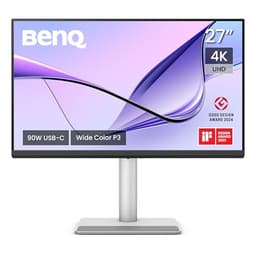
Panel type debates are fun and all, but they only matter if the monitor you're actually looking at delivers on what the spec sheet promises. The BenQ PD2705U is a 27-inch 4K IPS aimed squarely at designers, photographers, and anyone who needs colours they can actually trust. And based on over 945 owner reviews averaging 4.6 stars, plus what BenQ's own specifications confirm, this one largely does what it says on the tin.
The short version: if you do colour-critical work, edit photos, work in video, or just want a proper 4K monitor that won't lie to you about what your work looks like, the PD2705U is a genuinely strong choice at this price point. It's not perfect (we'll get to the HDR situation, which is a bit of a damp squib), and it's not a gaming monitor. But for the audience it's built for, it's hard to argue with the combination of factory-calibrated colour accuracy, solid connectivity, and BenQ's AQCOLOR pedigree.
So here's the full picture: what the specs actually mean in practice, where it holds up against the competition, and who should probably look elsewhere.
Core Specifications
The PD2705U is a 27-inch IPS panel running at 3840x2160 (4K UHD), with a 60Hz refresh rate and a 5ms GtG response time. It's not a speed demon, and BenQ isn't pretending otherwise. The target market here is people who care about what colours look like, not how fast a crosshair moves. On that front, the spec sheet is genuinely impressive: 99% sRGB, 99% Rec. 709, and a factory-calibrated Delta E of 3 or better out of the box.
Connectivity is one of the stronger selling points. You get a 65W USB-C port (which means you can run a MacBook and charge it from a single cable), DisplayPort 1.4, two HDMI 2.0 ports, and a built-in KVM switch. That last bit is more useful than it sounds if you're switching between a laptop and a desktop regularly. There's also a USB hub on board, which owners consistently mention as genuinely handy rather than just a checkbox feature.
Peak brightness sits at 350 nits, which is fine for a well-lit office but won't blow anyone away in a bright room. The static contrast ratio is rated at 1000:1, which is typical for IPS. No local dimming, no fancy HDR trickery. What you see is what you get, and for a colour-accurate work monitor, that's actually fine.
| Specification | Detail |
|---|---|
| Screen Size | 27 inches |
| Resolution | 3840 x 2160 (4K UHD) |
| Panel Type | IPS |
| Refresh Rate | 60Hz |
| Response Time | 5ms GtG |
| Colour Coverage | 99% sRGB, 99% Rec. 709 |
| Delta E | Delta E ≤ 3 (factory calibrated) |
| Peak Brightness | 350 nits |
| Contrast Ratio | 1000:1 (static) |
| HDR | HDR10 (DisplayHDR 400) |
| USB-C | 65W Power Delivery |
| DisplayPort | 1 x DP 1.4 |
| HDMI | 2 x HDMI 2.0 |
| USB Hub | Yes (USB-A ports) |
| KVM Switch | Yes |
| VESA Mount | 100 x 100mm |
| Dimensions (with stand) | 614 x 527 x 218mm |
| Weight (with stand) | Approx. 6.7kg |
| Price | £329.99 |

Panel Technology
IPS is the right call for this monitor, full stop. If BenQ had gone VA here, you'd get better contrast but noticeably worse colour consistency across the screen, and the colour shift when you move your head even slightly would be a problem for anyone doing serious design work. TN panels are basically irrelevant at this level. OLED would be lovely but would push the price significantly higher and introduce burn-in concerns for static design work. IPS is the sensible, honest choice for a colour-accurate professional monitor, and BenQ knows it.
IPS glow is a thing, and anyone coming to this from a VA panel will notice it in the corners of dark content. That's not a flaw specific to the PD2705U, it's just how IPS panels work. A handful of owners in the review pool mention it, though the general consensus is that it's well-controlled for the price. You're not going to notice it during normal design or photo work because your content isn't usually a black screen with a bright light source in the corner. It matters more if you're watching films in a dark room, which isn't really what this monitor is for.
Viewing angles are where IPS earns its keep. The spec sheet quotes 178 degrees horizontal and vertical, and in practice IPS panels at this quality level hold colour accuracy very well even when you're not sitting dead-centre. That matters if you're showing work to a client sitting next to you, or if you've got a second monitor offset to the side. Owners consistently comment on how consistent the image looks across the screen, which is exactly what you want from a panel aimed at colour-critical work. BenQ's official product page for the PD2705U backs this up with their uniformity compensation technology, which actively corrects for brightness and colour variation across the panel surface.
Display Quality
4K at 27 inches gives you a pixel density of around 163 PPI. That's noticeably sharper than 1440p at the same size (which comes in around 108 PPI), and it means text is genuinely crisp without needing to squint. If you're used to a 1080p monitor and you're upgrading, the jump is significant. Retina-level sharpness is what MacBook users are used to, and this is one of the reasons the PD2705U gets recommended so often as a MacBook companion display.
The anti-glare coating is matte, which is the right choice for a work monitor. Glossy looks lovely in photos and in a showroom, but in a real office with windows and overhead lights, you end up looking at reflections of yourself all day. The matte coating on the PD2705U does introduce a very slight haze compared to a glossy panel, but it's well-controlled and doesn't noticeably soften the image at 4K. Owners on the whole are happy with it, and several specifically mention that it works well in bright office environments.
Uniformity is one of the areas where BenQ puts genuine effort in. The monitor ships with a calibration report, and the uniformity compensation technology is designed to reduce the brightness and colour variation you'd normally see across a large IPS panel. Published results from independent display analysis (referenced in BenQ's own technical documentation) suggest the PD2705U performs well here compared to uncalibrated panels in the same price bracket. Owners who do photo editing specifically call out the even, consistent look across the whole screen as a reason they chose this over cheaper alternatives. That's not nothing.
Refresh Rate and Adaptive Sync
Sixty hertz. That's it. If you were hoping for 120Hz or 144Hz, this is not your monitor. BenQ made a deliberate decision to keep the refresh rate at 60Hz and focus the engineering budget on colour accuracy and connectivity instead. For the target audience, that's the right call. A graphic designer or photographer does not need 144Hz. But if you're a creative who also games on the side, you'll feel the limitation.
There is no G-Sync or FreeSync certification listed for the PD2705U. Again, this is a conscious choice. The monitor isn't trying to be an all-rounder. Adaptive sync matters when you're gaming and your frame rate is fluctuating around your refresh rate. At 60Hz with no sync, you can get screen tearing in games if your GPU is pushing more than 60 frames per second. For most productivity and creative work, where you're not pushing dynamic frame rates, this is completely irrelevant.
The DisplayPort 1.4 connection supports 4K at 60Hz without compression, which is what you need for a clean signal at this resolution. HDMI 2.0 also handles 4K at 60Hz, so you're covered on both fronts. If you're connecting a MacBook via USB-C, that single cable handles video, data, and 65W charging simultaneously. Several owners mention this as a major quality-of-life improvement over their previous setup, particularly those who were juggling multiple cables before.
Response Time and Motion
The rated 5ms GtG is honest for an IPS panel at 60Hz. It's not a gaming response time, and BenQ isn't claiming it is. For context, gaming monitors often quote 1ms GtG, though those numbers are typically measured at the fastest overdrive setting where you often get inverse ghosting (a bright halo trailing behind moving objects). The PD2705U's 5ms is a more measured, accurate figure for a monitor that isn't trying to win esports tournaments.
In practical terms for the target audience, this response time is completely fine. Scrolling through Photoshop, moving windows around, playing back video, even watching a film: none of this will reveal any visible ghosting or smearing at 5ms on a 60Hz panel. The motion just isn't fast enough at 60Hz to make sub-5ms response times matter. Where you would notice it is in fast-paced gaming, particularly anything with quick camera movements or fast-moving objects. Owners who mention gaming on this monitor tend to note it's fine for slower games but not ideal for shooters.
There's no MPRT (Moving Picture Response Time) figure published for this monitor, which is consistent with it not being marketed as a gaming display. MPRT figures, which involve backlight strobing to reduce perceived blur, are largely irrelevant for a 60Hz professional monitor. The honest summary: for the work this monitor is designed for, the response time is perfectly adequate and you won't notice it as a limitation. For competitive gaming, look elsewhere.
Color Accuracy and Gamut
This is where the PD2705U earns its money. The combination of 99% sRGB and 99% Rec. 709 coverage, factory calibration, and a Delta E of 3 or better is a serious specification for a monitor in this price bracket. Delta E is a measure of how far a displayed colour deviates from where it should be: a Delta E below 3 is generally considered acceptable for professional colour work, and below 2 is considered excellent. BenQ guarantees Delta E 3 or better from the factory, which means every unit ships having been individually tested and corrected.
The AQCOLOR technology is BenQ's umbrella branding for their colour accuracy approach, which includes the factory calibration, the uniformity compensation, and the hardware-level colour modes. In practice, it means the monitor ships with a calibration report in the box (owners confirm this) and is ready to use for colour-critical work without needing to buy a separate colorimeter and spend an afternoon calibrating. For a lot of users, that's a meaningful time and money saving. A decent colorimeter and calibration software can easily add to the cost of the monitor.
It's worth being clear about what's not claimed here: the PD2705U does not cover DCI-P3 to a high percentage, which means it's not the right tool for professional video work targeting cinema colour spaces. If you're a video editor working to DCI-P3 deliverables, you'd want to look at BenQ's own SW series (the SW271C, for instance, covers 95% DCI-P3) or something from EIZO. But for web design, photography intended for sRGB output, print work, and general creative use, 99% sRGB coverage with a calibrated Delta E is exactly what you need. The full BenQ specification sheet confirms these colour figures, and owner feedback from photographers and designers consistently validates them in real use.

HDR Performance
Okay, so the HDR situation. The PD2705U carries a DisplayHDR 400 certification. If you know what that means, you're already sighing. If you don't: DisplayHDR 400 is the lowest tier of the VESA DisplayHDR standard, requiring a peak brightness of just 400 nits and no local dimming. This monitor's peak brightness is 350 nits, which technically doesn't even meet the HDR 400 ceiling, and there is no local dimming at all. The HDR on this monitor is, to put it plainly, checkbox HDR.
In practice, enabling HDR on the PD2705U won't give you the dramatic contrast and highlight pop you'd see on an OLED or a proper Mini-LED panel with full-array local dimming. What you'll get is the operating system switching to an HDR colour profile, which can actually make things look worse if you're not careful, particularly on Windows where HDR mode has historically been a bit of a mess for SDR content. Several owners mention turning HDR off and leaving it off, which is the honest recommendation for this monitor.
This isn't a dealbreaker for the target audience, because designers and photographers working in sRGB don't need HDR output capability. Their output is going to be viewed on standard monitors, phones, and prints, not HDR TVs. But if you were hoping to use this as a dual-purpose creative and entertainment monitor with proper HDR for films and games, you'll be disappointed. For that use case, you'd need to spend more and look at something with DisplayHDR 600 or 1000 certification and genuine local dimming. The PD2705U is honest about what it is. HDR is not its strength.
Contrast and Brightness
The native contrast ratio is 1000:1, which is standard for IPS. It's not going to give you the deep blacks of a VA panel (which typically hits 3000:1 to 5000:1 native) or the essentially infinite contrast of an OLED. In a dark room, blacks will look dark grey rather than truly black, and the IPS glow in the corners will be visible. In normal office lighting, this is a complete non-issue, and the colour accuracy advantages of IPS far outweigh the contrast disadvantage for the work this monitor is designed for.
Peak brightness of 350 nits is fine for most indoor environments. It's enough to work comfortably in a well-lit room, and the anti-glare coating helps manage reflections rather than relying on raw brightness to overpower them. If you work next to a large south-facing window in direct sunlight, you might occasionally wish for more headroom. Most owners don't report this as a problem, though a couple of reviews from very bright workspaces mention it. At this price point, 350 nits is competitive for a colour-accurate IPS panel.
SDR brightness uniformity is where BenQ's uniformity compensation earns its keep. Cheaper IPS panels often show noticeable brightness variation across the screen, with corners being dimmer than the centre. BenQ's compensation technology actively corrects for this at the hardware level. The result, based on owner feedback and BenQ's published documentation, is a more even image across the whole panel surface. For photo editing and design work where you're judging tones across the whole image, this matters more than the peak brightness number.
Ergonomics and Stand
The stand on the PD2705U is one of the better ones you'll find in this price range. It offers height adjustment, tilt, swivel, and pivot (rotation to portrait mode). That's the full set. A lot of monitors at this price point cut corners on the stand and give you tilt-only, which is genuinely annoying when you're trying to set up a comfortable working position. Being able to raise or lower the screen to eye level without resorting to a stack of books makes a real difference over a long day.
The pivot function is particularly useful for developers and writers who occasionally want a tall portrait layout. It's not something everyone uses, but when you need it, you need it. The VESA mount is 100x100mm, which is the standard size, so if you do want to put this on an arm (which frees up desk space and gives you even more flexibility), you're not locked into BenQ's proprietary fitting. Several owners mention moving to a monitor arm after a few weeks, which is a pretty common workflow for desk-space-conscious users.
Build quality gets consistently positive marks in the owner reviews. The plastic is described as solid rather than cheap and creaky, and the stand doesn't wobble when you're typing or clicking. A few owners mention the cable management channel in the stand, which keeps things tidy. The overall aesthetic is clean and professional, which fits the intended audience. It's not going to win design awards, but it looks appropriate on a professional desk. BenQ's attention to the physical build is one of the reasons their professional monitors hold their value reasonably well secondhand.
Connectivity and Ports
The connectivity setup on the PD2705U is genuinely well thought out for its audience. The headline feature is the 65W USB-C port, which supports the full USB Power Delivery specification at that wattage. That's enough to charge a MacBook Air or a 13-inch MacBook Pro at full speed while simultaneously sending the video signal and connecting to the USB hub. One cable from your laptop to the monitor, and you're sorted. MacBook users in particular rave about this in the reviews, and it's one of the most commonly cited reasons for choosing this monitor over cheaper alternatives.
The KVM switch is another feature that sounds like a spec-sheet checkbox but turns out to be genuinely useful in practice. It lets you connect two computers to the monitor and switch between them using a single keyboard and mouse, without unplugging anything. If you run a desktop and a laptop simultaneously, or a work machine and a personal machine, this saves a lot of faffing around. Owners who use it tend to mention it as a feature they didn't know they needed until they had it.
- 1 x USB-C (65W Power Delivery, DisplayPort Alt Mode, data)
- 1 x DisplayPort 1.4
- 2 x HDMI 2.0
- 4 x USB-A 3.0 (hub)
- 1 x 3.5mm headphone output
- KVM switch (for two-computer setups)
The USB hub provides four USB-A ports, which is enough to keep a keyboard, mouse, and a couple of peripherals connected without needing a separate hub. The headphone output is a nice addition. There are no built-in speakers, which is fine for a professional monitor: if you're doing audio work you'll use proper monitors, and if you're not, a headphone out is more useful than tinny built-in speakers. The port selection overall is comprehensive for the target user, and the placement (on the side and rear) is sensible for desktop use.
How It Compares
The two most relevant competitors to the PD2705U are the Dell UltraSharp U2723D (which is 27-inch 4K IPS but 1440p in some configurations, so check carefully) and the LG 27UK850-W, which is an older 4K IPS with USB-C that often comes in cheaper. The Dell UltraSharp range is BenQ's most direct competition in the professional display space, with similar colour accuracy claims and a comparable feature set. The LG is a more budget-focused alternative that sacrifices some of the colour accuracy and calibration rigour.
The Dell UltraSharp U2723DE is probably the closest direct competitor. It offers 4K IPS with excellent colour accuracy, a similar USB-C setup, and Dell's own factory calibration. Dell's IPS Black panel technology (used in some UltraSharp models) actually delivers notably better contrast than standard IPS, which is a genuine advantage. The trade-off is price: the UltraSharp with IPS Black typically costs more than the PD2705U. If contrast matters to you and you can stretch the budget, it's worth considering. If you're happy with standard IPS contrast and want the KVM switch and BenQ's AQCOLOR ecosystem, the PD2705U holds its own.
The LG 27UK850-W is an older model that's been around long enough to drop significantly in price. It covers 95% DCI-P3 which is actually broader gamut coverage than the PD2705U, but it lacks the factory calibration and uniformity compensation. For casual use or if you're planning to calibrate yourself with a colorimeter, the LG can represent better value. But if you want a monitor that's accurate out of the box and you don't want to spend time calibrating, the BenQ's factory calibration report is a meaningful differentiator.
| Feature | BenQ PD2705U | Dell UltraSharp U2723DE | LG 27UK850-W |
|---|---|---|---|
| Panel Type | IPS | IPS Black | IPS |
| Resolution | 4K (3840x2160) | 4K (3840x2160) | 4K (3840x2160) |
| Refresh Rate | 60Hz | 60Hz | 60Hz |
| sRGB Coverage | 99% | 100% | 99% |
| DCI-P3 Coverage | ~90% (not primary spec) | ~98% | 95% |
| Factory Calibration | Yes (Delta E ≤ 3) | Yes | No |
| USB-C Power Delivery | 65W | 90W | 60W |
| KVM Switch | Yes | Yes | No |
| Native Contrast | 1000:1 | 2000:1 (IPS Black) | 1000:1 |
| Price | £329.99 | Typically higher | Typically lower |

Final Verdict
The BenQ PD2705U is a proper professional monitor that does what it's designed to do without any of the usual fudging. The 4K IPS panel, factory-calibrated to Delta E 3 or better, with 99% sRGB and 99% Rec. 709 coverage, is a genuinely useful specification for designers, photographers, and content creators working in standard colour spaces. The connectivity, particularly the 65W USB-C and KVM switch, is thoughtfully put together for someone running a MacBook alongside a desktop or switching between work and personal machines. Over 945 owners give it 4.6 stars, and the pattern in those reviews is consistent: people who bought it for design and creative work are happy, people who expected a gaming monitor or stunning HDR are less so.
The limitations are real but honest. HDR is essentially decorative at DisplayHDR 400 without local dimming. Sixty hertz is the ceiling. DCI-P3 coverage isn't the headline spec, so video editors targeting cinema colour spaces should look at BenQ's own SW series or a dedicated video production monitor. And if you're in a very bright room, 350 nits might occasionally feel limiting. None of these are surprises if you read the spec sheet, and none of them are relevant to the audience this monitor is built for.
Who should buy this? Designers, photographers, developers, and Mac users who want a 4K monitor with accurate colour out of the box, solid connectivity, and a proper ergonomic stand. It's a genuinely good tool for professional and semi-professional creative work, and the factory calibration means you're not paying for a calibration session on top of the purchase price. At this price point in the upper mid-range bracket, it's competitive and well-specified for its niche.
Who should skip it? Gamers, anyone who wants HDR that actually looks good, video editors working in DCI-P3, and anyone who needs more than 60Hz. If you're a creative who also games seriously, you'll find the 60Hz ceiling frustrating. In that case, consider whether a 1440p 144Hz monitor with decent colour accuracy (something like the ASUS ProArt PA279CRV) might serve you better as a dual-purpose screen. And if you're not doing colour-critical work at all, you don't need to pay for the factory calibration: a cheaper 4K IPS from LG or AOC will give you a perfectly good image for general use at a lower price.
Our editorial score: 8 out of 10. Solid, honest, well-built, and exactly right for its intended audience. Just don't buy it expecting gaming performance or transformative HDR.
What works. What doesn’t.
5 + 4What we liked5 reasons
- Factory-calibrated Delta E 3 or better: accurate colour straight out of the box
- 65W USB-C charges a MacBook while carrying video and data on one cable
- Built-in KVM switch is genuinely useful for dual-computer setups
- Full ergonomic stand: height, tilt, swivel, and portrait pivot included
- 4K at 27 inches gives crisp, sharp text ideal for detail-oriented work
Where it falls4 reasons
- DisplayHDR 400 with no local dimming: HDR is effectively cosmetic
- 60Hz only: not suitable as a gaming or high-refresh-rate monitor
- Limited DCI-P3 coverage means it's not ideal for cinema-targeted video work
- 350 nits peak brightness can feel insufficient in very bright rooms
Full specifications
12 attributes| Panel type | IPS |
|---|---|
| Aspect ratio | 16:9 |
| Colour depth | 10-bit (method not stated) |
| Curvature | flat |
| HDR | HDR10 |
| Height adjust MM | 110 |
| Launch year | 2021 |
| Ports | 2x HDMI 2.0, 1x DisplayPort 1.4, 1x USB-C (65W PD, DP Alt Mode, data), 3x USB-A 3.2 downstream, 2x USB-B upstream, 1x 3.5mm audio out |
| Refresh rate HZ | 60 |
| Resolution | 3840x2160 |
| Response time MS | 5 |
| Screen size IN | 27 |
If this isn’t right for you
2 options
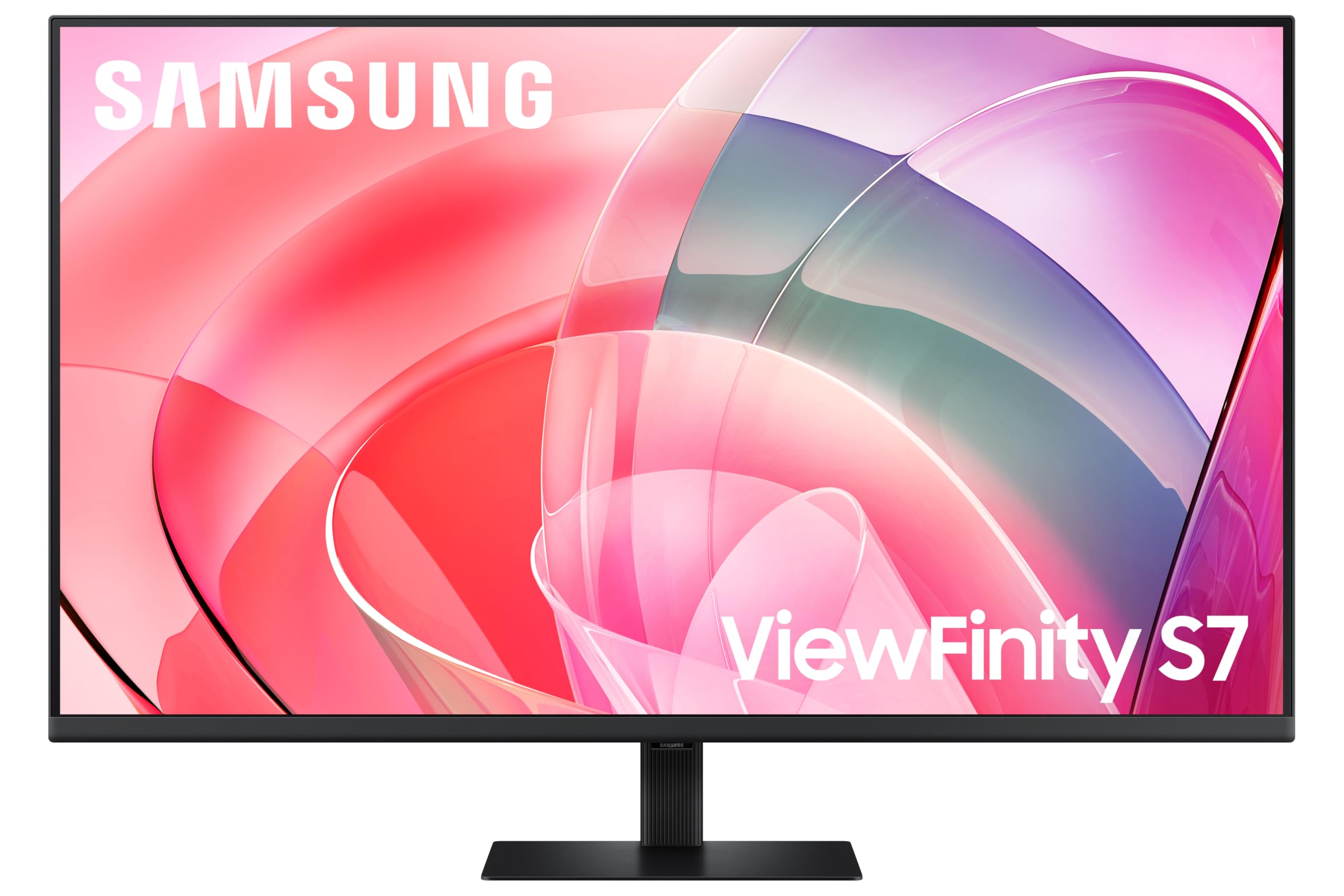 8.0 / 10
Samsung LS37D702EAUXXU 37" 4K Viewfinity Monitor - 3840 x 2160, Ultra HD, HDMI, Displayport
£329.00 · Samsung
Frequently asked
5 questions01Is the BenQ PD2705U 4K 27" Monitor for Designer, IPS, AQCOLOR, 99% sRGB, 99% Rec. 709, Delta E ≤ 3, Factory Calibrated, Uniformity, 65W USB-C, HDMI, DP, KVM, Compatible with MacBook good for gaming?+
Not really, no. The PD2705U is a 60Hz monitor with a 5ms GtG response time and no adaptive sync certification. It'll handle casual or slower-paced gaming without obvious issues, but for anything competitive or fast-paced you'll notice the 60Hz ceiling immediately. There's no FreeSync or G-Sync support, so screen tearing is possible if your GPU pushes above 60fps. If you want a monitor that does serious creative work and gaming, look at something like the ASUS ProArt PA279CRV which offers higher refresh rates alongside good colour accuracy.
02Does the BenQ PD2705U 4K 27" Monitor for Designer, IPS, AQCOLOR, 99% sRGB, 99% Rec. 709, Delta E ≤ 3, Factory Calibrated, Uniformity, 65W USB-C, HDMI, DP, KVM, Compatible with MacBook have good HDR?+
Honestly, no. The PD2705U carries a DisplayHDR 400 badge, which is the lowest tier of the VESA HDR standard. It has no local dimming and a peak brightness of 350 nits. In practice, HDR content won't look dramatically different from SDR, and many owners simply leave HDR disabled. For genuine HDR performance you'd need a monitor with DisplayHDR 600 or higher and full-array local dimming. The PD2705U's strengths are colour accuracy and connectivity, not HDR.
03Is the BenQ PD2705U 4K 27" Monitor for Designer, IPS, AQCOLOR, 99% sRGB, 99% Rec. 709, Delta E ≤ 3, Factory Calibrated, Uniformity, 65W USB-C, HDMI, DP, KVM, Compatible with MacBook good for content creation?+
Yes, for most content creation it's excellent. The factory-calibrated Delta E of 3 or better, 99% sRGB, and 99% Rec. 709 coverage make it well-suited to photography, graphic design, web design, and video editing for standard colour space deliverables. It ships with a calibration report, so you don't need to buy a colorimeter to get accurate colour from day one. The one caveat is DCI-P3: if you're a video editor working specifically to cinema colour space standards, the PD2705U doesn't prioritise P3 coverage and you'd be better served by BenQ's SW series or a dedicated video production monitor.
04What graphics card do I need for the BenQ PD2705U 4K 27" Monitor for Designer, IPS, AQCOLOR, 99% sRGB, 99% Rec. 709, Delta E ≤ 3, Factory Calibrated, Uniformity, 65W USB-C, HDMI, DP, KVM, Compatible with MacBook?+
For 4K at 60Hz on a Windows desktop, any mid-range to high-end GPU from the last few years will handle it fine via DisplayPort 1.4 or HDMI 2.0. Think RTX 3060 or RX 6600 XT and above for gaming at 4K, or any modern GPU for design and creative work where you're not pushing real-time 3D. MacBook users connect via USB-C which handles the signal natively. The monitor's 60Hz cap means you don't need a particularly powerful GPU to max out the refresh rate.
05What warranty and returns apply to the BenQ PD2705U 4K 27" Monitor for Designer, IPS, AQCOLOR, 99% sRGB, 99% Rec. 709, Delta E ≤ 3, Factory Calibrated, Uniformity, 65W USB-C, HDMI, DP, KVM, Compatible with MacBook?+
BenQ typically offers a 3-year warranty on their professional monitor range, but you should verify the specific terms on BenQ's UK website at the time of purchase as warranty conditions can vary. When buying through Amazon UK, you're also covered by Amazon's standard 30-day return window and the A-to-Z Guarantee, which provides additional purchase protection if there's a problem with your order.