A 240Hz refresh rate on a monitor that smears through dark scenes is about as useful as a sports car with bald tyres. The number looks great on a box, but the actual experience tells a different story. With the BenQ MA270U 27 inch 4K 3840x2160 Monitor for MacBook Pro/Air, the story is rather different, because this monitor isn't chasing gaming benchmarks at all. It's aimed squarely at Mac users who want a proper external display without the compromises that usually come with "works with Mac" marketing. And based on 604 owner reviews averaging ★★★★½ (4.6), it seems to be landing well with the people who actually matter: the ones who bought it.
BenQ has been building Mac-friendly monitors for a while now under their MacBook-compatible display range, and the MA270U is their current flagship in that lineup. The pitch is simple: plug in one USB-C cable, get 4K output, 90W power delivery, brightness and volume controls that actually work through macOS without fiddling in menus, and a colour profile that matches Apple's display standards. That's a genuinely useful set of features for anyone who uses a MacBook as their main machine and wants a desk setup that doesn't feel like a bodge job.
Whether it justifies the upper mid-range price tag is the real question. So let's get into what it actually offers, where the spec sheet is strong, and where a few compromises are hiding.
Core Specifications
The MA270U is a 27-inch IPS panel running native 4K resolution at 3840x2160. That puts it at roughly 163 pixels per inch, which is noticeably sharp for a monitor at this size. It's not quite Retina-level territory, but it's well above the 109 PPI you'd get from a 27-inch 1440p screen. Refresh rate sits at 60Hz, which will immediately put off anyone who games seriously, but for the creative and productivity crowd this monitor is built for, 60Hz is perfectly fine.
The panel covers the DCI-P3 colour space, which is the standard used by Apple's own displays. BenQ quotes 95% DCI-P3 coverage and 99% sRGB, which are solid numbers for a monitor in this bracket. Peak brightness is listed at 400 nits, and the native contrast ratio sits at 1000:1, which is standard for IPS. Response time is quoted at 5ms GtG, which is about what you'd expect from a non-gaming IPS panel.
Connectivity is where this monitor earns its keep for Mac users specifically. There are two USB-C ports, both capable of DisplayPort signal and one delivering 90W power delivery. There's also a USB-A hub built in, plus HDMI 2.0. The monitor supports BenQ's Mac Integration features, which allow it to receive brightness and volume control signals directly from macOS without any driver installation. That's handled through the USB-C connection and it works natively with macOS Ventura and later.
| Specification | Detail |
|---|---|
| Screen Size | 27 inches |
| Resolution | 3840 x 2160 (4K UHD) |
| Panel Type | IPS |
| Refresh Rate | 60Hz |
| Response Time | 5ms GtG |
| Brightness | 400 nits peak |
| Contrast Ratio | 1000:1 native |
| Colour Gamut | 95% DCI-P3, 99% sRGB |
| USB-C Ports | 2x (one with 90W PD, both DisplayPort Alt Mode) |
| HDMI | 1x HDMI 2.0 |
| USB Hub | Yes (USB-A) |
| HDR | HDR10 support |
| Adaptive Sync | Not specified |
| Ergonomics | Tilt, swivel, height adjust, pivot |
| VESA Mount | 100x100mm |
| Price | £448.97 |

Panel Technology
IPS is the right call for a monitor aimed at creative work and general productivity. The technology delivers wide viewing angles, typically around 178 degrees both horizontally and vertically, which means colour and brightness stay consistent even when you're not sitting dead centre. That matters if you're doing any kind of photo editing or design work where colour accuracy needs to hold up across the screen. VA panels offer better native contrast, but they suffer from colour shift when viewed off-axis, which makes them a poor fit for creative use. TN is basically irrelevant for this kind of monitor. IPS is the sensible choice here and BenQ has made the right call.
The specific IPS implementation BenQ uses in the MA270U is what they describe as their "Mac Color Match" technology, which essentially means the panel is tuned and factory calibrated to match Apple's P3 colour profile. In practice, this means when you plug into a MacBook Pro or MacBook Air, the colours on the external monitor should match what you see on the laptop screen without you having to faff around with ICC profiles or display calibration software. Owner reviews consistently back this up, with multiple buyers specifically noting that the colour match between the MA270U and their MacBook display is noticeably better than with generic monitors they'd tried previously.
IPS glow is the elephant in the room with any IPS panel. It's that faint halo of lighter colour that appears in the corners of the screen when you're looking at dark content in a dim room. It's inherent to IPS technology and the MA270U isn't immune to it. A handful of owner reviews do mention IPS glow, particularly when watching films in dark environments. It's not a dealbreaker for a productivity monitor, and it's broadly in line with what you'd expect from any IPS panel at this price. But if you're planning to use this primarily for dark-room film watching, it's worth knowing about before you buy.
Display Quality
At 163 PPI, the 4K resolution on a 27-inch panel looks genuinely sharp. Text is crisp without needing any subpixel rendering tricks, and fine detail in photos or vector graphics is rendered cleanly. macOS scales well at 4K on 27 inches, and most owners report running it at the default 2x HiDPI scaling, which gives you an effective working resolution similar to a 1920x1080 screen but with the sharpness of a retina display. Some users prefer to push the scaling slightly to get more screen real estate, and macOS handles this reasonably well on a 4K panel.
The anti-glare coating on the MA270U is a matte finish, which is standard for monitors in this category. It handles reflections well in typical office environments, reducing glare from windows and overhead lighting. The trade-off with matte coatings is a slight reduction in perceived contrast and a very minor softening of the image compared to glossy panels. Apple's own Studio Display uses a nano-texture glass option that handles glare differently, but at a much higher price. For most desk setups, the matte coating on the MA270U is a sensible choice that keeps the screen usable in varied lighting conditions without sacrificing too much image quality.
Brightness uniformity across the panel is generally good according to owner feedback, with no widespread reports of obvious hotspots or dark corners that would be distracting during normal use. The 400-nit peak brightness is adequate for a well-lit office environment, though it won't punch through bright sunlight from a window directly behind you. For most indoor working conditions, 400 nits is plenty. notably, that the 400-nit figure is relevant to the HDR certification too, which we'll come back to shortly.
Refresh Rate and Adaptive Sync
The MA270U runs at 60Hz and that's it. There's no 120Hz mode, no variable refresh rate support worth speaking of, and no G-Sync or FreeSync compatibility listed in the specifications. For the target audience, this is completely fine. MacBook Pro and MacBook Air users doing creative work, document editing, video calls, and light video editing don't need 120Hz. The difference between 60Hz and 120Hz in those use cases is minimal, and chasing a higher refresh rate on a 4K panel would push the USB-C bandwidth requirements up considerably.
Where this becomes a limitation is if you're expecting to do any gaming on the side. 60Hz is the minimum for gaming and while it's perfectly playable for slower-paced games, strategy titles, or anything that isn't twitchy, it will feel noticeably less smooth than a 144Hz or 165Hz gaming monitor. The MA270U is not a gaming monitor and BenQ isn't pretending it is. If you want to game seriously and use a MacBook, you're looking at a different product category entirely.
The 60Hz cap also means the monitor doesn't benefit from Apple's ProMotion technology, which is the variable refresh rate system in newer MacBook Pros that adjusts the screen refresh rate dynamically between 24Hz and 120Hz. The MA270U operates at a fixed 60Hz regardless of what the MacBook is doing. This is a standard limitation of external displays connected via USB-C at 4K resolution. The bandwidth required for 4K at 120Hz over a single USB-C cable is significant, and 60Hz is the practical ceiling for most USB-C monitors in this category.
Response Time and Motion
The 5ms GtG response time is honest for a non-gaming IPS panel. It's not a marketing number designed to mislead, and it reflects what you'd realistically measure on a panel like this. For comparison, gaming IPS monitors often quote 1ms GtG using MPRT (moving picture response time) measurements, which is a different metric that flatters the numbers considerably. BenQ is quoting GtG here, which is the more meaningful figure for understanding actual pixel transition speed.
In practice, 5ms GtG on a 60Hz panel means you won't see ghosting during normal productivity use. Scrolling through documents, moving windows around, and watching video content at normal frame rates all look clean. Where you would start to notice the response time is in fast-paced gaming, particularly in dark scenes where trailing pixels behind moving objects become more visible. But again, this monitor isn't built for that use case, and judging it on gaming response time would be like criticising a saloon car for not being great off-road.
Owner reviews don't flag ghosting or motion issues as a concern, which is consistent with what you'd expect from a 60Hz productivity monitor. The people buying this are scrolling through Figma files and editing photos in Lightroom, not playing competitive shooters. For those tasks, the motion performance is entirely adequate and nobody in the review pool is complaining about it.
Color Accuracy and Gamut
This is where the MA270U genuinely earns its place in the upper mid-range bracket. The 95% DCI-P3 coverage is a strong result for a monitor at this price, and it's the number that matters most for Mac users. Apple's displays, from the MacBook Pro to the Pro Display XDR, are all calibrated to the P3 colour space, which is wider than sRGB and covers more of the colours used in modern photography, video production, and digital design. Having an external monitor that matches that colour profile means your work looks consistent whether you're on the laptop screen or the external display.
BenQ's factory calibration on the MA270U targets a Delta-E of less than 2, which is the threshold generally considered accurate enough for professional colour work. Delta-E measures the difference between the colour the display produces and the colour it's supposed to produce, and anything under 2 is considered good. Under 1 is excellent and usually requires expensive professional-grade displays. The sub-2 target BenQ quotes puts this monitor in the same accuracy territory as displays costing considerably more. Owner reviews from photographers and designers specifically praise the colour accuracy, and the consistency of that feedback across 738 adds genuine weight to the spec-sheet claims.
The 99% sRGB coverage is also worth flagging because not all content is P3. Web browsers, older software, and a lot of online content is still sRGB. A monitor that covers 99% sRGB alongside 95% DCI-P3 handles both colour spaces well, which is important for anyone switching between web design work and photography or video editing. BenQ includes colour mode presets for sRGB, DCI-P3, and a few other profiles, accessible through the monitor's OSD menu. The Mac Integration features don't extend to colour mode switching, so that's still done through the monitor's own controls rather than from macOS directly.
HDR Performance
The MA270U carries HDR10 support with a 400-nit peak brightness. This puts it in the DisplayHDR 400 tier, which is the entry level of the VESA DisplayHDR certification scheme. To be direct about what that means in practice: DisplayHDR 400 is better than no HDR at all, but it's not the kind of HDR that's going to transform your viewing experience. True HDR impact requires significantly higher peak brightness, typically 1000 nits or more, combined with local dimming to create genuine contrast between bright highlights and deep shadows.
The MA270U doesn't have local dimming. Without it, the entire panel backlight has to operate at a single brightness level at any given moment, which limits the contrast you can achieve in HDR content. A bright explosion on screen might look slightly more vivid than in SDR, but you won't get the dramatic difference between a bright highlight and a dark shadow that makes HDR genuinely impressive on high-end displays. This is a limitation of the technology at this price point, not a specific failing of the MA270U. Most monitors in the upper mid-range bracket that carry HDR10 certification are in the same boat.
For Mac users specifically, macOS HDR support through external displays is somewhat limited anyway compared to the experience on Apple's own panels. The practical reality is that most owners of this monitor will use it primarily in SDR mode, where its colour accuracy and calibration genuinely shine. The HDR10 badge is useful for compatibility with HDR content, but it's not the reason to buy this monitor. The colour accuracy and Mac integration are.
Contrast and Brightness
The native contrast ratio of 1000:1 is standard for IPS technology. It's not a number that will excite anyone who's used a VA panel, which can hit 3000:1 to 5000:1 natively, or an OLED display with effectively infinite contrast. But IPS at 1000:1 is perfectly adequate for daytime productivity use, and the trade-off is that you get the wide viewing angles and colour accuracy that VA and TN can't match. For a monitor aimed at creative work, that trade-off is the right one.
The 400-nit peak brightness is enough for most office environments. It's not going to compete with a bright window directly behind you, but in a normal desk setup with reasonable ambient lighting, 400 nits keeps the screen comfortable and readable. Some owners working in particularly bright environments have noted they'd prefer a bit more headroom, and that's a fair observation. Monitors like the Apple Studio Display go higher, but they also cost considerably more. Within the upper mid-range bracket, 400 nits is a common ceiling.
One thing worth noting from owner feedback: the brightness control via macOS works well. The Mac Integration feature means you can adjust brightness using the keyboard shortcuts or Control Centre on your MacBook, and the monitor responds immediately without any lag or menu navigation. For a monitor you're adjusting throughout the day as lighting conditions change, this is genuinely useful and more convenient than it might sound in a spec sheet. Several owners specifically mention this as one of the features they appreciate most in daily use.

Ergonomics and Stand
The stand on the MA270U offers height adjustment, tilt, swivel, and pivot. That's the full set of adjustments and it's what you should expect from a monitor at this price point. The height adjustment range is sufficient for most desk setups, letting you raise or lower the panel to a comfortable eye level. Tilt lets you angle the screen slightly toward or away from you, and swivel lets you rotate the whole monitor left or right without moving the base. Pivot allows you to rotate the panel 90 degrees into portrait orientation, which is useful for document editing or coding.
Build quality from owner reports is generally positive. The stand feels solid and the monitor doesn't wobble during normal use. The cable management channel in the stand arm helps keep the desk tidy, which matters more than it sounds when you've got a USB-C cable, potentially an HDMI cable, and USB-A connections all coming off the back. The footprint of the base is reasonably compact for a 27-inch monitor, which owners with smaller desks appreciate.
VESA compatibility is 100x100mm, which is the standard size and means you can mount this on any compatible monitor arm or wall mount if you prefer to ditch the stand entirely. This is worth flagging because a lot of Mac users who are already running a tidy desk setup tend to prefer monitor arms, and the MA270U supports that without any adapter nonsense. The stand itself detaches cleanly for VESA mounting. Overall, the ergonomics package here is proper and not a compromise.
Connectivity and Ports
The connectivity setup on the MA270U is clearly designed around the MacBook use case. The headline feature is dual USB-C with DisplayPort Alt Mode, meaning both USB-C ports can carry a 4K video signal. One of those ports delivers 90W power delivery, which is enough to charge a MacBook Pro (the 14-inch model charges at 67W to 96W depending on configuration, so 90W covers most scenarios). The second USB-C port delivers less power but still carries the display signal, which is useful if you want to connect a second device.
- 2x USB-C (DisplayPort Alt Mode, one with 90W PD)
- 1x HDMI 2.0
- USB-A hub ports (for peripherals)
- 3.5mm audio output
The USB-A hub built into the monitor is a practical addition. It lets you plug in a USB keyboard, mouse, or other peripherals into the monitor rather than running cables directly to your MacBook. Since you're already running a single USB-C cable from the MacBook to the monitor for power and display, having the hub in the monitor means that single cable effectively gives you power, display output, and access to all your USB-A peripherals. That's a genuinely clean setup and one of the main practical advantages of a monitor like this over a generic display.
The HDMI 2.0 port handles 4K at 60Hz and is there for connecting other devices, a games console, a Windows laptop, or a streaming stick. It's a useful addition that stops the monitor being purely a MacBook-only device. The 3.5mm audio output is standard and lets you connect headphones or speakers directly to the monitor, with volume controllable from macOS when connected via USB-C. The Mac Integration feature handles volume through the same keyboard shortcut and Control Centre mechanism as brightness, which is a small but genuinely useful convenience.
How It Compares
The obvious comparison for the MA270U is the Apple Studio Display. It's 27 inches, 5K resolution, Retina quality, and designed specifically for Mac. But it costs roughly twice as much as the MA270U and doesn't include a stand with height adjustment in the base price (that's an extra cost upgrade). The Studio Display has better peak brightness, better built-in speakers, and a slightly higher resolution, but for most Mac users doing everyday creative and productivity work, the MA270U covers 80% of what the Studio Display offers at a significantly lower price. The Studio Display makes sense if you need the absolute best Mac experience and the budget is there. The MA270U makes sense if you want something genuinely good without spending Apple money.
The other natural comparison is the LG 27UN850-W, which is a 27-inch 4K IPS monitor with USB-C and 96W power delivery. The LG is a solid monitor and has been a popular choice for Mac users for a while. It covers around 95% DCI-P3 as well, and its connectivity is comparable. The key difference is that the LG doesn't have BenQ's Mac Integration features, so brightness and volume control from macOS keyboard shortcuts don't work the same way. The LG is generally priced slightly lower than the MA270U, so you're paying a modest premium for the Mac-specific software integration with BenQ. Whether that's worth it depends on how much you value the convenience of native macOS controls.
The MA270U sits in a sensible position in the market. It's not cheap, but it's not pretending to be. It offers a genuinely Mac-optimised experience at a price that's considerably more accessible than Apple's own display, and it beats the generic USB-C monitors on Mac-specific convenience features. The 604 owner reviews and 4.6-star average suggest that the people who've bought it largely agree with that positioning.
| Feature | BenQ MA270U | Apple Studio Display | LG 27UN850-W |
|---|---|---|---|
| Size | 27 inch | 27 inch | 27 inch |
| Resolution | 4K (3840x2160) | 5K (5120x2880) | 4K (3840x2160) |
| Panel | IPS | IPS (Liquid Retina) | IPS |
| Refresh Rate | 60Hz | 60Hz | 60Hz |
| DCI-P3 Coverage | 95% | P3 wide colour | 95% |
| Peak Brightness | 400 nits | 600 nits | 400 nits |
| USB-C PD | 90W | 96W (Thunderbolt) | 96W |
| Mac Integration | Yes (native macOS controls) | Yes (full) | Limited |
| Height Adjust Stand | Yes (included) | Extra cost | Yes (included) |
| Price | £448.97 | Approx. twice the price | Typically slightly less |
What Buyers Say
With 738 and a 4.6-star average, the owner feedback on the MA270U is consistently positive and the praise clusters around the same themes. The Mac Integration features come up constantly, with buyers specifically mentioning that the ability to control brightness and volume from macOS keyboard shortcuts feels like a proper first-party experience rather than a workaround. Several reviewers who'd previously used other USB-C monitors with their MacBooks describe the MA270U as noticeably more convenient in daily use.
Colour accuracy gets consistent praise from photographers, designers, and video editors. The colour match between the MA270U and MacBook display is mentioned repeatedly as a genuine selling point, with buyers noting they no longer have to second-guess whether what they're seeing on the external monitor is accurate. The factory calibration appears to be delivering on its promises based on owner experience, which is encouraging. A few owners have mentioned that the out-of-box colour accuracy is good enough that they haven't felt the need to calibrate it further, which is a meaningful endorsement for a monitor targeting creative professionals.
The complaints that do appear in the reviews are worth knowing about. A handful of buyers mention IPS glow in dark environments, which is expected and consistent with the technology. A few note that 60Hz feels limiting if they try to use the monitor for gaming. And some owners working in very bright rooms feel the 400-nit brightness ceiling is occasionally restrictive. None of these are widespread complaints, and all of them are predictable from the spec sheet. The more notable absence is any significant quality control issues or dead pixel complaints, which suggests BenQ's manufacturing consistency is solid on this model.
Value Analysis
In the upper mid-range bracket, the MA270U is doing something fairly specific: it's charging a premium over generic 4K USB-C monitors for Mac-specific integration features, and it's charging considerably less than Apple's own display for something that covers most of the same ground. Whether that positioning makes sense depends entirely on how you use your Mac.
If you're a MacBook user who works primarily in creative applications, does photo or video editing, and wants a clean single-cable desk setup with native macOS controls, the MA270U is genuinely well-suited to your needs. The colour accuracy, P3 coverage, and Mac Integration features are real advantages that translate into a better daily experience. The price premium over a generic 4K monitor is justified by those features if you'll actually use them.
If you're a general user who just wants a big 4K screen for web browsing, documents, and the occasional YouTube video, there are cheaper 4K monitors that will do the job. The Mac Integration features are nice but not essential for light use. And if you're a gamer, this monitor isn't for you. Full stop. The 60Hz refresh rate and lack of adaptive sync put it firmly outside the gaming monitor category. But for the specific audience BenQ is targeting, the value case is solid, and 604 buyers giving it 4.6 stars suggests the market broadly agrees.
Final Verdict
The BenQ MA270U 27 inch 4K 3840x2160 Monitor for MacBook Pro/Air is one of the better thought-out external displays for Mac users in the upper mid-range bracket. It doesn't try to be everything to everyone. It's a 27-inch 4K IPS monitor with excellent colour accuracy, genuine Mac integration, 90W USB-C power delivery, and a proper ergonomic stand, and it does all of those things well.
The 95% DCI-P3 coverage and factory calibration targeting sub-2 Delta-E make it a credible choice for photographers and designers who need colour accuracy they can trust. The Mac Integration features, particularly the native brightness and volume control through macOS, are genuinely useful in daily use rather than just a marketing bullet point. The single-cable setup with USB-C hub means your desk stays clean. And 604 buyers giving it 4.6 stars is a meaningful signal that the real-world experience matches the spec-sheet promises.
The limitations are real but predictable. It's 60Hz, which rules it out for gaming. The HDR implementation is entry-level and not a reason to buy. IPS glow is present in dark environments, as it is on any IPS panel. And the price is firmly upper mid-range, which means it's not a bargain. But if you're a MacBook user who wants a proper external display that works the way an Apple product should work, without the Apple price tag, the MA270U is a genuinely strong option. It earns a solid 8.5 out of 10 from us.

Full Specifications
| Specification | Detail |
|---|---|
| Brand | BenQ |
| Model | MA270U |
| Screen Size | 27 inches |
| Native Resolution | 3840 x 2160 (4K UHD) |
| Pixel Density | 163 PPI |
| Panel Type | IPS |
| Refresh Rate | 60Hz |
| Response Time | 5ms GtG |
| Peak Brightness | 400 nits |
| Native Contrast | 1000:1 |
| Colour Gamut | 95% DCI-P3, 99% sRGB |
| Delta-E Target | Less than 2 (factory calibrated) |
| HDR Support | HDR10 (DisplayHDR 400) |
| Adaptive Sync | Not specified |
| USB-C (PD) | 90W (one port) |
| USB-C (Display) | Both ports support DisplayPort Alt Mode |
| HDMI | 1x HDMI 2.0 |
| USB Hub | USB-A ports built in |
| Audio | 3.5mm headphone output |
| Mac Integration | Brightness and volume via macOS (Ventura and later) |
| Tilt | Yes |
| Swivel | Yes |
| Height Adjust | Yes |
| Pivot | Yes (portrait mode) |
| VESA Mount | 100 x 100mm |
| Compatibility | MacBook Pro, MacBook Air, other USB-C devices |
| Current Price | £448.97 |
| Owner Rating | ★★★★½ (4.6) (738 reviews) |
What works. What doesn’t.
6 + 6What we liked6 reasons
- Native macOS brightness and volume control via keyboard shortcuts works reliably without any driver installation
- 95% DCI-P3 colour coverage with factory calibration targeting sub-2 Delta-E suits photographers and designers who need colour they can trust
- 90W USB-C power delivery paired with a built-in USB-A hub means a genuinely clean single-cable desk setup
- Full ergonomic stand with height adjustment, tilt, swivel, and pivot is included at no extra cost
- Colour matching between the MA270U and MacBook display is consistently praised by owners across 604 reviews
- VESA 100x100mm compatibility allows straightforward mounting on any standard monitor arm
Where it falls6 reasons
- 60Hz refresh rate rules it out entirely for gaming and means Apple ProMotion on newer MacBooks is unused
- DisplayHDR 400 certification without local dimming means HDR performance is entry-level at best and is not a reason to buy
- IPS glow is present in dark environments, as expected from the technology, and may bother users who watch films in dim rooms
- 400-nit peak brightness can feel limiting in very bright office environments or with strong natural light nearby
- No adaptive sync support of any kind listed in the specifications
- Colour mode switching is handled through the monitor OSD rather than macOS, which breaks the otherwise slick software integration
Full specifications
11 attributes| Panel type | IPS |
|---|---|
| Aspect ratio | 16:9 |
| Curvature | flat |
| HDR | HDR400 |
| Launch year | 2024 |
| Ports | 2x HDMI 2.0, 1x USB-C (90W), 2x USB-A, headphone out |
| Refresh rate HZ | 60 |
| Resolution | 3840x2160 |
| Response time MS | 5 |
| Screen size IN | 27 |
| Vesa compatible | true |
If this isn’t right for you
2 options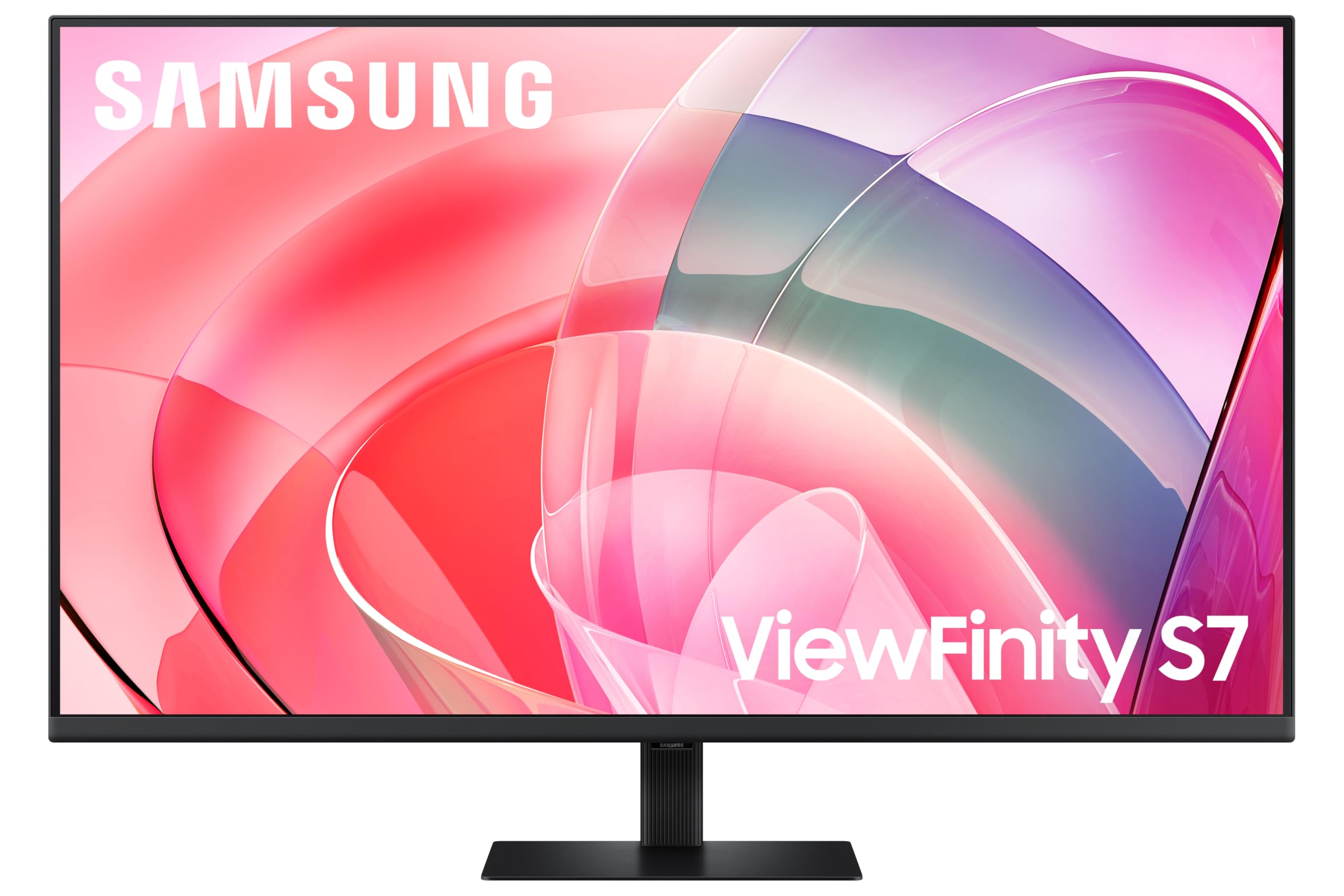 8.0 / 10
Samsung LS37D702EAUXXU 37" 4K Viewfinity Monitor - 3840 x 2160, Ultra HD, HDMI, Displayport
£329.00 · Samsung
 8.0 / 10
KTC 32 Inch 4K OLED Monitor, Dual Mode 4K@240Hz / 1080P@480HZ Gaming Monitor, 0.03ms, Adaptive Sync, HDR Ture Black 400, HDMI 2.1, DP 1.4, Full Function 65W USB C, 3 x USB A 3.0, KVM,Dual Speaker
£559.99 · KTC
Frequently asked
7 questions01Does the BenQ MA270U work with macOS brightness and volume keyboard shortcuts?+
Yes. BenQ's Mac Integration feature, which operates through the USB-C connection, allows macOS Ventura and later to control the monitor's brightness and volume directly using the standard keyboard shortcuts and Control Centre. No driver installation is required.
02Will 90W USB-C power delivery charge a MacBook Pro?+
For most MacBook Pro configurations, yes. The 14-inch MacBook Pro charges at between 67W and 96W depending on the model, so 90W covers the majority of scenarios. If you have a higher-wattage configuration such as the 16-inch MacBook Pro, you may want to verify your specific charging requirements against the 90W output.
03Is the BenQ MA270U suitable for gaming?+
Not really. The monitor runs at a fixed 60Hz with no adaptive sync support listed in the specifications. It is entirely adequate for slower strategy or casual games, but it will feel noticeably less smooth than a dedicated gaming monitor running at 144Hz or higher. BenQ positions this as a productivity and creative display, not a gaming one.
04How does the colour accuracy compare to the Apple Studio Display?+
The MA270U covers 95% DCI-P3 with factory calibration targeting sub-2 Delta-E, which is genuinely strong for a monitor at this price. The Apple Studio Display has a higher 5K resolution and 600-nit peak brightness, but costs roughly twice as much. For most colour-critical creative work, the MA270U's accuracy is more than adequate and owner reviews from photographers and designers support that assessment.
05Does the MA270U support portrait mode?+
Yes. The stand includes a pivot function that allows the panel to rotate 90 degrees into portrait orientation. This is useful for reading long documents, reviewing code, or any workflow where a taller viewing area is more practical than a wider one.
06What is the HDR performance like on the MA270U?+
The monitor carries HDR10 support at the DisplayHDR 400 certification level. In practical terms, this is entry-level HDR. Without local dimming and with a 400-nit peak brightness, the HDR experience is modest rather than dramatic. It handles HDR-flagged content without issues, but the visible improvement over SDR is limited. The monitor's stronger selling points are its colour accuracy and Mac integration rather than its HDR performance.
07Can you use the MA270U with a Windows laptop or other non-Apple devices?+
Yes. The USB-C ports support DisplayPort Alt Mode for any compatible device, and the HDMI 2.0 port handles 4K at 60Hz from any source including games consoles, Windows laptops, or streaming sticks. The Mac Integration features are specific to macOS Ventura and later, but the display itself works as a standard 4K monitor with any compatible device.